
Search Our Database
How to Allow Adding Unregistered Domains in cPanel
Introduction
As a cPanel Administrator, you can easily configure your server to allow cPanel users to add domains that do not yet have nameserver records assigned to them. This is achieved by adjusting a single setting within the WHM Tweak Settings interface, which is useful when users need to stage a website before global DNS propagation is complete.
Prerequisite
- Access with cPanel with root privilege
- Basic knowledges on cPanel configuration and navigation
Step-by-step guide
Step 1: Access to cPanel
- Login to your cPanel control panel. The URL to your cPanel typically will be like <domain>:2087 or <server IP>:2087.
Step 2: Navigate to Tweak settings
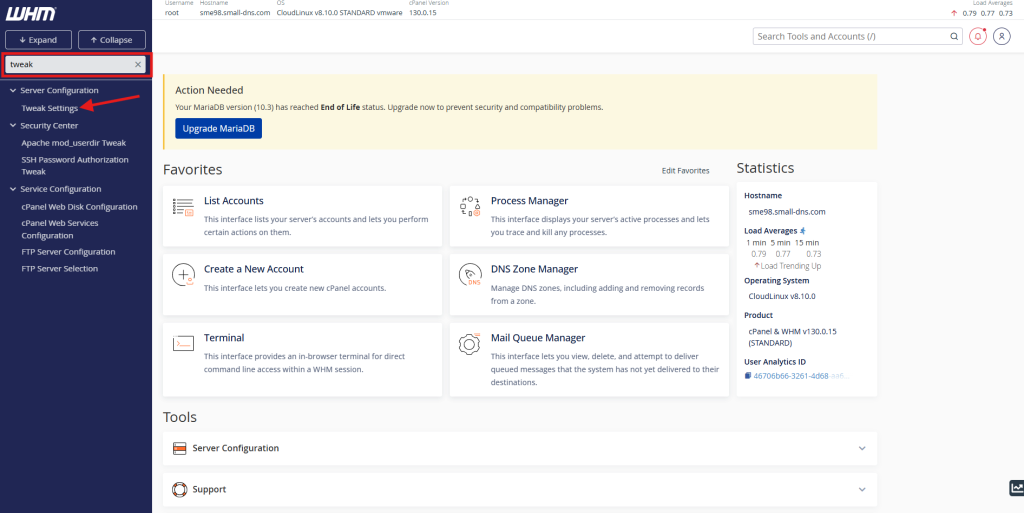
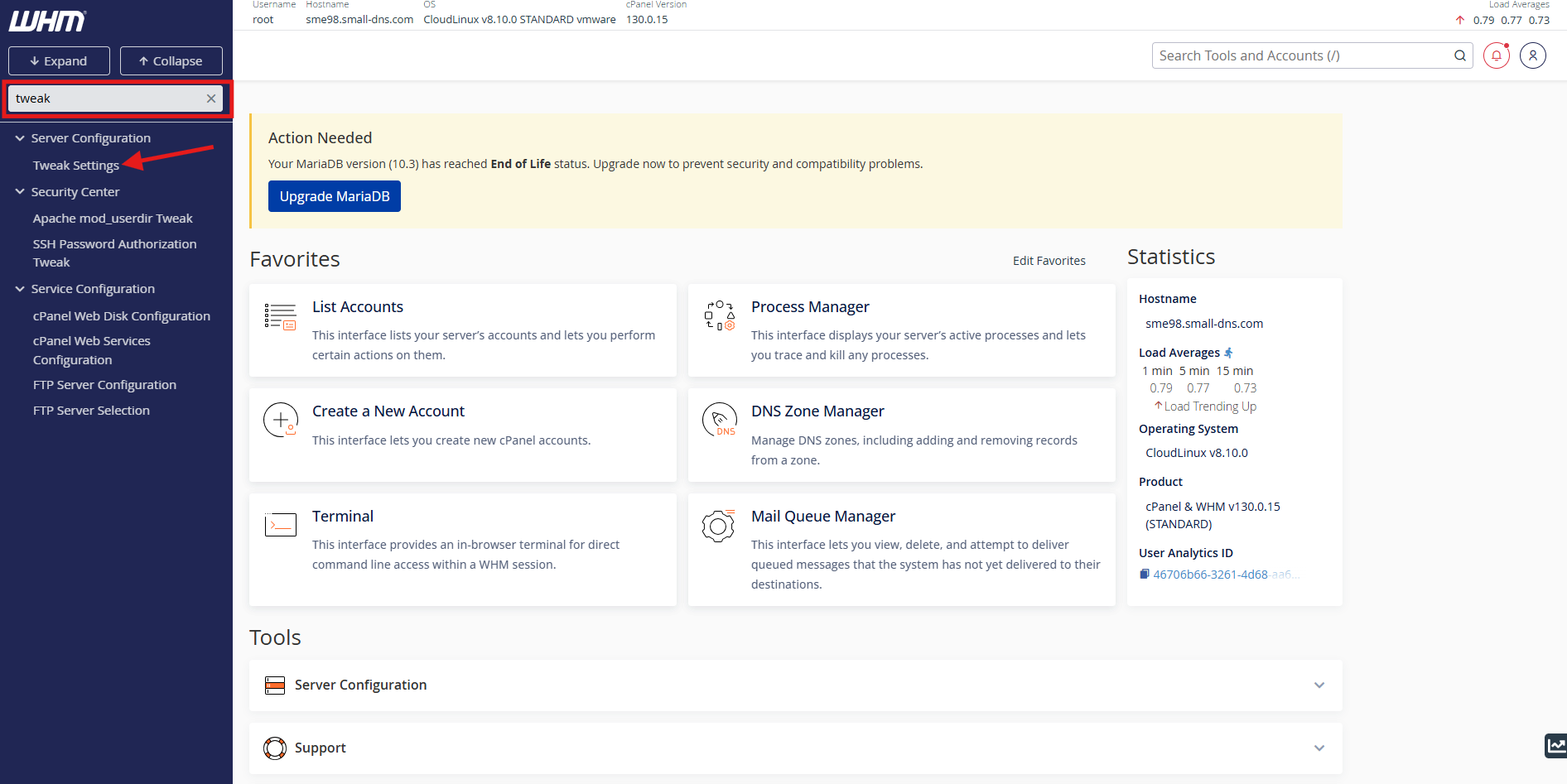
- Search ‘tweak’ in the search bar on top left.
- Then click Tweak Settings.
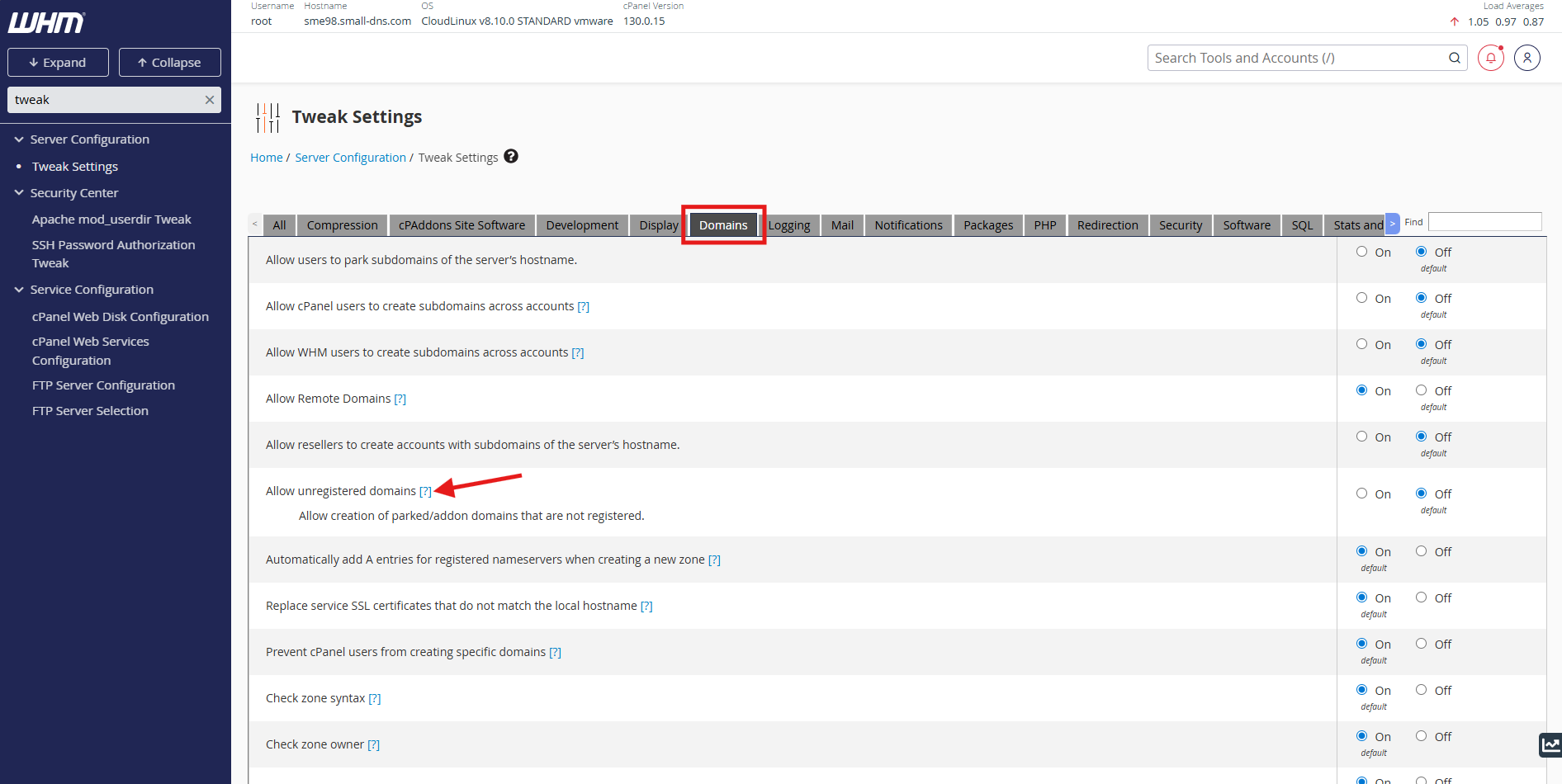
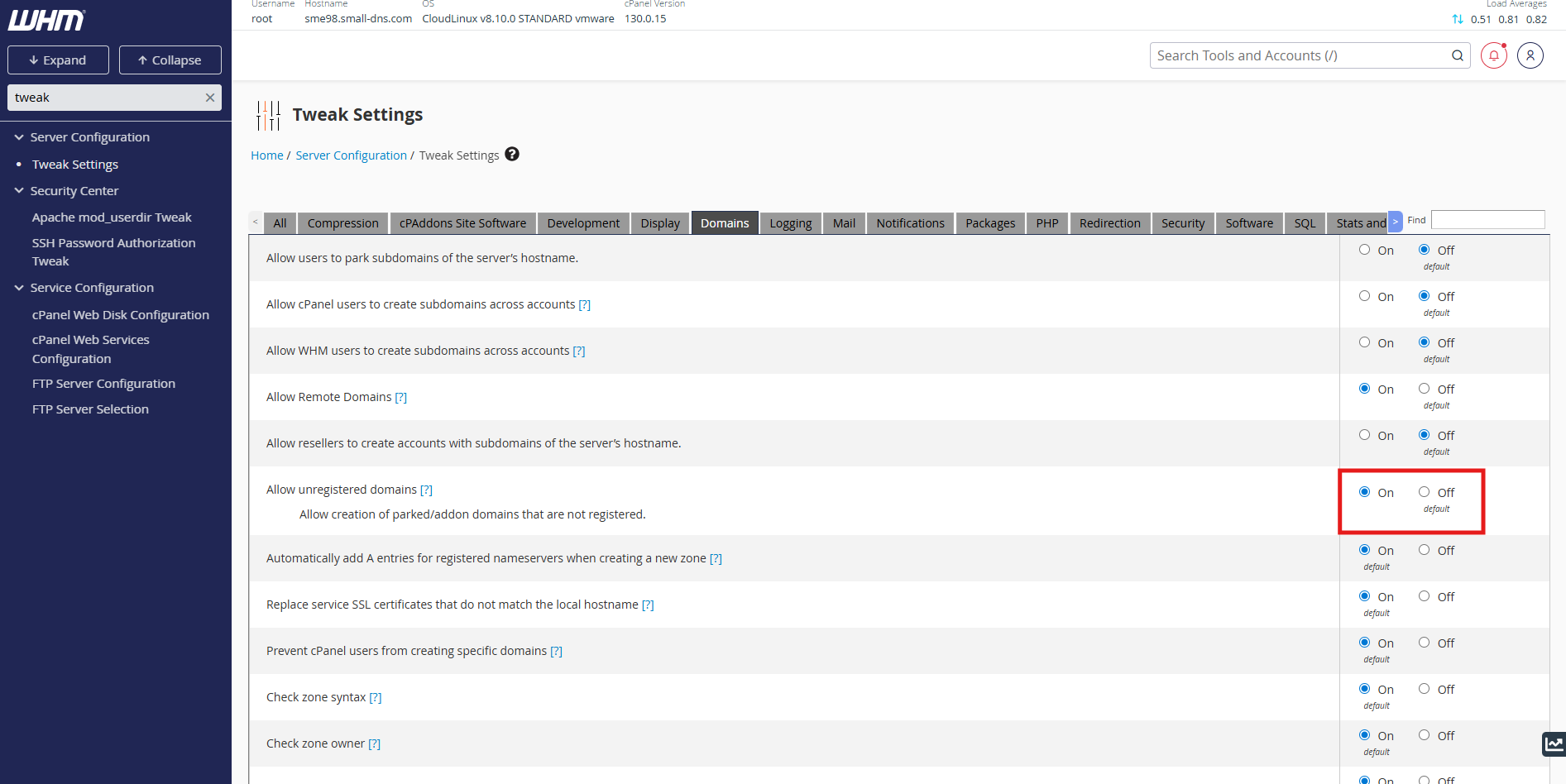
Step 3: Allow unregistered domains
- In Tweak Settings, navigate to Domains tab and locate the Allow unregistered domains setting.
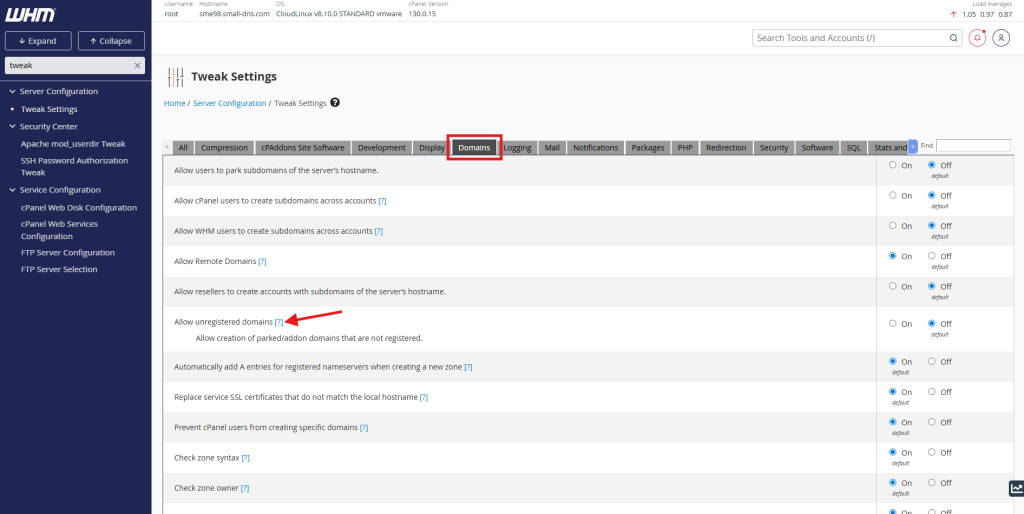
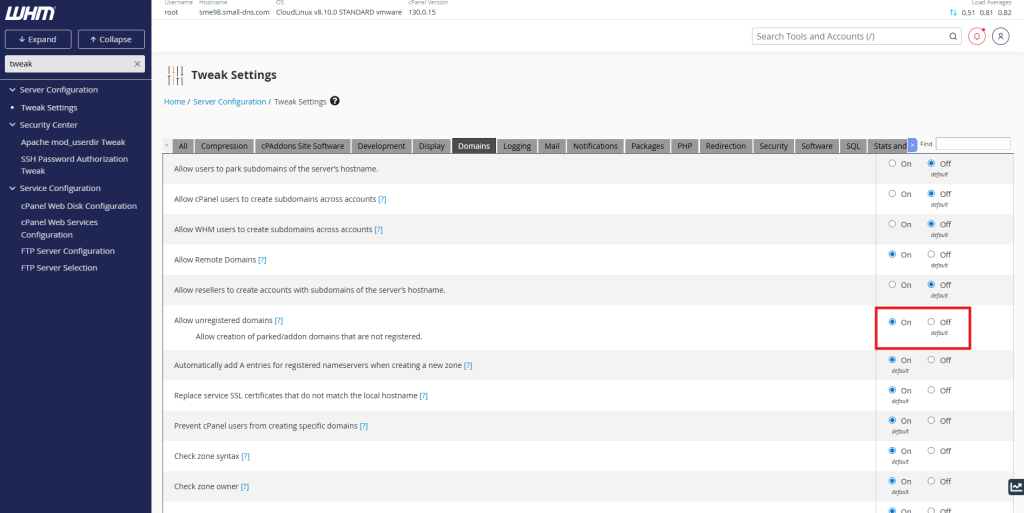
- The default setting was Off, change the setting to On to allow the unregistered domains to add in cPanel.
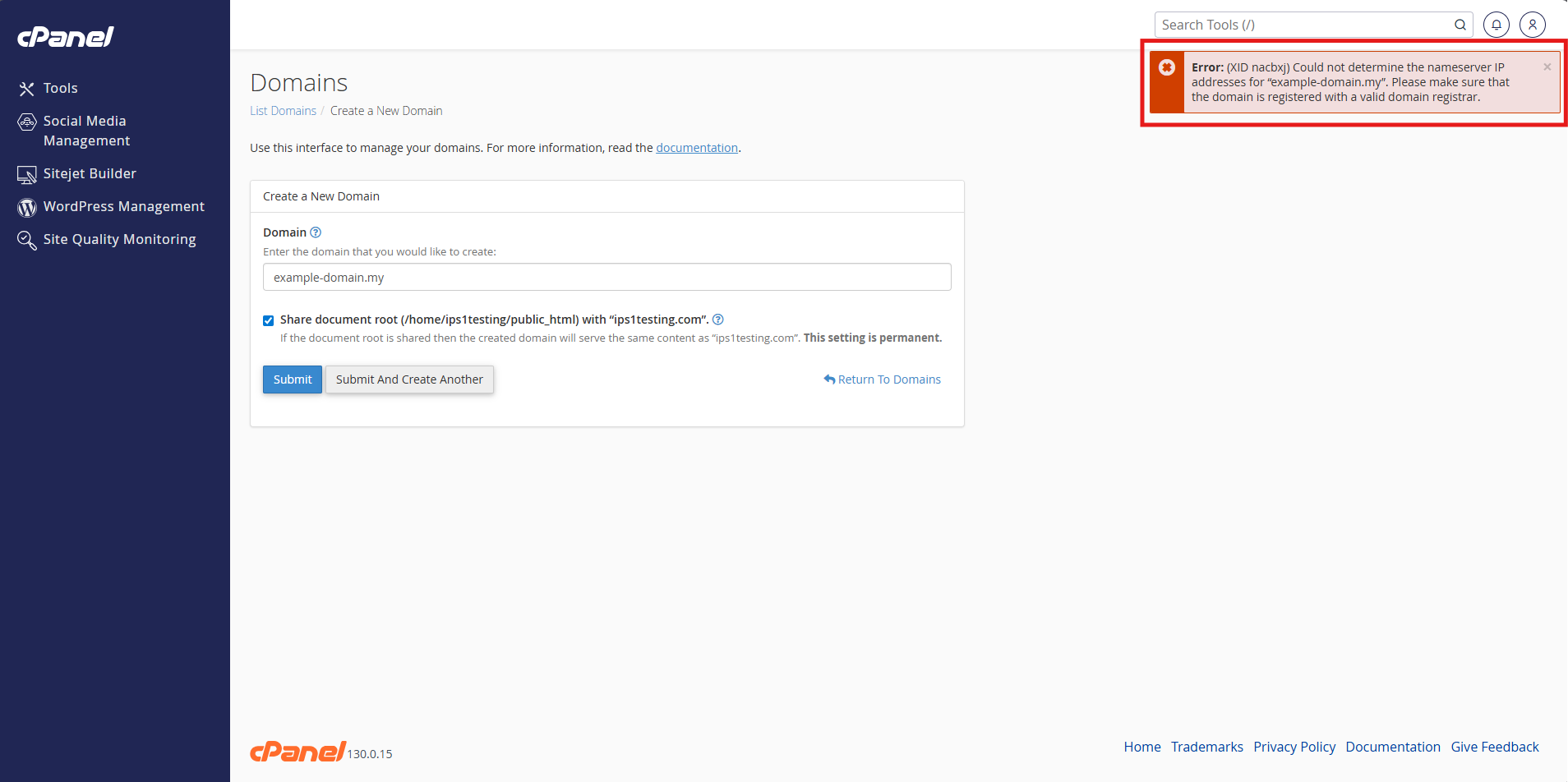
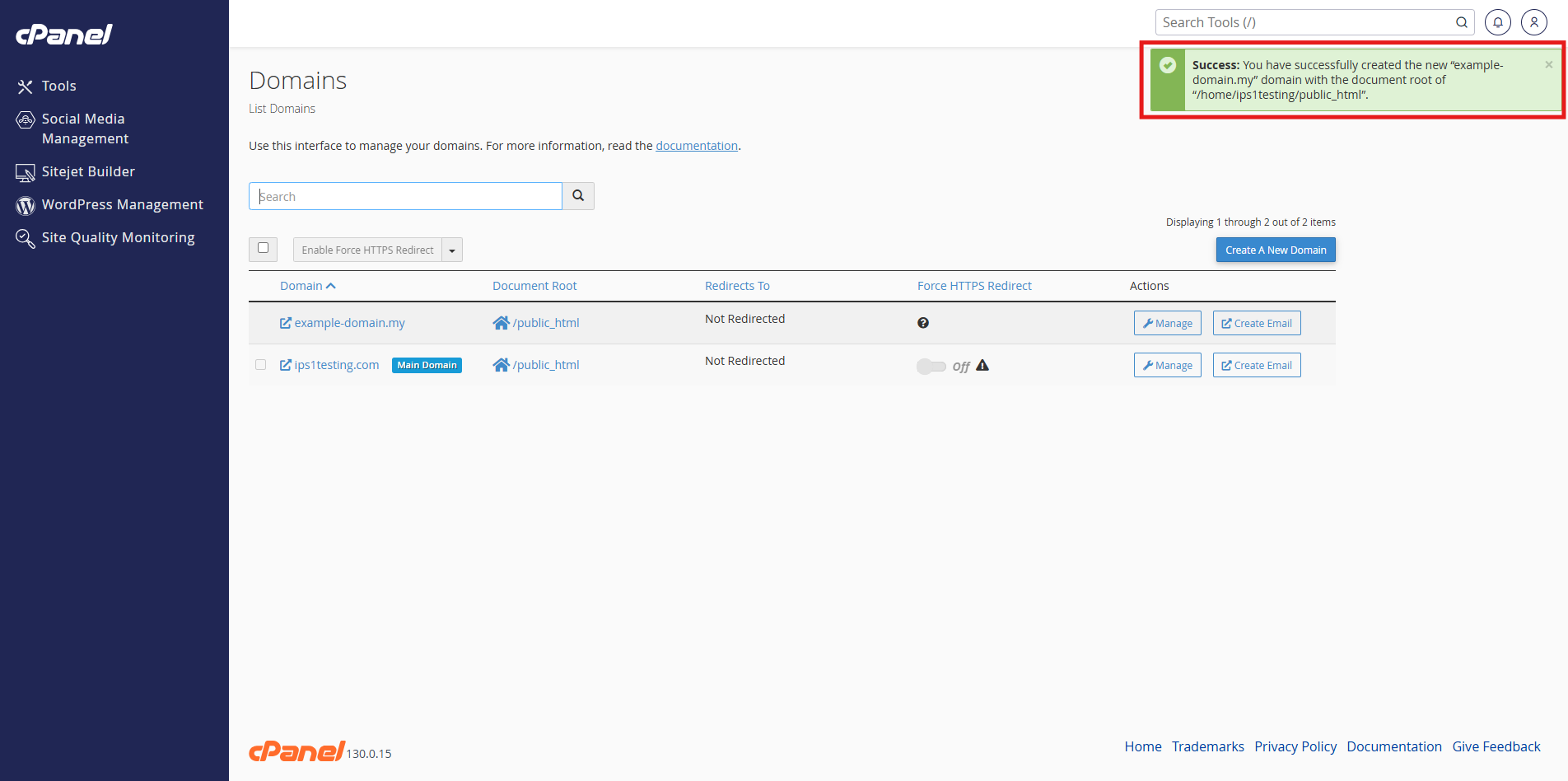
Step 4: Verify the changes
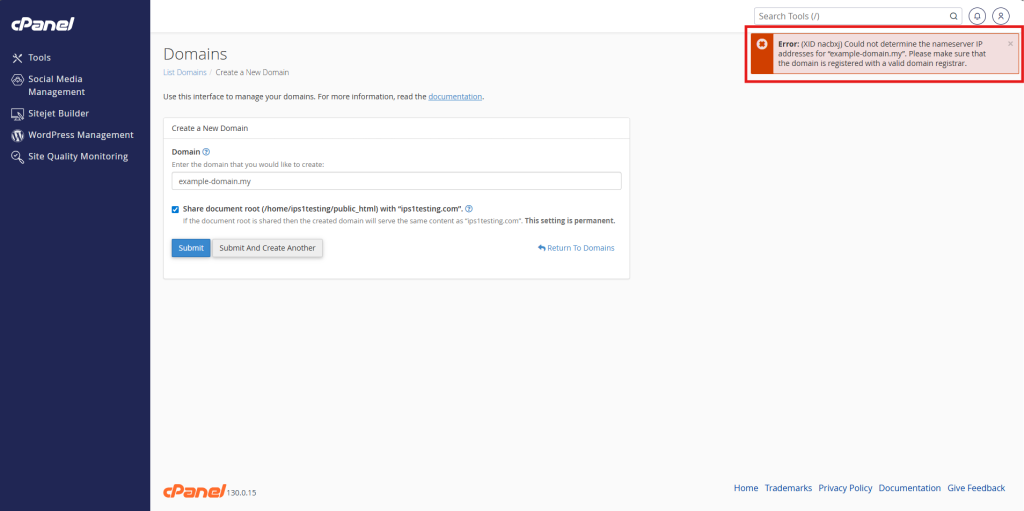
- Before allowing unregistered domains.
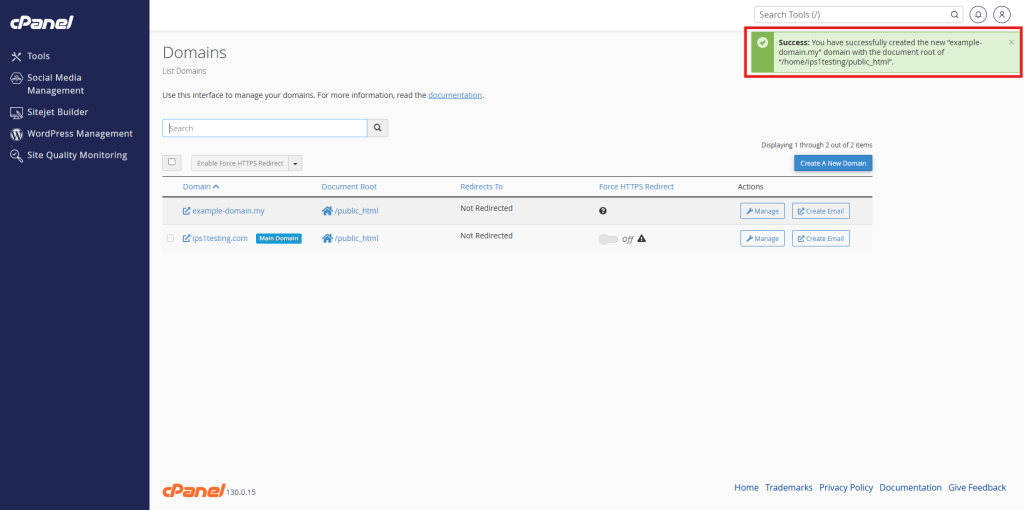
- After allowing unregistered domains.
Conclusion
By following this guidance, you can successfully enable the addition of unregistered domains on your server, granting your cPanel users the flexibility to create domain records even before their DNS is fully resolved.
For additional assistance or if you encounter any issues, please contact our support team at support@ipserverone.com.