
Search Our Database
How to View Status of All Services in DirectAdmin (Evolution Skin)
Introduction
Server services power essential functions like web hosting, email delivery, database operations, and security features, and monitoring their status is crucial for maintaining system health. Checking service availability helps identify service interruptions, verify successful updates, or troubleshoot application connectivity issues. DirectAdmin’s System Information interface displays comprehensive details about all running services, including their versions and operational status. This guide explains how to check service status using the System Info & Files > System Information section in DirectAdmin, enabling you to monitor critical system components and ensure all services are functioning properly.
Prerequisites
- You must have access to your DirectAdmin control panel.
Step-by-step Guide
Step 1: Access DirectAdmin
Log in to your DirectAdmin control panel.

Step 2: Navigate to System Information
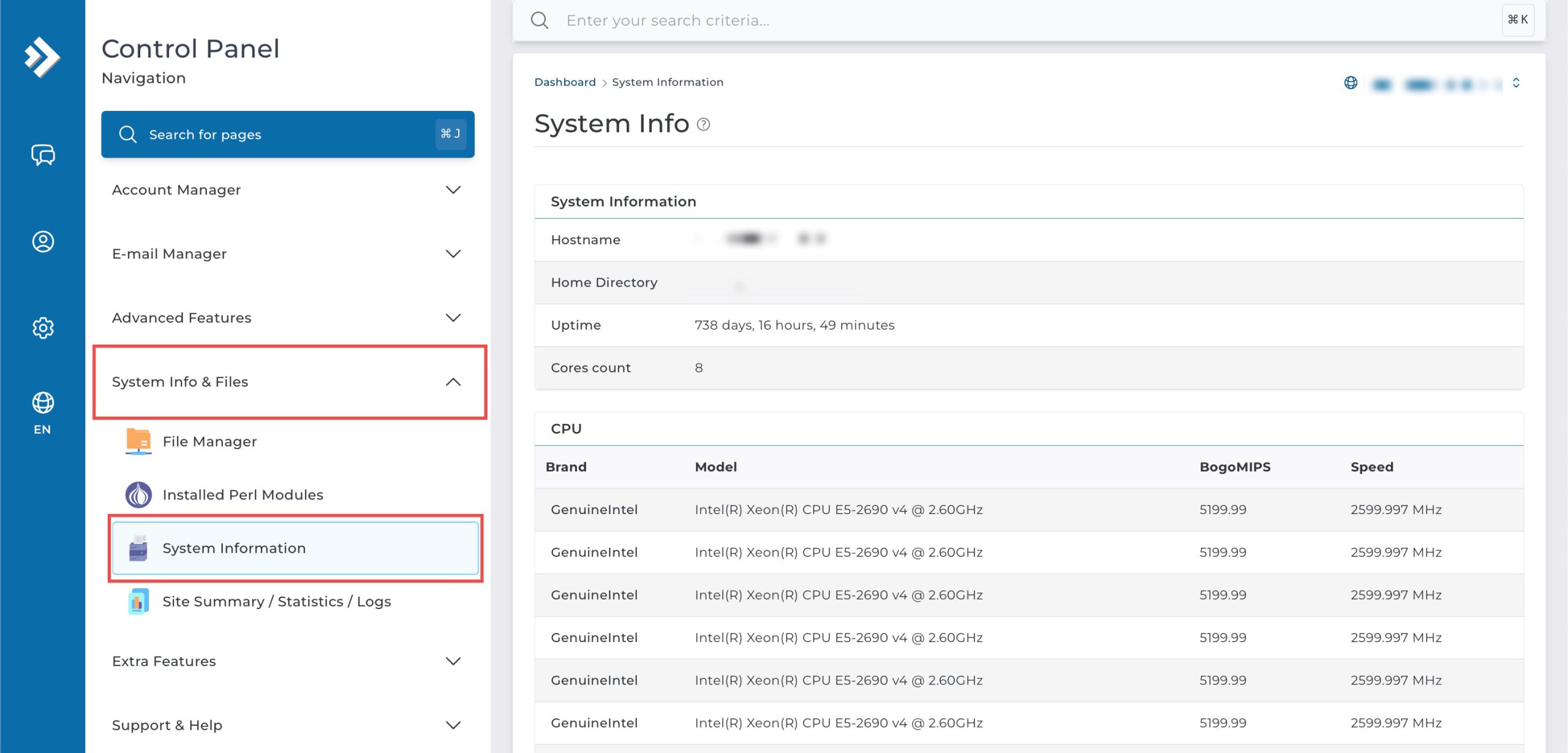
Go to the System Info & Files section and click on System Information.
Step 3: View Status of All Services
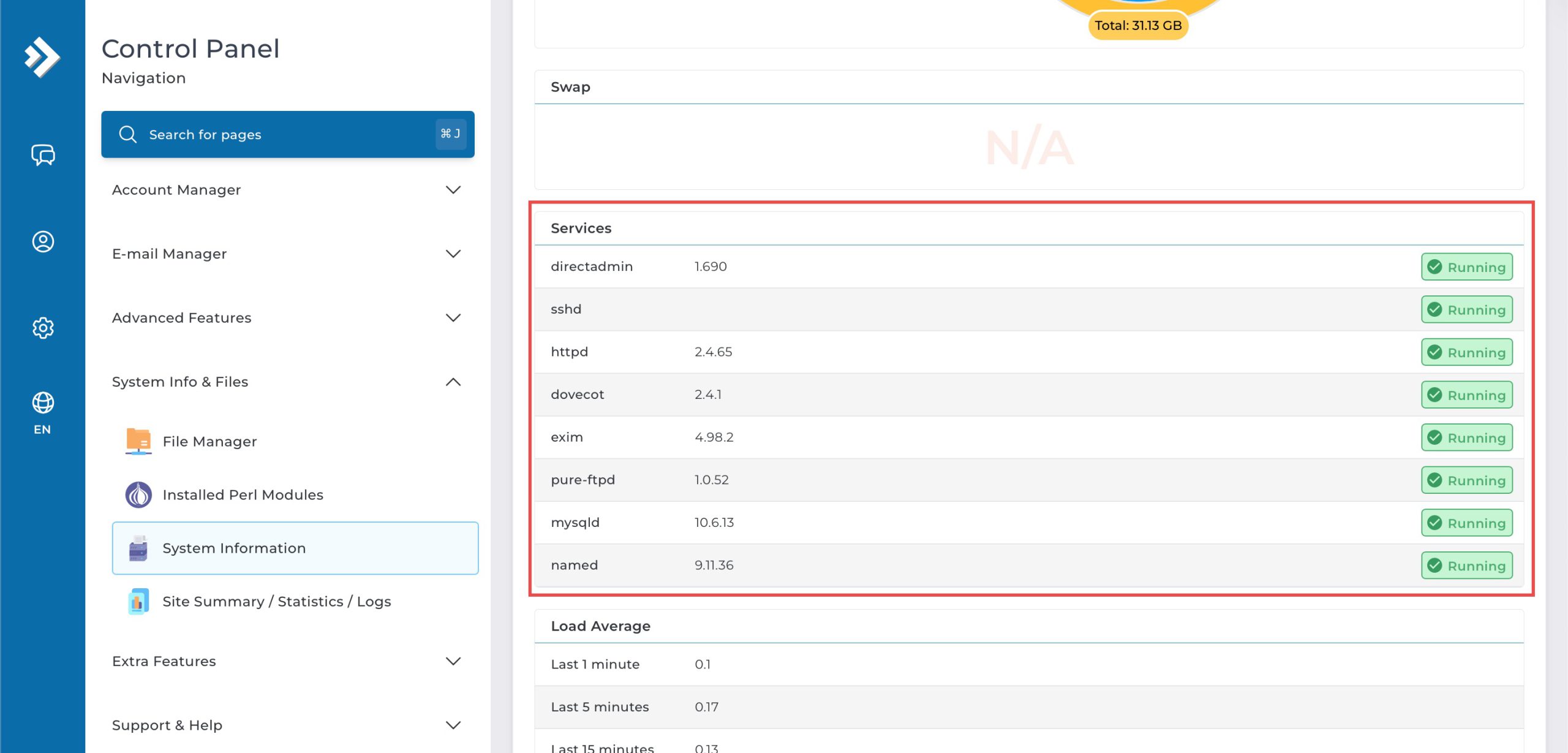
Scroll down to the Services table, this table lists essential services along with their current version and status.
Conclusion
Checking service status through DirectAdmin’s System Information interface is a straightforward process that provides visibility into essential system components. Monitoring service availability and versions helps you maintain system health, identify potential issues quickly, and ensure all critical functions are operating as expected.
Should you have any inquiries about the guidelines, please feel free to open a ticket through your portal account or contact us at support@ipserverone.com. We’ll be happy to assist you further.