
Search Our Database
How to Set Up Default Address in cPanel
Introduction
This Knowledge Base article provides a simple, step-by-step guide on How to Set Up Default Address in cPanel. A default address (also known as a catch-all address) receives emails sent to invalid or nonexistent email addresses on your domain, ensuring no messages are lost due to typos or incorrect addresses. Use this guide when you need to configure a default address for a domain that doesn’t have one set up yet.
Prerequisite
- Access to your cPanel login page.
Step-by-Step Guide
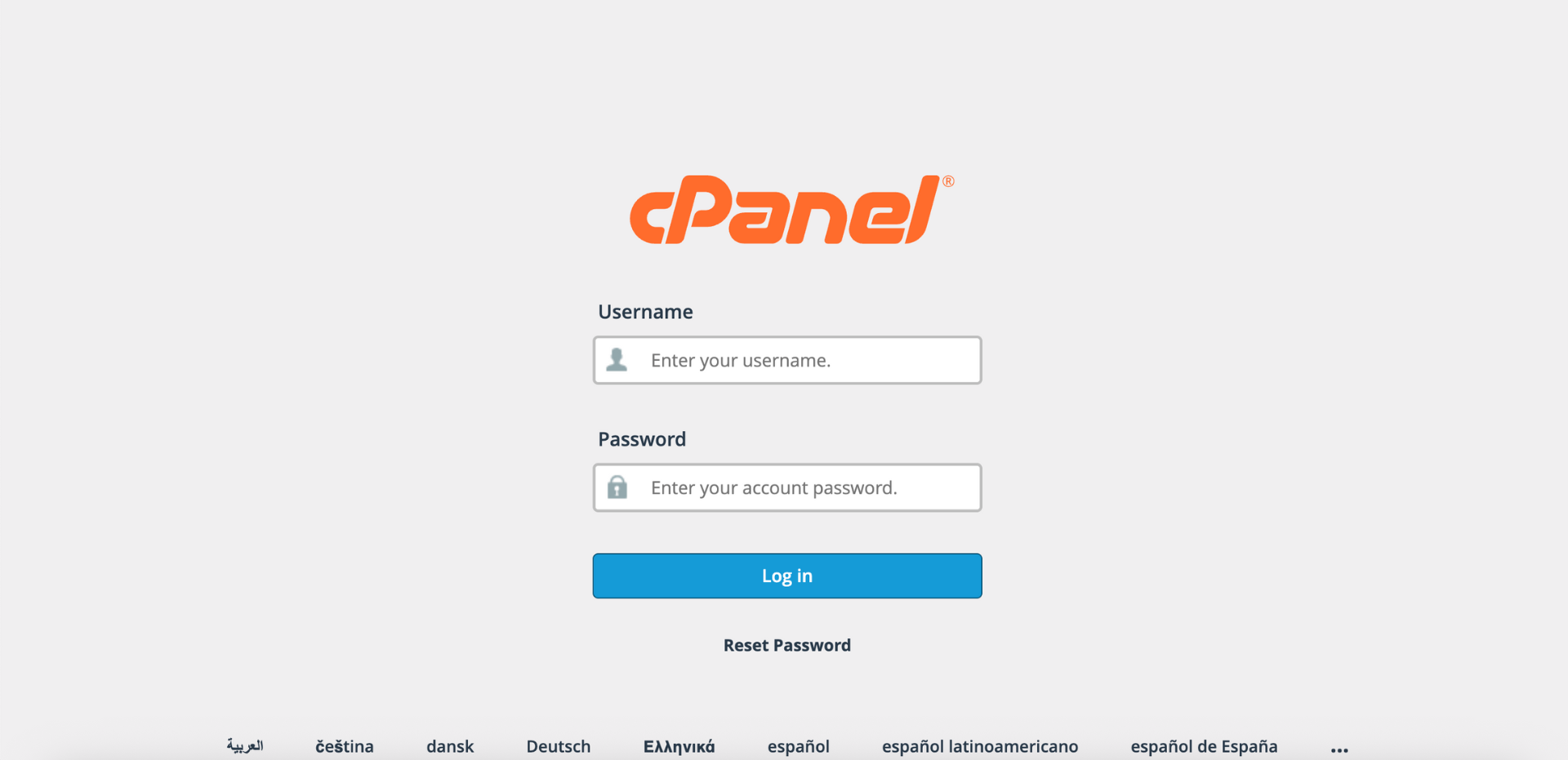
Step 1: Log in to cPanel
-
Access your cPanel account using your username and password.
Step 2: Open Default Address
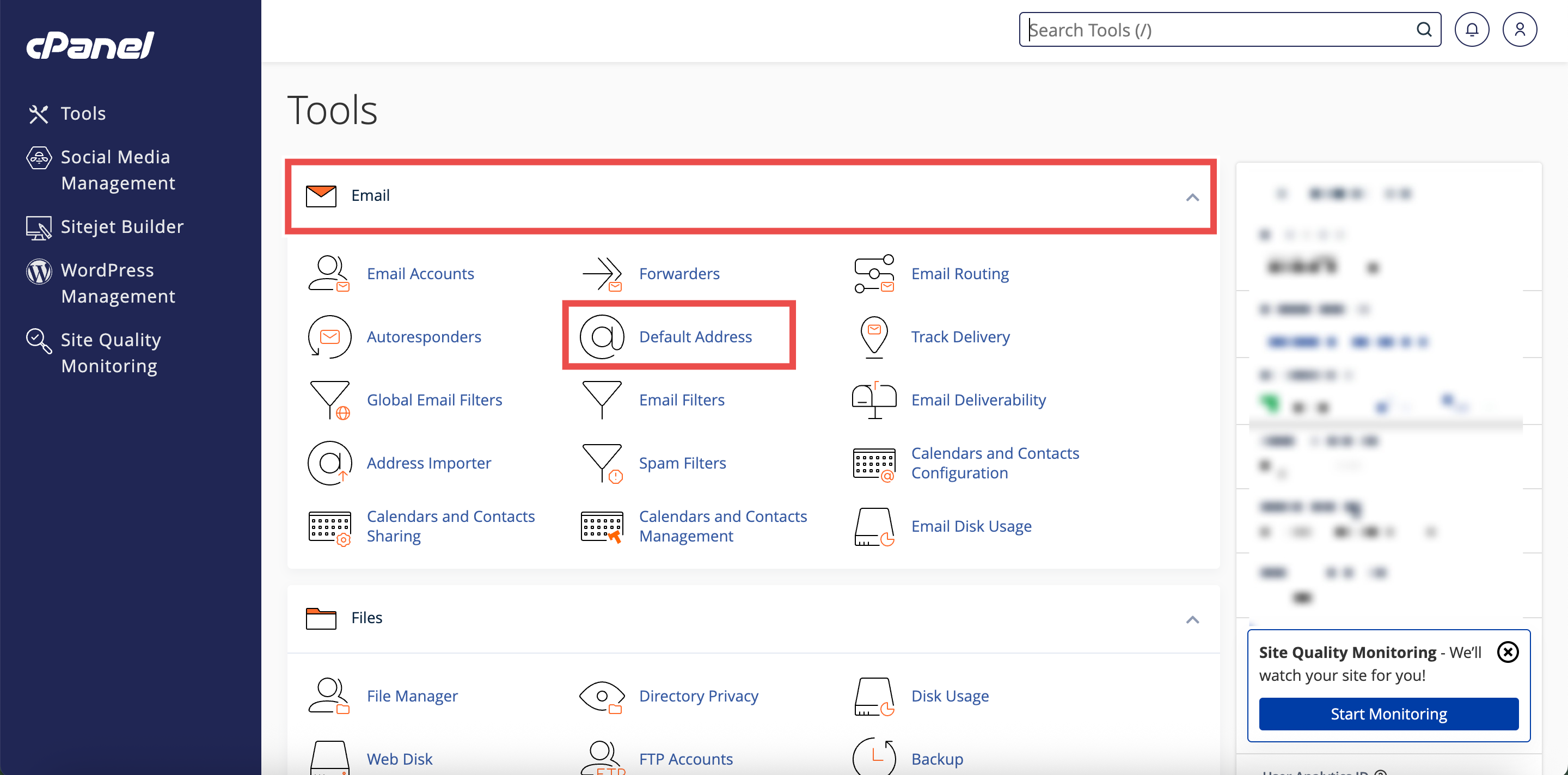
- In the Home page, under the Email section, click Default Address.
Step 3: Select Your Domain
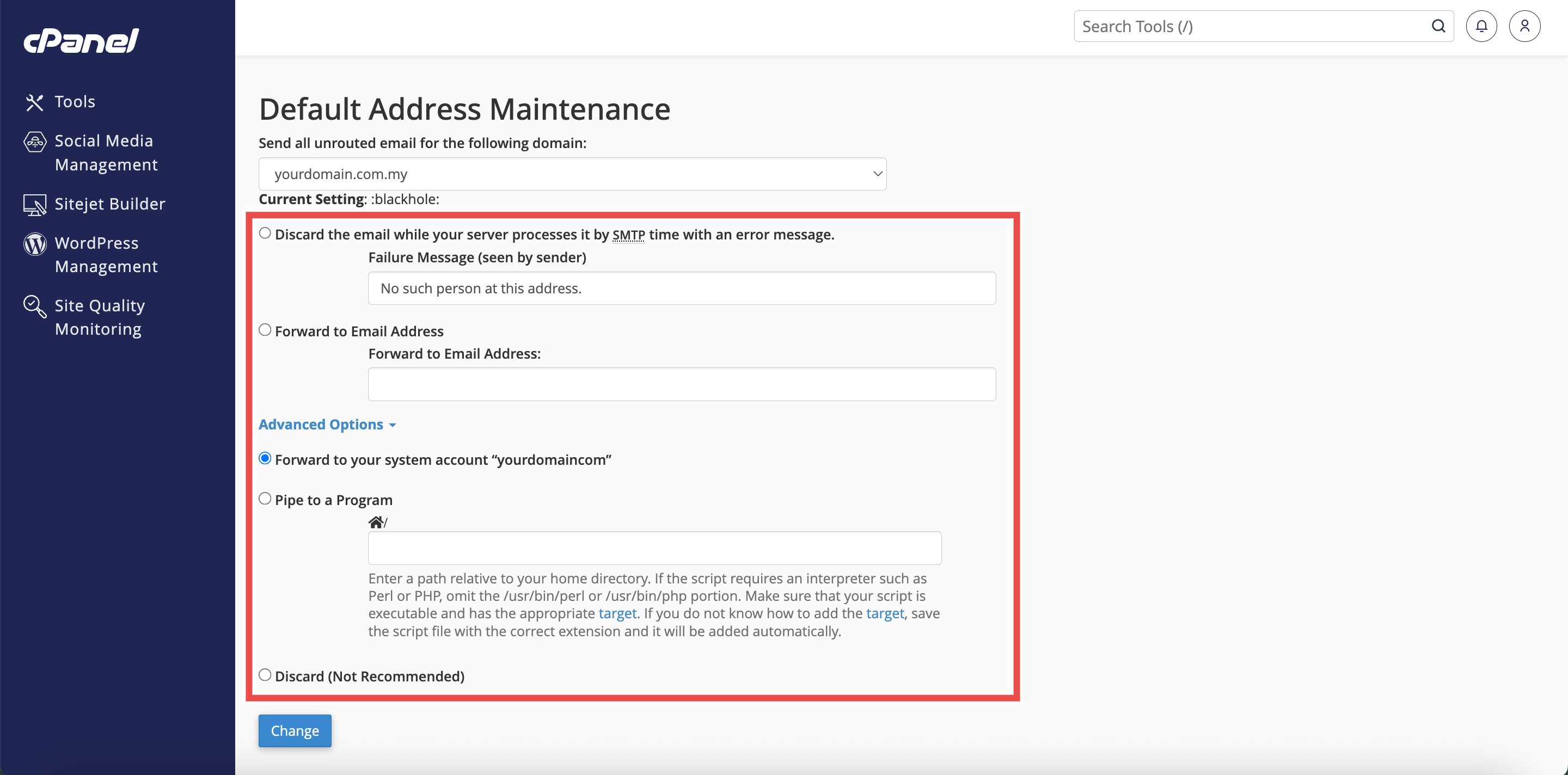
- Under the Send all unrouted email for the following domain dropdown menu, select the domain for which you wish to set up default address.

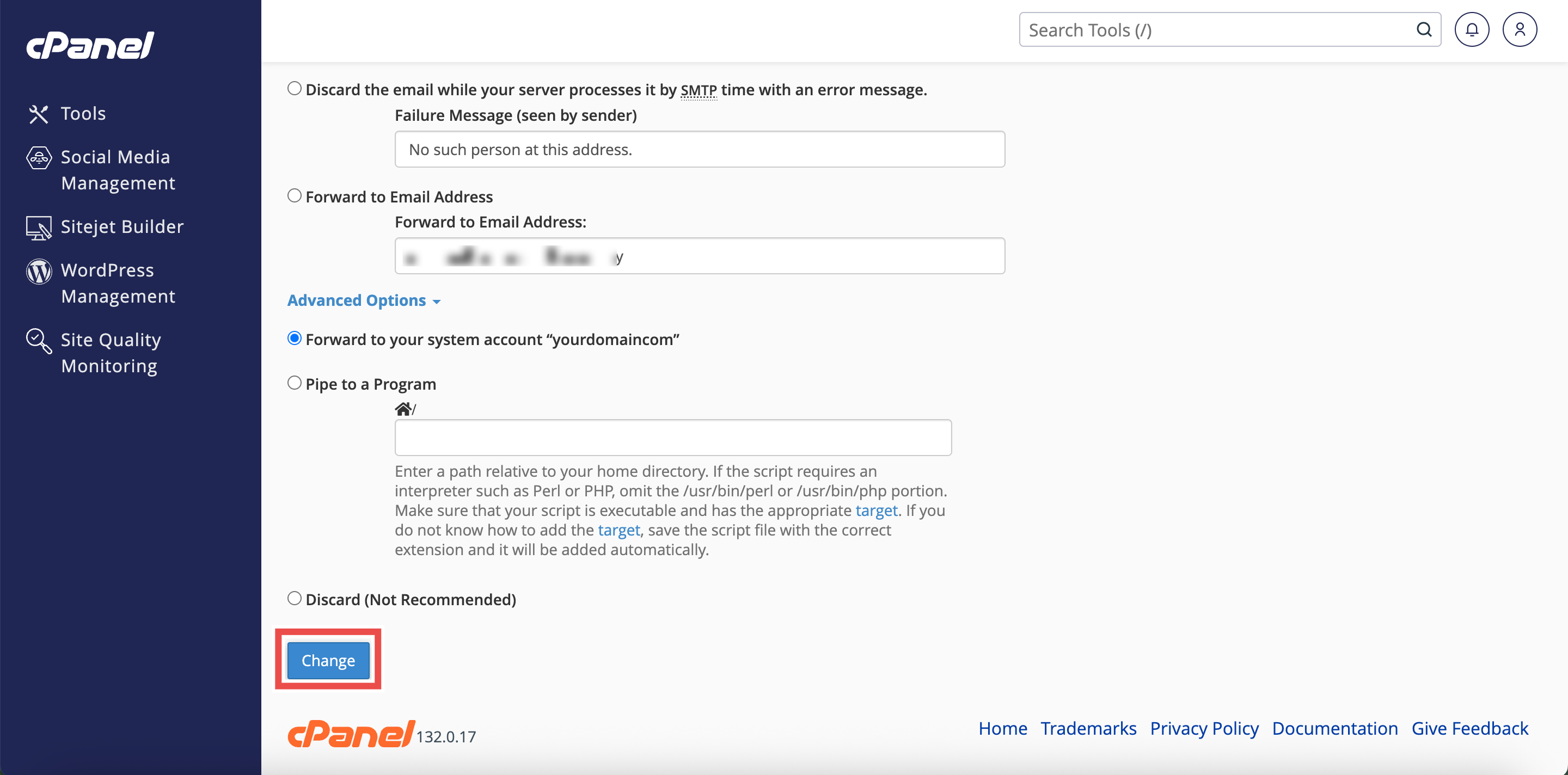
Step 4: Choose Your Default Address Configuration
- Select one of the following options based on your needs:
- Discard the email while your server processes it by SMTP time with an error message: Rejects emails and notifies the sender.
- Forward to Email Address: Forwards unrouted emails to a specific email address.
- Click Advanced Options for additional choices:
- Forward to your system account: Forwards to your cPanel system account.
- Pipe to a Program: Forwards messages to a program for processing.
- Discard (Not Recommended): Deletes emails without notification.
Step 5: Save Changes
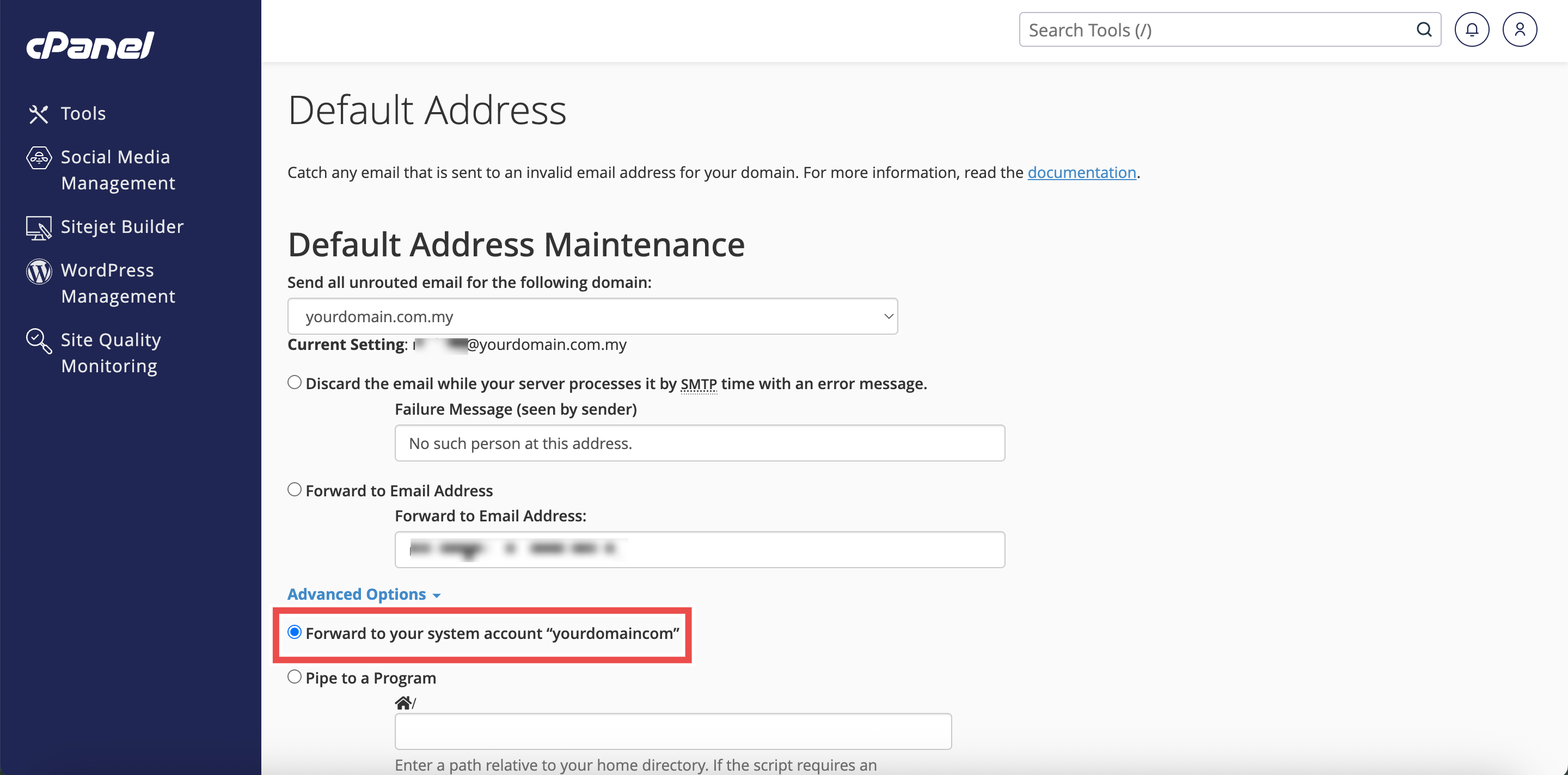
- Click Change to apply the configuration.
Step 6: Verify Changes
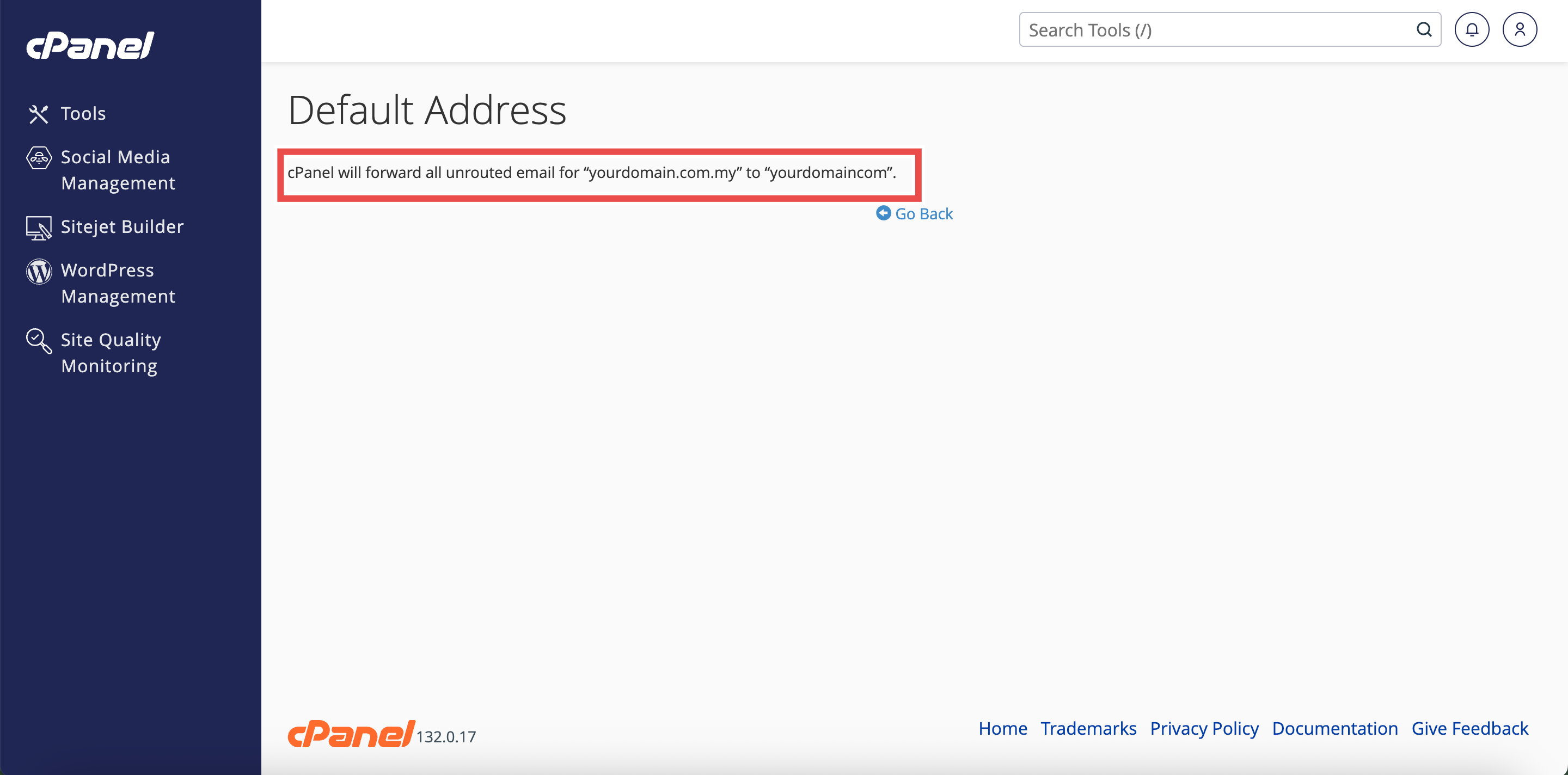
- A confirmation message will appear indicating the default address has been updated.
- Additionally, you may send a test email to an invalid address on your domain to verify that the default address is working as configured.
⚠️ Important Note:
- Set up a default address for each of your domains to ensure you receive all email for your domain.
- The default address may receive messages for your existing email addresses if they contain typos.
- Check your default address regularly to avoid missing important messages.
- If spammers target your domain and you forward mail to a default address, that address may receive a large amount of spam.
- Domain forwarders override the domain’s default address.
Conclusion
By following these steps, you can set up a default address in cPanel. Configuring a default address ensures that emails sent to invalid or nonexistent addresses on your domain are properly handled, whether by forwarding them for review or rejecting them with appropriate notifications. This helps prevent message loss and improves email communication reliability.
Should you encounter any issues or have any questions, our support team at IPSERVERONE is always here to assist you. Don’t hesitate to reach out to us at support@ipserverone.com for any help you need.