
Search Our Database
How to Set Email Account Storage to Unlimited in cPanel
Introduction
This Knowledge Base article provides a step-by-step guide on How to Set Email Account Storage to Unlimited in cPanel. Setting unlimited storage removes quota restrictions, allowing the email account to store emails without size limitations (within your overall account limits). Use this guide when you need to provide unrestricted email storage for important accounts or users who handle large volumes of email.
Prerequisite
- Access to your cPanel login page.
- An existing email account created in cPanel.
Step-by-Step Guide
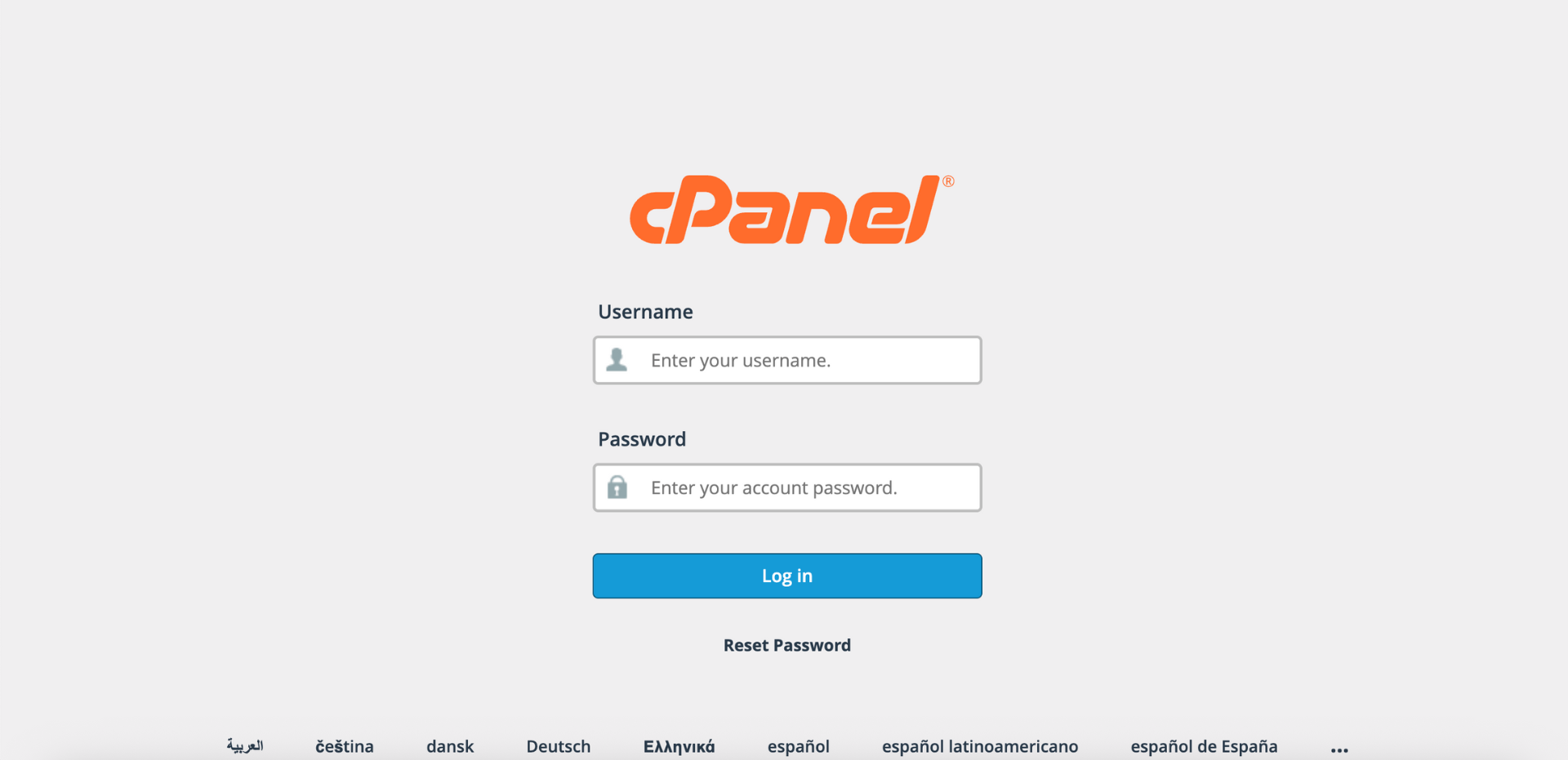
Step 1: Log in to cPanel
- Access and log in to your cPanel account using your username and password.
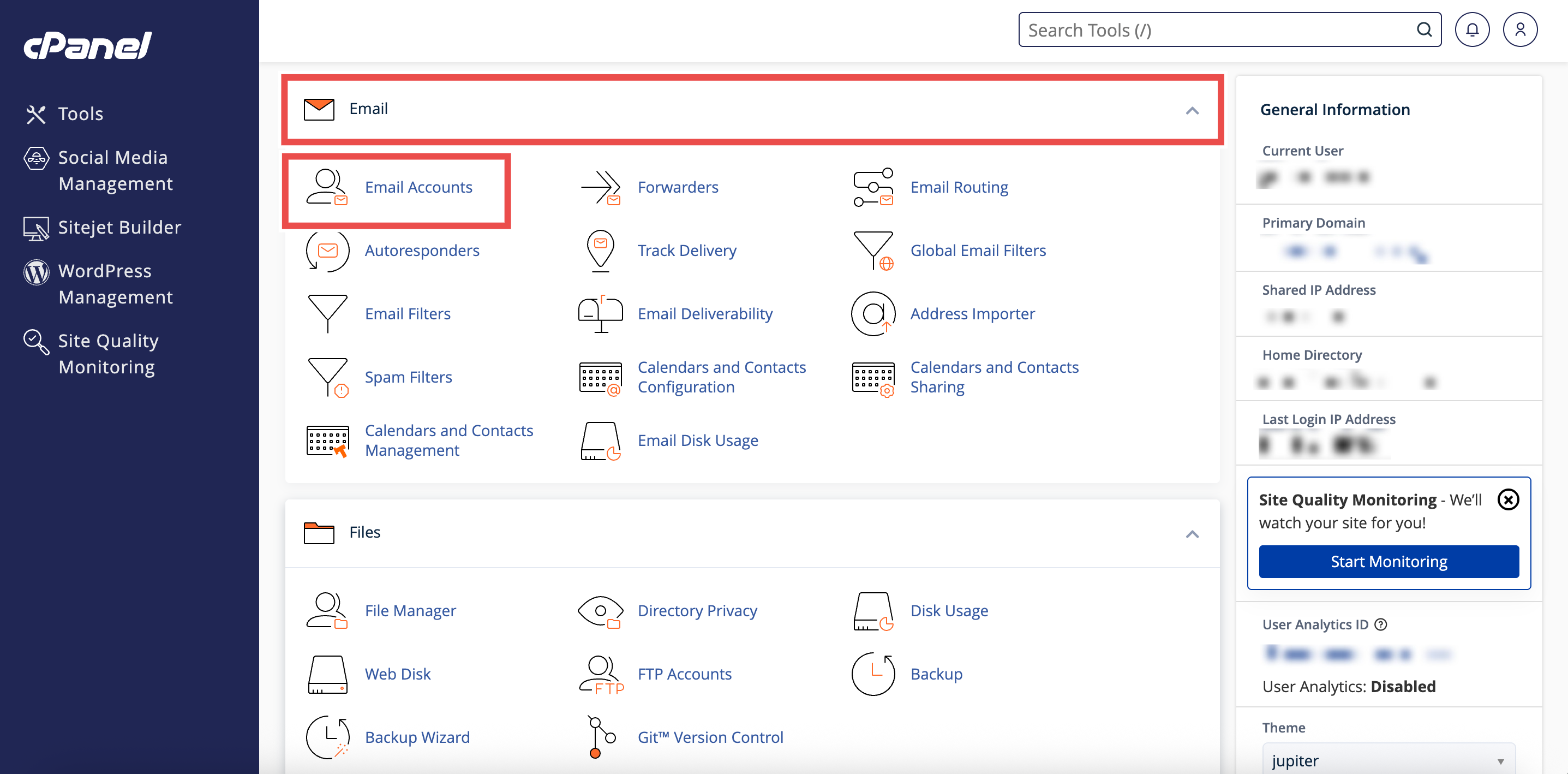
Step 2: Open Email Accounts
- In the Home page, under Email, click Email Accounts.
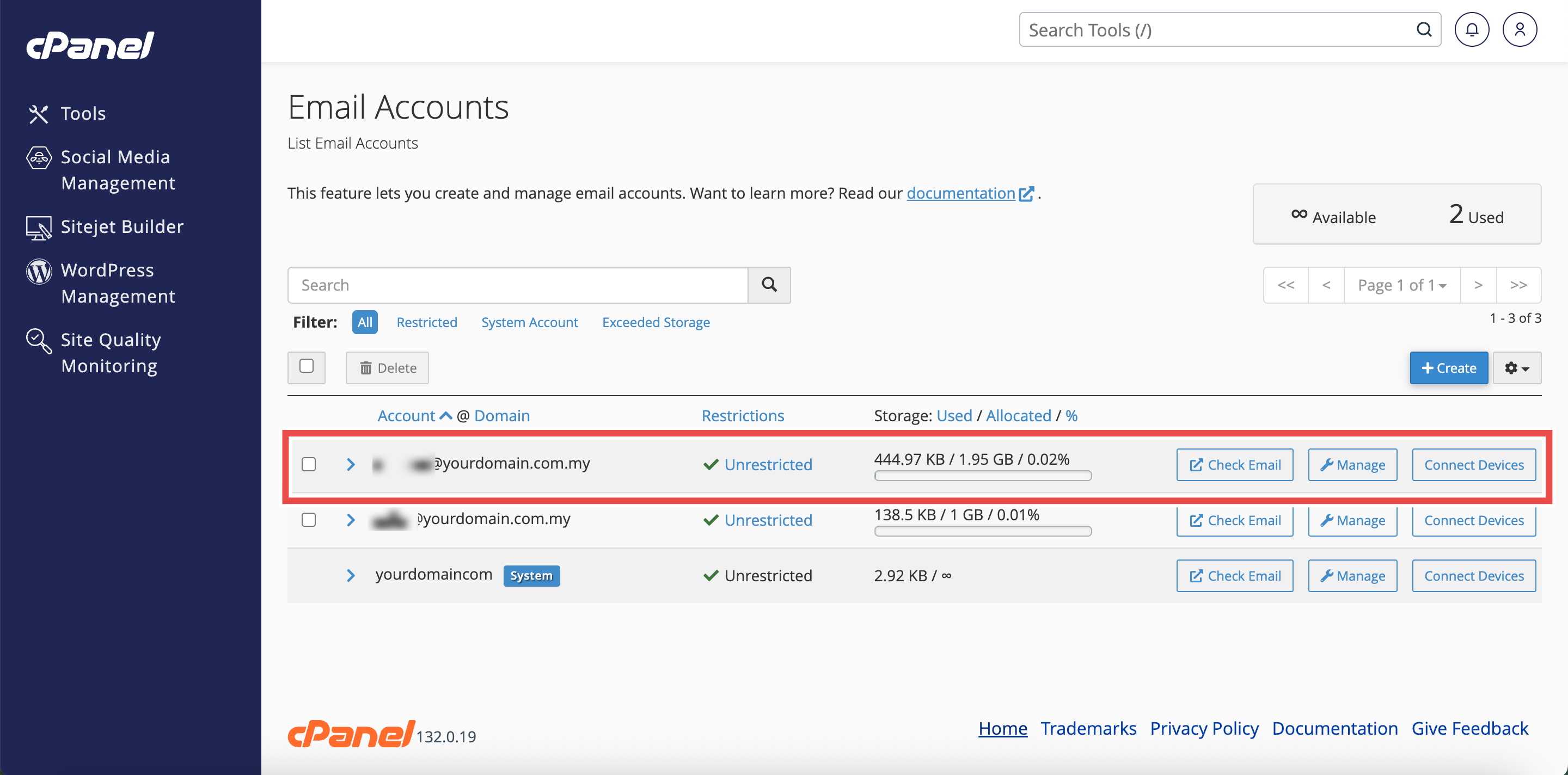
Step 3: Locate the Email Account
-
In the Email Accounts table, locate the email account for which you want to set unlimited storage.
⚠️ Important Note: You can use the search bar to find a specific email account by entering the account name or domain.
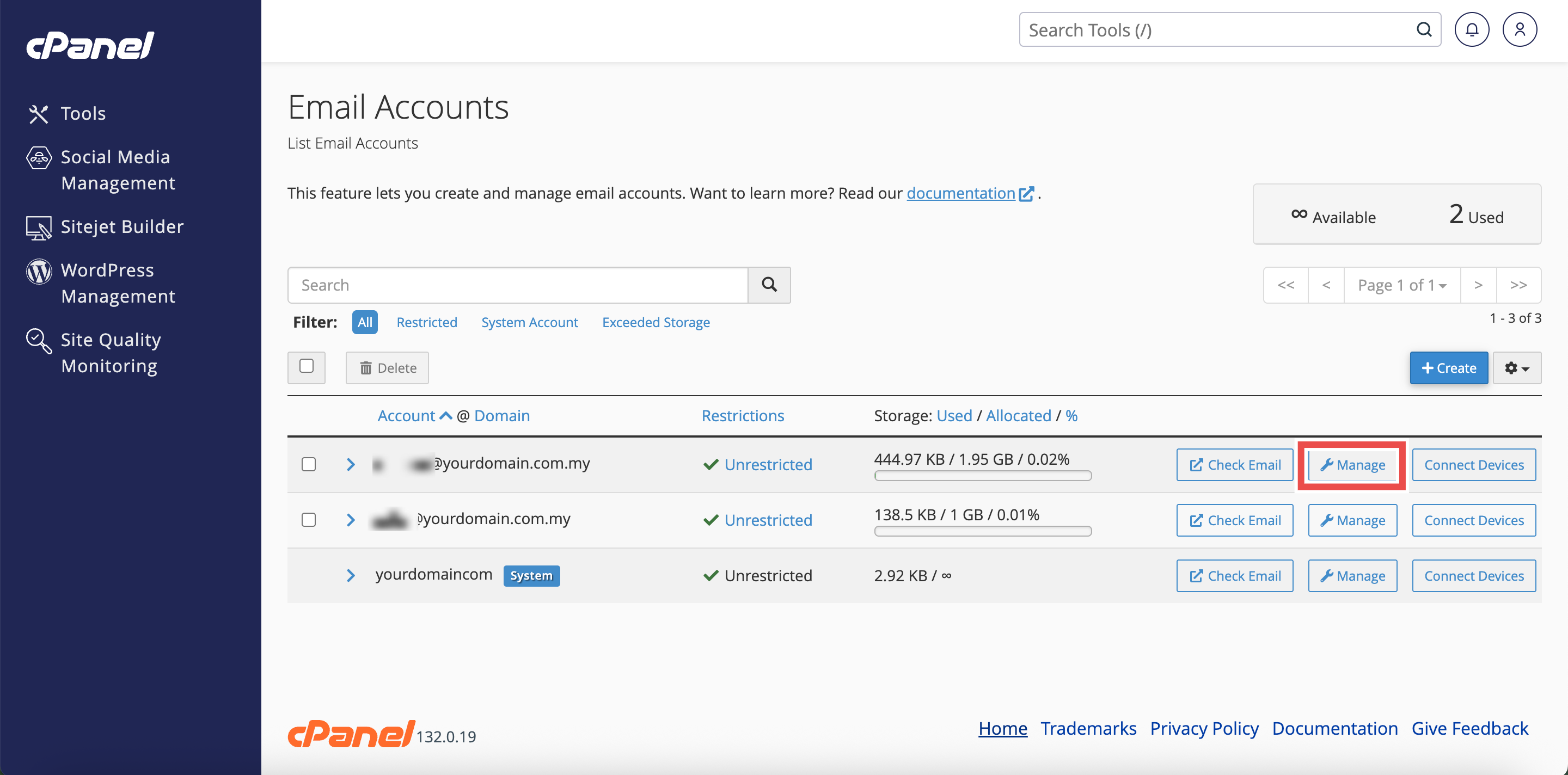
Step 4: Access Manage Email Account
- Click Manage in the Actions column for the email account you want to modify.
- The Manage Email Account interface will appear.
Step 5: Set Storage to Unlimited
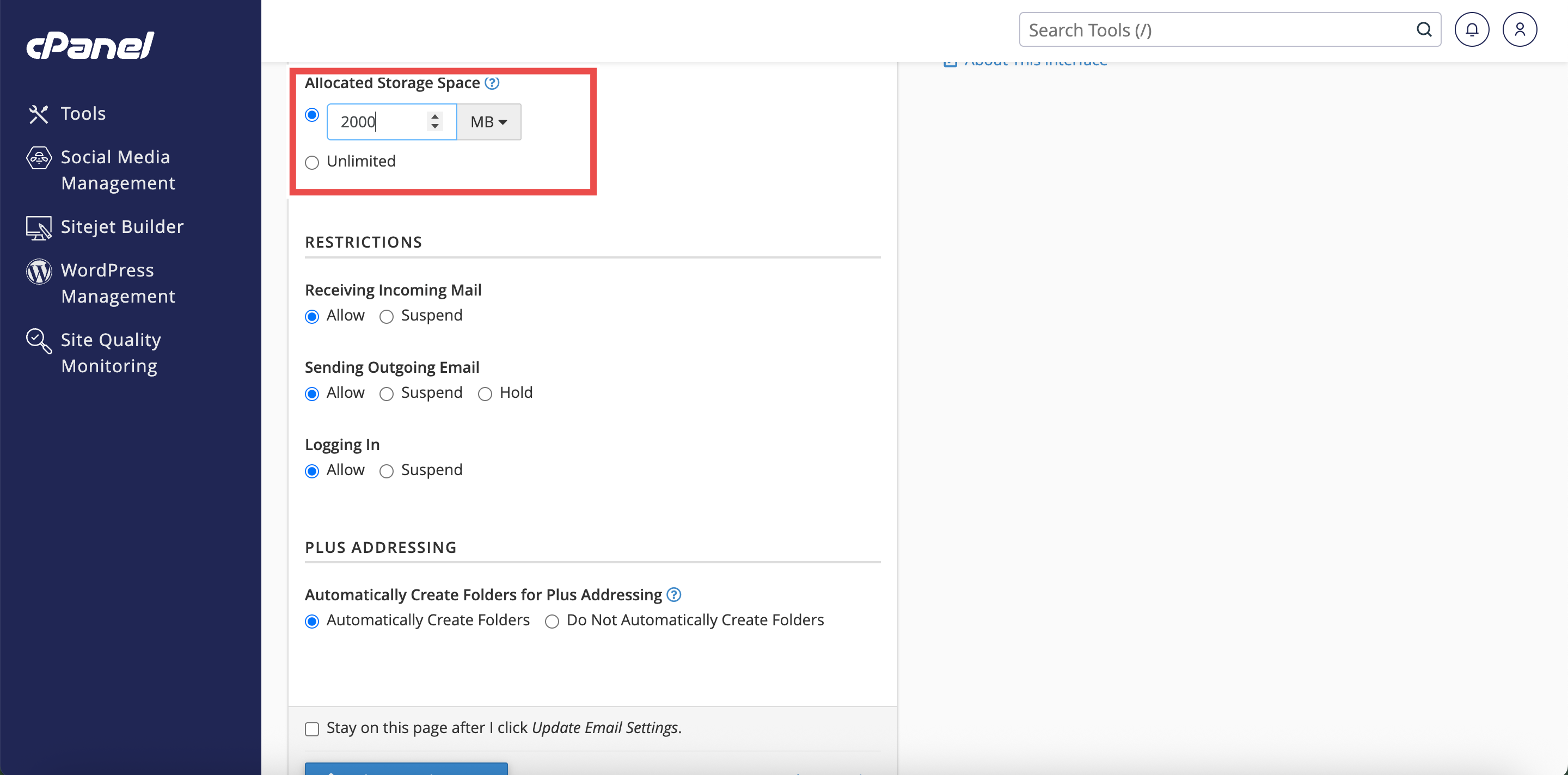
- In the Allocated Storage Space section, locate the storage quota settings.
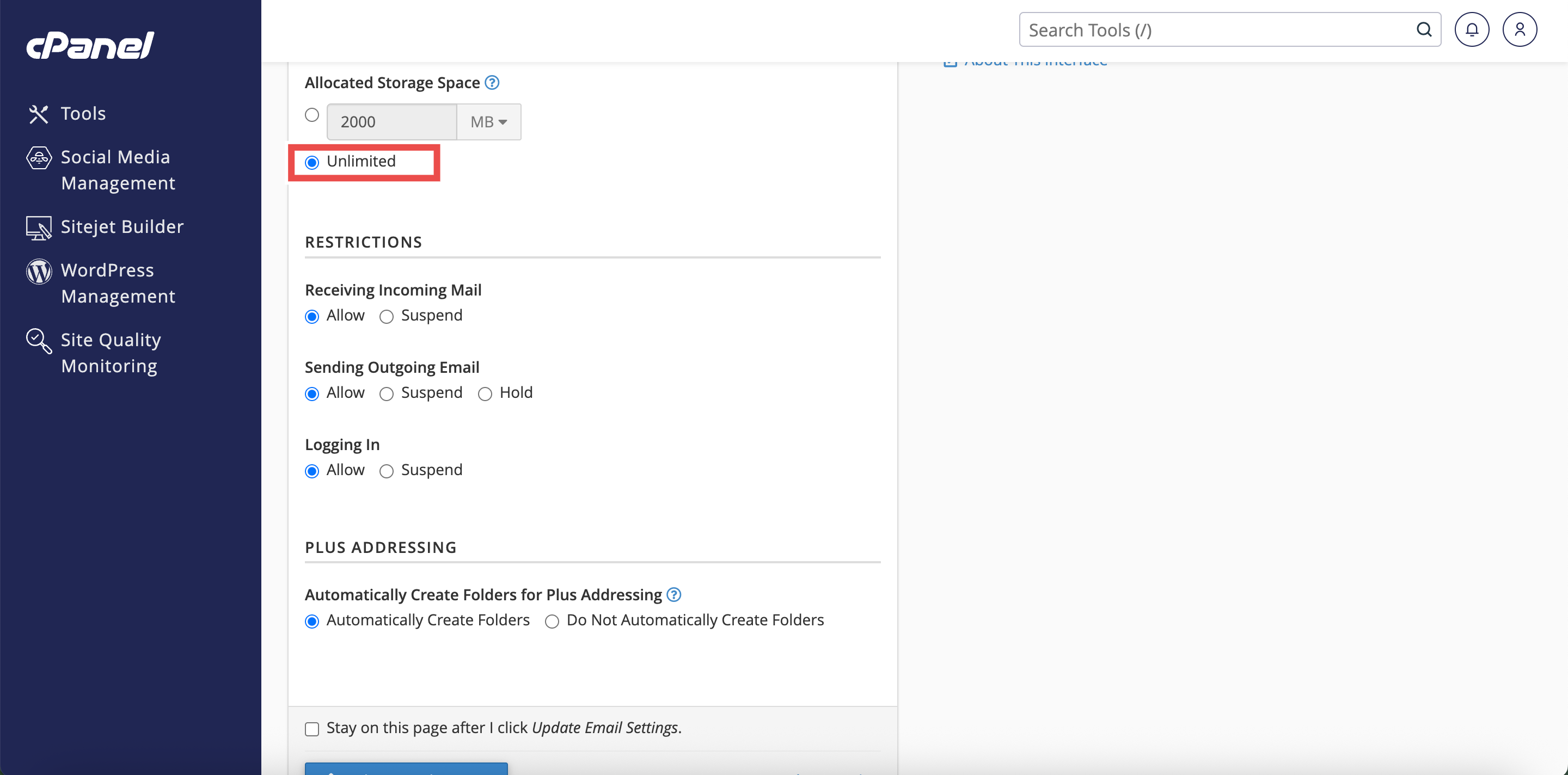
- Select the Unlimited option in the storage field.
⚠️ Important Note: This will remove all storage quota restrictions for the email account.
Step 6: Save the Changes
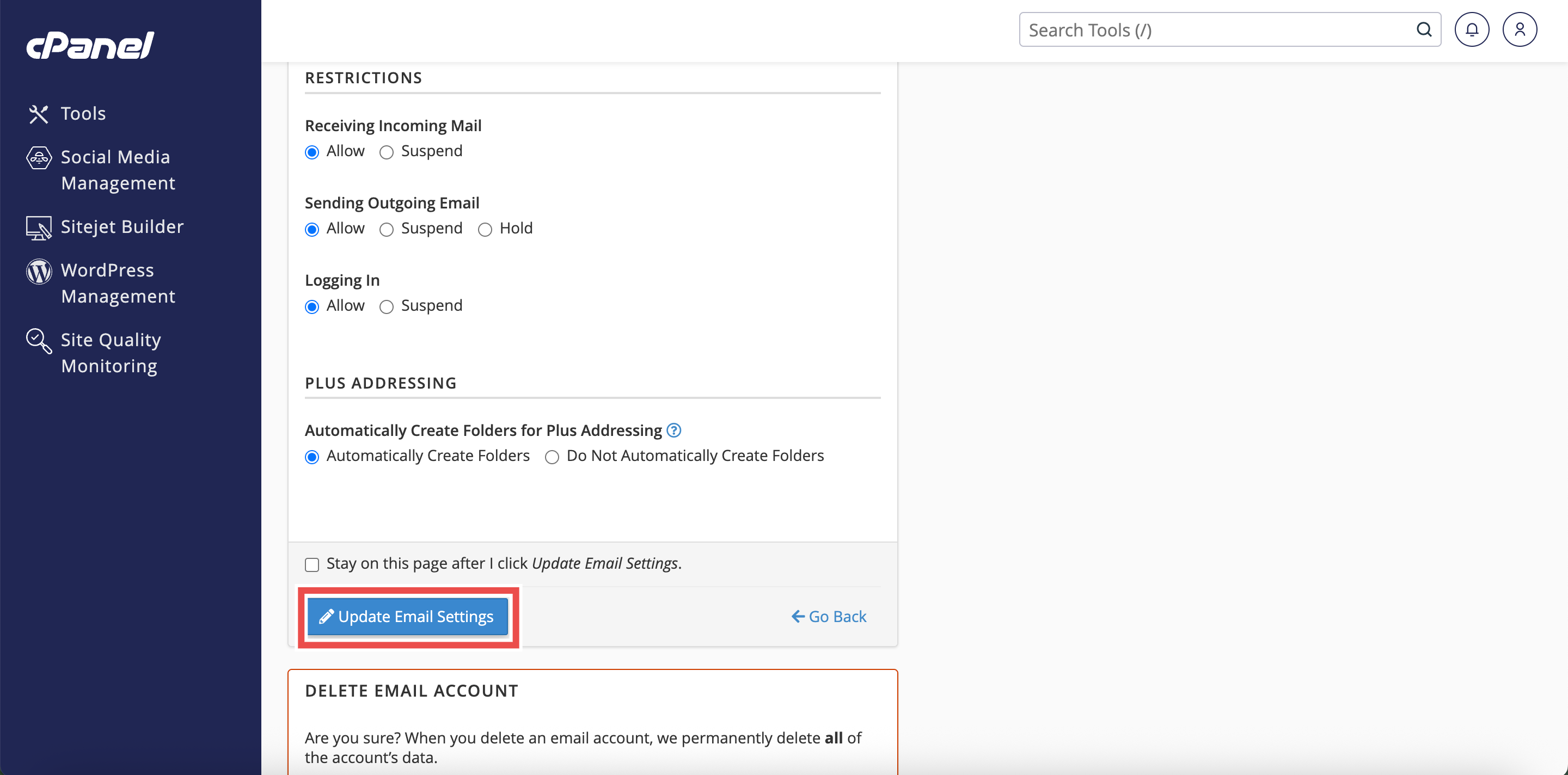
- Click Update Email Settings to apply the changes.
Step 7: Verify Changes
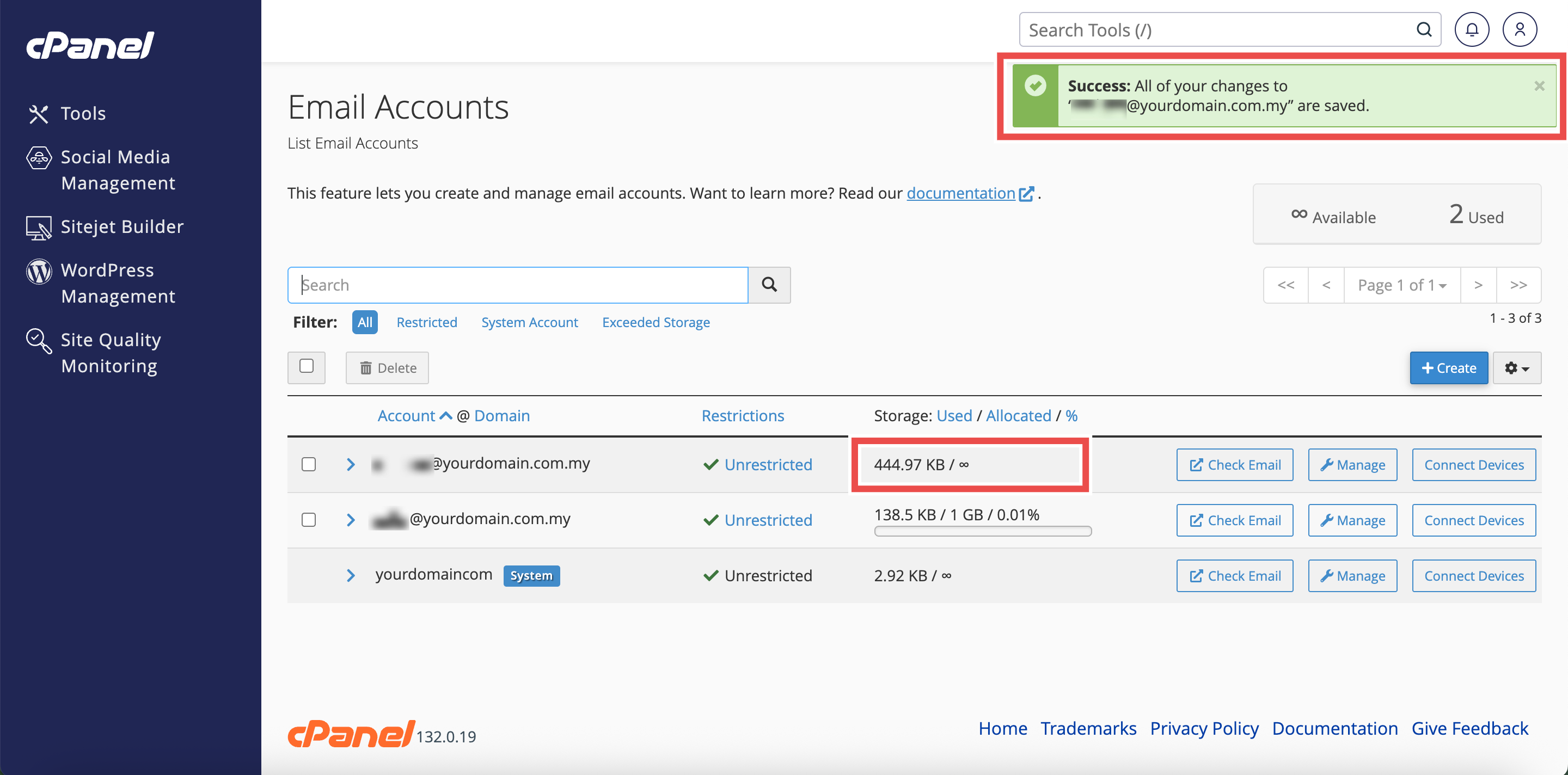
- A pop-up window will appear indicating your changes was applied successful.
- Additionally, you may check the email account details to verify that the storage quota displays as unlimited.
Conclusion
By following these steps, you can set email account storage to unlimited in cPanel. Removing storage restrictions provides flexibility for accounts that need to handle large volumes of email without quota concerns. Remember that unlimited individual account quotas are still constrained by your overall cPanel account storage limits.
Should you encounter any issues or have any questions, our support team at IPSERVERONE is always here to assist you. Don’t hesitate to reach out to us at support@ipserverone.com for any help you need.