
Search Our Database
How to Request Volumes Storage Limit Increase in Customer Portal
Introduction:
When managing cloud infrastructure, resource constraints—particularly a limit on available Volume capacity—can sometimes restrict your ability to deploy necessary services or secure critical resources. Within the IP ServerOne environment, Volume resources are a crucial component of storage and resource allocation.
This professional guide is designed to provide cloud users with the precise, structured steps required to formally request an increase in your Volume limits through the Customer Portal. This process of scaling your storage resources is managed efficiently through the NovaCloud interface, ensuring resource expansion can be initiated as soon as additional capacity is needed.
NovaCloud is described as an affordable, reliable, and highly secure cloud computing service for everyone. Furthermore, NovaCloud utilizes an open standard, high availability, and secured cloud computing services powered by Openstack to help meet your budget and business goals.
The core procedure involves navigating the Customer Portal to the dedicated Limits section found under the NovaCloud menu. You will then specifically locate Volumes and click Request More to proceed with the request. By following these steps, you will successfully submit your capacity expansion request for Volume limits, thereby supporting your ongoing infrastructural and data storage requirements.
Prerequisites:
- The user must have established credentials and active access to the Customer Portal.
- Limit increases are requests not immediate self-service activations that require review.
Step-by-step Guide:
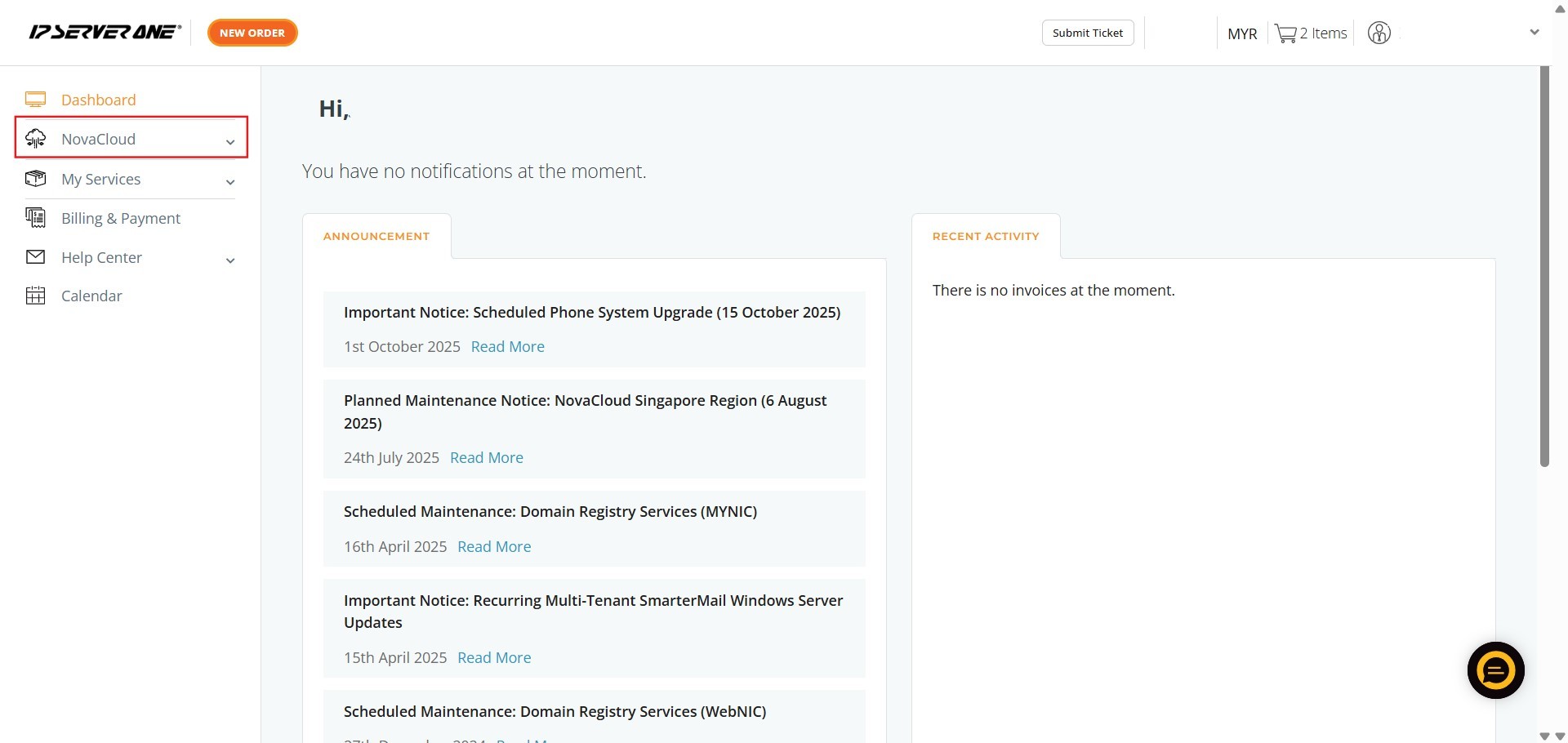
Step 1: Access NovaCloud Services
- On the left-hand navigation menu of the Customer Portal, click on “NovaCloud”.
- This section provides access to your cloud computing resources.
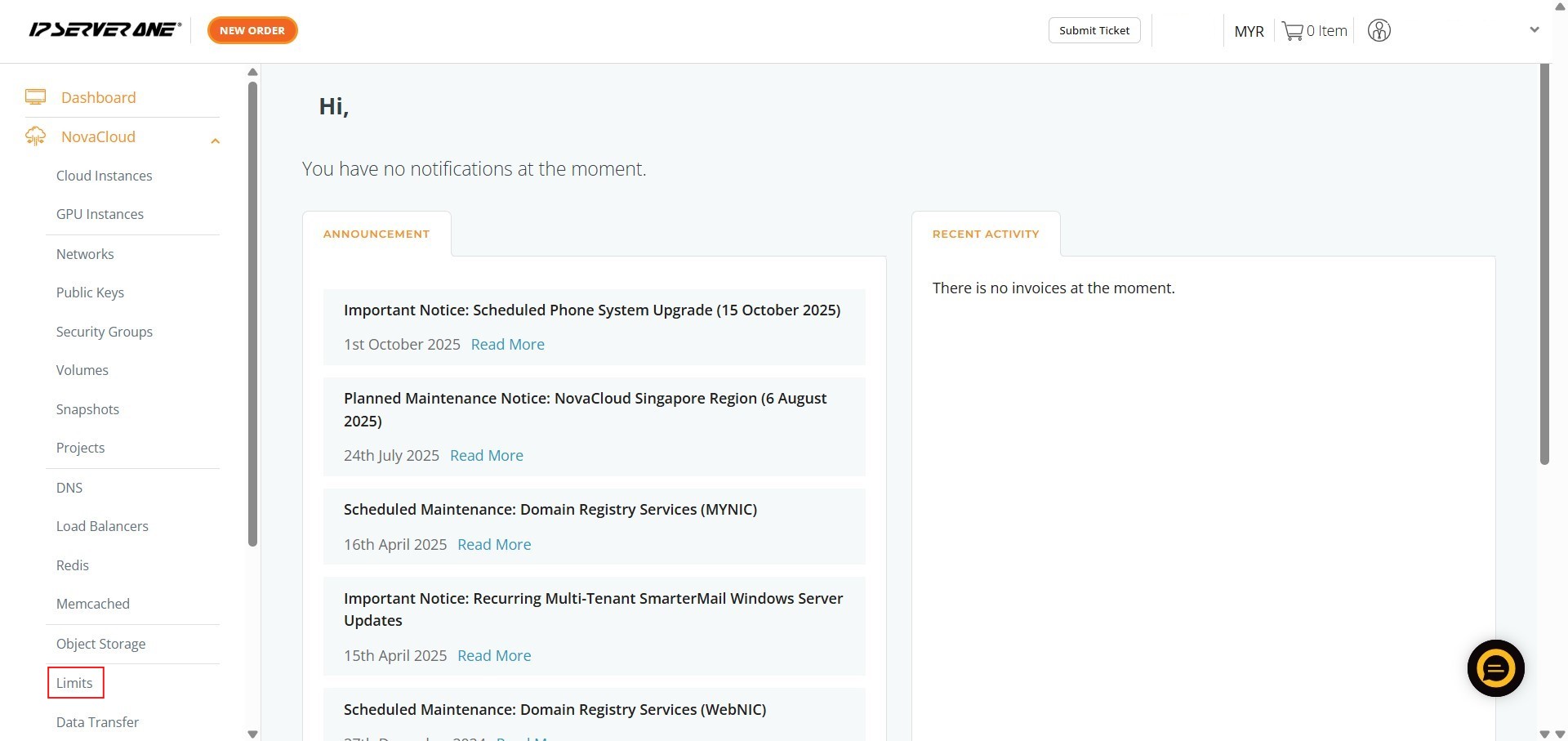
Step 2: Navigate to Limits
- From the expanded NovaCloud menu, click on “Limits”.
- This section allows you to manage restrictions on your provisioned resources.
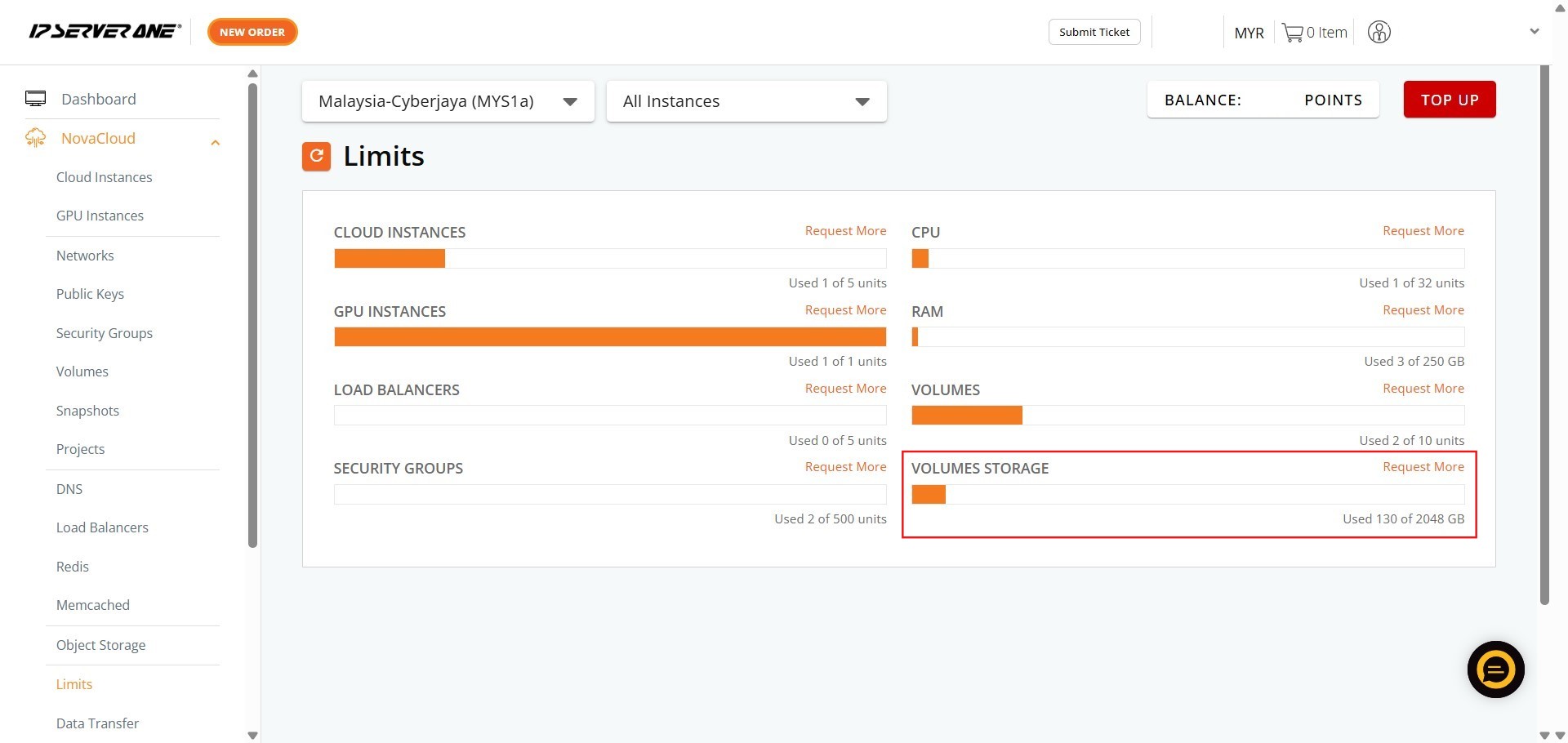
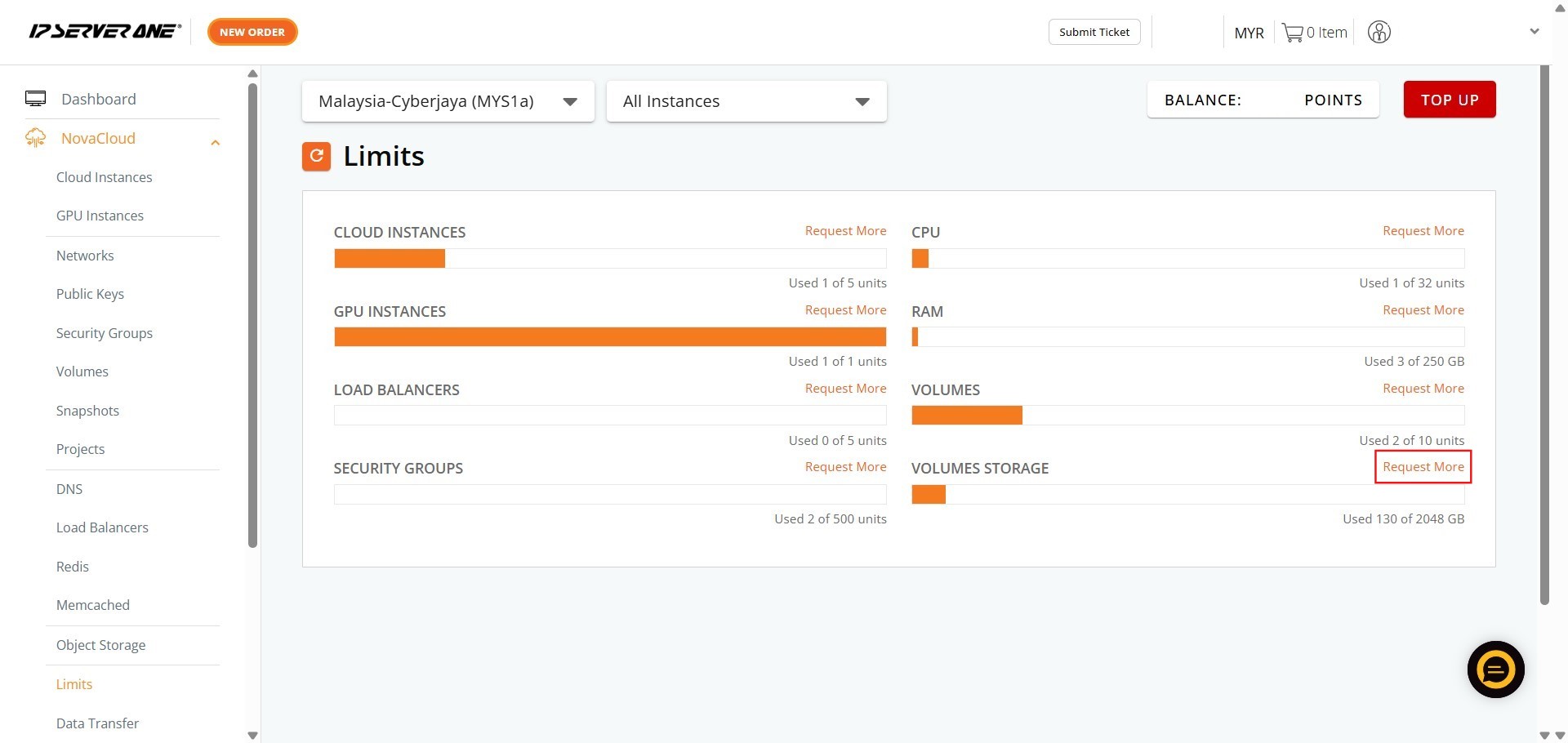
Step 3: Initiate the Request
- Within the Limits area, locate the section pertaining to Volumes and click “Request More”.
Step 4: Enter Request Details and Submit
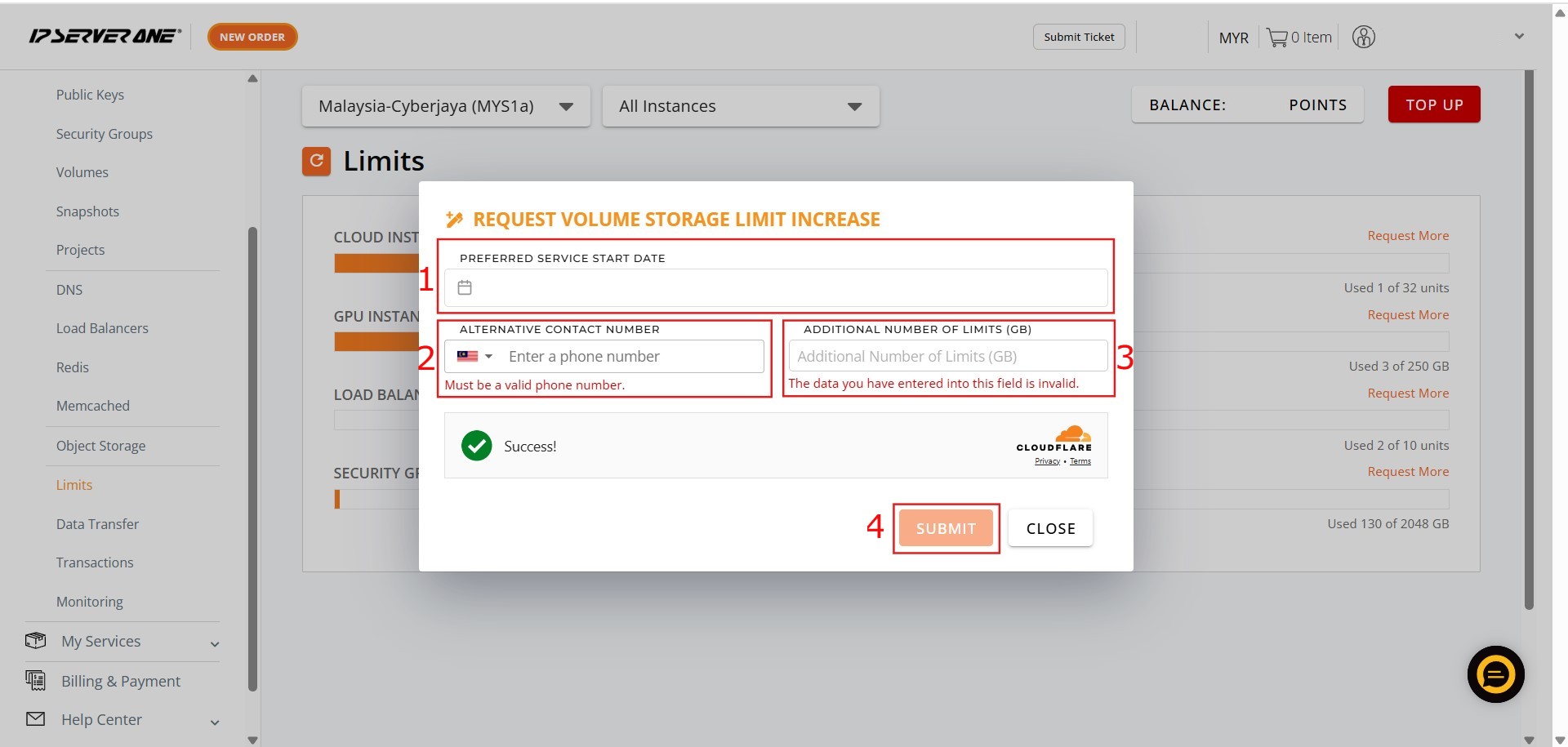
- You must provide the necessary details for your request:
1. Key in the Date.2. Key in the Contact Number.3. Key in Addition details.4. Once all details are entered, click “Submit”.
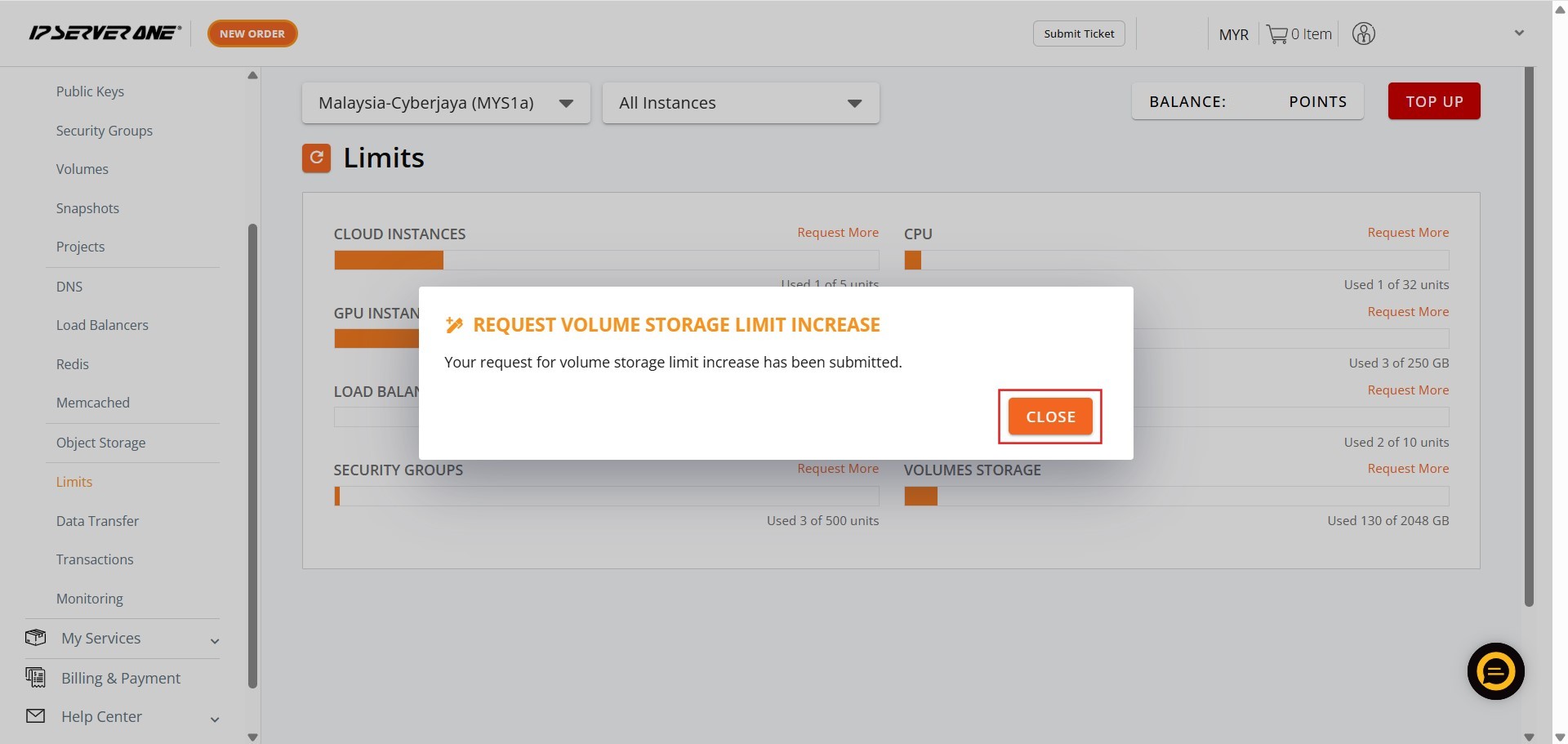
Step 5: Conclude the Process Click Close
- Finally, click “Close” to finish the submission process.
Conclusion:
You have now successfully navigated the Customer Portal and leveraged the efficient workflow of the NovaCloud interface to formally submit your capacity expansion request for increased resource limits.
This process, managed specifically within the dedicated Limits section, required inputting the necessary details, including the date, contact number, and description of the additions, before finalizing the submission by clicking Submit. Successfully completing this task is a crucial step toward scaling your compute or storage resources to accommodate your ongoing infrastructural requirements.
For additional assistance or should you encounter any issues related to your capacity expansion request, the support team is available to help. Please do not hesitate to reach out directly to the support team at support@ipserverone.com.