
Search Our Database
How to Request Security Group Limit Increase in Customer Portal
Introduction:
As a cloud infrastructure user, there may be instances where your existing resource allocation restricts your ability to deploy necessary services or secure resources, particularly when encountering a limit on available Security Groups. Security Groups are a crucial component of network and security management within the IP ServerOne environment.
This professional guide outlines the precise steps required to request an increase in your Security Group limits within the Customer Portal. This crucial process of scaling your security resources is managed efficiently through the NovaCloud interface, ensuring that you can initiate resource expansion as soon as additional capacity is needed.
The procedure involves accessing the dedicated Limits section under the NovaCloud menu. By following the structured steps outlined below, you will successfully navigate the Customer Portal to formally submit your capacity expansion request for Security Groups and support your ongoing infrastructural and security requirements.
Prerequisites:
- The user must have established credentials and active access to the Customer Portal.
- Limit increases are requests not immediate self-service activations that require review.
Step-by-step Guide:
Step 1: Access NovaCloud Services
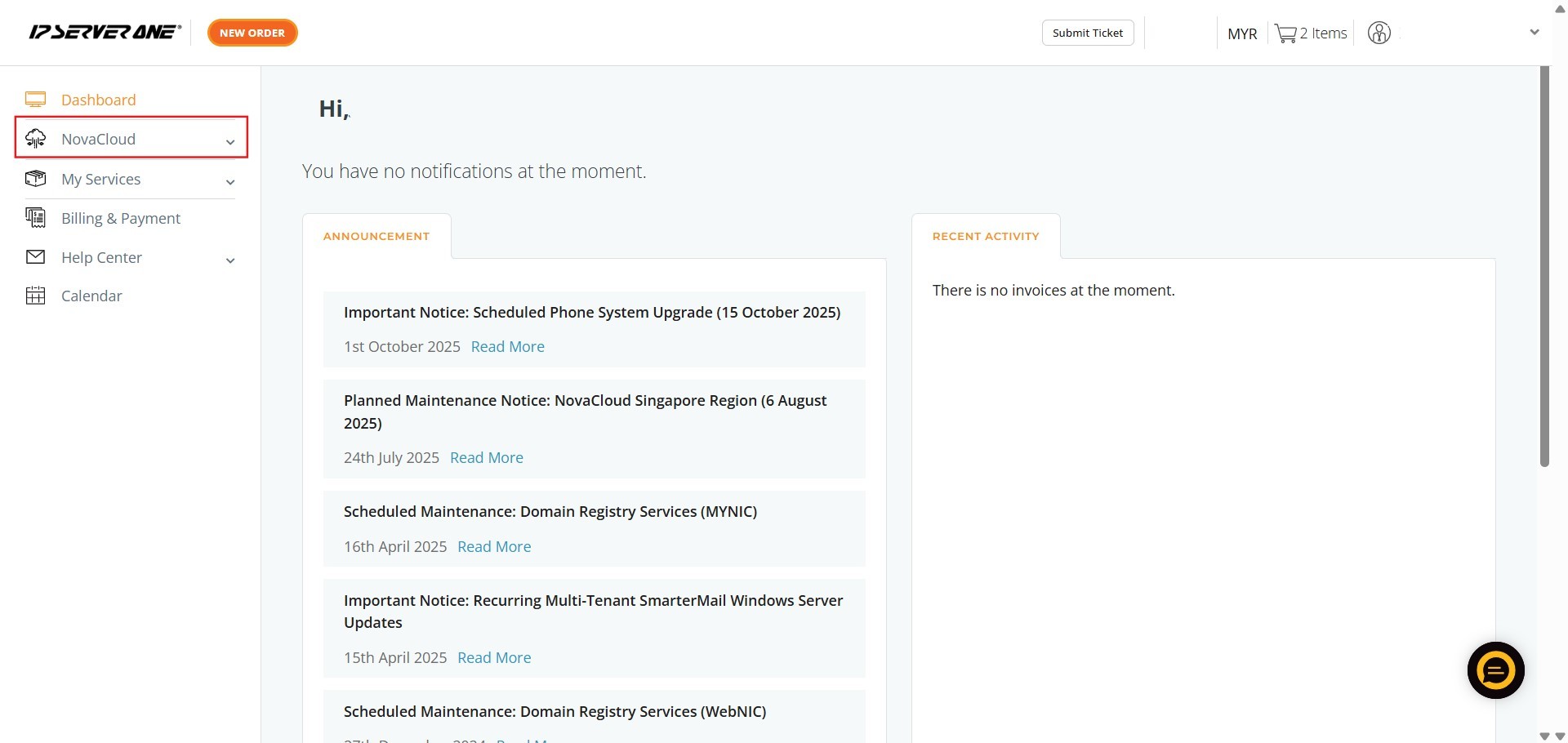
- On the left-hand navigation menu of the Customer Portal, click on “NovaCloud”.
- This section provides access to your cloud computing resources.
Step 2: Navigate to Limits
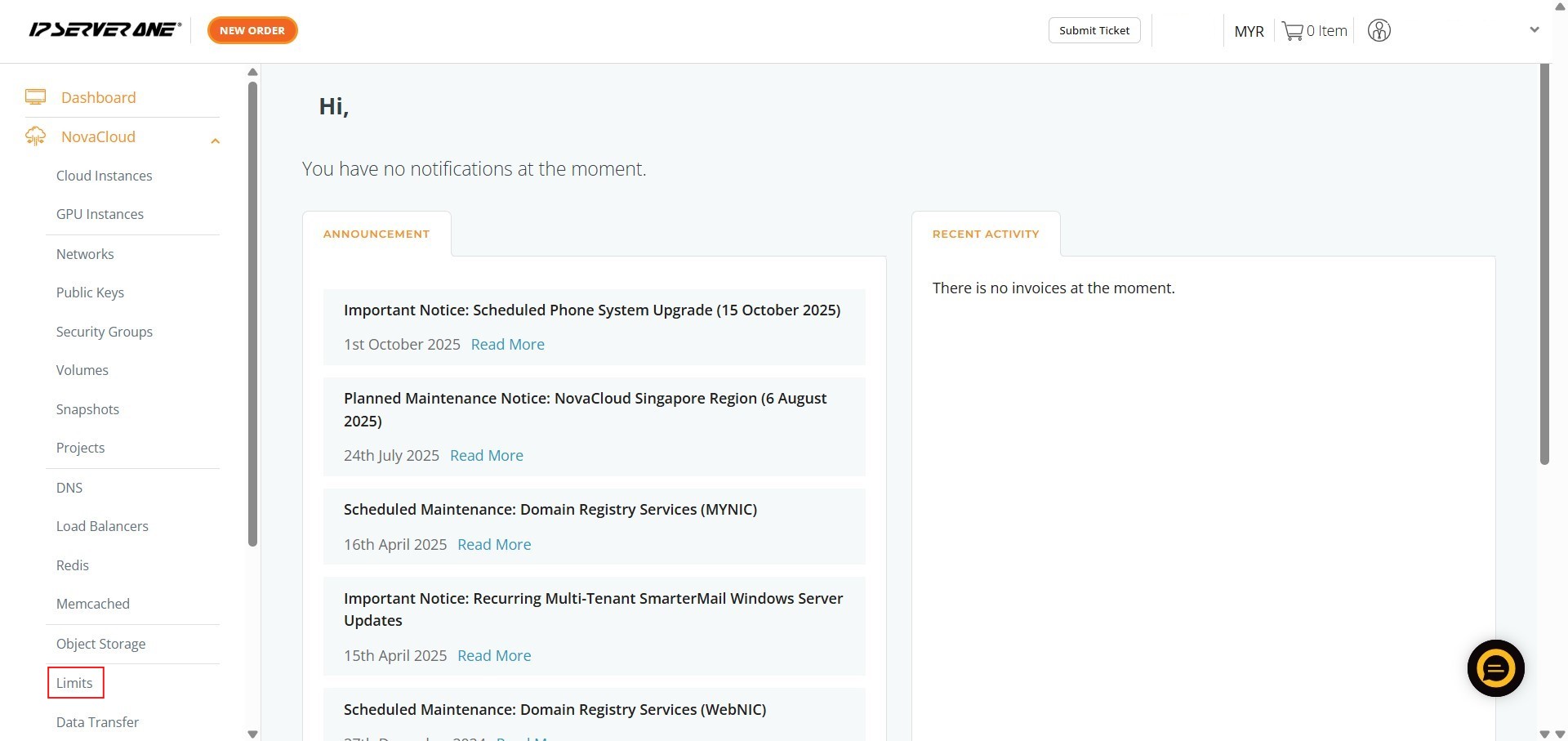
- From the expanded NovaCloud menu, click on “Limits”.
- This section allows you to manage restrictions on your provisioned resources.
Step 3: Initiate the Request
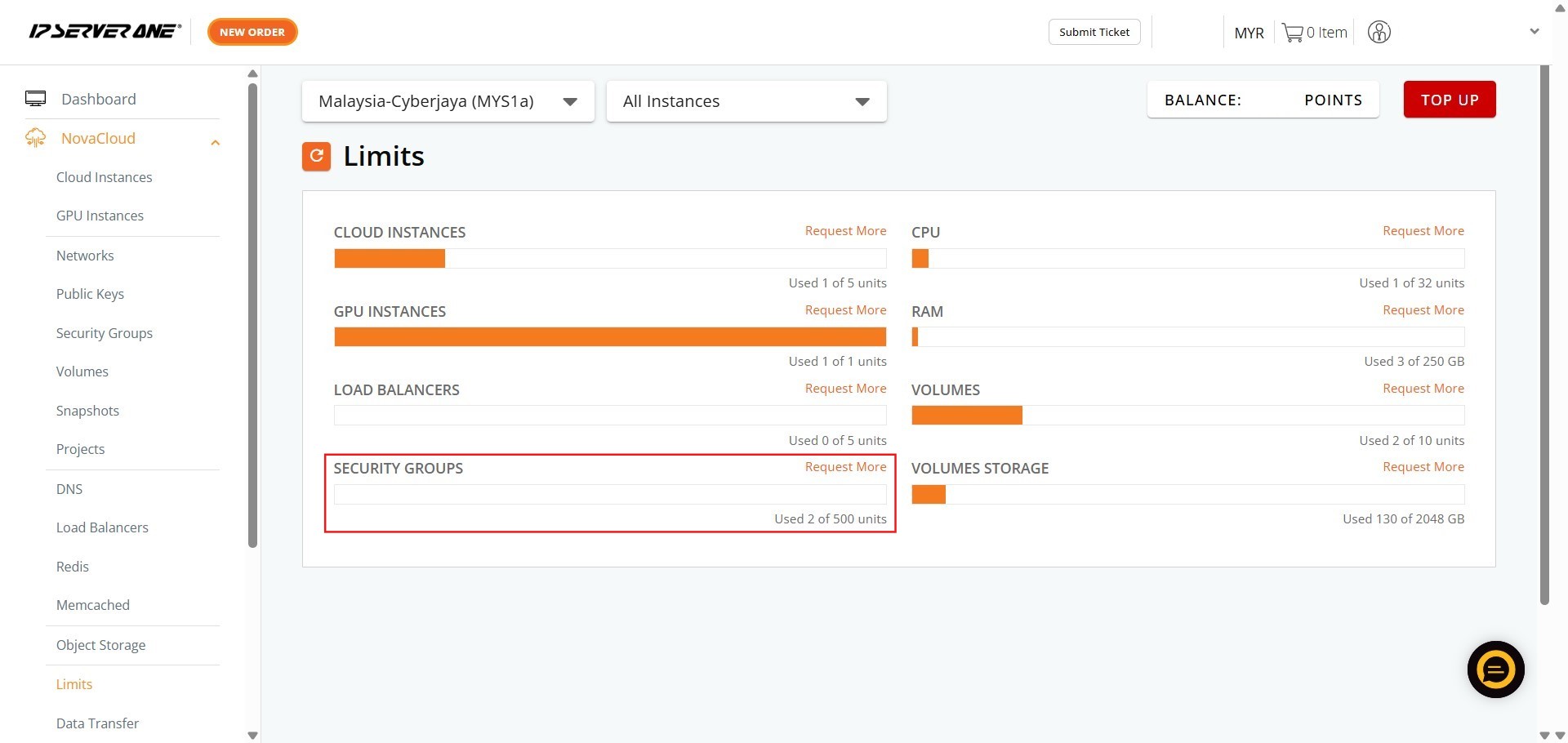
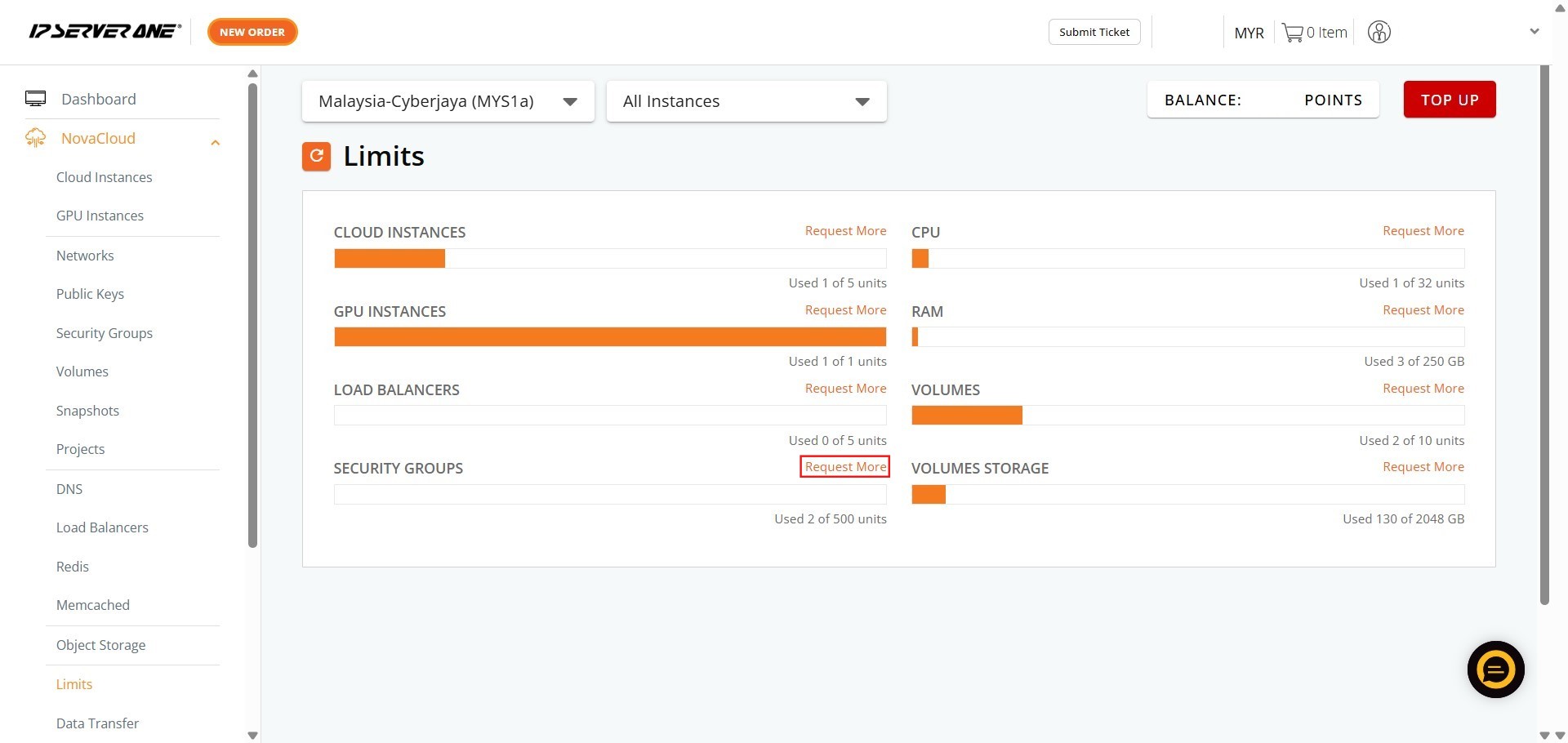
- Within the Limits area, locate the section pertaining to Security Group and click “Request More”.
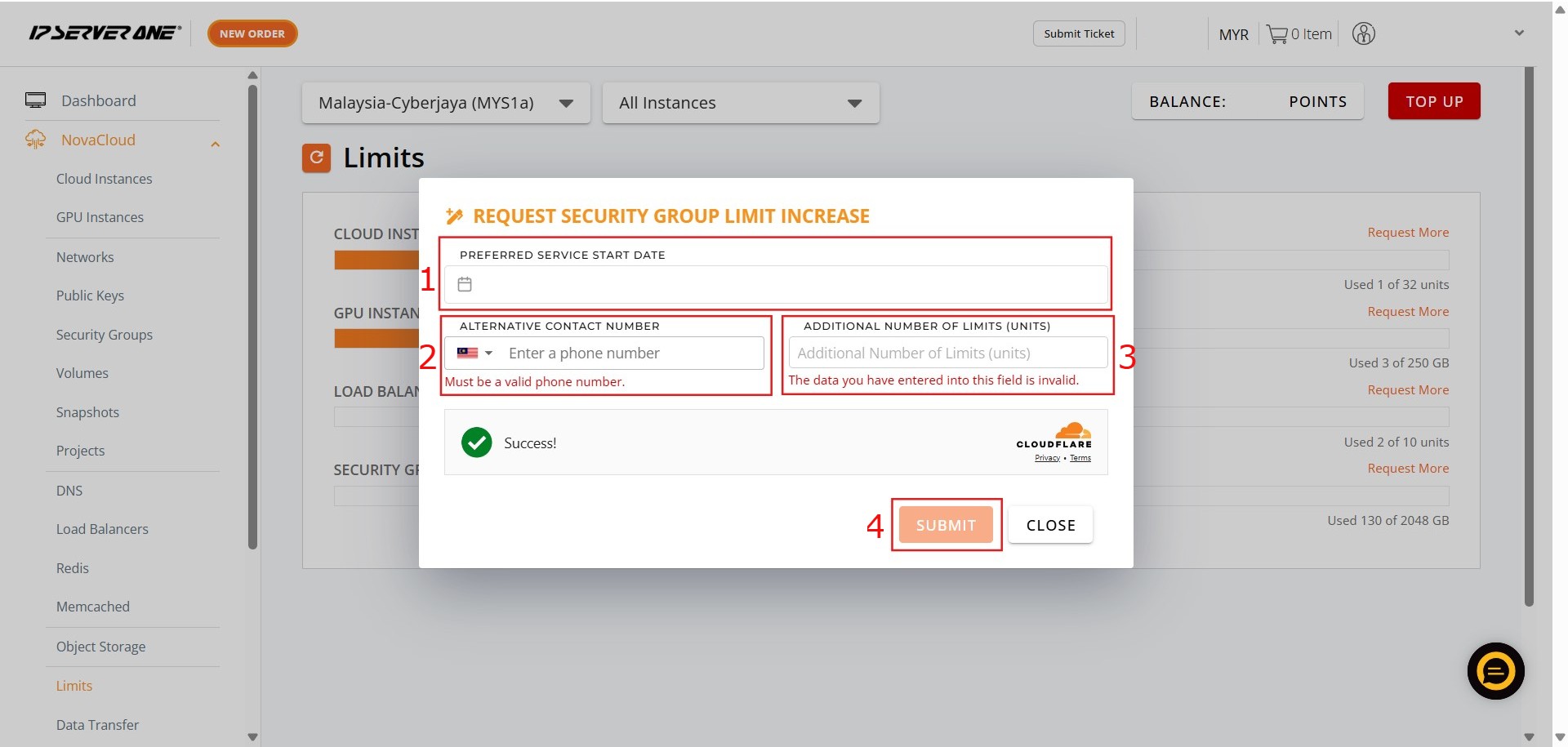
Step 4: Enter Request Details and Submit
- You must provide the necessary details for your request:
1. Key in the Date.2. Key in the Contact Number.3. Key in Addition details.4. Once all details are entered, click “Submit”.
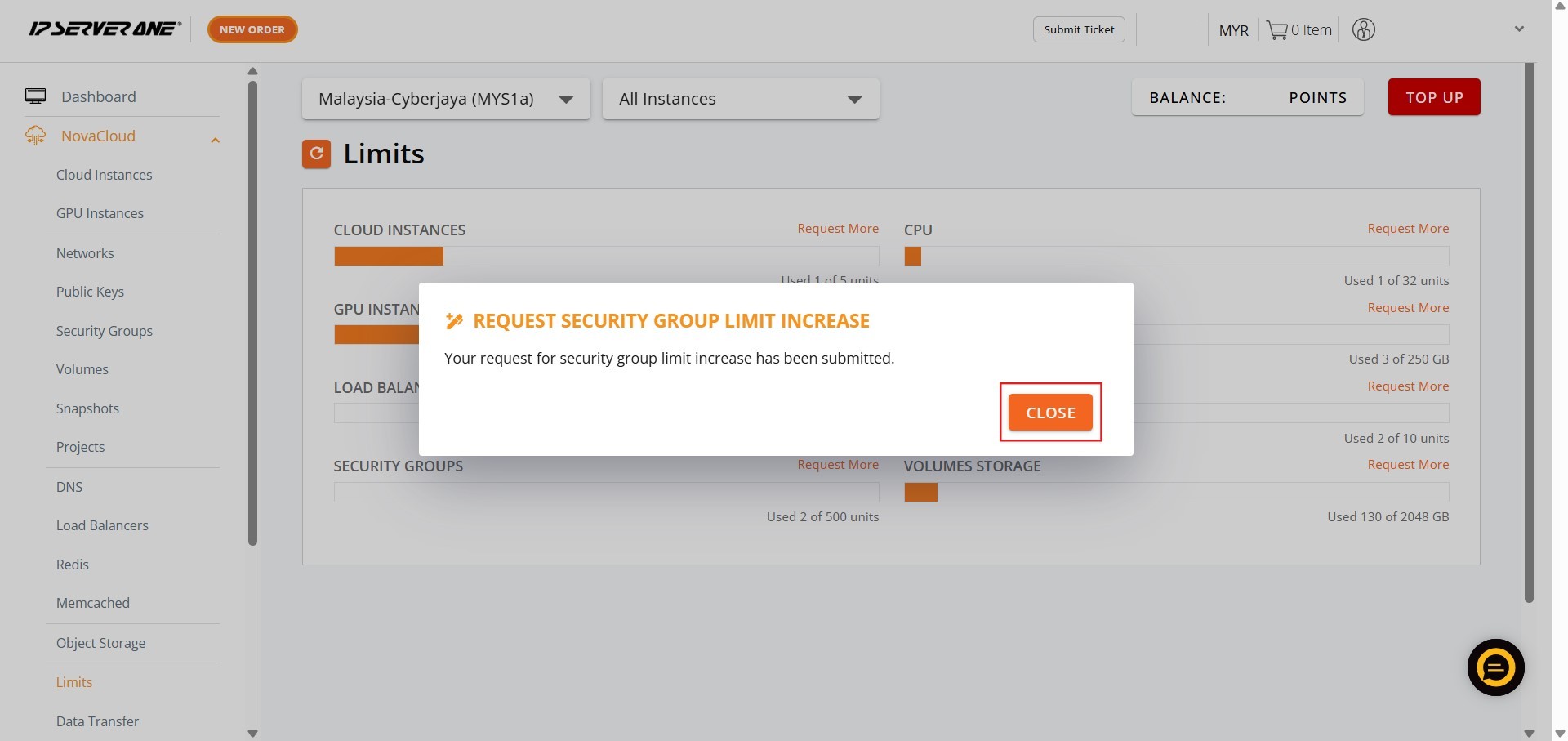
Step 5: Conclude the Process Click Close
- Finally, click “Close” to finish the submission process.
Conclusion:
By following the steps outlined, you have successfully navigated the Customer Portal to formally submit your capacity expansion request for Security Groups within the NovaCloud interface. This action supports your ongoing infrastructural and security requirements.
For any additional assistance or if you encounter issues regarding your capacity expansion, you may contact the support team at IPSERVERONE. Support can be reached via email at support@ipserverone.com or through the 24×7 Hotline at +603 2026 1688.