
Search Our Database
How to Remove Instance(s) from a Project Group in Customer Portal
Introduction:
Within the IP ServerOne Customer Portal, the NovaCloud management suite provides users with robust tools to organize and categorize virtual resources for better operational oversight. One of these key organizational features is the ability to group instances into Projects, which helps teams manage related cloud assets more effectively.
As your infrastructure evolves, you may find it necessary to remove an instance from a project group to reorganize your dashboard or prepare the resource for a different project assignment. This administrative process is handled directly through the Projects section of the dashboard and allows for the seamless decoupling of instances from their current groups without affecting the instance’s operational status or performance. By following the streamlined steps in the portal, you can ensure your project environments remain accurate and focused on current business goals.
Prerequisites:
- Active Portal Account.
- Existing Project Group.
- Assigned Instances.
- Understand that removing an instance from a project group is an organizational change; it does not delete the instance or stop its billing.
Step-by-step Guide:
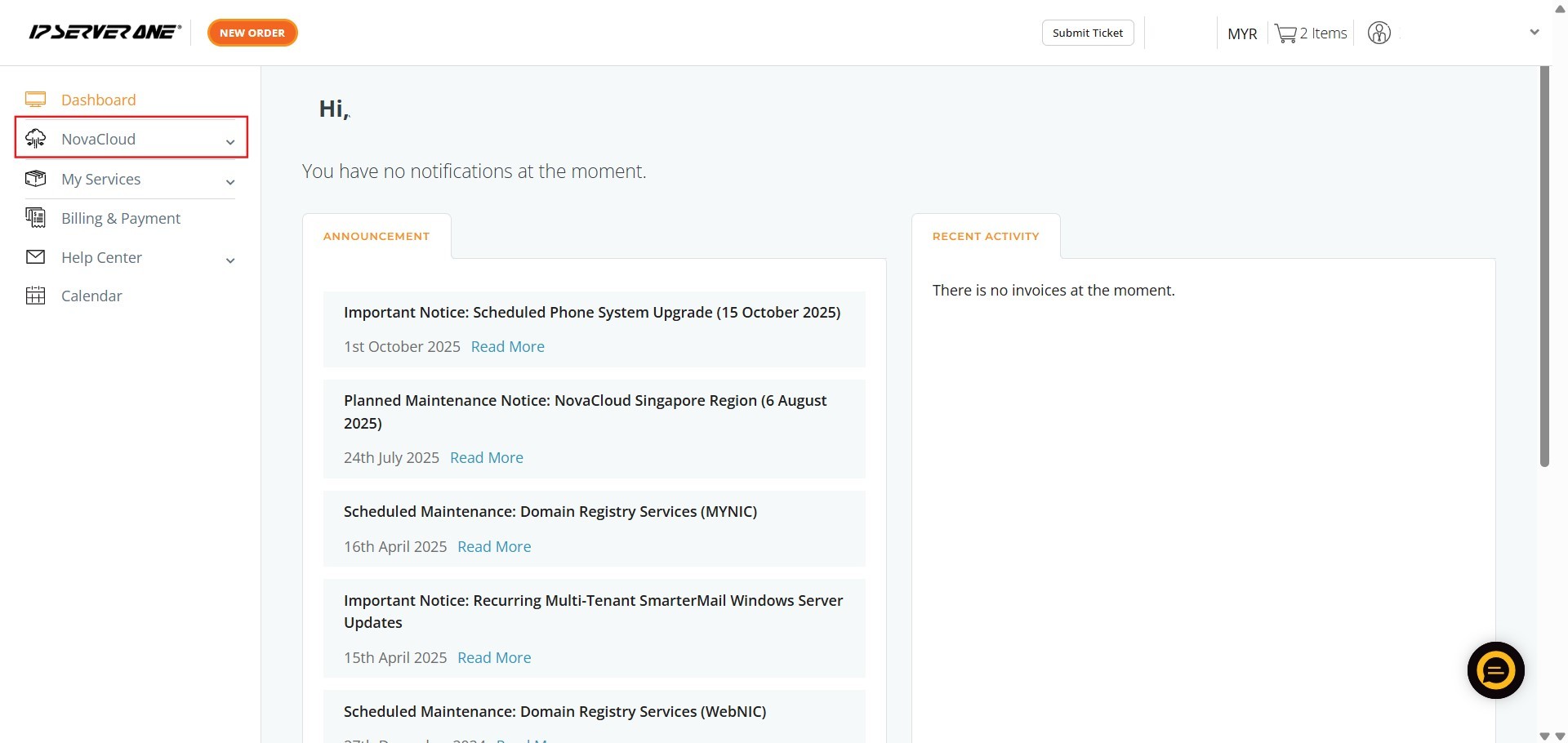
Step 1: Click NovaCloud
- From the main dashboard, locate and select NovaCloud on the left-hand navigation menu.
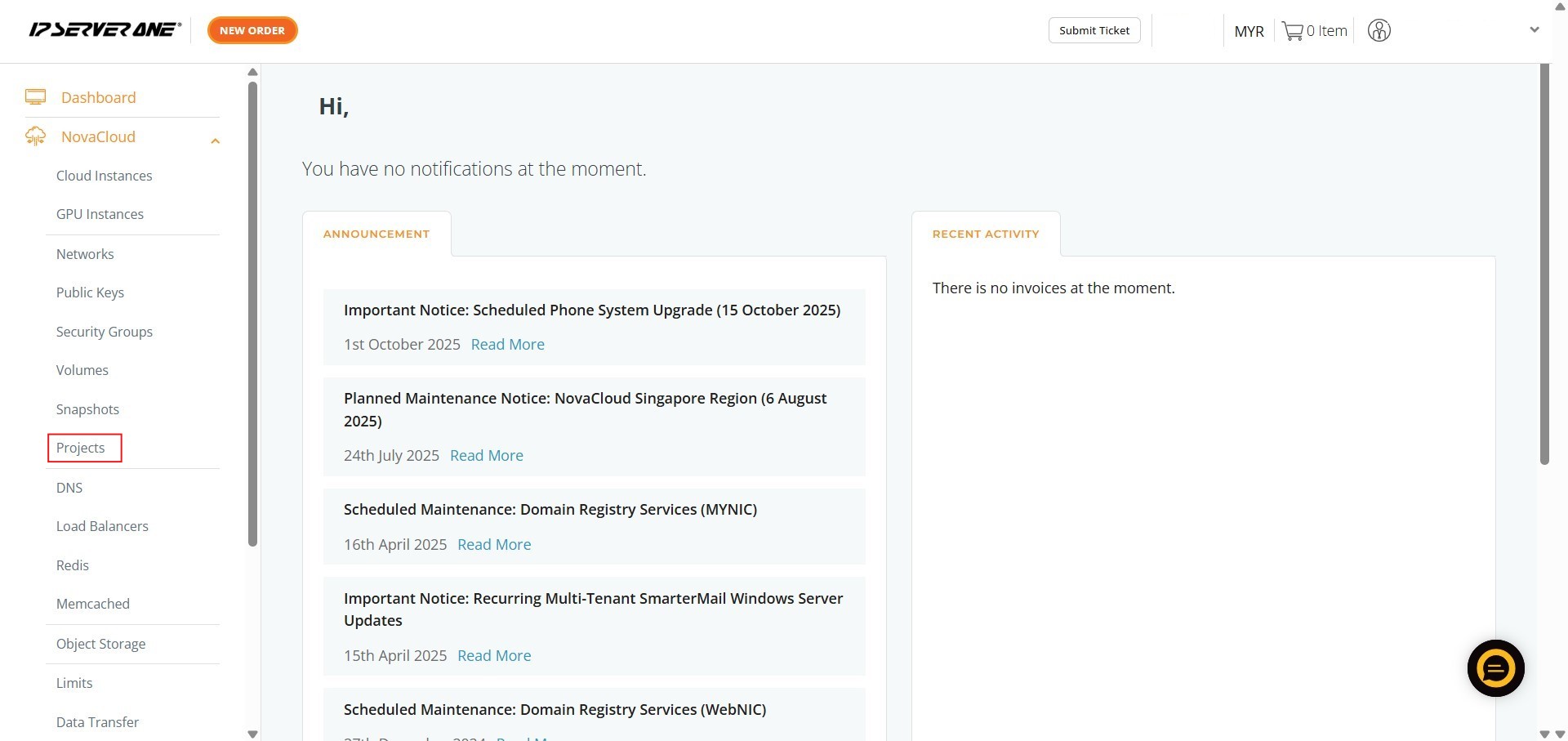
Step 2: Click Project
- Within the expanded NovaCloud menu, select the Project section to manage your groups.
Step 3: Locate the Project
- Identify the specific Project Group from which you want to remove an instance.

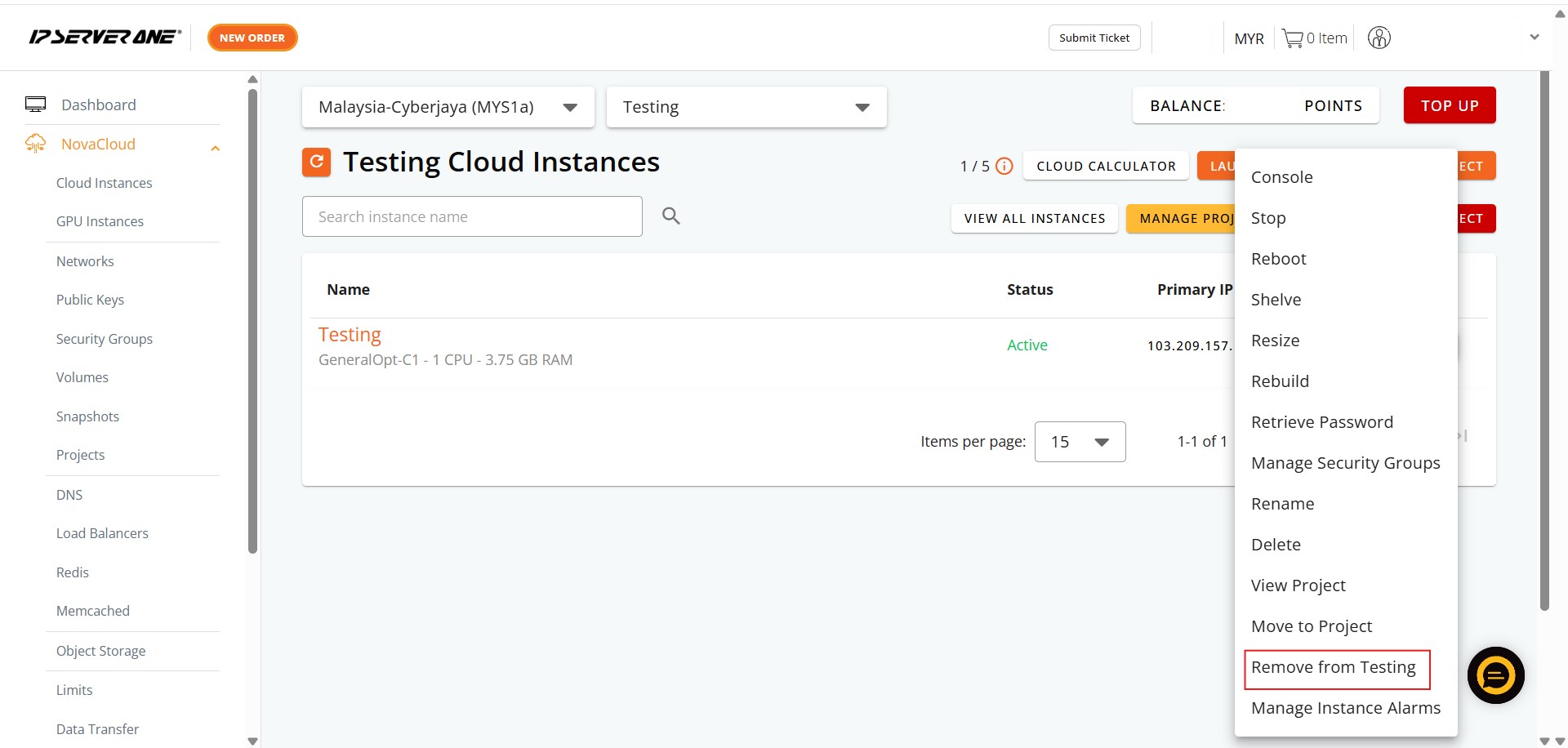
Step 4: Click Action
- Open the Actions dropdown menu for that particular project.

Step 5: Select Remove From
- Choose the option “remove from (Project Name)” to begin the detachment process.
Step 6: Click Confirm
- A prompt will appear asking for verification; click Confirm to proceed with the removal.

Step 7: Click Close
- Once the process is finalized, click the Close button on the notification pop-up.
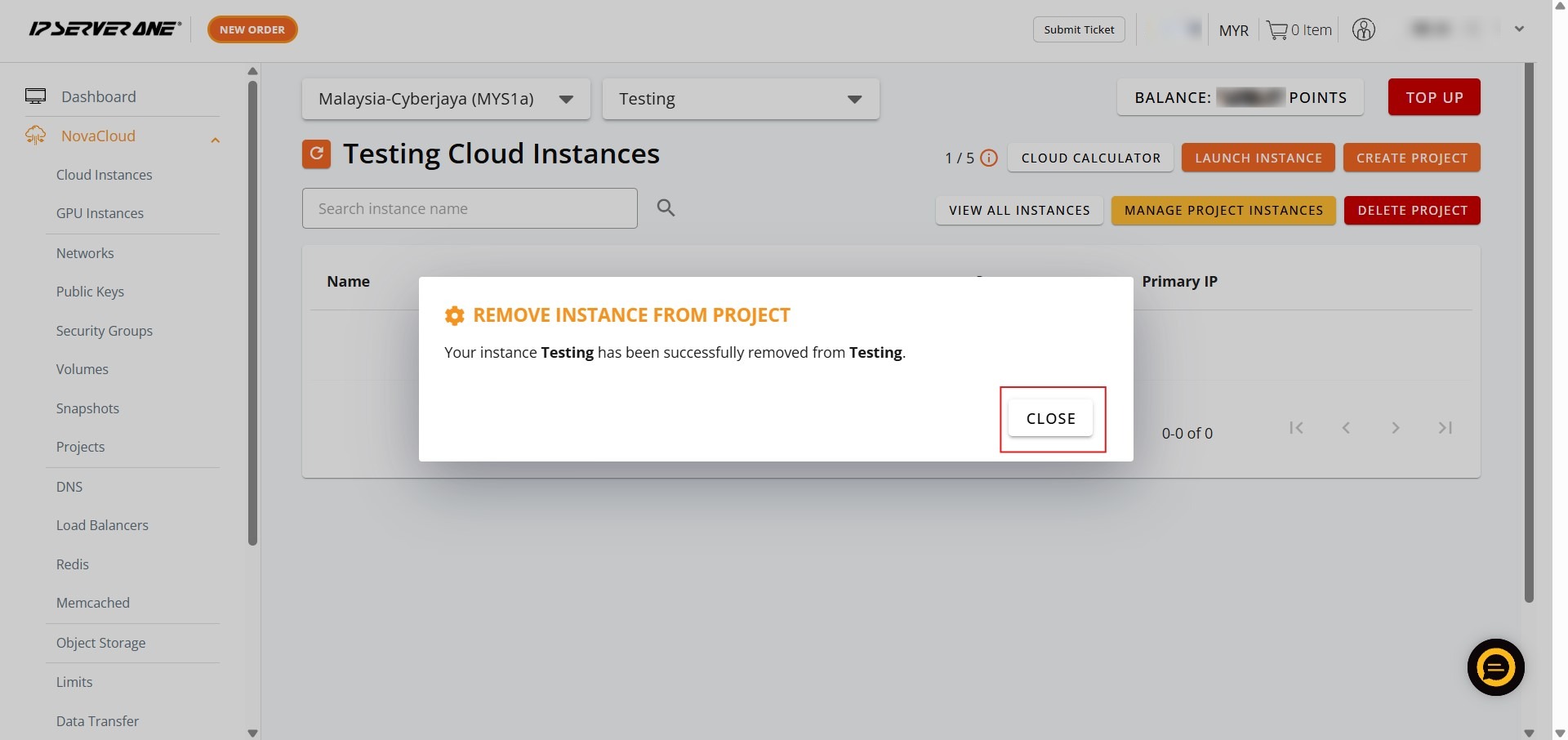
Step 8: Verify Success
- Ensure the instance is no longer listed under that project group; it will now appear in your general instance list.

Conclusion:
By following the outlined steps, you have successfully reorganized your resources by removing an instance from a specific Project Group via the NovaCloud > Project interface. This administrative action allows for a more flexible and accurate representation of your current infrastructure within the IP ServerOne Customer Portal.
For further assistance with project management or other NovaCloud features, please contact our support team at support@ipserverone.com.