
Search Our Database
How to Rate My Support Ticket in Customer Portal
Introduction:
Maintaining a continuous feedback loop is essential for ensuring that technical assistance aligns with your operational requirements. Within the IP ServerOne Customer Portal, the Help Center serves as a centralized hub where users can manage their technical inquiries, from reviewing the fine details of a resolution to auditing their communication history.
The “My Support Ticket” interface provides the functionality to Rate (or “Score”) a completed interaction, allowing you to provide direct feedback on the quality of assistance received. This process is a critical component of the “We Host Better” philosophy, as it provides the technical team with the insights necessary to maintain high standards of personalized care and attention to detail. Whether your inquiry was resolved through the portal interface or the 24×7 technical hotline, submitting a score ensures that your satisfaction is recorded and used to refine future support experiences.This guide explains how to navigate to the Score functionality within your ticket history to efficiently provide feedback on your support journey.
Prerequisites:
- You must be a registered user with an active account and successfully logged in to the IP ServerOne Customer Portal.
- Your account must have at least one previously submitted or ongoing support ticket.
Step-by-step Guide:
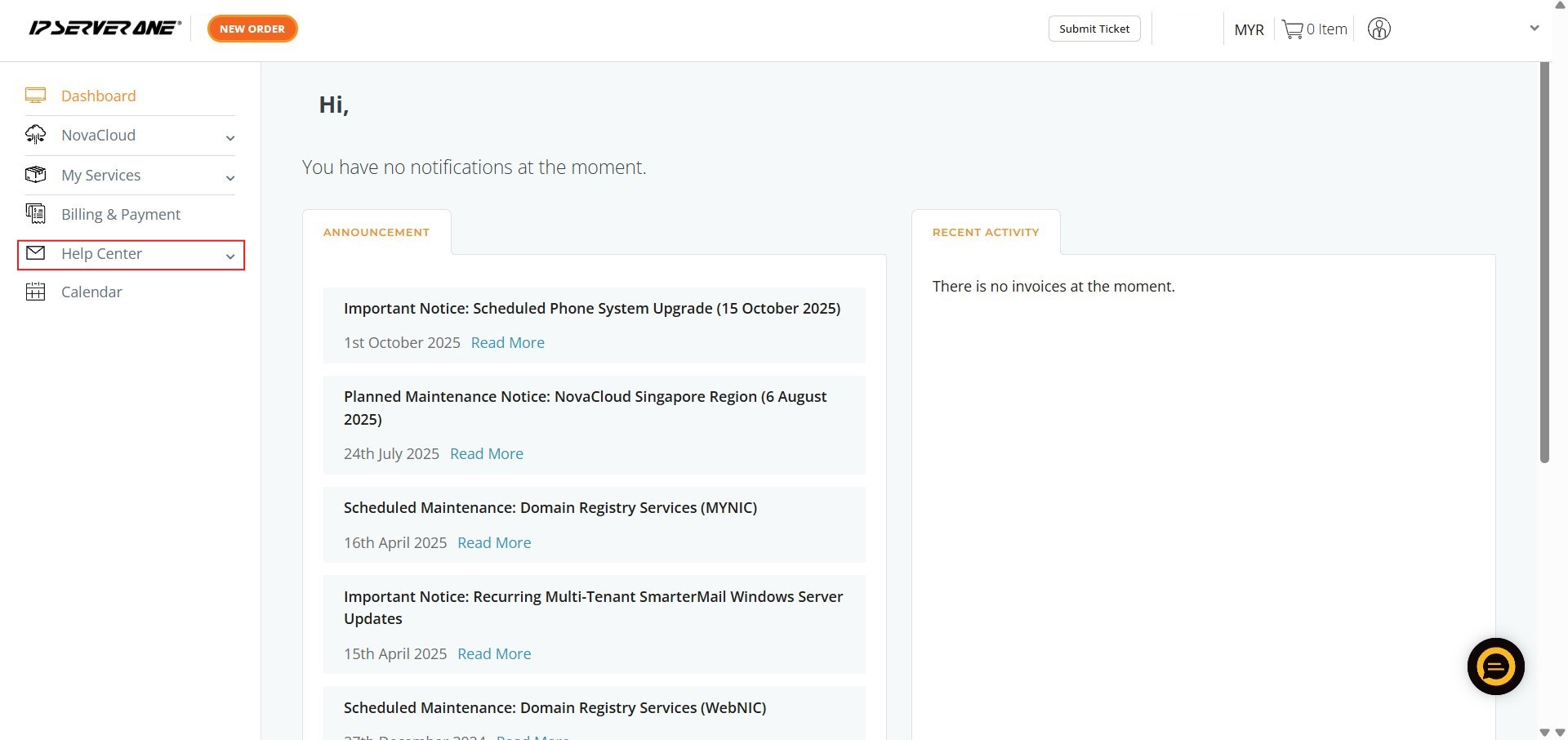
Step 1: Click Help Center
- Locate the Help Center option on the left-hand navigation menu of the portal.
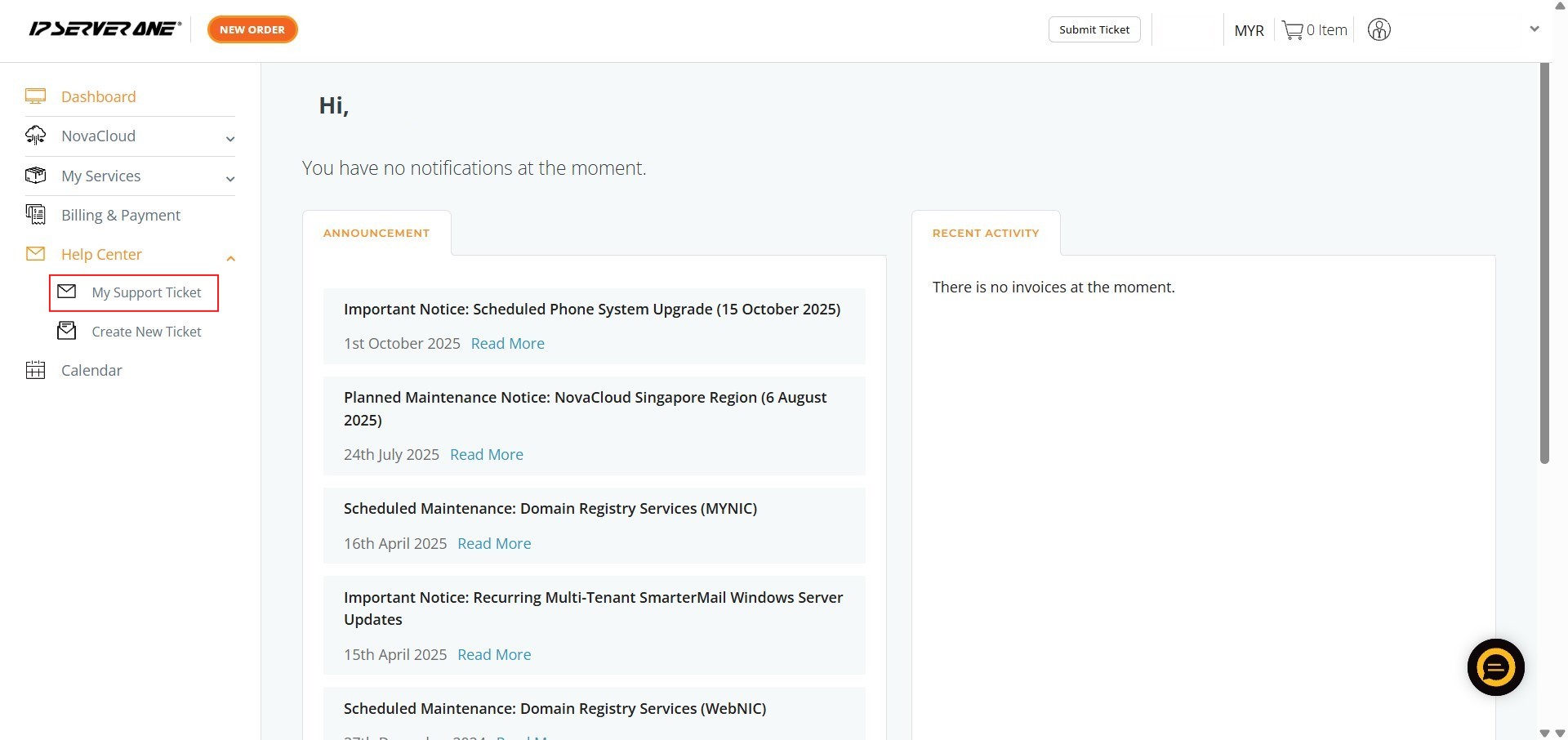
Step 2: Click My Support Ticket
- From the Help Center menu, select My Support Ticket to view your list of past and active inquiries.
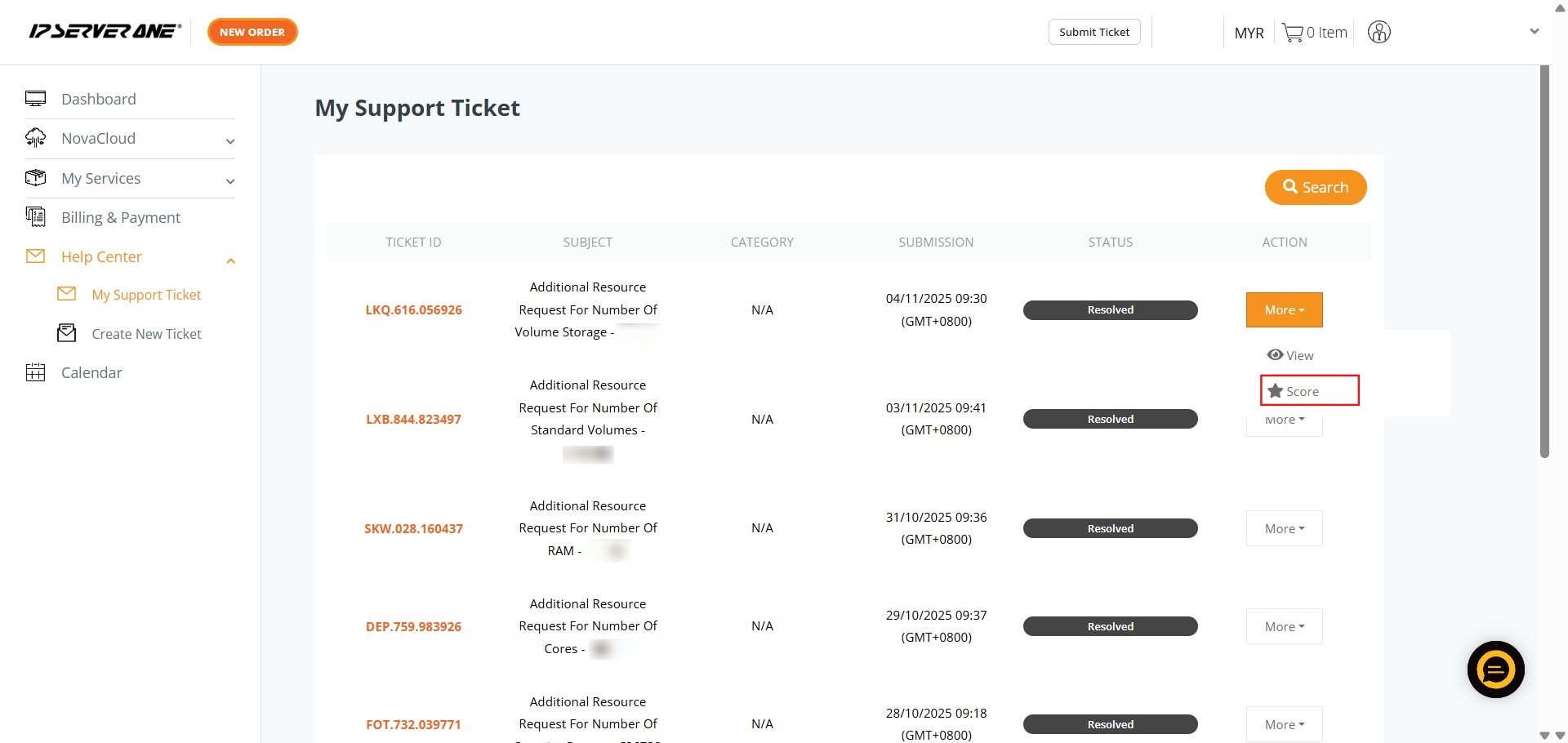
Step 3: Click More
- Find the specific ticket you wish to review and click the “more” button to expand available options.

Step 4: Click Score
- From the dropdown menu, select the “Score” option to open the rating interface.
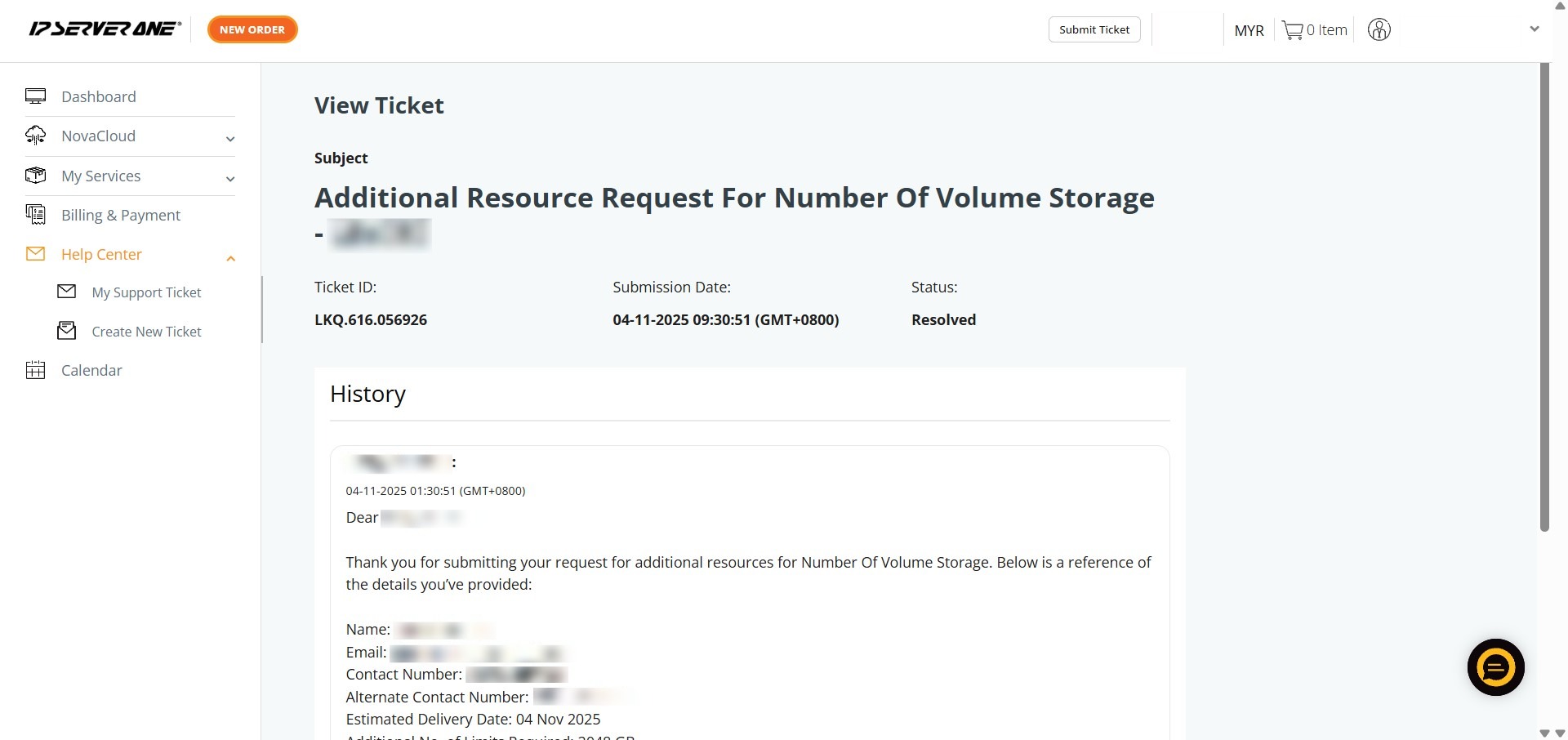
Step 5: Submit Rating
- Provide your feedback and complete the process to successfully record your satisfaction level.
Conclusion:
By following the steps to score your inquiries, you have successfully provided the feedback necessary to evaluate and refine your technical support experience. This final stage of the support process within the Help Center ensures that your satisfaction is documented, directly supporting the “We Host Better” philosophy of providing personalized care and attention to detail.
If you are unable to find a specific record or require immediate assistance with a new matter, please reach out to the IP ServerOne support team at support@ipserverone.com.