
Search Our Database
How to Modify PHP Script Execution Time in DirectAdmin (Enhanced Skin)
Introduction
PHP max execution time defines how long a script can run before the server terminates it, and adjusting this limit is essential for scripts requiring extended processing time. Long-running operations like large file uploads, data imports, complex calculations, or extensive database operations may require increased execution time limits to complete successfully without timeout errors. DirectAdmin’s PHP Settings interface provides a straightforward method for configuring execution time limits through custom PHP overrides. This guide explains how to modify max execution time using the PHP Settings section in DirectAdmin, enabling your PHP scripts to run for appropriate durations while maintaining server resource protection.
Prerequisites
- Access to DirectAdmin control panel with the necessary permissions.
Step-by-step Guide
Step 1: Access DirectAdmin
Log in to your DirectAdmin control panel.

Step 2: Access PHP Settings
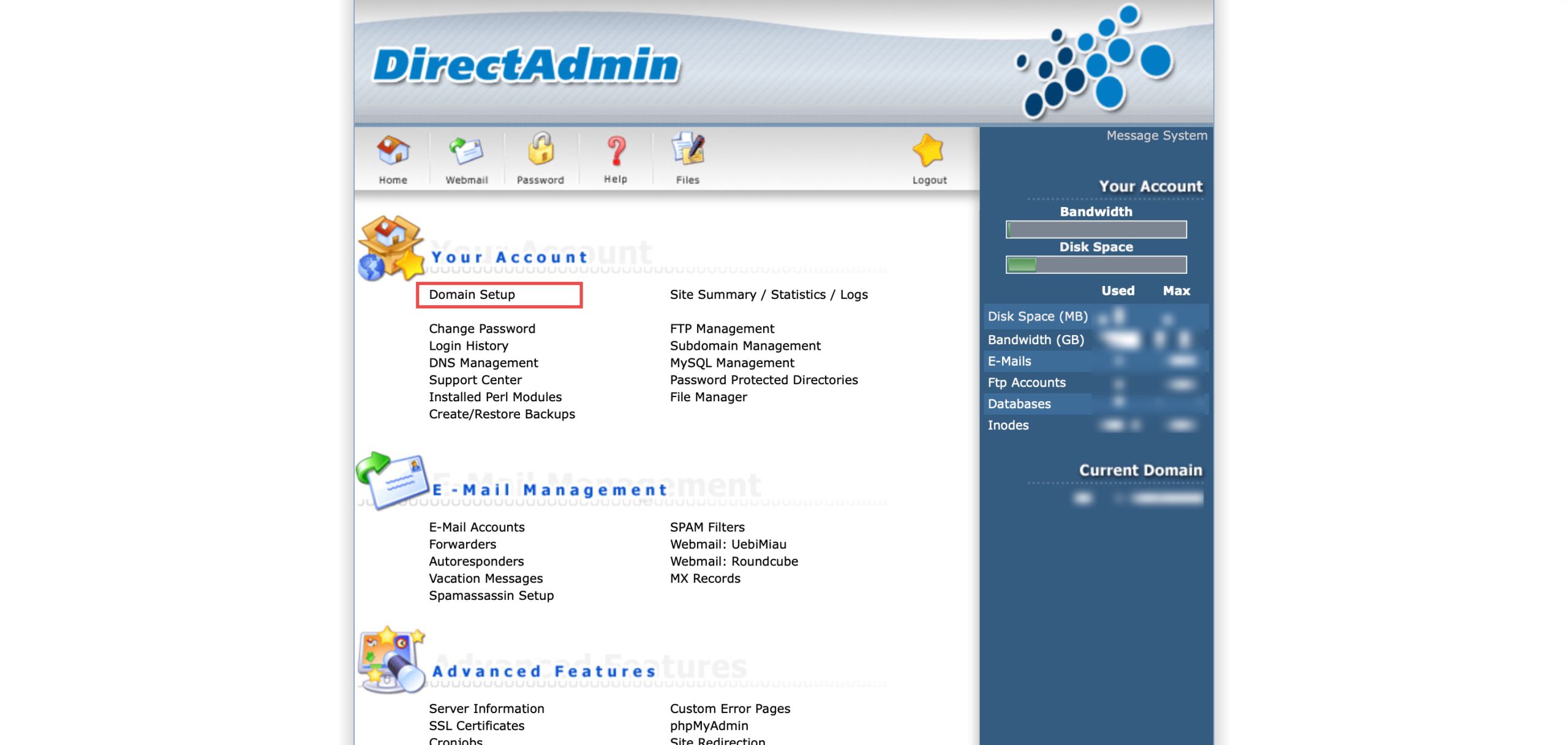
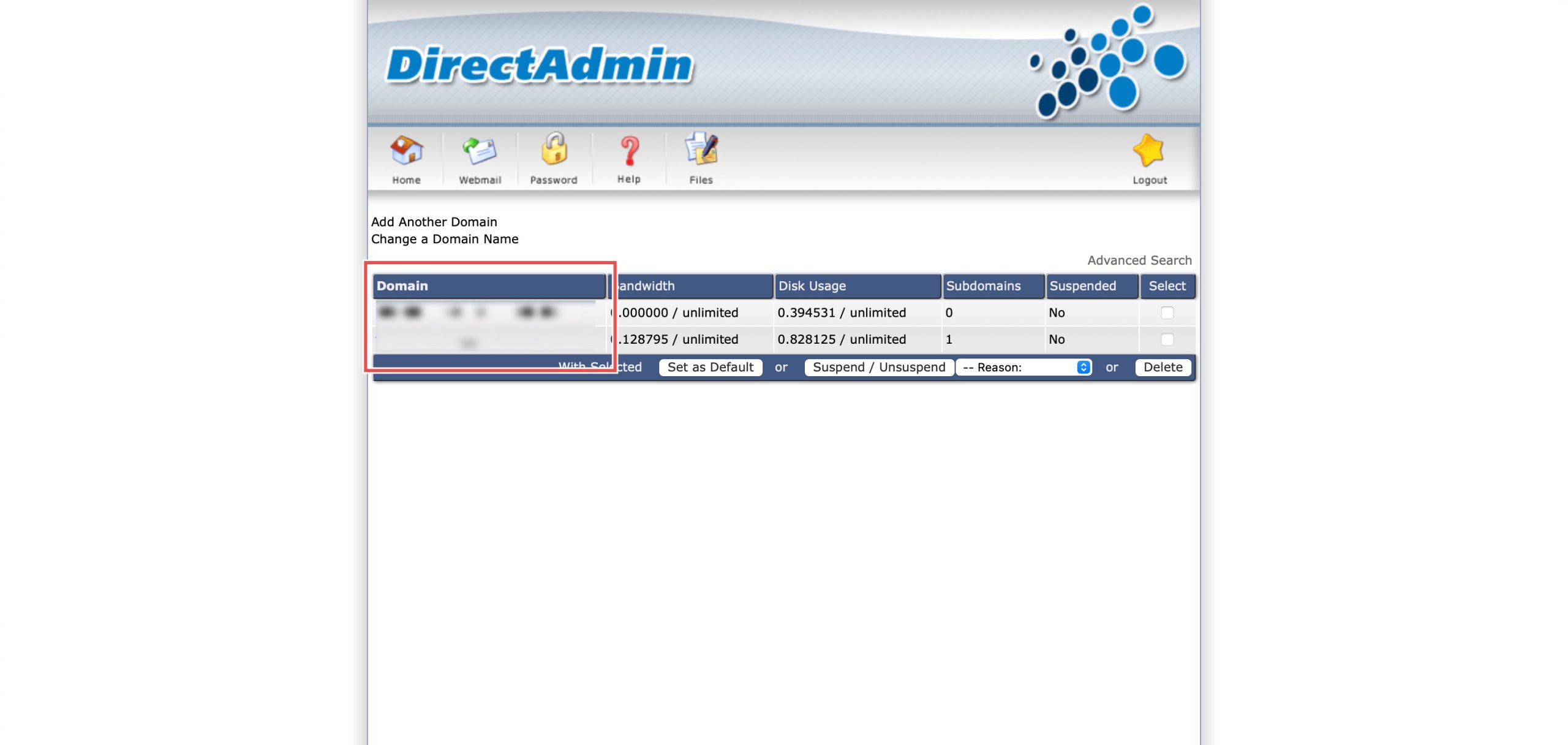
Go to the Your Account section and click on Domain Setup. Then, select the domain/subdomain you wish to modify PHP settings for by clicking on the domain/subdomain name.
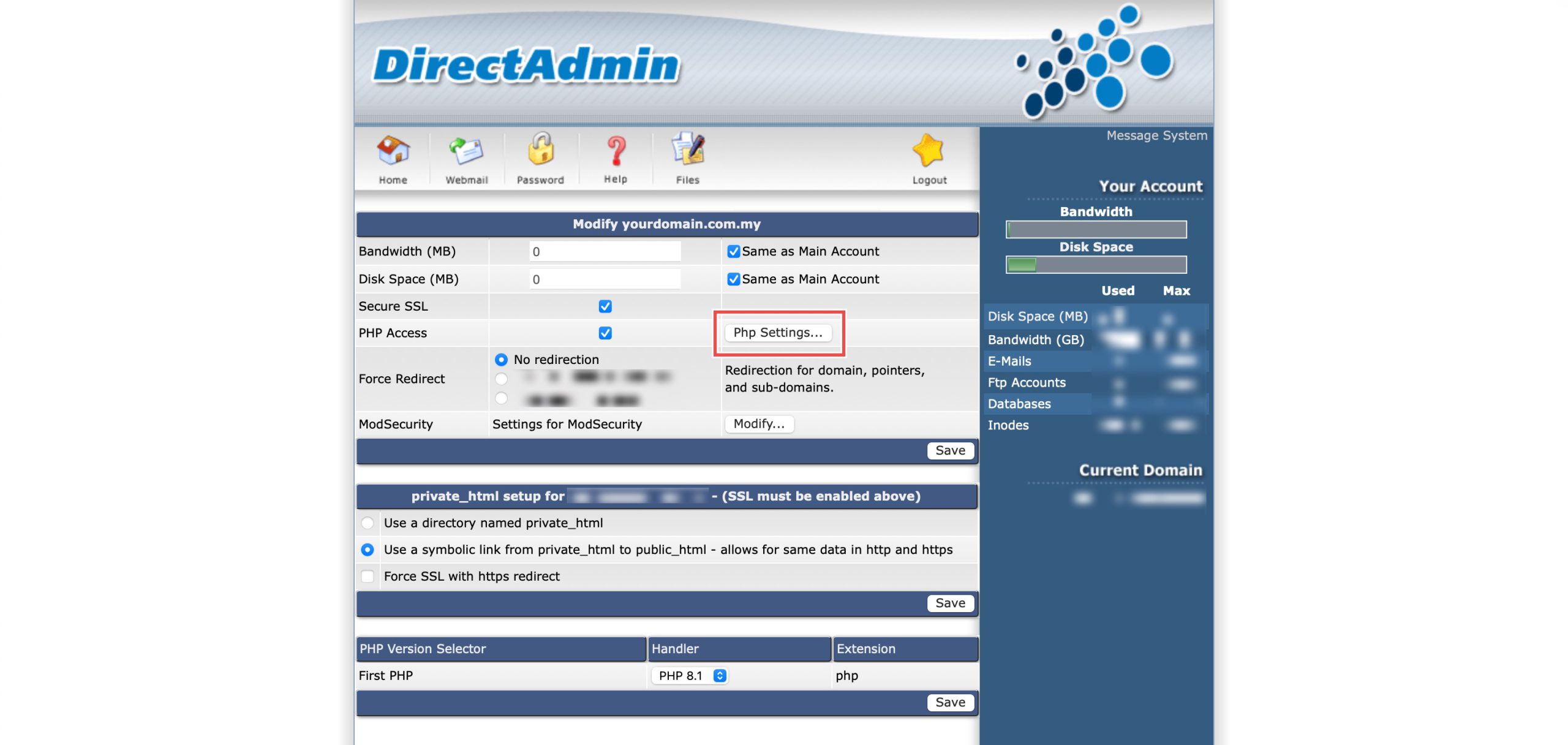
At the PHP Access row, click Php Settings…. You should be able to see a list of your current PHP configuration.
Step 3: Modify Max Execution Time
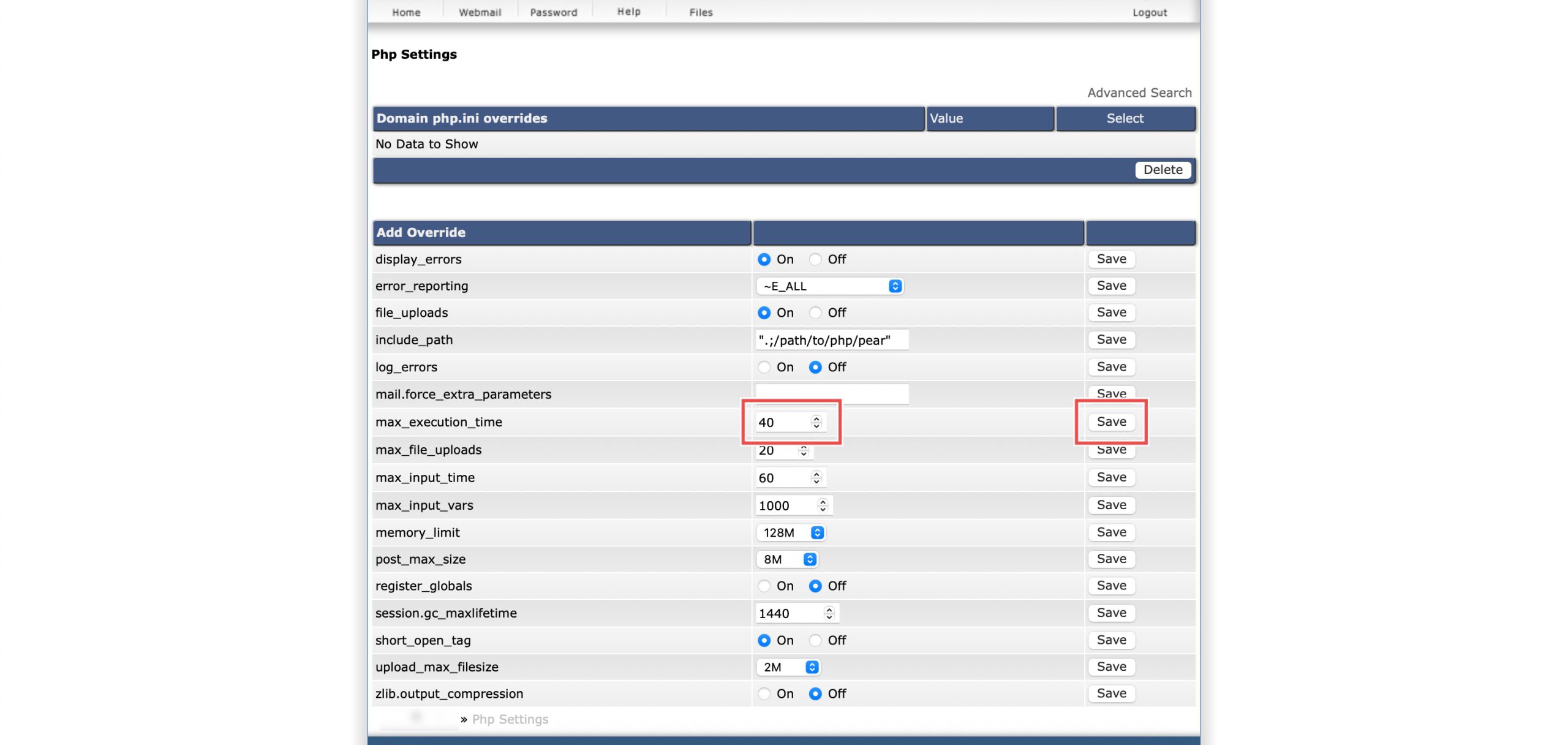
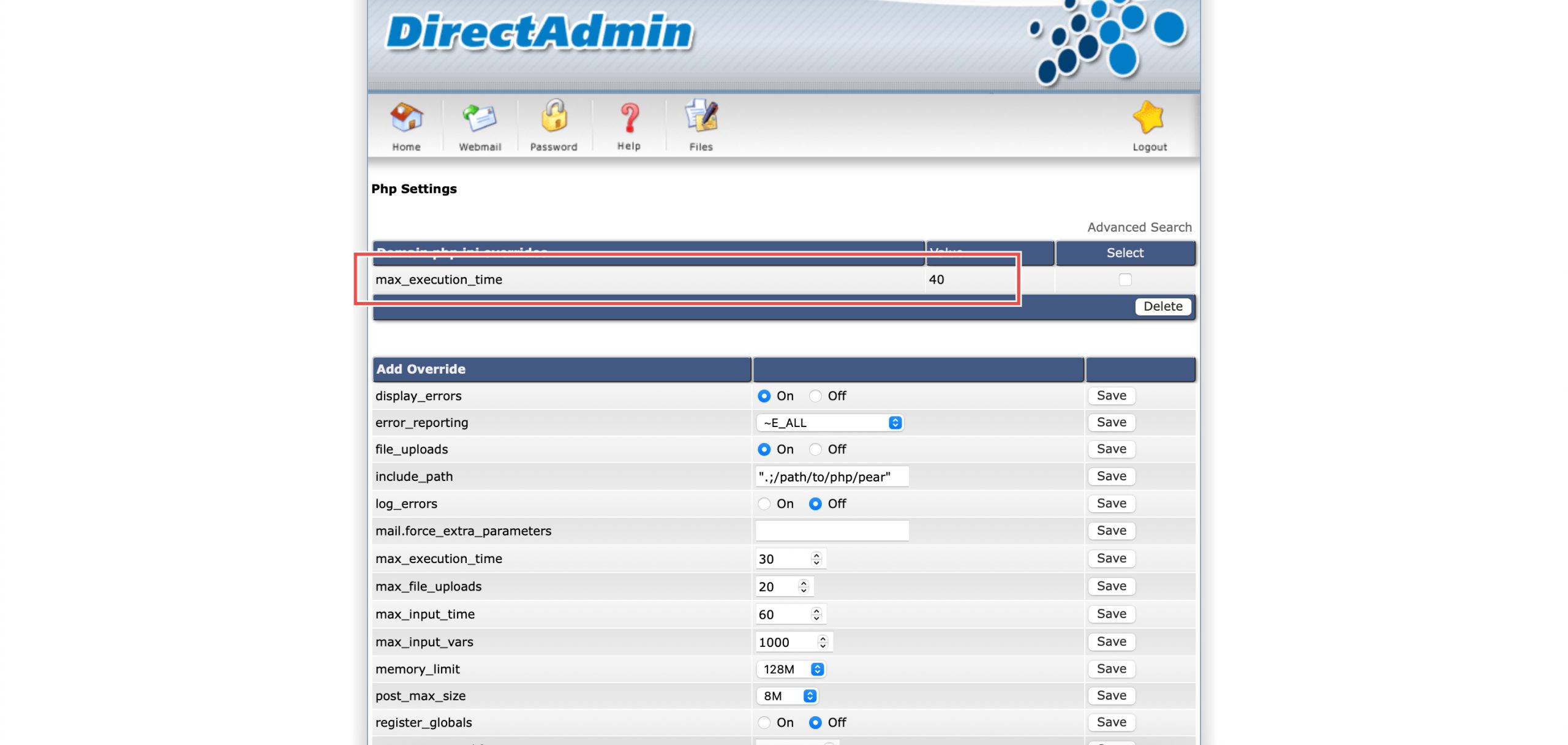
Scroll down to the Add Override section. On the max_execution_time row, you may enter the number of seconds a PHP script is allowed to run before the server forcibly terminates it.
Then, click Save on the right.
Tips: If you are increasing this for File Uploads, you usually need to increase max_input_time as well. While max_execution_time is the time to run the script, max_input_time is the time allowed for the server to receive the data (like a large video file).
Step 4: Verify the changes
You may confirm the new override settings in the updated Domain php.ini overrides table. Scripts can run longer before timing out, or be killed sooner protecting server resources, depending on the value you entered.
Conclusion
Configuring PHP max execution time through DirectAdmin’s PHP Settings interface is a simple process that controls how long scripts can run before termination. Adjusting execution time limits enables long-running operations to complete successfully while protecting server resources from runaway scripts, with the flexibility to increase or decrease timeouts based on your specific application requirements.
Should you have any inquiries about the guidelines, please feel free to open a ticket through your portal account or contact us at support@ipserverone.com. We’ll be happy to assist you further.