
Search Our Database
How to Modify Autoresponder in DirectAdmin (Evolution Skin)
Introduction
Autoresponders provide automated email responses for various business purposes, but there are situations where updating these configurations becomes necessary. Changing message content, adjusting reply frequency, updating contact information, or modifying CC recipients may be required as your communication needs evolve. DirectAdmin’s Autoresponders interface provides a straightforward method for editing automated response settings without needing to delete and recreate them. This guide explains how to edit autoresponders using the E-mail Manager > Autoresponders section in DirectAdmin, enabling you to maintain current and professional automated email communications.
Prerequisites
- Access to DirectAdmin control panel with the necessary permissions.
- An existing email account with an active autoresponder set up.
Step-by-step Guide
Step 1: Access DirectAdmin
Log in to your DirectAdmin control panel.

Step 2: Access Autoresponders
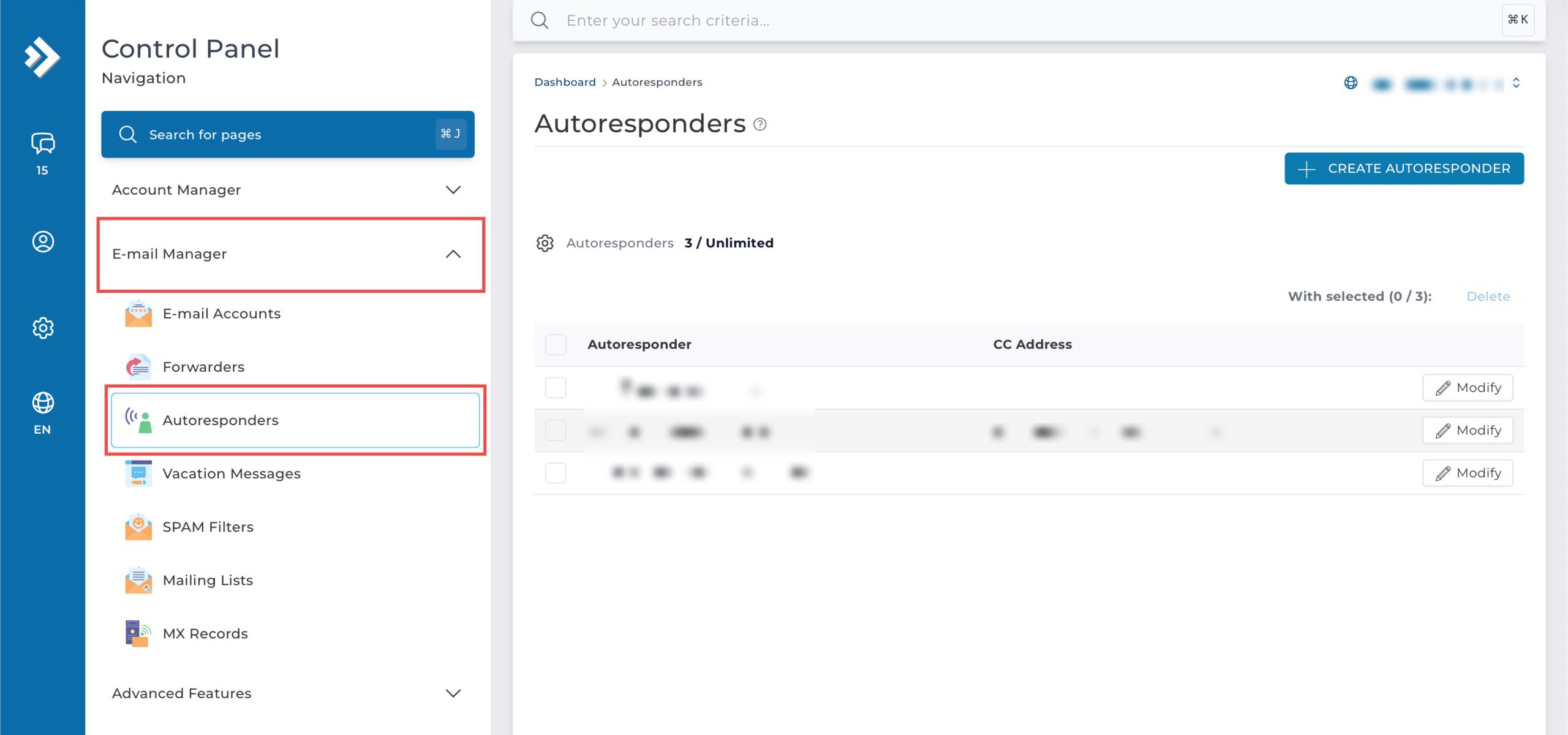
Go to the E-mail Management section and click on Autoresponders. You will see a list of all your currently configured autoresponders.
Step 3: Edit Autoresponder
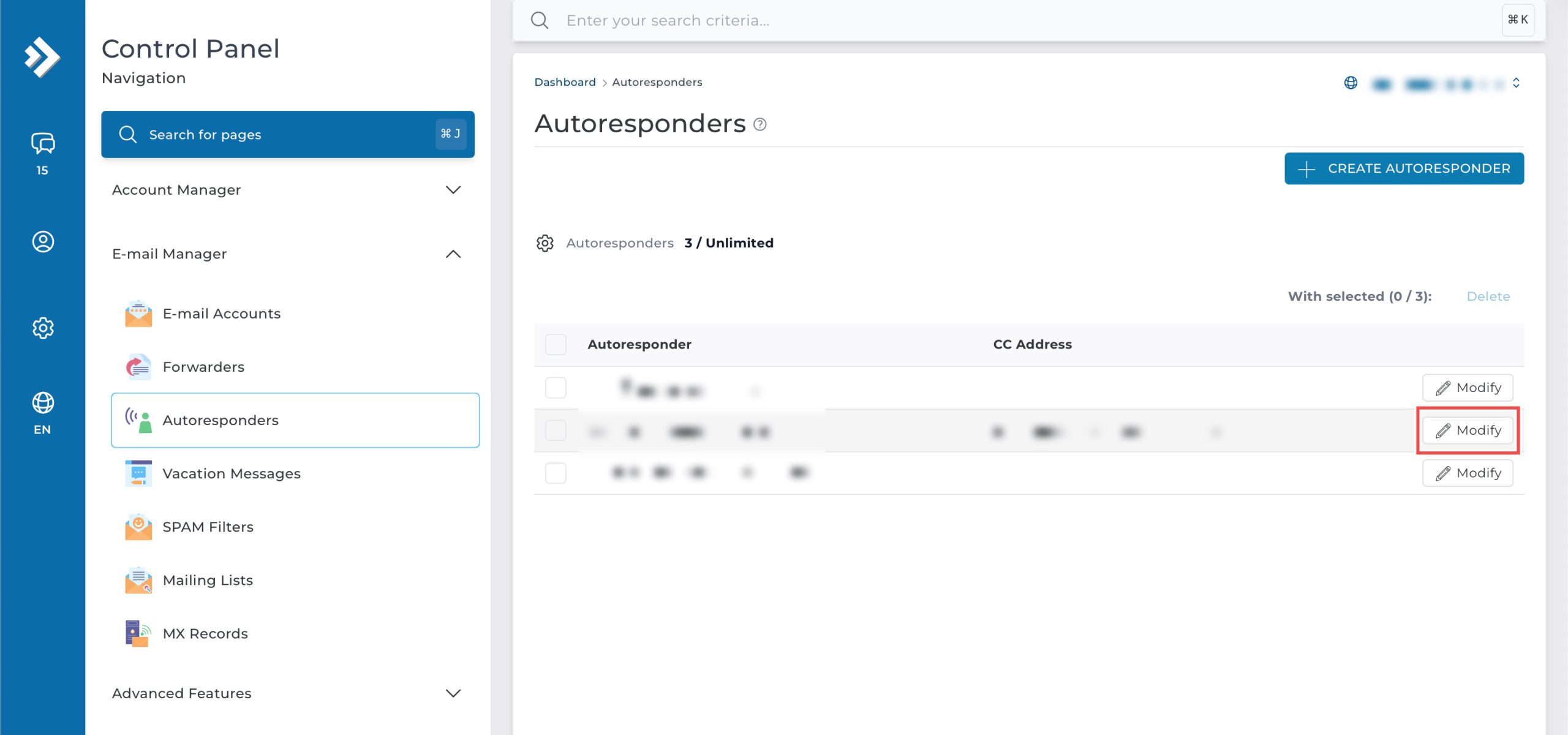
Locate the email address whose settings you wish to modify. Then, click Modify on the right of the row.
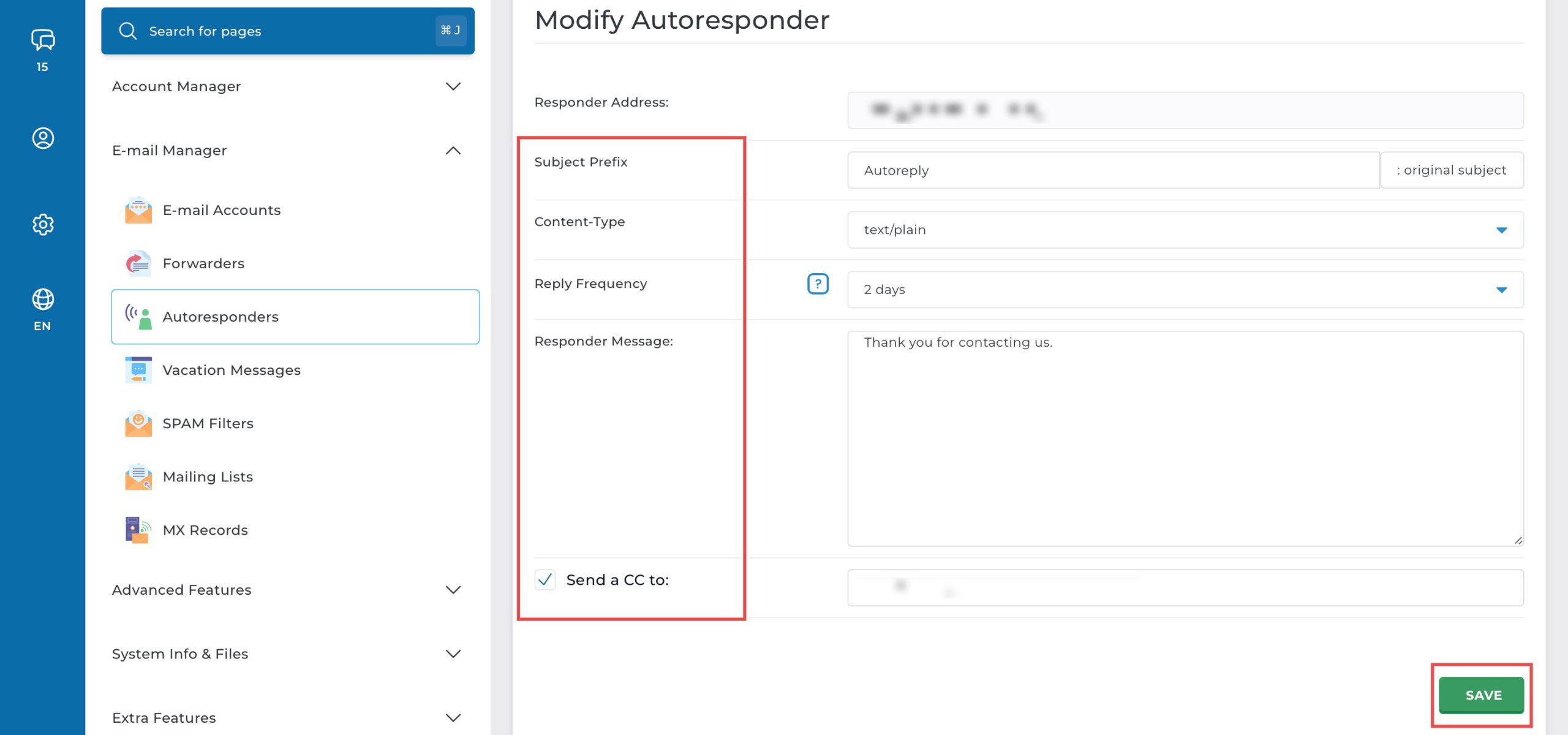
You may change the following fields:
- Subject Prefix: Subject line of the automated email.
- Reply Frequency: How often the auto-reply is sent to the same sender.
- Responder Message: Main body text of the auto-response.
- Send a CC to: Optionally, send a CC of every email that triggers the autoresponder.
Then, click Save at the bottom of the form.
Step 4: Verify the Changes
To confirm your changes are live, send a test email from an external email address to the email account with the modified autoresponder. You should immediately receive an automated reply with your new subject and message content.
Conclusion
Editing autoresponders through DirectAdmin’s Autoresponders interface is a simple process that provides flexibility in managing automated email responses. Modifying message content, reply frequency, and notification settings ensures your automated communications remain accurate and relevant to your current business needs.
Should you have any inquiries about the guidelines, please feel free to open a ticket through your portal account or contact us at support@ipserverone.com. We’ll be happy to assist you further.