
Search Our Database
How to Hide PHP Errors on Your Website in DirectAdmin (Evolution Skin)
Introduction
PHP error display shows runtime errors directly in the browser during development, but disabling this feature is essential for production environments to maintain security and professional presentation. Hiding error messages from public view prevents exposure of sensitive system information, file paths, and potential security vulnerabilities to website visitors. DirectAdmin’s PHP Settings interface provides a straightforward method for disabling error display through custom PHP overrides. This guide explains how to disable error display using the Account Manager > PHP Settings section in DirectAdmin, ensuring production websites maintain security best practices by hiding technical error information from public visibility.
Prerequisites
- Access to DirectAdmin control panel with the necessary permissions.
Step-by-step Guide
Step 1: Access DirectAdmin
Log in to your DirectAdmin control panel.

Step 2: Access PHP Settings
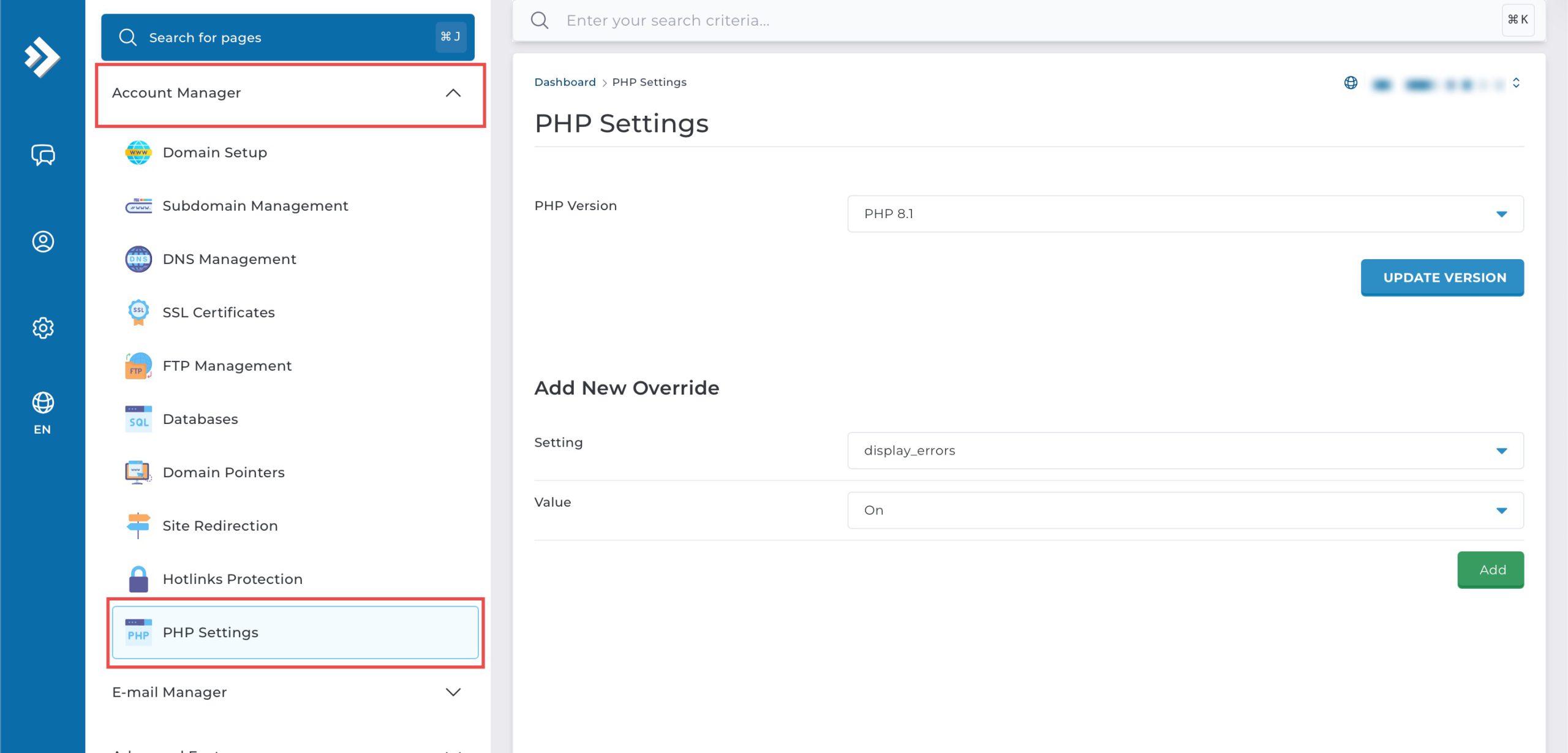
Go to the Account Manager section and click on PHP Settings.
Step 3: Disable Error Display
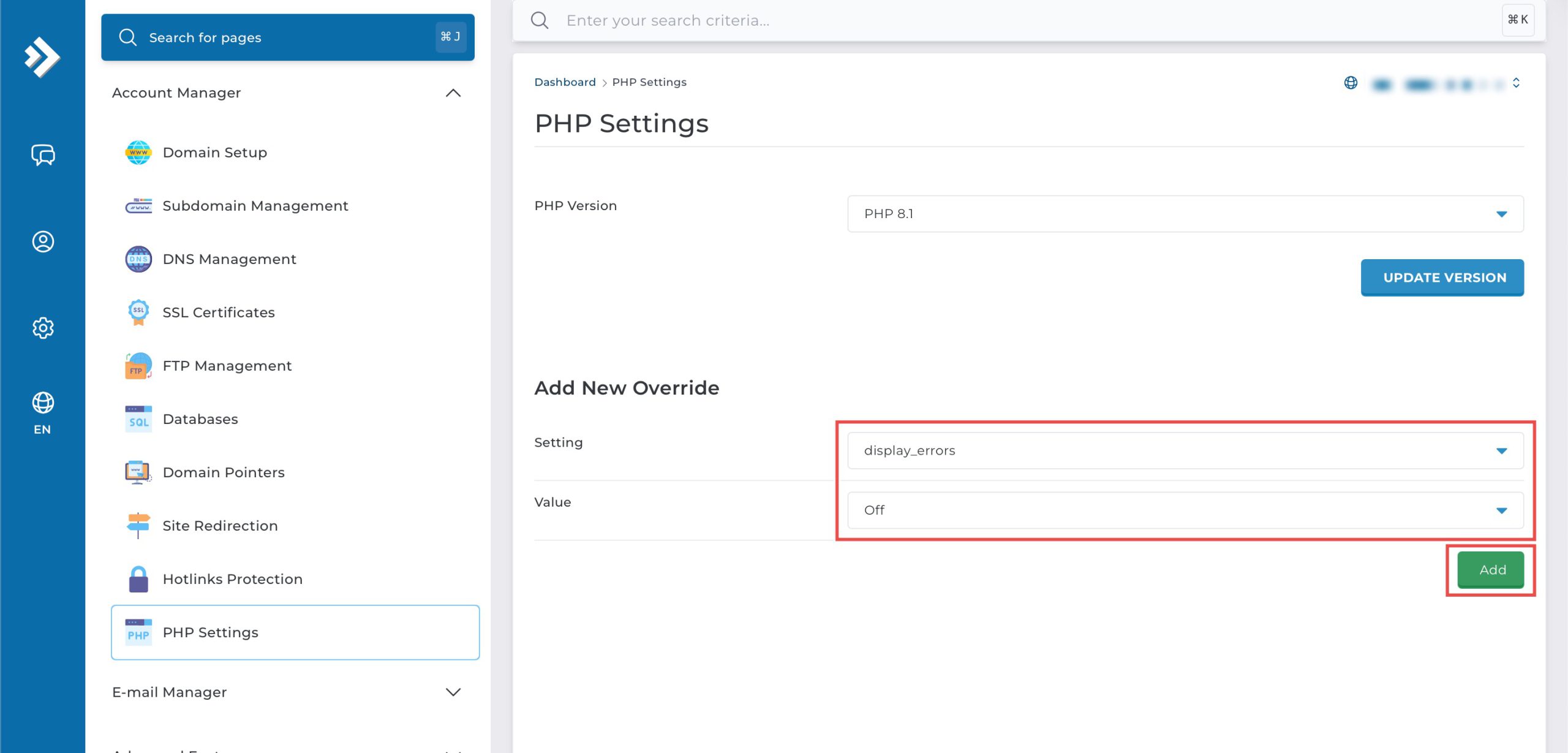
Scroll down to the Add New Override section. From the Setting drop-down menu, select display_errors. From the Value drop-down menu, select Off. Then, click Add on the bottom right.
Step 4: Verify the changes
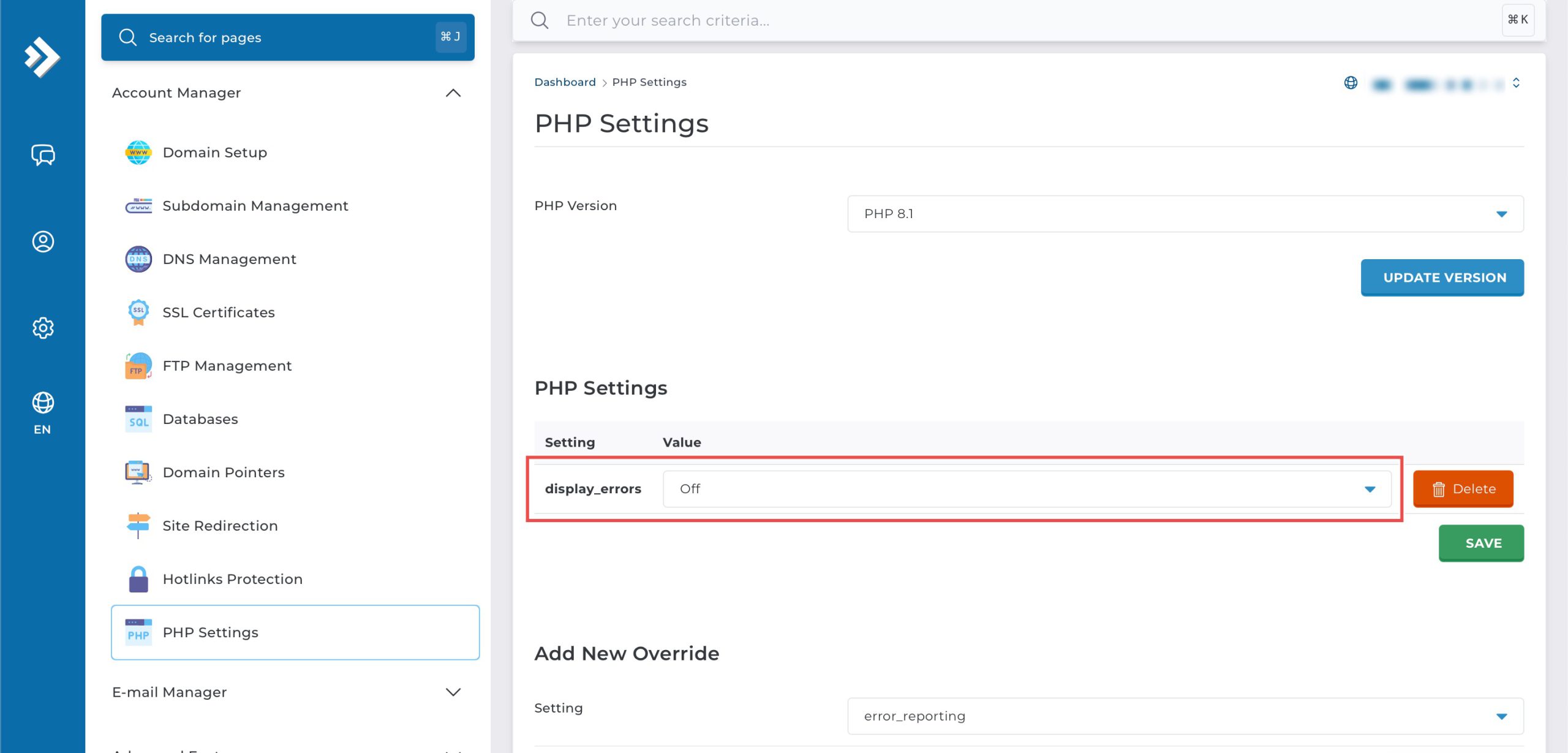
You may confirm the new override settings in the updated PHP Settings table. PHP errors will now be hidden for your website.
Conclusion
Disabling PHP error display through DirectAdmin’s PHP Settings interface is a simple process that enhances website security and professionalism. Configuring the display_errors setting to “Off” prevents sensitive error information from being visible to visitors while errors can still be logged for administrative review and troubleshooting purposes.
Should you have any inquiries about the guidelines, please feel free to open a ticket through your portal account or contact us at support@ipserverone.com. We’ll be happy to assist you further.