
Search Our Database
How to Grant Editing Rights to a Shared Address Book in cPanel
Introduction
This Knowledge Base article provides a step-by-step guide on How to Grant Editing Rights to a Shared Address Book in cPanel. Granting editing rights allows a user who currently has read-only access to a shared address book to add, modify, and delete contacts. Use this guide when you need to upgrade a user’s address book access from view-only to full editing permissions.
Prerequisite
- Access to your cPanel login page.
Step-by-Step Guide
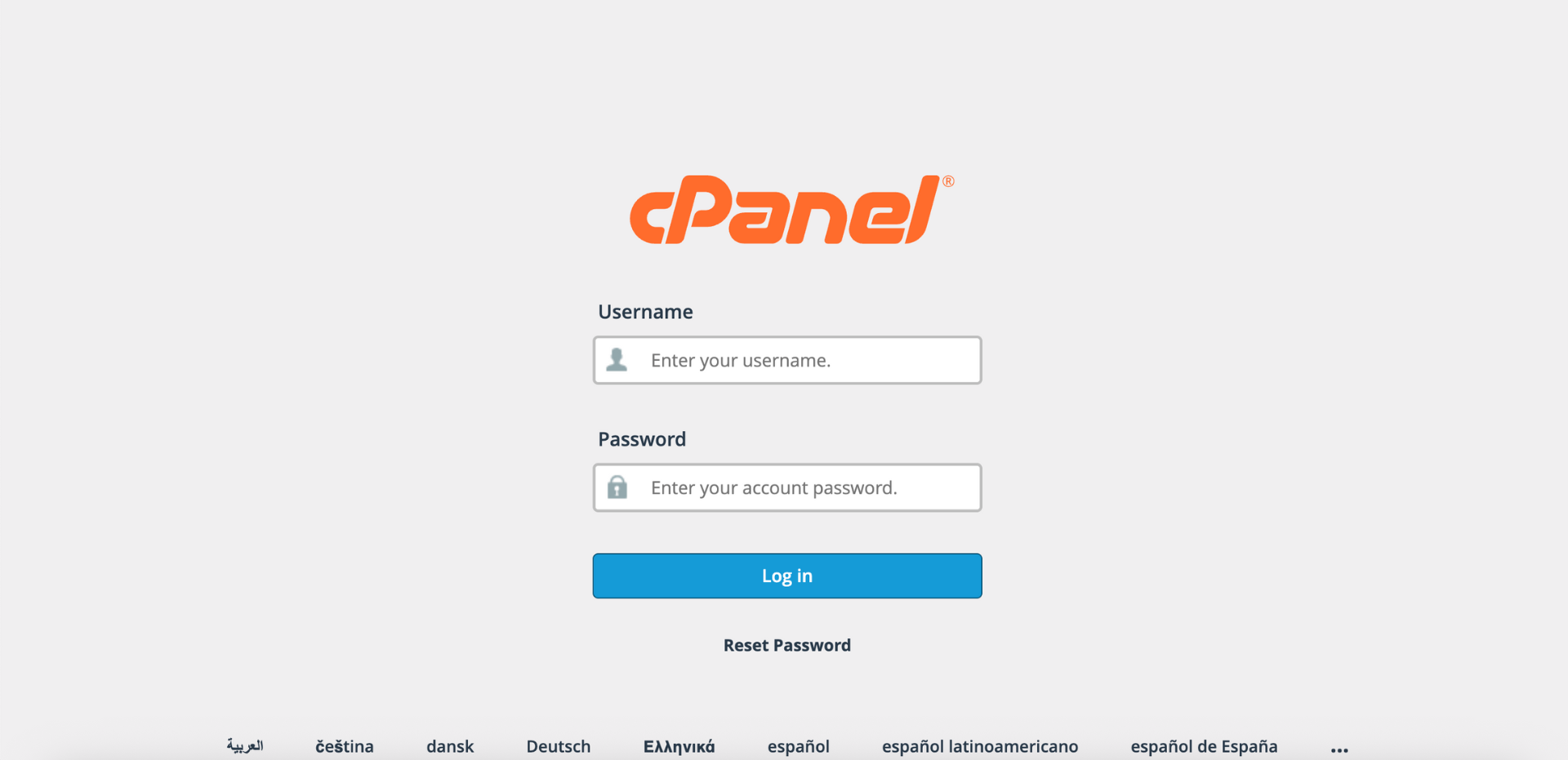
Step 1: Log in to cPanel
- Access and log in to your cPanel account using your username and password.
Step 2: Open Calendars & Contacts Sharing
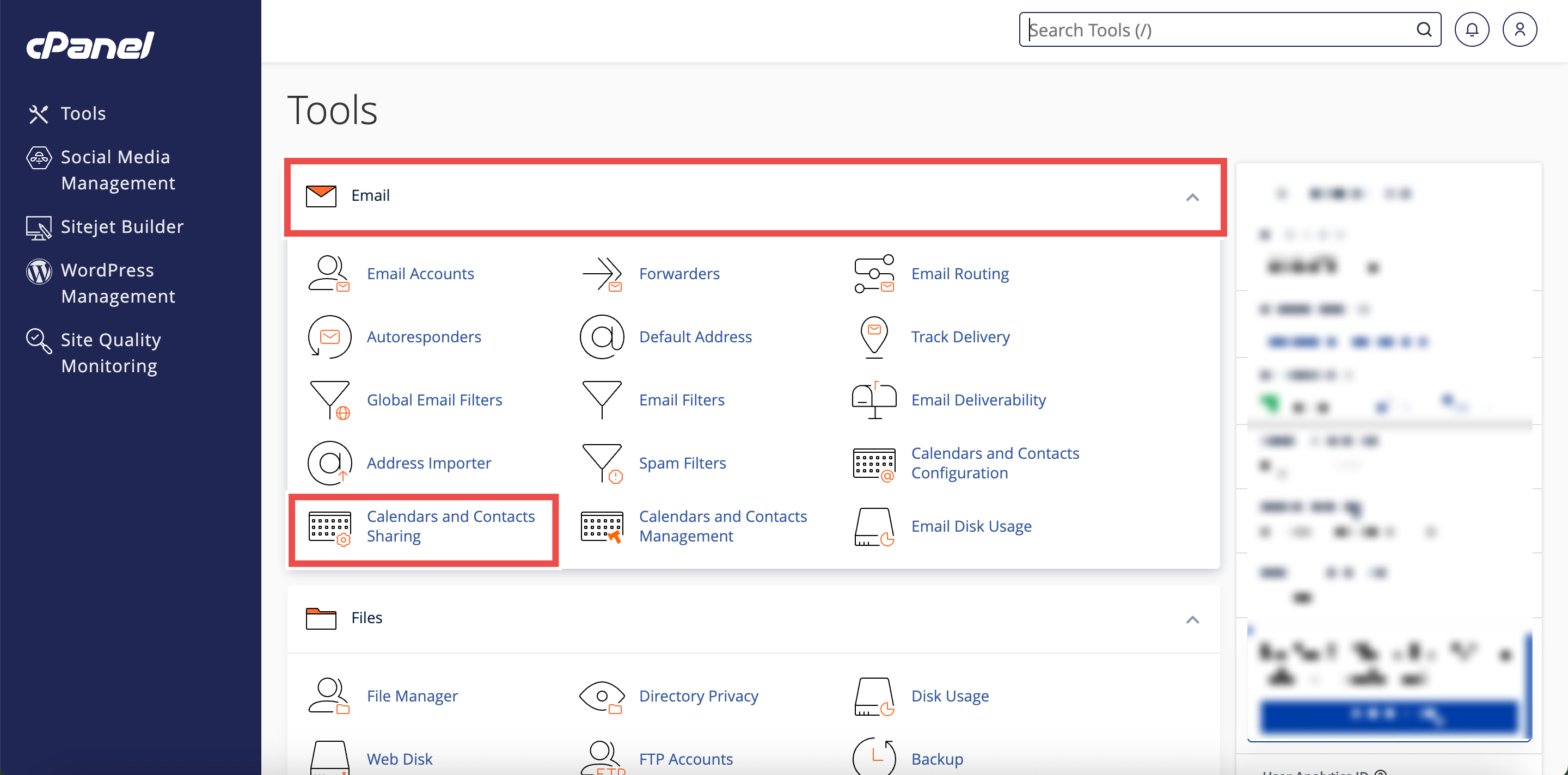
- On the Home page, under Email, click Calendars & Contacts Sharing.
Step 3: Locate the Shared Address Book
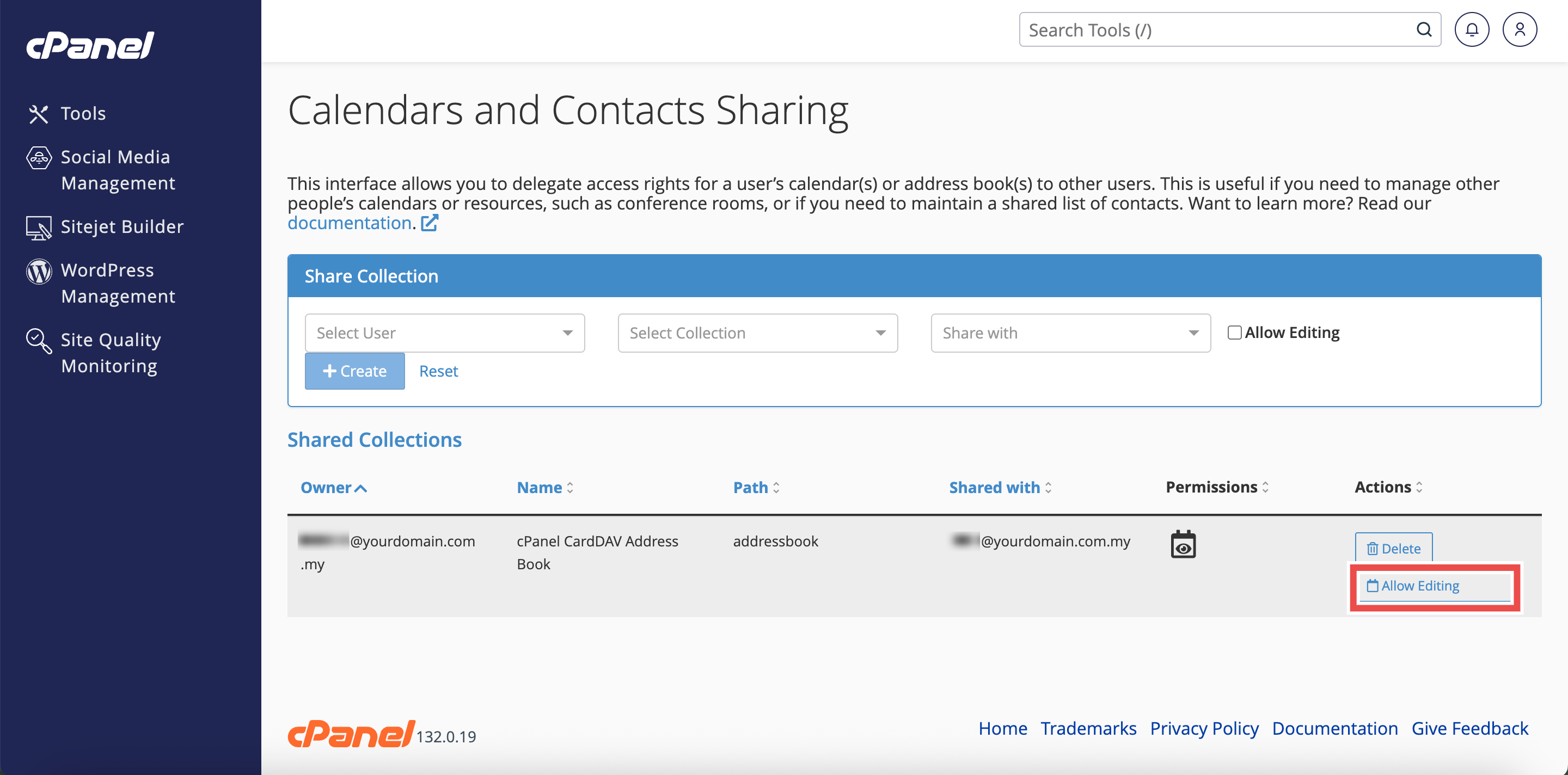
- Scroll down to the Shared Collections table.
- Locate the entry for the address book you want to grant editing rights.

Step 4: Grant Editing Rights
- In the Actions column for that address book entry, click Allow Editing.
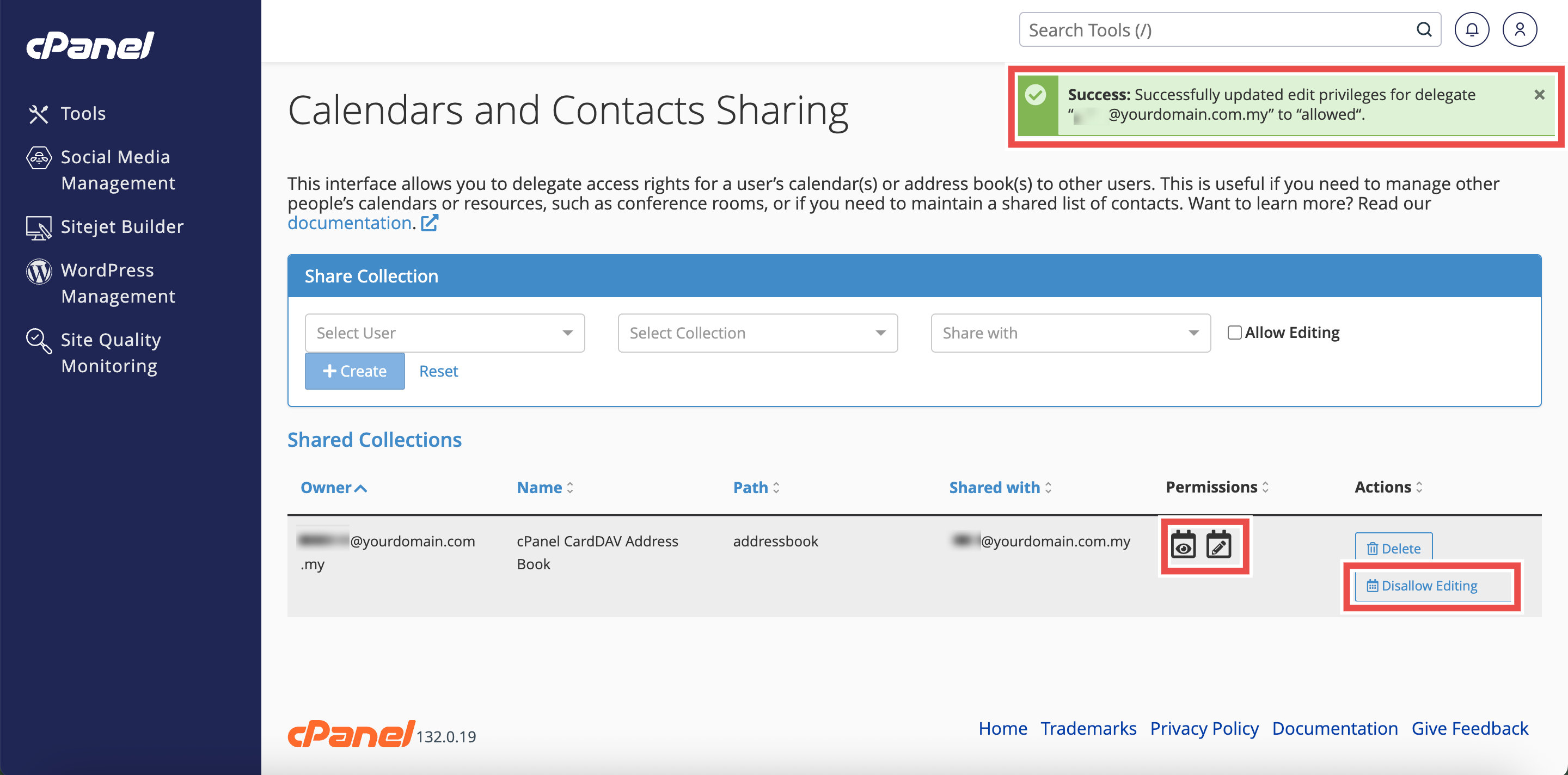
- The permissions will be updated immediately.
Step 5: Verify the Permission Change
- The Permissions column will update to show read-write access.
- The Allow Editing button will change to Disallow Editing.
- Additionally, you may verify with the user that they can now add, edit, and delete contacts in the shared address book.
⚠️ Important Note:
- Read-only access: User can only view contacts but cannot add, edit, or delete them.
- Read-write access (with editing rights): User can view, add, edit, and delete contacts in the address book.
- Changes to permissions take effect immediately.
Conclusion
By following these steps, you can grant editing rights to a shared address book in cPanel. Upgrading user permissions enables collaborative contact management and allows team members to actively maintain and update shared contact information.
Should you encounter any issues or have any questions, our support team at IPSERVERONE is always here to assist you. Don’t hesitate to reach out to us at support@ipserverone.com for any help you need.