
Search Our Database
How to Enable Short PHP Tags in DirectAdmin (Evolution Skin)
Introduction
PHP short open tags allow using the abbreviated <? syntax instead of the standard <?php opening tag, and enabling this feature may be necessary for legacy applications built with older coding conventions. Some older scripts and applications rely on short tag syntax and may fail to execute properly when this feature is disabled. DirectAdmin’s PHP Settings interface provides a straightforward method for enabling short open tag support through custom PHP overrides. This guide explains how to enable short open tags using the Account Manager > PHP Settings section in DirectAdmin, ensuring compatibility with legacy code that requires abbreviated PHP opening syntax.
Prerequisites
- Access to DirectAdmin control panel with the necessary permissions.
Step-by-step Guide
Step 1: Access DirectAdmin
Log in to your DirectAdmin control panel.

Step 2: Access PHP Settings
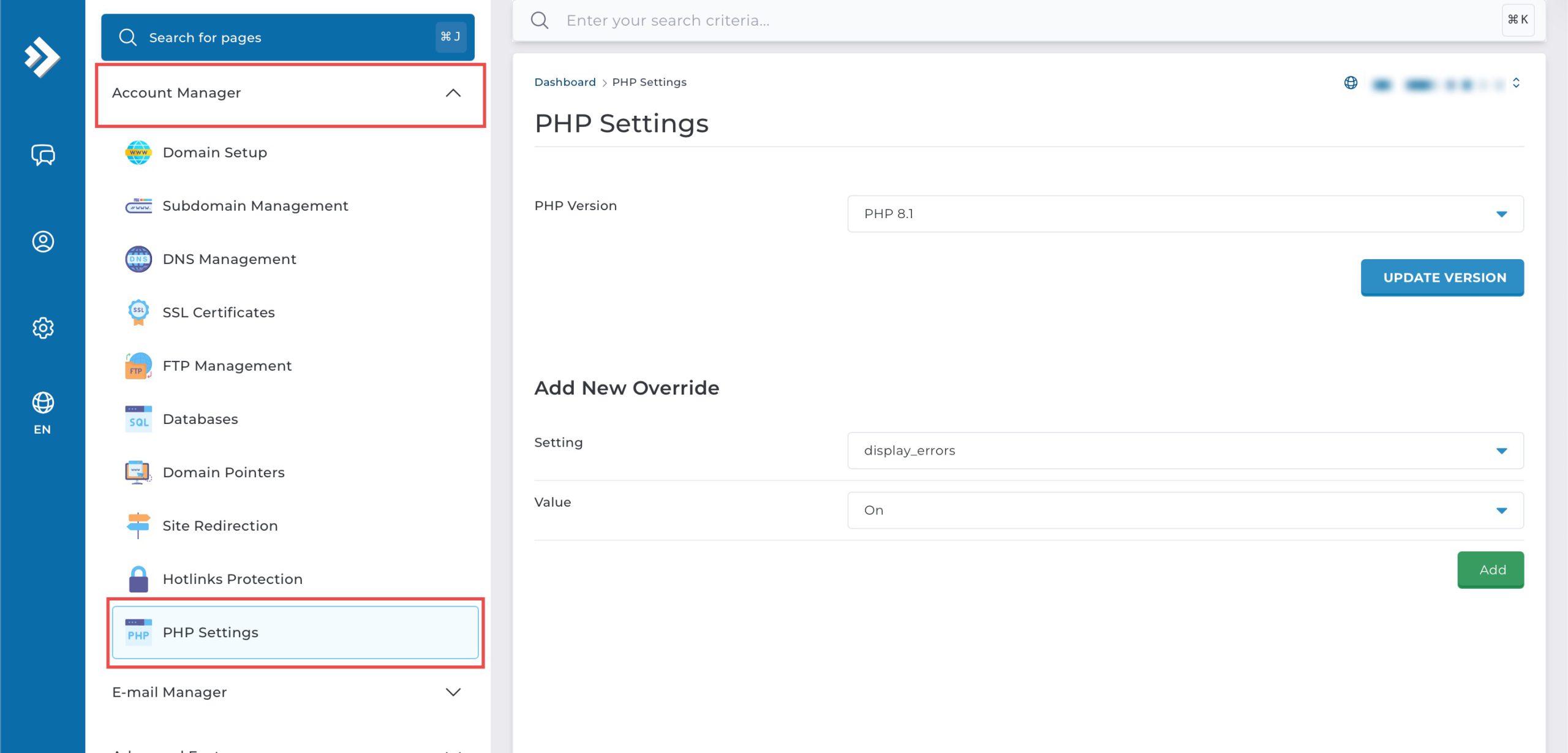
Go to the Account Manager section and click on PHP Settings.
Step 3: Enable Short Tags
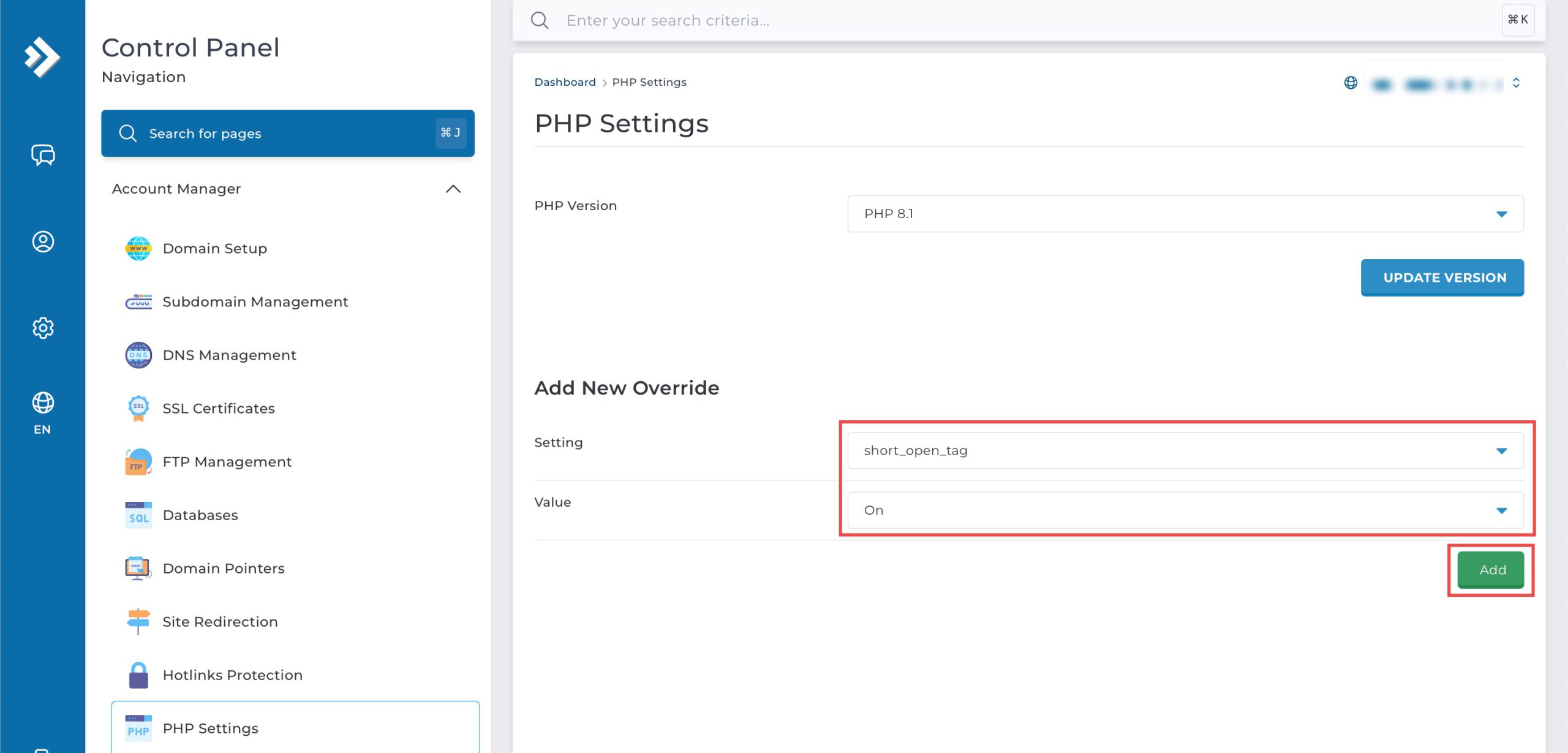
Scroll down to the Add New Override section. From the Setting drop-down menu, select short_open_tag. From the Value drop-down menu, select On. Then, click Add on the bottom right.
Step 4: Verify the changes
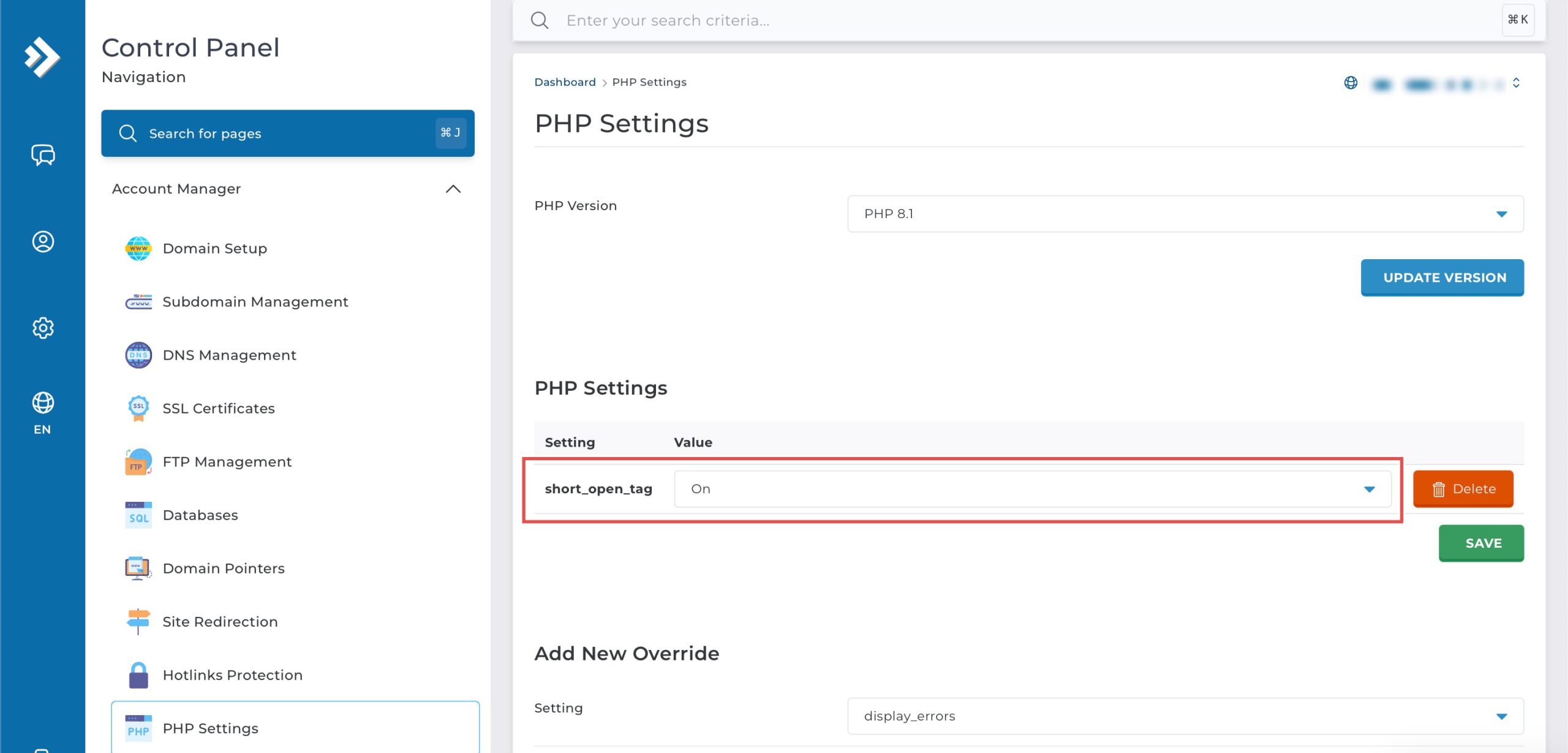
You may confirm the new override settings in the updated PHP Settings table. PHP code can now use <? instead of requiring <?php tags.
Conclusion
Enabling PHP short open tags through DirectAdmin’s PHP Settings interface is a simple process that activates support for abbreviated PHP opening syntax. Turning this feature on enables legacy applications to use <? tags instead of the standard <?php opening, providing compatibility with older code conventions while modern applications should continue using full opening tags for better portability.
Should you have any inquiries about the guidelines, please feel free to open a ticket through your portal account or contact us at support@ipserverone.com. We’ll be happy to assist you further.