
Search Our Database
How to Enable PHP Error Display for All Websites using MultiPHP INI Editor in cPanel
Introduction
This Knowledge Base article provides a concise, step-by-step guide on How to Enable PHP Error Display for All Websites using MultiPHP INI Editor in cPanel. Enabling PHP error display is useful during development and troubleshooting phases as it allows you to see PHP errors, warnings, and notices directly on your web pages. By applying this setting to your Home Directory, you can enable error display across all domains under your hosting account simultaneously.
Prerequisite
- Access to your cPanel login page.
Step-by-Step Guide
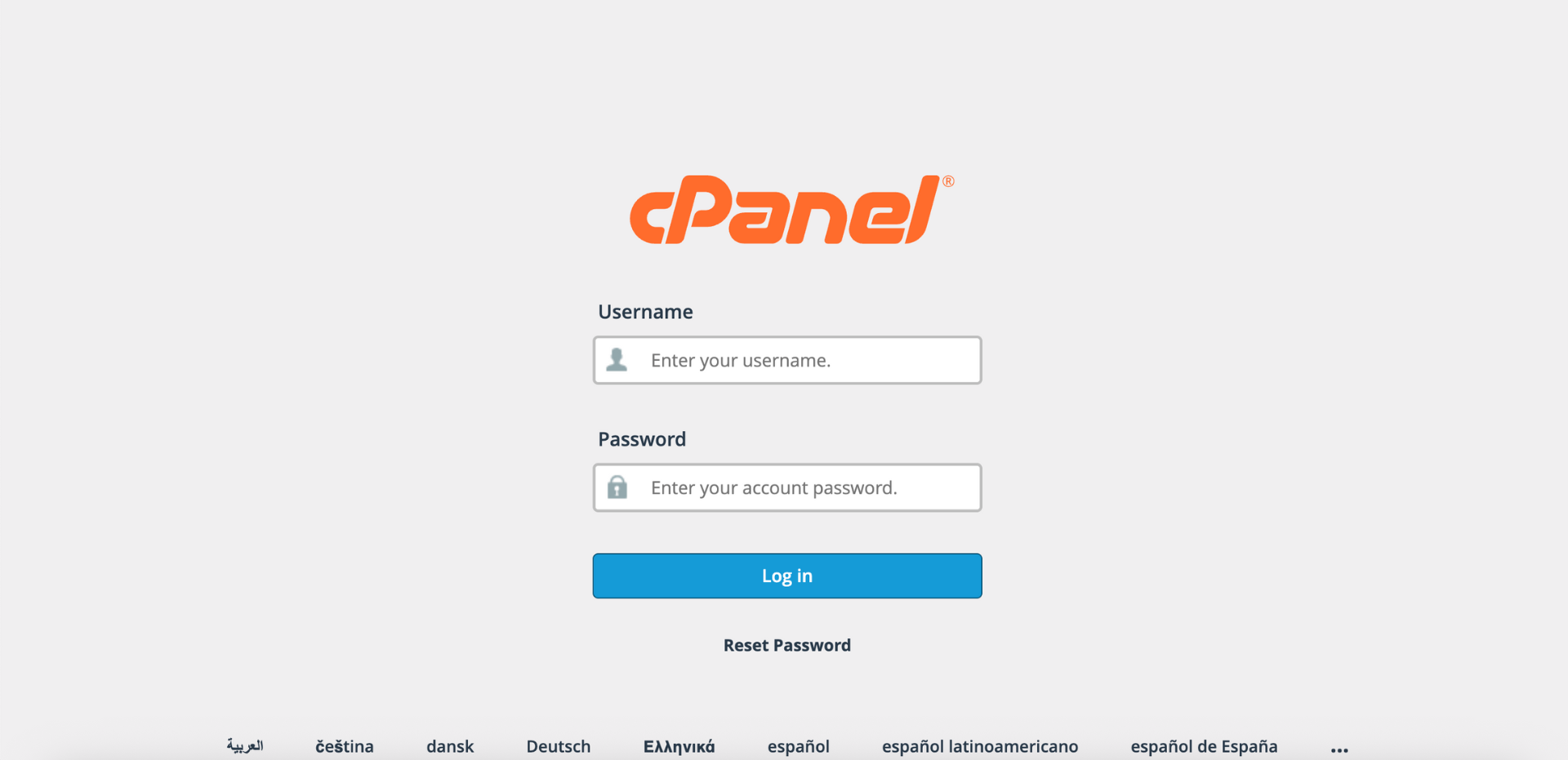
Step 1: Log in to cPanel
- Access and log in to your cPanel account using your username and password.
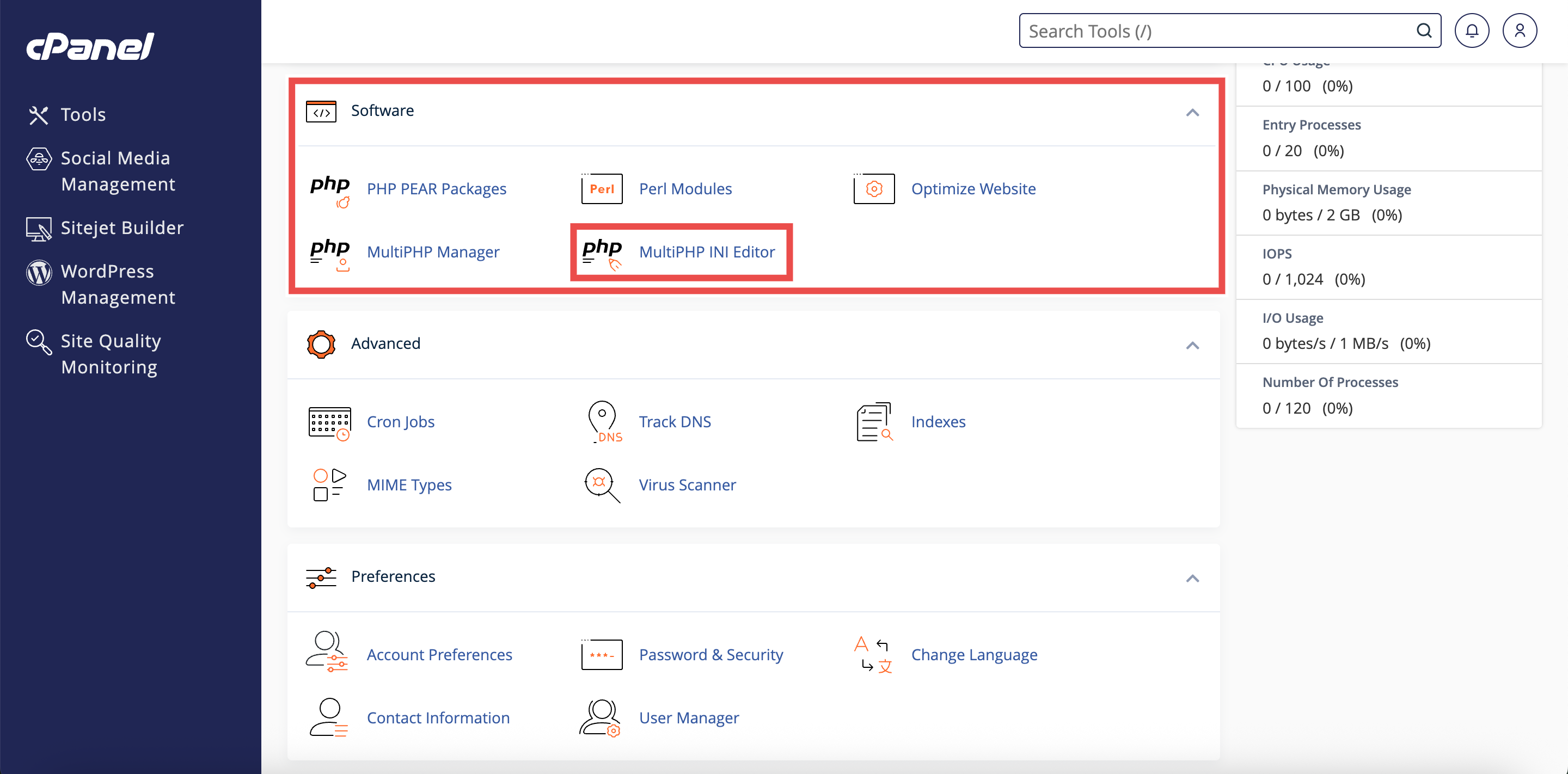
Step 2: Open MultiPHP INI Editor
- In the Home page, under Software, click MultiPHP INI Editor.
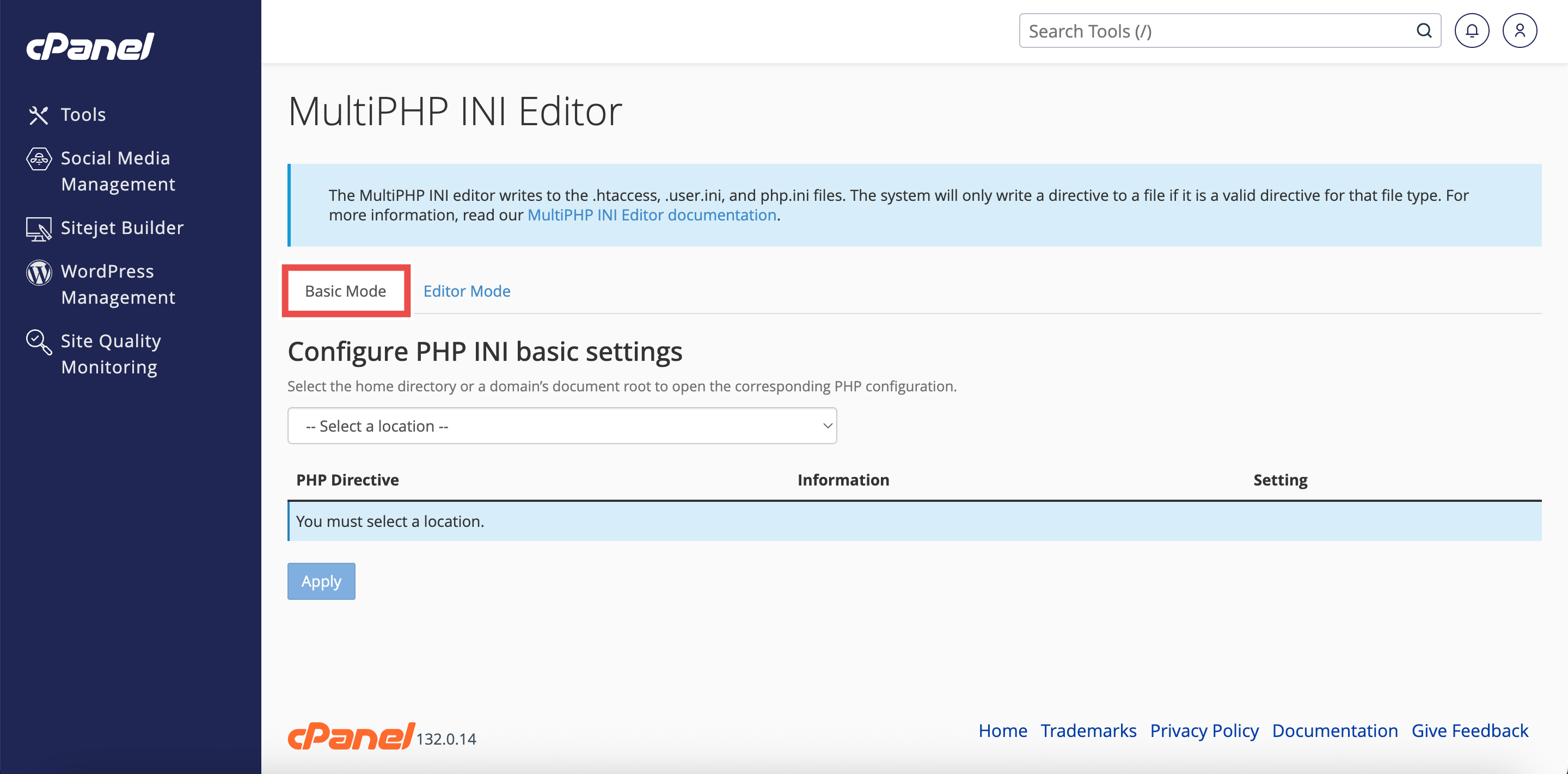
Step 3: Access Basic Mode
- The interface will open in the Basic Mode tab by default.
- If you are in Editor Mode, click the Basic Mode tab at the top of the interface.
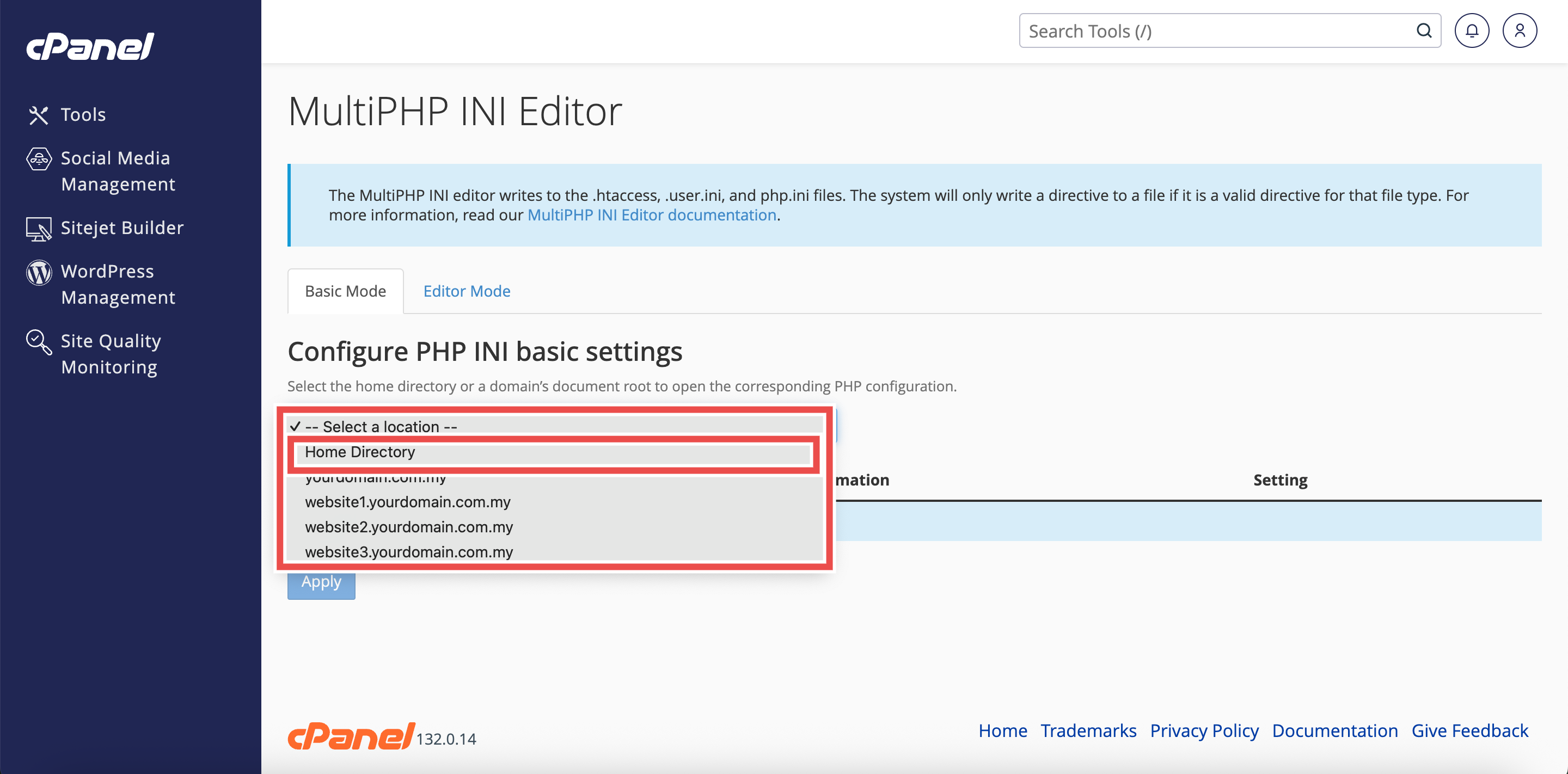
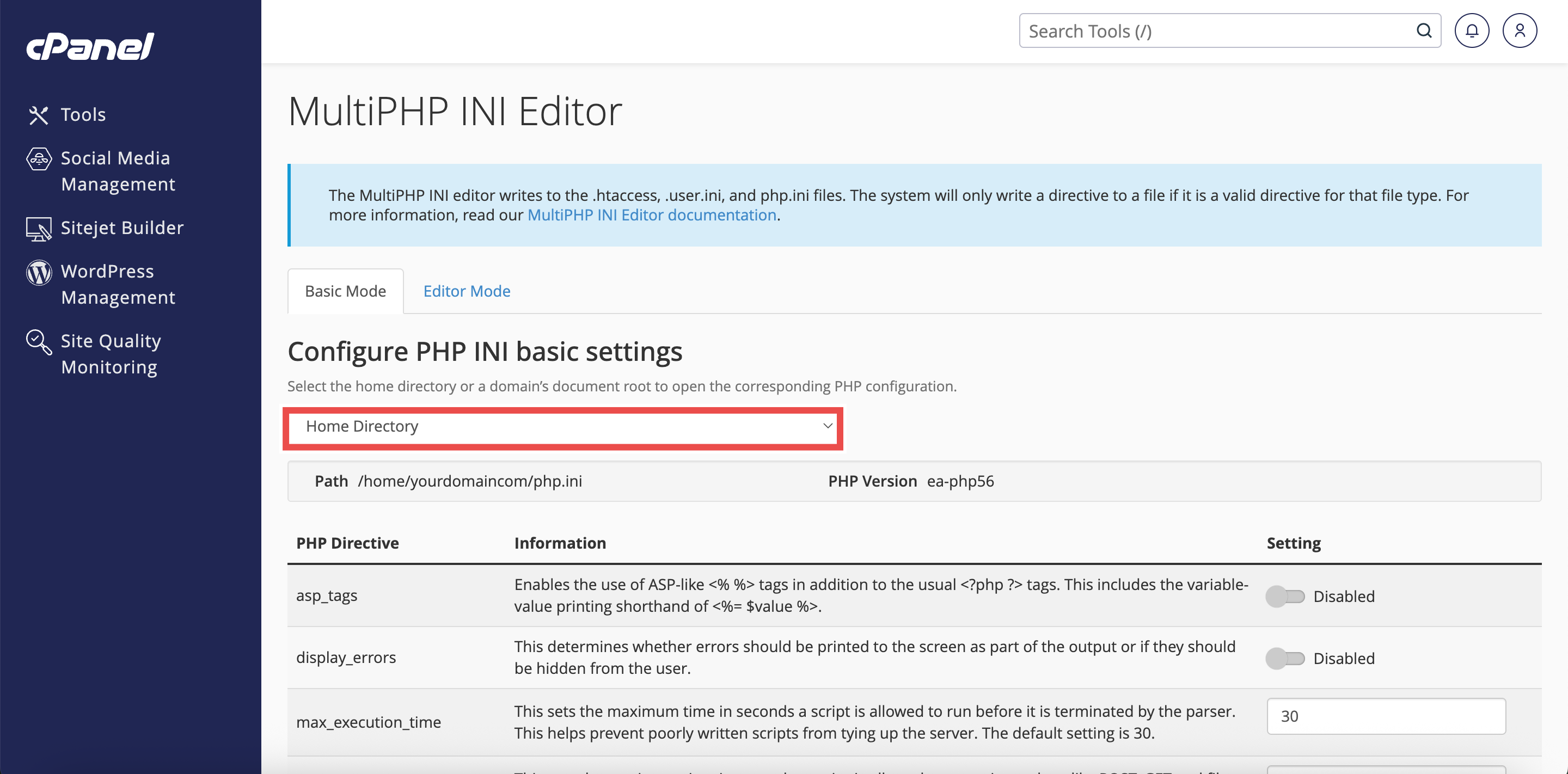
Step 4: Select Home Directory
- From the Configure PHP INI basic settings dropdown menu, select Home Directory.
⚠️ Important Note: Selecting Home Directory will apply PHP configuration changes to all domains.
Step 5: Enable Error Display
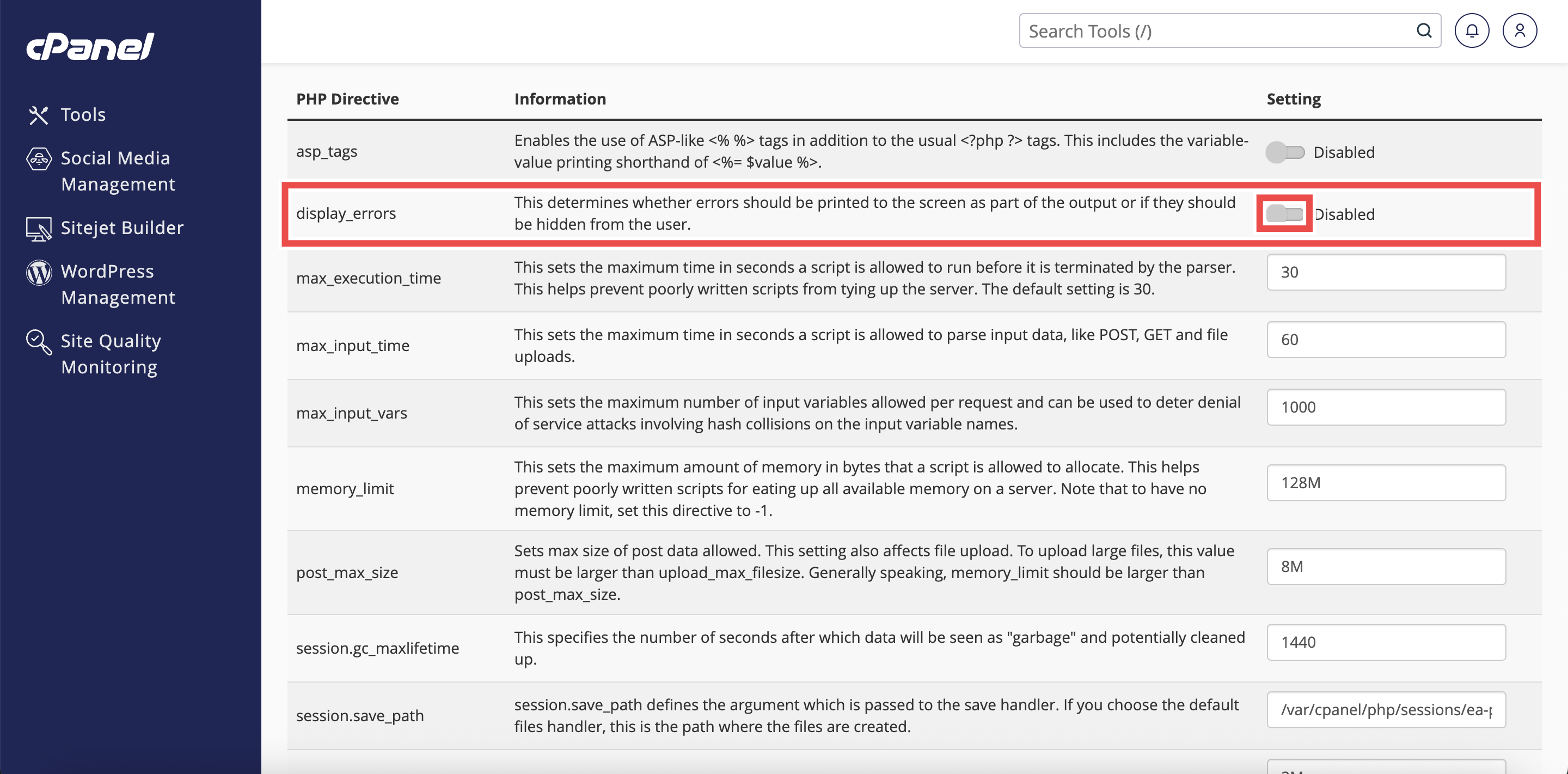
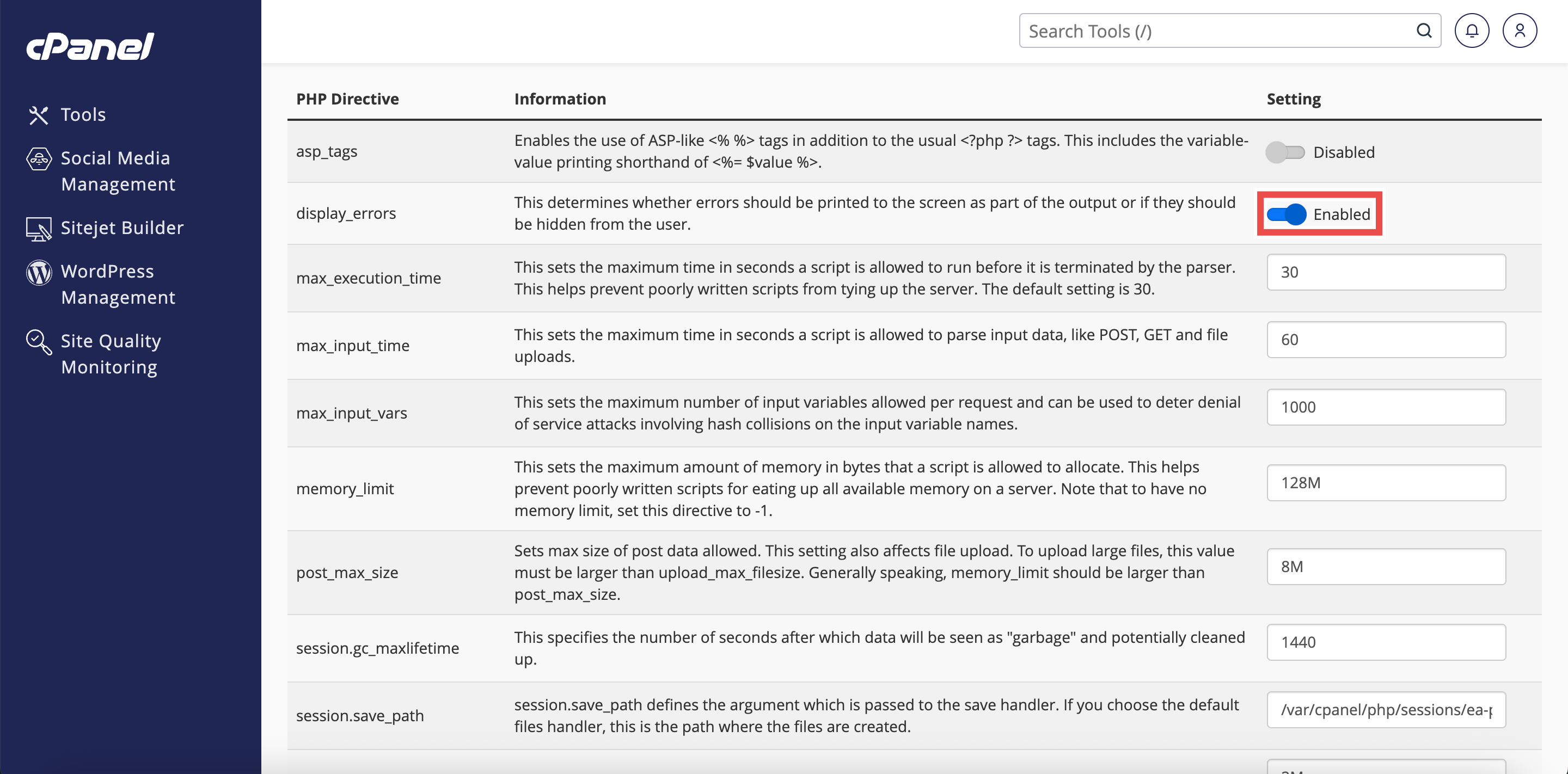
- Locate the display_errors directive in the list of PHP directives.
- Click the button to enable PHP error display.
⚠️ Important Note:
- Enabling error display on production websites can expose sensitive information to visitors.
- Only enable this setting during development or troubleshooting, and remember to disable it before making your website publicly accessible.
Step 6: Apply the Changes
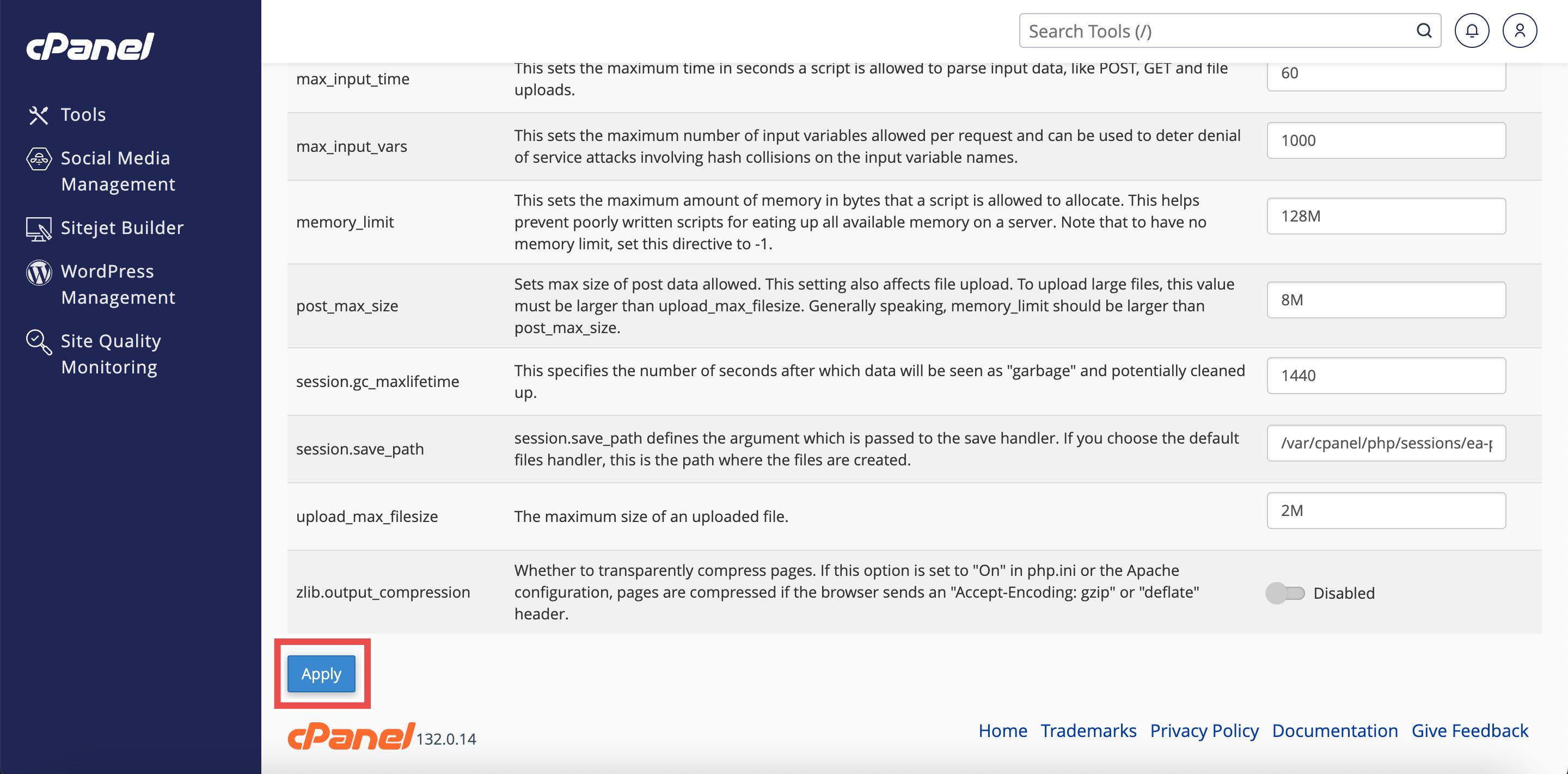
- Click the Apply button at the bottom of the page to apply the changes made.
Step 7: Verify the Changes
- A successful message will pop up to confirm that the changes is applied successfully.
- Additionally, you may also verify the changes by triggering a PHP error on one of your websites.
⚠️ Important Note: Remember to disable error display once you have finished debugging to protect your website’s security.

Conclusion
By following these steps, you can enable PHP error display for all websites using MultiPHP INI Editor in cPanel. This is a valuable debugging tool during development but should be disabled on production websites to maintain security.
Should you encounter any issues or have any questions, our support team at IPSERVERONE is always here to assist you. Don’t hesitate to reach out to us at support@ipserverone.com for any help you need.