
Search Our Database
How to Enable Error Logs for PHP in DirectAdmin (Evolution Skin)
Introduction
PHP error logging records runtime errors, warnings, and notices to server log files, which is essential for troubleshooting and monitoring application health without exposing errors to website visitors. Enabling error logging allows developers and administrators to track issues, diagnose problems, and maintain security by keeping error details private while ensuring comprehensive error documentation. DirectAdmin’s PHP Settings interface provides a straightforward method for activating error logging through custom PHP overrides. This guide explains how to enable error logging using the Account Manager > PHP Settings section in DirectAdmin, ensuring all PHP errors are captured in server logs for review and analysis.
Prerequisites
- Access to DirectAdmin control panel with the necessary permissions.
Step-by-step Guide
Step 1: Access DirectAdmin
Log in to your DirectAdmin control panel.

Step 2: Access PHP Settings
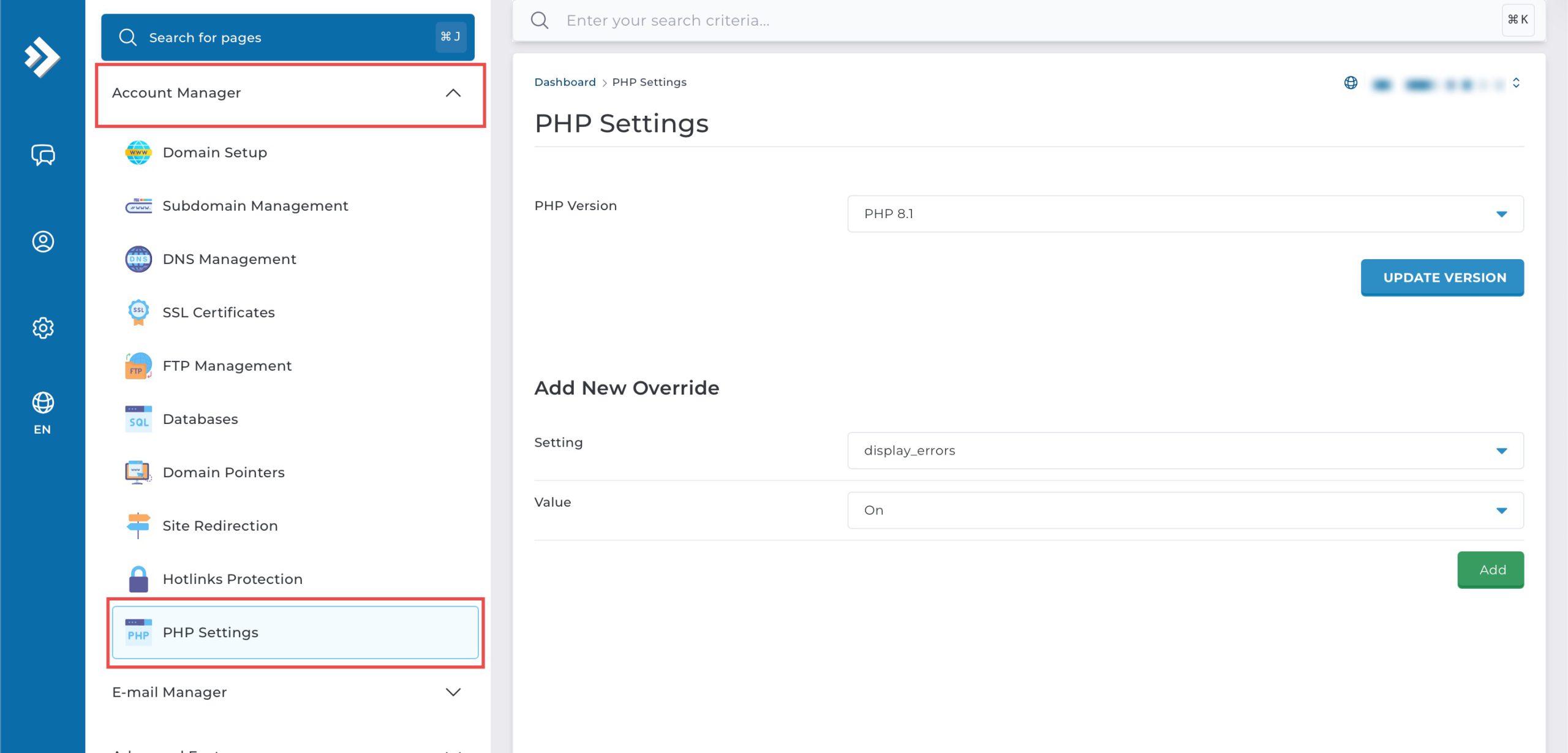
Go to the Account Manager section and click on PHP Settings.
Step 3: Enable Error Log
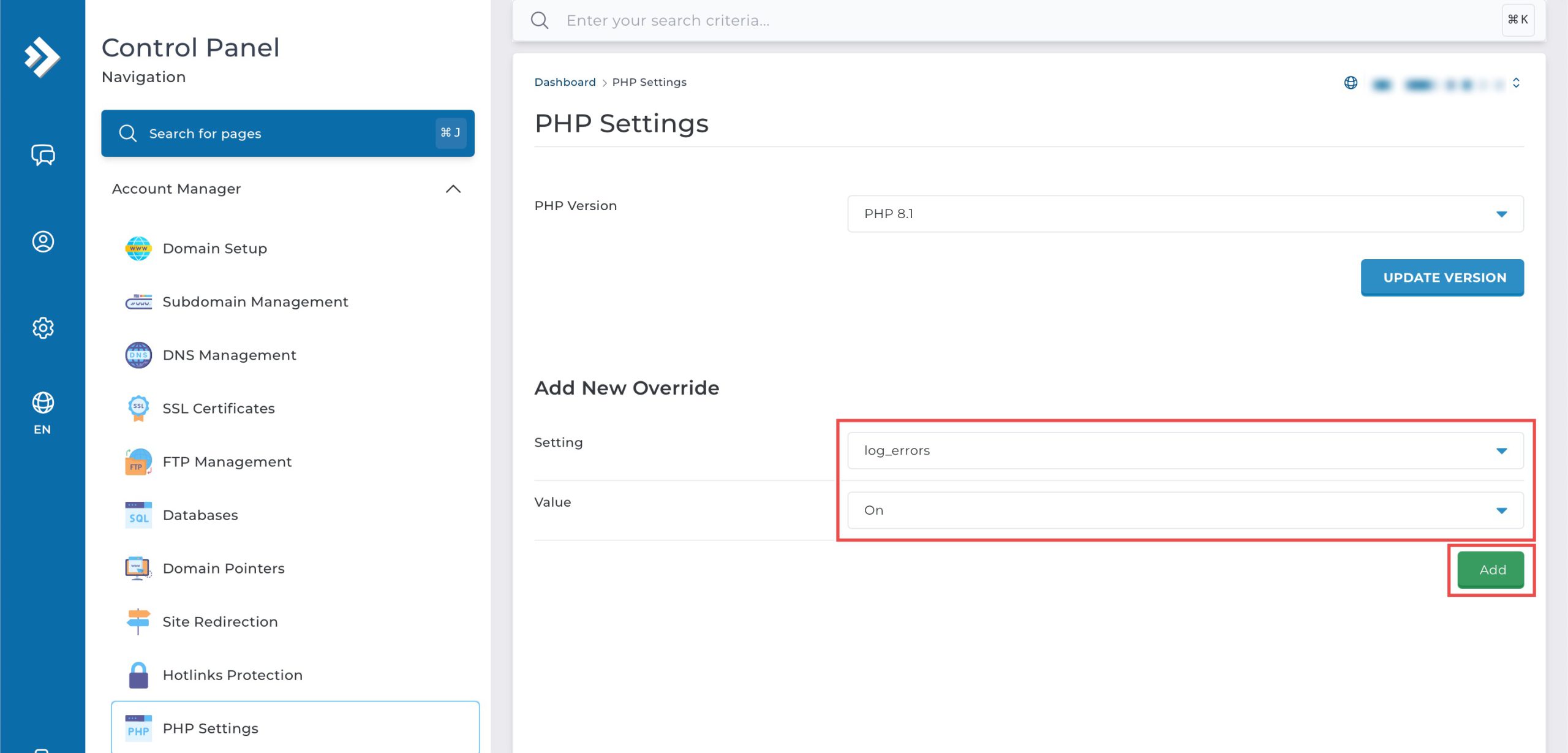
Scroll down to the Add New Override section. From the Setting drop-down menu, select log_errors. From the Value drop-down menu, select On. Then, click Add on the bottom right.
Step 4: Verify the changes
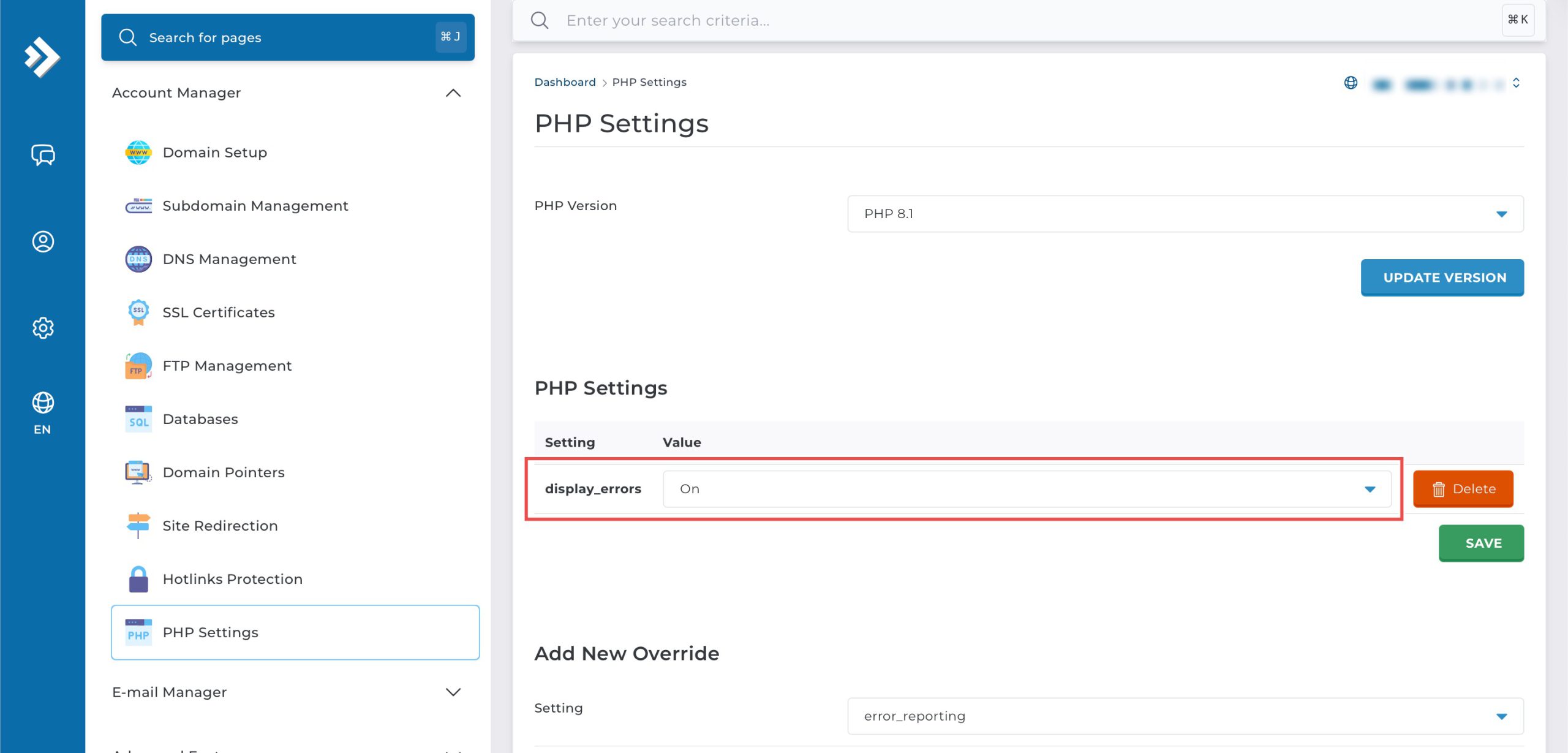
You may confirm the new override settings in the updated PHP Settings table. PHP errors will now be written to server log files, typically /home/yourusername/public_html/error_log or /home/yourusername/public_html/yourdomain.com/error_log.
Conclusion
Enabling PHP error logging through DirectAdmin’s PHP Settings interface is a simple process that captures runtime errors in server log files. Configuring the log_errors setting to “On” ensures comprehensive error documentation for troubleshooting and monitoring while maintaining security by keeping error details hidden from public view.
Should you have any inquiries about the guidelines, please feel free to open a ticket through your portal account or contact us at support@ipserverone.com. We’ll be happy to assist you further.