
Search Our Database
How to Efficiently Find Particular Support Tickets within the History in Customer Portal
Introduction:
Maintaining a clear record of technical support is essential for a well-managed cloud environment. The IP ServerOne Customer Portal offers a centralized Help Center where users can efficiently track the status of their inquiries or revisit past technical solutions.
Instead of manually scrolling through a long history of requests, the “My Support Ticket” search functionality allows you to pinpoint specific records using parameters such as Ticket ID, Subject keywords, or Date ranges. This feature is particularly valuable when you need to review a specific solution provided by the technical team or monitor the progress of an active ticket, ensuring you have the information you need directly within the portal.
This guide provides a professional overview of how to navigate the portal’s search interface to efficiently locate your support records within the Help Center.
Prerequisites:
- You must be a registered user with an active account and successfully logged in to the IP ServerOne Customer Portal.
- Your account must have at least one previously submitted or ongoing support ticket.
Step-by-step Guide:
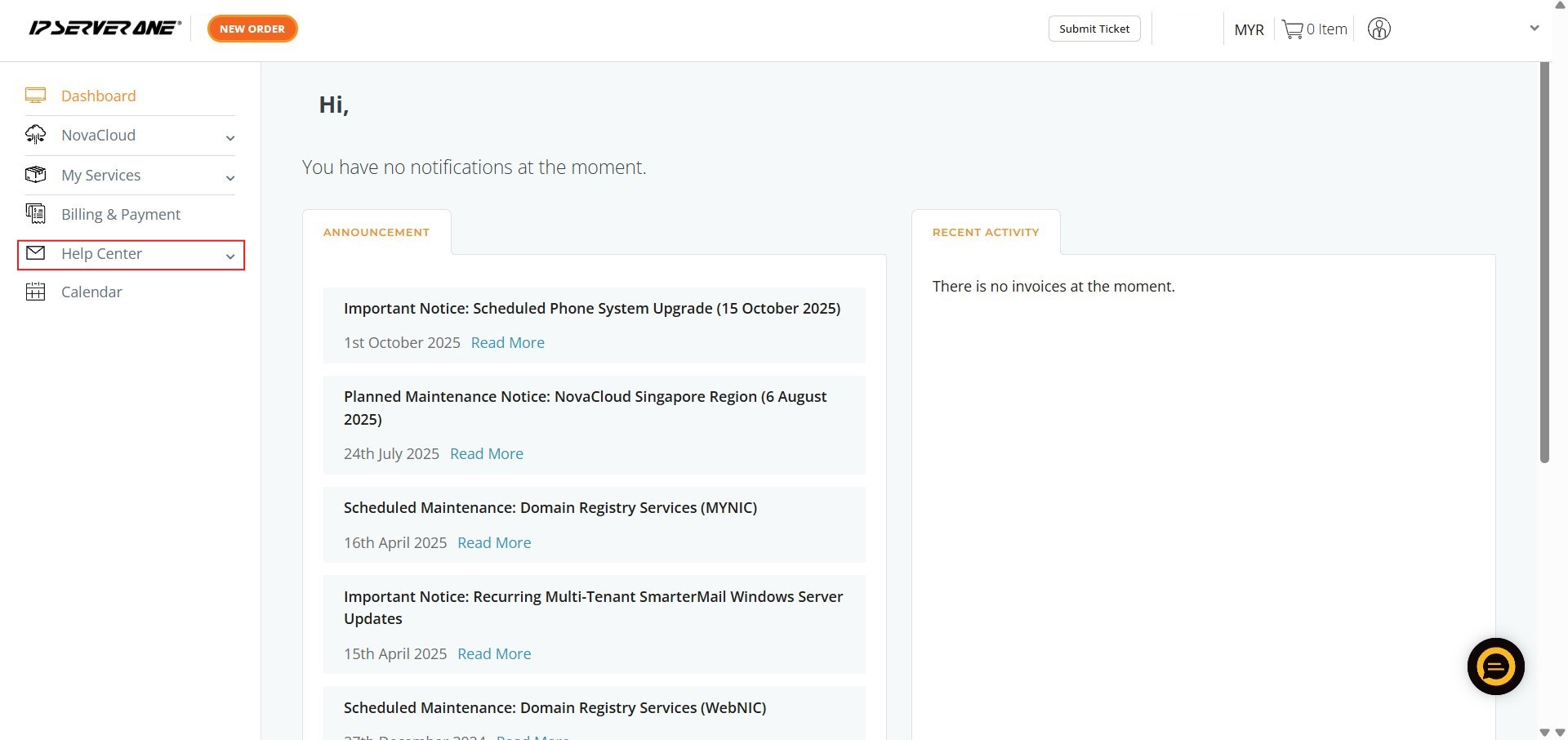
Step 1: Click Help Center
- Locate the Help Center option on the left-hand navigation menu of the portal.
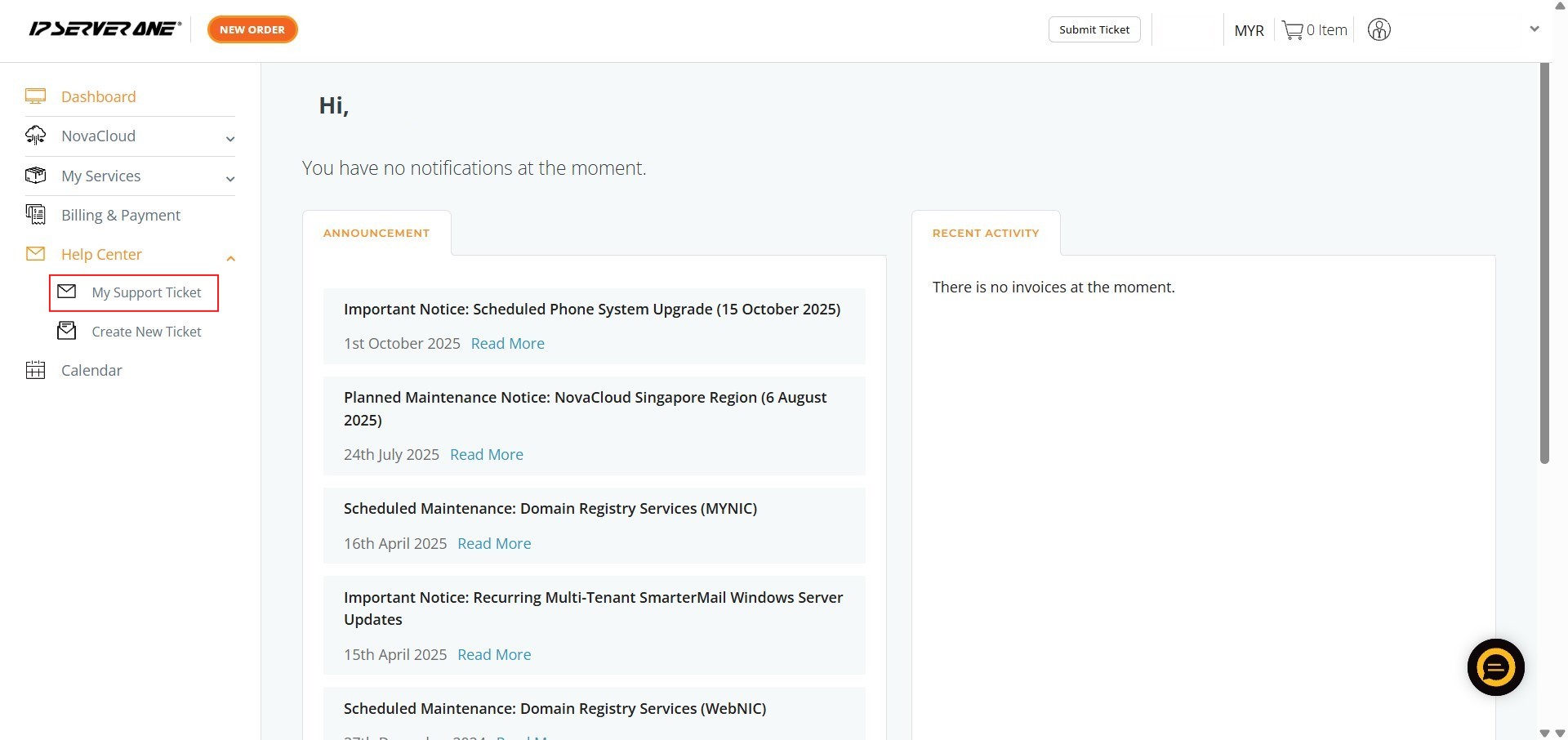
Step 2: Click My Support Ticket
- From the Help Center menu, select My Support Ticket to view your list of past and active inquiries.
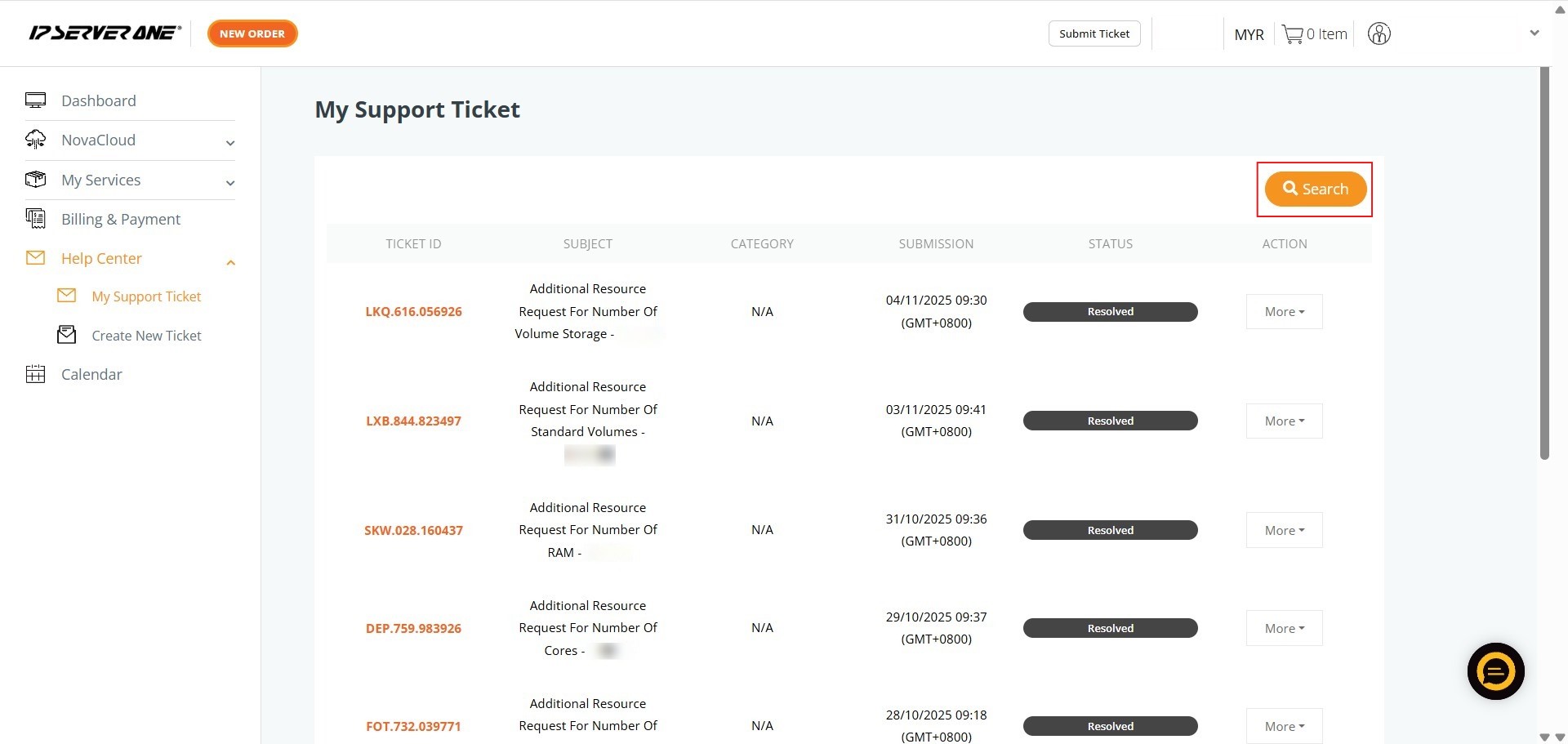
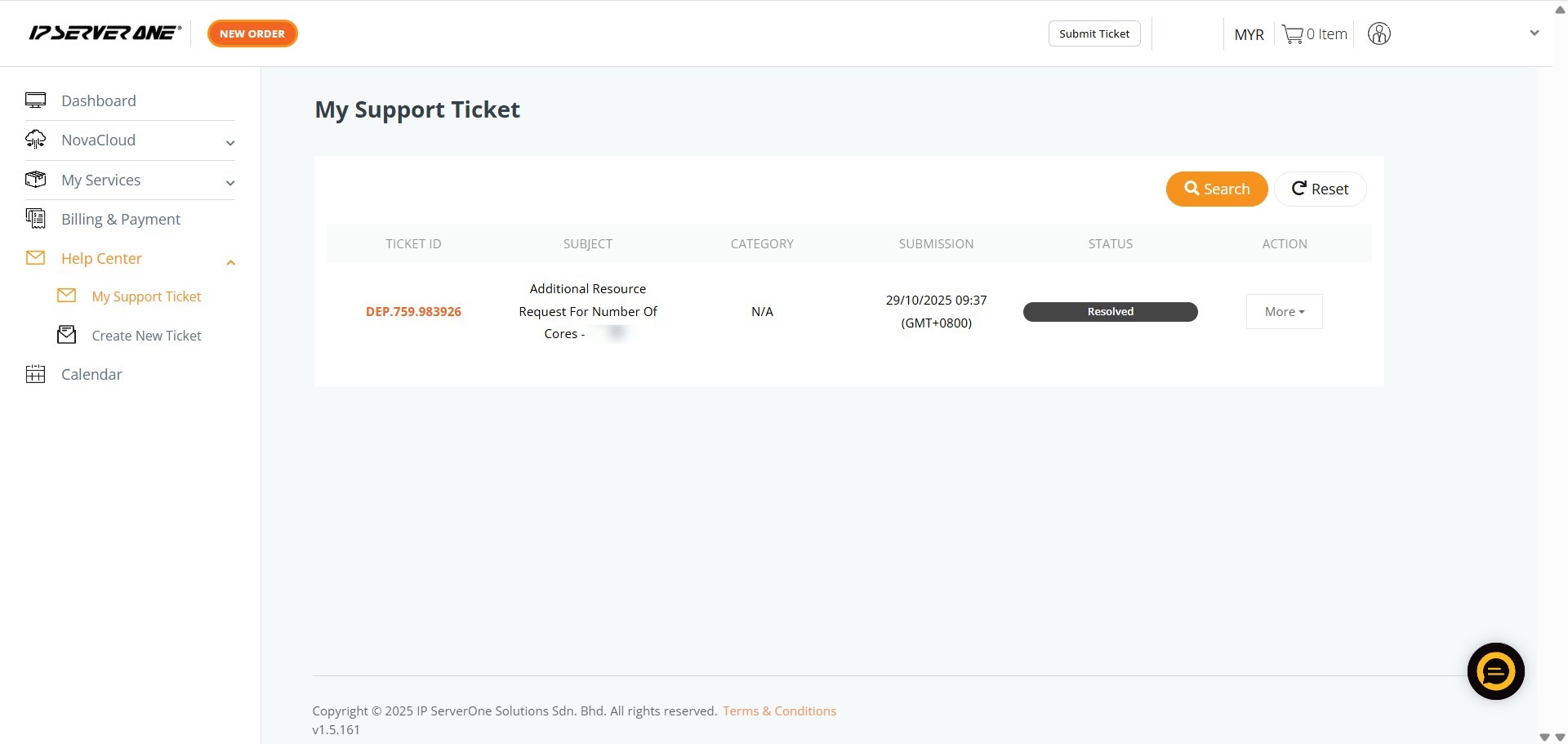
Step 3: Click Search
- Locate and click the Search button on the right side of the ticket interface to open the filtering window.
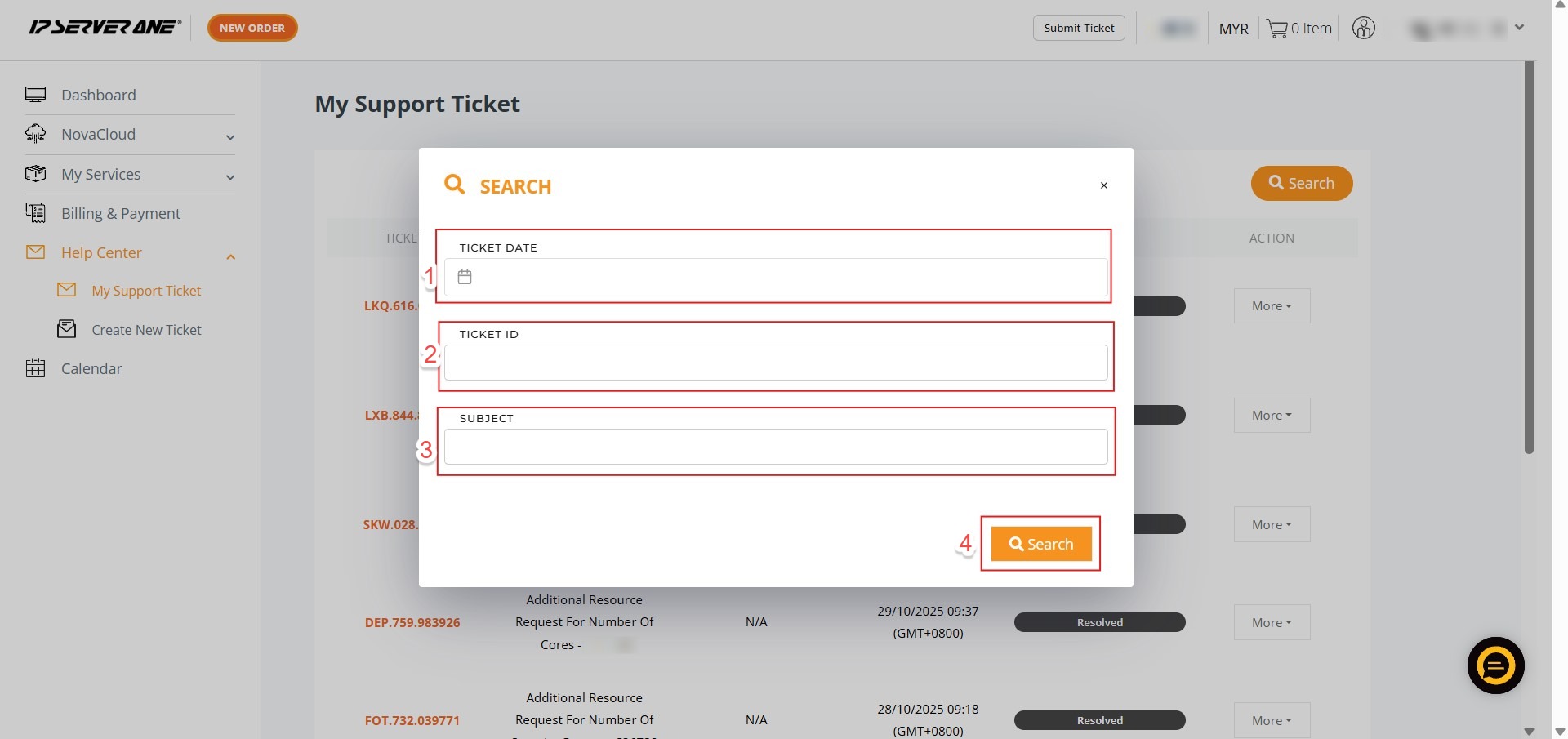
Step 4: Define Search Parameters and Execute Search
- Enter specific details to narrow your results, such as a Date range, a unique Ticket ID, or keywords from the Subject.
- Click the orange Search button to apply your filters and update the displayed ticket list.
Step 5: Verify and Review
- Locate the specific record in the filtered results and click View under the “More” menu to see full details.
Conclusion:
By utilizing the advanced filtering tools within the Help Center, you have successfully mastered the process of pinpointing specific communications within your technical history. This professional approach to managing your “My Support Ticket” dashboard ensures that you can move beyond manual scrolling to achieve rapid, targeted access to your inquiries.
To ensure you get the most out of the support interface, keep the following points in mind:
- Historical Reference: Reviewing past ticket details is an efficient way to revisit specific troubleshooting steps or foundational advice provided by the technical team, ensuring operational consistency across your environment.
- Comprehensive Visibility: By clicking “View” through the “More” dropdown menu, you gain access to the complete conversation history and finalized solutions for any given issue.
- Centralized Tracking: Whether your inquiry was initiated via the portal or the 24×7 hotline, all records are consolidated here to maintain a reliable audit trail of your technical interactions.
If you are unable to find a specific record or require immediate assistance with a new matter, please reach out to the IP ServerOne support team at support@ipserverone.com.