
Search Our Database
How to Discard Unrouted Emails Without Sender Notification using Default Address in cPanel
Introduction
This Knowledge Base article provides a simple, step-by-step guide on How to Discard Unrouted Emails Without Sender Notification using Default Address in cPanel. This option silently deletes all emails sent to invalid addresses without informing the sender of the delivery failure. Use this guide when you want to completely block unrouted emails, though this method is not recommended as senders will not know their messages failed to deliver.
Prerequisite
- Access to your cPanel login page.
Step-by-Step Guide
Step 1: Log in to cPanel
-
Access your cPanel account using your username and password.
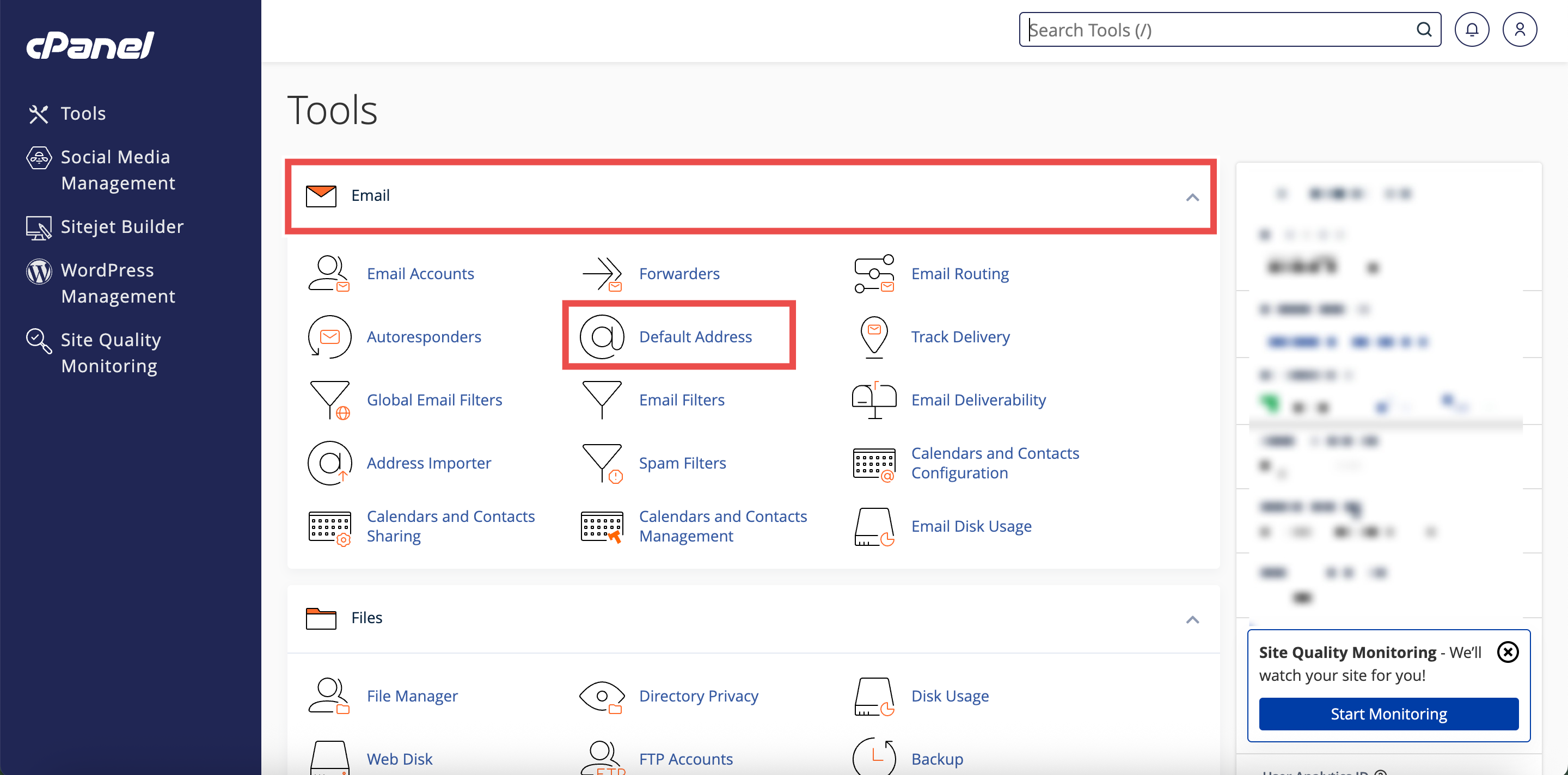
Step 2: Open Default Address
- In the Home page, under the Email section, click Default Address.
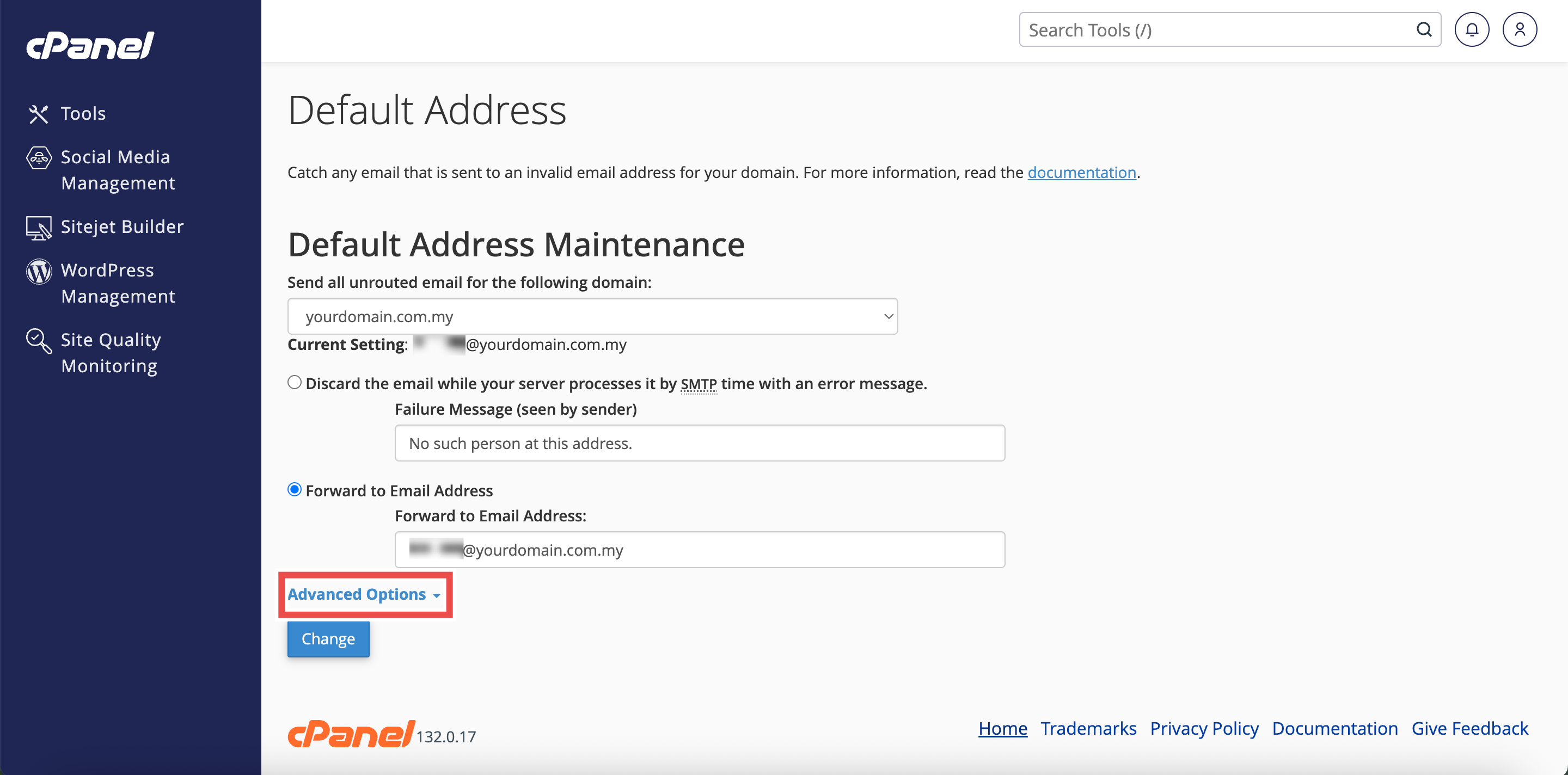
Step 3: Select Your Domain
- Under the Send all unrouted email for the following domain dropdown menu, select the domain for which you wish to discard unrouted emails.

Step 4: Access Advanced Options
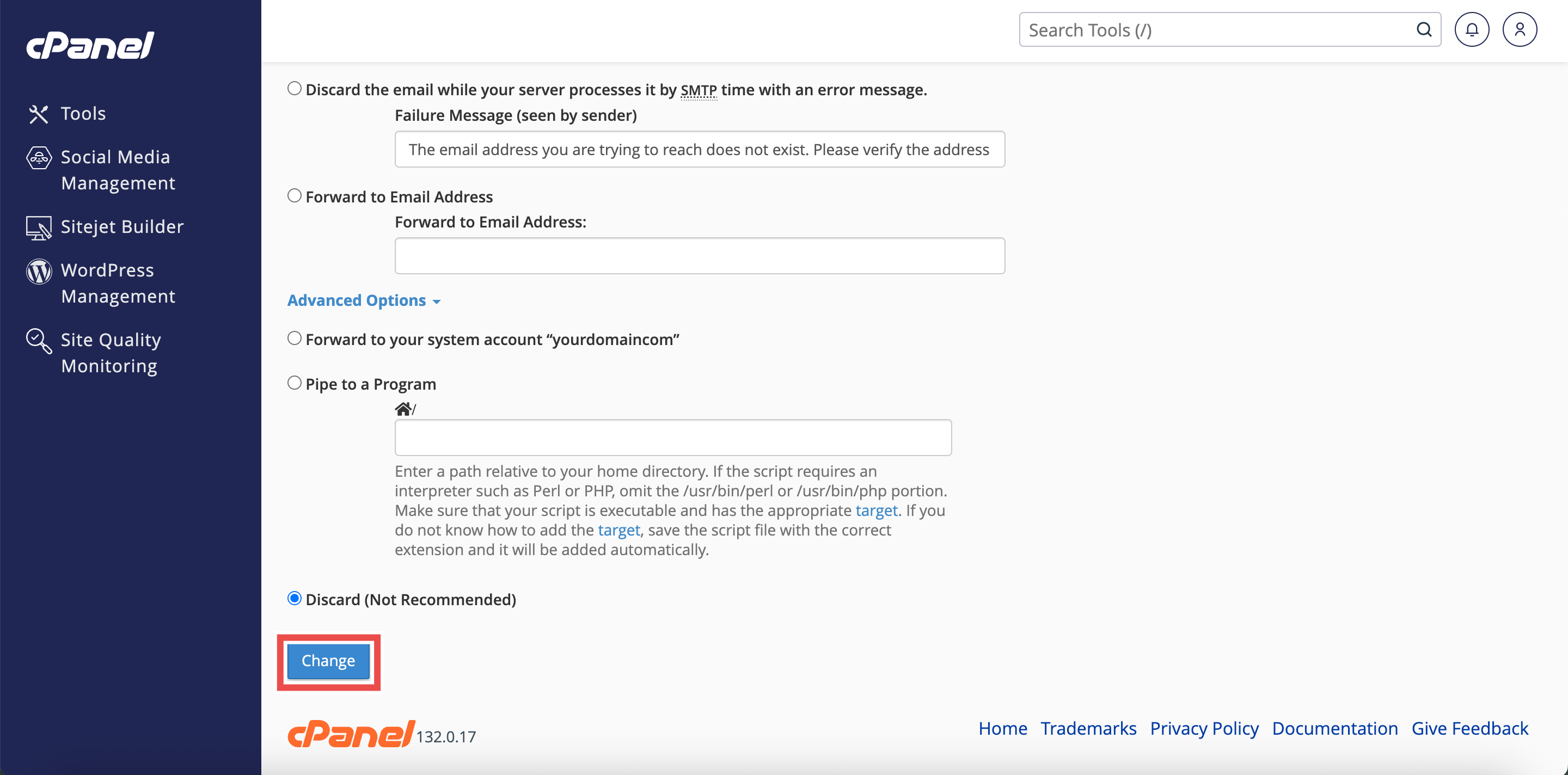
- Click Advanced Options to reveal additional forwarding settings.
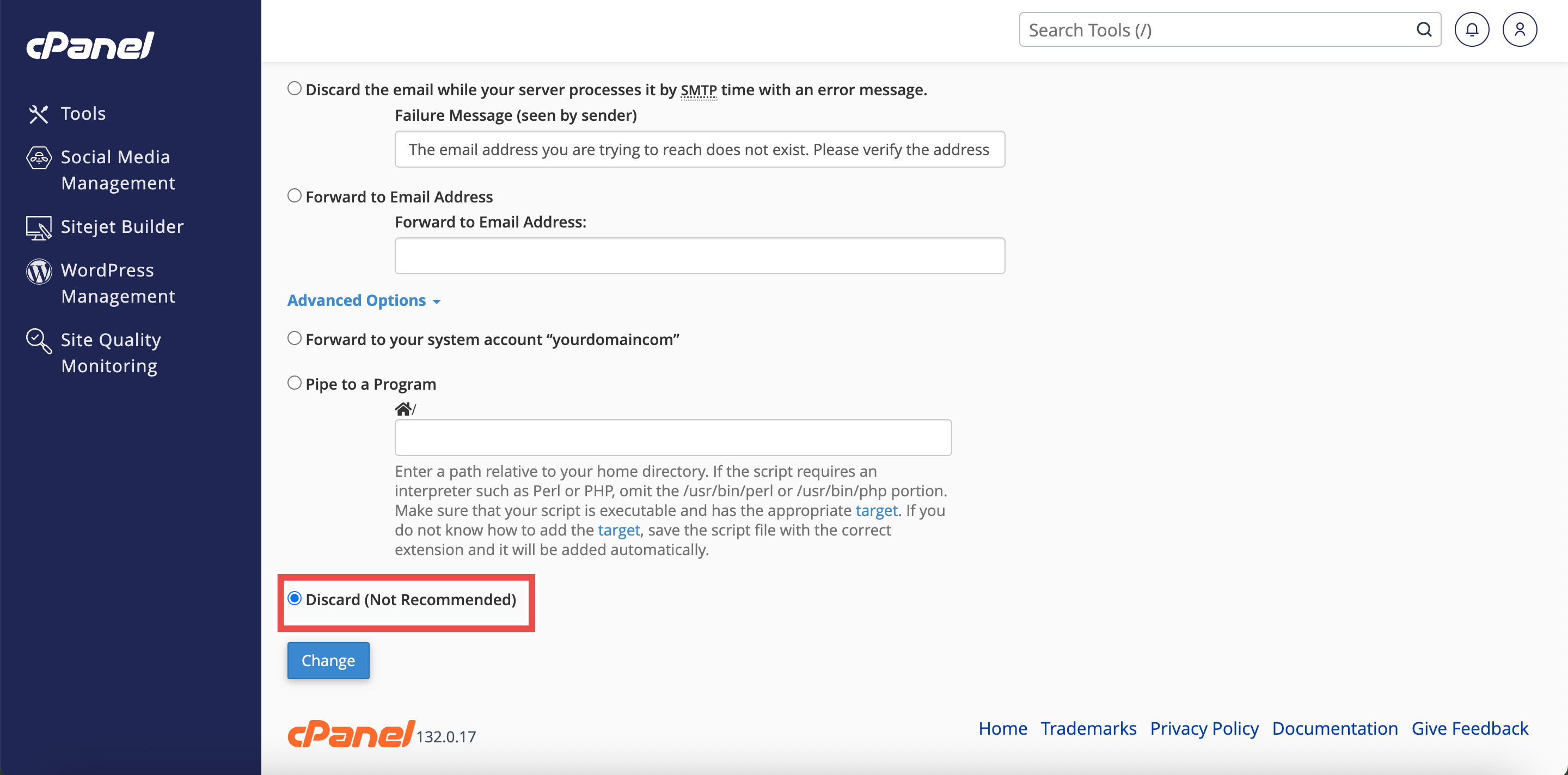
Step 5: Configure Silent Discard
- Select the Discard (Not Recommended) option.
⚠️ Important Note: This will delete all incoming messages to invalid addresses without sending any failure notice to the sender.
Step 6: Save Changes
- Click Change to apply the configuration.
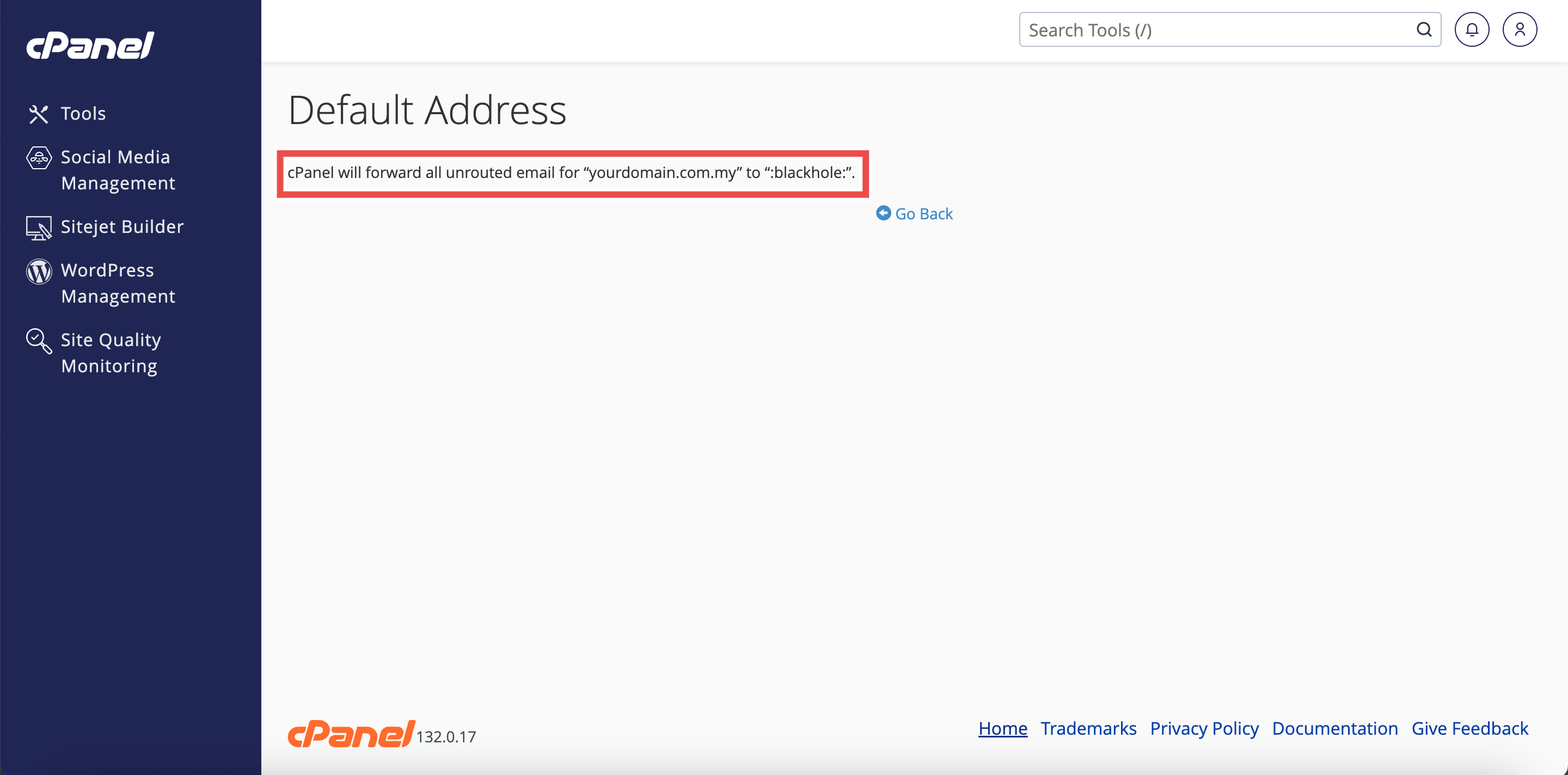
Step 7: Verify Changes
- A confirmation message will appear indicating the default address has been updated.
- Additionally, you may send a test email to an invalid address on your domain to verify that the default address is working as configured.
⚠️ Important Note:
- This option is NOT RECOMMENDED because senders will not know that their email delivery failed.
- Legitimate senders who mistype an email address will not receive any indication that their message was not delivered.
- This can cause communication breakdowns, as senders may assume their message was successfully received.
- No record of the discarded emails is kept, making it impossible to recover messages sent to incorrect addresses.
- This setting is only advisable if you are receiving excessive spam and have exhausted other spam prevention methods.
Conclusion
By following these steps, you can discard unrouted emails without sender notification using Default Address in cPanel. However, this method is not recommended for most situations as it prevents legitimate senders from knowing their messages failed to deliver. Consider alternative options that provide sender feedback unless you have a specific reason to silently discard unrouted emails.
Should you encounter any issues or have any questions, our support team at IPSERVERONE is always here to assist you. Don’t hesitate to reach out to us at support@ipserverone.com for any help you need.