
Search Our Database
How to Discard Unrouted Emails With Sender Notification using Default Address in cPanel
Introduction
This Knowledge Base article provides a simple, step-by-step guide on How to Discard Unrouted Emails With Sender Notification using Default Address in cPanel. This option rejects emails sent to invalid addresses and sends an error message to the sender, informing them that the email address does not exist. Use this guide when you want to prevent unrouted emails from being stored while notifying senders of delivery failures.
Prerequisite
- Access to your cPanel login page.
Step-by-Step Guide
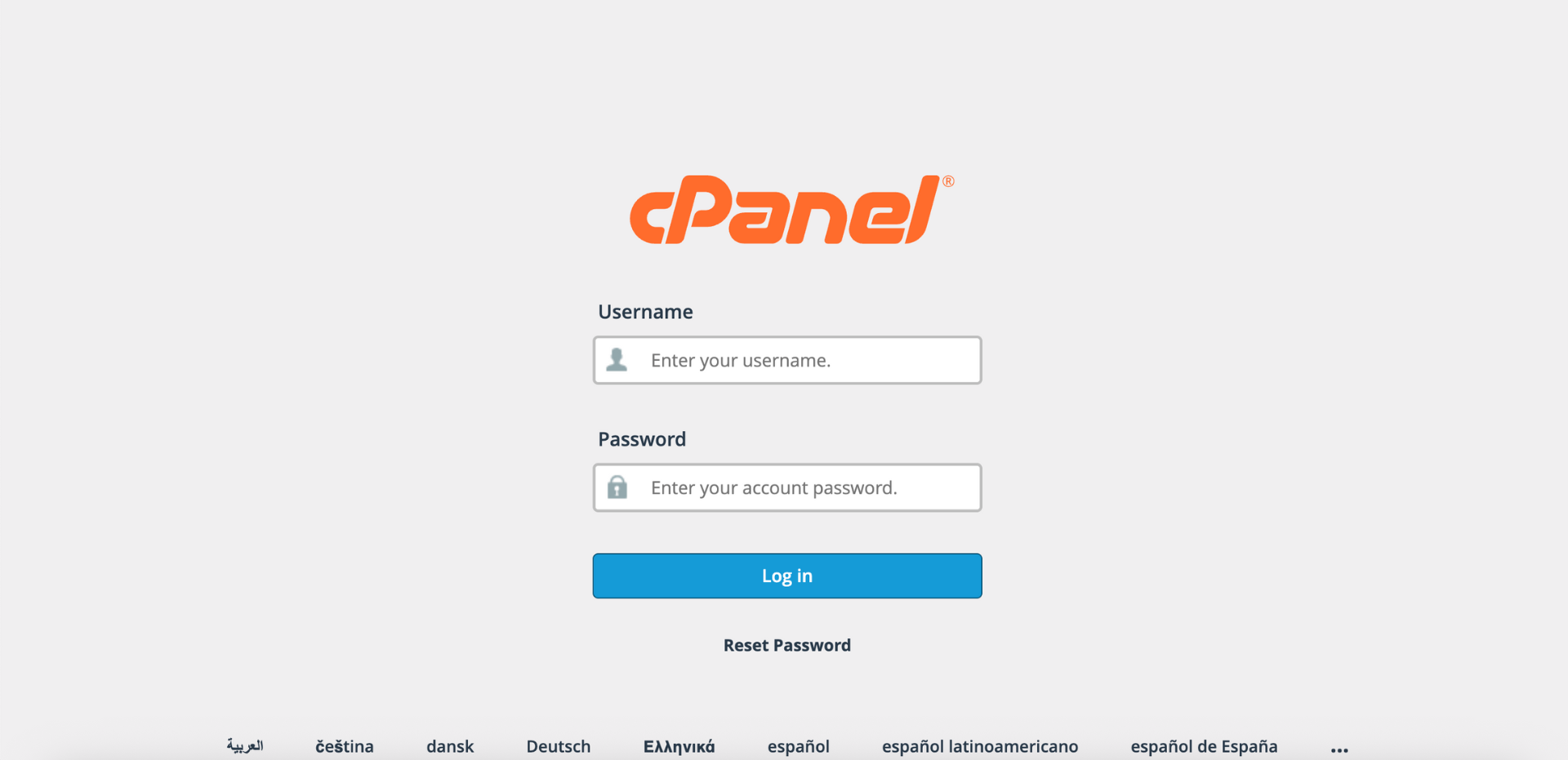
Step 1: Log in to cPanel
-
Access your cPanel account using your username and password.
Step 2: Open Default Address
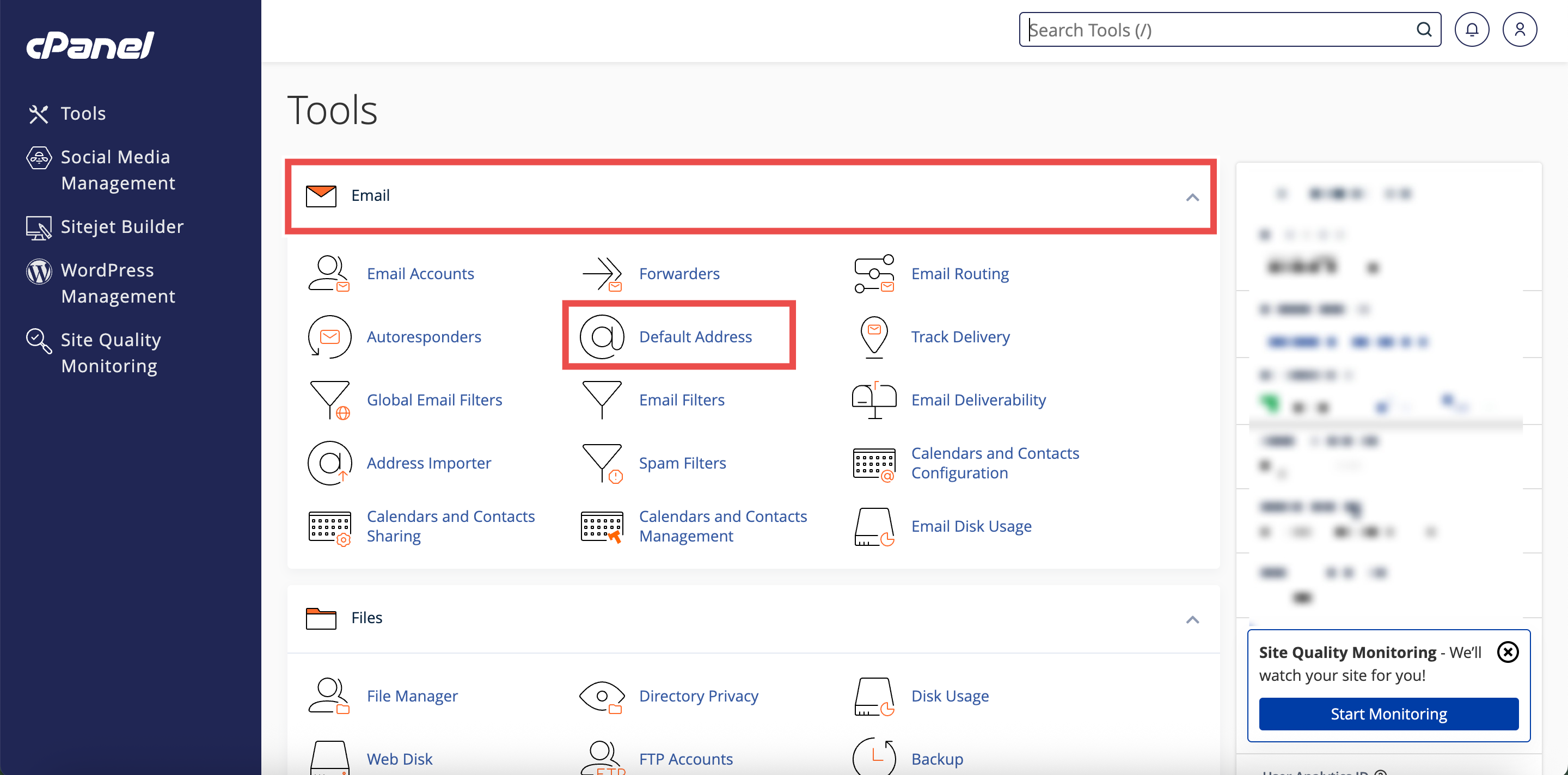
- In the Home page, under the Email section, click Default Address.
Step 3: Select Your Domain
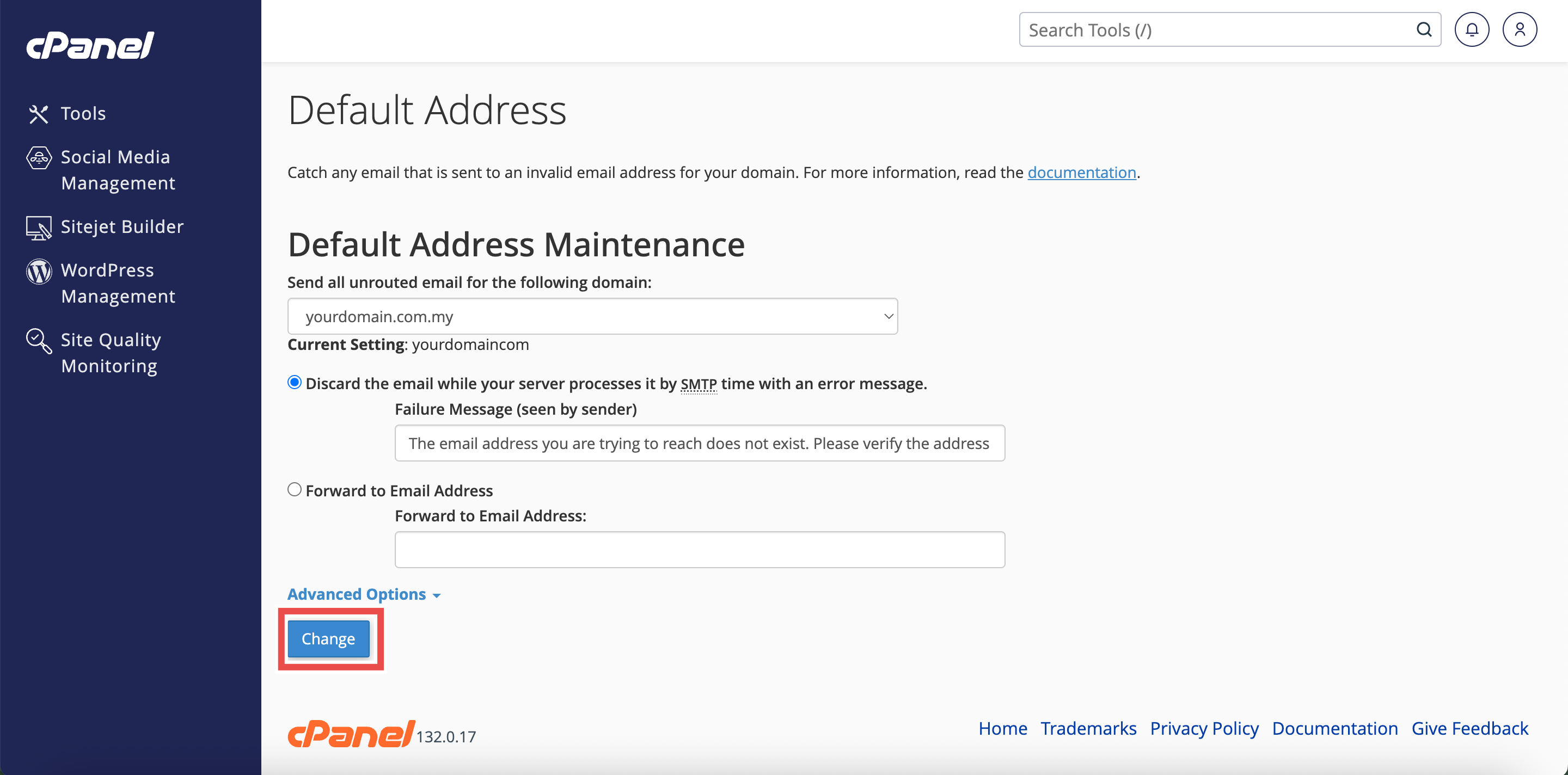
- Under the Send all unrouted email for the following domain dropdown menu, select the domain for which you wish to discard unrouted emails.

Step 4: Configure Discard with Error Message
- Select the Discard the email while your server processes it by SMTP time with an error message option.
- In the Failure Message (seen by sender) text box, enter a custom error message that the sender will receive.
- For Example message: “The email address you are trying to reach does not exist. Please verify the address and try again.”

Step 5: Save Changes
- Click Change to apply the configuration.
Step 6: Verify Changes
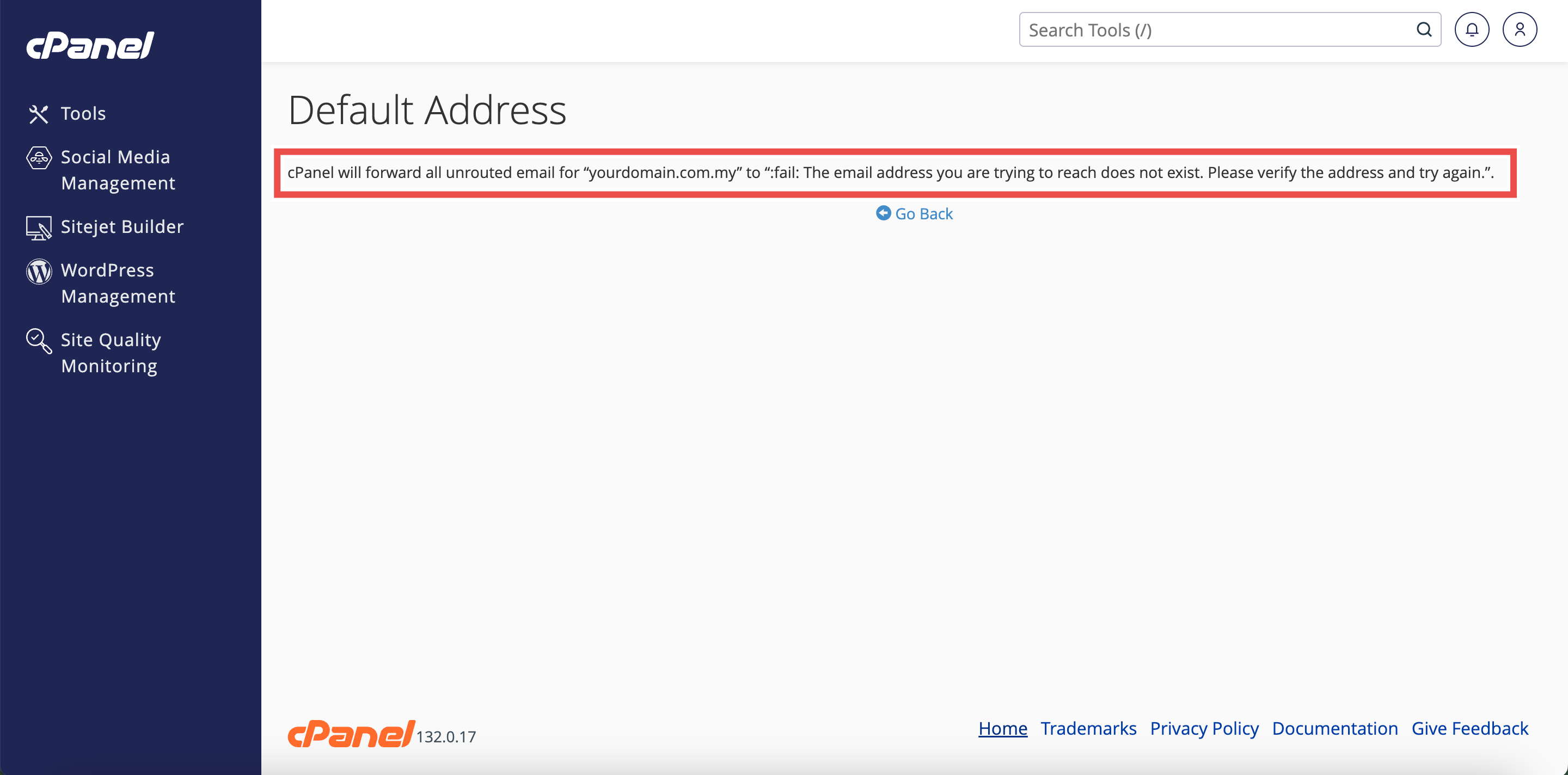
- A confirmation message will appear indicating the default address has been updated.
- Additionally, you may send a test email to an invalid address on your domain to verify that the default address is working as configured.
⚠️ Important Note:
- This option discards emails during SMTP processing, meaning they are rejected before being stored on your server.
- The sender receives an immediate bounce-back message with your custom error text.
- This helps legitimate senders identify and correct addressing errors quickly.
- Spammers will also receive the error message, but this prevents spam from accumulating in your mailbox.
- Choose a professional and informative error message that helps senders understand why their email failed.
Conclusion
By following these steps, you can discard unrouted emails with sender notification using Default Address in cPanel. This approach prevents invalid emails from being stored while providing helpful feedback to legitimate senders, allowing them to correct addressing errors. This is the recommended method for handling unrouted emails when you don’t need to review catch-all messages.
Should you encounter any issues or have any questions, our support team at IPSERVERONE is always here to assist you. Don’t hesitate to reach out to us at support@ipserverone.com for any help you need.