
Search Our Database
How to Delete System Messages in DirectAdmin (Evolution Skin)
Introduction
System messages in DirectAdmin provide important notifications about account activities, system events, and administrative alerts, but managing these messages is essential for maintaining an organized control panel. Clearing read notifications, removing outdated alerts, or decluttering your message inbox helps maintain focus on current system information. DirectAdmin’s Message System interface provides a straightforward method for removing individual messages or clearing all notifications simultaneously. This guide explains how to delete system messages using the Message System section in DirectAdmin, enabling you to maintain a clean and organized notification interface.
Prerequisites
- Access to DirectAdmin control panel with the necessary permissions.
- Existing system message in DirectAdmin.
Step-by-step Guide
Step 1: Access DirectAdmin
Log in to your DirectAdmin control panel.

Step 2: Access System Messages
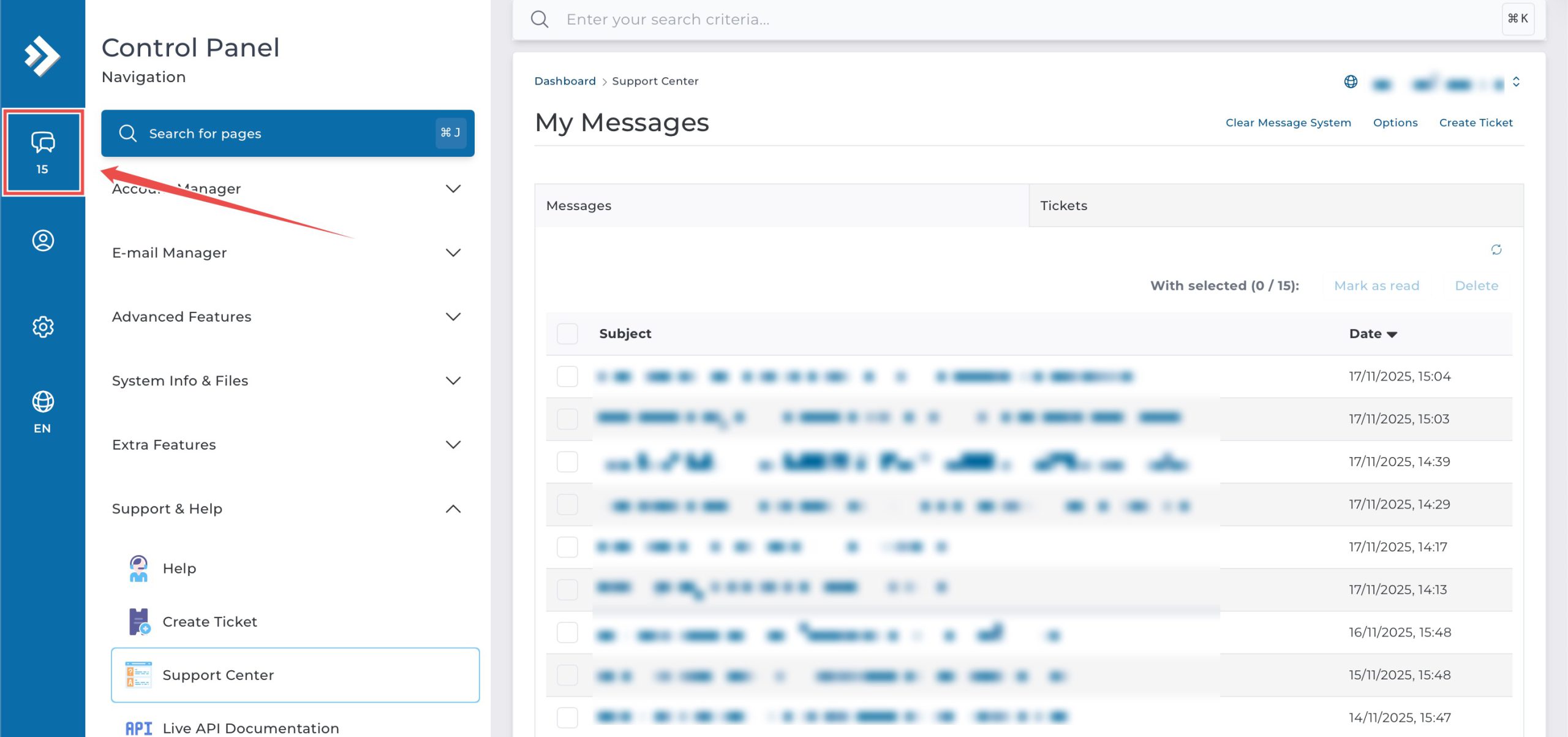
On the top left, click on the System Message icon.
Step 3: Delete System Message
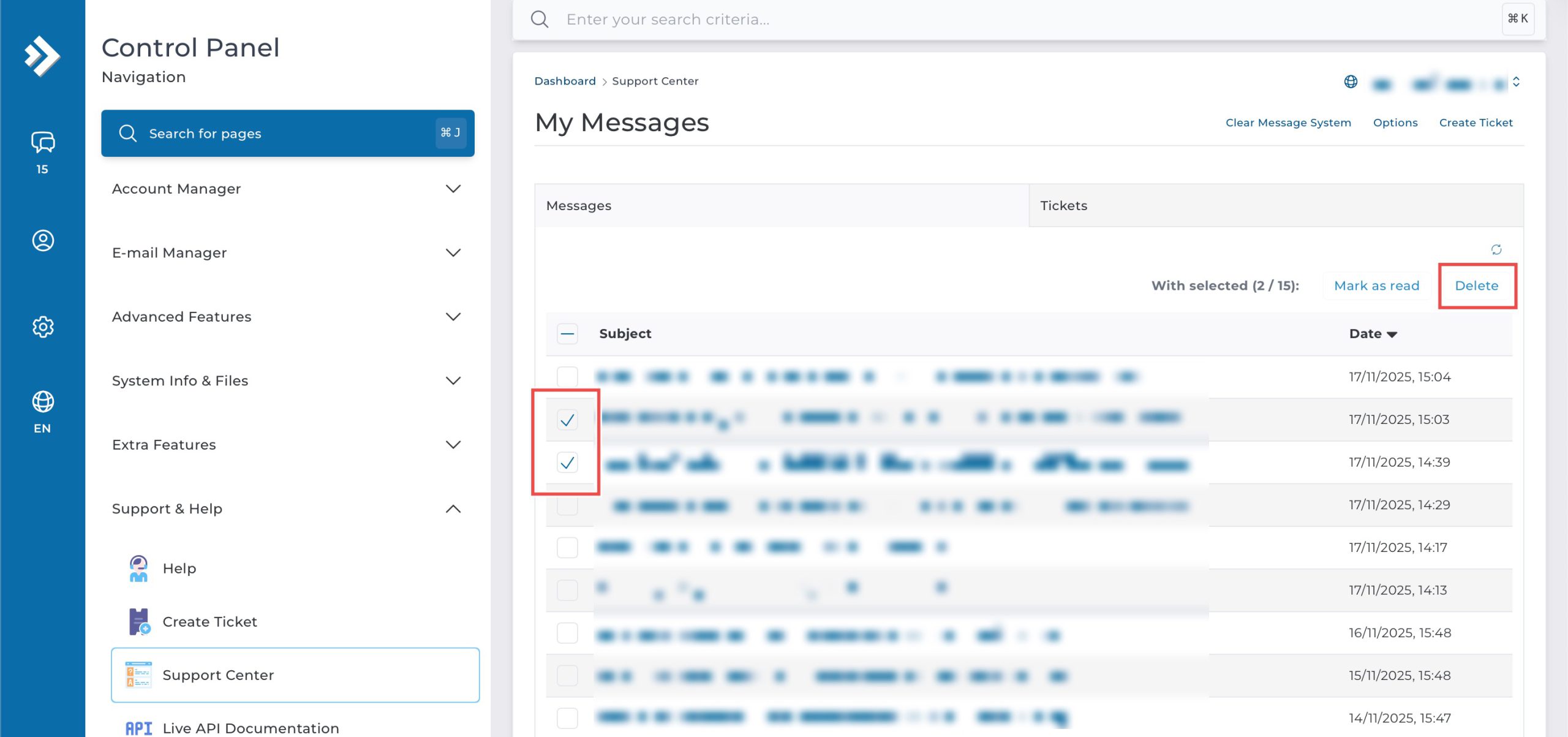
1. Deleting Specific Messages.
Locate the system message(s) you wish to delete. Select them by clicking on the checkbox on the left of the row(s). then, click Delete.
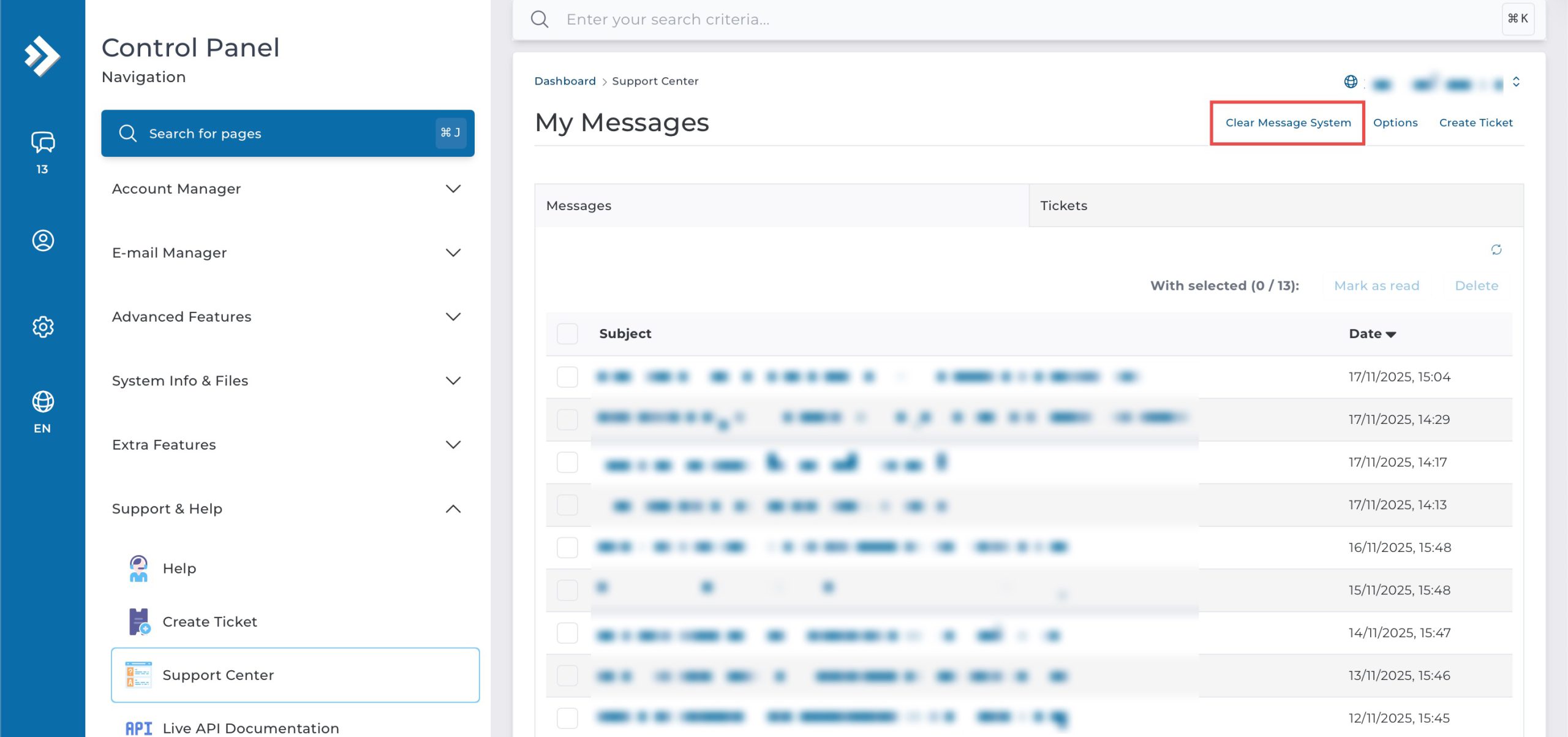
2. Deleting All Messages.
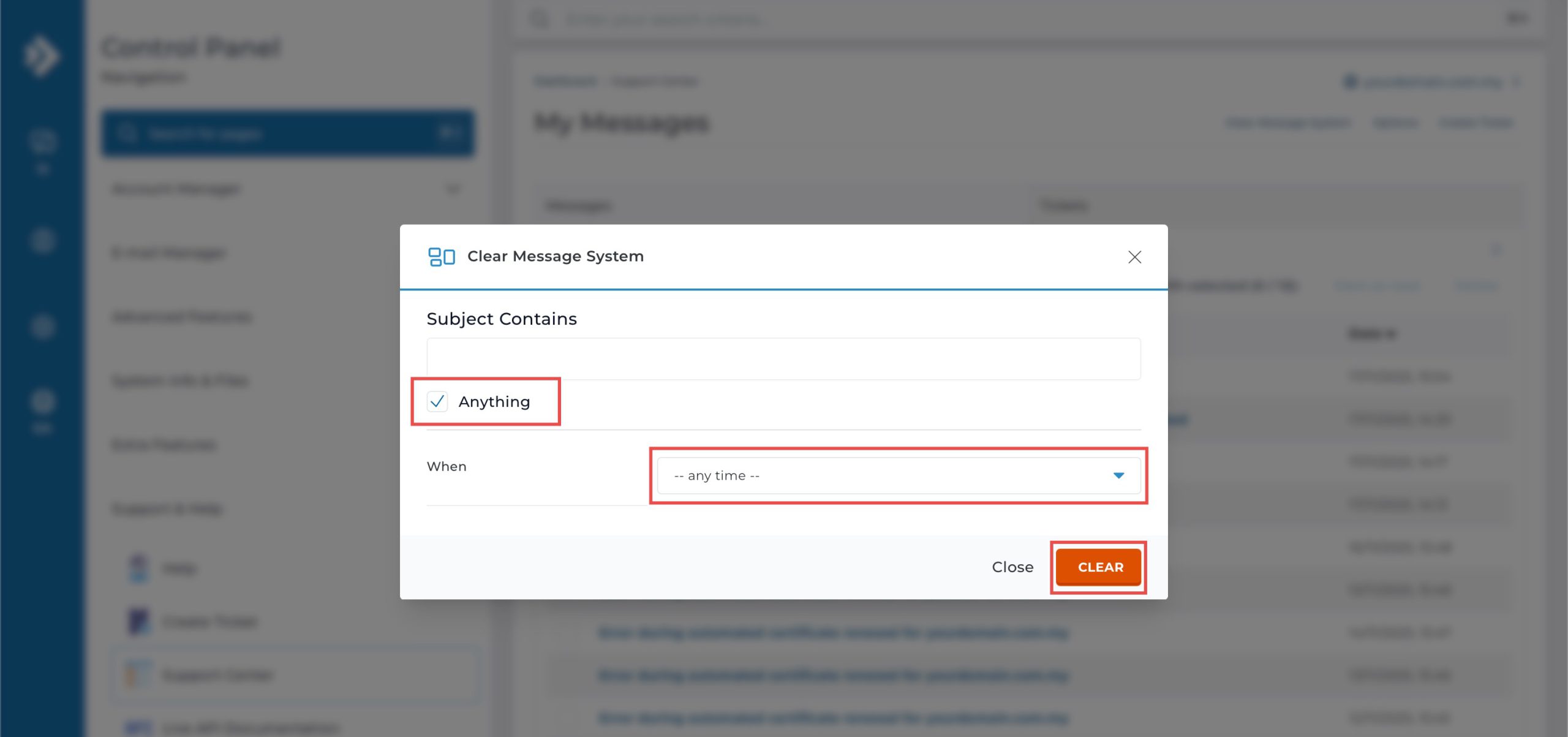
Click on Clear Message System at the top. On the pop-up window, check the Anything box and select — any time — for When. Then, click Clear.
Step 4: Verify the Changes
You may verify the deletion from the updated Messages table.

Conclusion
Deleting system messages through DirectAdmin’s Message System interface is a simple process that helps maintain an organized control panel. Removing individual notifications or clearing all messages at once ensures your message inbox remains focused on current and relevant system information, improving overall account management efficiency.
Should you have any inquiries about the guidelines, please feel free to open a ticket through your portal account or contact us at support@ipserverone.com. We’ll be happy to assist you further.