
Search Our Database
How to Delete Old Emails from Archive Folder using Email Disk Usage in cPanel
Introduction
This Knowledge Base article provides a concise, step-by-step guide on How to Delete Old Emails from the Archive folder using Email Disk Usage in cPanel. The Archive folder is used to store emails for long-term reference, but over time these archived messages can accumulate and consume significant disk space. Using the Email Disk Usage feature, you can efficiently remove archived emails that are 1 year old or more to free up storage space while keeping more recent archives intact.
Prerequisite
- Access to your cPanel login page.
Step-by-Step Guide
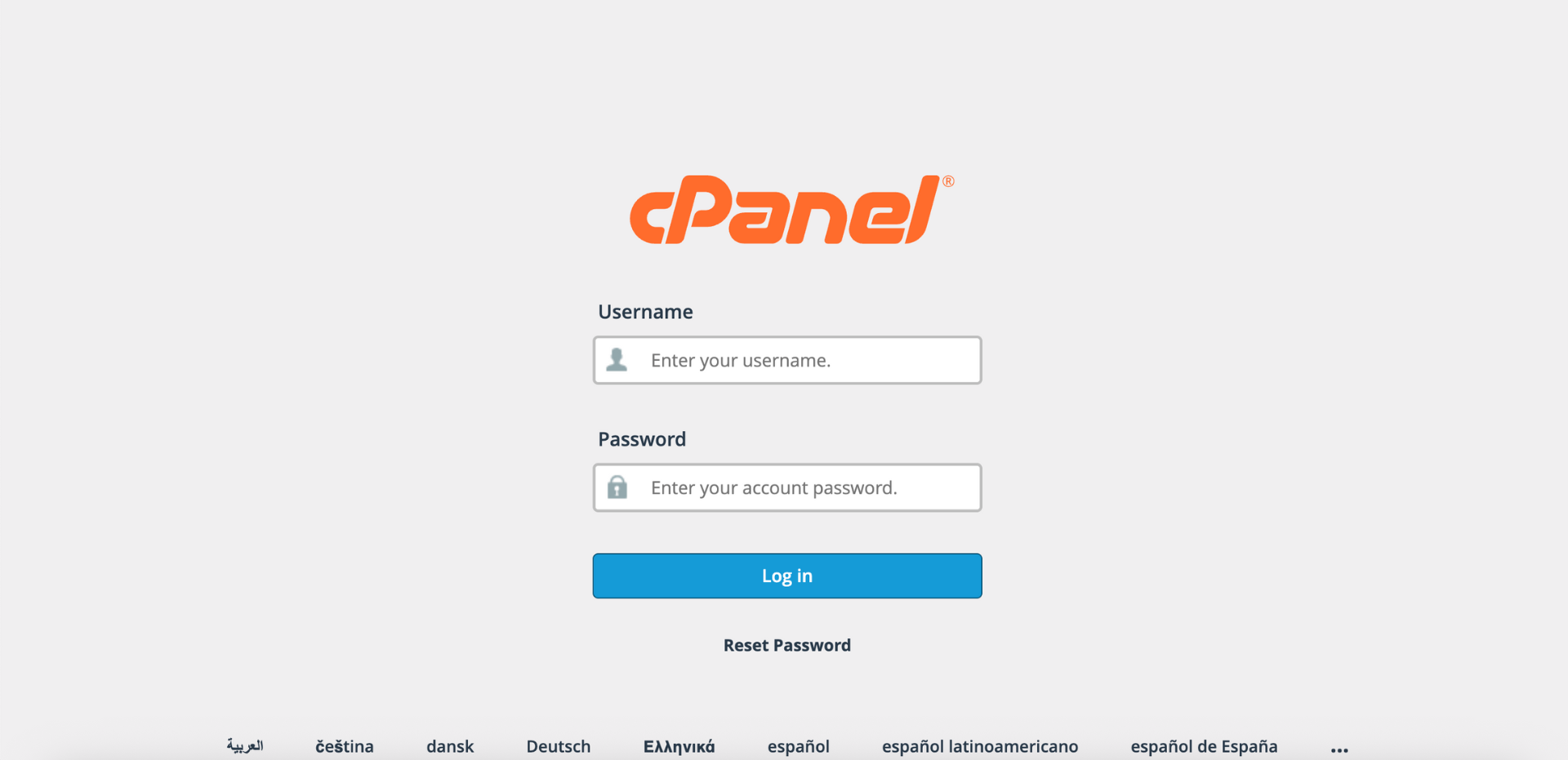
Step 1: Log in to cPanel
- Access and log in to your cPanel account using your username and password.
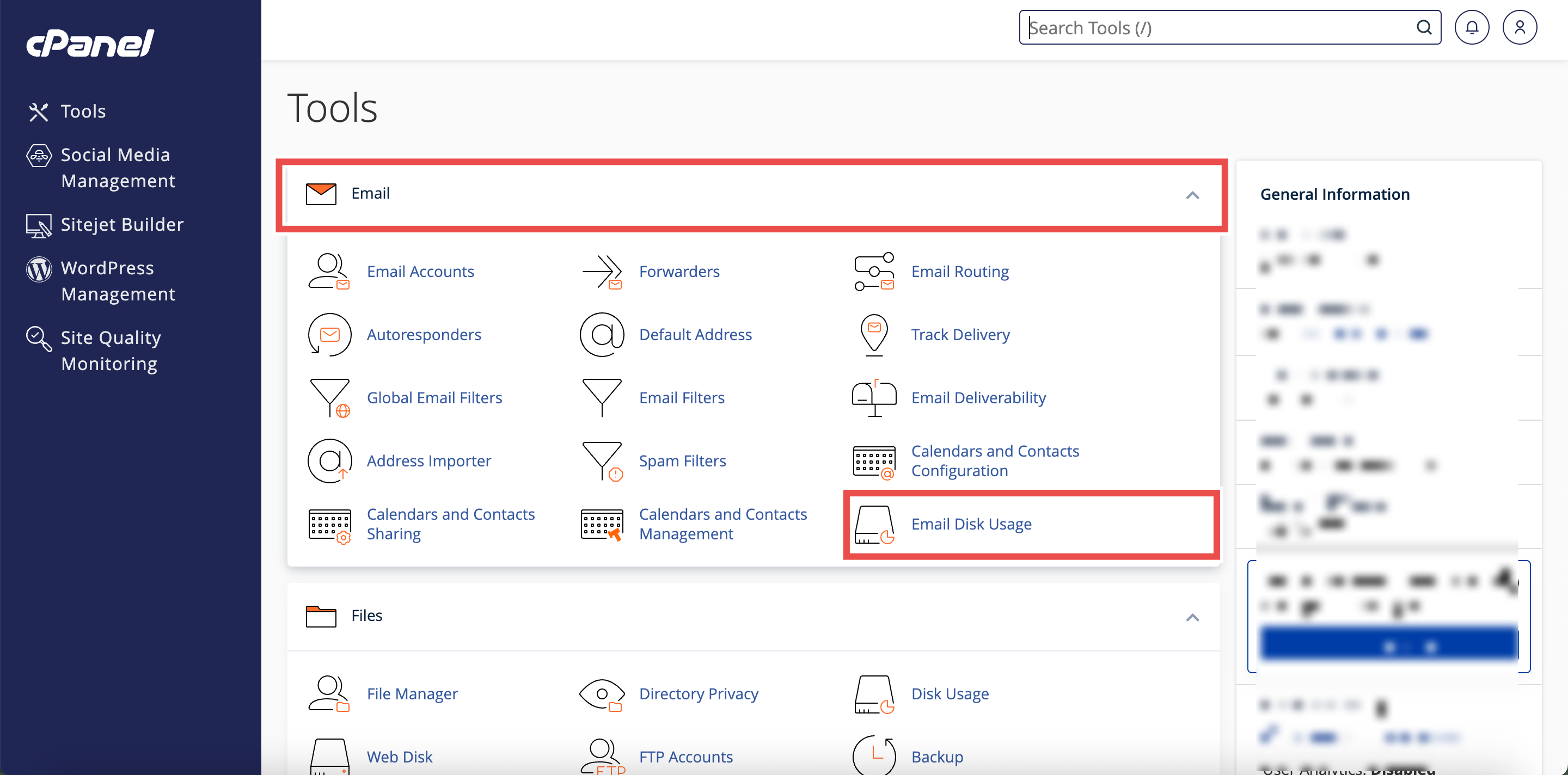
Step 2: Open Email Disk Usage
- In the Home page, under Email, click Email Disk Usage.
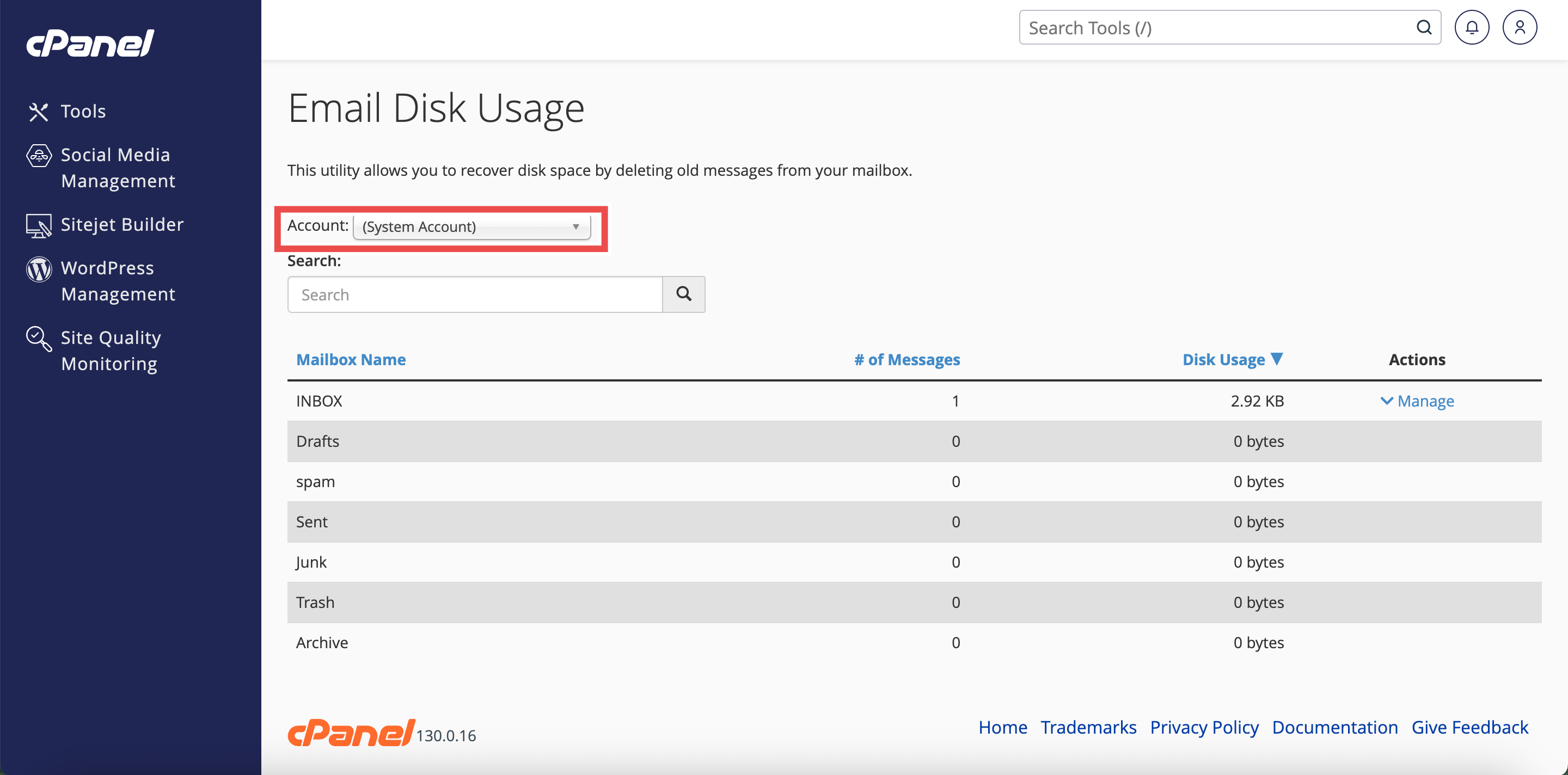
Step 3: Select the Email Account
- From the Account menu, select the email account you want to manage.
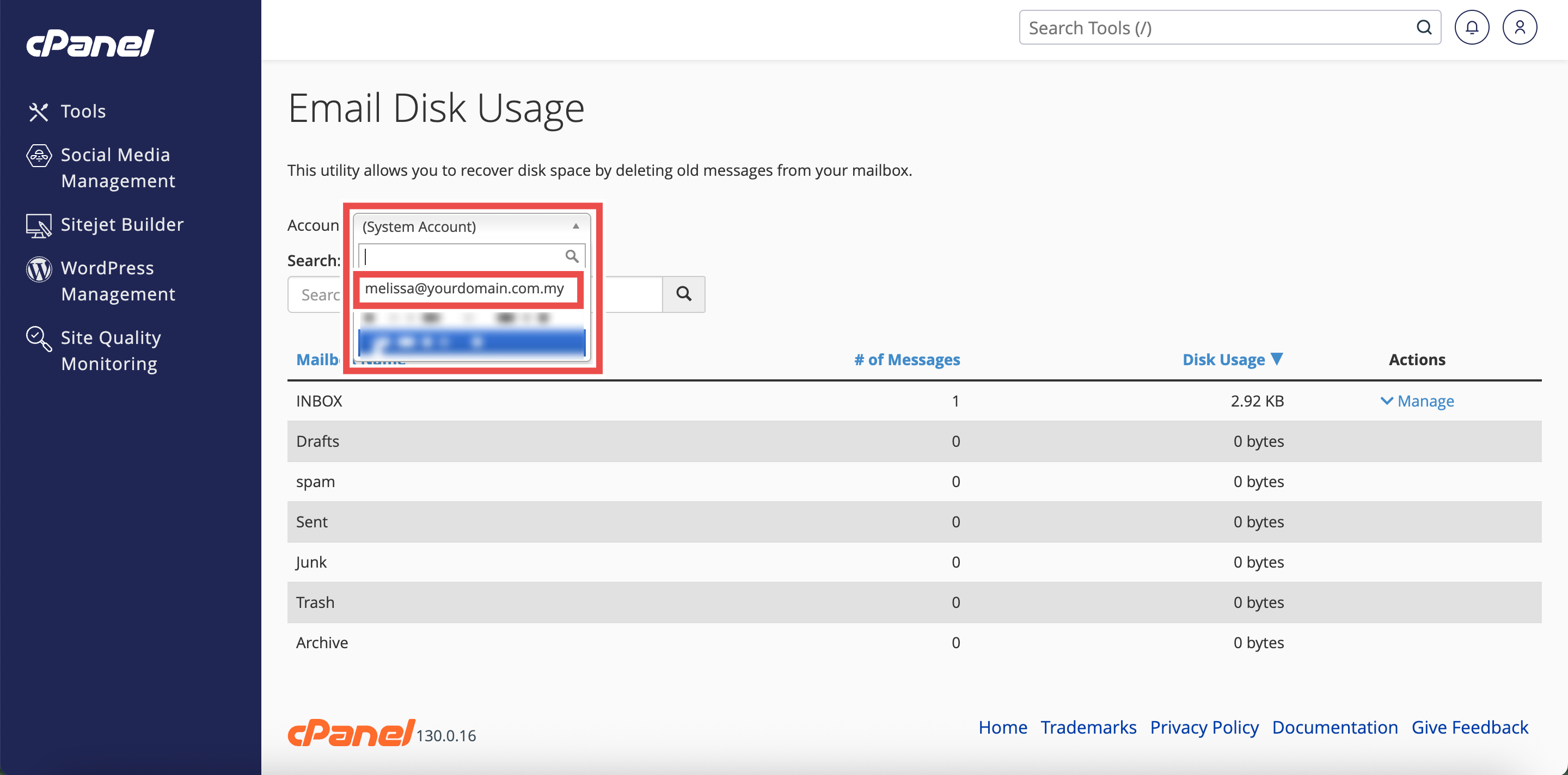
Step 4: Locate the Archive Folder
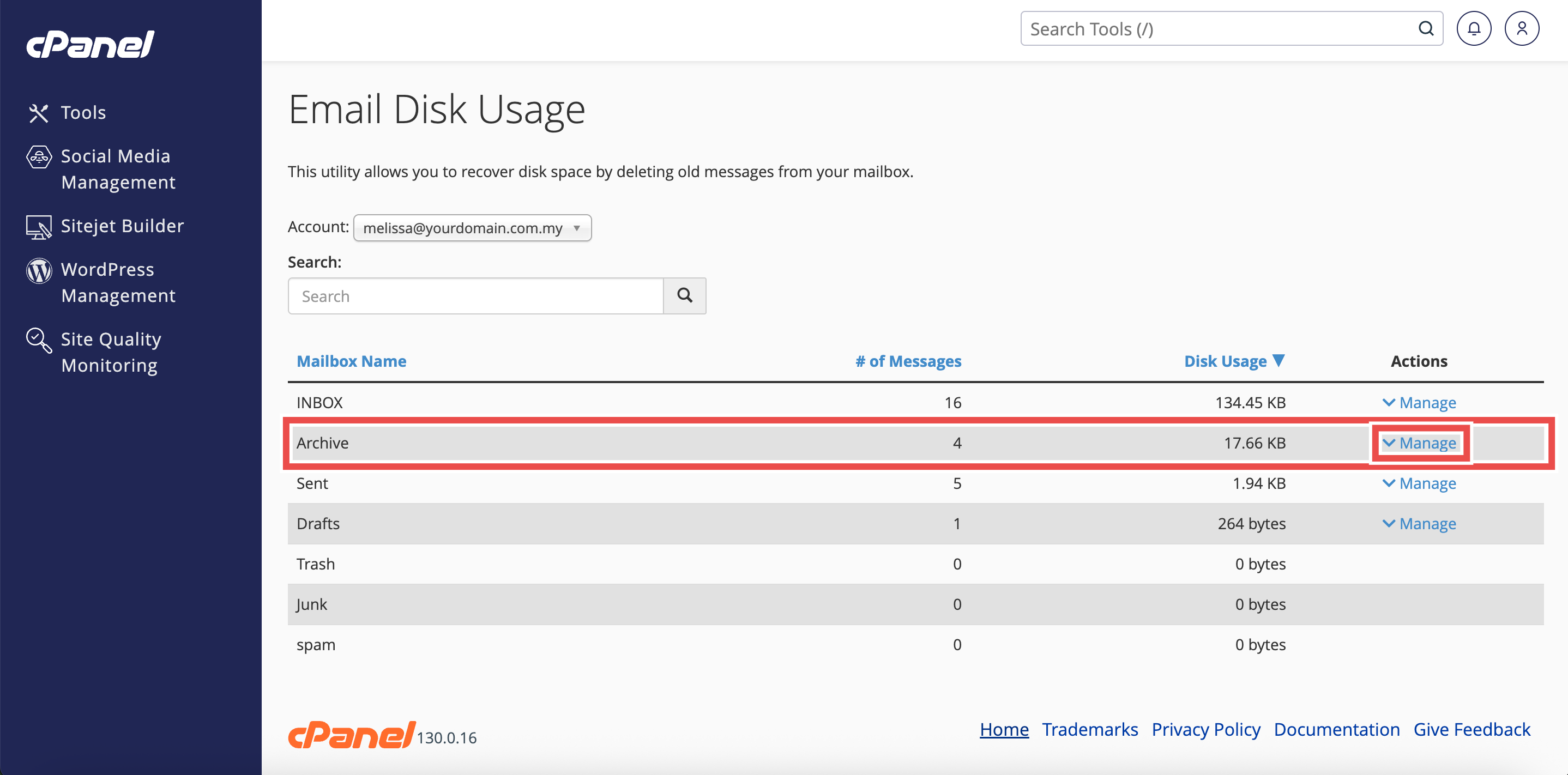
- In the Mailbox table, find the Archive folder for your email account.
- Click Manage button next to the Archive folder.
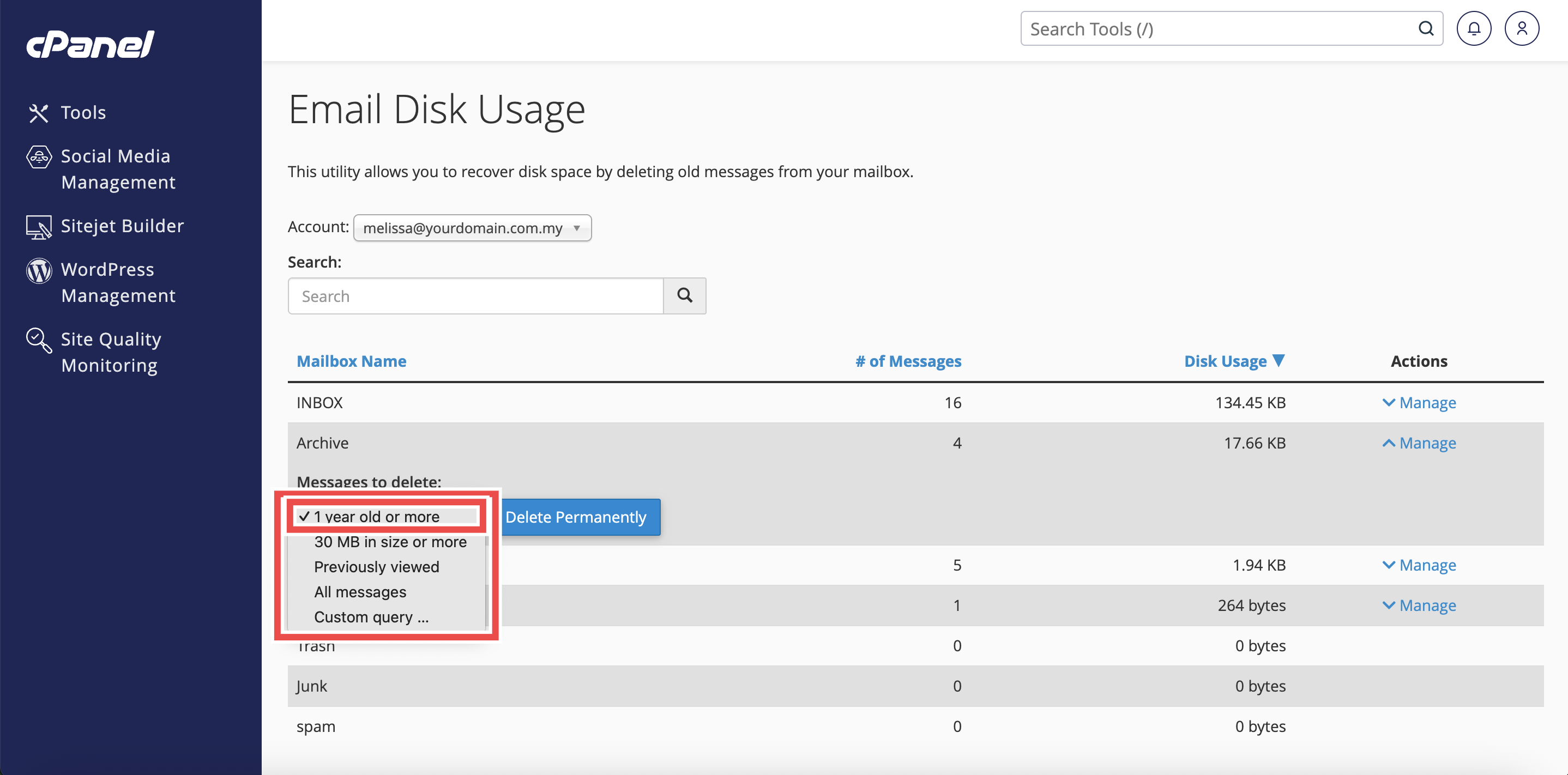
Step 5: Select Old Email Removal Option
- From the Messages to Delete menu, select 1 year old or more.
⚠️ Important Note:
- Once emails are deleted permanently, they cannot be retrieved.
- Make sure you have backed up any important messages before proceeding.
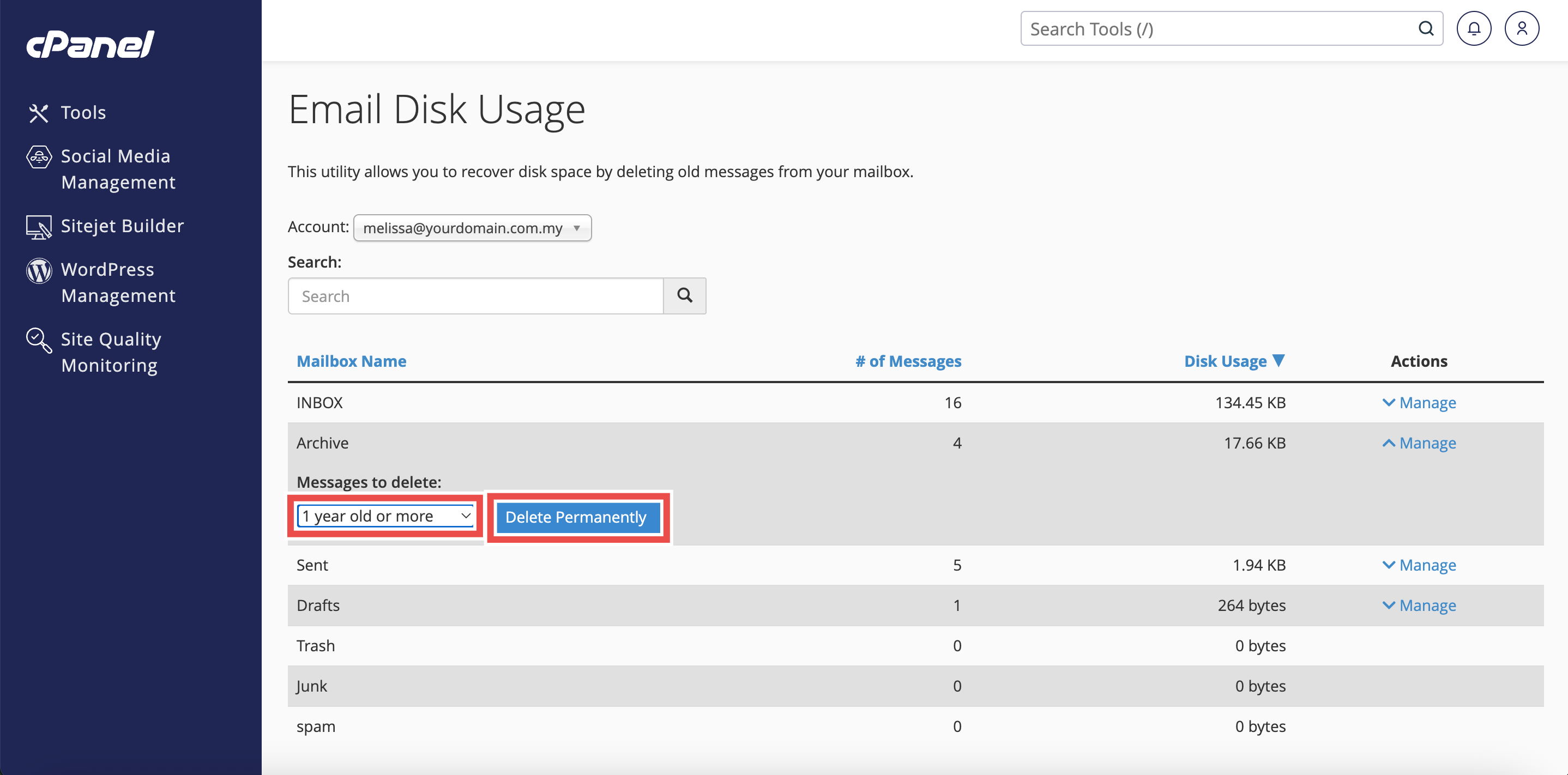
Step 6: Delete the Old Emails
- Click Delete Permanently to remove all emails that are 1 year old or more from your Archive folder.
Step 7: Verify Deletion
- A success message confirming successful deletion will appear.
- Additionally, you may check your email directly to confirm the deletion was successful.
⚠️ Important Note: Deletion of old emails via Email Disk Usage in cPanel only works for emails that are one year old or older.

Conclusion
By following these steps, you can delete old emails from the Archive folder using Email Disk Usage in cPanel. Regularly removing old archived messages helps maintain optimal mailbox performance while keeping your more recent archives accessible.
Should you encounter any issues or have any questions, our support team at IPSERVERONE is always here to assist you. Don’t hesitate to reach out to us at support@ipserverone.com for any help you need.