
Search Our Database
How to Delete Monitoring Bandwidth Usage Alarm in Customer Portal
Introduction:
This guide is designed for Customer Portal users who need to manage their monitoring notifications by deleting an existing Monitoring Bandwidth Usage Alarm.
Customers often seek to delete these alarms when they realize they are receiving too many Monitoring Bandwidth usage alarms in the portal, or when the specific alarm is no longer needed for active monitoring.
This step-by-step process details how you can quickly and permanently remove a defined alarm within the Customer Portal using the portal interface by navigating through the NovaCloud section to the Monitoring settings.
Prerequisites:
- The user must possess valid login credentials for the Customer Portal.
- It is critical to confirm that the delete action is not reversible.
Step-by-step Guide:
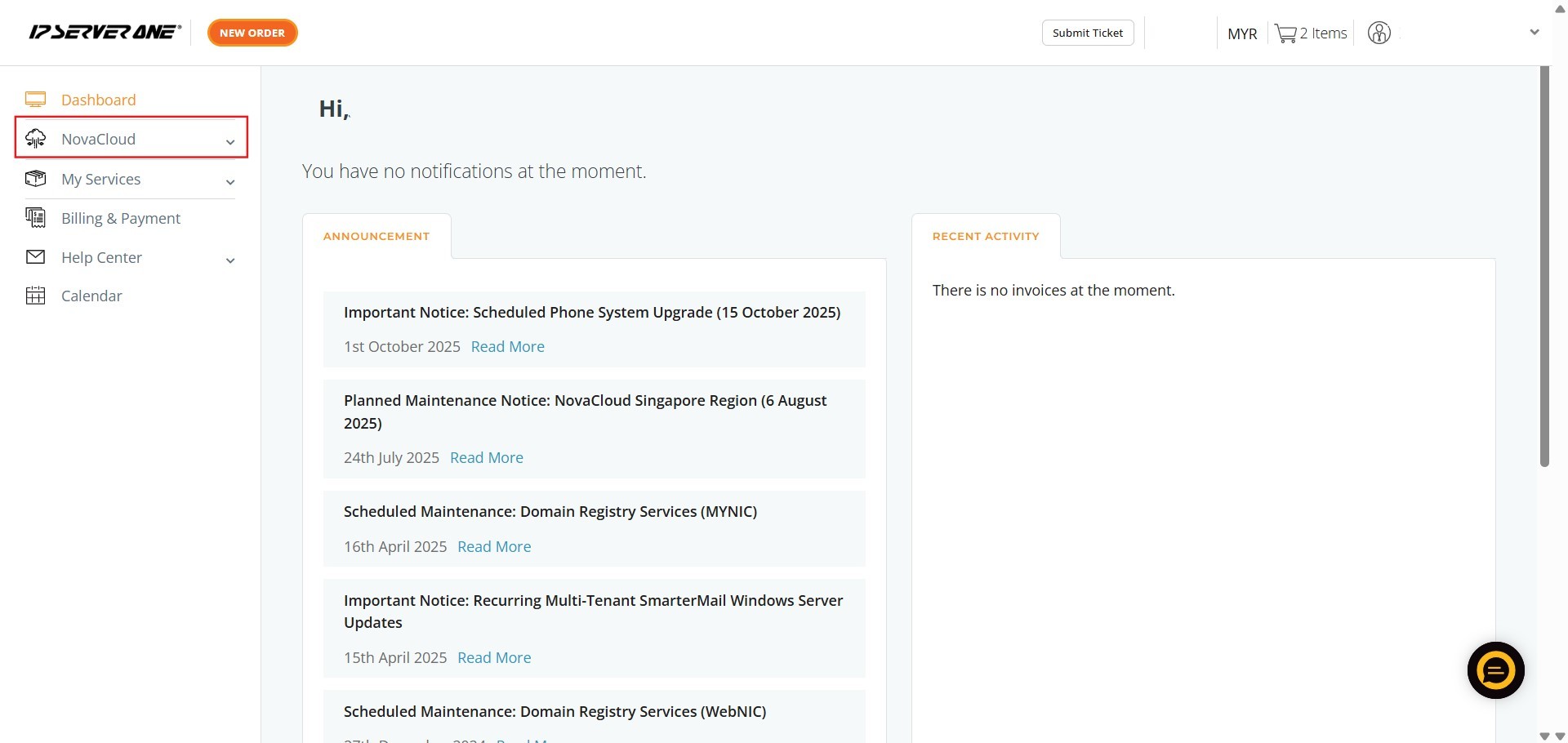
Step 1: Access NovaCloud Services
- On the left-hand navigation menu of the Customer Portal, click on “NovaCloud”.
Step 2: Navigate to Monitoring
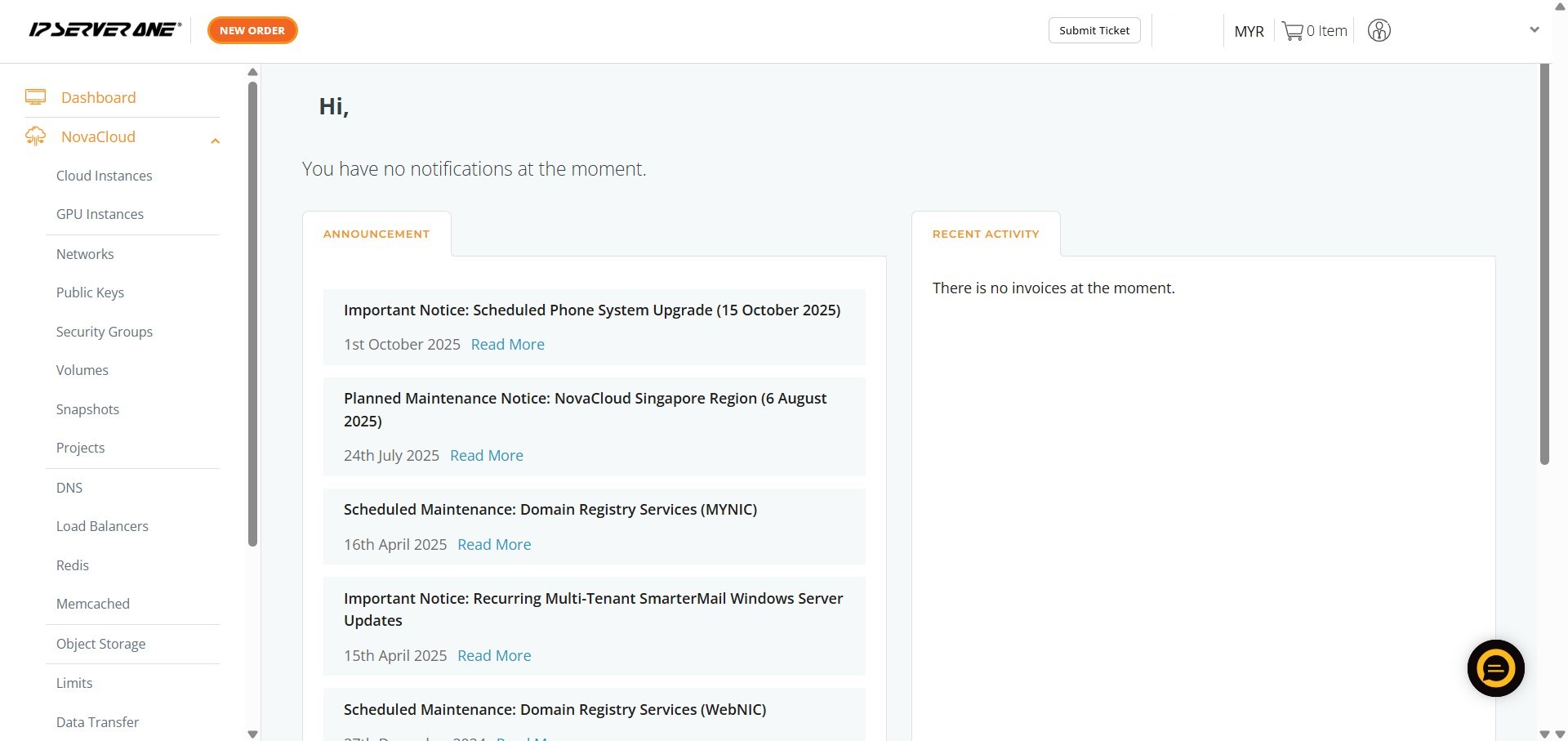
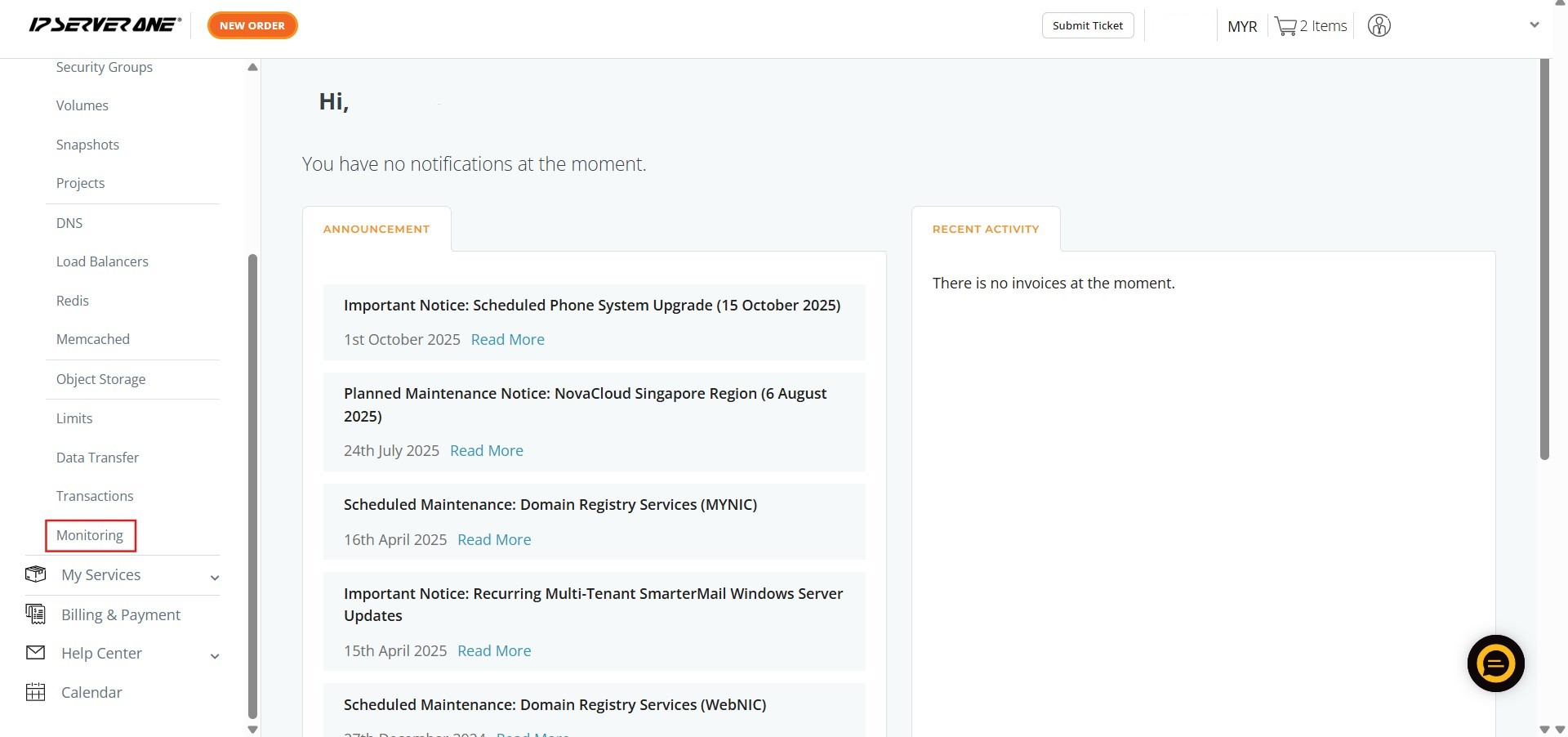
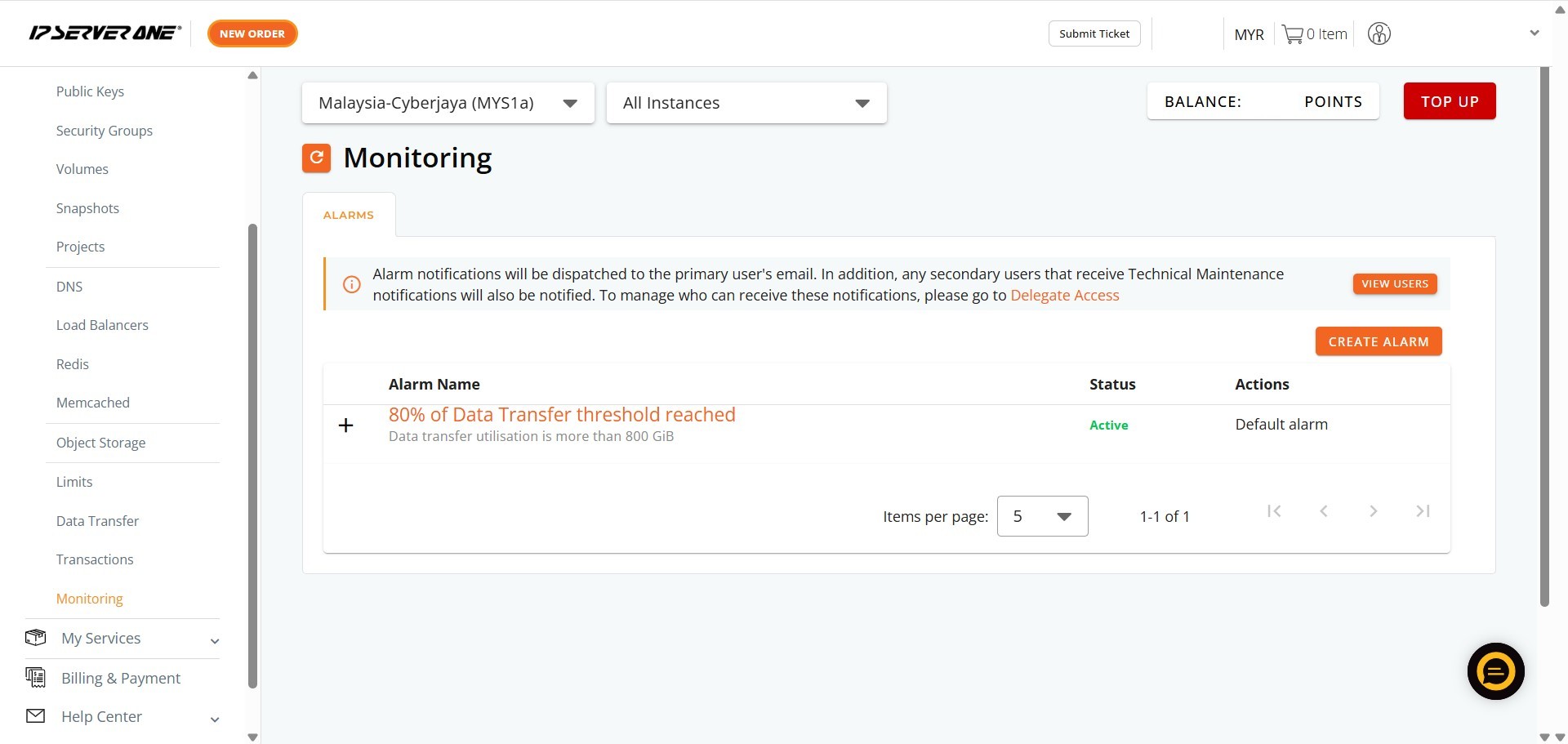
- Scroll down the expanded NovaCloud menu and locate and click “Monitoring”.
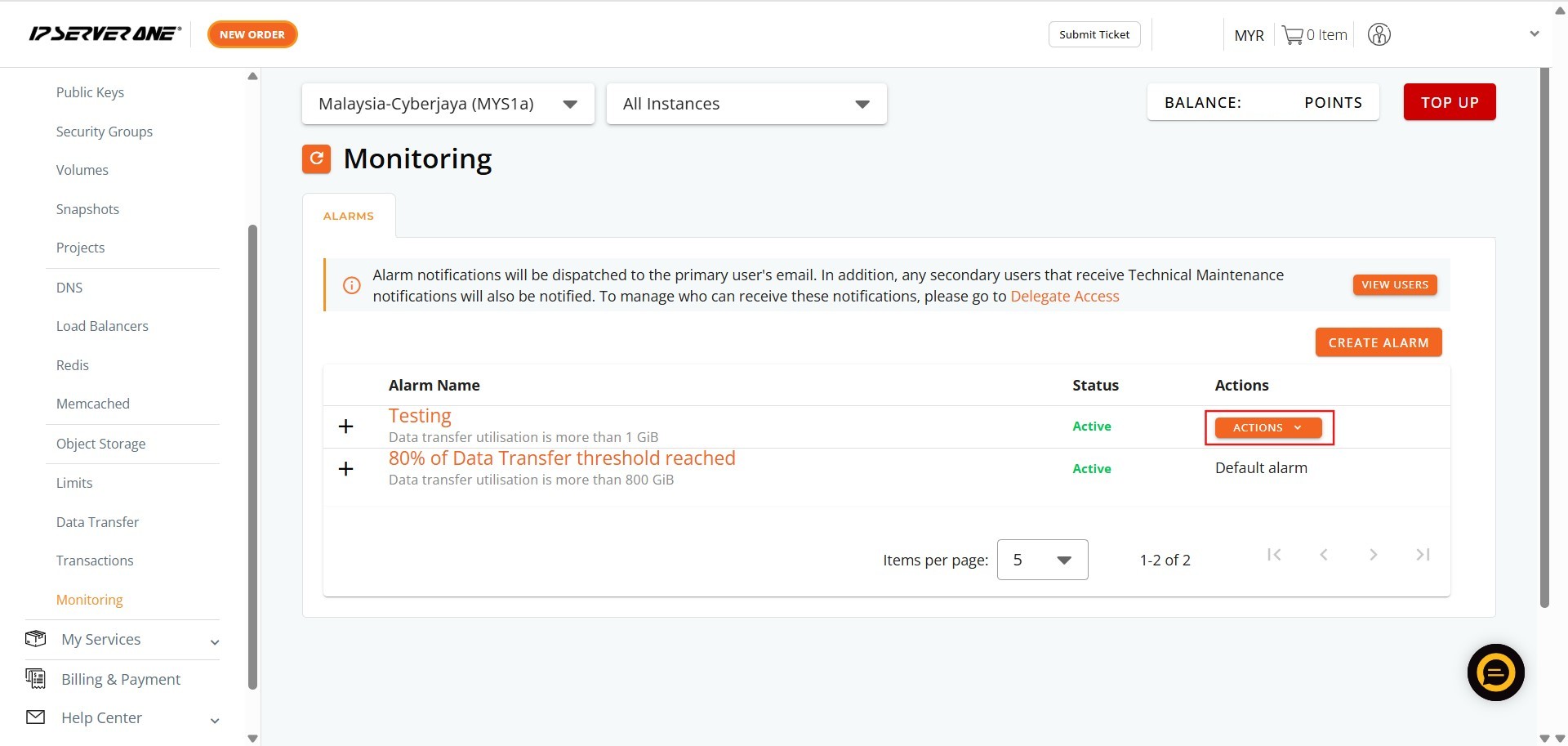
Step 3: Locate the Alarm and Access Actions
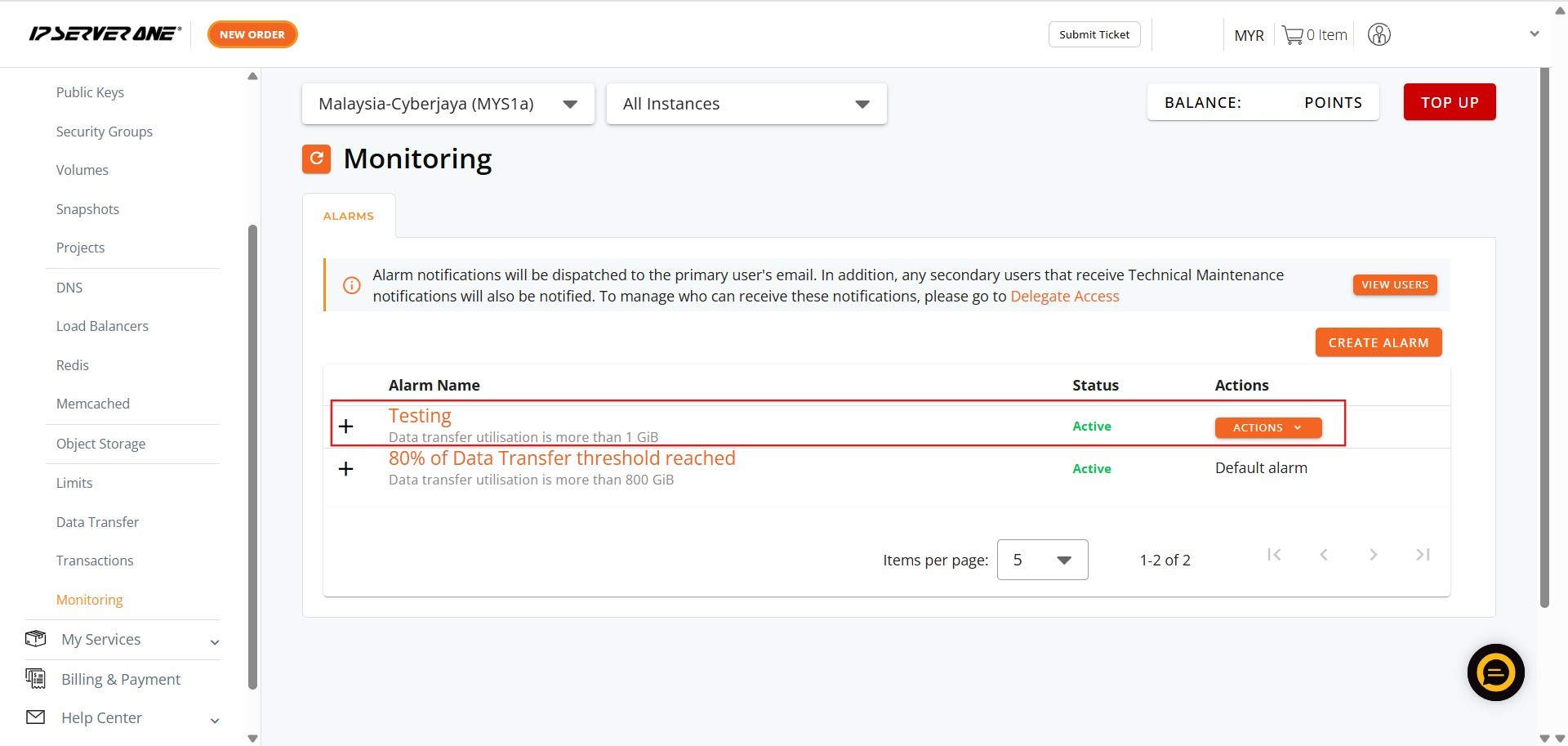
- Identify the specific bandwidth usage alarm you wish to delete from the list of existing alarms. Once located, click the “Action” button associated with that alarm.
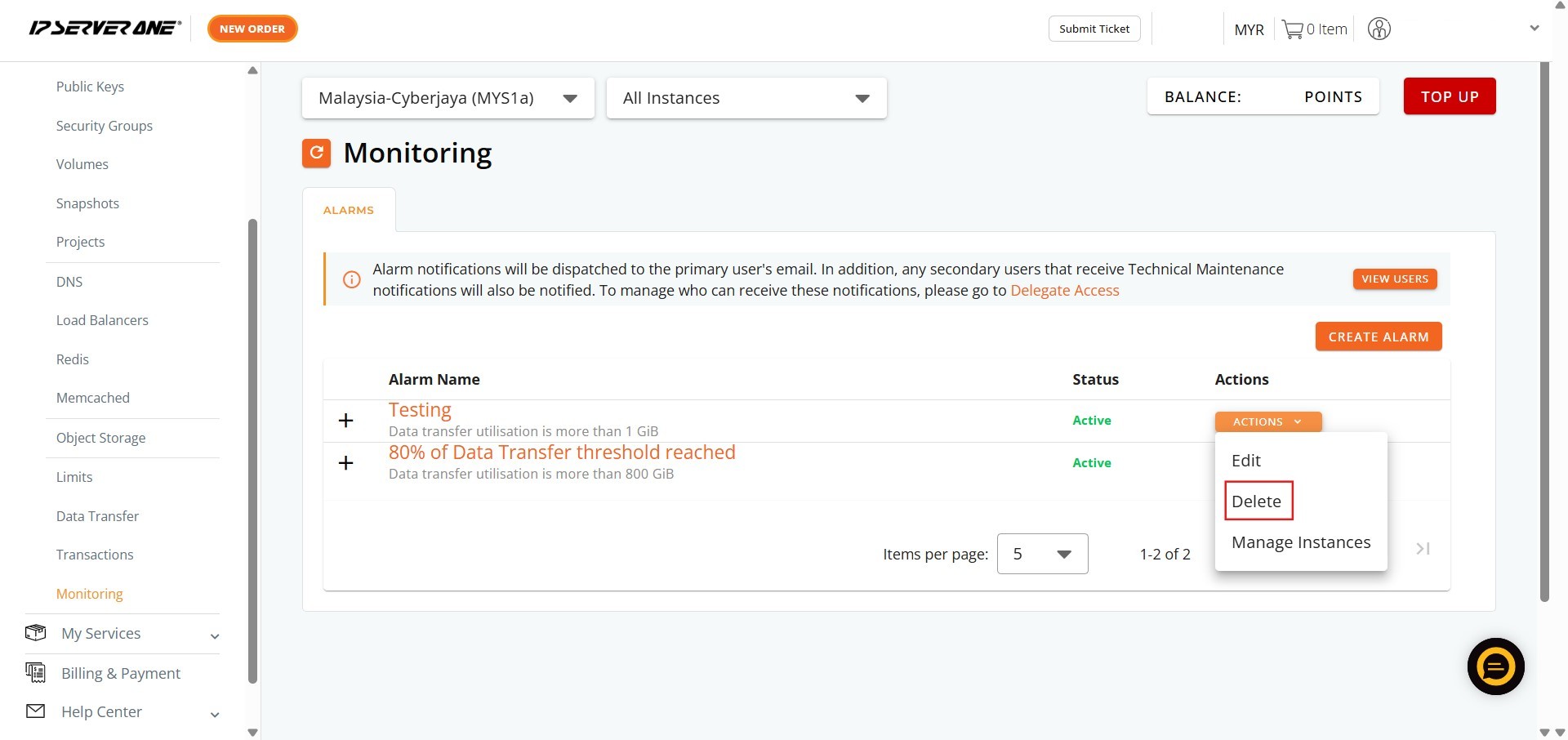
Step 4: Initiate Deletion
- From the dropdown menu that appears after clicking “Action,” click “Delete”.
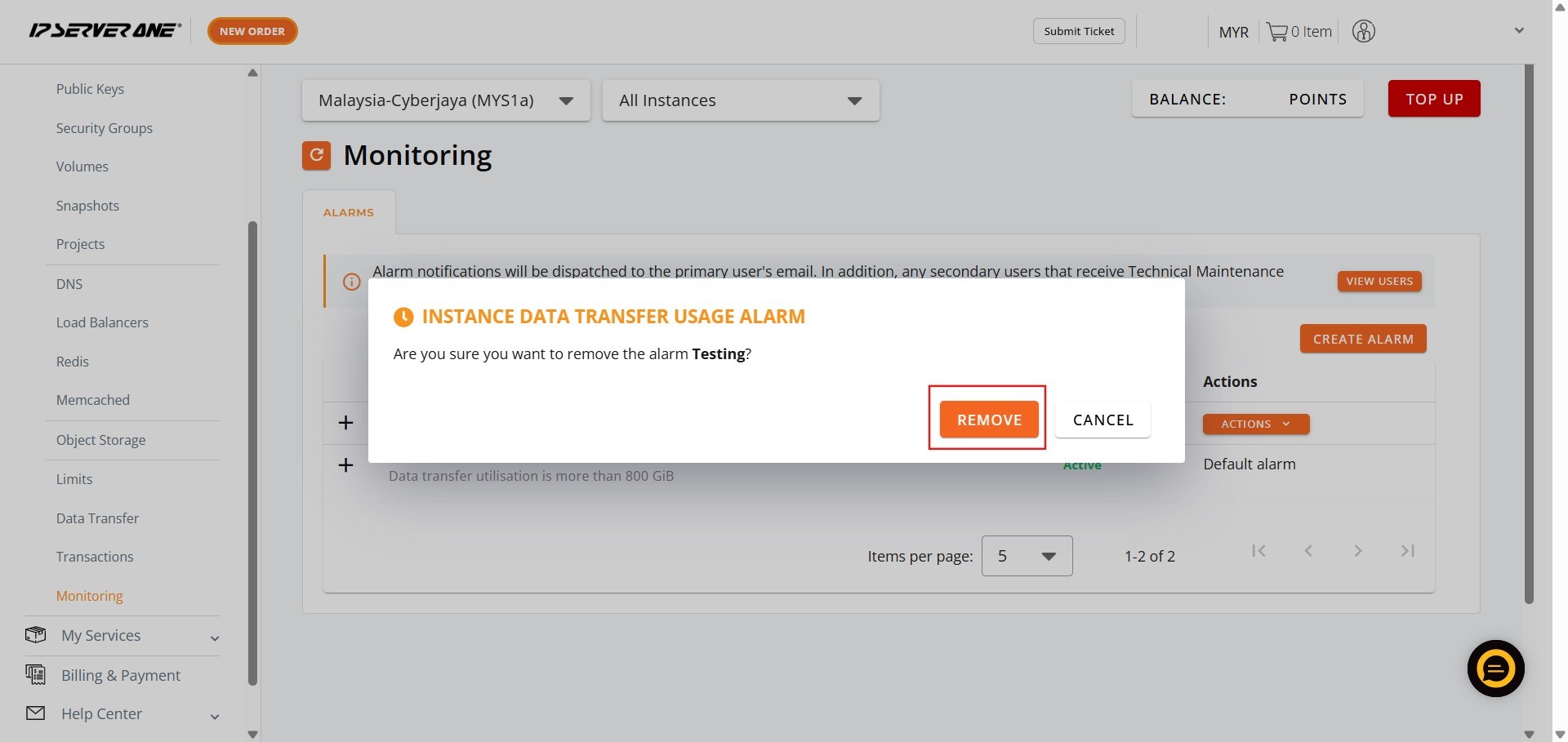
Step 5: Confirm Permanent Removal
- A confirmation dialog will appear. To proceed with the irreversible deletion of the alarm, click “Remove”.
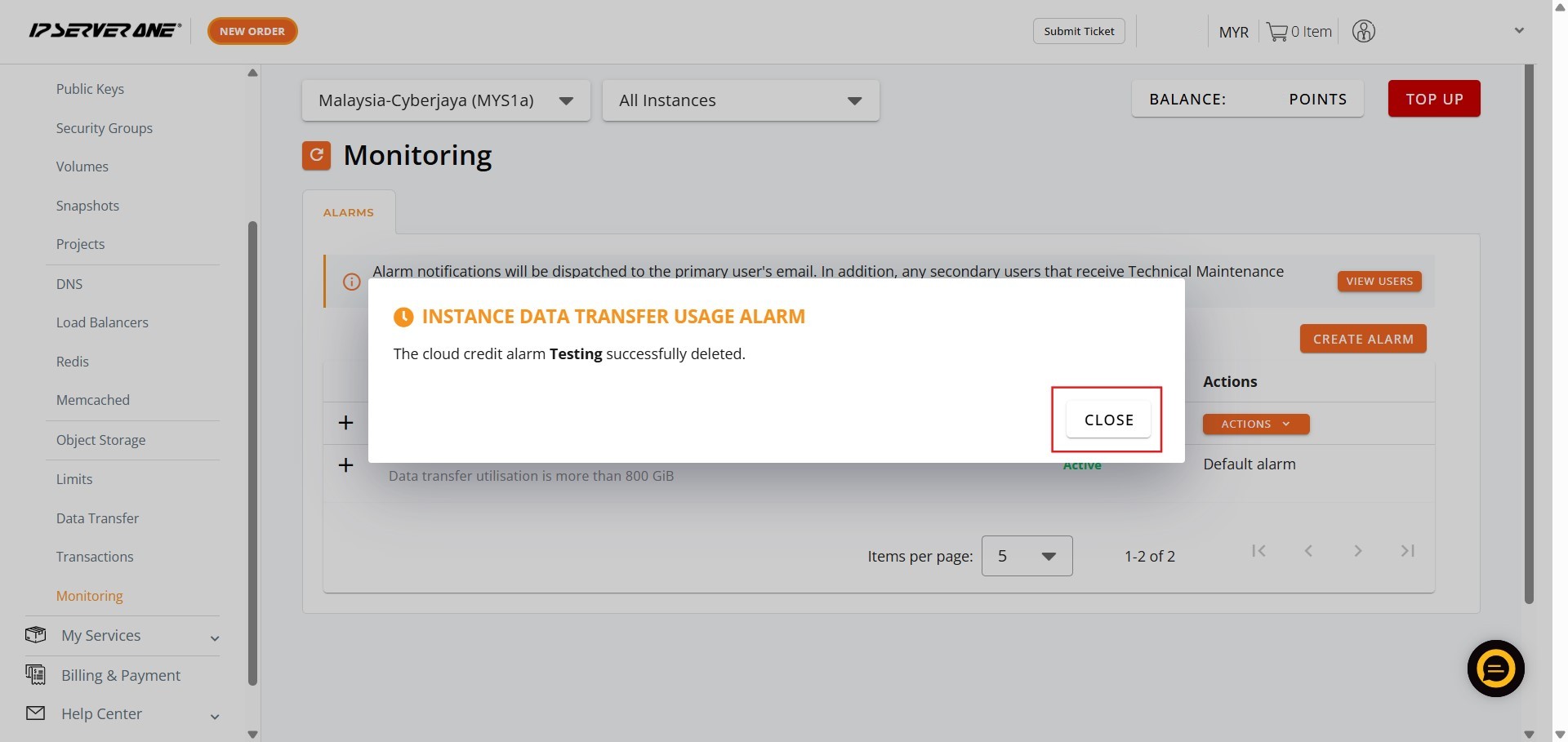
Step 6: Finalize the Process
- After the alarm has been successfully processed for deletion, click “Close” on the final notification pop-up.
Step 7: Verification
- The monitoring bandwidth usage alarm will no longer be visible in the Monitoring section.
Conclusion:
By meticulously following the steps outlined in this guide, including confirming the removal process by clicking “Remove” and then “Close”, you have successfully deleted the Monitoring Bandwidth Usage Alarm from your Customer Portal.
This action permanently removes the monitoring alert, ensuring you will no longer receive notifications regarding the specific bandwidth usage threshold defined in that alarm.
Should you encounter any issues or require further assistance regarding your monitoring setup or other features within the Customer Portal, our support team is ready to help. Please do not hesitate to reach out to us at support@ipserverone.com for assistance.