
Search Our Database
How to Delete Database User in DirectAdmin (Evolution Skin)
Introduction
Database user management is crucial for maintaining secure access control and proper database administration. Over time, database users may need to be removed due to personnel changes, security requirements, or project completion. DirectAdmin’s MySQL Management interface provides a straightforward method for deleting database users while maintaining database integrity. This guide explains how to remove database users using the Account Manager > Databases section in DirectAdmin, ensuring proper access control for your database environments.
Prerequisites
- Access to DirectAdmin control panel with the necessary permissions.
- Existing user to be deleted in the database
Step-by-step Guide
Step 1: Access DirectAdmin
Log in to your DirectAdmin control panel.

Step 2: Access Your Database Users
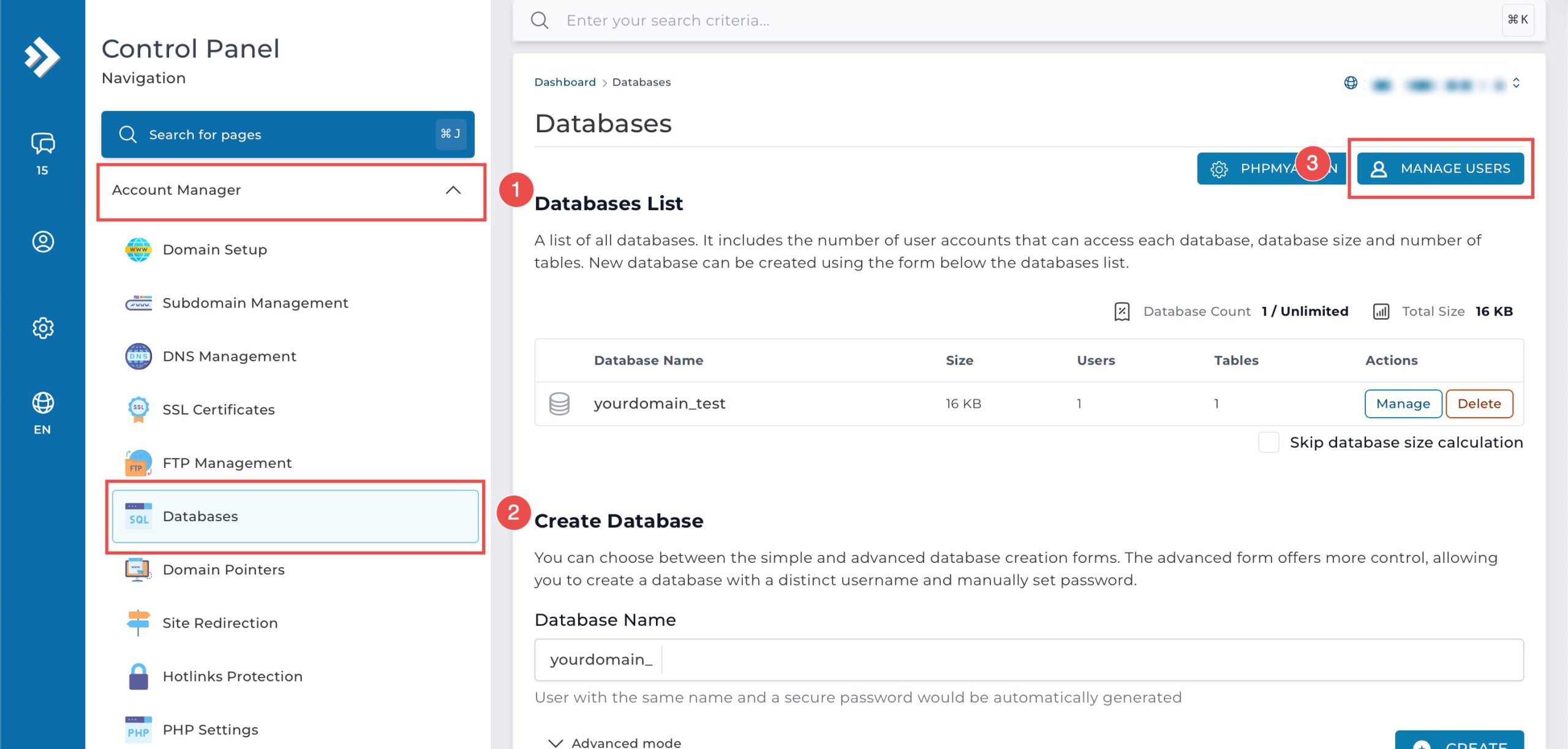
Go to the Account Manager section and click on Databases. You will see the list of databases available in the domain. On the top right, click Manage Users to see the list of existing database users.
Step 3: Delete User
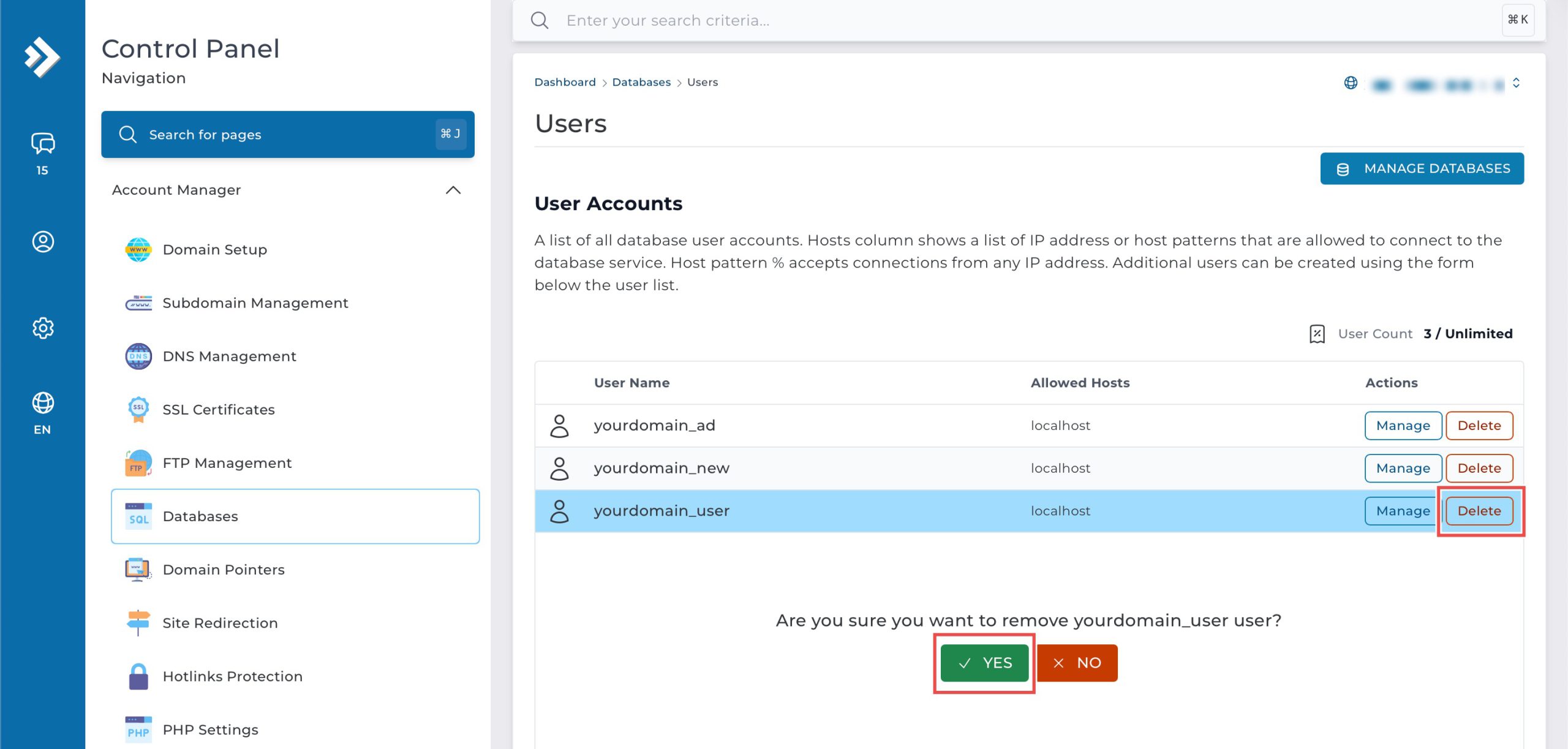
Locate the user you wish to delete and click Delete on the right of the row. Then, click Yes to confirm the action.
Step 4: Verify the Changes
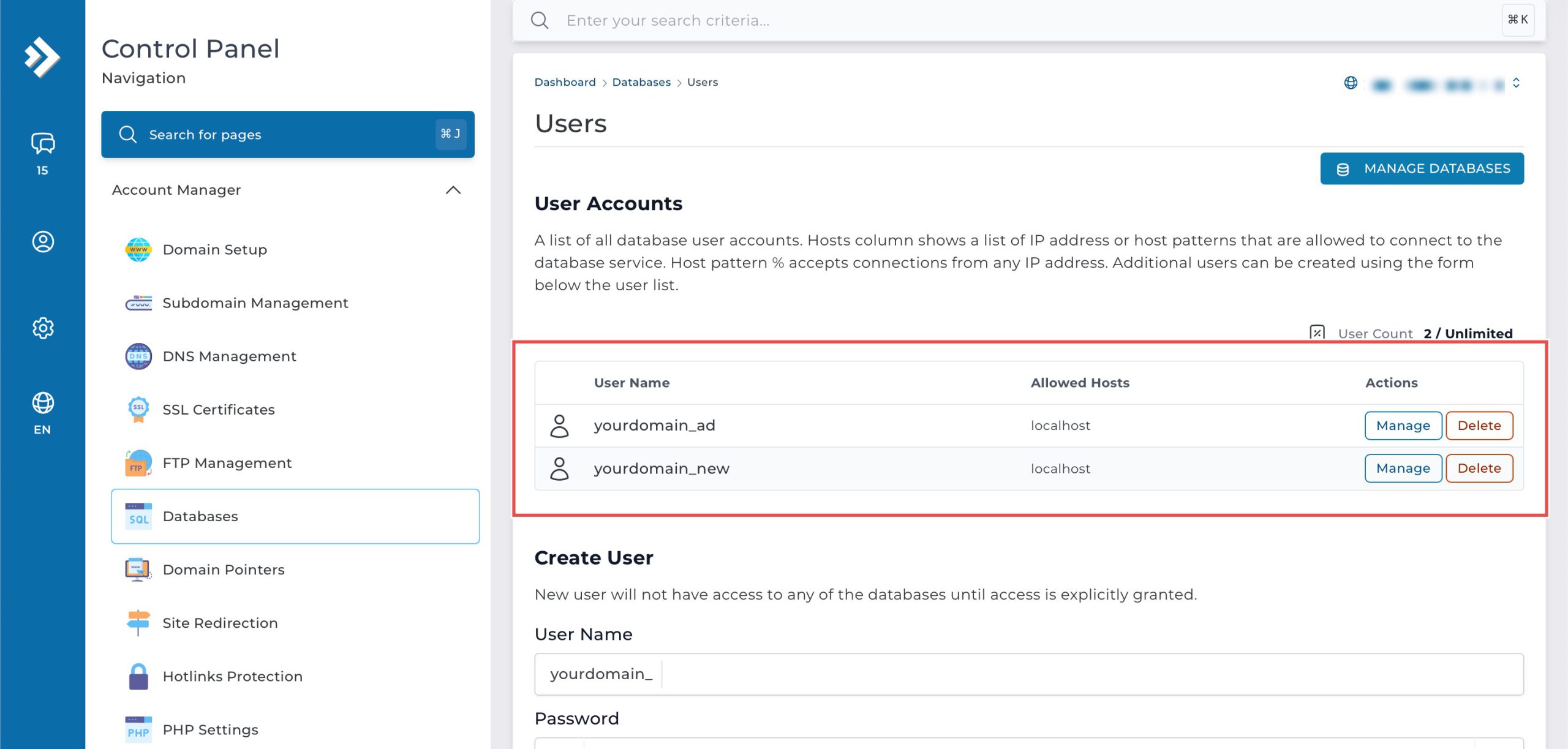
You can verify the user deletion in the updated list of User Accounts.
Conclusion
Deleting database users through DirectAdmin’s MySQL Management interface is a simple process that helps maintain secure database access control. Proper user management ensures that only authorized personnel have access to your databases, contributing to overall security and organized database administration.
Should you have any inquiries about the guidelines, please feel free to open a ticket through your portal account or contact us at support@ipserverone.com. We’ll be happy to assist you further.