
Search Our Database
How to Create Volume in Customer Portal
Introduction:
As a Customer Portal user, creating a dedicated persistent Volume is the foundational step necessary to support project-specific persistence and flexible deployment strategies across your cloud infrastructure. This process, executed entirely within the customer portal, ensures data integrity and scalability by preparing storage that can be repurposed for multiple resource types.
Prerequisites:
- You must have access to the customer portal.
- You must possess sufficient cloud credit/points balance.
Step-by-step Guide:
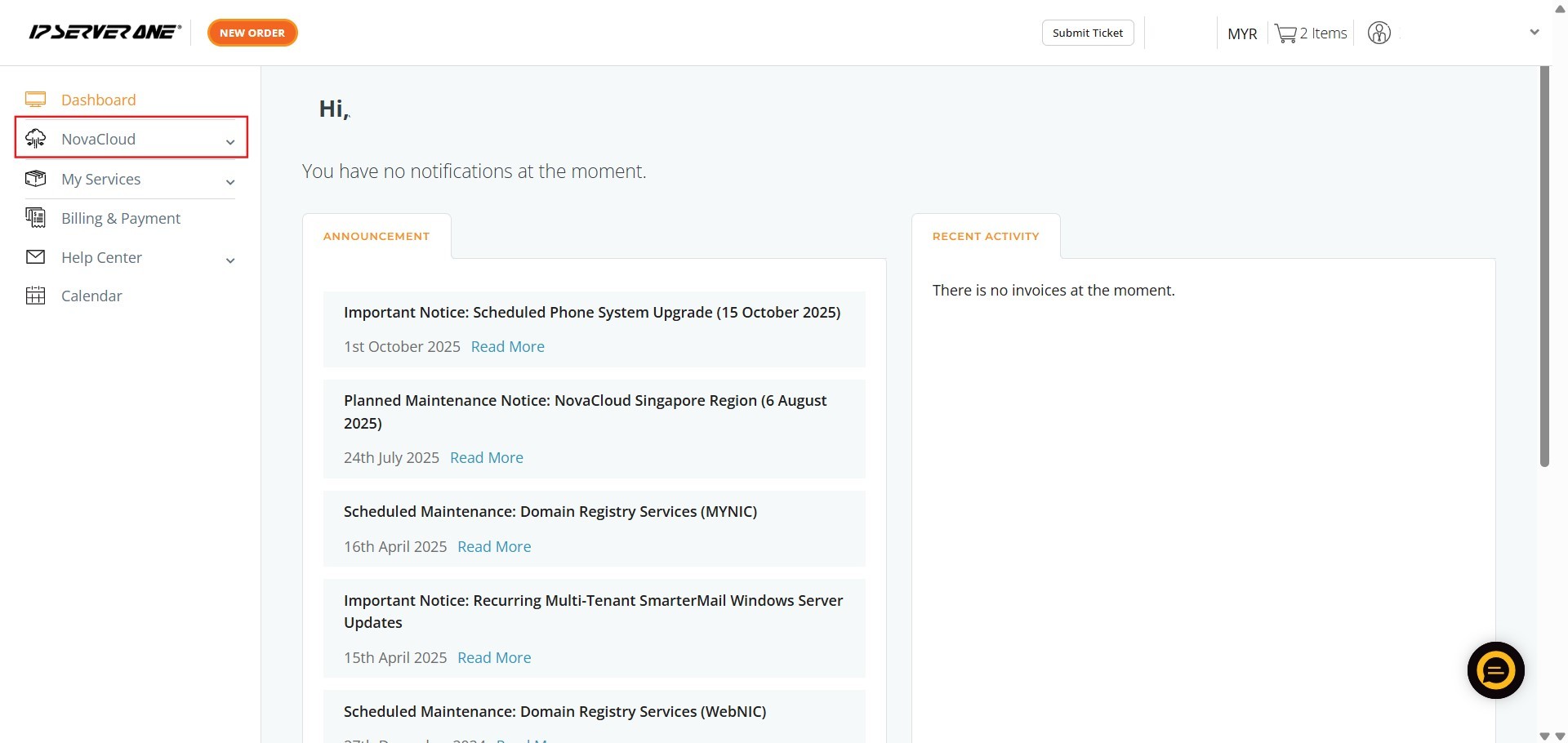
Step 1: Access NovaCloud
- On the left-hand navigation menu of the Customer Portal, click NovaCloud.
Step 2: Navigate to Volumes
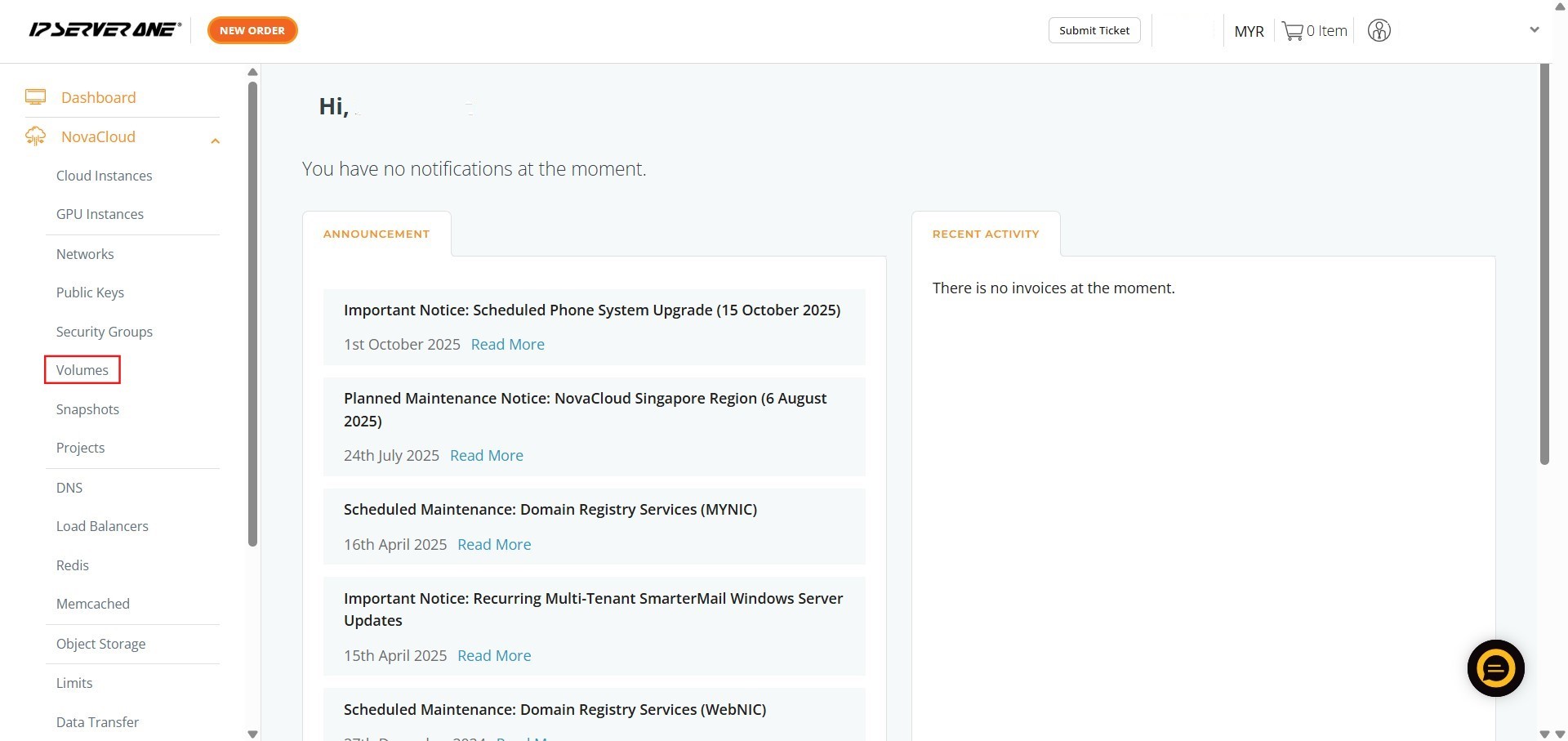
- From the expanded NovaCloud menu, click Volume.
Step 3: Initiate Volume Creation
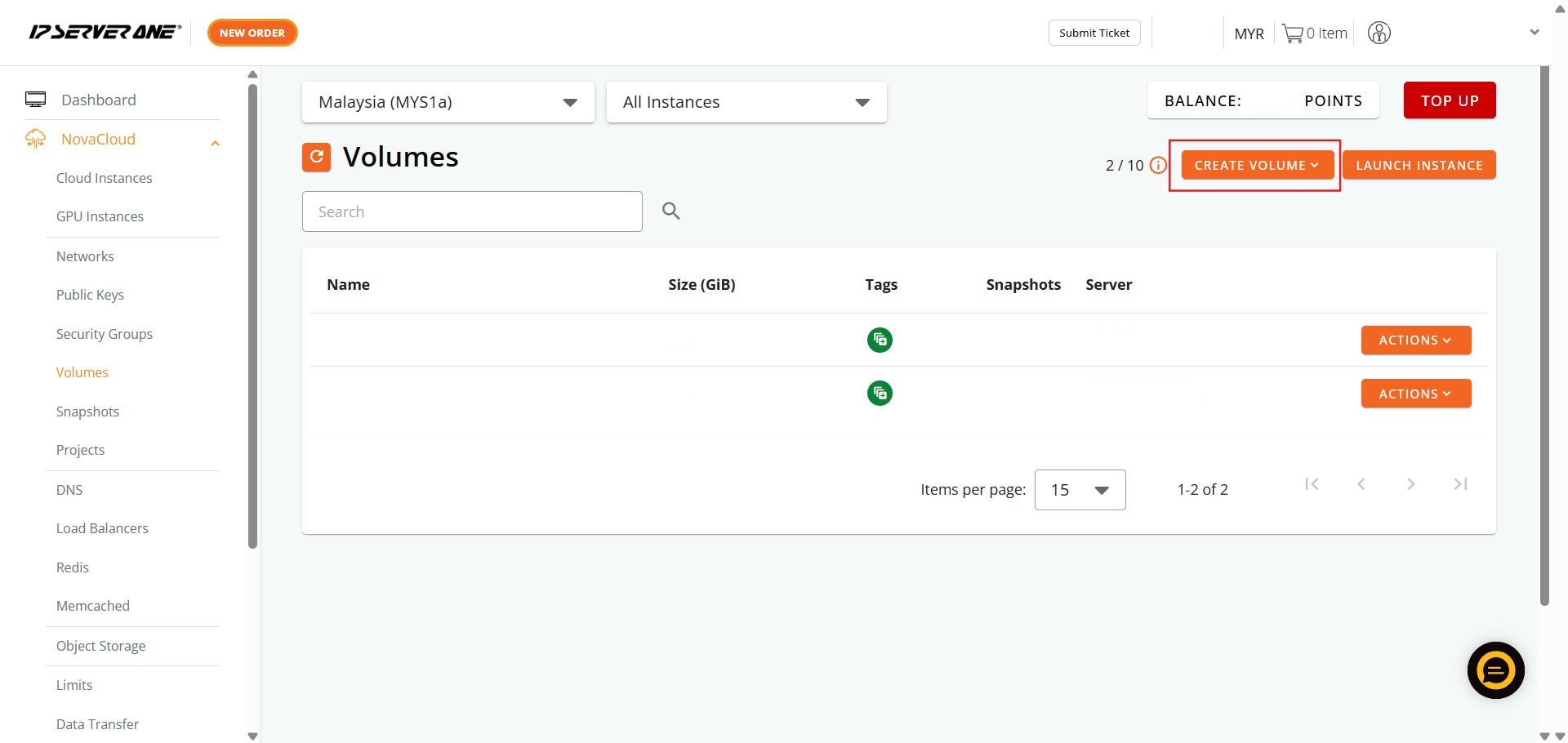
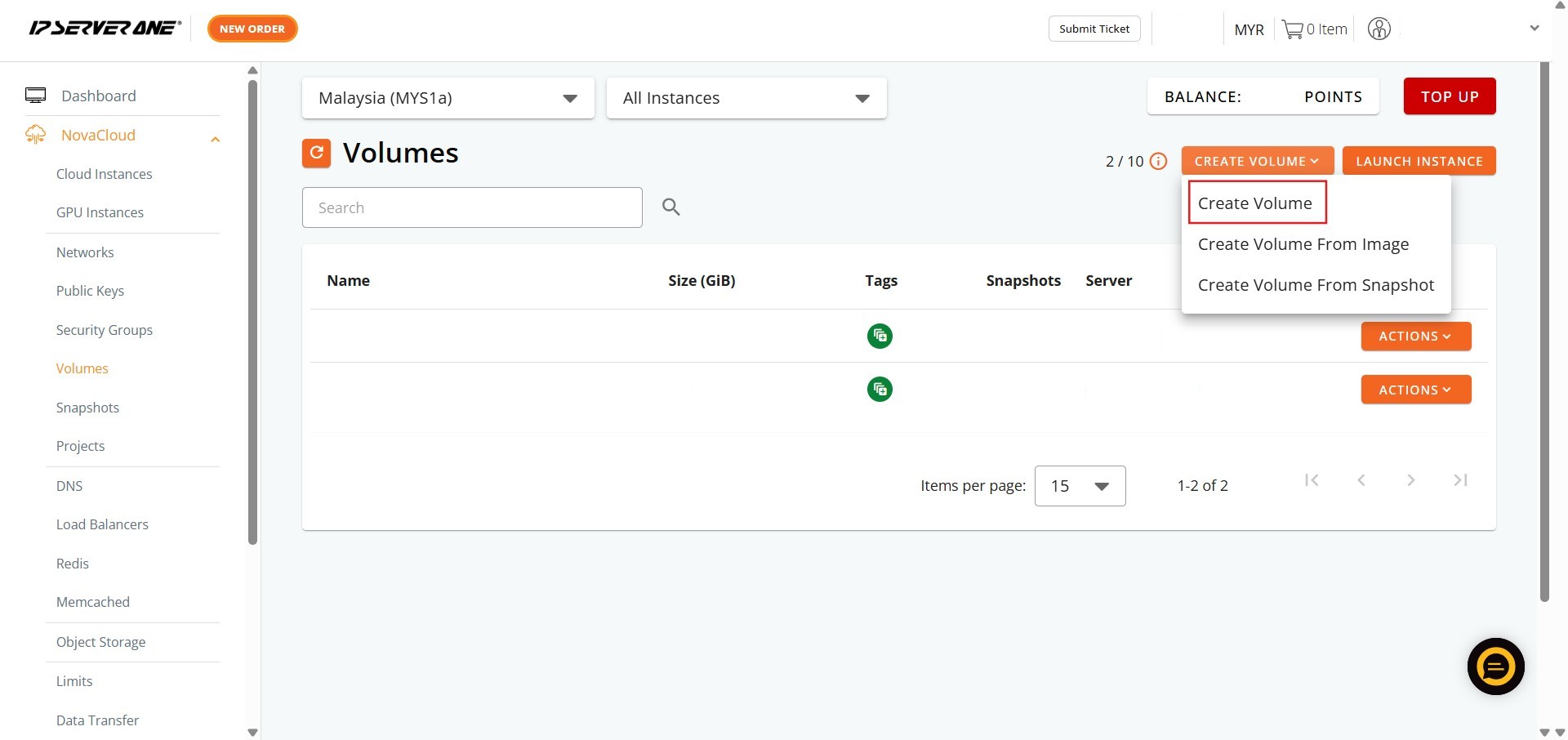
- Click the create volume button and then choose the create volume option.
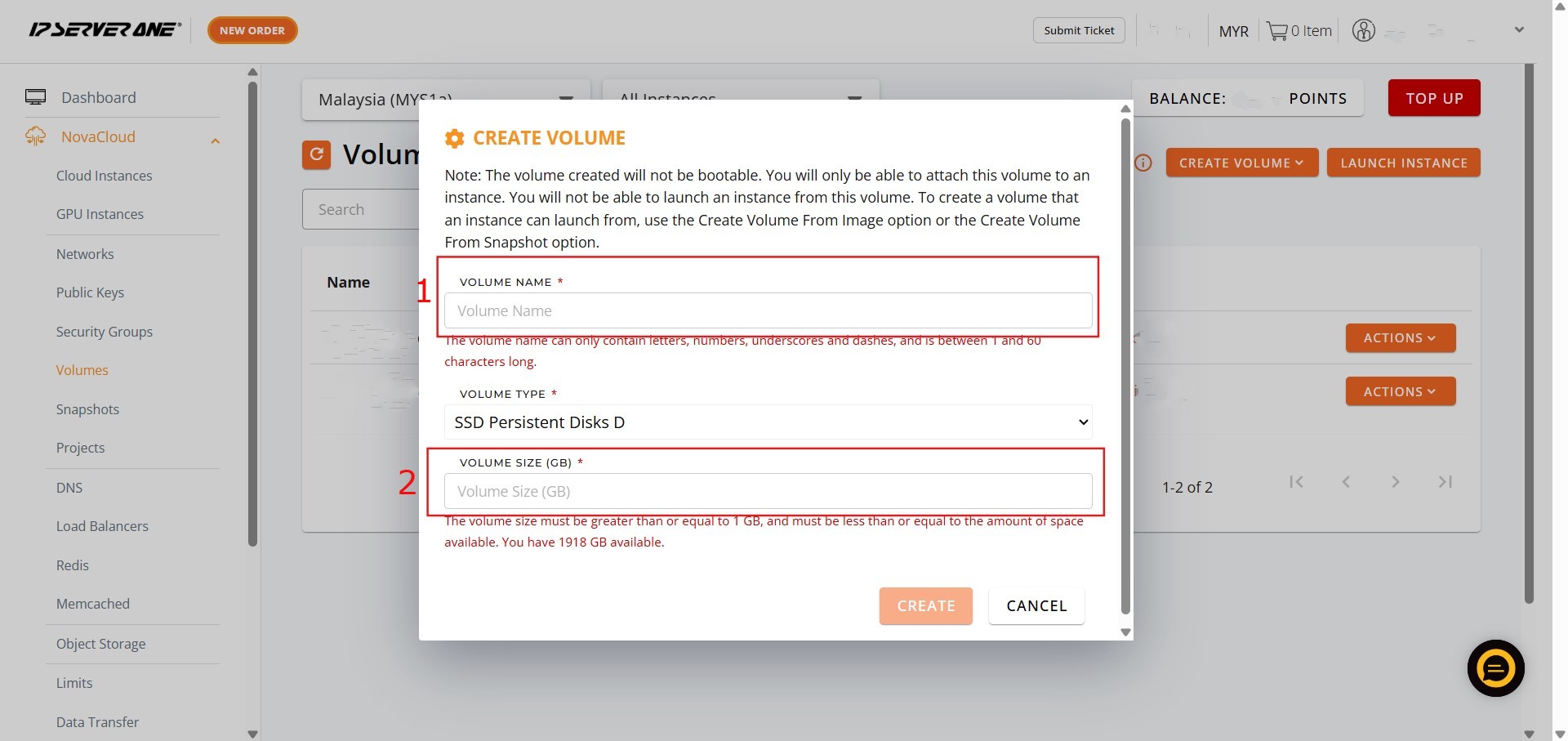
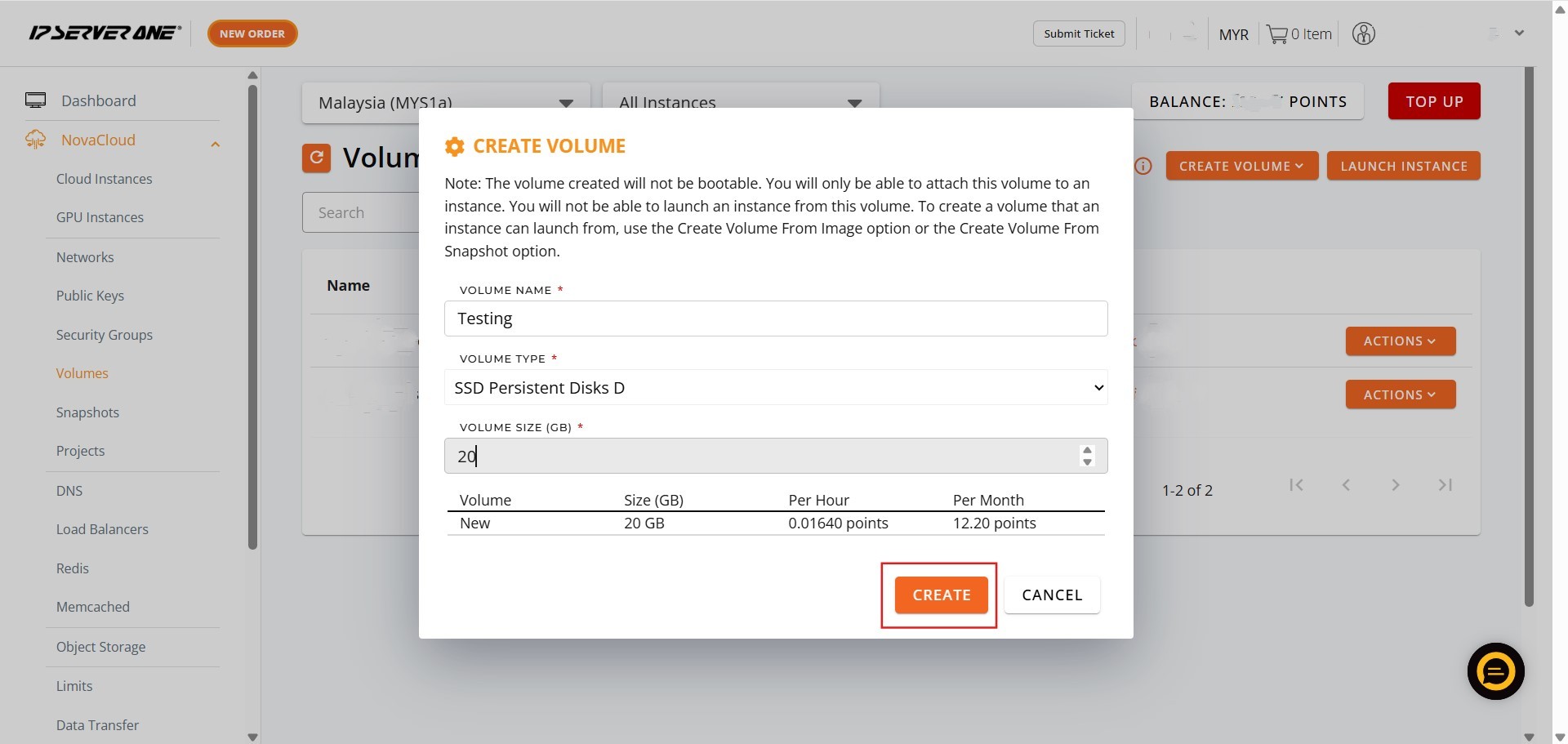
Step 4: Define Volume Properties
- Key in the desired Name and size for the volume, and subsequently click create.
Step 5: Confirm Creation
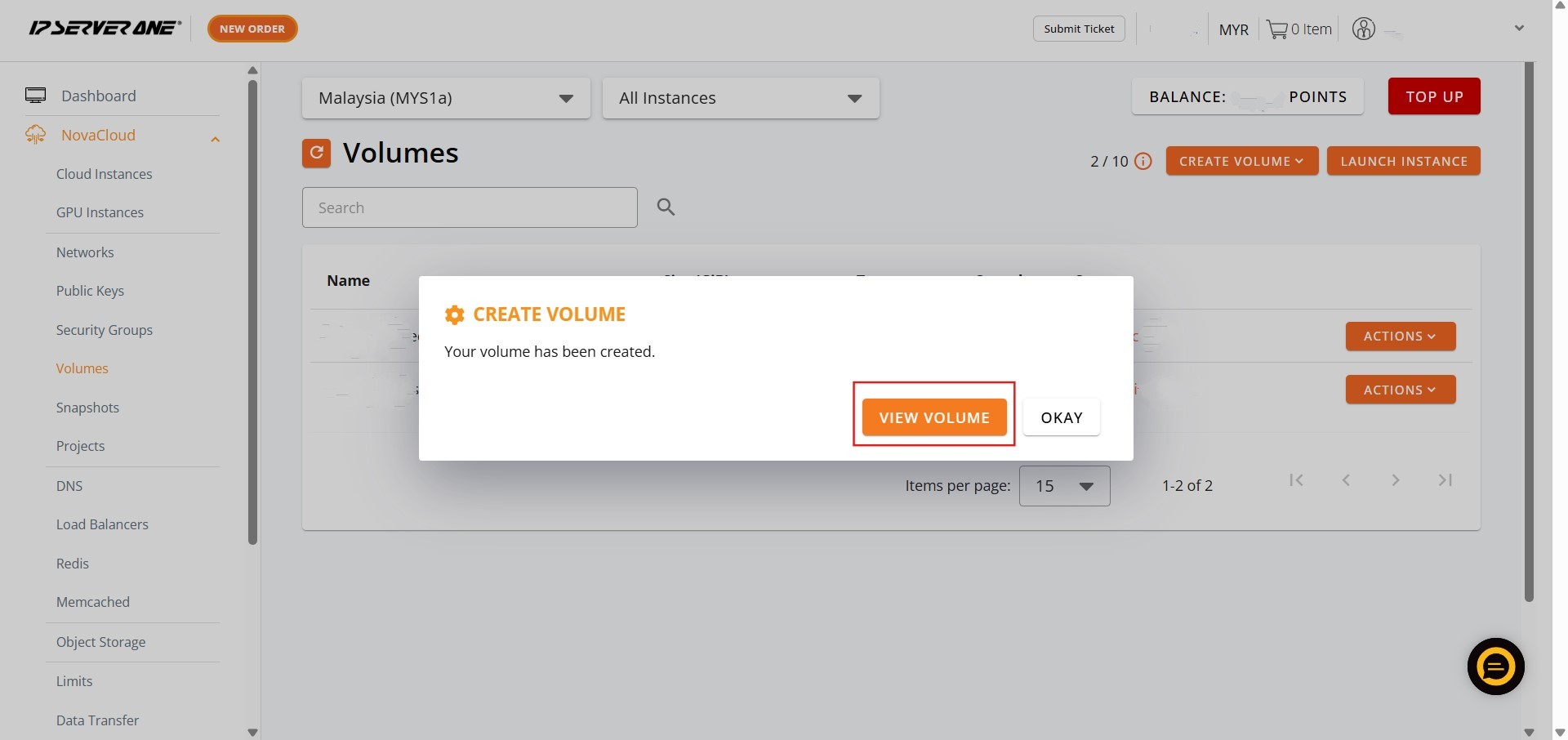
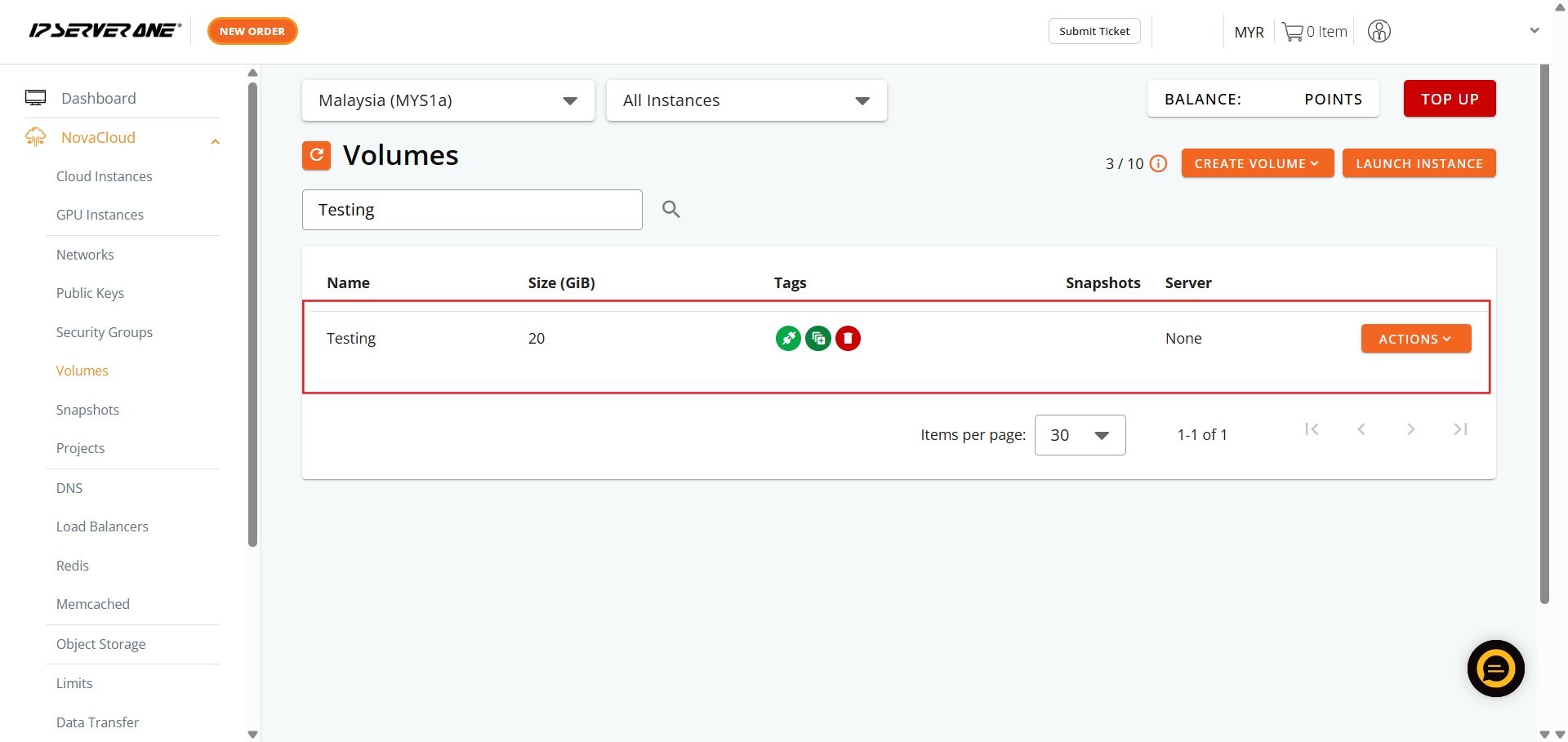
- Click view volume to confirm that the resource has been successfully provisioned.
Step 6: Completion
- The volume creation process is complete.
Conclusion:
You have successfully created a persistent Volume within the Customer Portal by navigating to NovaCloud and defining the required Name and size. This critical step establishes the foundation for your cloud storage needs.
This volume is now ready to be utilized as a source for launching various compute resources, offering flexibility for both general computing and specialized workloads. These resources include deploying Cloud Instances (NovaCloud), which is described as affordable, reliable, highly secure cloud computing for everyone, as well as specialized GPU Instances (NovaGPU), which provides GPU as a Service for training, fine-tuning, and deploying AI.
Should you encounter any issues during the subsequent deployment phases or have further questions regarding volume configuration or resource launching, our support team is always here to assist you. Don’t hesitate to reach out to us at support@ipserverone.com.