
Search Our Database
How to Create Online Meetings from Google Calendar App
Introduction:
For professionals managing collaborative schedules on mobile devices, the Google Calendar App provides an efficient platform for establishing virtual workspaces regardless of location. By converting standard calendar entries into online meetings, users can ensure that team milestones are supported by a secure and centralized link, allowing for seamless transitions between independent tasks and group collaboration.
The sources indicate that the application facilitates this integration by allowing users to embed a Google meeting URL directly into an event’s architecture. To initiate this professional workflow, a user must identify a specific preference date and assign a descriptive meeting name to ensure the entry is easily identifiable by all stakeholders. The process is finalized as a success once the meeting details are saved, mirroring the administrative precision found in the web-based version of the platform.
Prerequisites:
- Access to the Google Calendar app interface through a browser, ensuring you are logged into the appropriate account.
- A chosen preference date identified on the calendar grid where the meeting will be hosted.
- A designated meeting name to provide a clear title for the calendar entry.
Step-by-step Guide:
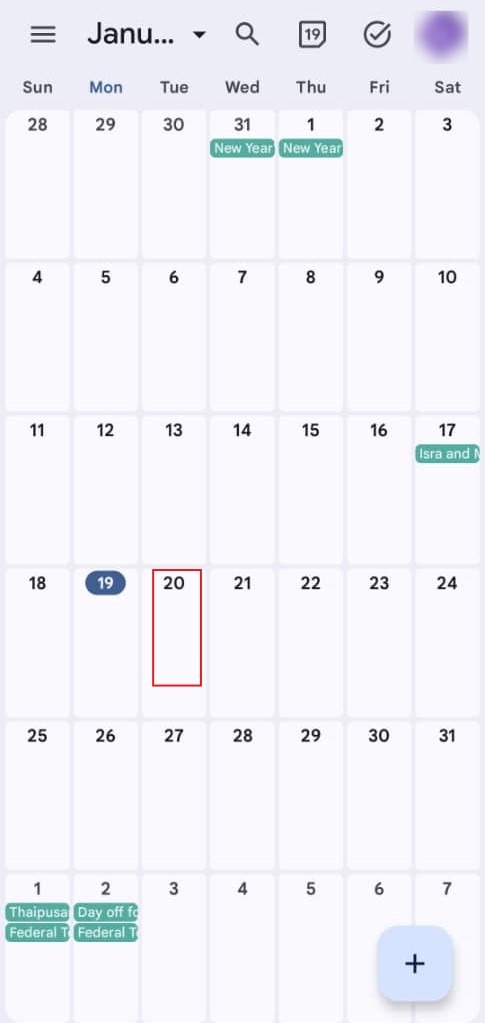
Step 1: Select Date
- Navigate to the calendar grid and click on the preference date for your session.
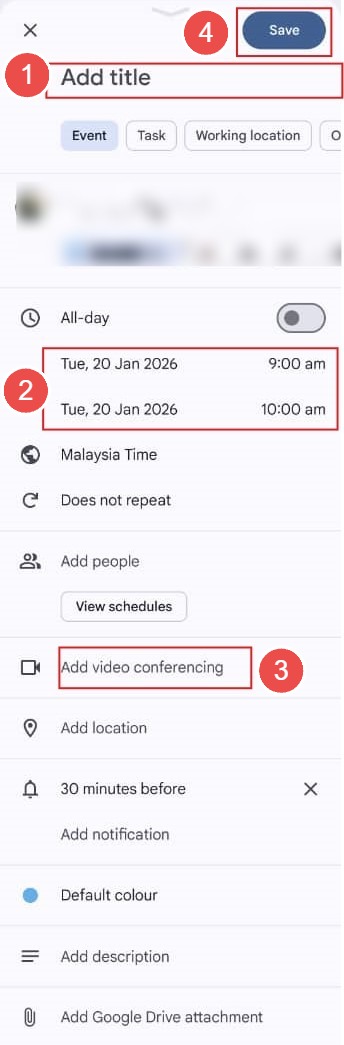
Step 2: Identify Event
- In the event creation window, key in a descriptive meeting name to ensure clarity for all stakeholders.
- Manually add the Google meeting URL to the event architecture to provide a secure entry point.
- Review the details and click save to finalize the calendar appointment.
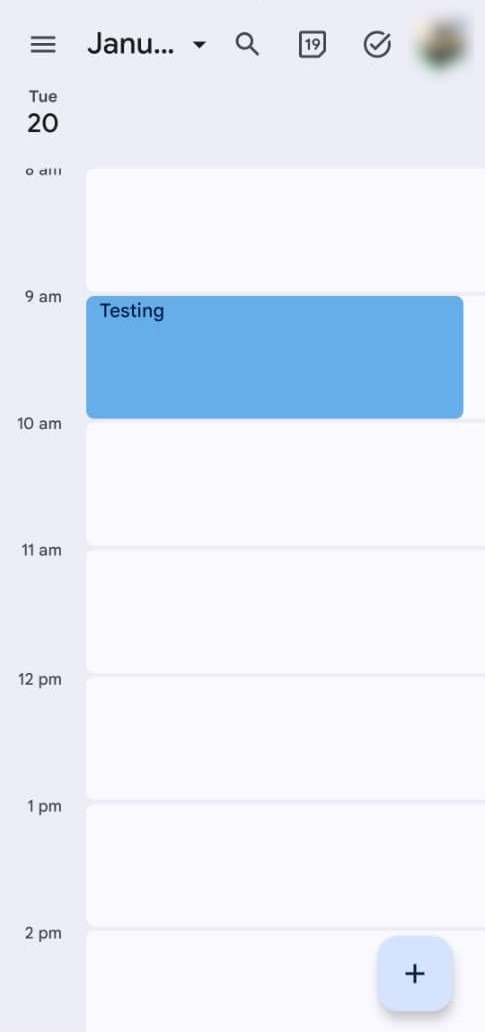
Step 3: Confirmation
- The meeting is successfully created once it is visible on your mobile calendar grid with the attached link.
Conclusion:
In conclusion, the ability to create online meetings through the Google Calendar web interface is a fundamental skill for fostering seamless virtual collaboration and ensuring all attendees have access to a centralized link. The process reaches a successful conclusion when the event details—including a specific meeting name and the Google meeting URL—are finalized and saved to your preference date.