
Search Our Database
How to Create One-Time Login URL in DirectAdmin (Evolution Skin)
Introduction
A One-Time Login Key in DirectAdmin provides a highly secure, single-use URL for accessing your control panel. Unlike standard login keys designed for repeated API access, the one-time key is a temporary, secure token that expires immediately after one successful login or upon reaching its configured expiration date. This feature is ideal for granting limited, secure access to support personnel or third-party integrators without ever sharing your primary password. This guide explains how to generate this secure, self-destructing login link using the Advanced Features > Login Keys section in DirectAdmin.
Prerequisites
- Access to DirectAdmin control panel with the necessary permissions.
Step-by-step Guide
Step 1: Access DirectAdmin
Log in to your DirectAdmin control panel.

Step 2: Access Login Keys
Go to the Advanced Features section and click on Login Keys. You will see the list of login keys that have been created.

Step 3: Create Login Key
Click Create URL on the top right.

Fill in the form:
-
Key Expiry: Optional expiration date.
-
Redirect URL: Optional destination URL after the user logs in with the key.
-
Allow from IP: Optional — restrict access by IP.
- Current Password field (required when creating the Login Key)
Then, click Create at the bottom right.

Step 4: Record the Login URL
A window with the full secure URL will pop up. Copy and save this immediately. This link is valid for only one successful login or until it expires, whichever comes first.

Step 5: Using the Login Key
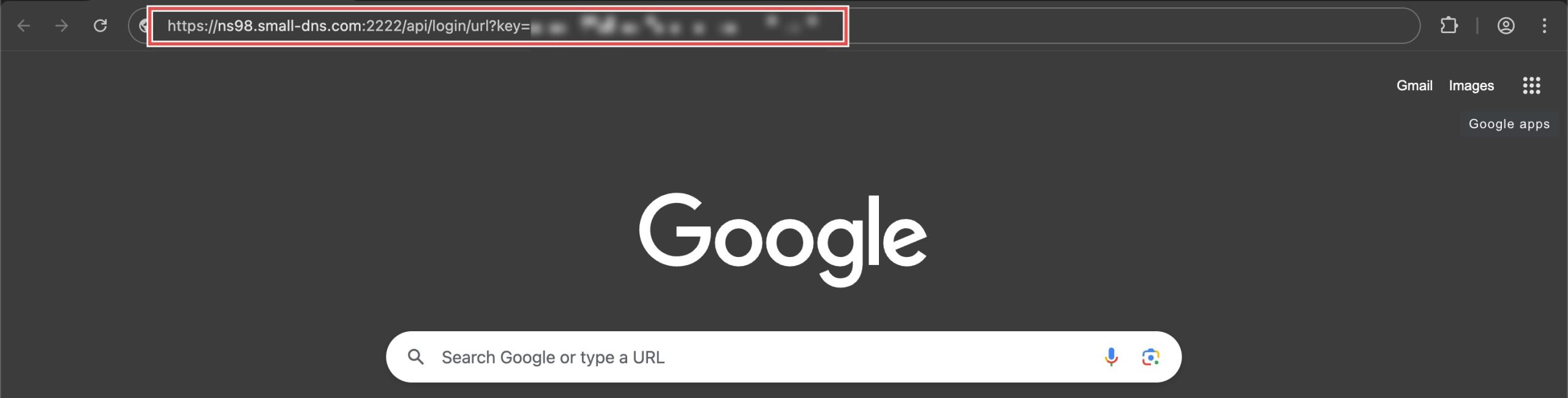
To use the key, paste the login URL onto your browser and Enter. You should be directed to your DirectAdmin dashboard or the redirection URL.
Conclusion
Creating a One-Time Login Key offers a highly secure and temporary way to grant access to your DirectAdmin account. By generating a unique, single-use login URL, you can safely give access to support or controlled third-party users while ensuring the link immediately stops working after it is used once.
Should you have any inquiries about the guidelines, please feel free to open a ticket through your portal account or contact us at support@ipserverone.com. We’ll be happy to assist you further.