
Search Our Database
How to Create Login Keys in DirectAdmin (Enhanced Skin)
Introduction
Login keys provide secure, token-based authentication for DirectAdmin, enabling automated scripts, API integrations, and third-party applications to access your control panel without exposing your primary password. These keys can be configured with specific permissions, IP restrictions, and expiration dates, offering granular security control for automated tasks and integrations. DirectAdmin’s Login Keys feature allows you to create multiple keys with different permission levels for various purposes. This guide explains how to create login keys using the Advanced Features > Login Keys section in DirectAdmin.
Prerequisites
- Access to DirectAdmin control panel with the necessary permissions.
Step-by-step Guide
Step 1: Access DirectAdmin
Log in to your DirectAdmin control panel.

Step 2: Access Login Keys
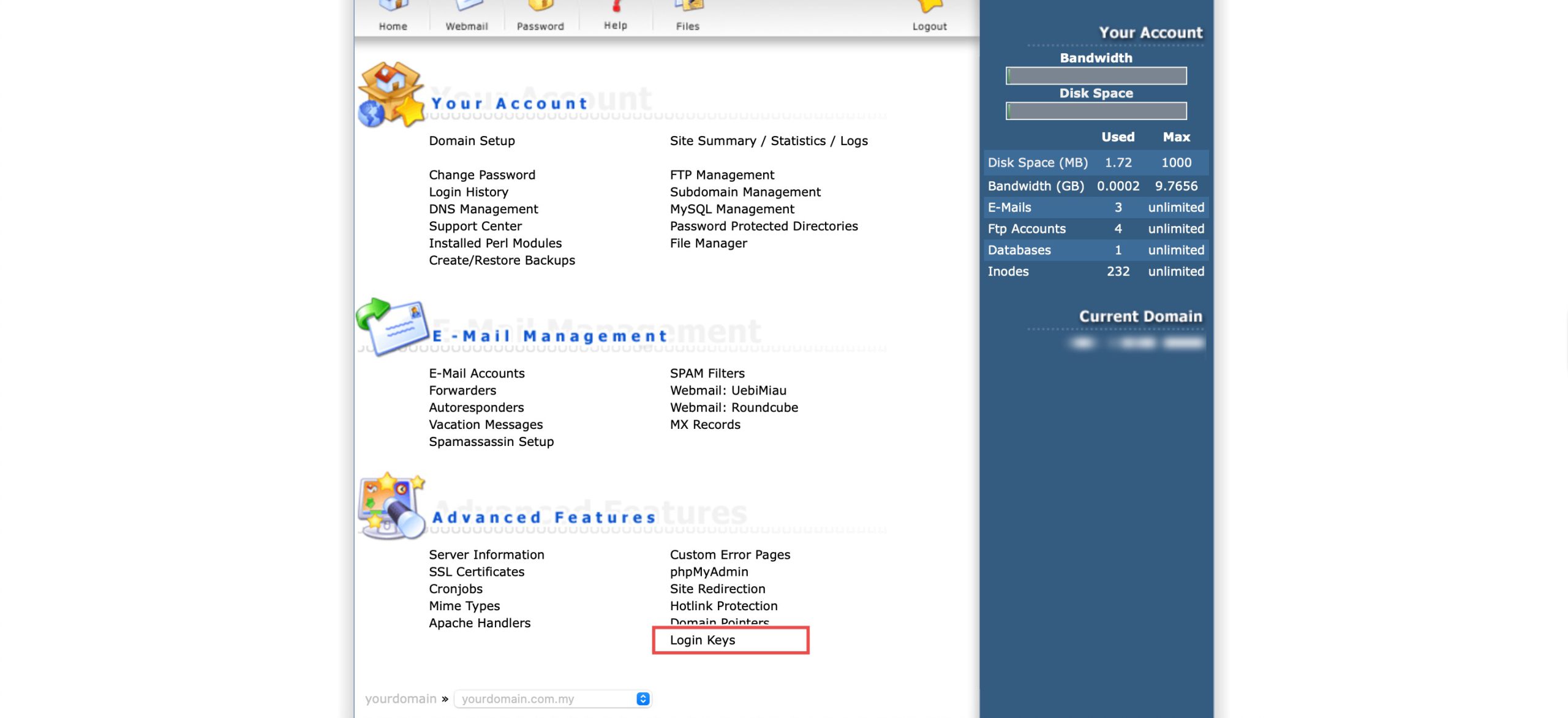
Go to the Advanced Features section and click on Login Keys. You will see the list of login keys that have been created.
Step 3: Create Login Key
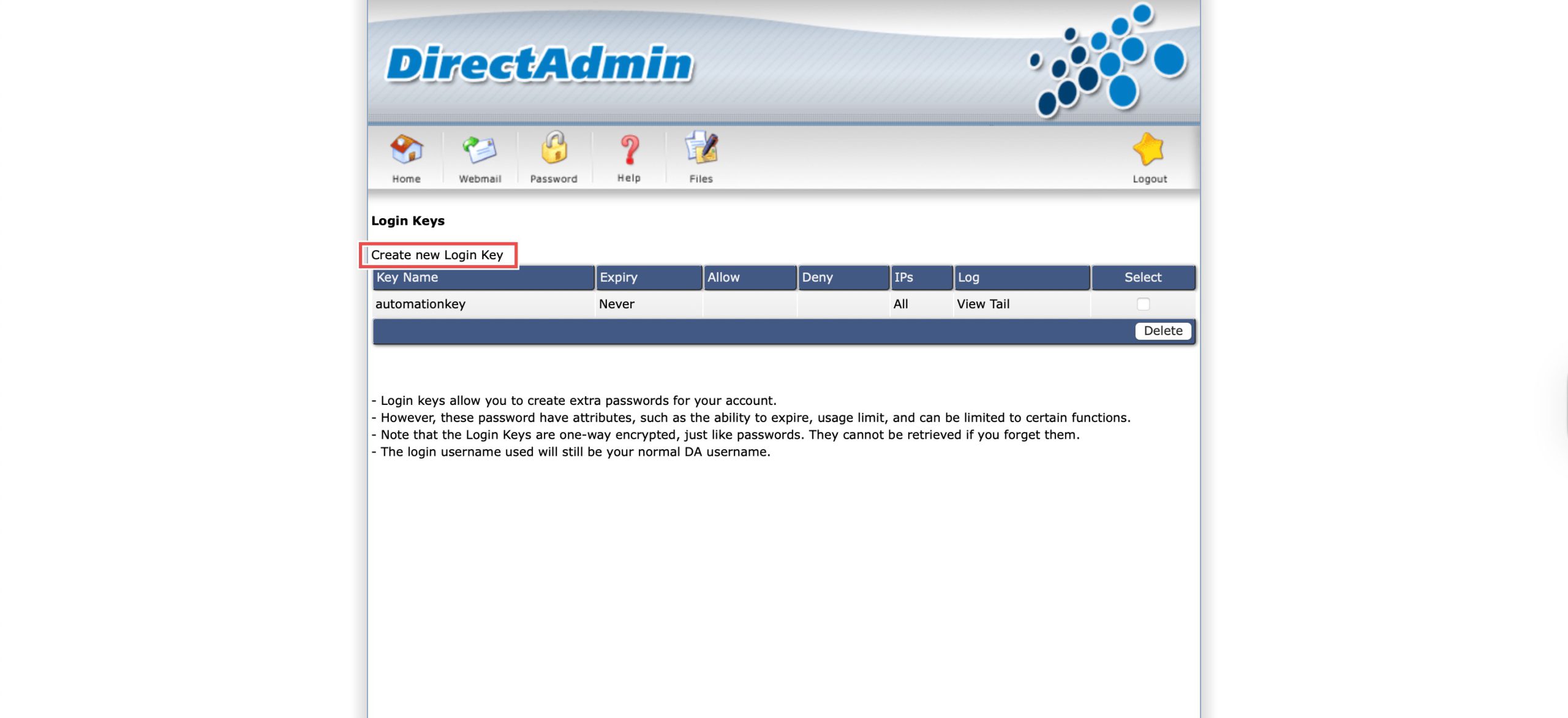
Click Create new Login Key above the table.
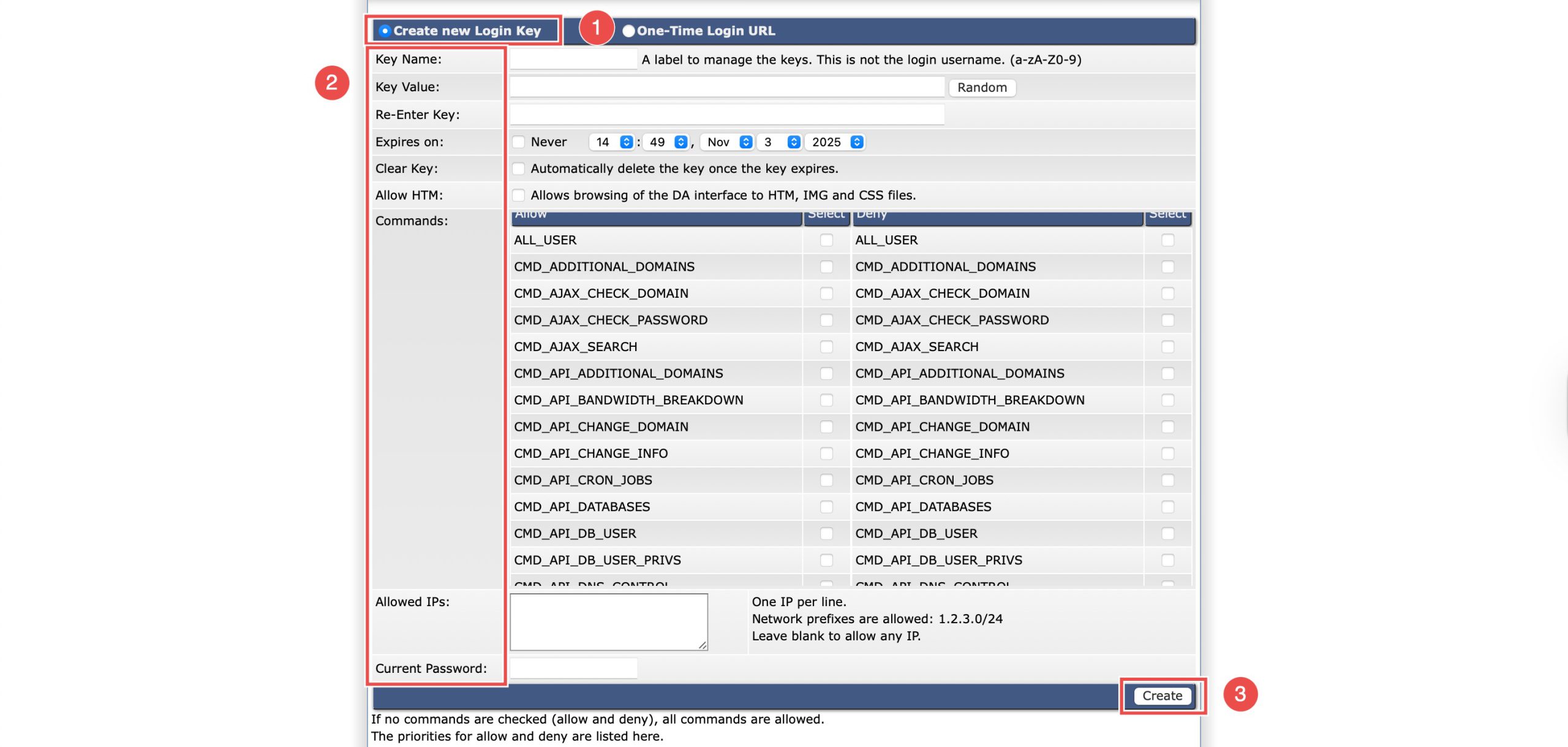
Select Create new Login Key and fill in the form:
-
Key Name: A unique name (e.g., automationkey).
-
Key Value: Can be auto-generated.
-
Key Expiry: Optional expiration date.
-
Allow from IP: Optional — restrict access by IP.
-
Select Commands: Choose allowed commands or API permissions.
- Current Password field (required when creating the Login Key)
Then, click Create at the bottom right.
Step 4: Save the Key
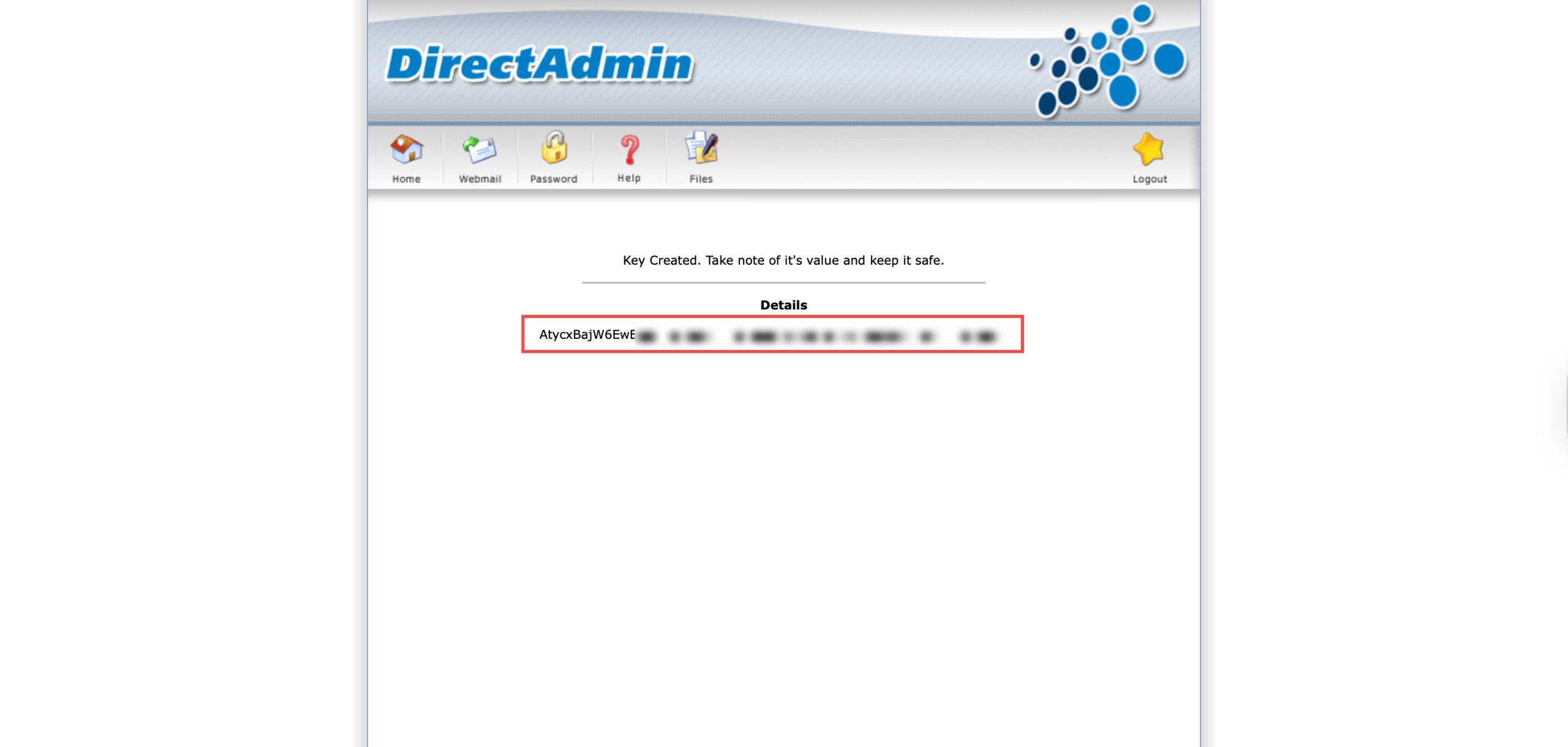
A new page will display the Key Value in the Details section. Copy and save this Key Value immediately. For security, this value is only displayed once and cannot be retrieved if lost.
Step 5: Verify the Login Key
To test the key, you need to use a specially formatted that includes your DirectAdmin URL, DirectAdmin username and key value:
https://<yourdomain.com>:2222/CMD_LOGIN?username=<YOUR_DA_USERNAME>&password=<KEY_VALUE>
You should be directed to your DirectAdmin dashboard.
Conclusion
Creating login keys through DirectAdmin’s Login Keys interface enables secure, token-based authentication for automated access and API integrations. By configuring appropriate permissions and restrictions, you maintain security while enabling efficient automation and third-party integrations without exposing your primary account credentials.
Should you have any inquiries about the guidelines, please feel free to open a ticket through your portal account or contact us at support@ipserverone.com. We’ll be happy to assist you further.