
Search Our Database
How to Change Date Format from MM/DD/YY (US Style) to DD/MM/YY (UK Style) in Gmail Web
Introduction:
Adjusting the chronological layout in Gmail Web is a key administrative task for users who need to transition between regional standards for record-keeping and communication. The sources indicate that the date format displayed across the platform is fundamentally determined by the Gmail display language setting.
The two regional styles are defined as follows:
- UK Style: This format follows the DD/MM/YY structure (Day/Month/Year), which is activated when the display language is set to English (UK).
- US Style: This format follows the MM/DD/YY structure (Month/Day/Year), which is standard for users who select English (US) as their primary display language.
To successfully transition from the US to the UK standard, you must access the comprehensive settings dashboard to modify your regional language preference.
Prerequisites:
- You must have active access to the Gmail Web interface via a desktop or laptop browser.
- You must be logged into the specific Google account that requires the formatting adjustment.
- You must have the ability to access the “See all settings” menu.
- To achieve the DD/MM/YY format, you must be prepared to change your display language from English (US) to English (UK).
Step-by-step Guide:
Step 1: Access Settings
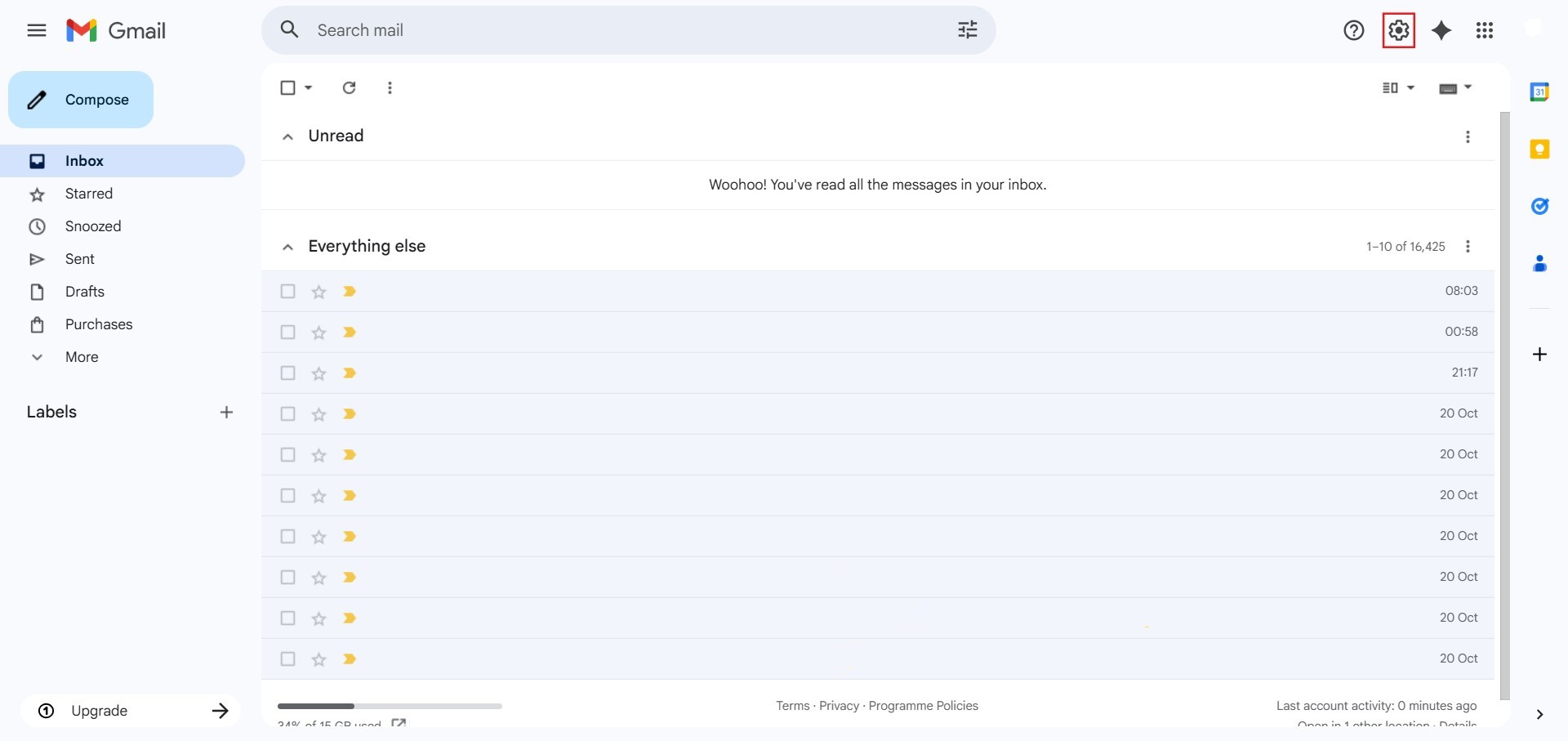
- The initial action required is to Click setting.
Step 2: Navigate to All Settings
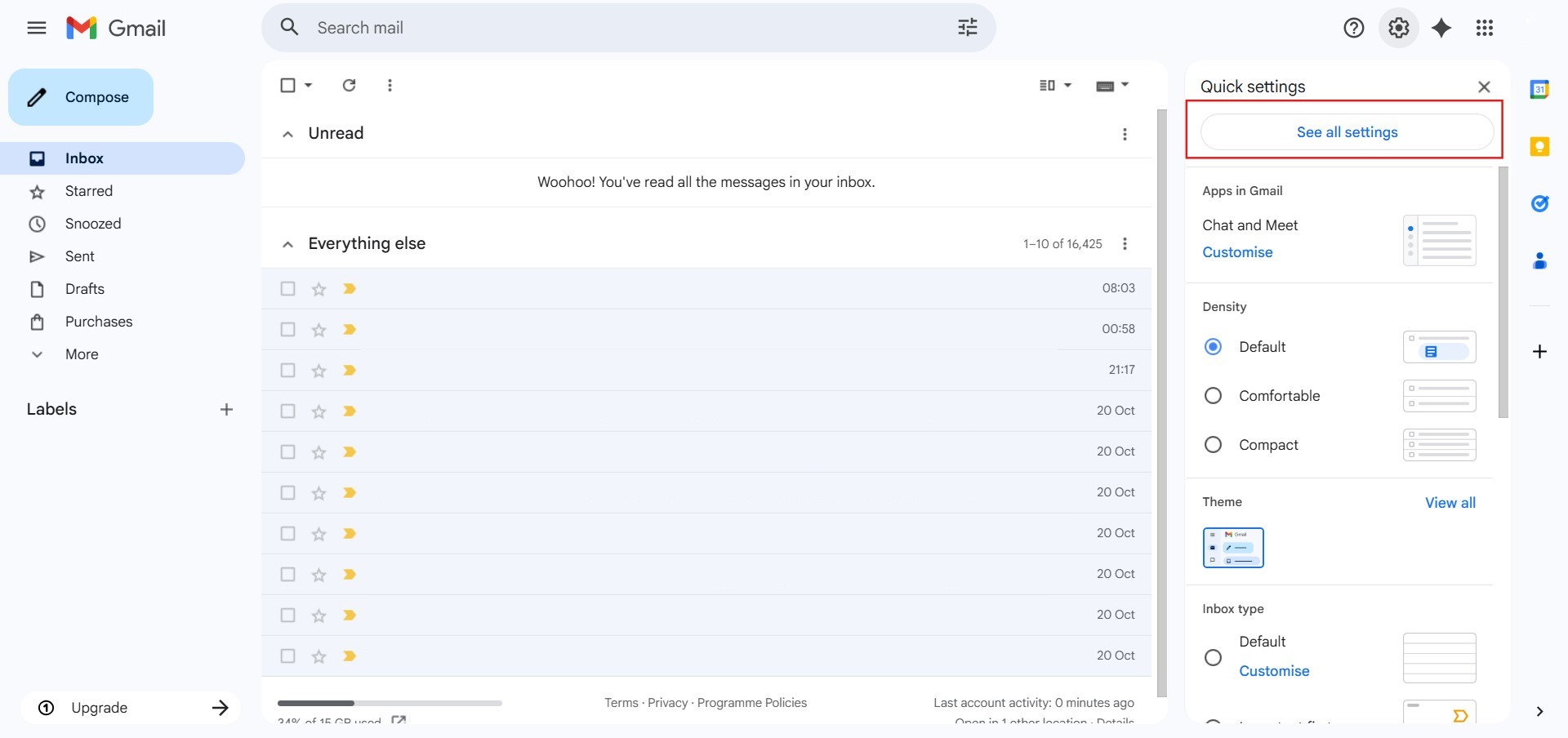
- After clicking “setting,” proceed to select See all Settings.
Step 3: Locate Language
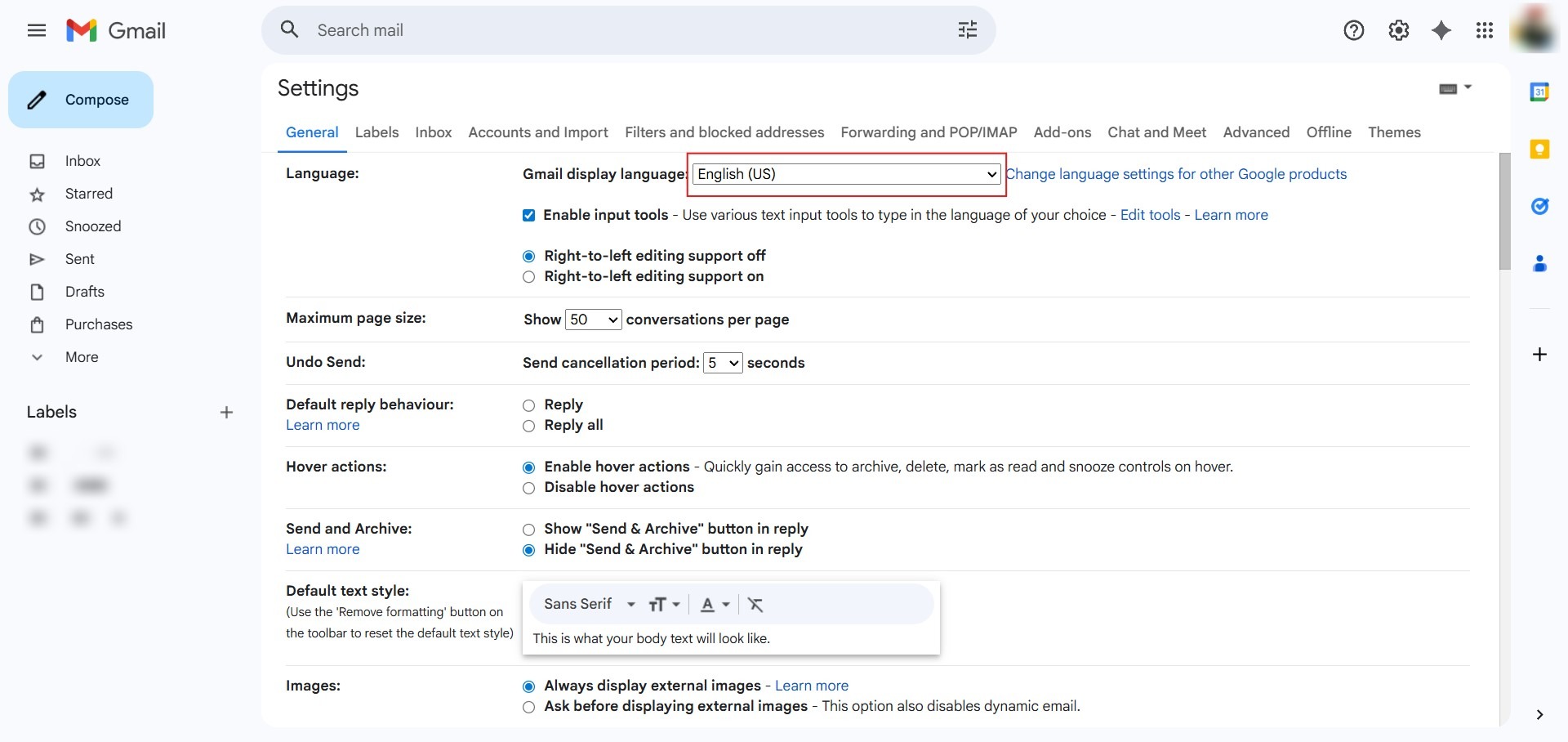
- Under the “General” tab, find the “Language” section at the top of the list.
Step 4: Access Dropdown
- Click the dropdown menu next to “Gmail display language” (which should currently be set to English (US)).
Step 5: Select UK Style
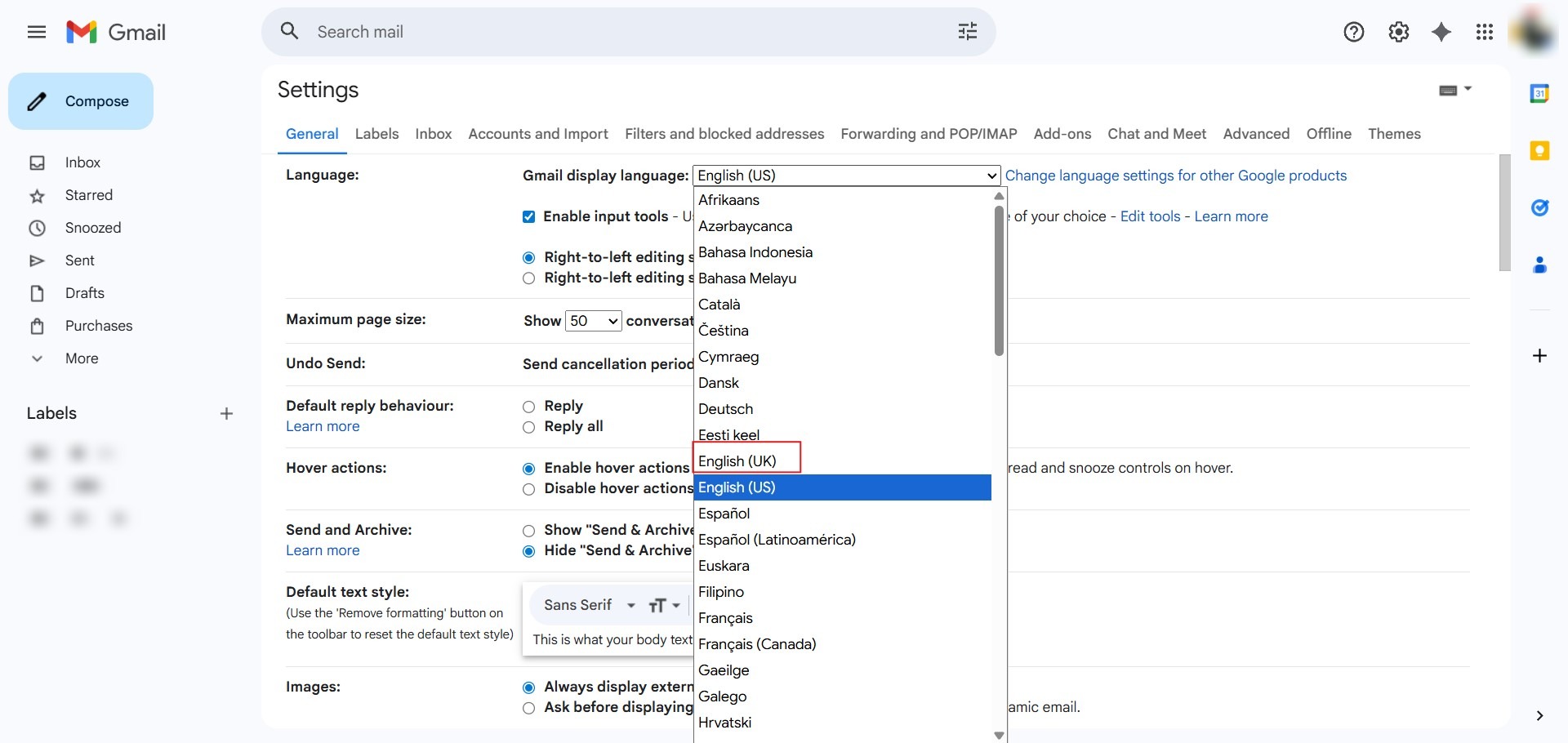
- From the list of available languages, select “English (UK)” to trigger the DD/MM/YY date architecture.
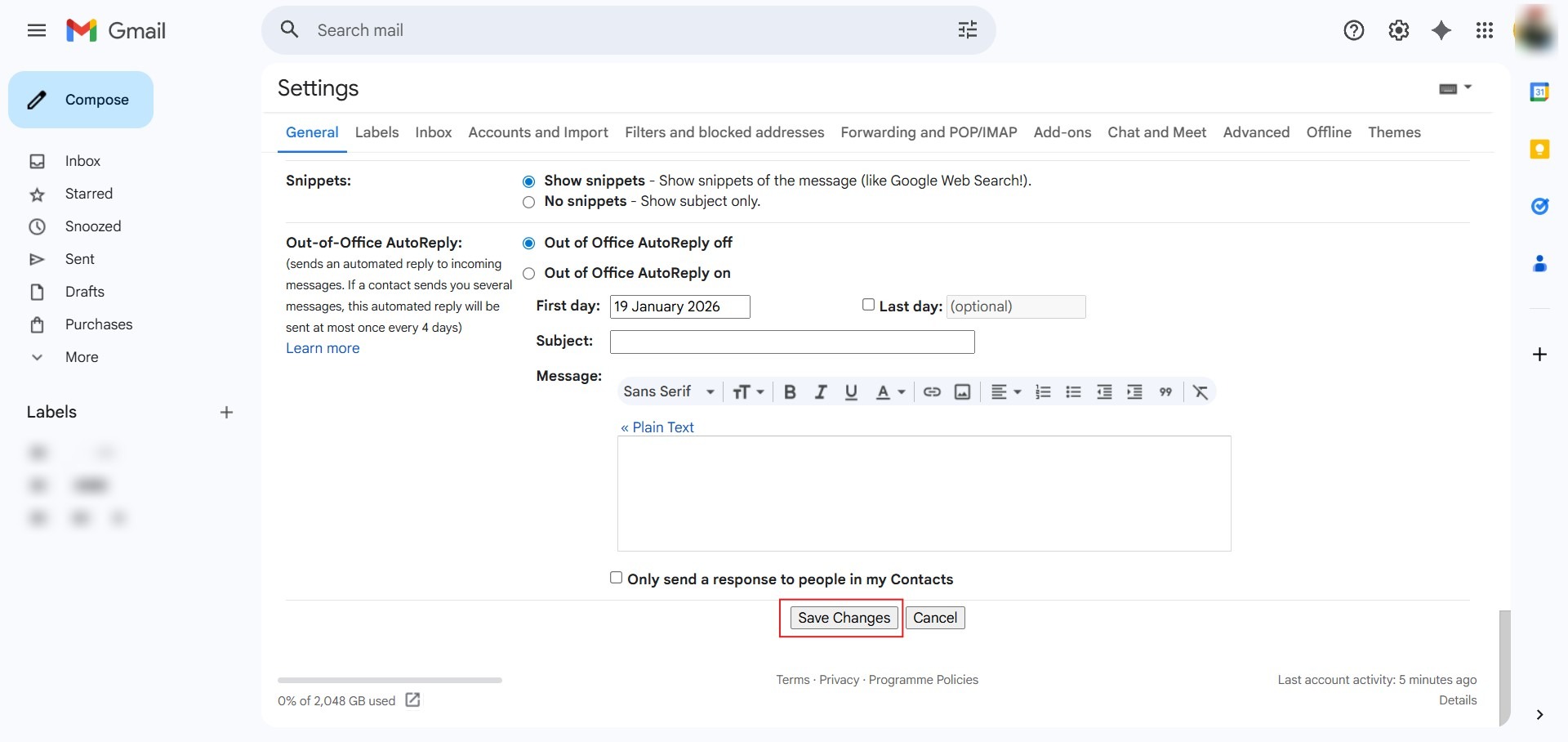
Step 6: Commit Changes
- Scroll to the bottom of the settings page and click “Save Changes”.
Conclusion:
In conclusion, reconfiguring the date display from the US style (MM/DD/YY) to the UK style (DD/MM/YY) is a core regional adjustment managed through the Gmail display language settings. The process reaches a success state once the user selects English (UK) and clicks “Save Changes”, which triggers a system refresh to update the chronological architecture of the inbox.