
Search Our Database
How to Automatically Move Emails to Inbox Folder using Global Email Filters in cPanel
Introduction
This Knowledge Base article provides a concise, step-by-step guide on How to Automatically Move Emails to the Inbox Folder using Global Email Filters in cPanel. Global Email Filters apply to all email accounts under your cPanel, making them ideal for creating consistent rules across your domain. While emails typically arrive in the Inbox by default, this global filter is useful when you want to override other filters or ensure specific messages from trusted senders always reach the Inbox for all your email accounts.
Prerequisite
- Access to your cPanel login page.
- An active email account in your cPanel.
Step-by-Step Guide
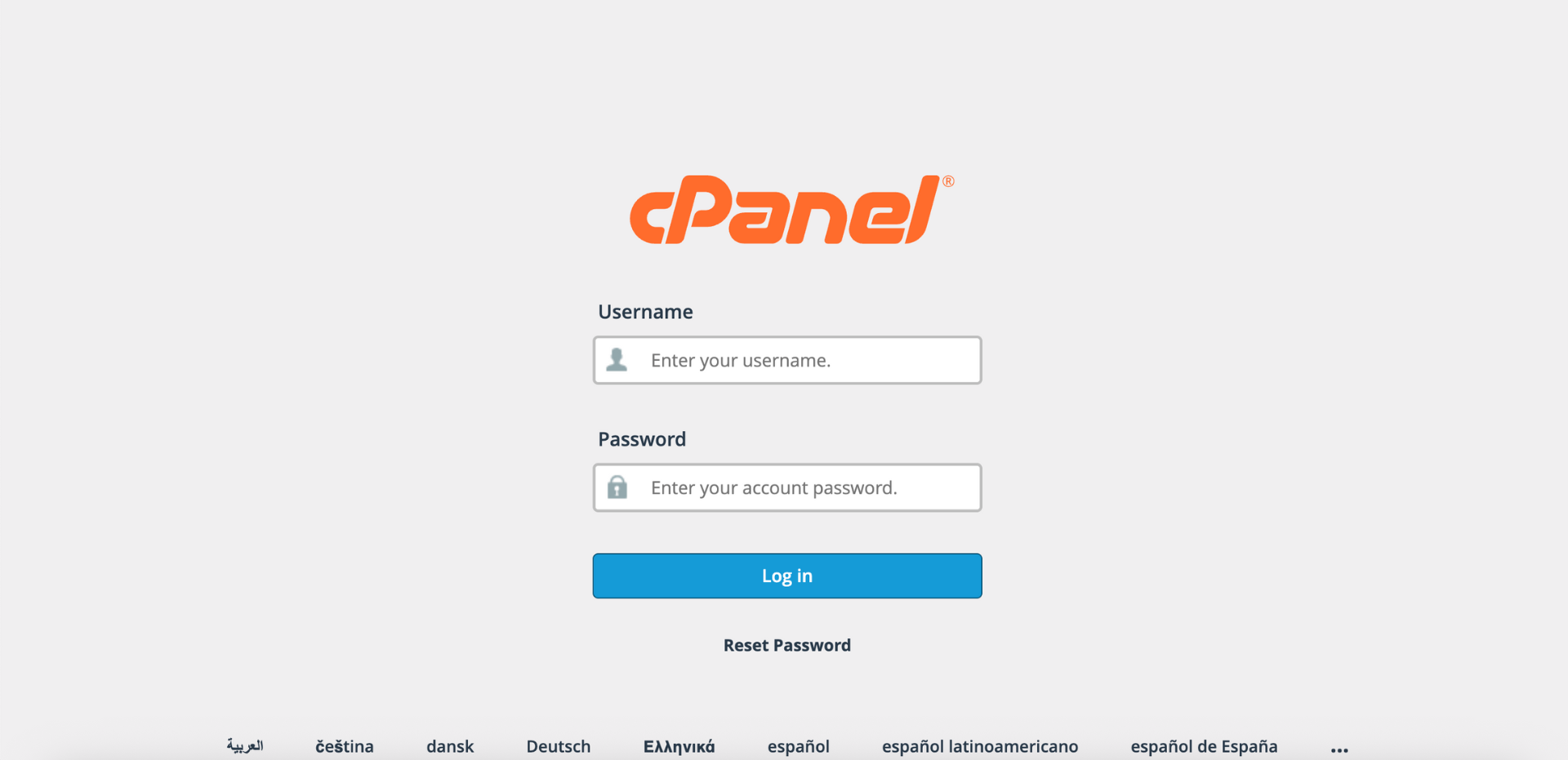
Step 1: Log in to cPanel
- Access and log in to your cPanel account using your username and password.
Step 2: Open Global Email Filters
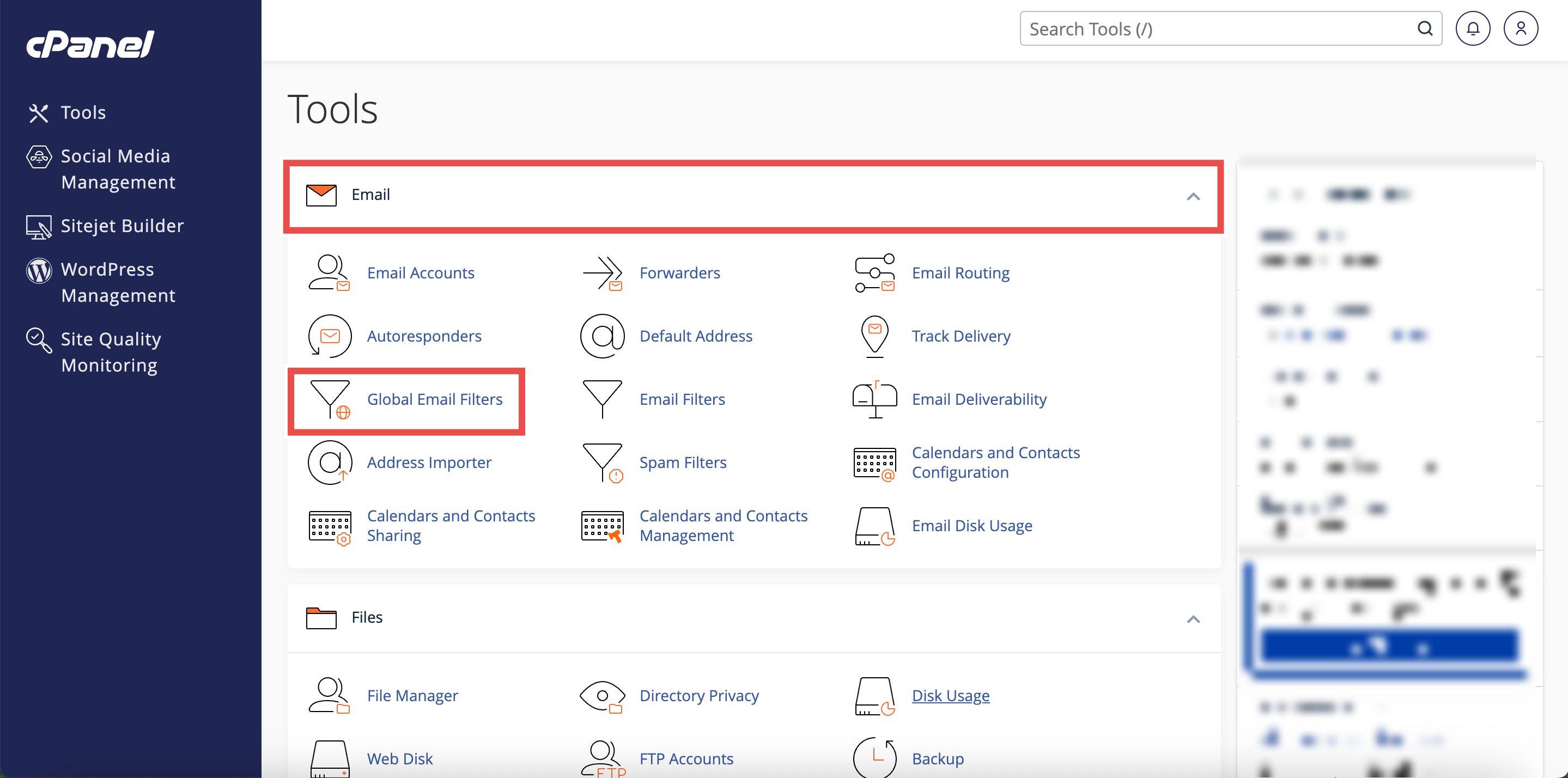
- In the Home page, under Email, click Global Email Filters.
Step 3: Create a New Filter
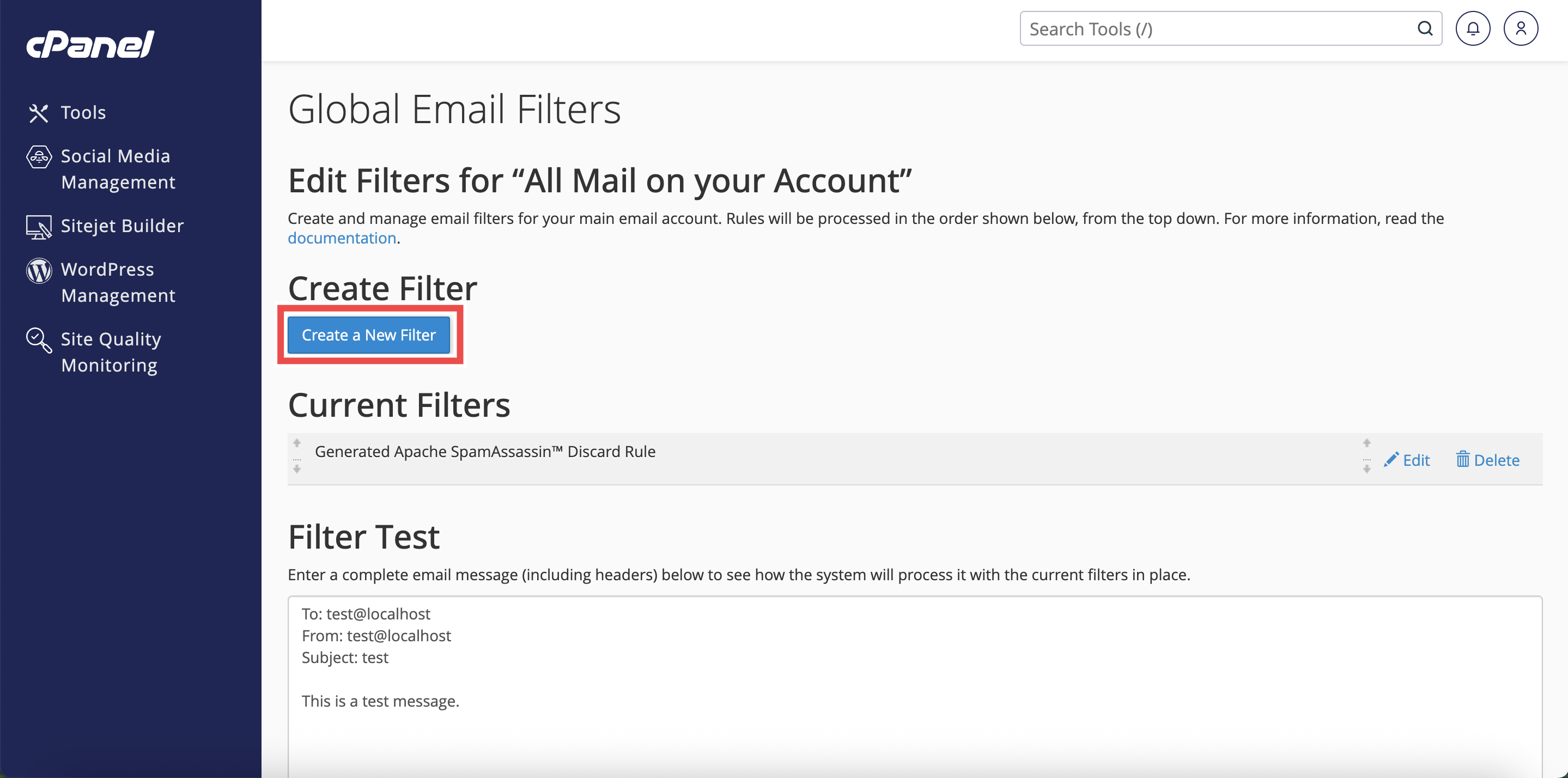
- Click Create a New Filter.
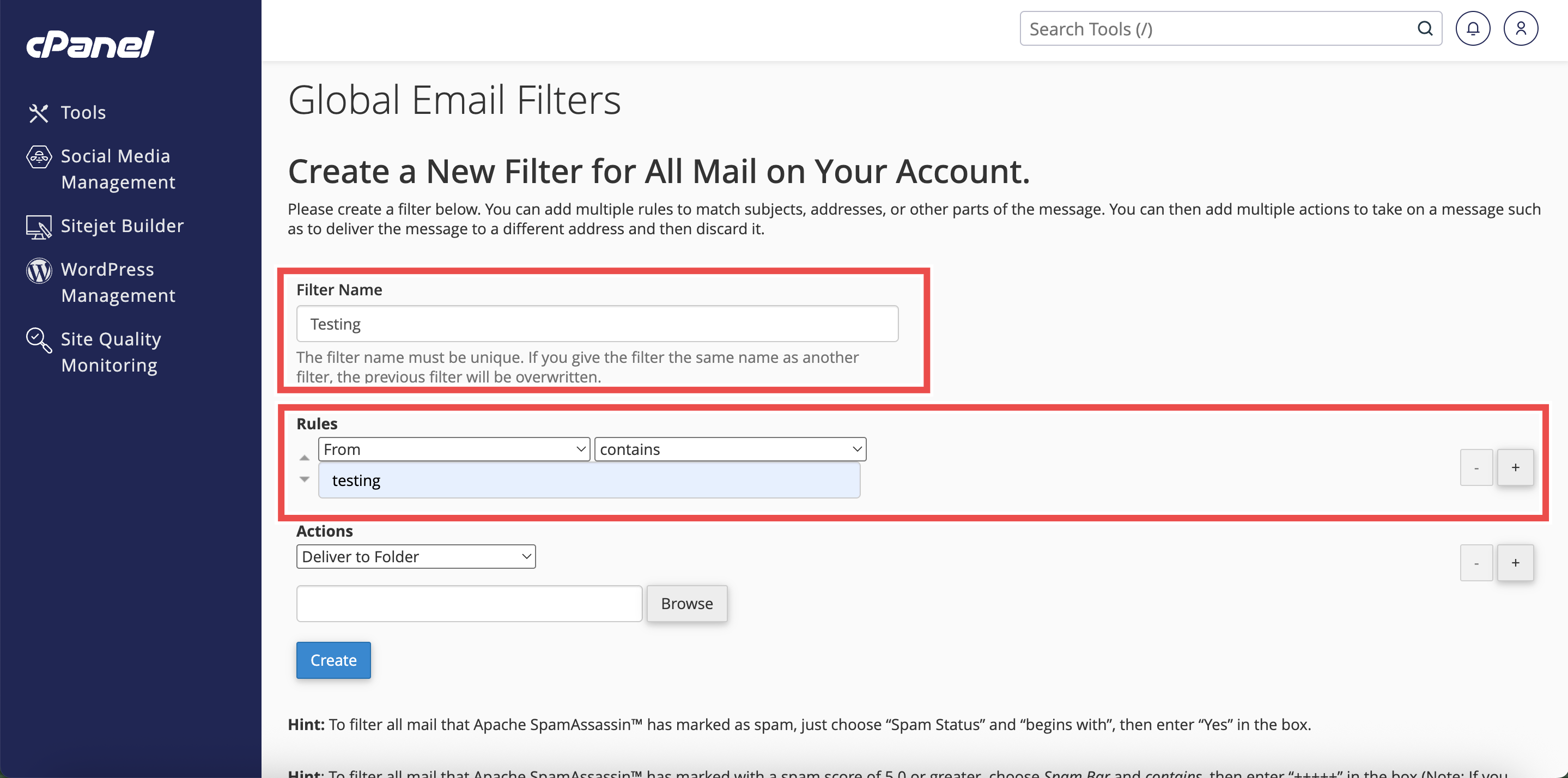
- Add or Change the filter’s Name, Rules, or Actions as needed.
- Filter’s Name: The label for your filter (e.g., Block Promo Emails).
- Rules: Conditions that trigger the filter (like sender, subject, or keywords).
Step 4: Configure Actions
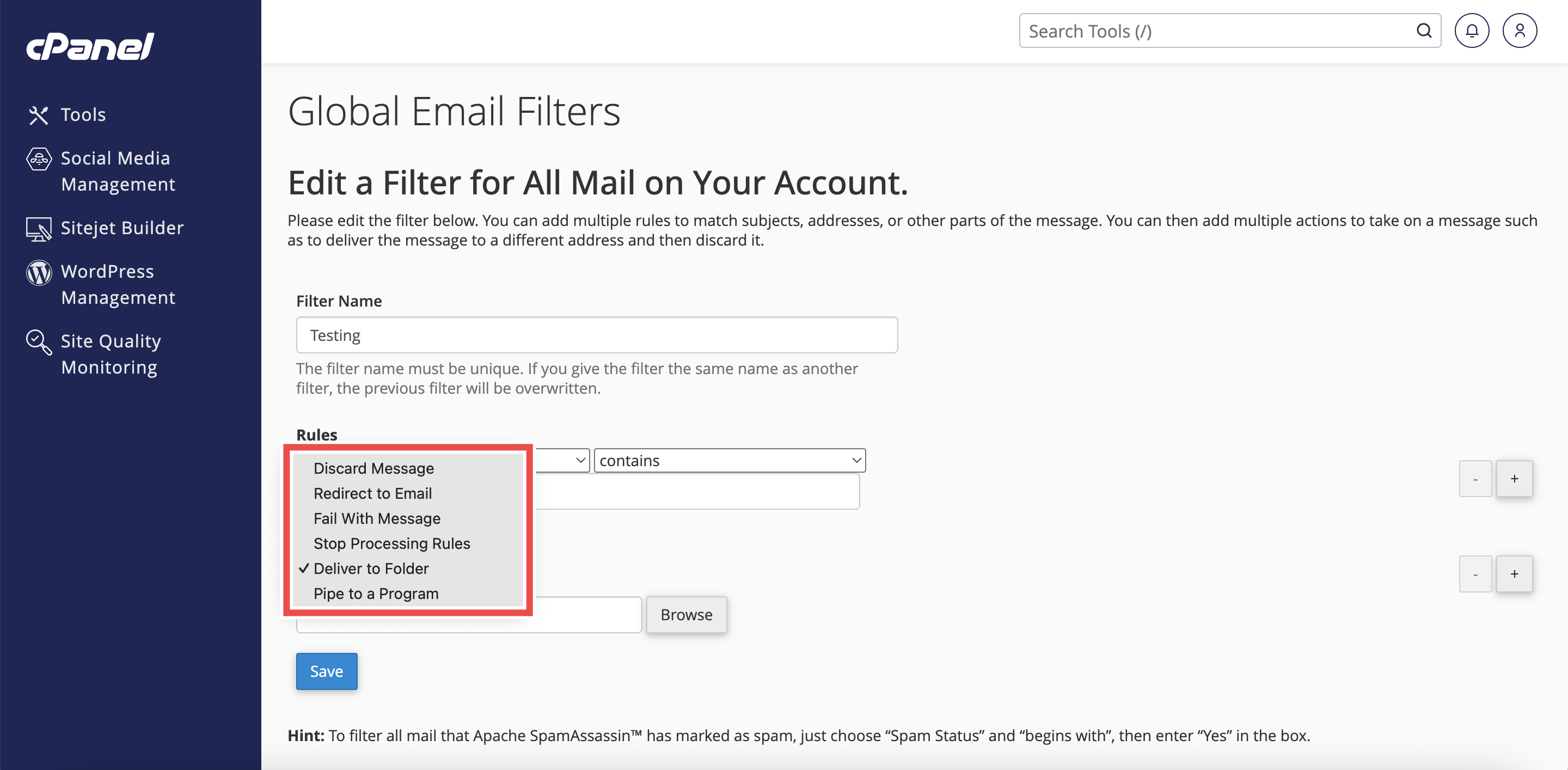
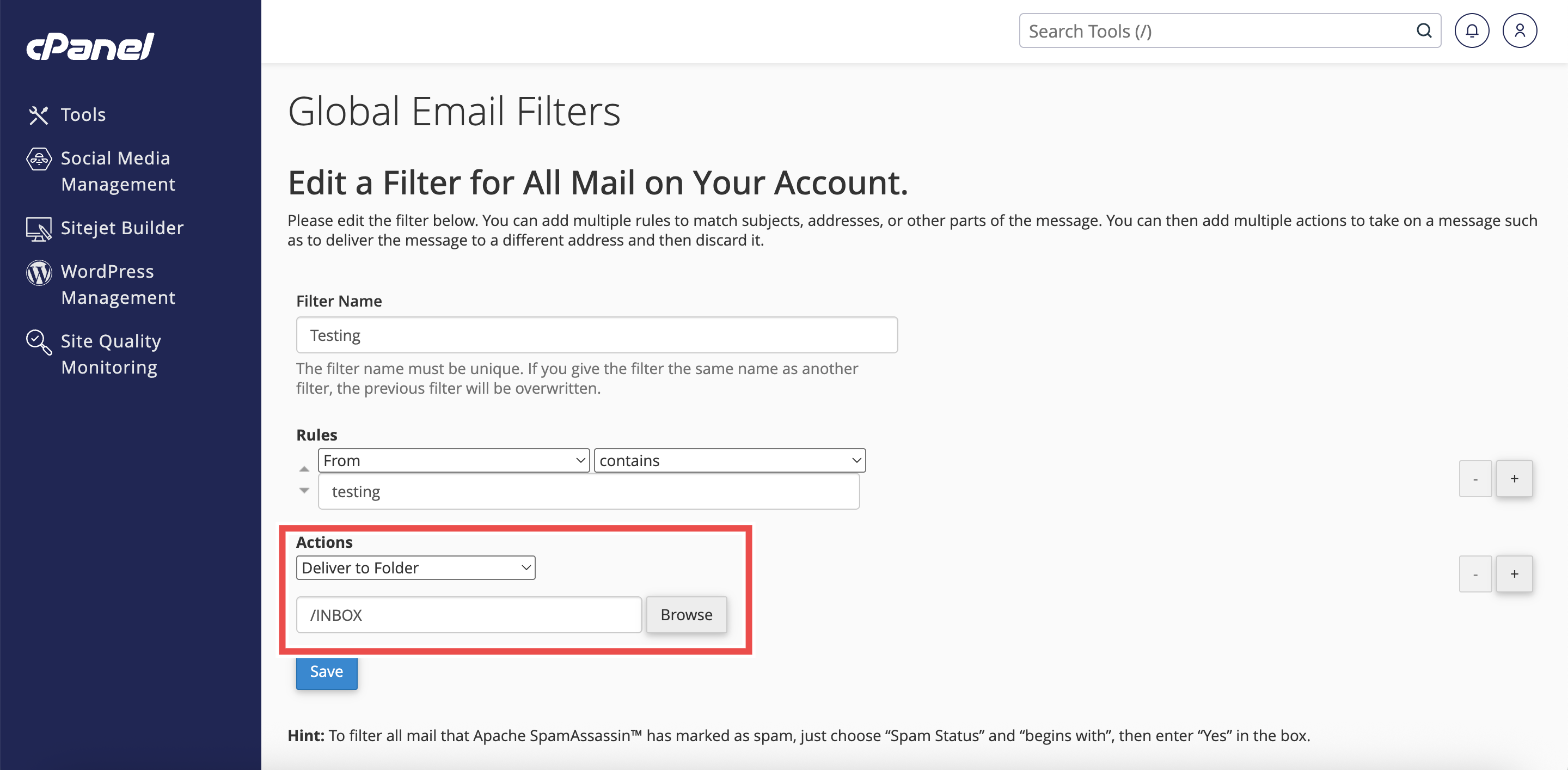
- Under Actions, select Deliver to Folder from the dropdown menu.
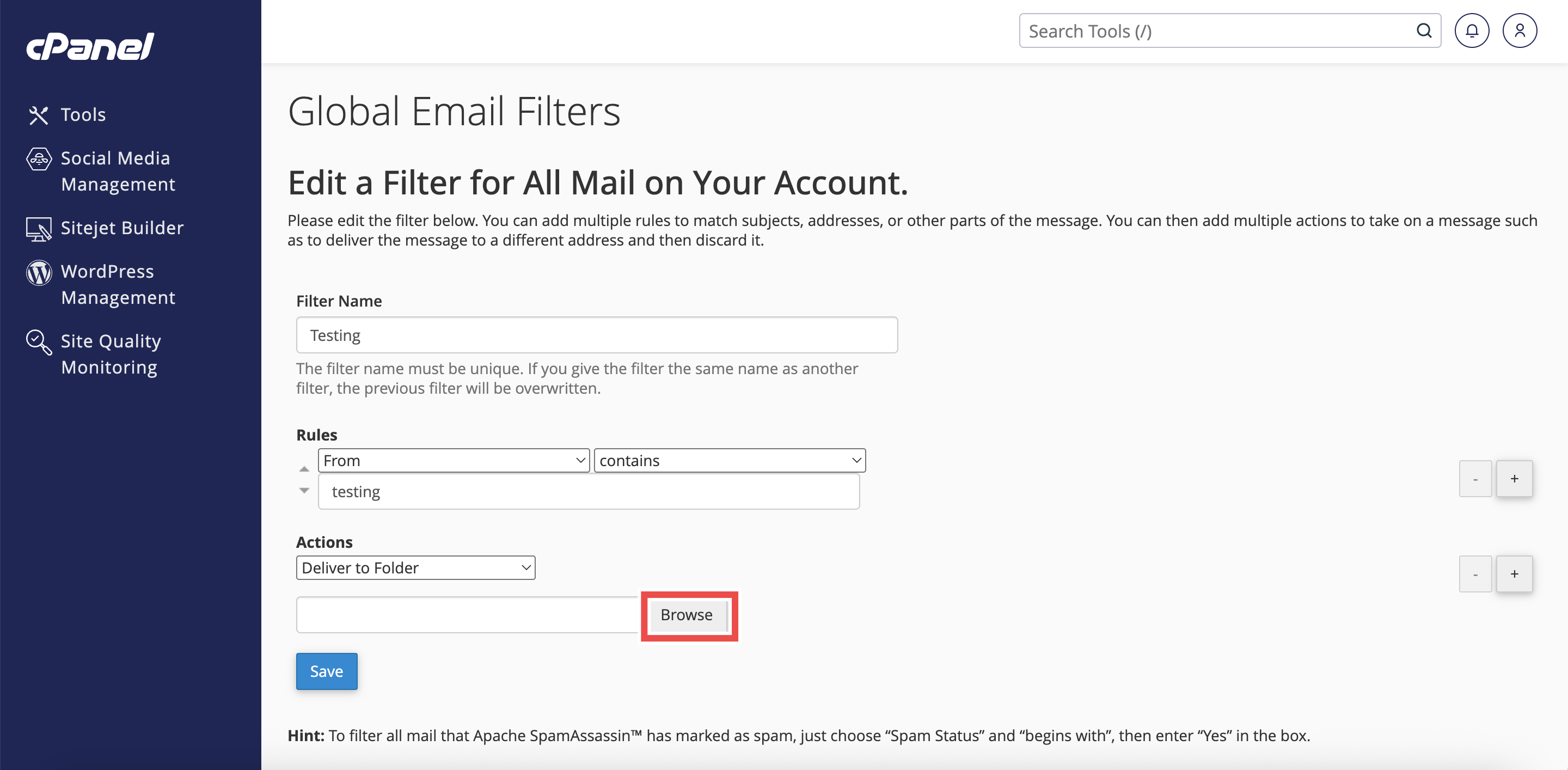
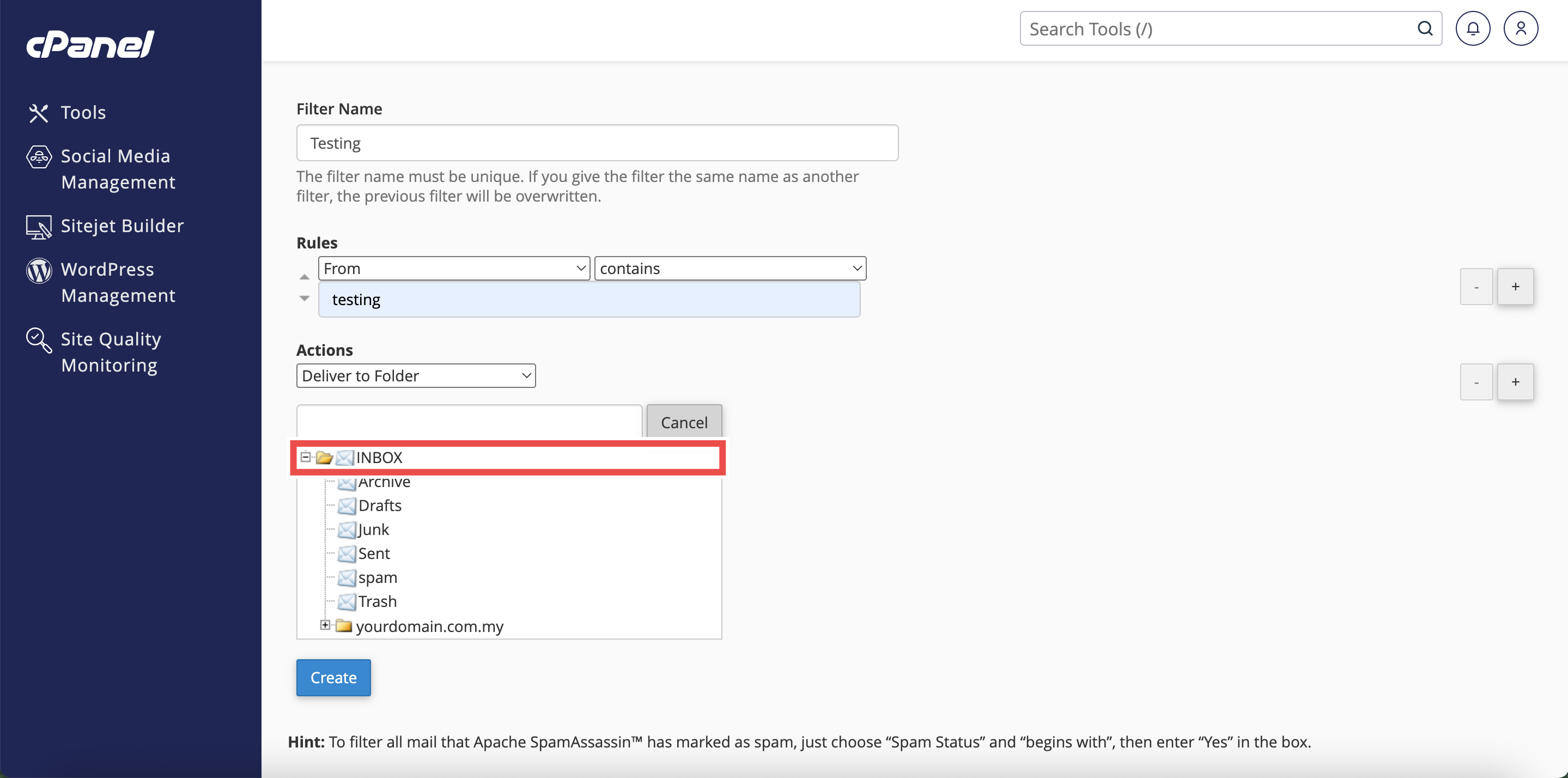
- Click Browse and select INBOX from the folder list.
- Click Create to save the filter.
⚠️ Important Note: Global Email Filters apply to all email accounts under your cPanel. The order of filters matters, if you want this filter to override other filters, drag and drop it to a higher position in the Current Filters list so it runs first.

Step 5: Verify the Changes
- A successful message will appear to confirm the changes are applied successfully.
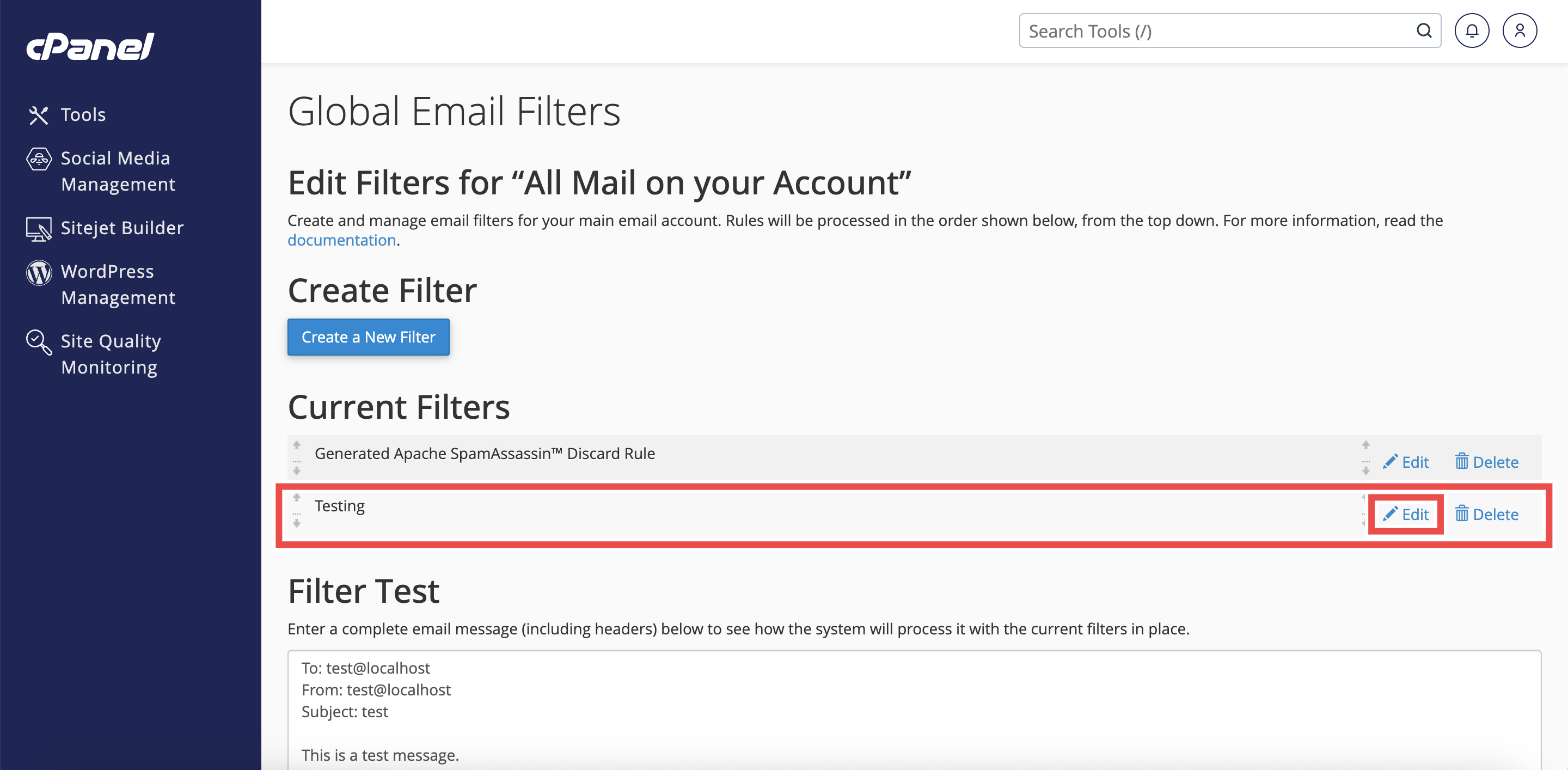
- Check that the filter appears in the Current Filters table and click Edit to check that the current filter’s details reflect the changes you made.

Conclusion
By following these steps, you can automatically move emails to the Inbox folder using Global Email Filters in cPanel. This ensures important messages always reach the Inbox across all your email accounts, providing consistent email management for your entire domain.
Should you encounter any issues or have any questions, our support team at IPSERVERONE is always here to assist you. Don’t hesitate to reach out to us at support@ipserverone.com for any help you need.