
Search Our Database
How to Assign Monitoring Bandwidth Usage Alarm to Cloud Instance(s) in Customer Portal
Introduction:
Proactive resource management is a critical component of optimizing cloud operations, ensuring both stable performance and effective cost control. This comprehensive guide is designed for Customer Portal users who wish to gain immediate visibility into their network consumption by setting a specific monitoring bandwidth usage alarm on their deployed Cloud Instance.
By establishing these crucial monitoring thresholds at the beginning of a monthly or weekly cycle, users can receive timely alerts regarding resource utilization. This process is seamlessly executed directly within the Customer Portal interface, specifically within the NovaCloud service management area, enabling direct control over your environment.
This article provides the professional, step-by-step procedure required to navigate to the Monitoring section, create the necessary alarms, and confidently assign them to your designated Cloud Instance.
Prerequisites:
- Validated Customer Portal Credentials and Active Account Status.
- There must be at least one Cloud Instance.
Step-by-step Guide:
Step 1: Access NovaCloud Services
- On the left-hand navigation menu of the Customer Portal, click NovaCloud.
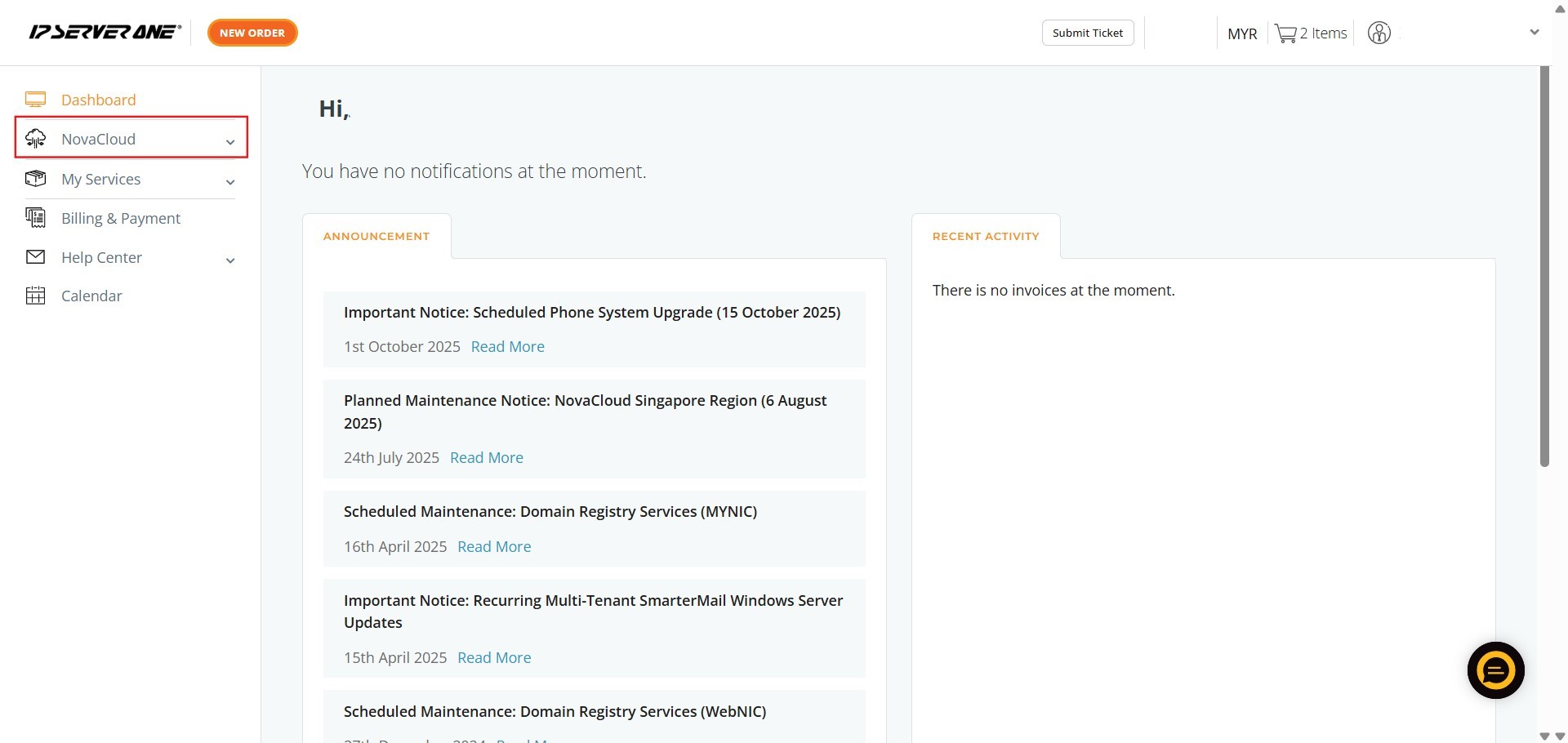
Step 2: Navigate to Monitoring
- Scroll down the expanded NovaCloud menu and click Monitoring.
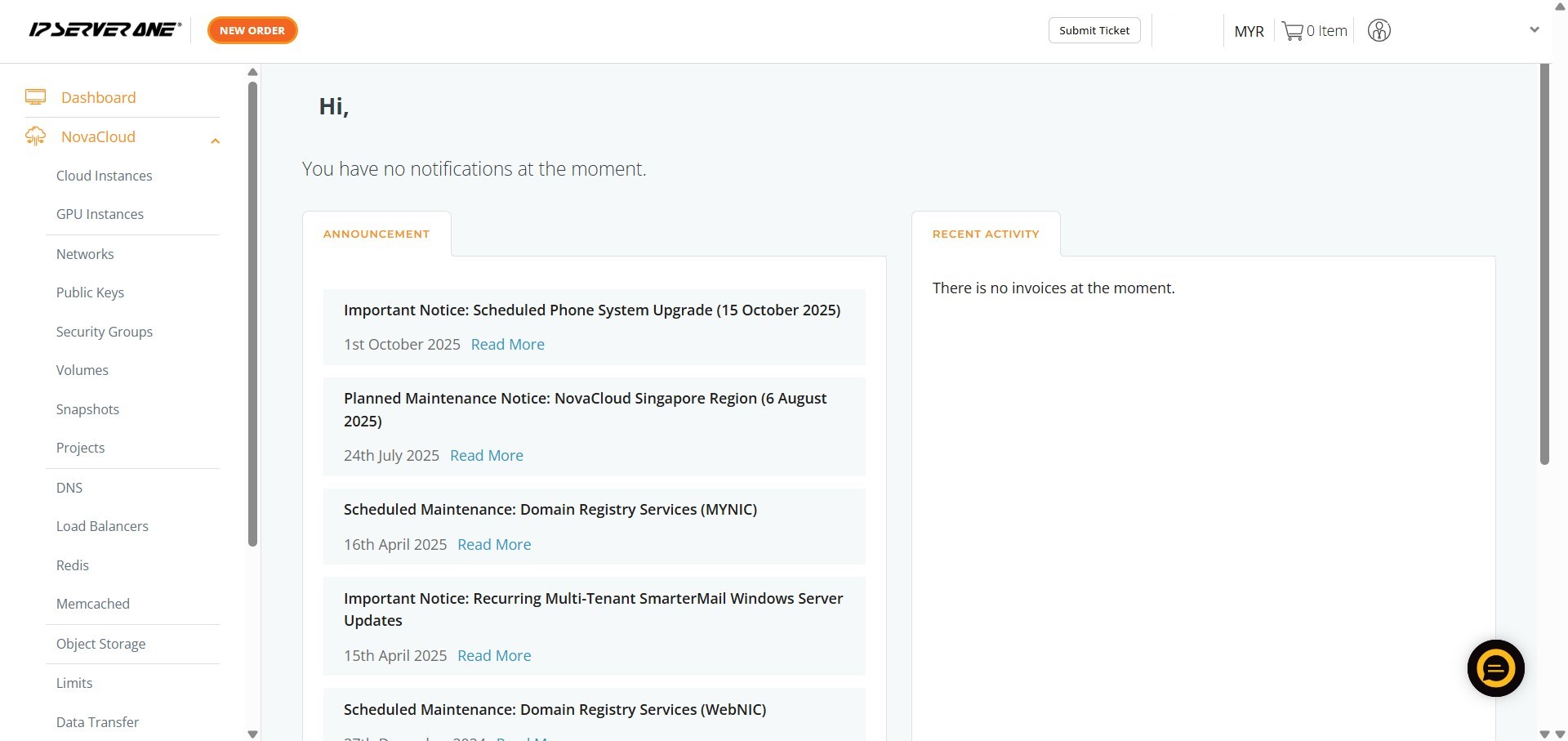
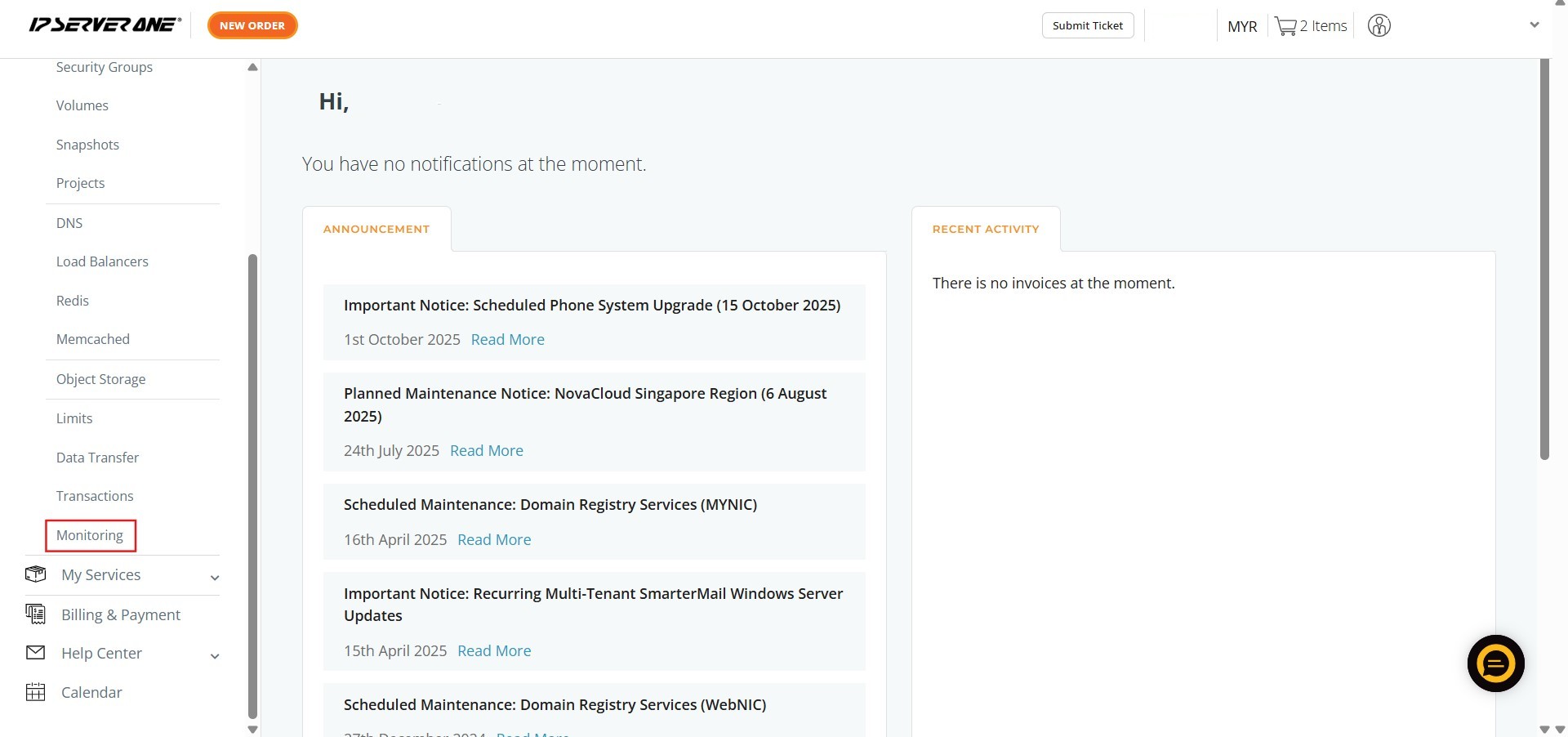
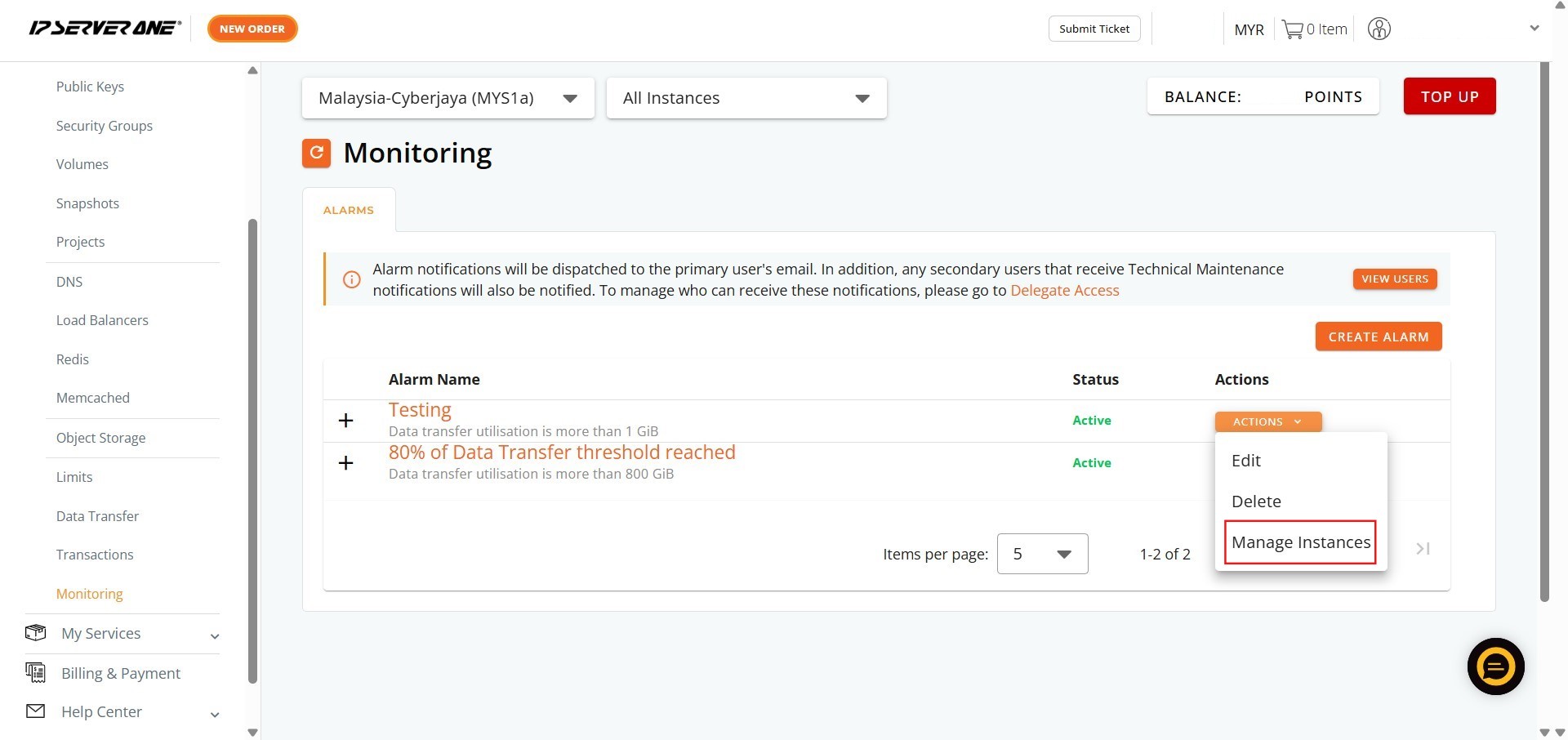
Step 3: Locate Alarm Actions
- Locate the existing alarm in the Monitoring list and click Action.
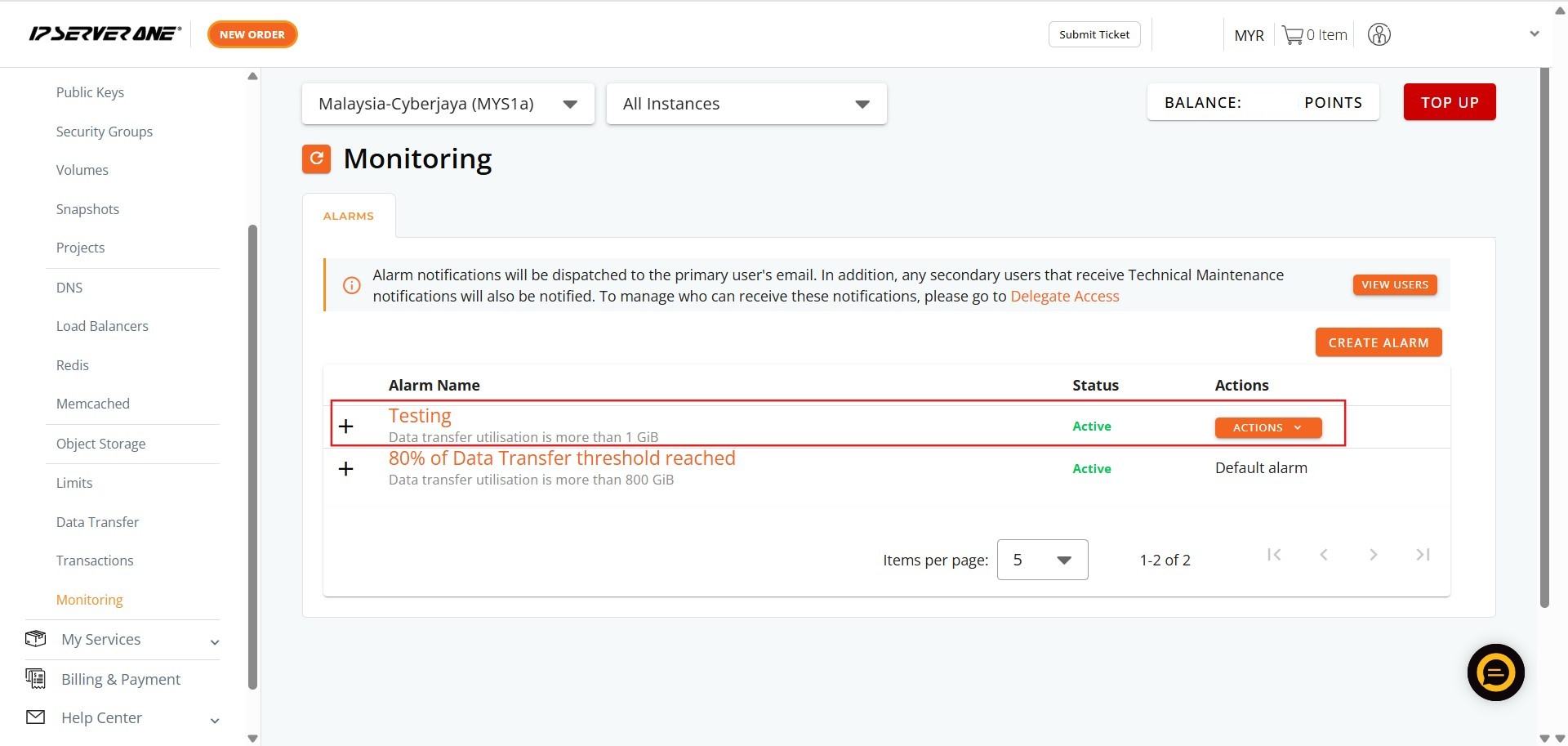
Step 4: Access Instance Management
- From the dropdown menu, click Manage Instance.
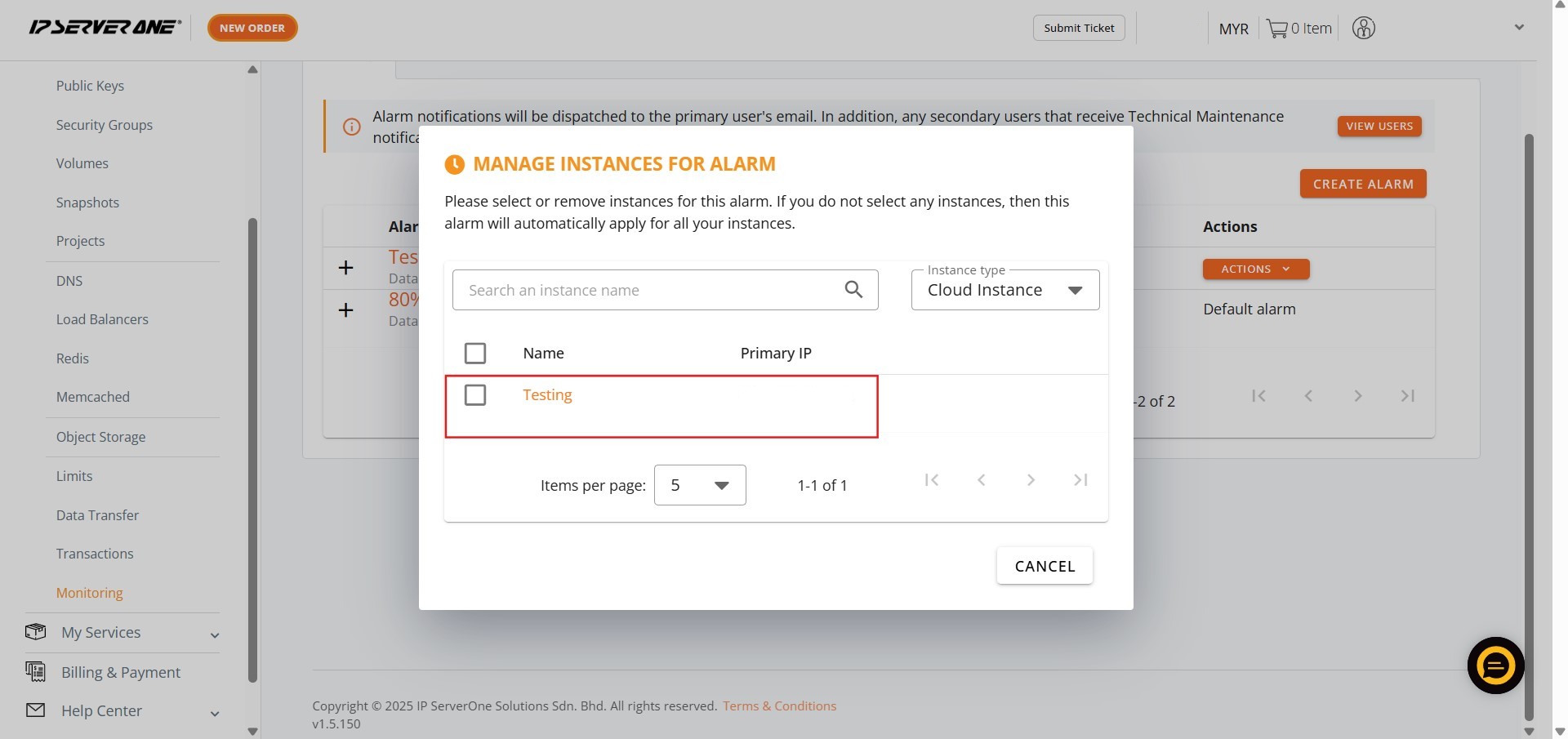
Step 5: Select Target Instance(s)
- A list of available instances will appear. Tick the Cloud Instance (or multiple instances) to which you want to assign the bandwidth usage alarm.
Step 6: Confirm Assignment
- Click Confirm to apply the alarm to the selected resource(s).

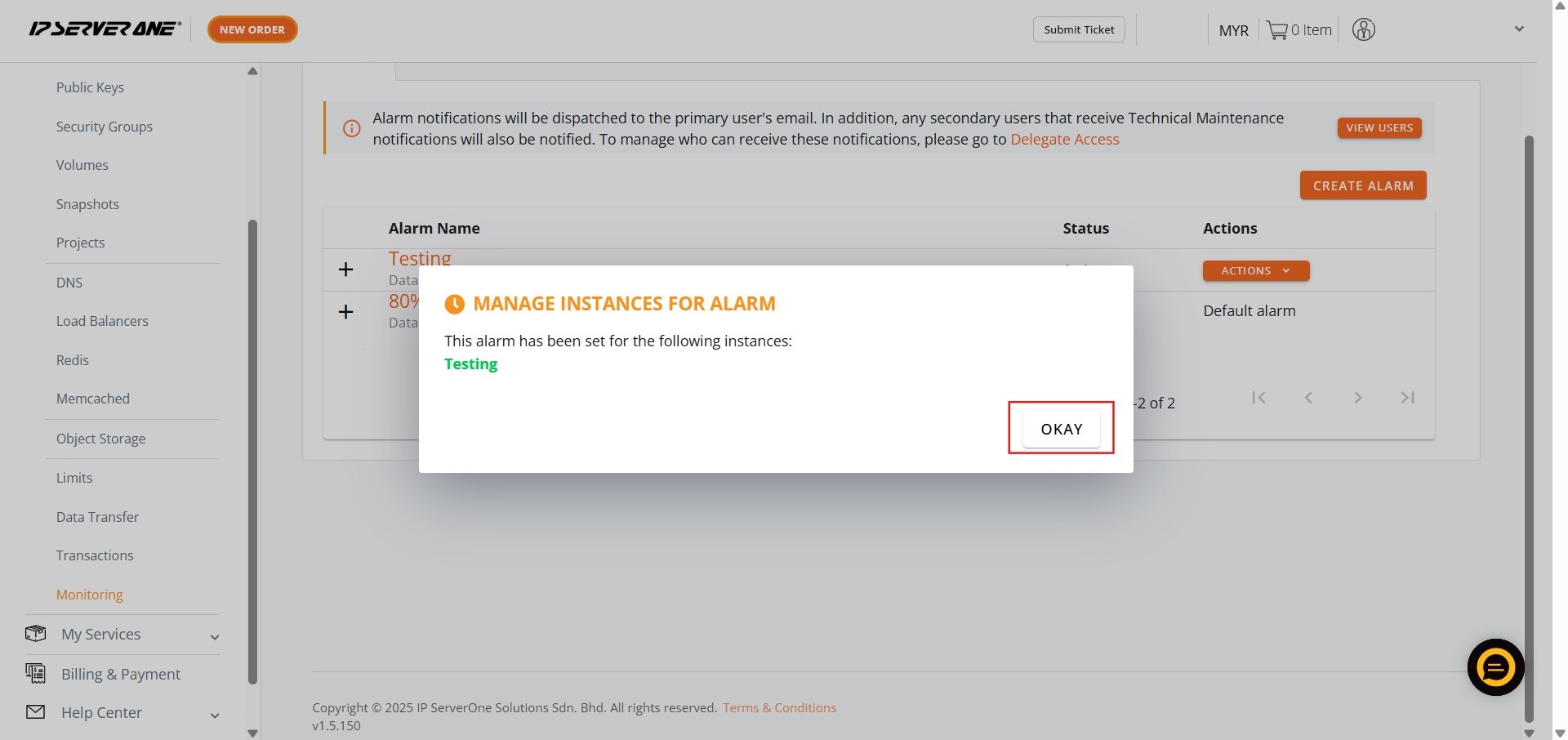
Step 7: Acknowledge Success
- A confirmation notification will appear. Click Okay.
- The monitoring bandwidth usage alarm is now successfully assigned.
Conclusion:
By successfully navigating the dedicated NovaCloud service module and the Monitoring section, you have established a critical layer of proactive resource management. This process involved defining a specific Name and Threshold for the alert and formally assigning it to your chosen Cloud Instance(s) or GPU Instance(s) within the Customer Portal interface.
The proper assignment of these monitoring bandwidth usage alarms ensures that you receive timely notifications regarding your resource consumption, allowing for necessary adjustments well before service limits are reached.
Should you require any further assistance with configuring or managing your alarms, or if you encounter any issues during the process, please do not hesitate to reach out to the support team for help at support@ipserverone.com.