
Search Our Database
How to Add Mail Signature on Gmail App
Introduction:
This introduction addresses the need of a Gmail user who requires a consistent signature for outgoing emails while utilizing the mobile application, especially when sending a high volume of communication.
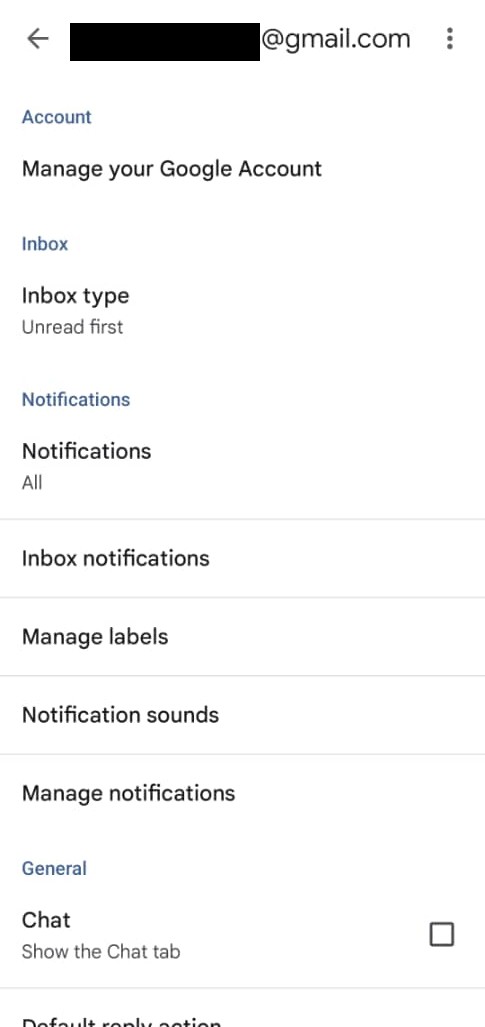
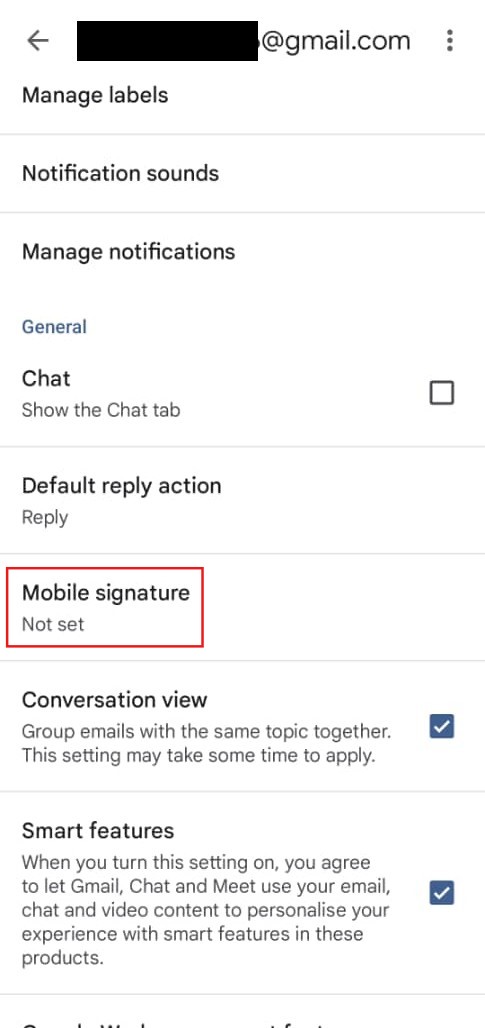
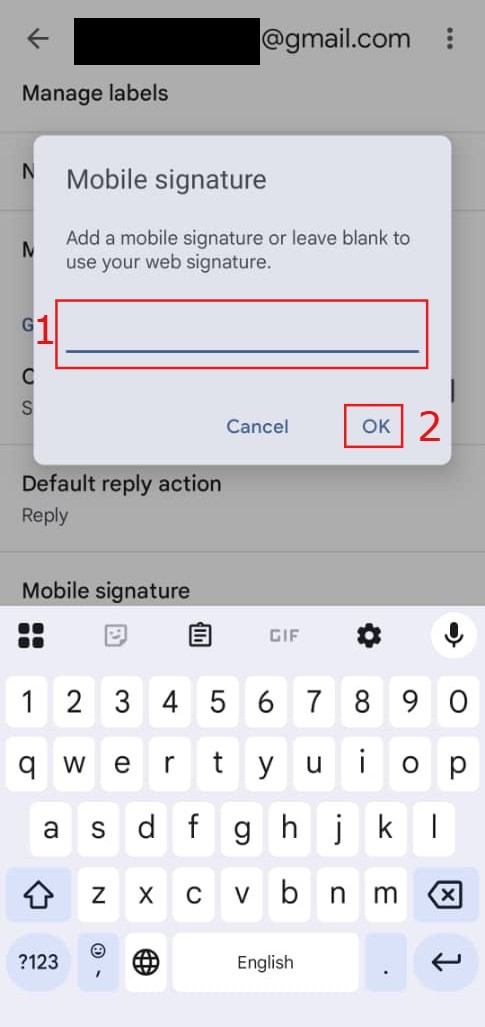
The objective of the steps is to guide the user on how to add a mail signature directly within the Gmail App. The process begins with tapping the Menu button, followed by scrolling and tapping on Settings. The user will then choose the specific email account to which they want to add the signature. The final part of the process involves scrolling to and tapping Signature, inputting the desired signature content, and saving the changes.
Prerequisites:
- User must possess a fully registered and active Gmail account.
- The procedure explicitly requires accessing the Gmail App interface.
- User should have the desired signature content prepared.
Step-by-step Guide:
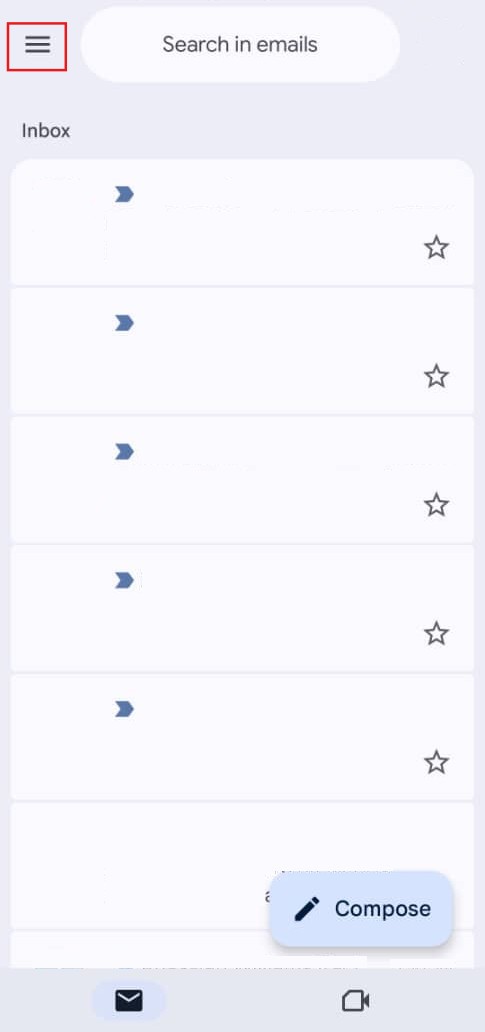
Step 1: Tap the Menu
- Tap Menu to begin the process.
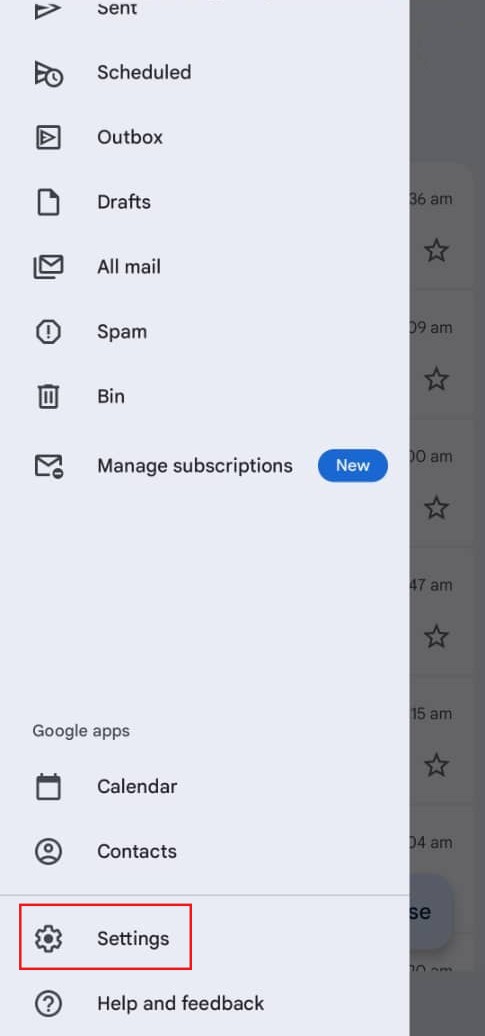
Step 2: Access Settings
- Scroll and tap setting.

Step 3: Select the Email Account
- Choose the email account to which you wish to add the signature.
Step 4: Locate the Signature Option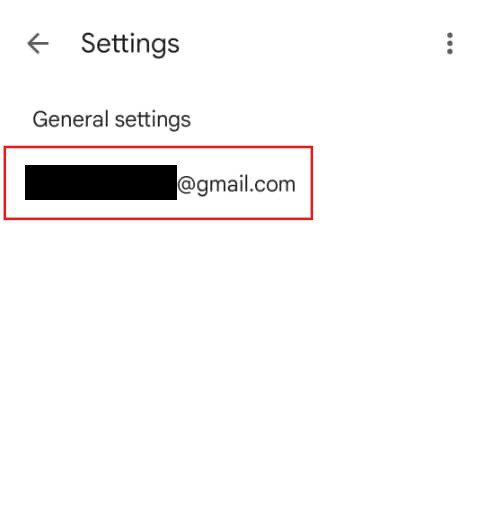
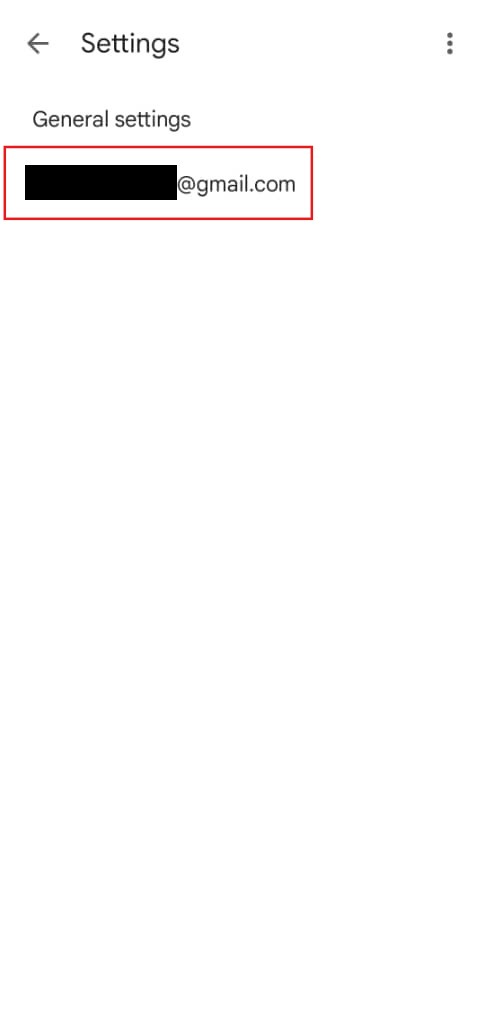
Step 4: Locate the Signature Option
- Scroll and tap signature within the account settings.
Step 5: Input and Save the Signature
- Key in the signature and save as.
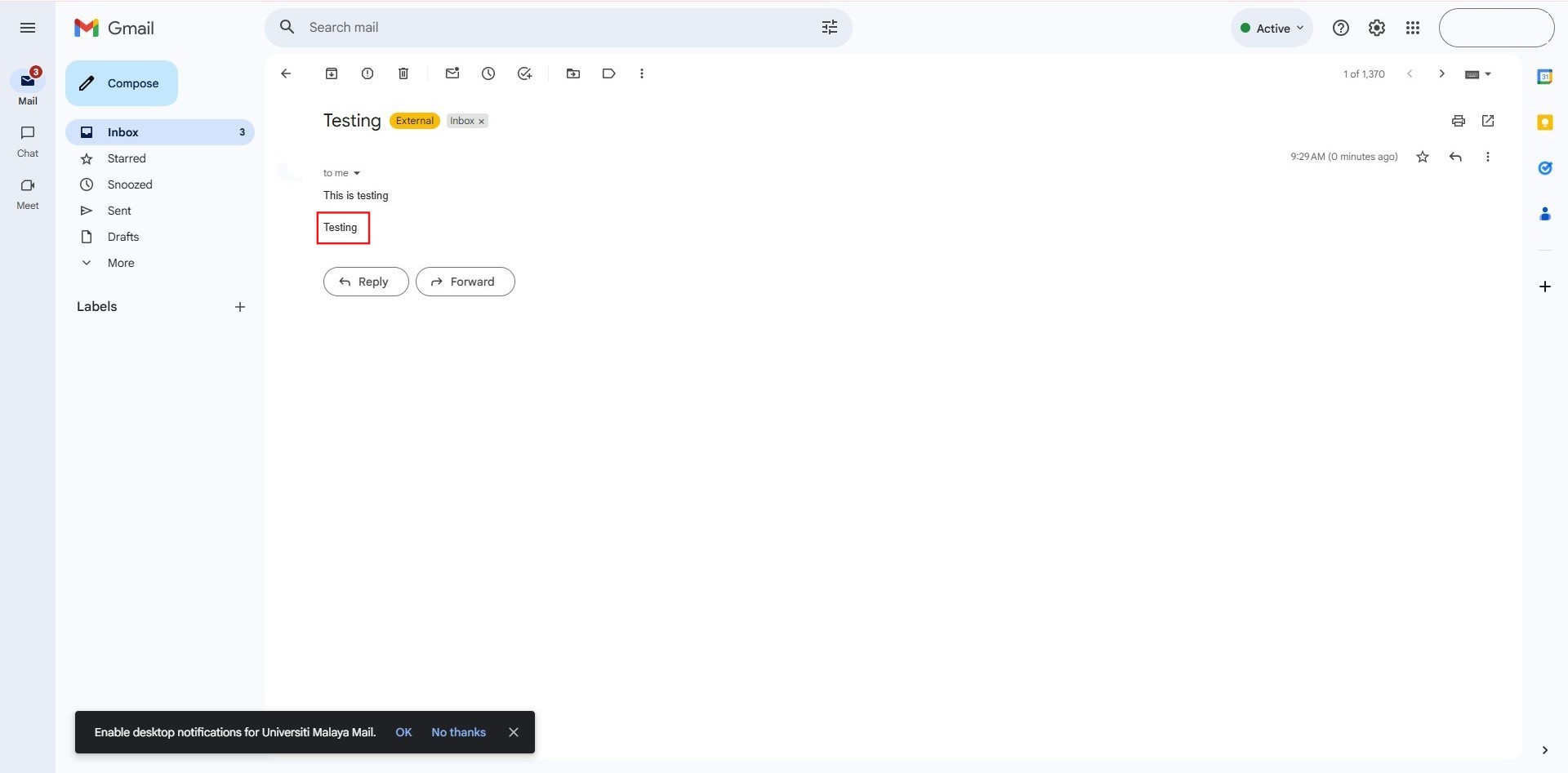
Step 6: Confirmation
- The process is complete, resulting in Success.
Conclusion:
Based on the structure provided in the source materials for knowledge base articles, and applying it to the steps established in our conversation for setting up a mobile signature, here is a conclusion for How to Add Mail Signature on Gmail App:
By following the steps outlined, you have successfully configured an outgoing mail signature within the Gmail App. The process required navigating through the Menu to Settings, selecting the specific email account, and inputting the signature details, concluding in Success. This process ensures that your communications sent via the Gmail App maintain a standardized signature.