
Search Our Database
How to Add Extra Parameters to PHP Mail in DirectAdmin (Enhanced Skin)
Introduction
PHP mail extra parameters allow you to pass additional configuration flags to the mail transfer agent when sending emails through PHP scripts. Customizing sender addresses for bounce-back handling, setting display names for improved email presentation, or configuring specific mail server behaviors enables better control over how PHP-generated emails are processed and delivered. DirectAdmin’s PHP Settings interface provides a straightforward method for defining mail parameters through custom PHP overrides. This guide explains how to configure mail extra parameters using the PHP Settings section in DirectAdmin, enabling enhanced control over PHP mail functionality and delivery settings.
Prerequisites
- Access to DirectAdmin control panel with the necessary permissions.
Step-by-step Guide
Step 1: Access DirectAdmin
Log in to your DirectAdmin control panel.

Step 2: Access PHP Settings
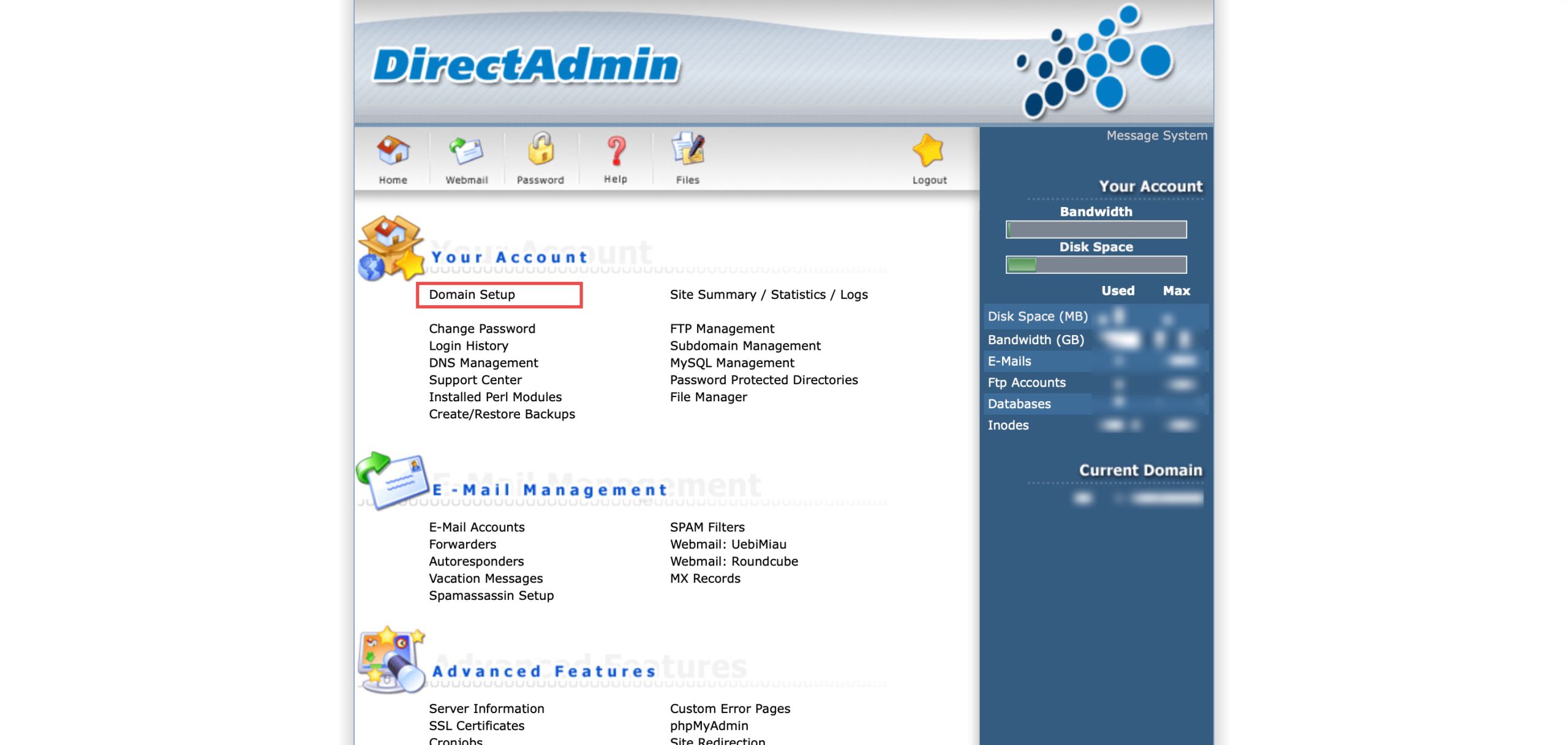
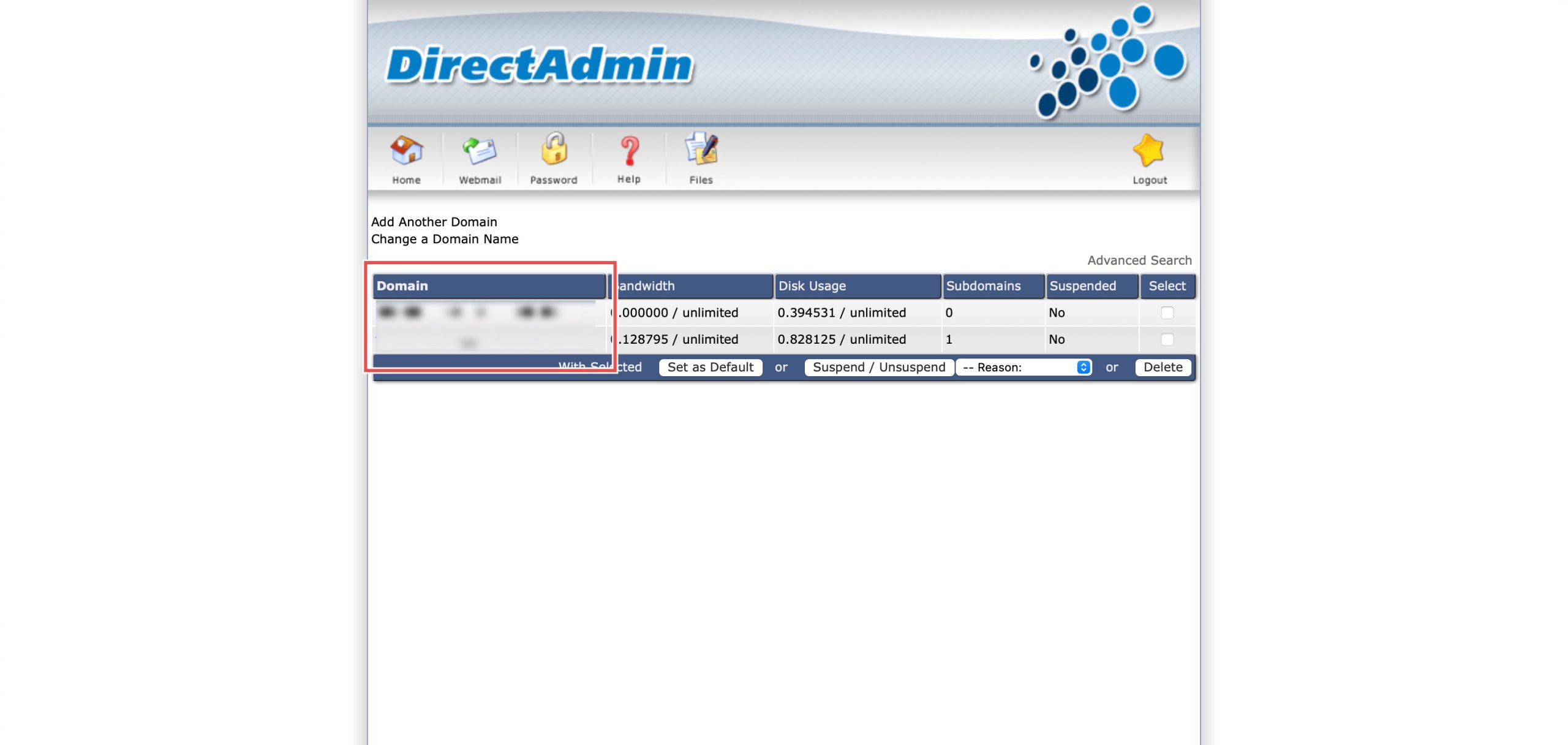
Go to the Your Account section and click on Domain Setup. Then, select the domain/subdomain you wish to modify PHP settings for by clicking on the domain/subdomain name.
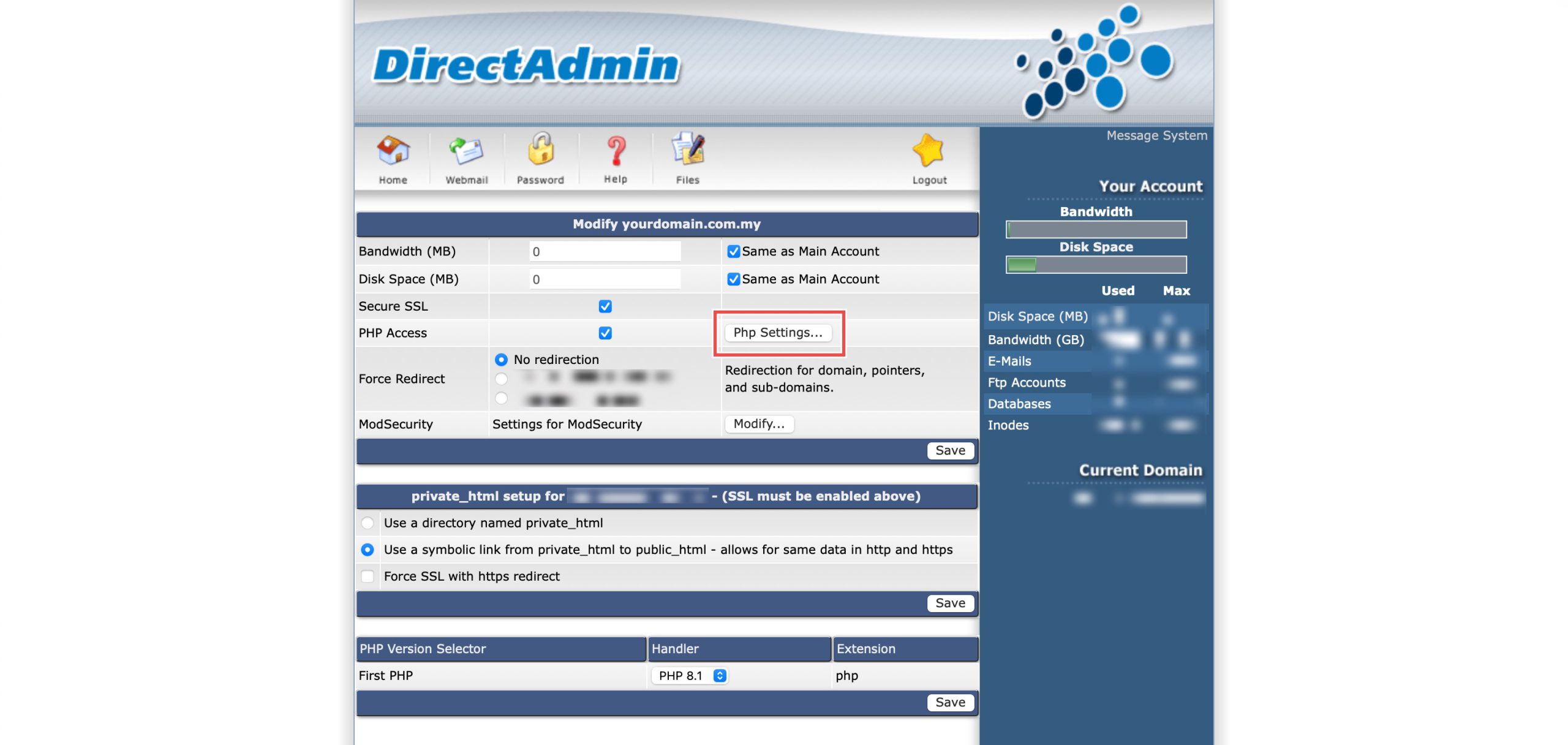
At the PHP Access row, click Php Settings…. You should be able to see a list of your current PHP configuration.
Step 3: Modify Extra Parameters
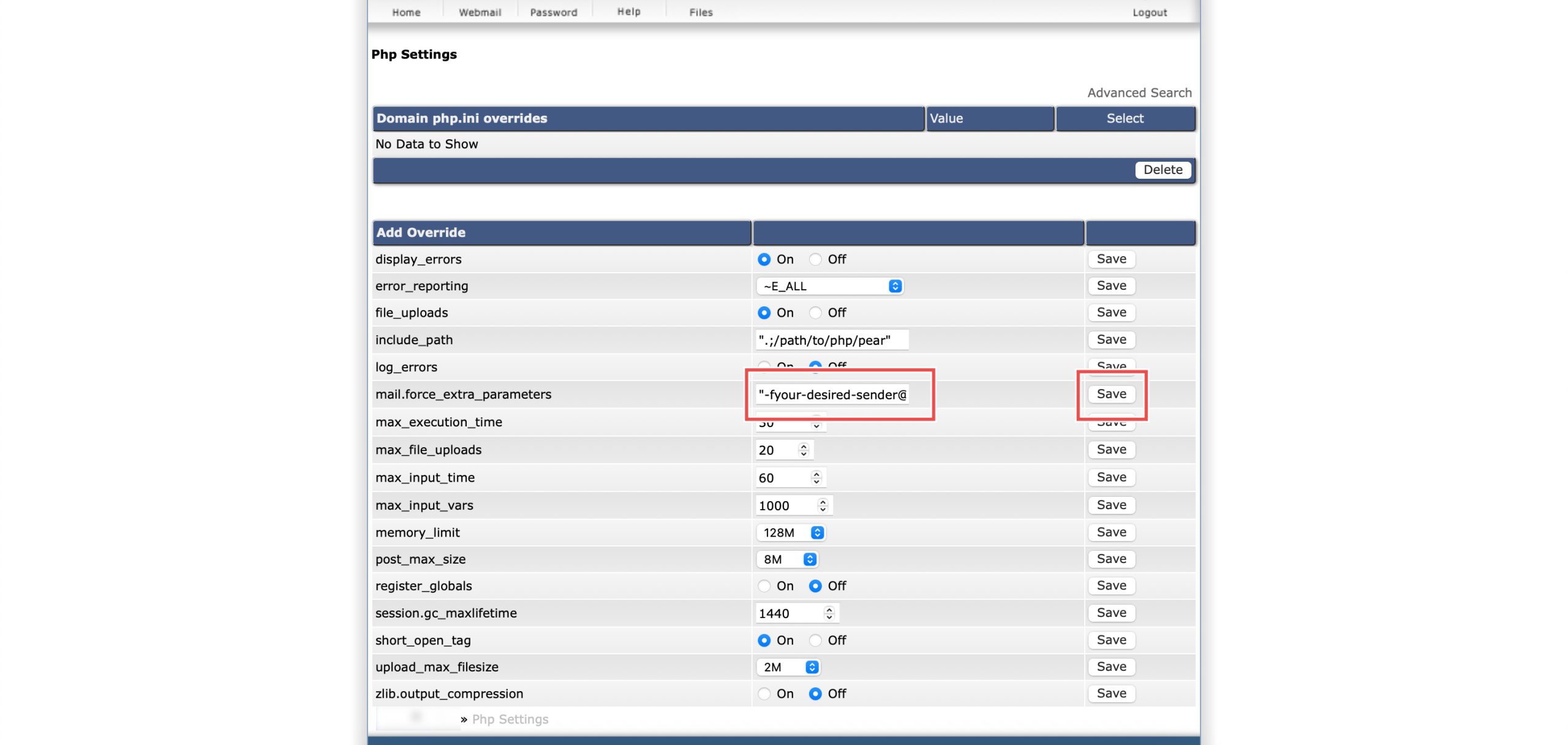
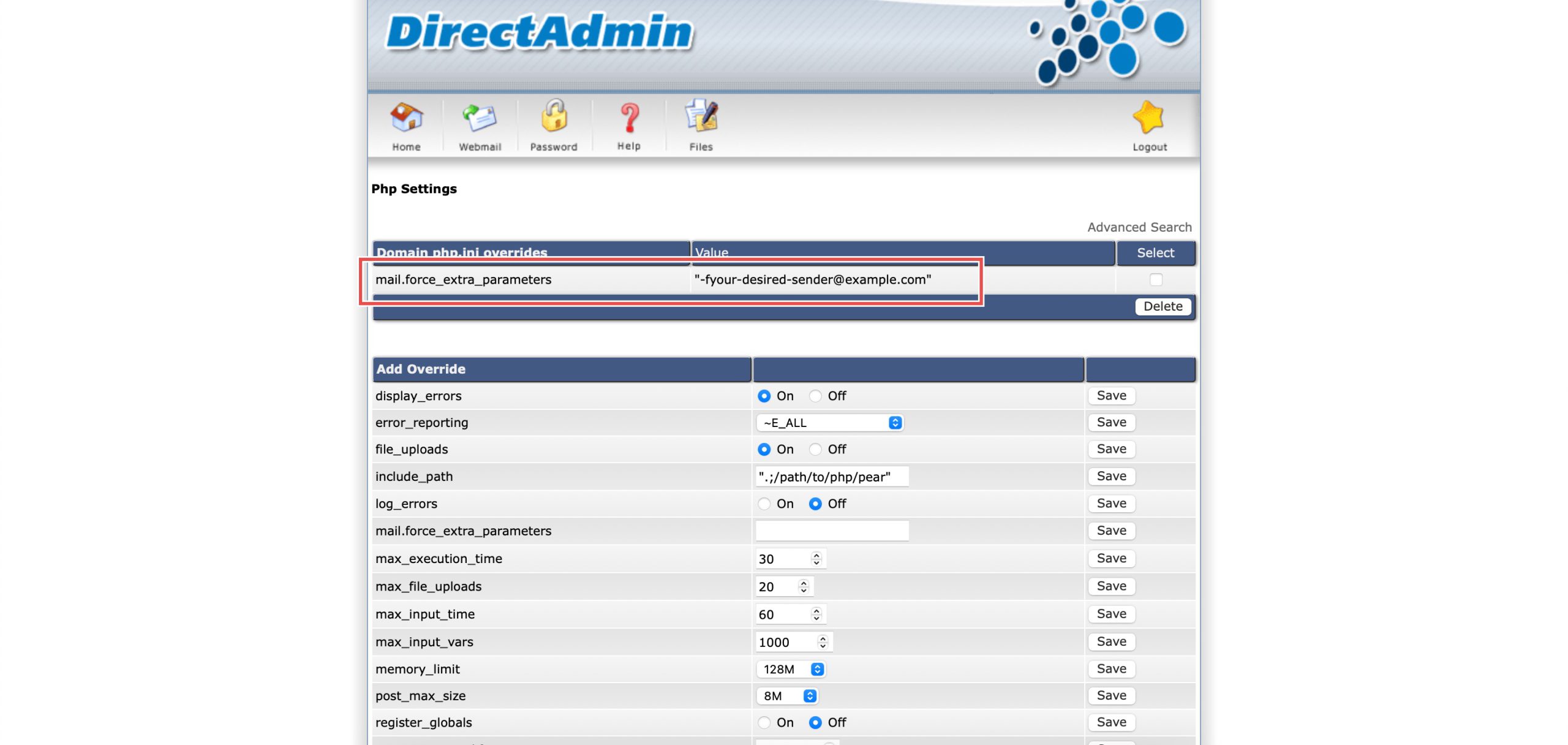
Scroll down to the Add Override section. On the mail.force_extra_parameters row, you may enter:
- -femail@domain.com: Ensures bounce-back emails go to this specific address instead of the system default,
- -F”Full Name”: Forces a specific “Display Name” to appear in the recipient’s inbox, or
- any custom flags you wish to pass to the server’s mail transfer agent.
Then, click Save on the right.
Step 4: Verify the changes
You may confirm the new override settings in the updated Domain php.ini overrides table. Additional settings will now be passed to the mail server when PHP sends emails. You may also send a test email to confirm the configuration.
Conclusion
Configuring PHP mail extra parameters through DirectAdmin’s PHP Settings interface is a simple process that provides additional control over email sending behavior. Setting custom mail transfer agent flags enables improved bounce handling, professional sender presentation, and specialized mail server configurations for PHP-generated emails.
Should you have any inquiries about the guidelines, please feel free to open a ticket through your portal account or contact us at support@ipserverone.com. We’ll be happy to assist you further.