
Search Our Database
How to Access a Detailed Record of All Past Transactions in Customer Portal
Introduction:
Effective financial oversight and accurate cost tracking are essential requirements for all users, particularly when performing periodic budget reconciliation, such as at the end of the week or month.
This guide outlines the straightforward process for accessing a comprehensive, detailed record of all your historical transactions and payment activities within the portal. The general Billing and Payment features allow users to review previous transactions and generate an account statement.
To meet your need to track detailed payment records, the system provides a dedicated Transaction History section, accessible via the NovaCloud menu. This section displays a complete list of past invoices, proforma invoices, receipts, and more. Users have the convenience of choosing to view details or download these historical transactions for their permanent records. Furthermore, specific historical transactions can be efficiently located by using the search filters to define a Start Date and End Date.
Prerequisites:
- Active Customer Portal Account.
- Active Utilization of IPSERVERONE Services.
Step-by-step Guide:
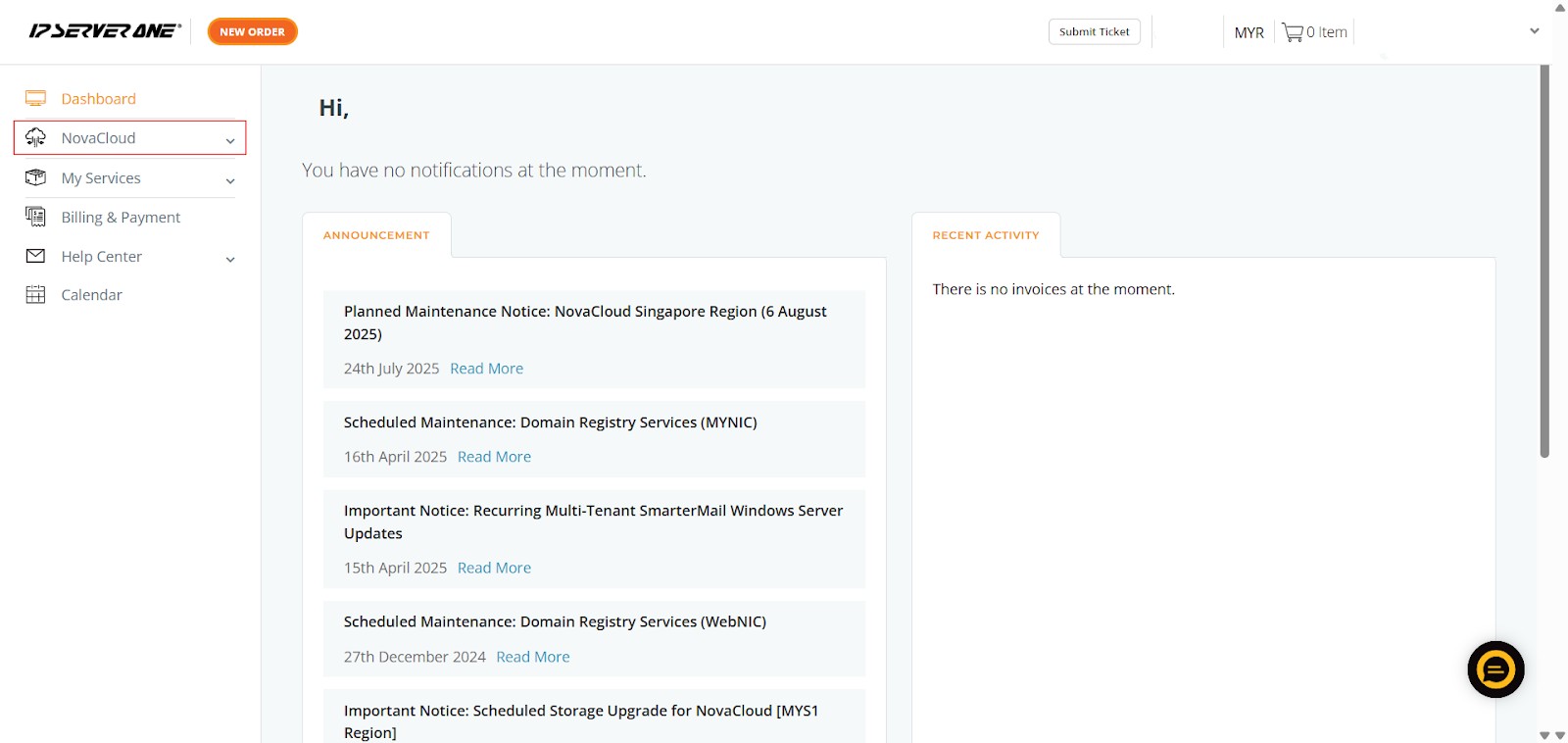
Step 1: Access NovaCloud Services
- On the left-hand navigation menu, locate and click on “NovaCloud”. This section provides access to all your cloud computing resources and services offered under NovaCloud.
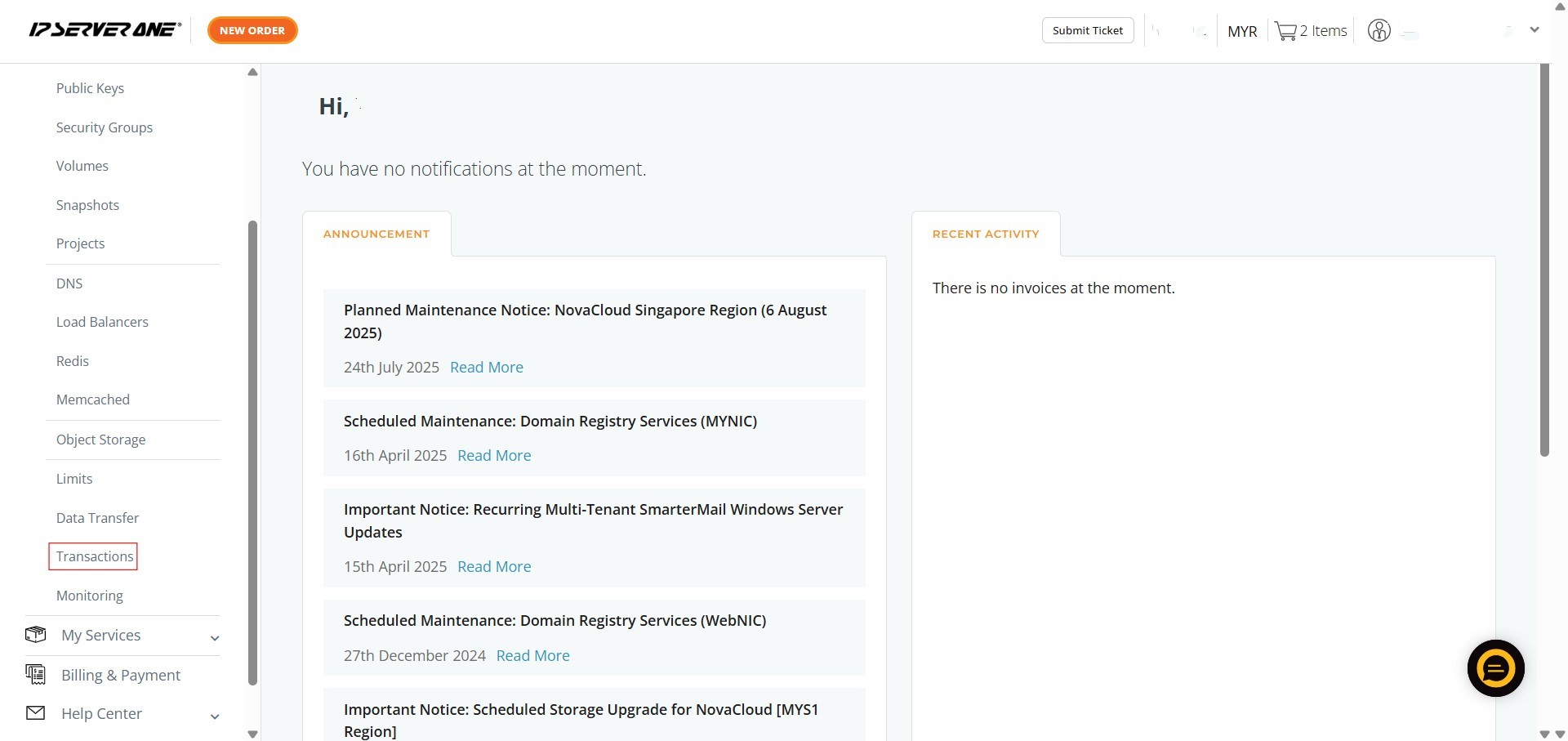
Step 2: Navigate to the Transactions Section
- From the expanded NovaCloud menu, scroll down and click on “Transactions”. This action will direct you to the dedicated transaction monitoring interface.
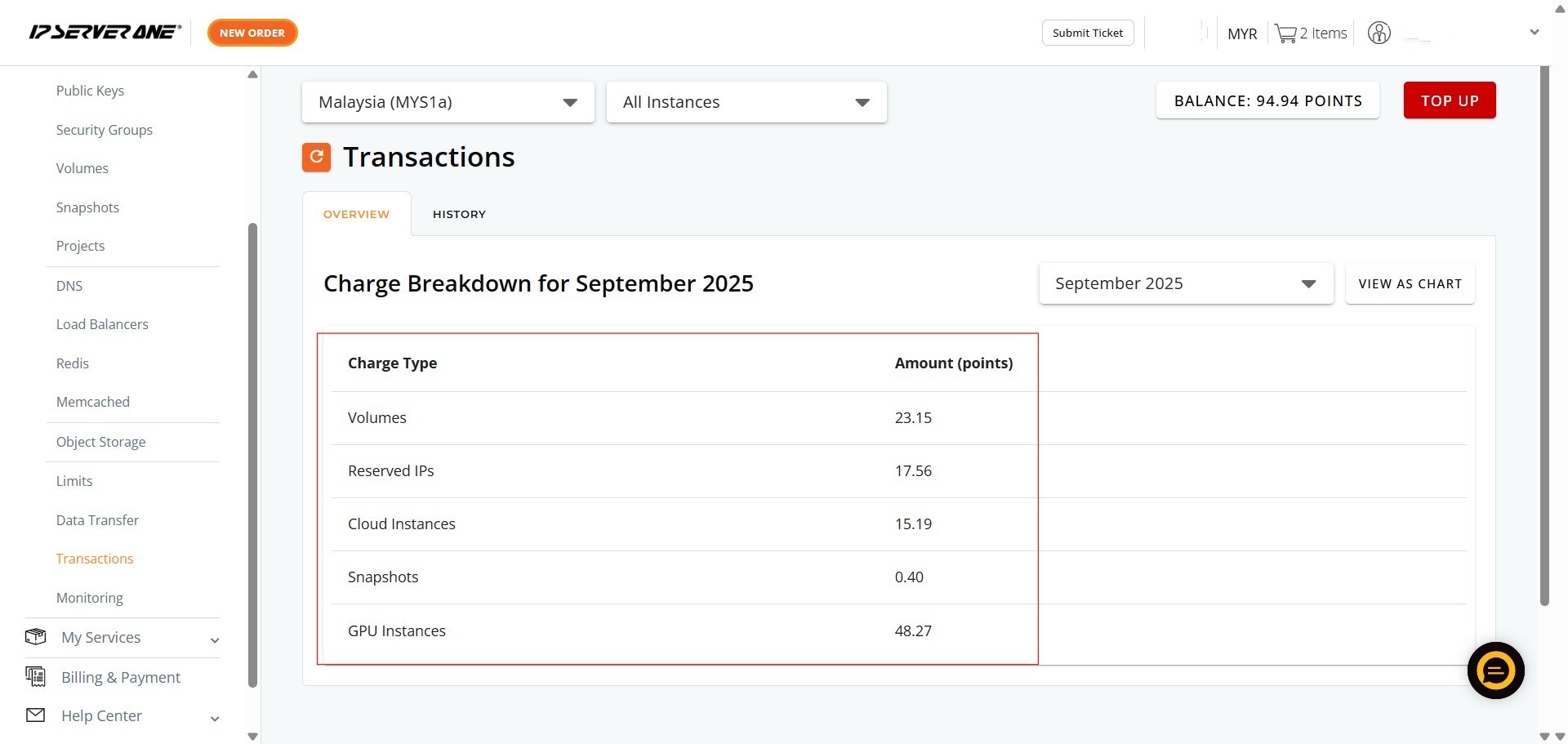
Step 3: Review Your Monthly Transaction Overview
- Upon entering the “Transactions” section, you will automatically be on the “OVERVIEW” tab.
- Here, you will see the “Charge Breakdown for [Current Month]”, which lists various Charge Types (e.g., Volumes, Reserved IPs, Cloud Instances, Snapshots, GPU Instances) and their corresponding Amount (points).
- This provides an immediate summary of your current month’s expenditures
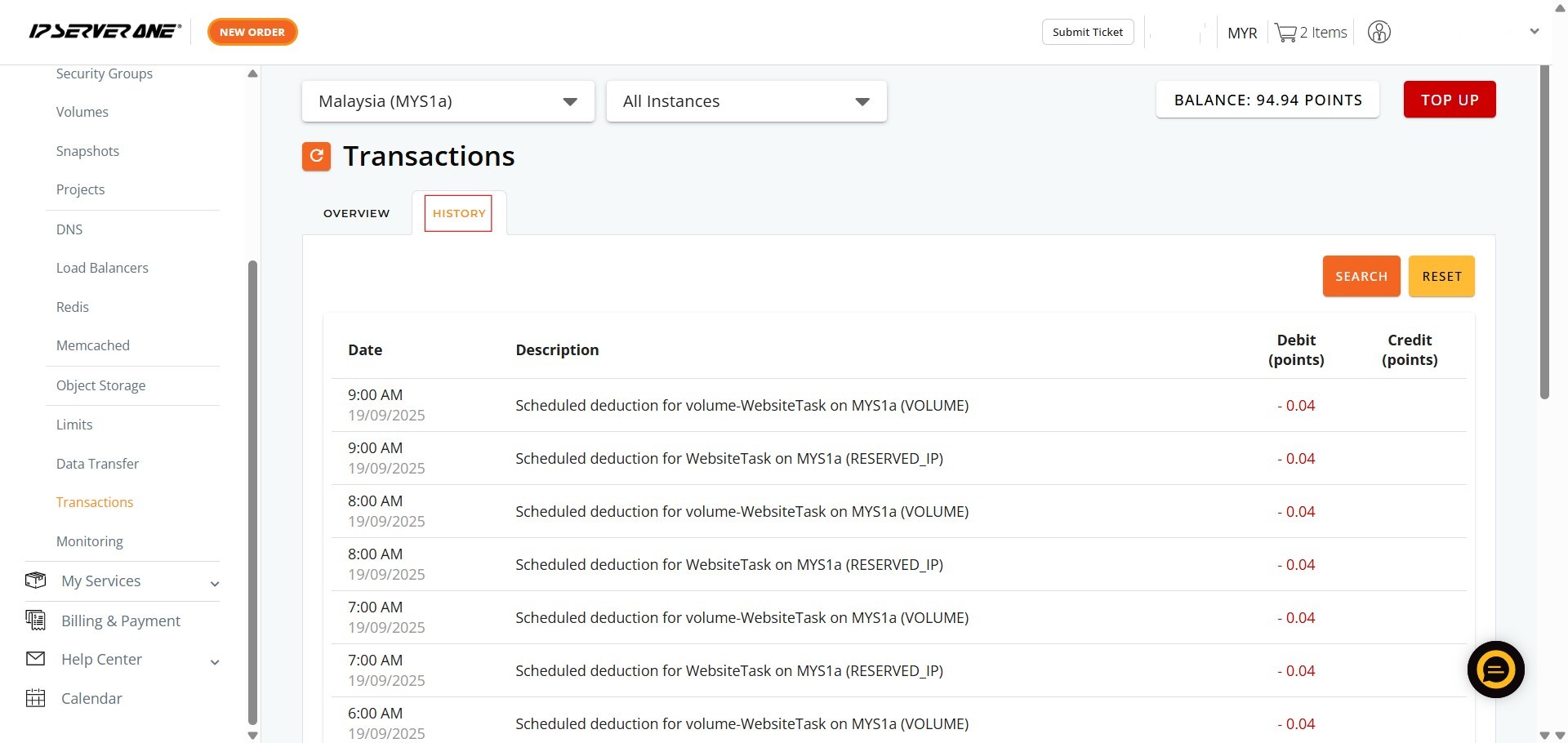
Step 4: Click on the “HISTORY” tab
- Located next to the “OVERVIEW” tab. This section displays a comprehensive list of past invoices, proforma invoices, receipts, and other transactions.
Conclusion:
The Transaction History functionality provides a powerful tool for monthly or weekly financial oversight, enabling you to access a comprehensive record of all financial activities. Within this section, you can quickly locate and manage documents such as past invoices, proforma invoices, receipts, and more. For easy record-keeping, you have the option to either View Details or Download these historical transactions directly.
In addition to transaction history, the Billing and Payment area allows users to review previous transactions and easily download their overall Account Statement by selecting the appropriate Currency, Start Date, and End Date.
Should you encounter any issues or have any questions, our support team at IPSERVERONE is always here to assist you. Don’t hesitate to reach out to us at support@ipserverone.com for any help you need.