
Search Our Database
How to Remove Contact in Gmail App
Introduction:
Removing a contact through the Gmail App is a straightforward process that begins by accessing your directory via the three horizontal lines (menu icon) and scrolling down to select Contacts. To initiate the removal, you must first locate the specific contact profile you wish to delete from your synchronized list. Within the target’s profile, you simply scroll down to find and select the Delete option. The process is finalized by confirming “Move to Bin,” which ensures the contact is effectively removed from all your synced devices.
Prerequisites:
- The specific individual you wish to delete must already exist in your directory so that you can locate and select their profile.
- You must be signed into an active Google account.
Step-by-step Guide:
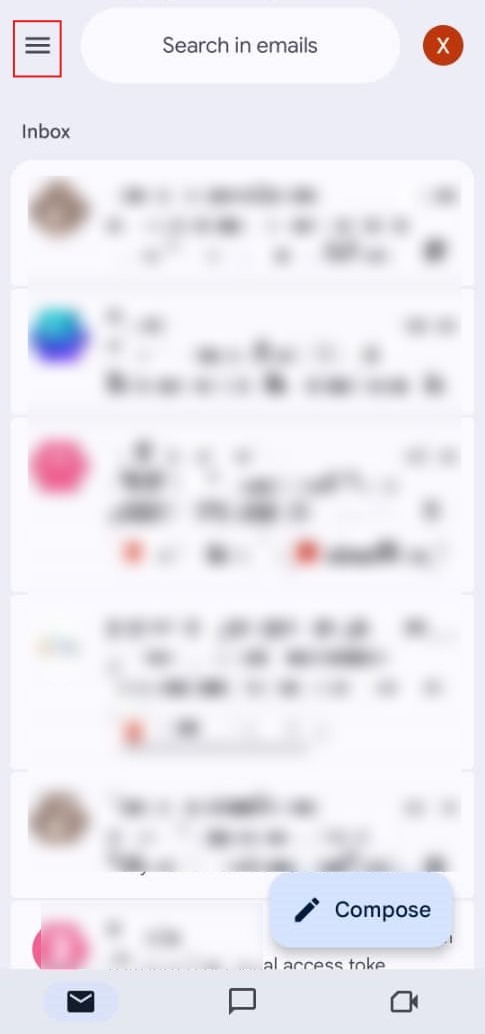
Step 1: Tap Menu Icon
- Open the Gmail app and tap the three horizontal lines (menu icon) in the top-left corner.
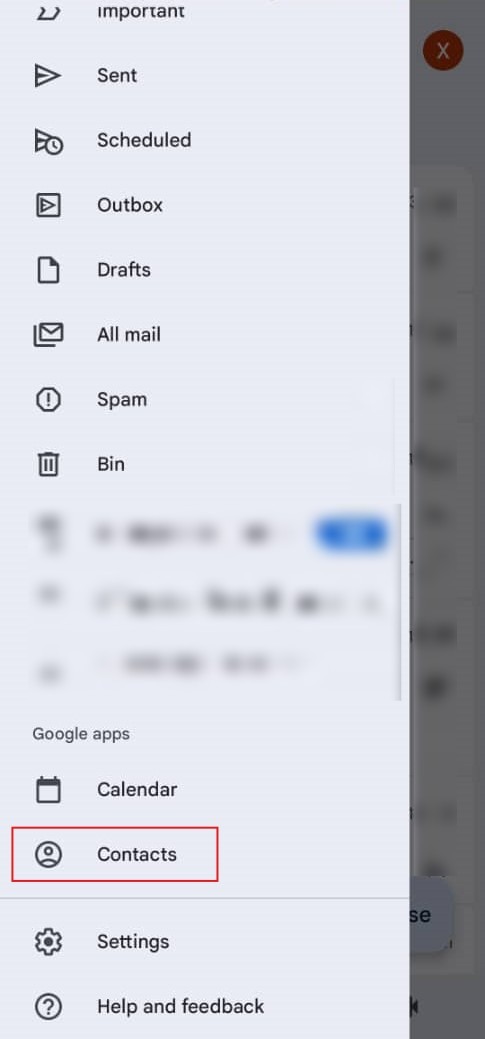
Step 2: Select Contacts
- Scroll down to the bottom of the side menu and tap Contacts under the Google apps section.
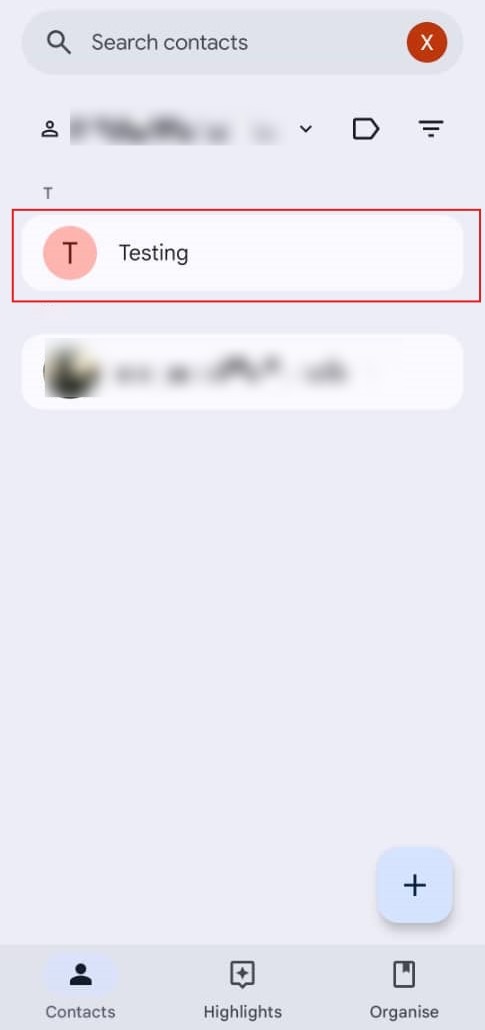
Step 3: Locate Contact
- Browse your list and tap on the specific contact you wish to delete to open their profile.
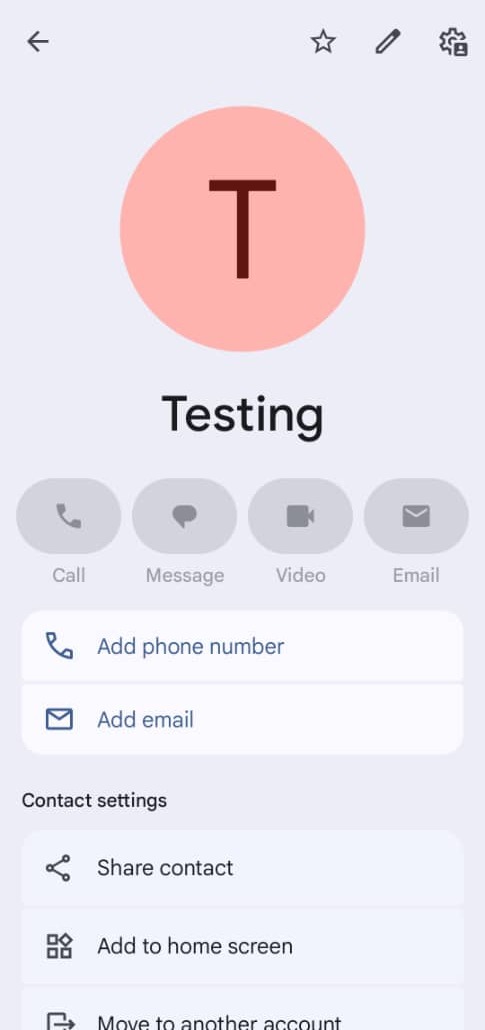
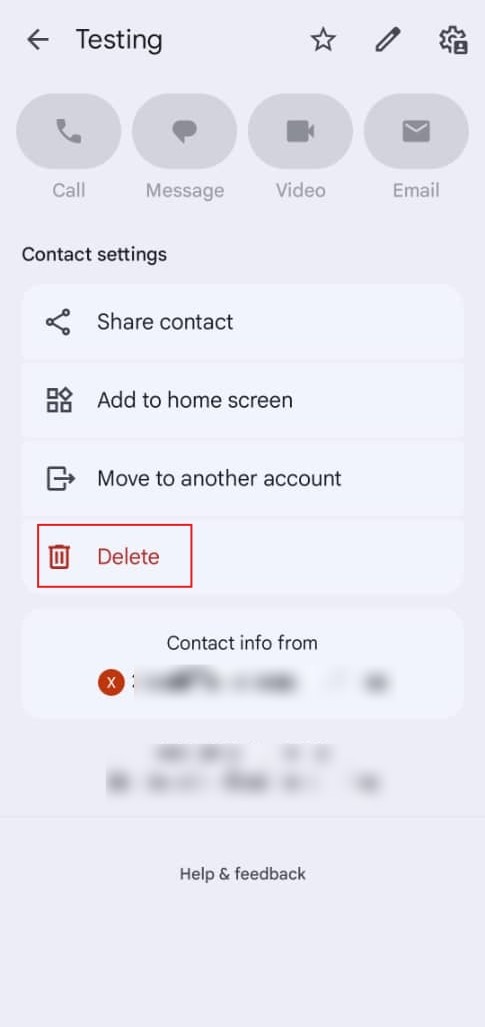
Step 4: Tap Delete
- Scroll to the very bottom of the contact’s information page and select the Delete option.
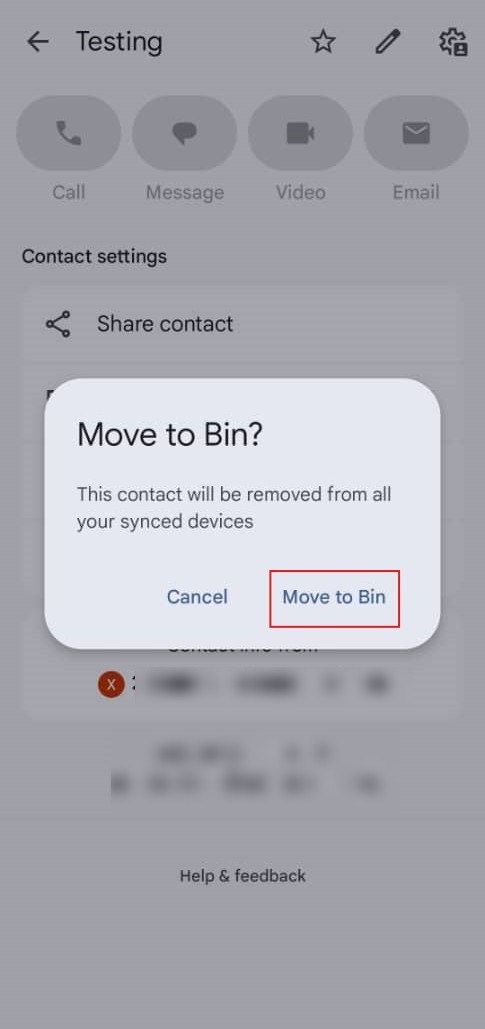
Step 5: Confirm Removal
- Tap “Move to Bin” on the confirmation prompt that appears on the screen.
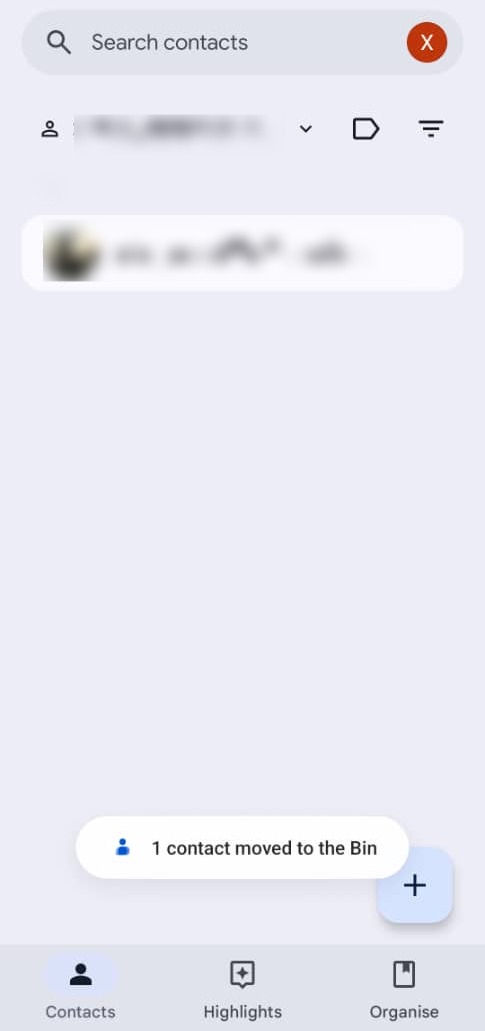
Step 6: Confirmation
- A success message will appear at the bottom of the screen confirming the contact has been moved to the bin.
Conclusion:
In conclusion, removing a contact through the Gmail App is an efficient process that begins by accessing the main menu via the three horizontal lines and selecting “Contacts” from the Google apps section. Once you have located and selected the specific profile you wish to delete, you must scroll to the bottom of the contact’s information page to find the “Delete” option. The removal is finalized by tapping “Move to Bin,” which triggers a success notification confirming that the contact has been removed from your synchronized devices.