
Search Our Database
How to Configure Forwarding Option: “Archive Gmail’s Copy” in Gmail Web
Introduction:
Managing complex IT infrastructure such as NovaCloud instances, NovaGPU as a Service, and Bare Metal Servers requires staying on top of high-volume communications like billing invoices, system alerts, and support ticket updates. To maintain a distraction-free primary workspace without permanently deleting essential records, you can configure Gmail to automatically archive original messages as they are redirected to a centralized monitoring address.
Selecting the “Archive Gmail’s Copy” option ensures that redirected notifications are removed from your active inbox and safely stored in your general archive for future auditing or troubleshooting. Handled within the “Forwarding and POP/IMAP” tab, this administrative setting allows you to streamline your daily workflow.
Prerequisites:
- User must possess a fully registered and active Gmail account.
- The procedure explicitly requires accessing the Gmail Web interface.
- You must have a secondary, active email address to serve as the forwarding destination.
- You must have already successfully added and verified a destination email address.
Step-by-step Guide:
Step 1: Access Settings
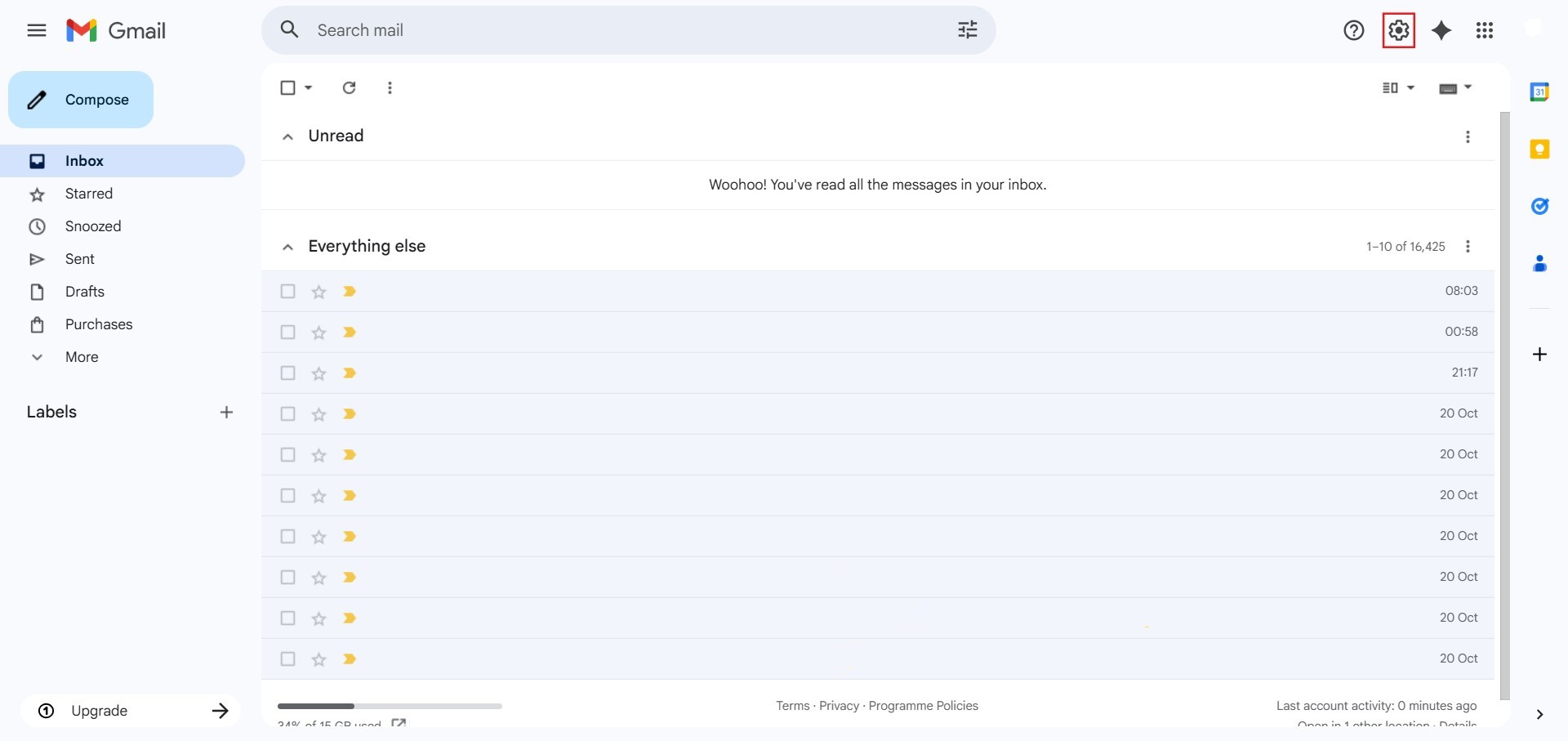
- The initial action required is to Click setting.
Step 2: Navigate to All Settings
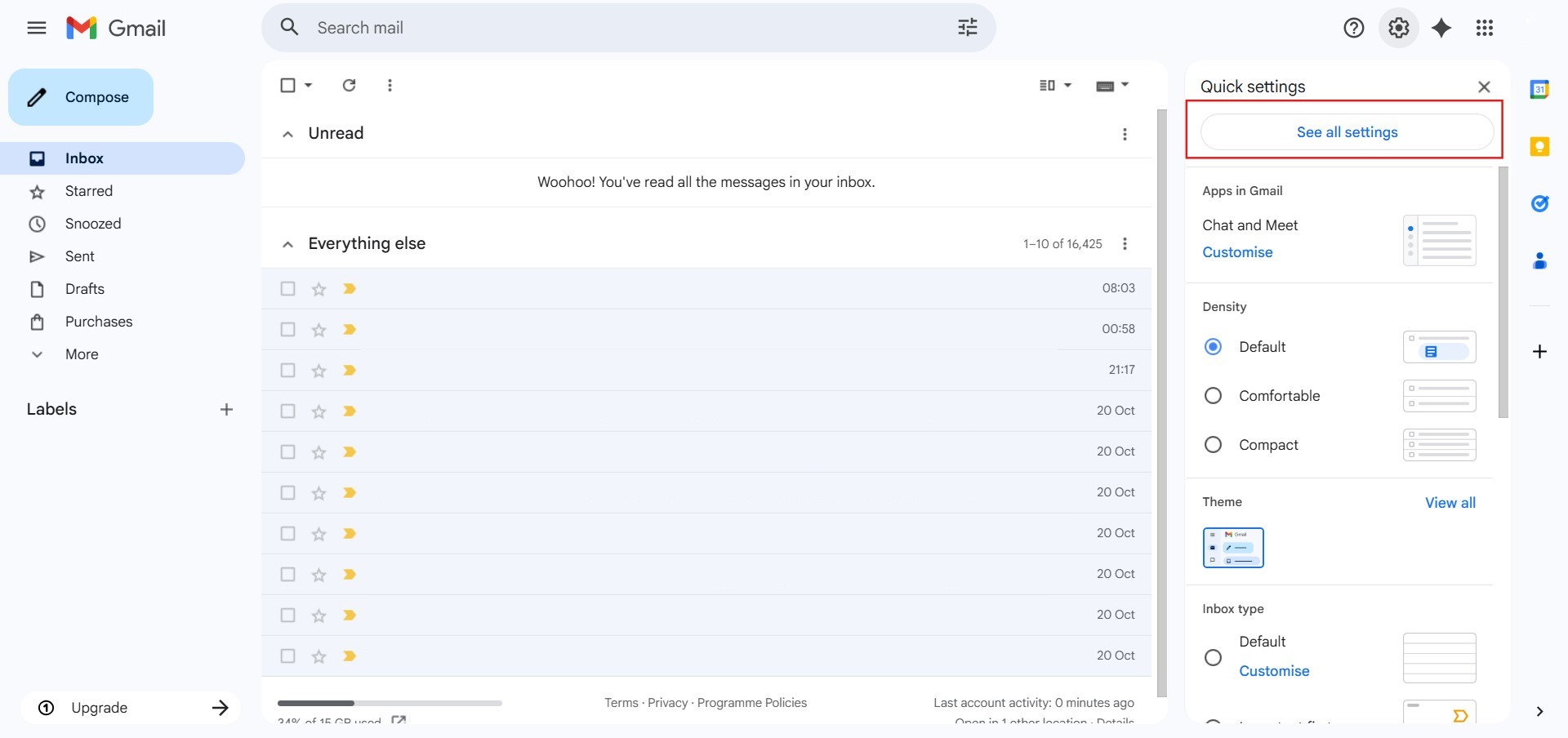
- After clicking “setting,” proceed to select See all Settings.
Step 3: Navigate to Forwarding and POP/IMAP
- Click on the tab labeled “Forwarding and POP/IMAP” located in the top menu bar of the settings page.

Step 4: Choose Recipient
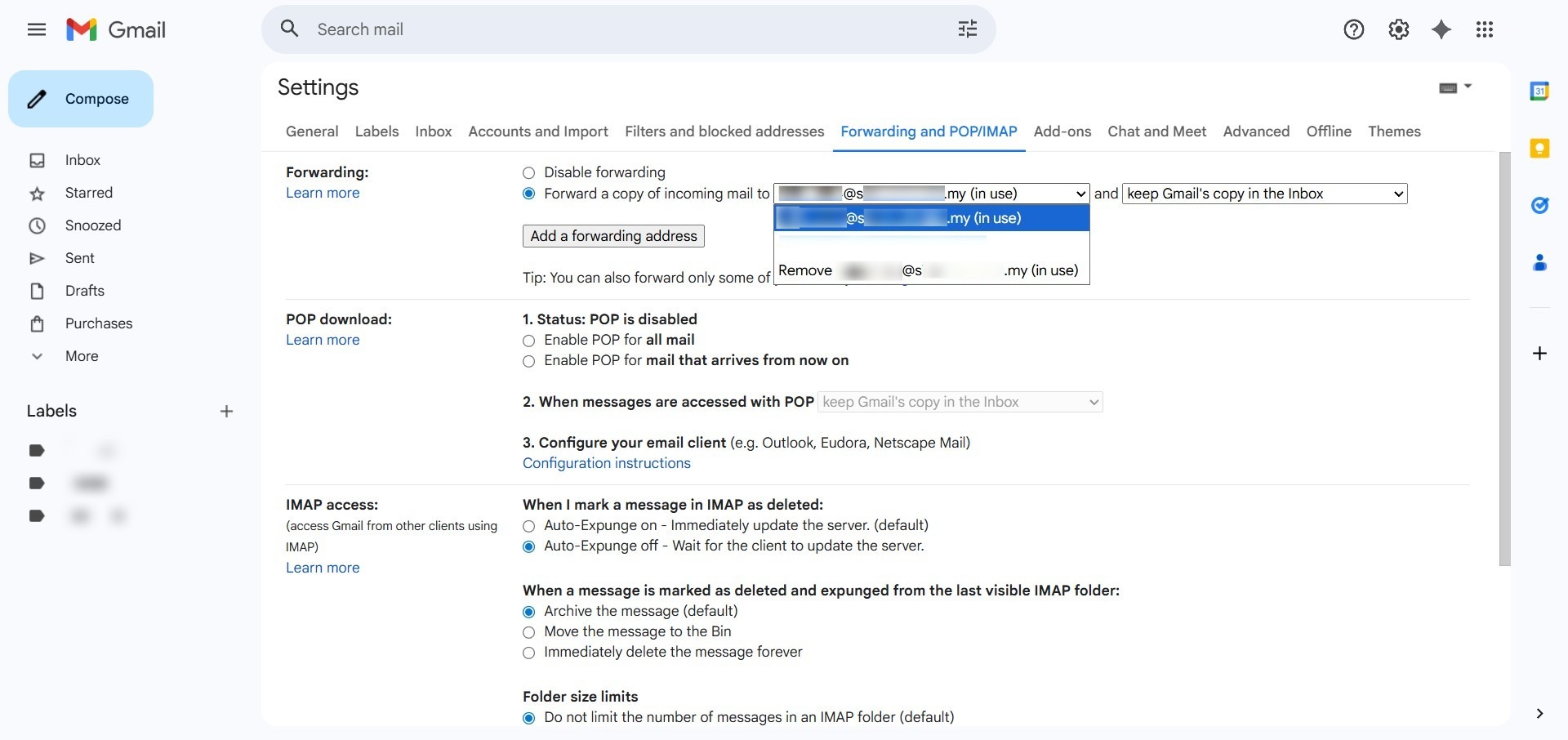
- Ensure the forwarding feature is toggled to “Forward a copy of incoming mail to…”

Step 5: Enter Destination
- Select the verified destination email address from the primary dropdown menu.
Step 6: Set Archival Action
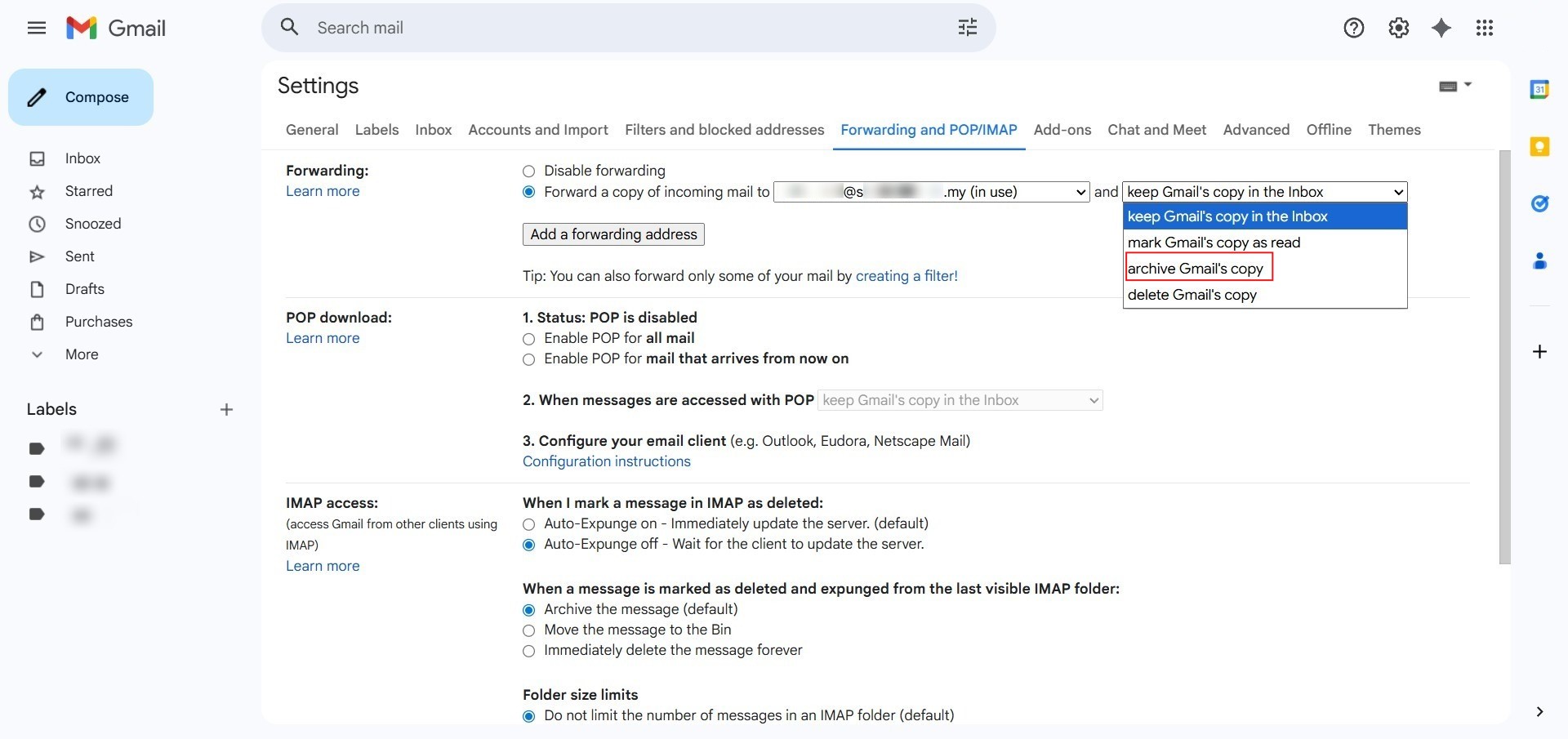
- In the second dropdown menu, select the option: “archive Gmail’s copy”.
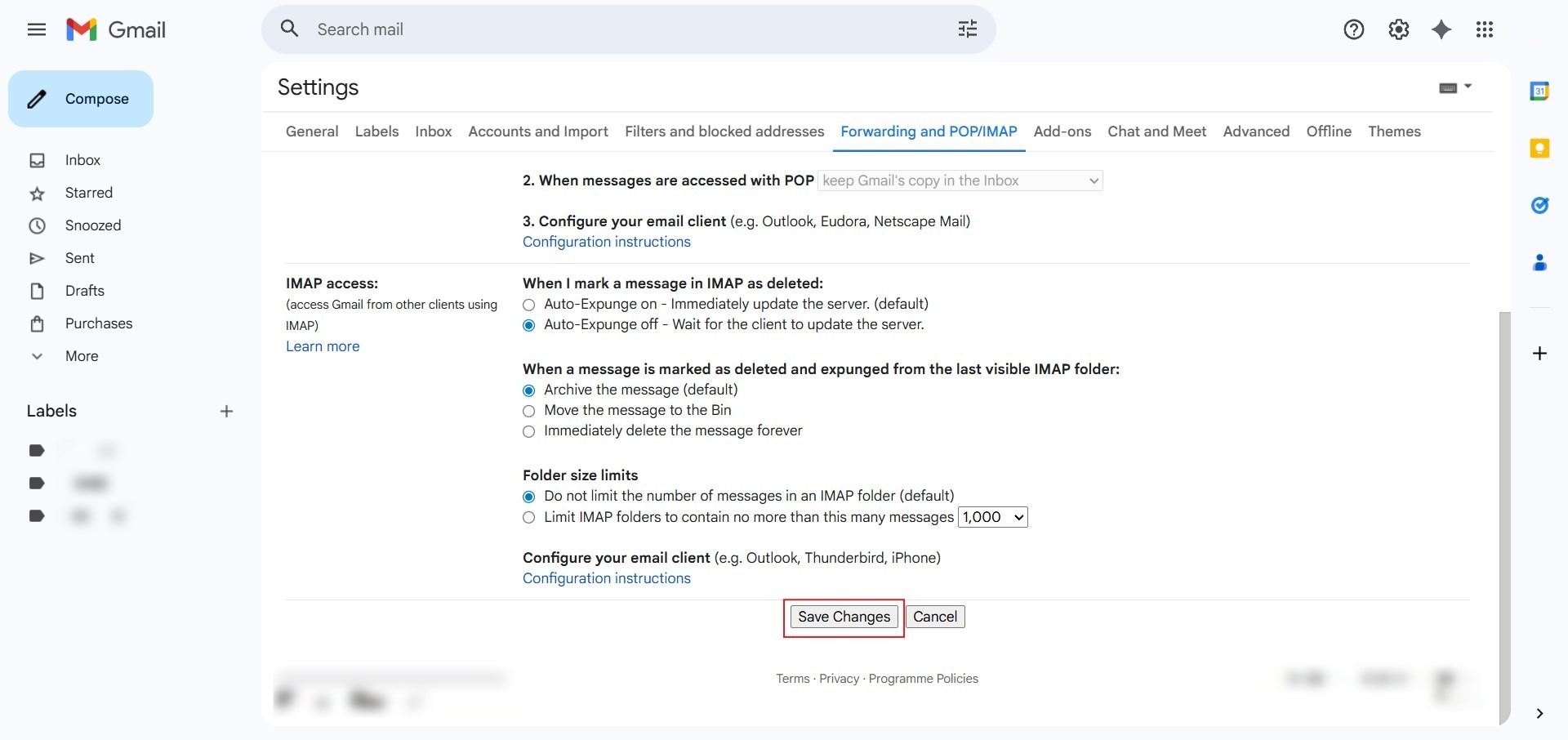
Step 7: Finalize Changes
- Scroll to the bottom of the settings page and click the “Save Changes” button to apply the redundancy rule.
Conclusion:
By successfully enabling the “Archive Gmail’s Copy” option, you have created a highly organized communication system that balances immediate operational awareness with long-term data retention. This configuration ensures that while your team actively monitors redirected alerts for NovaCloud instances, NovaGPU as a Service, and billing invoices, your primary Gmail inbox remains free of clutter by automatically moving original messages to the archive.