
Search Our Database
How to Disable Global Variable Registration in DirectAdmin (Enhanced Skin)
Introduction
PHP register globals is a deprecated and dangerous feature that automatically creates global variables from external input, and ensuring this setting remains disabled is essential for maintaining secure PHP applications. Disabling register globals prevents security vulnerabilities where attackers can manipulate script variables through URL parameters or form data, protecting your applications from variable injection attacks. DirectAdmin’s PHP Settings interface provides a straightforward method for explicitly disabling register globals through custom PHP overrides. This guide explains how to disable register globals using the PHP Settings section in DirectAdmin, ensuring your PHP environment maintains modern security standards by requiring proper variable access through superglobals.
Prerequisites
- Access to DirectAdmin control panel with the necessary permissions.
Step-by-step Guide
Step 1: Access DirectAdmin
Log in to your DirectAdmin control panel.

Step 2: Access PHP Settings
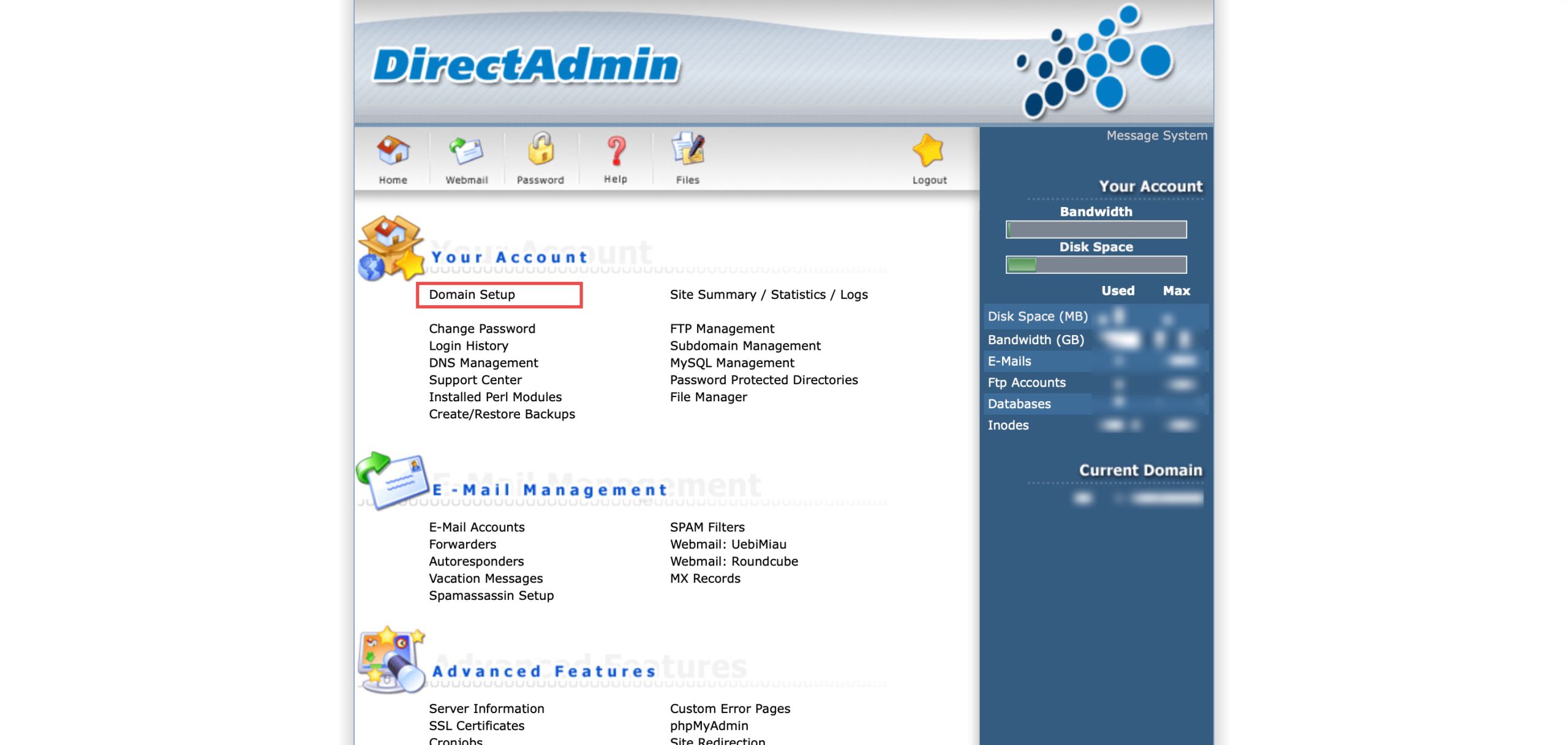
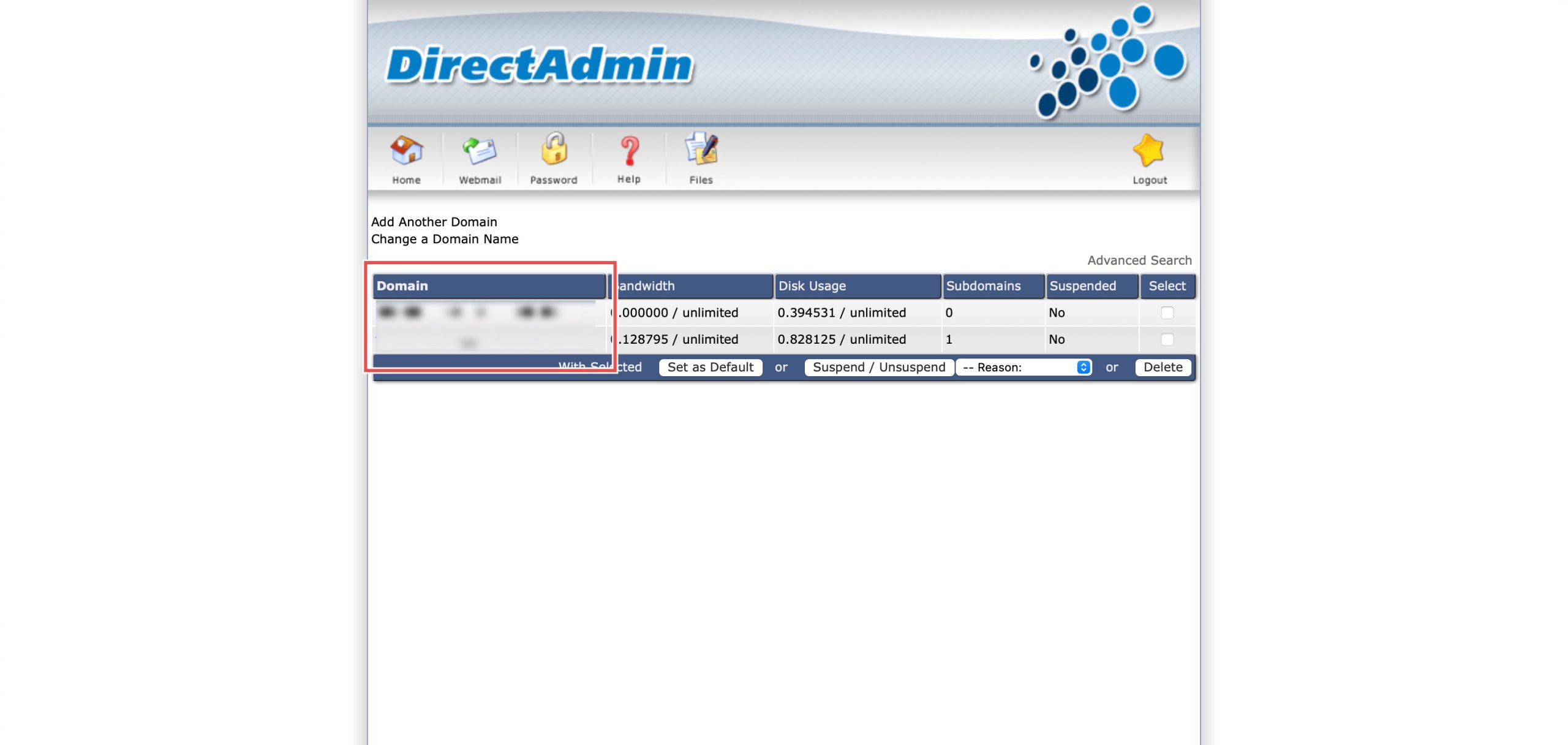
Go to the Your Account section and click on Domain Setup. Then, select the domain/subdomain you wish to modify PHP settings for by clicking on the domain/subdomain name.
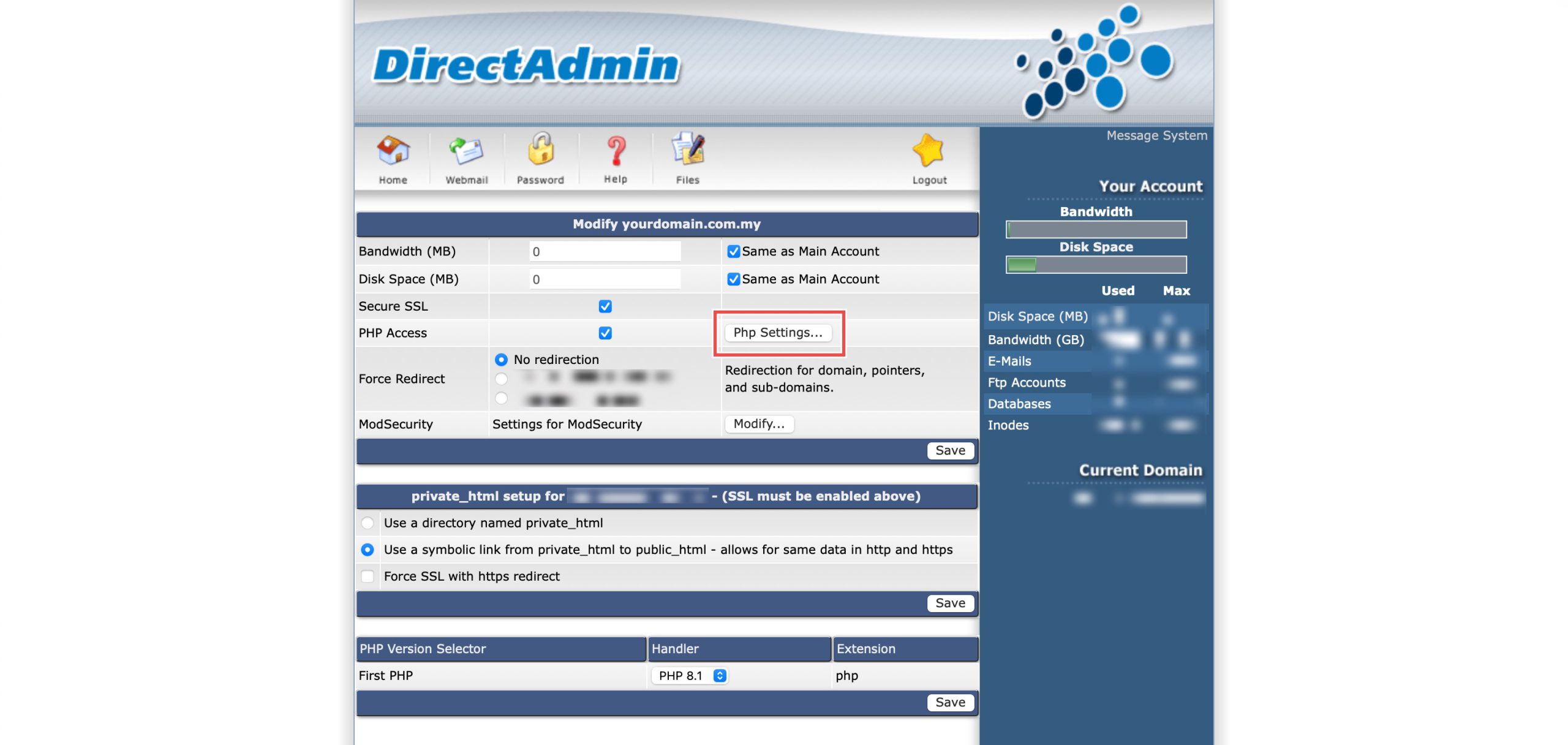
At the PHP Access row, click Php Settings…. You should be able to see a list of your current PHP configuration.
Step 3: Disable Global Variable Registration
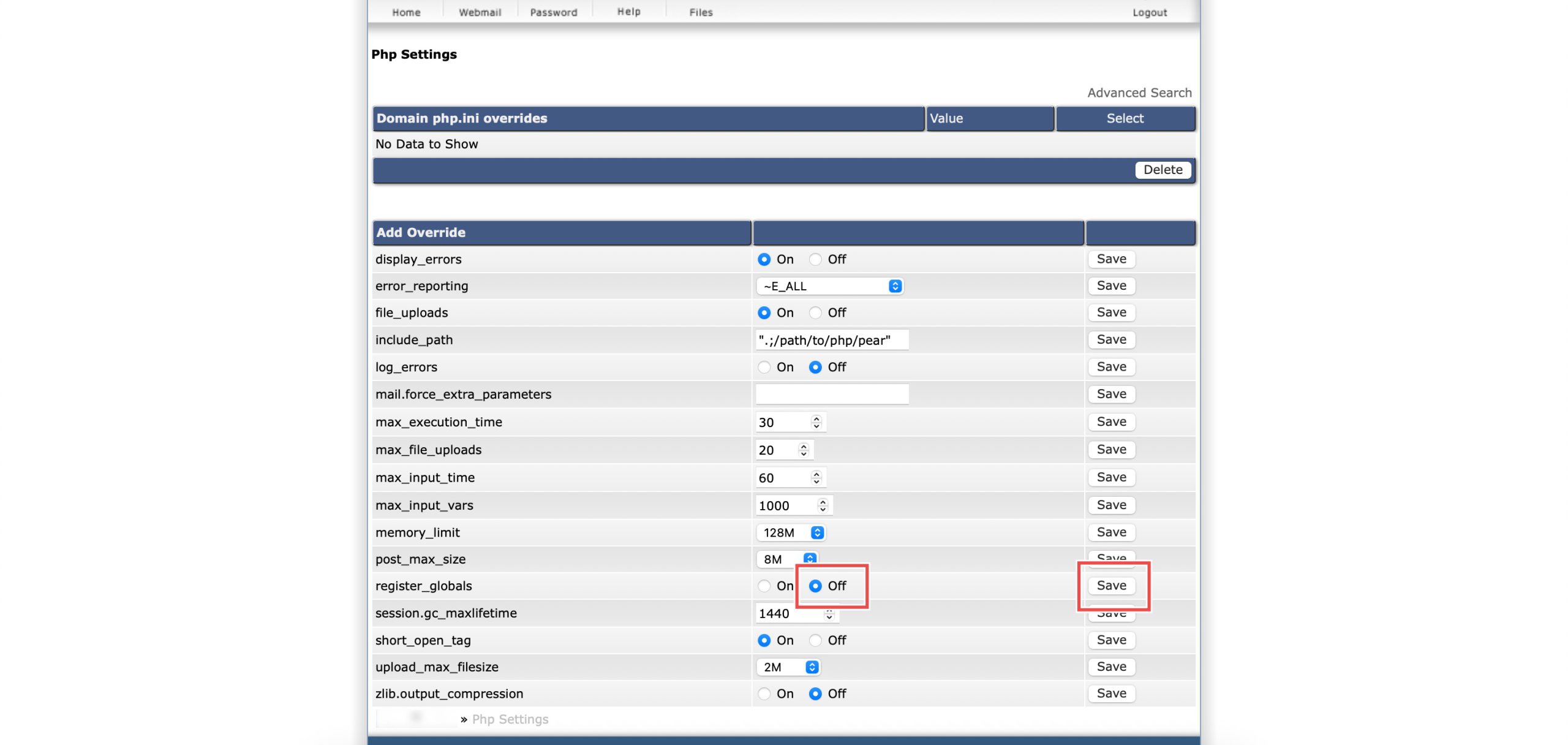
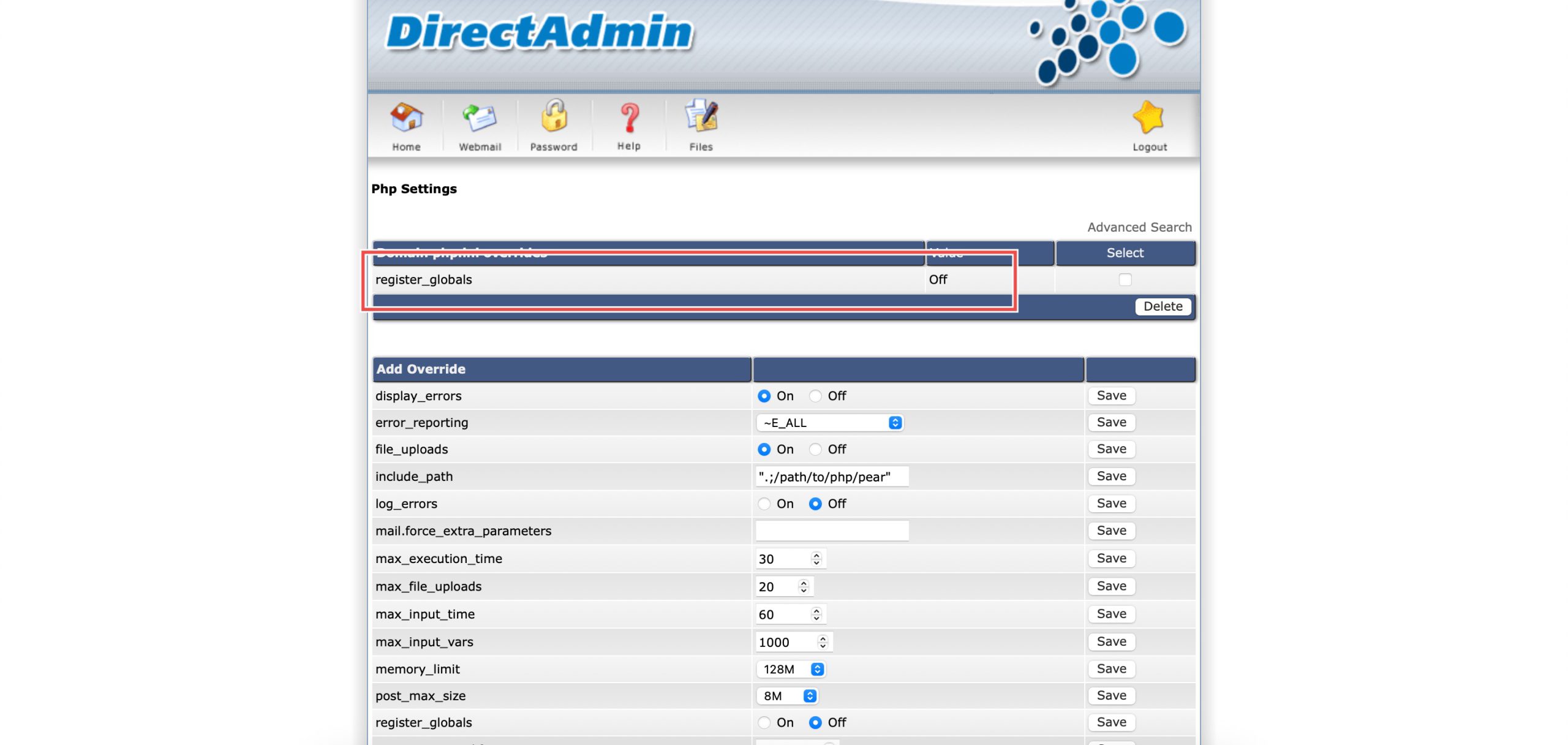
Scroll down to the Add Override section. On the register_globals row, select Off. Then, click Save on the right.
Step 4: Verify the changes
You may confirm the new override settings in the updated Domain php.ini overrides table. Variables now must be accessed properly through superglobals.
Conclusion
Disabling PHP register globals through DirectAdmin’s PHP Settings interface is a simple process that maintains critical security protections for your applications. Keeping this setting “Off” prevents dangerous variable injection vulnerabilities and ensures your code follows secure variable handling practices by requiring proper access through PHP superglobal arrays.
Should you have any inquiries about the guidelines, please feel free to open a ticket through your portal account or contact us at support@ipserverone.com. We’ll be happy to assist you further.