
Search Our Database
How to Enable Global Variable Registration in DirectAdmin (Enhanced Skin)
Introduction
PHP register globals is a deprecated feature that automatically creates global variables from external input sources, though it poses significant security risks and is disabled by default in modern PHP versions. Legacy applications built for older PHP versions may require this setting enabled to function, though updating application code to use secure variable handling methods is strongly recommended. DirectAdmin’s PHP Settings interface provides a method for enabling register globals through custom PHP overrides when absolutely necessary for compatibility. This guide explains how to enable register globals using the PHP Settings section in DirectAdmin, though this configuration should only be used as a temporary measure while updating legacy code to modern security standards.
Prerequisites
- Access to DirectAdmin control panel with the necessary permissions.
Step-by-step Guide
Step 1: Access DirectAdmin
Log in to your DirectAdmin control panel.

Step 2: Access PHP Settings
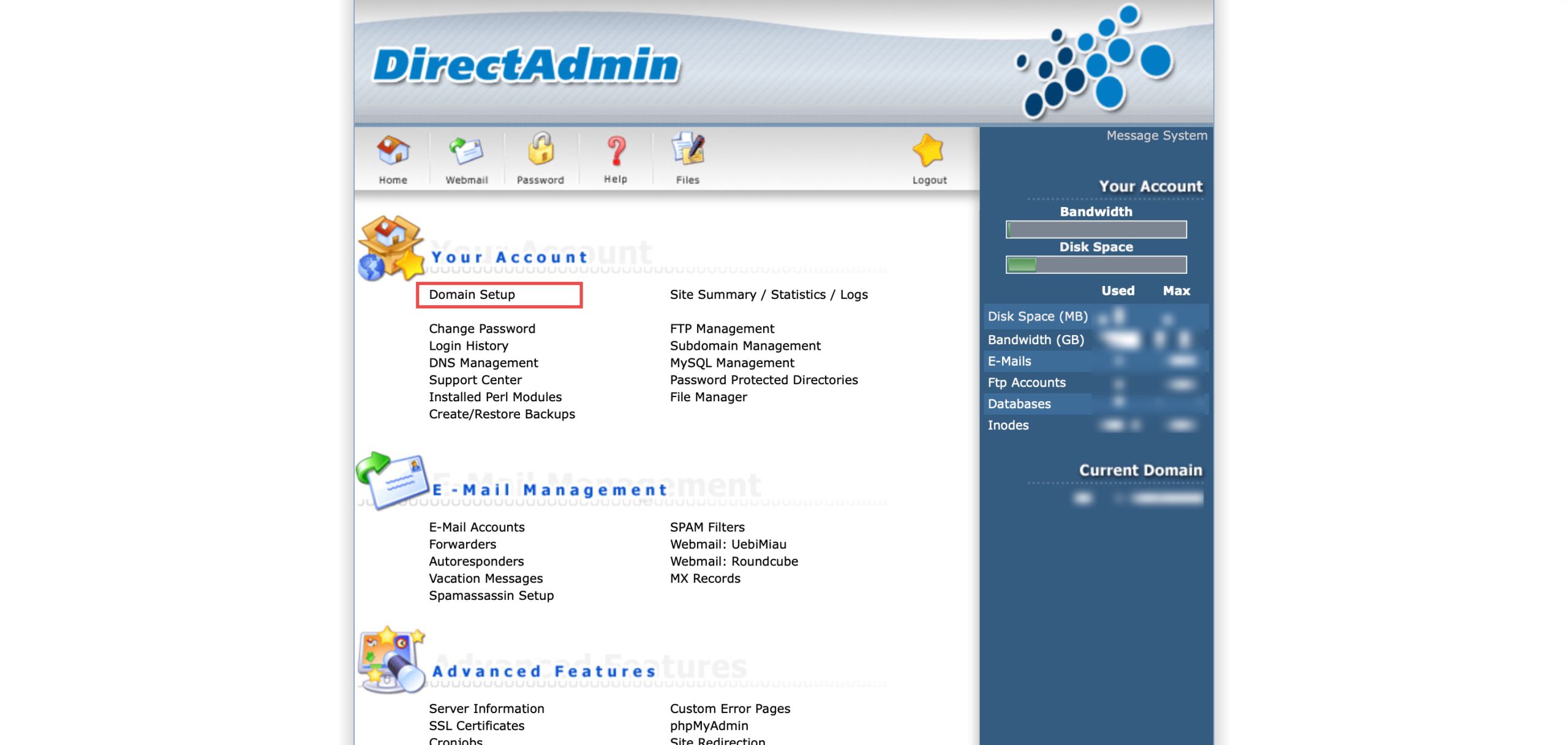
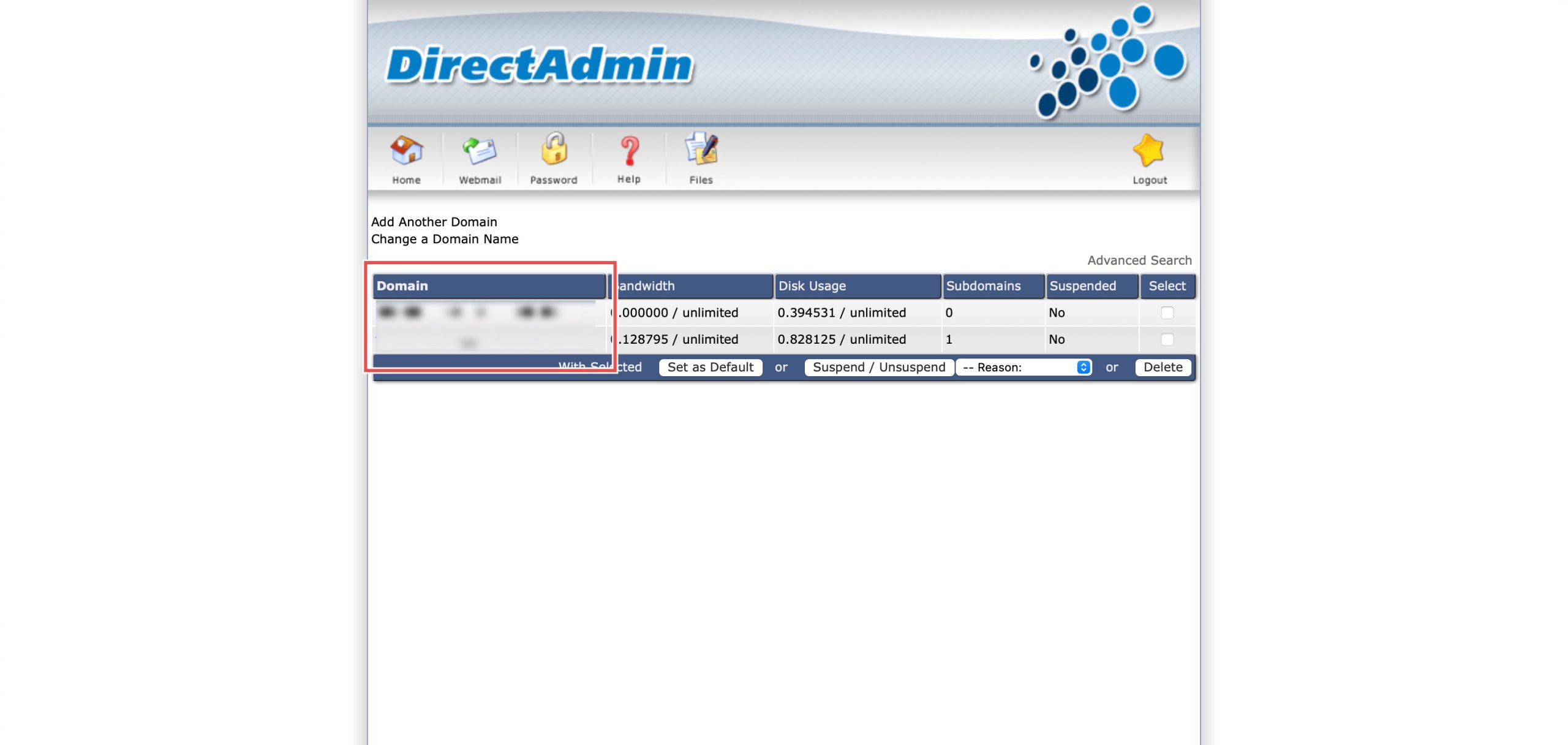
Go to the Your Account section and click on Domain Setup. Then, select the domain/subdomain you wish to modify PHP settings for by clicking on the domain/subdomain name.
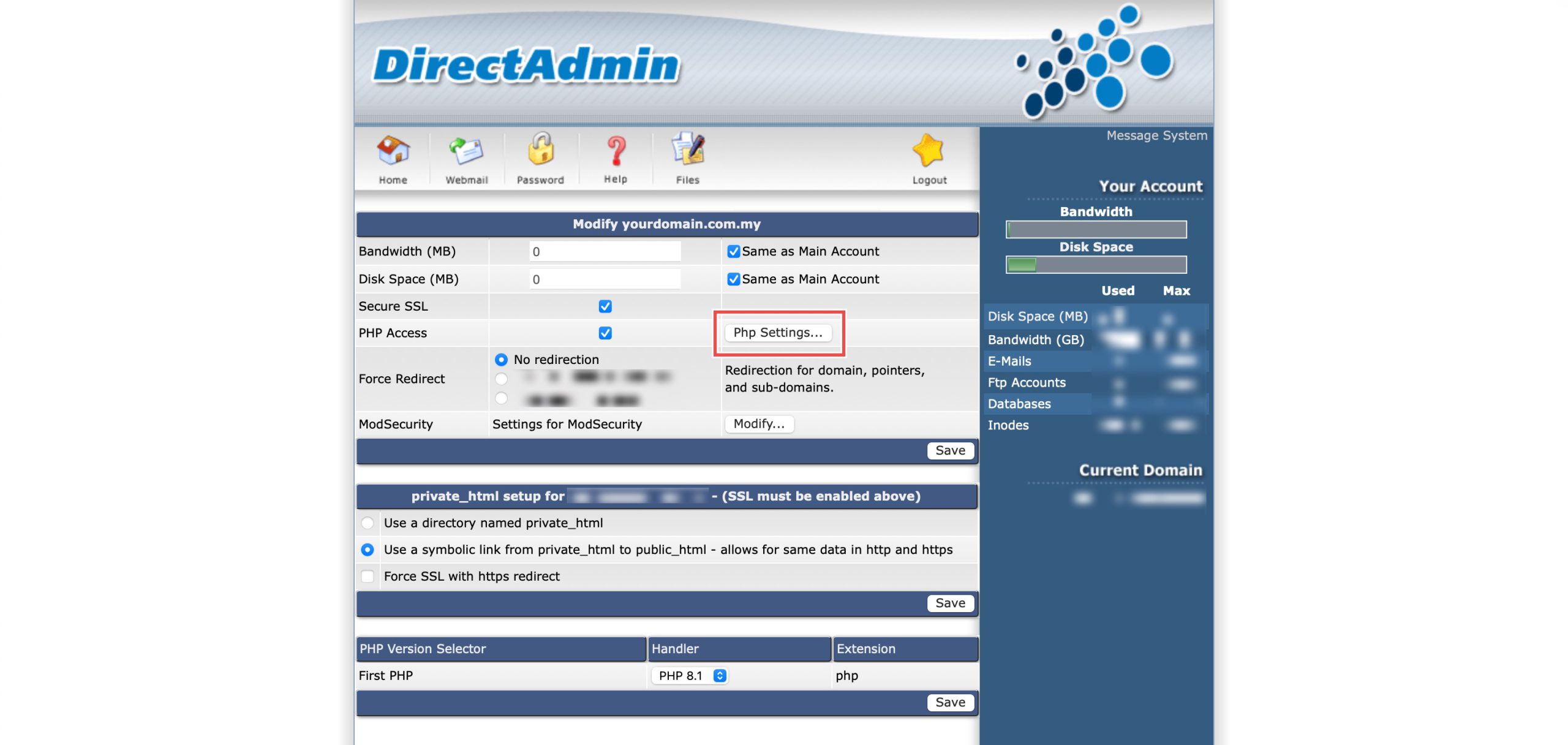
At the PHP Access row, click Php Settings…. You should be able to see a list of your current PHP configuration.
Step 3: Enable Global Variable Registration
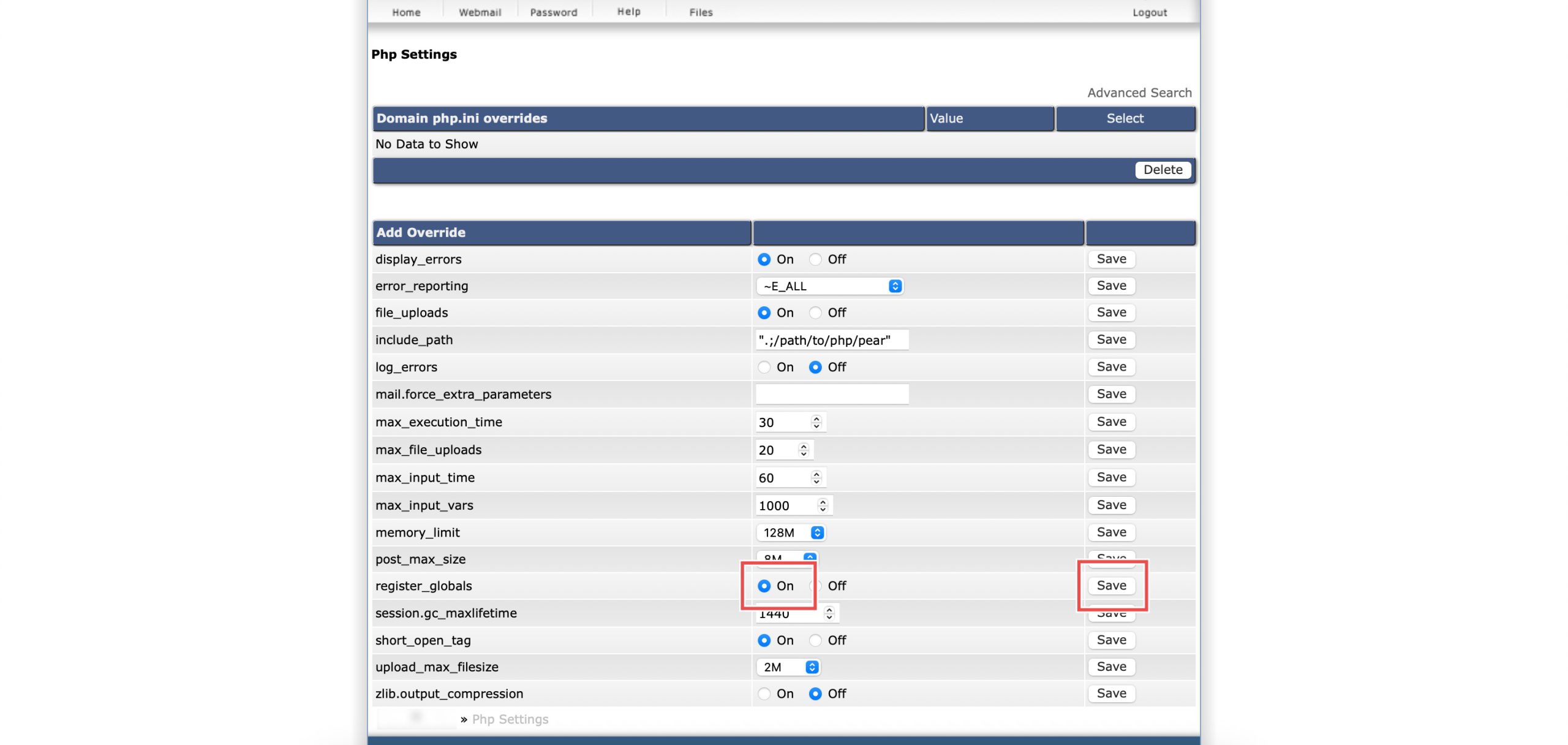
Scroll down to the Add Override section. On the register_globals row, select On. Then, click Save on the right.
Step 4: Verify the changes
You may confirm the new override settings in the updated Domain php.ini overrides table. External variables now become global.

Conclusion
Enabling PHP register globals through DirectAdmin’s PHP Settings interface is a simple process that restores deprecated functionality for legacy applications. However, this setting creates serious security vulnerabilities by allowing external data to overwrite script variables, and should only be enabled temporarily for compatibility with outdated code while prioritizing application updates to eliminate this dangerous dependency.
Should you have any inquiries about the guidelines, please feel free to open a ticket through your portal account or contact us at support@ipserverone.com. We’ll be happy to assist you further.