
Search Our Database
How to Define Search Paths for PHP Include Files in DirectAdmin (Enhanced Skin)
Introduction
PHP include path defines the directories where PHP searches for files referenced in include and require statements, and configuring custom paths is essential for organizing application libraries and shared code. Setting include paths enables cleaner code structure, simplifies file references, and allows PHP applications to locate required files without specifying full absolute paths in every include statement. DirectAdmin’s PHP Settings interface provides a straightforward method for defining custom include directories through PHP overrides. This guide explains how to configure include path using the PHP Settings section in DirectAdmin, enabling organized code structure and simplified file inclusion for your PHP applications.
Prerequisites
- Access to DirectAdmin control panel with the necessary permissions.
Step-by-step Guide
Step 1: Access DirectAdmin
Log in to your DirectAdmin control panel.

Step 2: Access PHP Settings
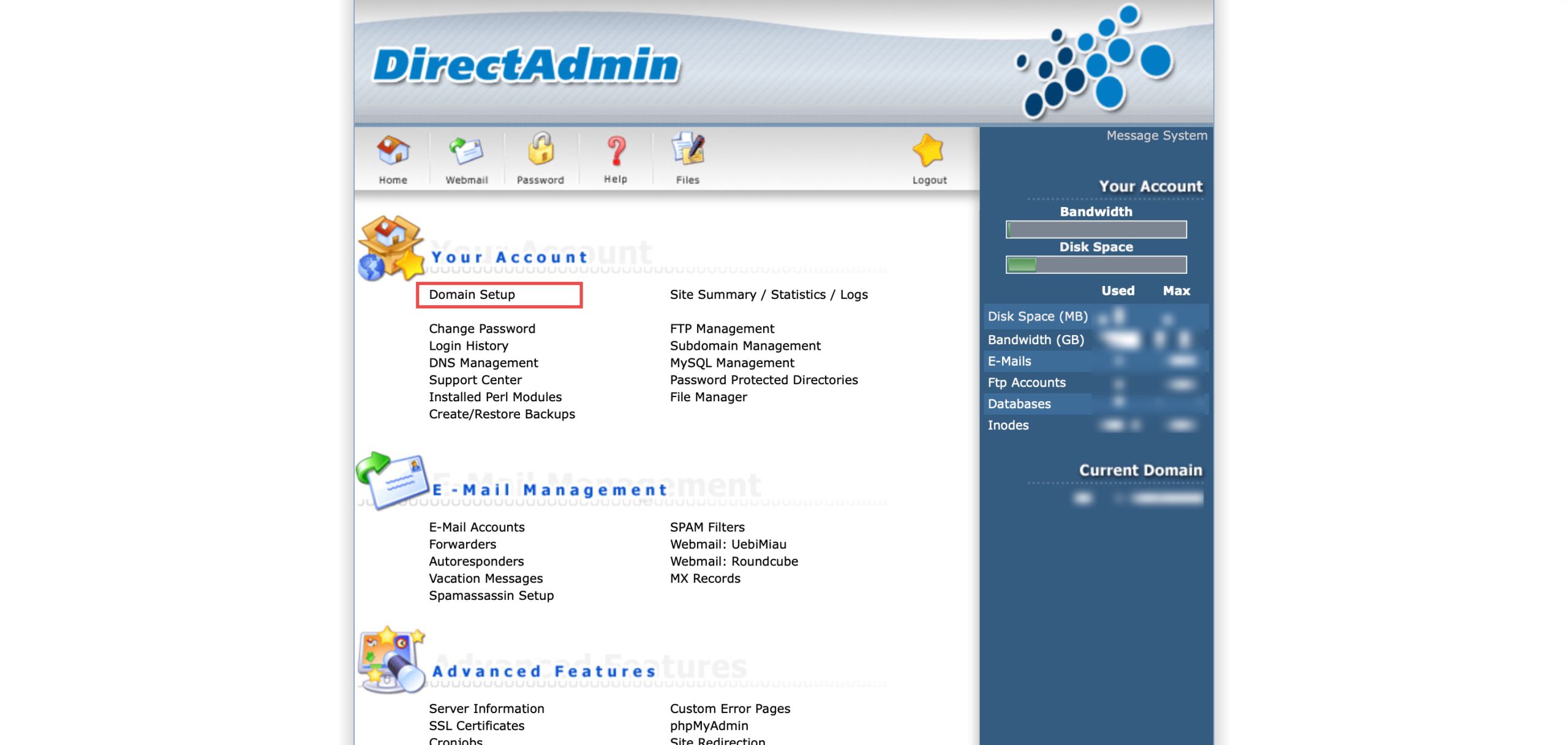
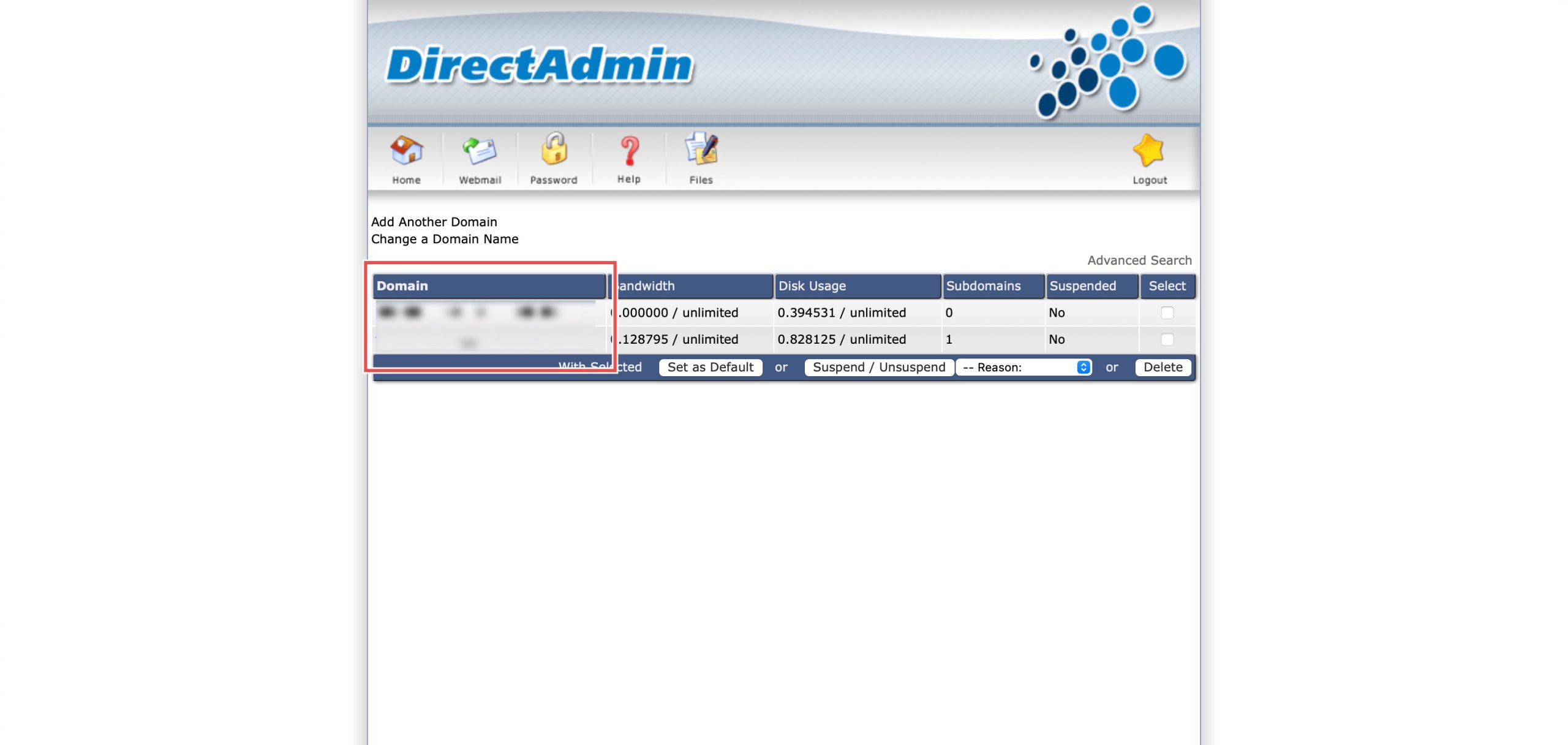
Go to the Your Account section and click on Domain Setup. Then, select the domain/subdomain you wish to modify PHP settings for by clicking on the domain/subdomain name.
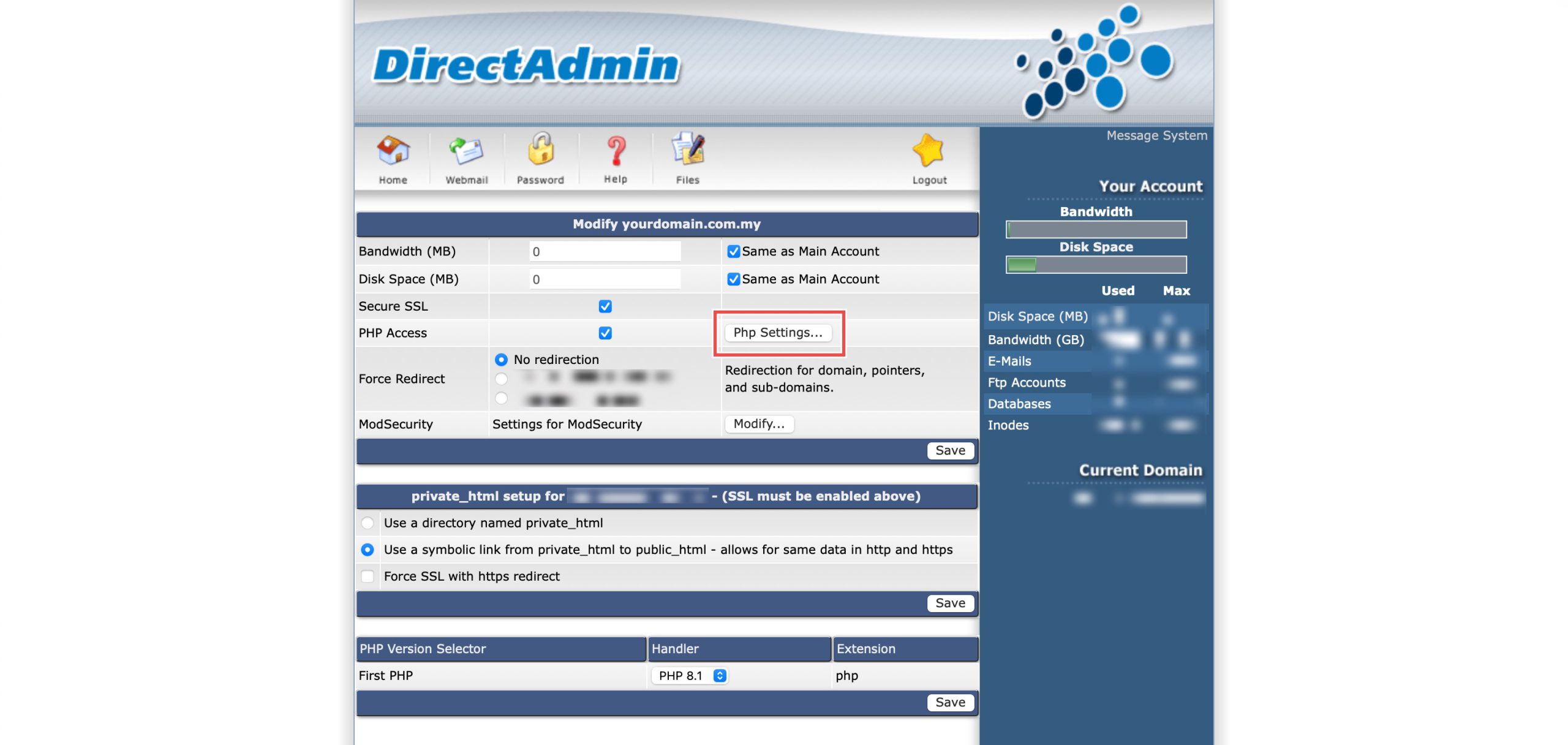
At the PHP Access row, click Php Settings…. You should be able to see a list of your current PHP configuration.
Step 3: Define File Path
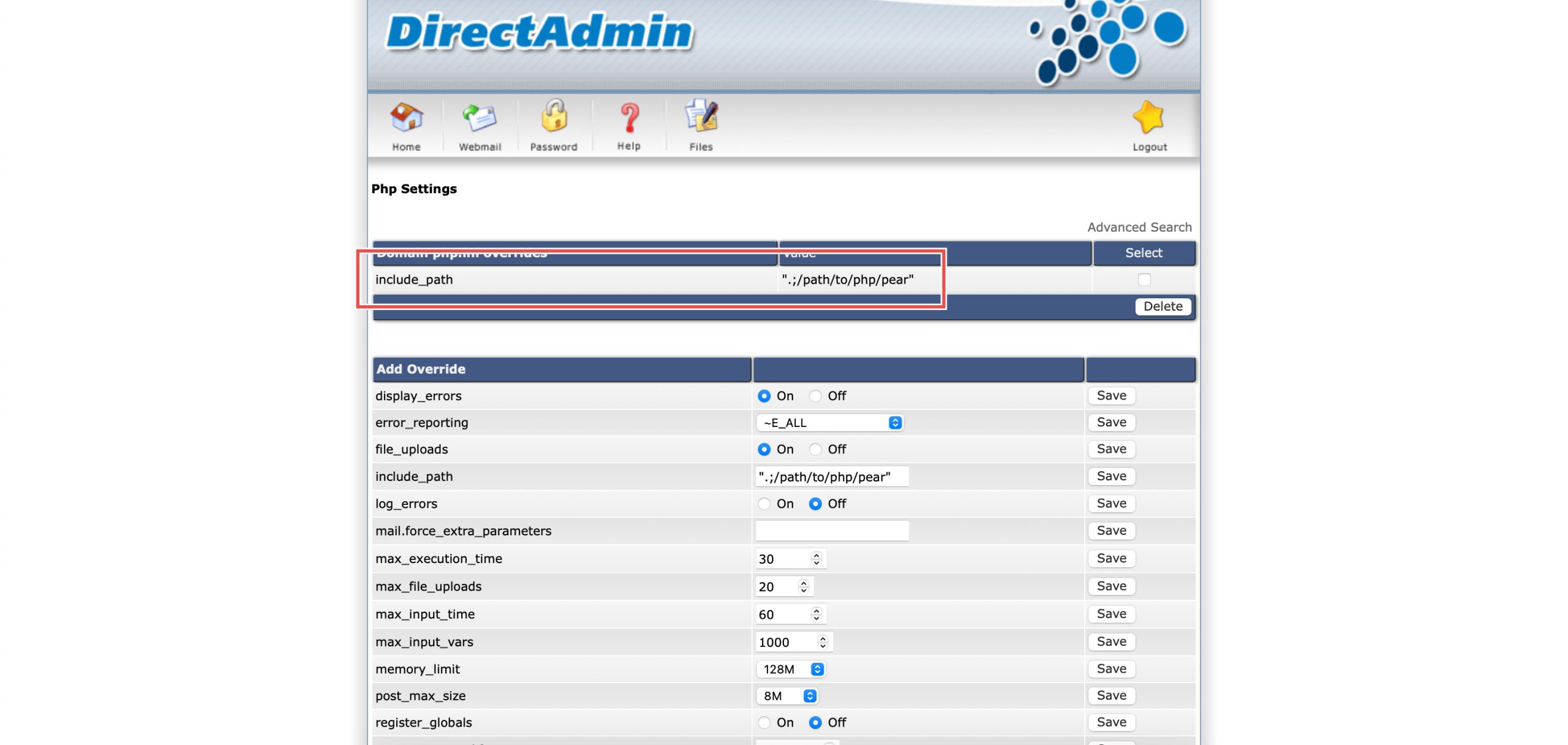
Scroll down to the Add Override section. On the include_path row, enter the directory path you wish for PHP to look for when using include statements. Then, click Save on the right.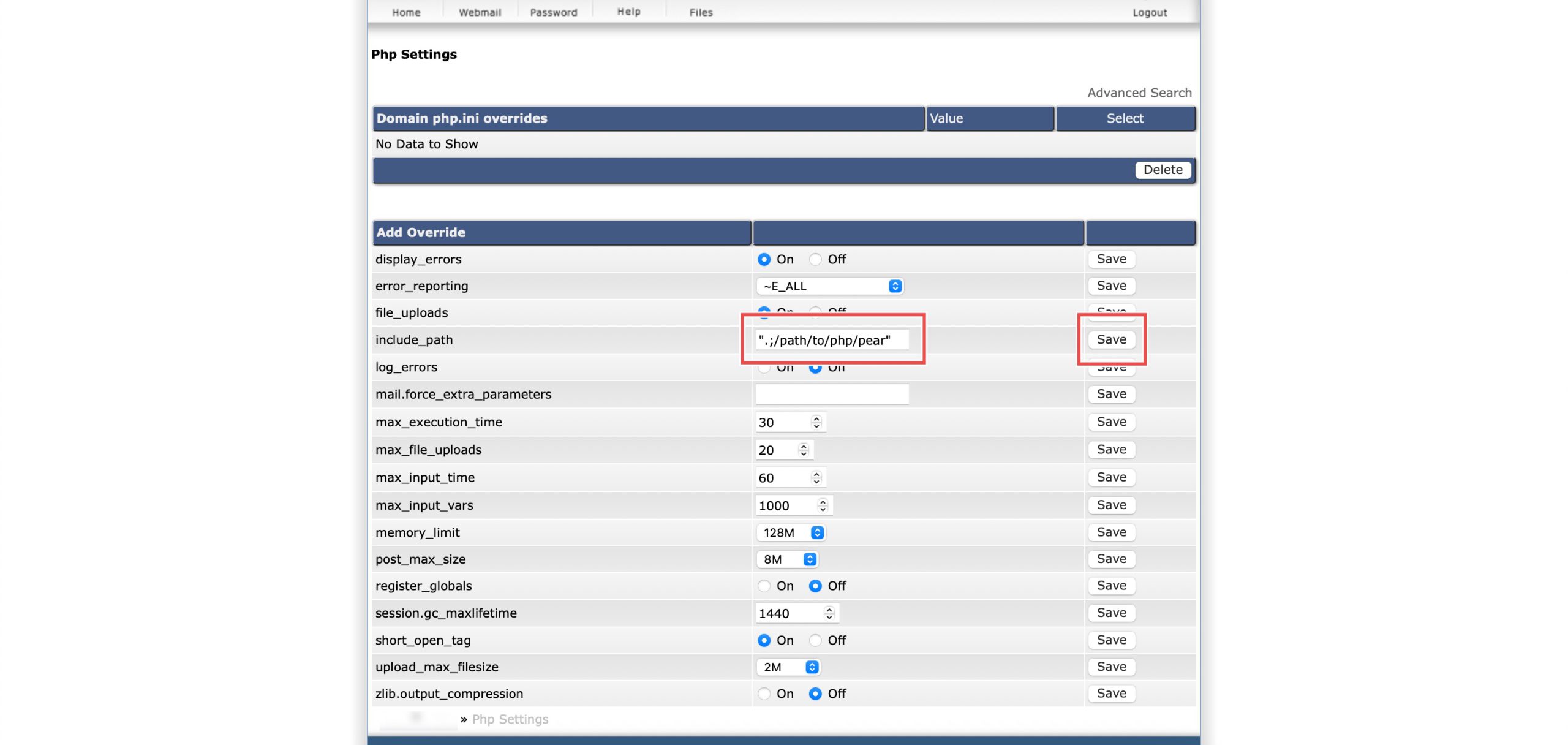
Step 4: Verify the changes
You may confirm the new override settings in the updated Domain php.ini overrides table. PHP will now look in the new directories when searching for included files and libraries.
Conclusion
Configuring PHP include path through DirectAdmin’s PHP Settings interface is a simple process that defines where PHP searches for included files and libraries. Setting custom include directories enables cleaner application structure and simplified file references, with support for multiple directory paths to accommodate complex application architectures.
Should you have any inquiries about the guidelines, please feel free to open a ticket through your portal account or contact us at support@ipserverone.com. We’ll be happy to assist you further.