
Search Our Database
How to Modify PHP Error Reporting in DirectAdmin (Enhanced Skin)
Introduction
PHP error reporting controls which types of errors, warnings, and notices are logged or displayed during script execution. Configuring error reporting levels enables appropriate visibility into code issues for different environments, comprehensive reporting for development and debugging, or selective reporting for production to reduce log clutter while maintaining awareness of critical issues. DirectAdmin’s PHP Settings interface provides a straightforward method for adjusting error reporting behavior through custom PHP overrides. This guide explains how to configure error reporting using the PHP Settings section in DirectAdmin, enabling tailored error visibility that matches your development workflow and production requirements.
Prerequisites
- Access to DirectAdmin control panel with the necessary permissions.
Step-by-step Guide
Step 1: Access DirectAdmin
Log in to your DirectAdmin control panel.

Step 2: Access PHP Settings
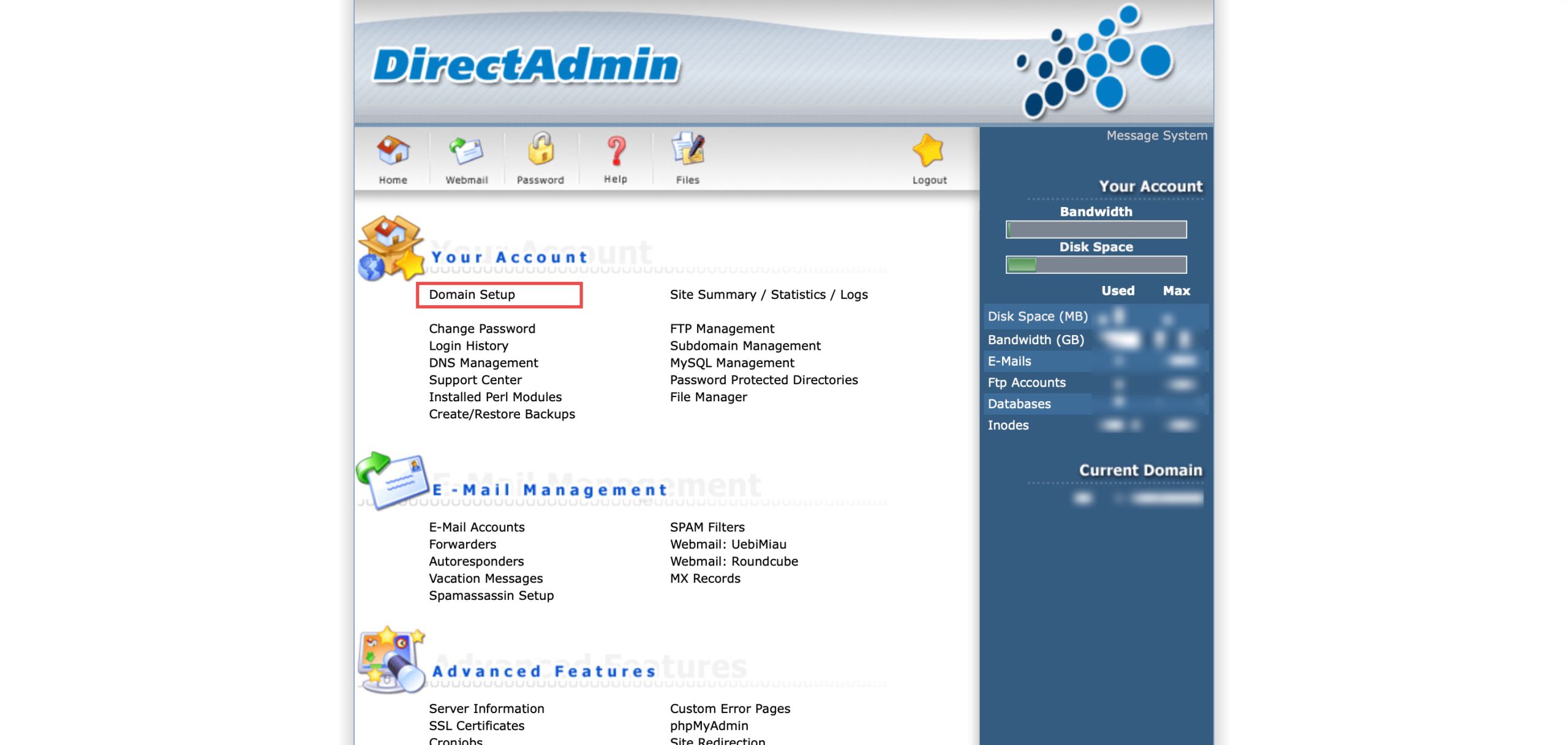
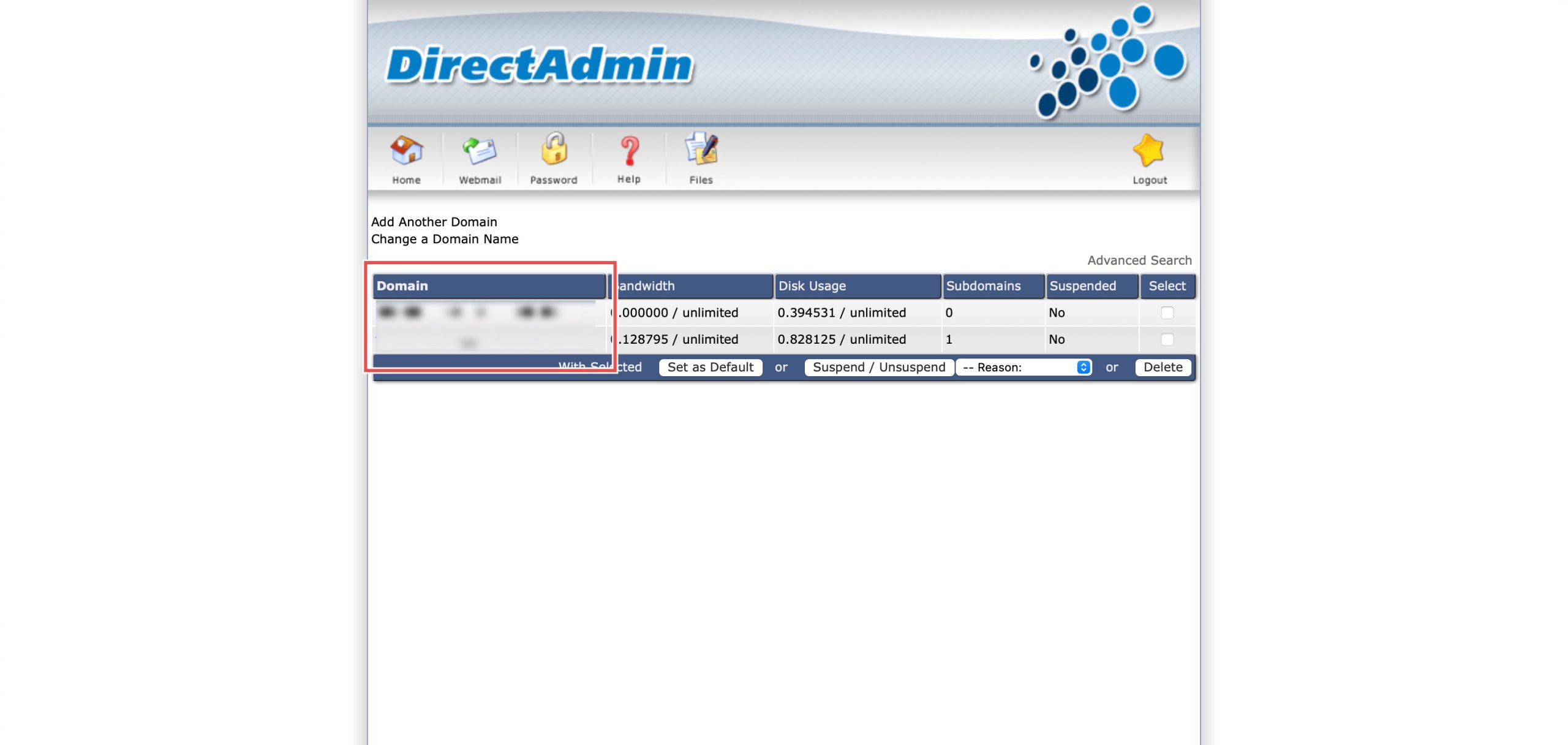
Go to the Your Account section and click on Domain Setup. Then, select the domain/subdomain you wish to modify PHP settings for by clicking on the domain/subdomain name.
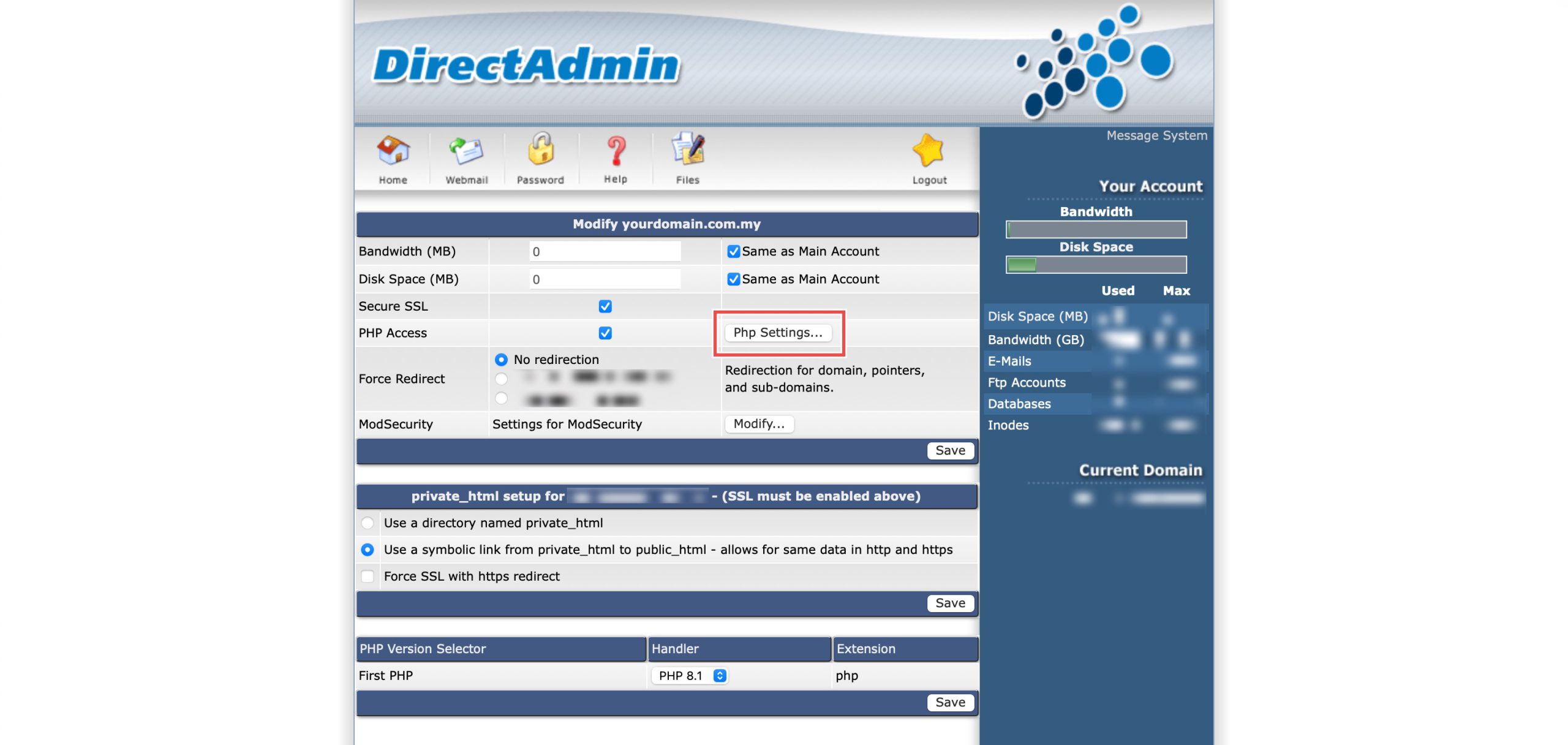
At the PHP Access row, click Php Settings…. You should be able to see a list of your current PHP configuration.
Step 3: Modify Error Reporting
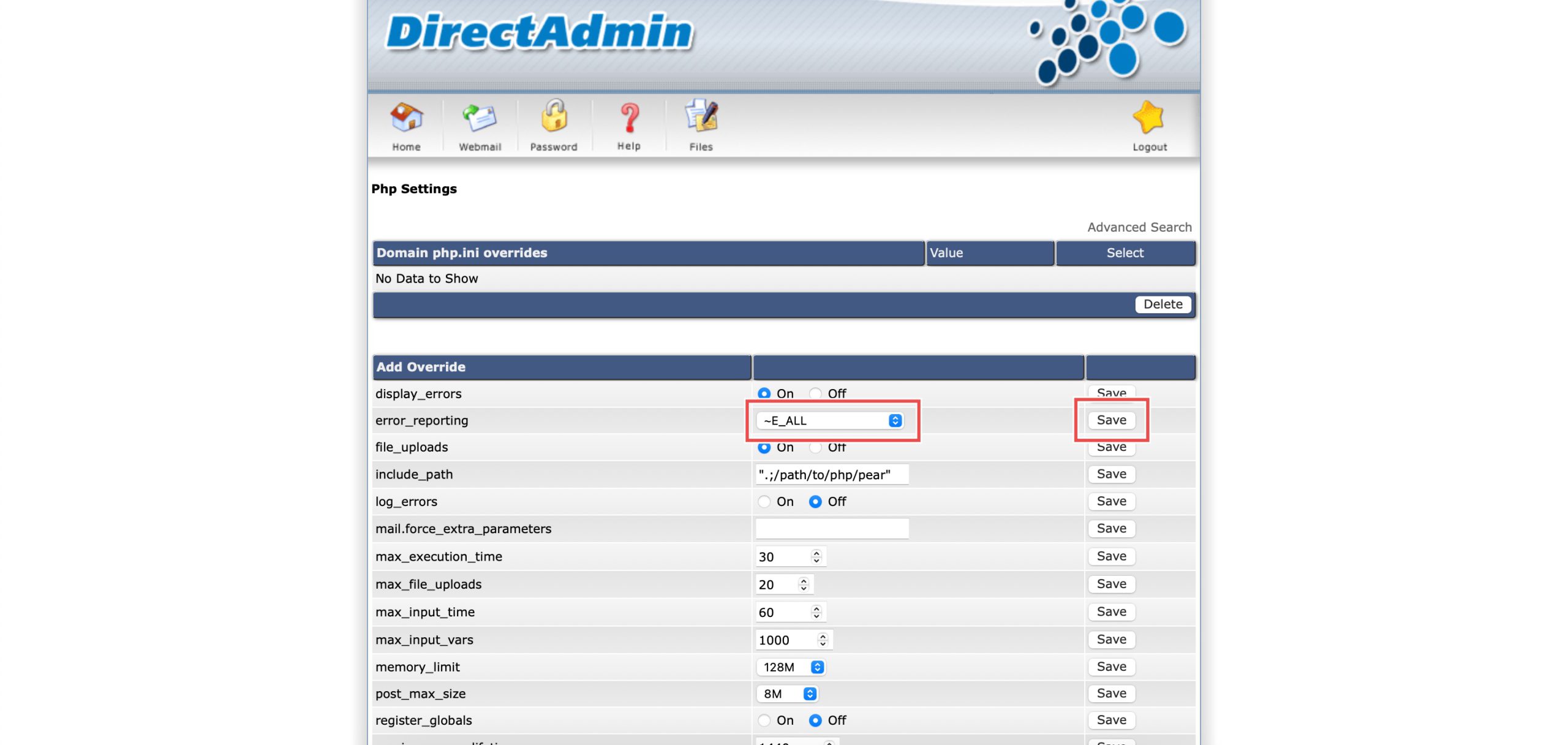
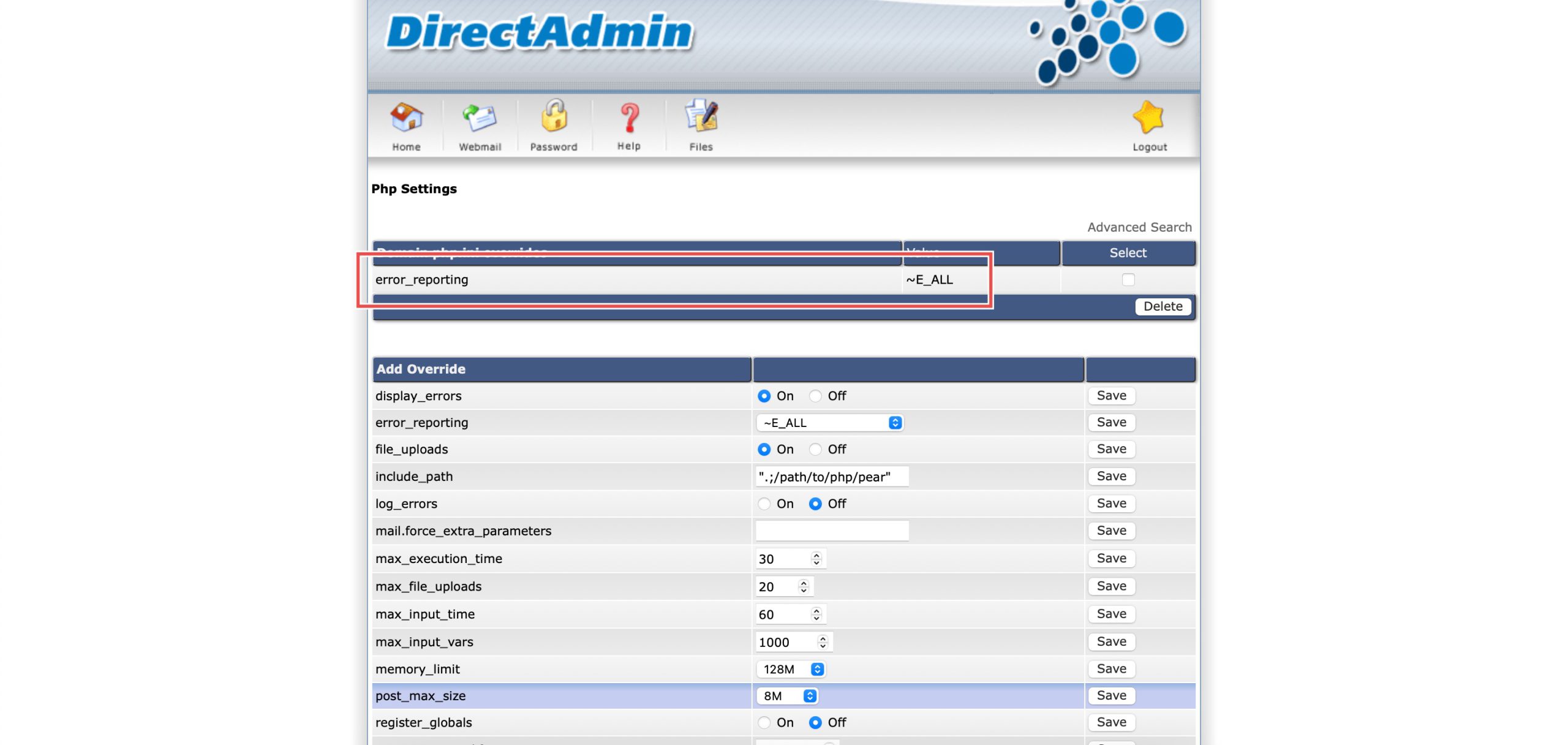
Scroll down to the Add Override section. On the error_reporting row, from drop-down menu, you may select either:
- E_ALL & ~E_NOTICE: PHP will report all error types except notices.
- E_ALL: PHP will report everything, or
- ~E_ALL: PHP will report nothing.
Then, click Save on the right.
Step 4: Verify the changes
You may confirm the new override settings in the updated Domain php.ini overrides table. PHP errors will now be reported as configured.
Conclusion
Configuring PHP error reporting through DirectAdmin’s PHP Settings interface is a simple process that provides control over which error types are tracked and logged. Adjusting the error_reporting setting allows you to balance comprehensive error visibility for debugging with practical error management for production environments, ensuring appropriate awareness of code issues without unnecessary noise.
Should you have any inquiries about the guidelines, please feel free to open a ticket through your portal account or contact us at support@ipserverone.com. We’ll be happy to assist you further.