
Search Our Database
How to Modify the Maximum Post Data Size in DirectAdmin (Evolution Skin)
Introduction
PHP POST max size defines the maximum amount of data that can be submitted through POST requests, and adjusting this limit is essential for handling large form submissions and file uploads. Applications requiring large file uploads, multiple simultaneous file submissions, or extensive form data may exceed default POST size limits, causing submission failures or incomplete data processing. DirectAdmin’s PHP Settings interface provides a straightforward method for configuring POST data size limits through custom PHP overrides. This guide explains how to modify POST max size using the Account Manager > PHP Settings section in DirectAdmin, ensuring your applications can accept appropriately sized data submissions without errors.
Prerequisites
- Access to DirectAdmin control panel with the necessary permissions.
Step-by-step Guide
Step 1: Access DirectAdmin
Log in to your DirectAdmin control panel.

Step 2: Access PHP Settings
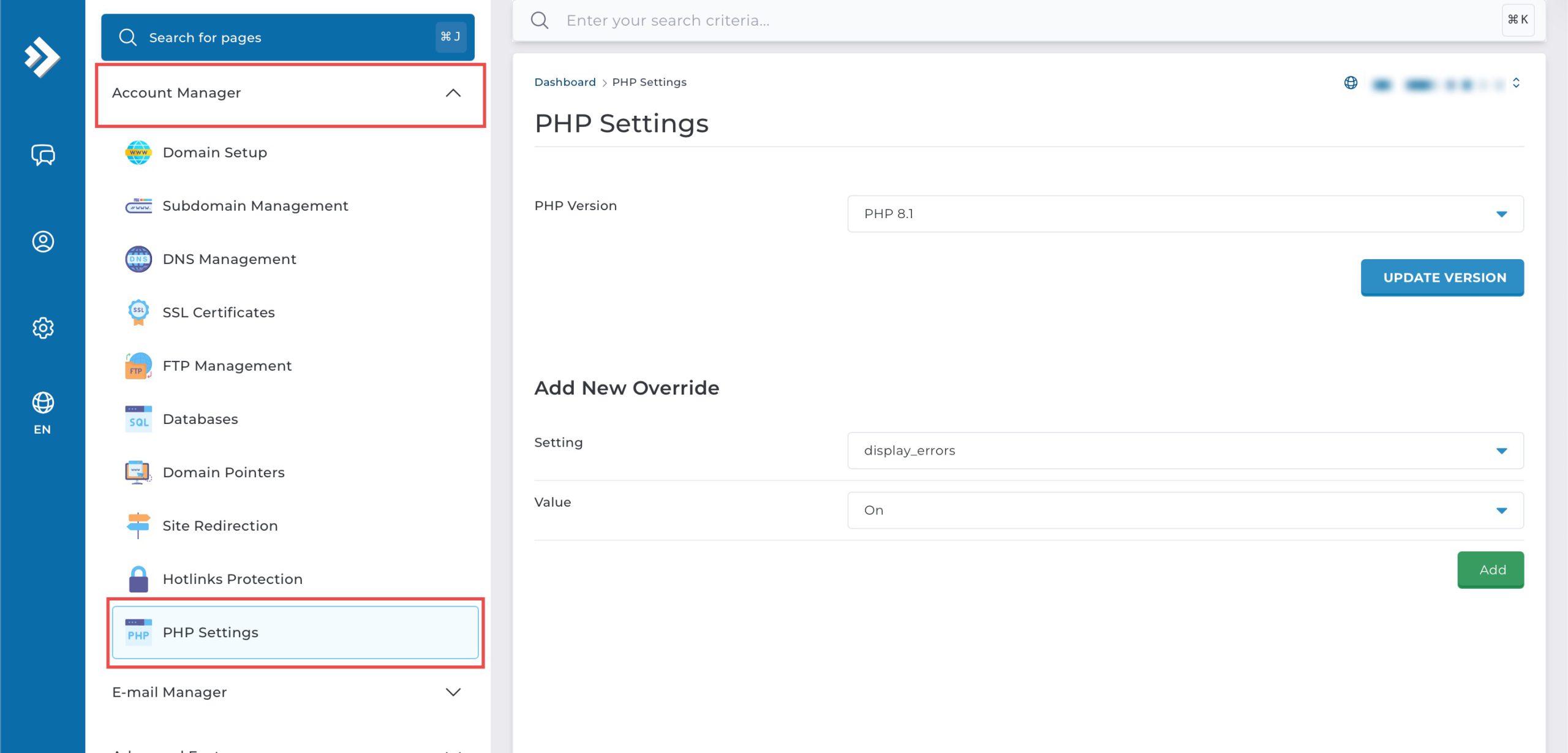
Go to the Account Manager section and click on PHP Settings.
Step 3: Modify Maximum POST data size
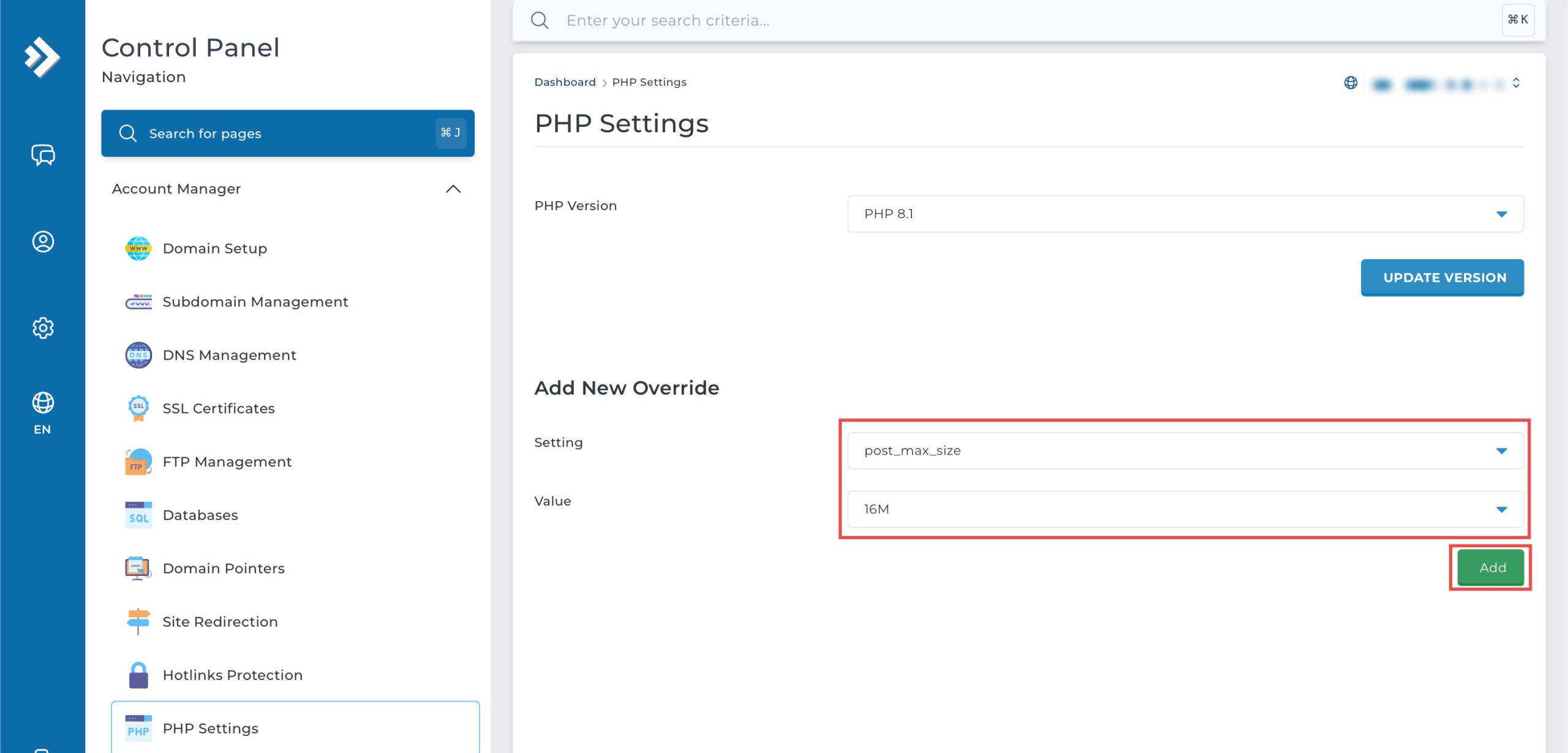
Scroll down to the Add New Override section. From the Setting drop-down menu, select post_max_size. From the Value drop-down menu, you may select the maximum size of POST data that you wish PHP will accept.
Then, click Add on the bottom right.
Step 4: Verify the changes
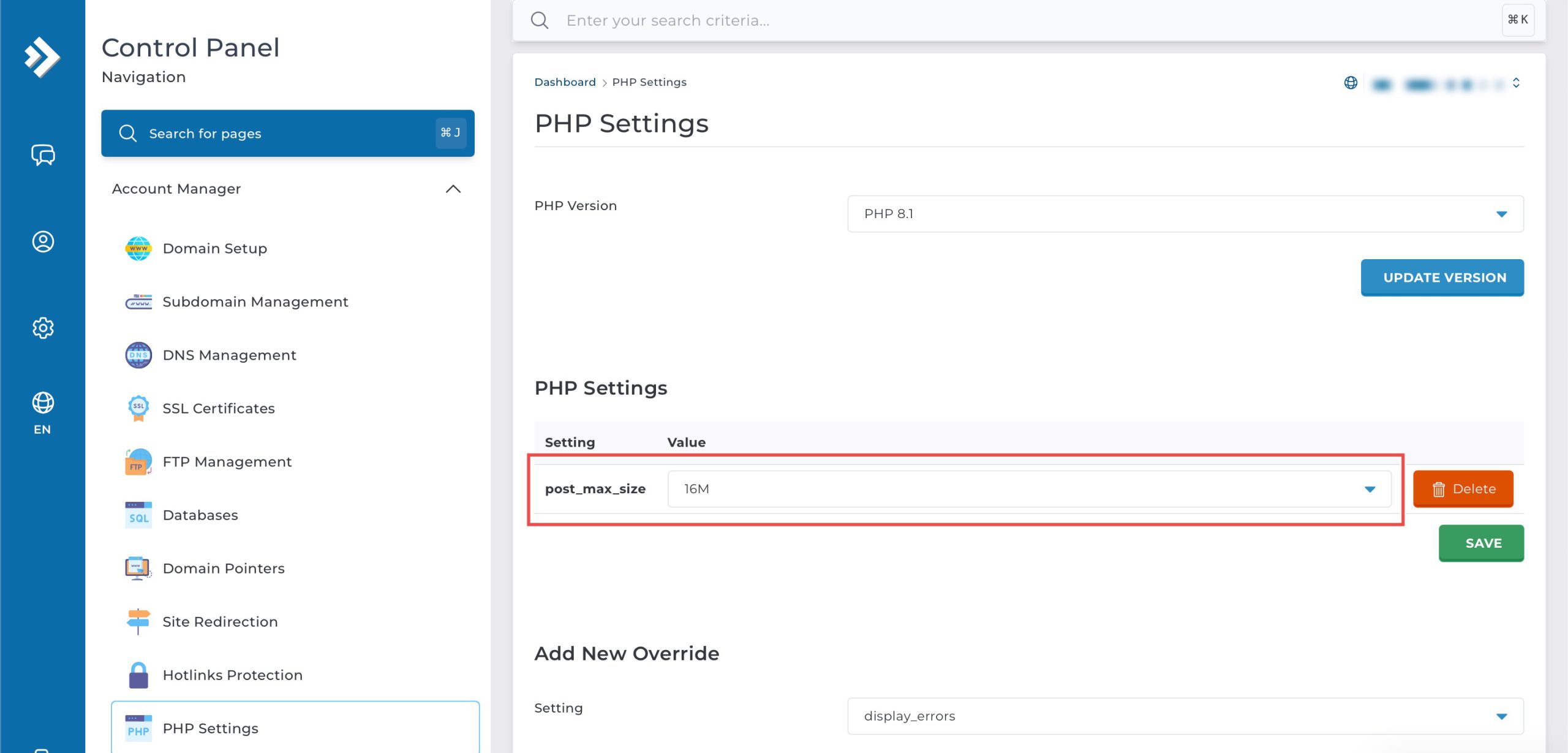
You may confirm the new override settings in the updated PHP Settings table.
Conclusion
Configuring PHP POST max size through DirectAdmin’s PHP Settings interface is a simple process that controls the maximum amount of data accepted in POST requests. Adjusting this limit enables your applications to handle large file uploads and extensive form submissions, with sufficient capacity to accommodate multiple files and form data within a single request.
Should you have any inquiries about the guidelines, please feel free to open a ticket through your portal account or contact us at support@ipserverone.com. We’ll be happy to assist you further.