
Search Our Database
How to Create New NovaCloud Snapshot(s) from an Existing Volume in Customer Portal
Introduction:
Ensuring data integrity and operational resilience is a cornerstone of effective cloud management. Within the NovaCloud ecosystem, the ability to capture specific data states is essential for robust disaster recovery, system maintenance, and environment replication.
Creating a snapshot from an existing volume provides a point-in-time recovery state of your persistent storage. This functionality serves as a vital safeguard, allowing users to restore instances or revert unwanted changes by preserving a “blueprint” of the volume’s data at a particular moment. Through the IP ServerOne Customer Portal, this process is streamlined within the NovaCloud management interface, enabling users to transition from active storage to a secure backup state with ease.
This guide provides the necessary steps to navigate the Snapshots section, select your source volume, and successfully generate a recovery point to ensure your environment remains resilient against data loss or configuration errors.
All NovaCloud resources, including the storage consumed by snapshots and volumes, are subject to hourly billing.
Prerequisites:
- Active Customer Portal Account and Subscription.
- Sufficient Account Credit
- Acknowledge Billing Structure
- Existing Persistent Volume
Step-by-step Guide:
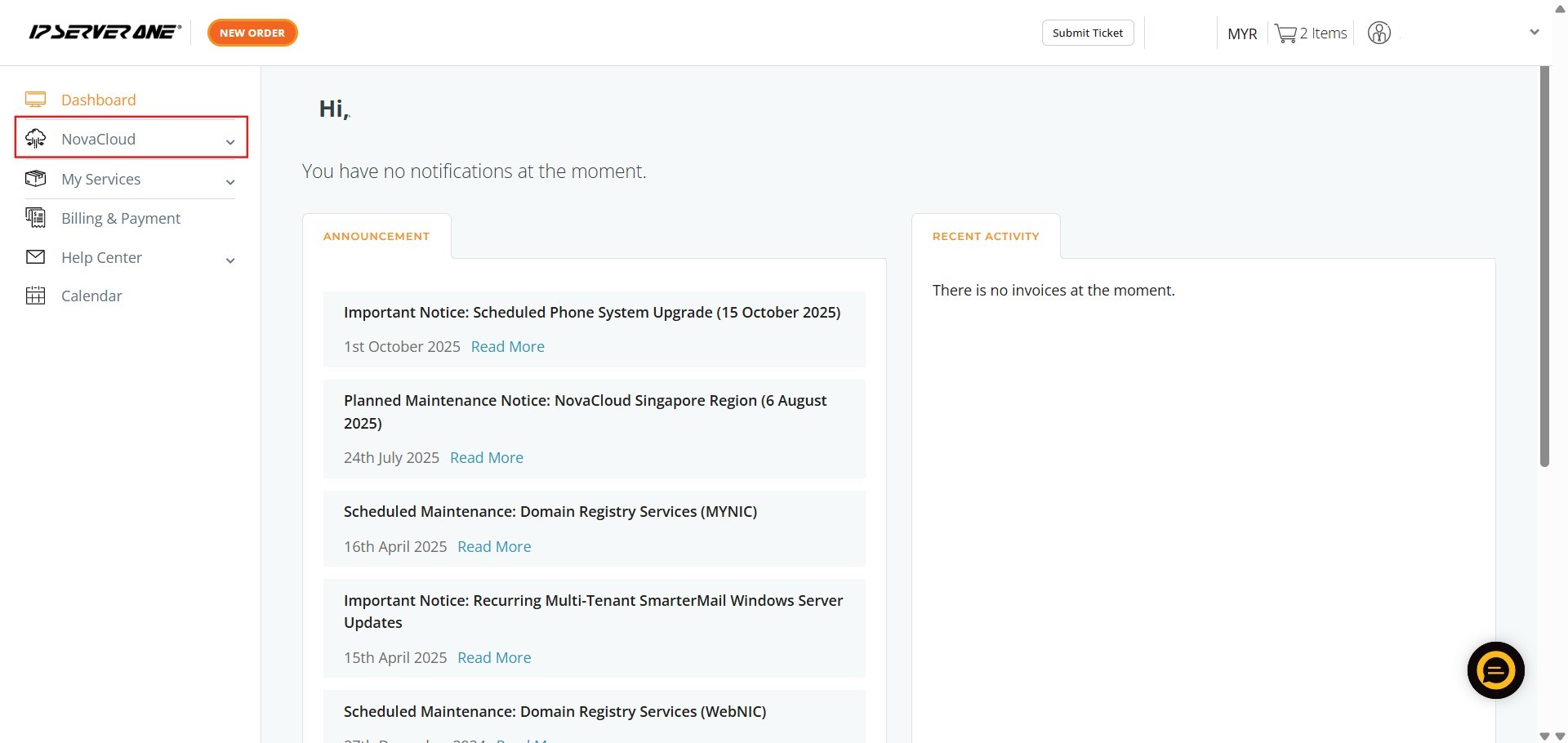
Step 1: Click NovaCloud
- Locate and click on the NovaCloud menu item in the left-hand navigation panel.
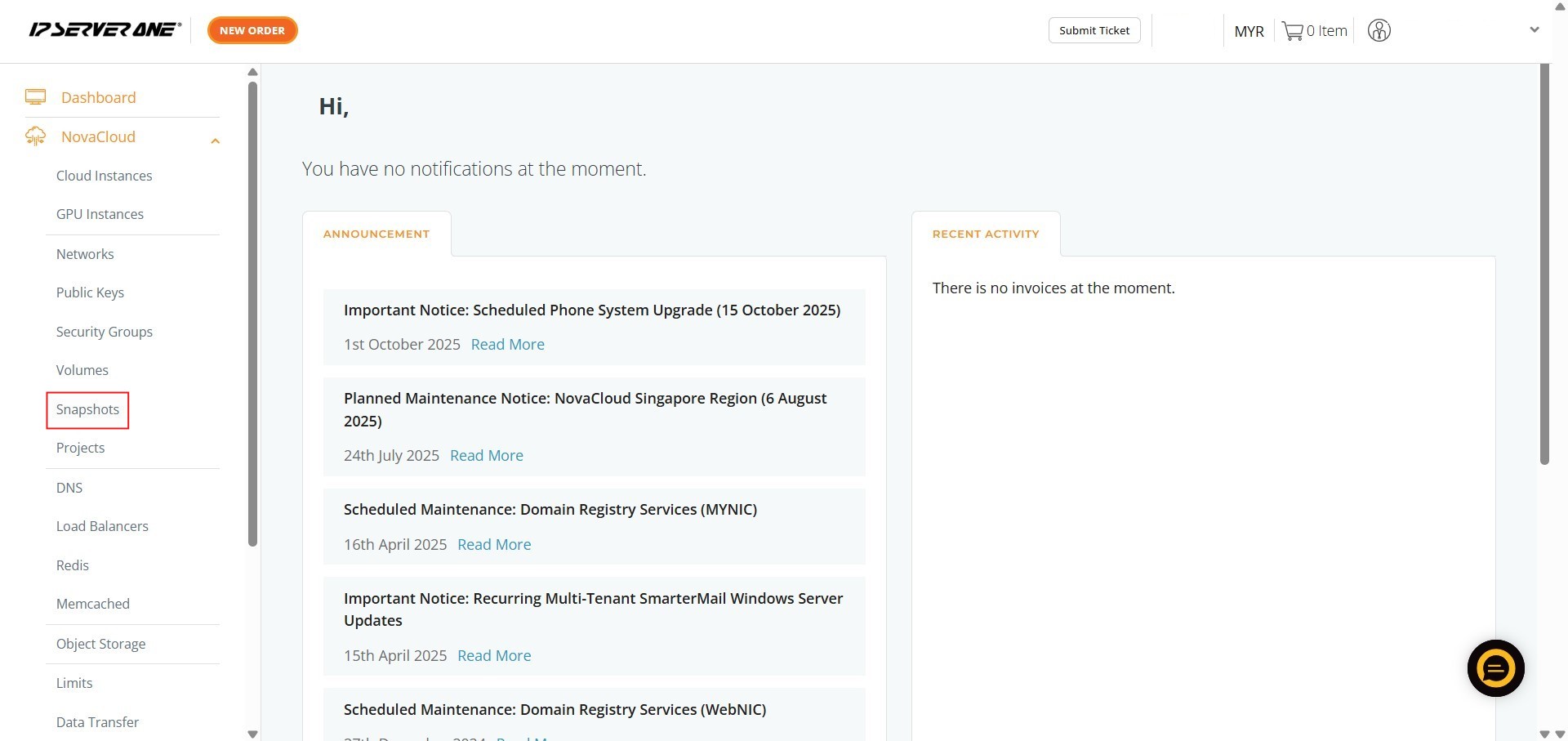
Step 2: Click Snapshots
- In the NovaCloud sub-menu, click on Snapshots to access the storage management section.
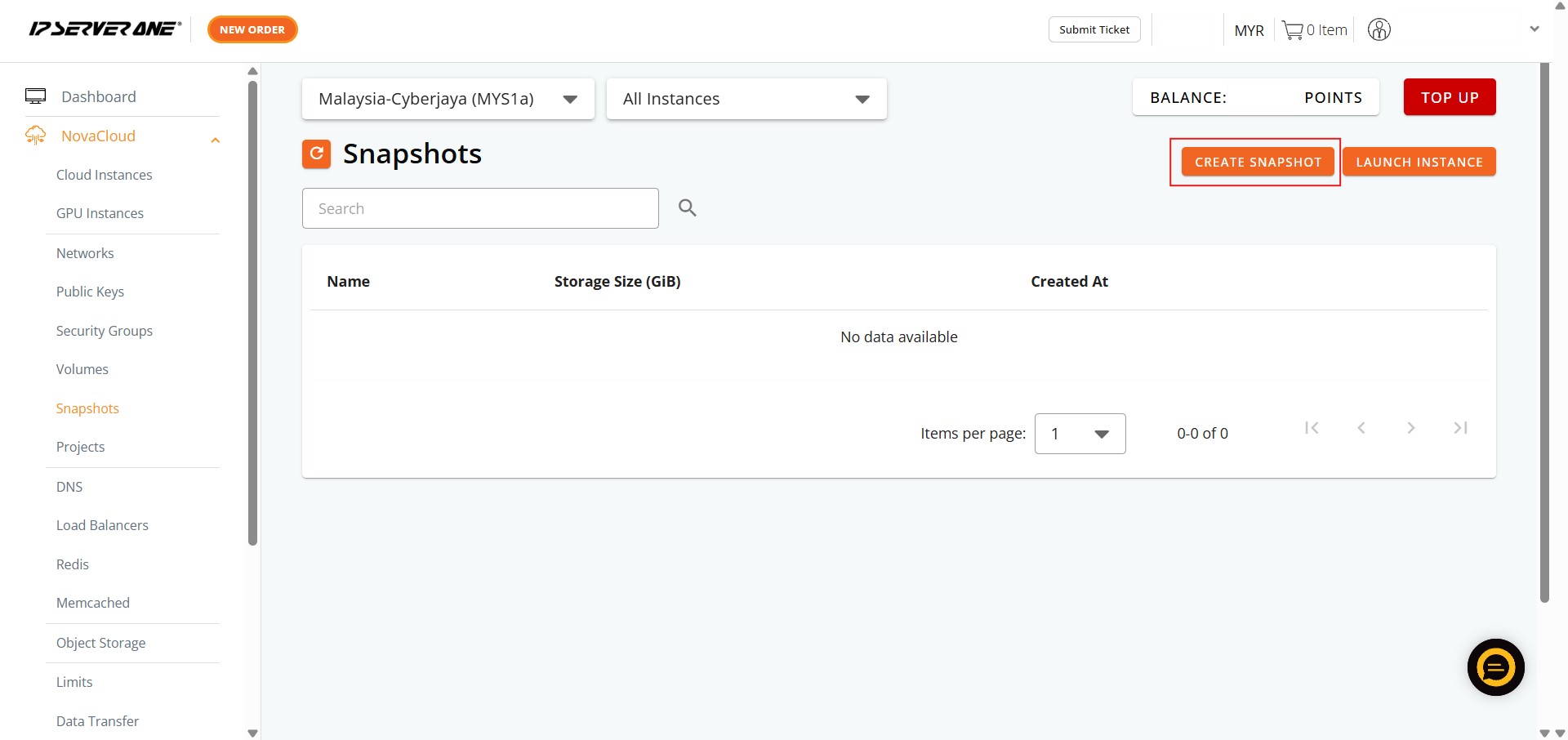
Step 3: Click Create Snapshots
- On the Volumes page, initiate the provisioning process by clicking the Create Snapshots button.
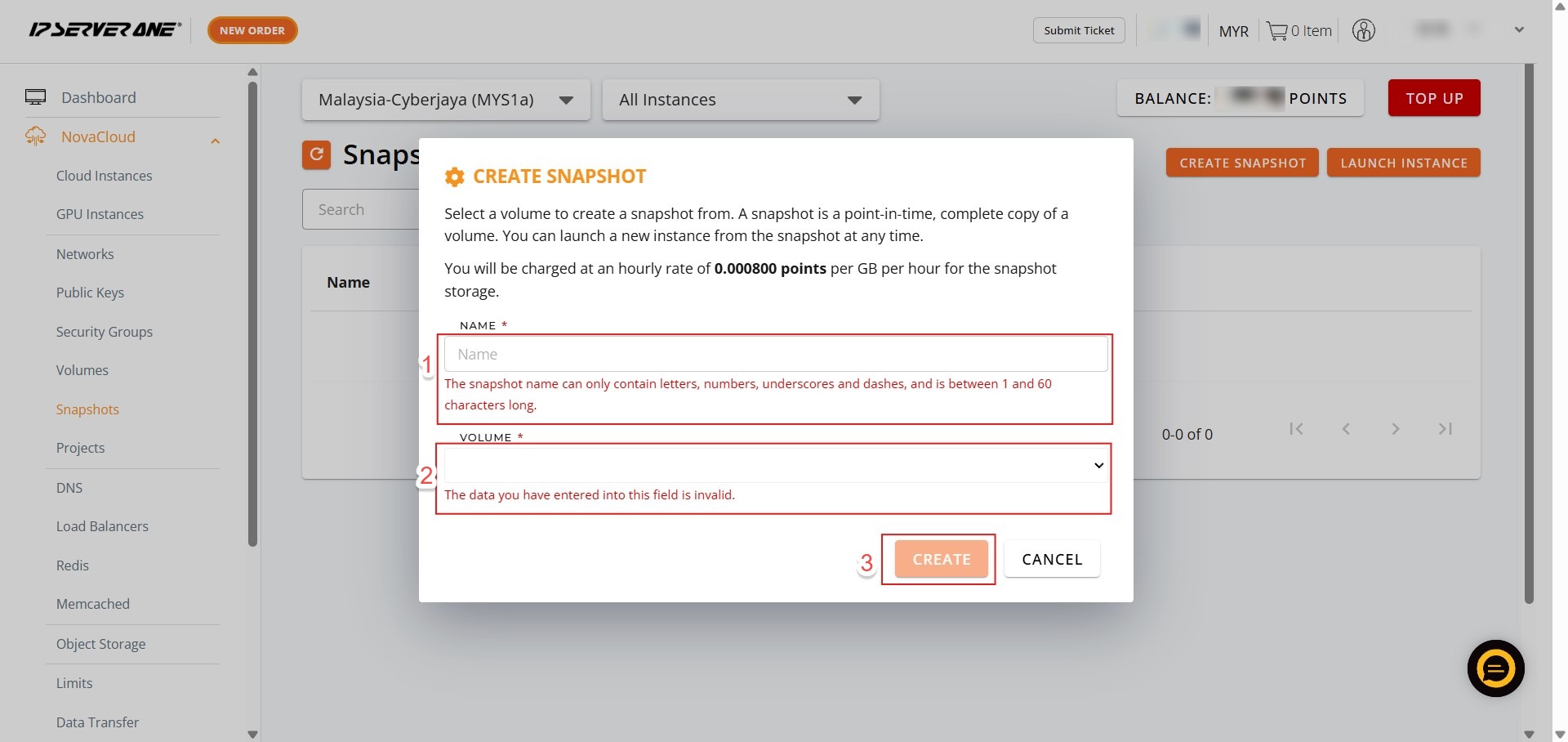
Step 4: Configure Snapshot
- Enter a Name for the snapshot and select the source volume you wish to capture, then click Create.
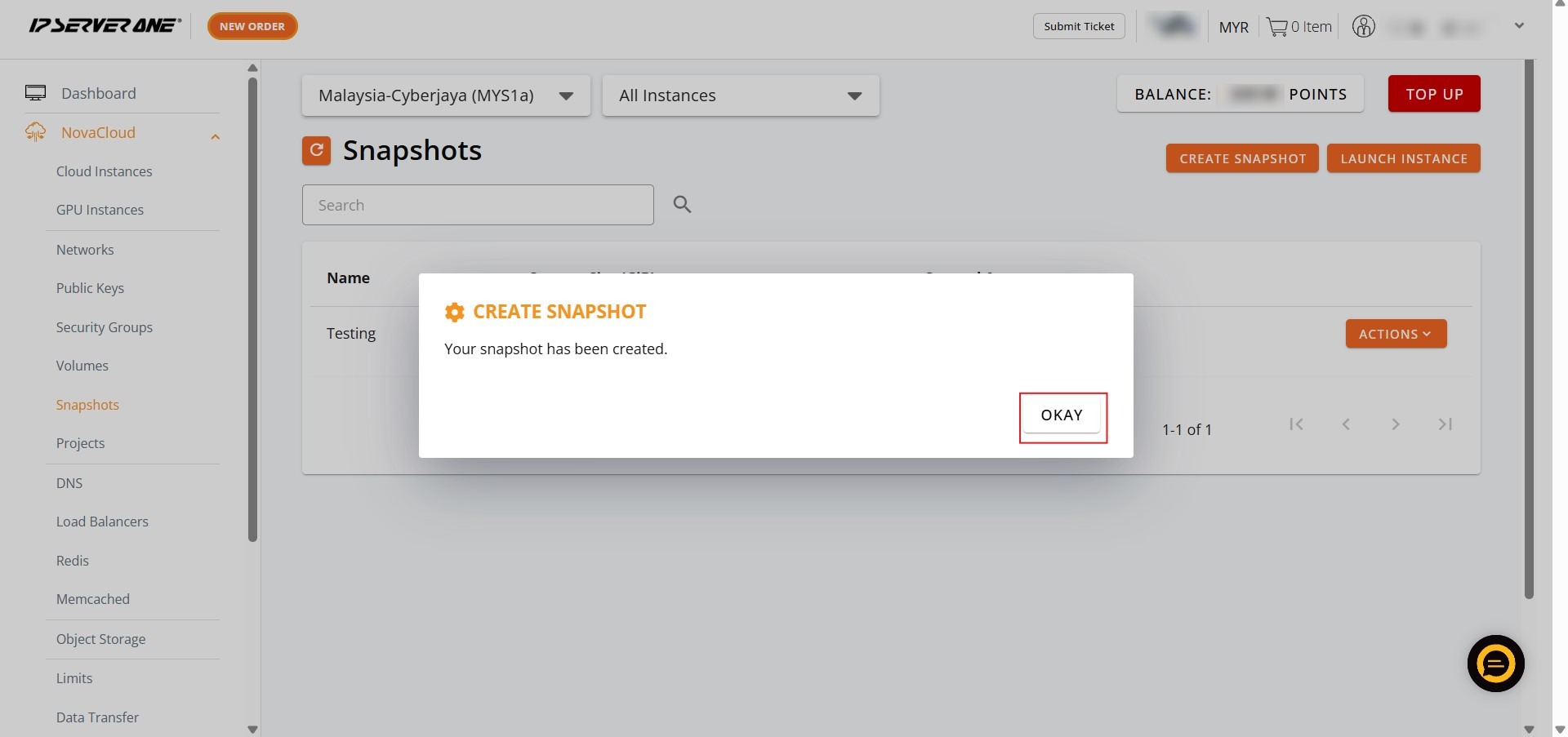
Step 5: Confirm Request
- A notification will appear indicating your request is being processed; click Okay to close the prompt.
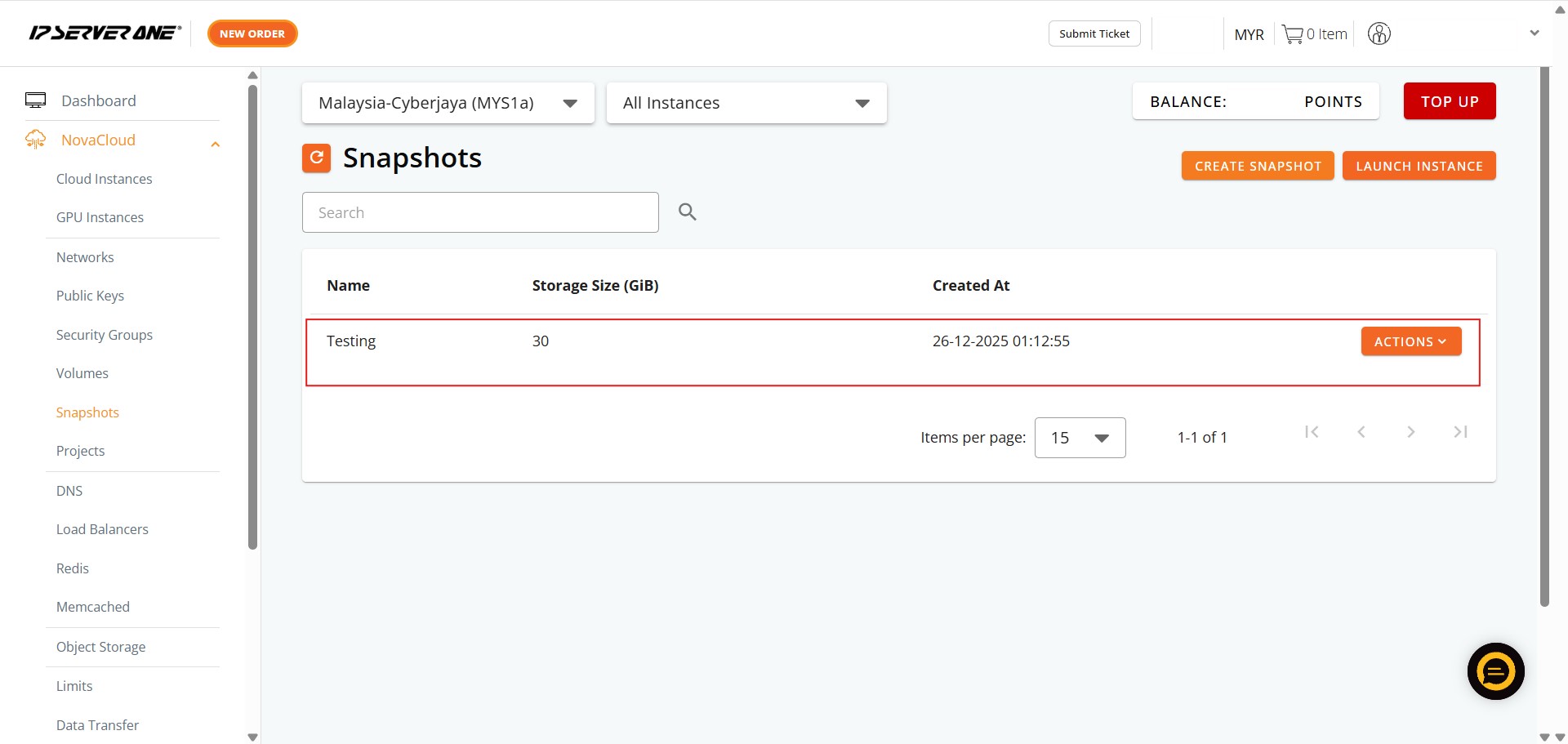
Step 6: Success
- Monitor the snapshot list until the new entry appears, indicating a successful creation.
Conclusion:
By following the steps in this guide, you have successfully used the IP ServerOne Customer Portal to capture a point-in-time recovery state of your data by creating a NovaCloud snapshot from an existing volume. This process, which involved navigating to the NovaCloud section and utilizing the Snapshot management interface, ensures you have a reliable “blueprint” of your volume that can be used for future instance restorations or volume replications.
For assistance or any inquiries regarding your NovaCloud resources, you can contact the support team at support@ipserverone.com.