
Search Our Database
How to Disable Error Logs for PHP in DirectAdmin (Evolution Skin)
Introduction
PHP error logging records runtime errors to server log files for troubleshooting and monitoring, but there are situations where disabling this feature becomes necessary. Reducing server disk usage, preventing log file growth on high-traffic sites, or temporarily stopping error recording during specific operations may require turning off error logging. DirectAdmin’s PHP Settings interface provides a straightforward method for disabling error logging through custom PHP overrides. This guide explains how to disable error logging using the Account Manager > PHP Settings section in DirectAdmin, stopping PHP from writing error information to server log files.
Prerequisites
- Access to DirectAdmin control panel with the necessary permissions.
Step-by-step Guide
Step 1: Access DirectAdmin
Log in to your DirectAdmin control panel.

Step 2: Access PHP Settings
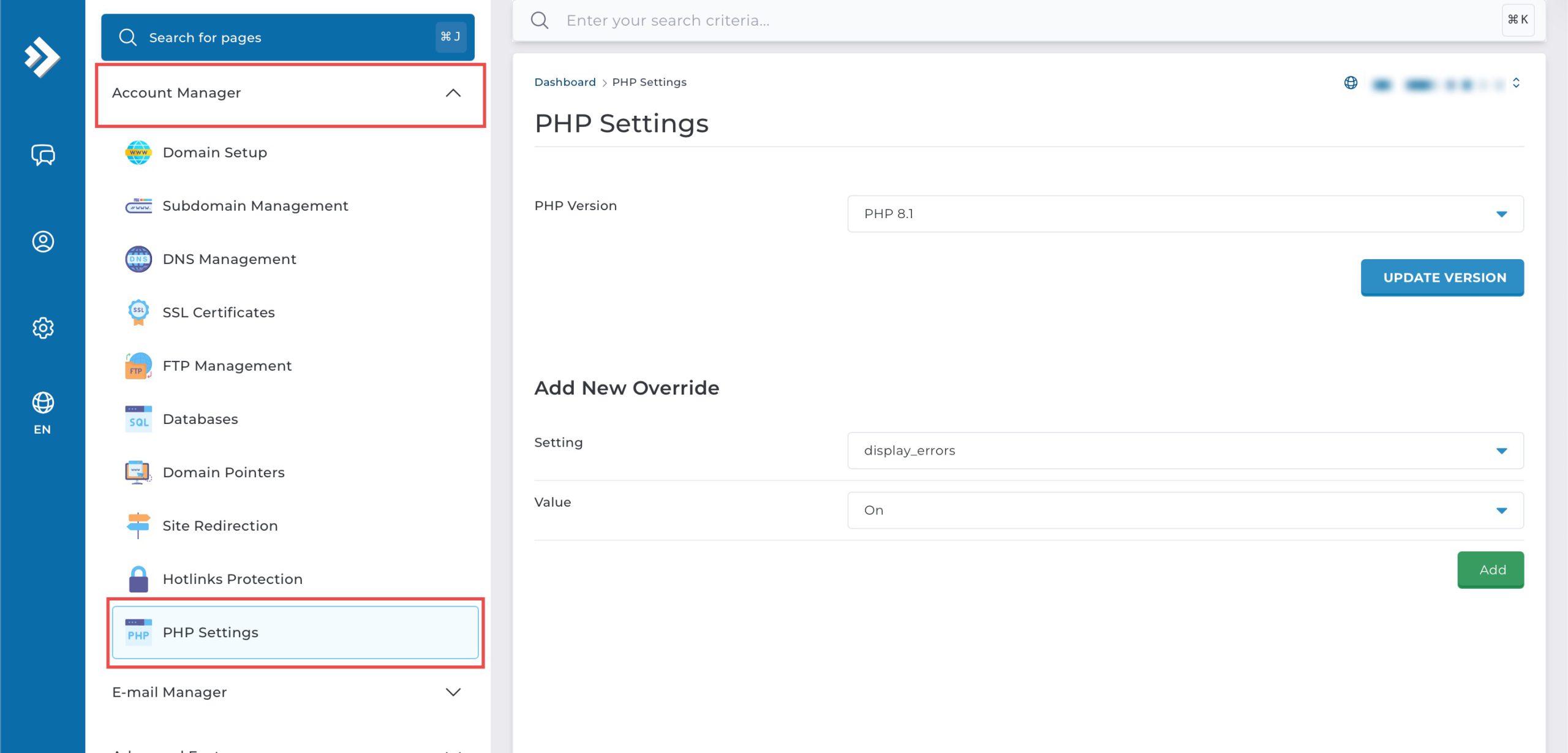
Go to the Account Manager section and click on PHP Settings.
Step 3: Disable Error Log
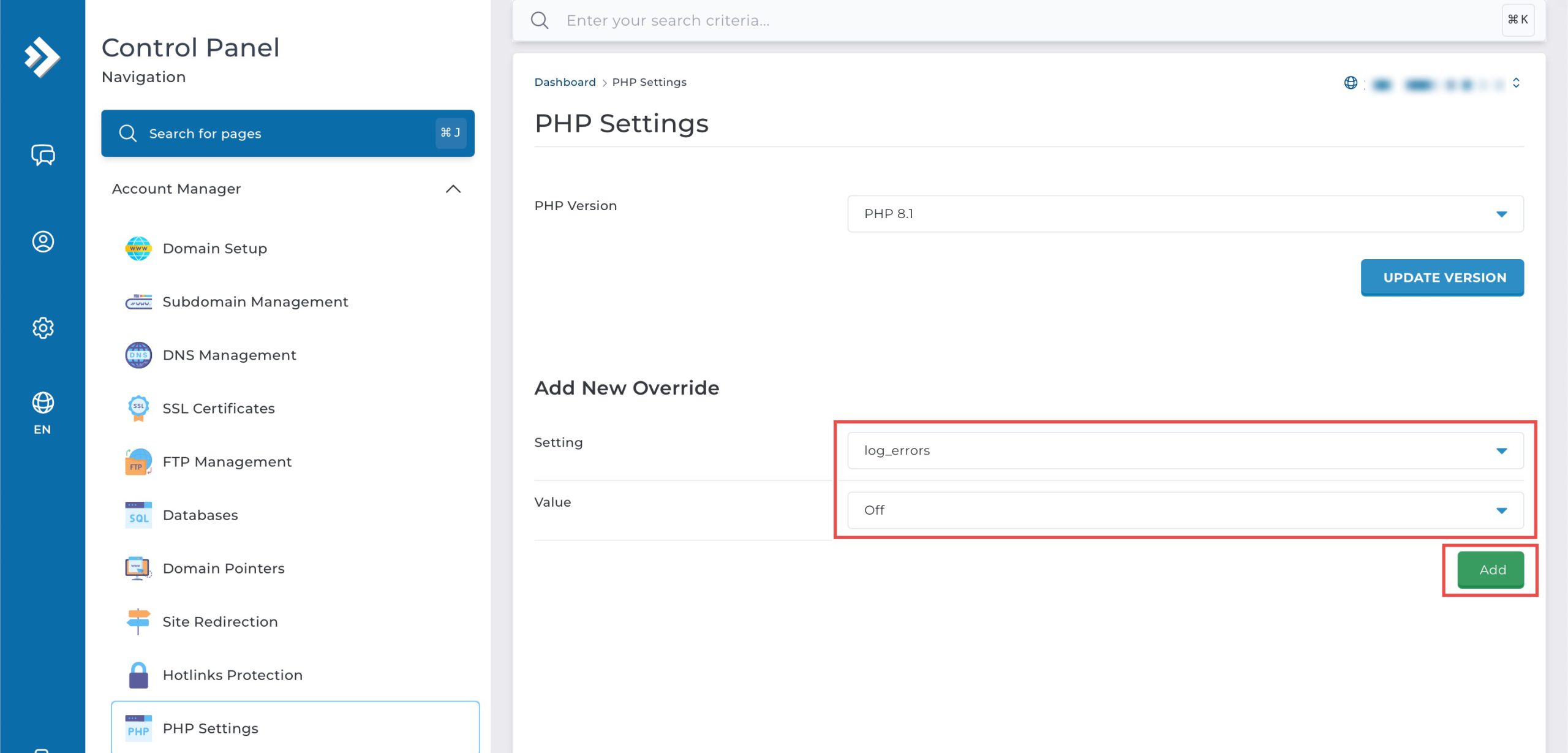
Scroll down to the Add New Override section. From the Setting drop-down menu, select log_errors. From the Value drop-down menu, select Off. Then, click Add on the bottom right.
Step 4: Verify the changes
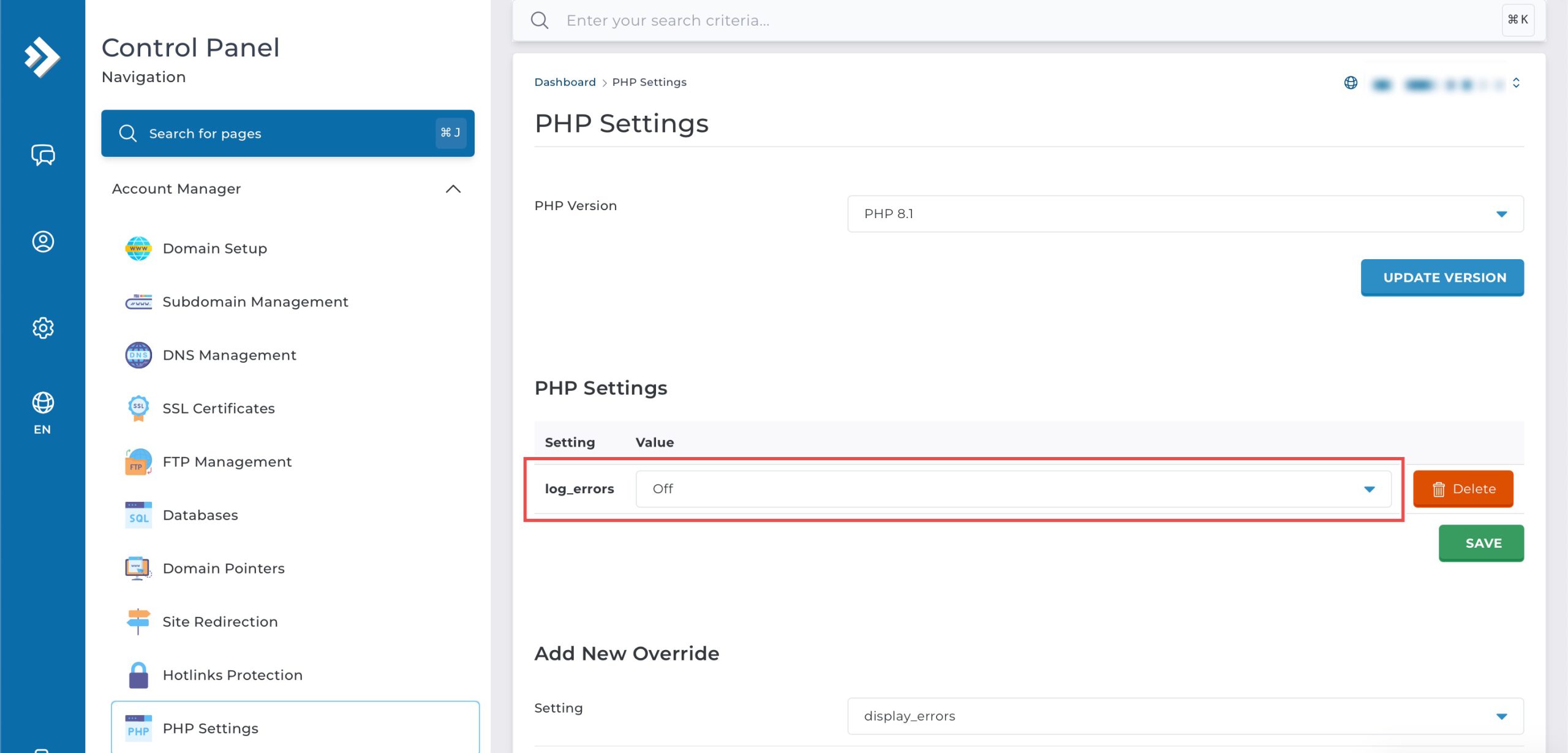
You may confirm the new override settings in the updated PHP Settings table. PHP errors will no longer be written to server log files.
Conclusion
Disabling PHP error logging through DirectAdmin’s PHP Settings interface is a simple process that stops runtime errors from being written to server log files. Configuring the log_errors setting to “Off” prevents error documentation, which can be useful for reducing disk usage or managing log file growth, though it removes the ability to review errors for troubleshooting purposes.
Should you have any inquiries about the guidelines, please feel free to open a ticket through your portal account or contact us at support@ipserverone.com. We’ll be happy to assist you further.