
Search Our Database
How to Block File Uploads by PHP Scripts in DirectAdmin (Evolution Skin)
Introduction
PHP file uploads enable users to submit files through web forms, but there are situations where disabling this functionality becomes necessary for security or operational reasons. Preventing unauthorized file uploads, reducing security risks from malicious file submissions, or temporarily disabling upload features during maintenance may require turning off file upload capability. DirectAdmin’s PHP Settings interface provides a straightforward method for controlling file upload permissions through custom PHP overrides. This guide explains how to disable file uploads using the Account Manager > PHP Settings section in DirectAdmin, enhancing security by preventing all file submission functionality across your website.
Prerequisites
- Access to DirectAdmin control panel with the necessary permissions.
Step-by-step Guide
Step 1: Access DirectAdmin
Log in to your DirectAdmin control panel.

Step 2: Access PHP Settings
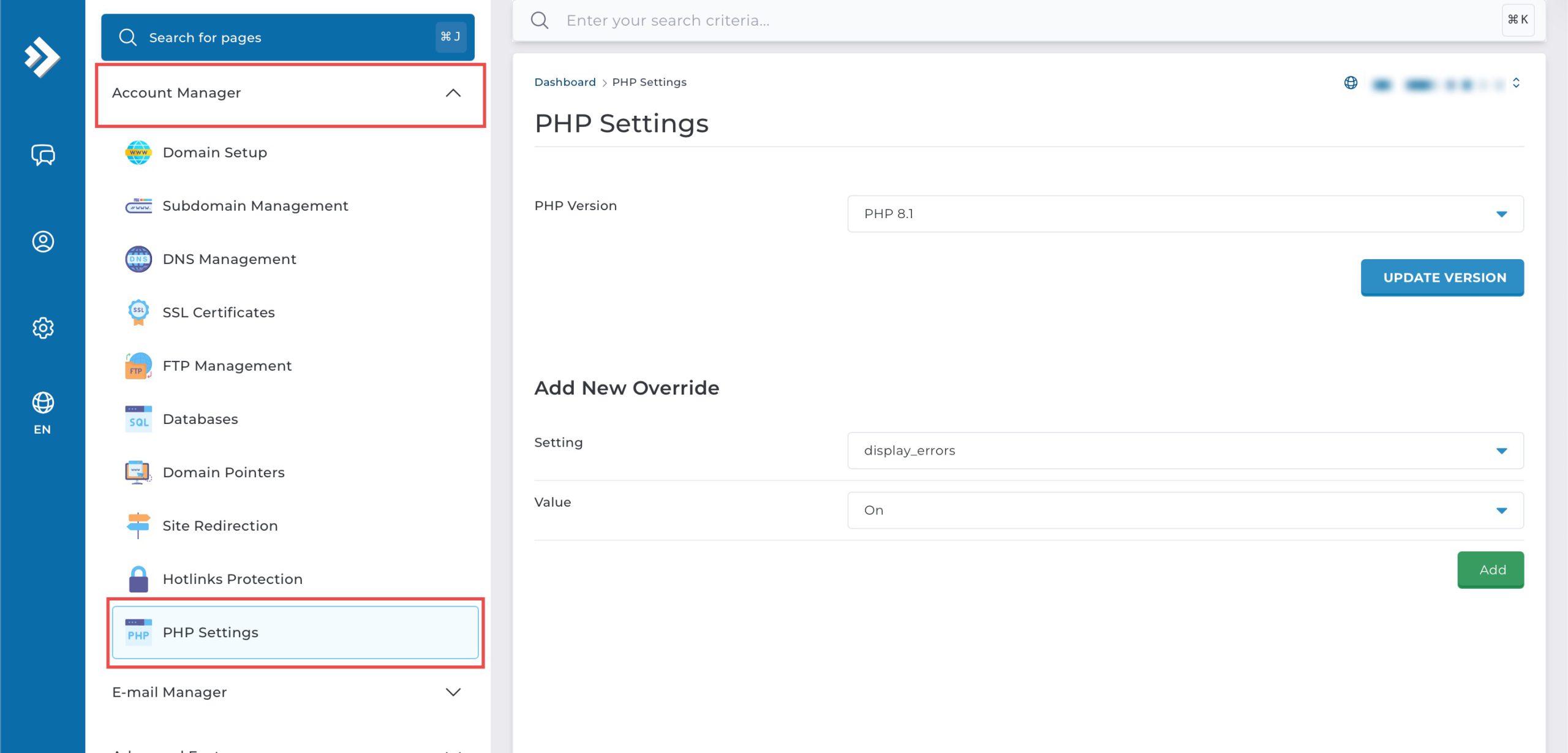
Go to the Account Manager section and click on PHP Settings.
Step 3: Disable File Uploads
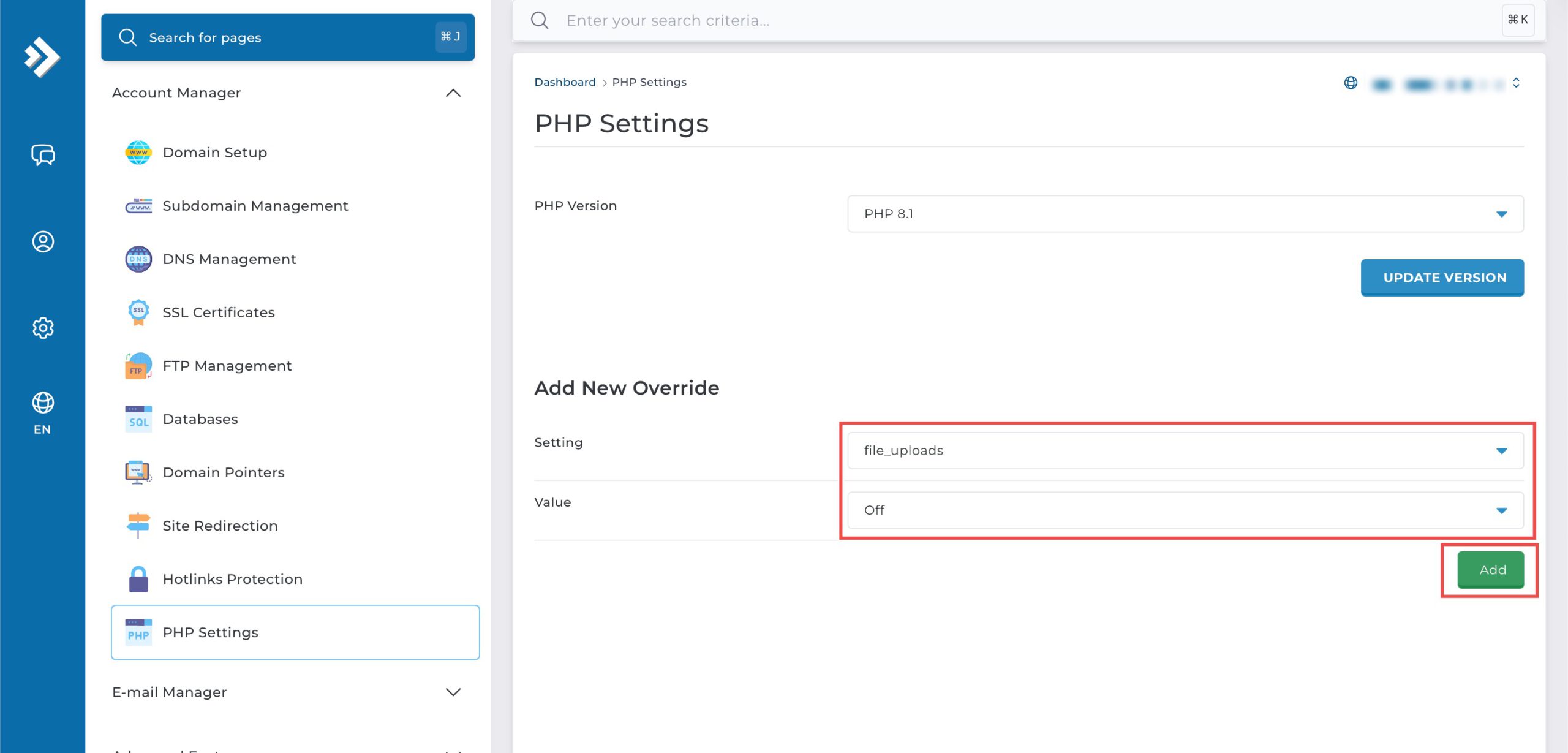
Scroll down to the Add New Override section. From the Setting drop-down menu, select file_uploads. From the Value drop-down menu, select Off. Then, click Add at the bottom right.
Step 4: Verify the changes
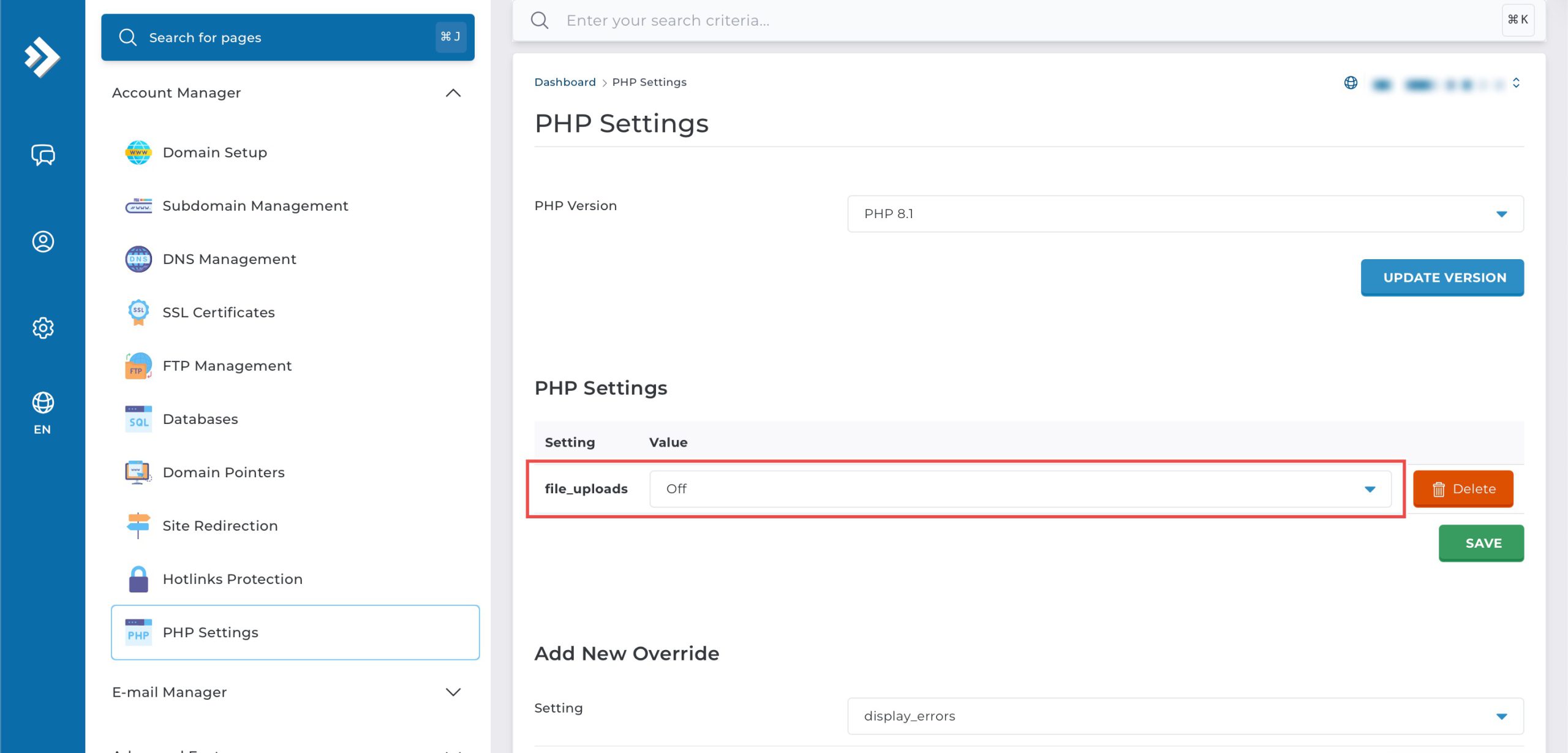
You may confirm the new override settings in the updated PHP Settings table. All file upload functionality on your website will be disabled.
Conclusion
Disabling PHP file uploads through DirectAdmin’s PHP Settings interface is a simple process that prevents file submission through web forms. Configuring the file_uploads setting to “Off” blocks all upload functionality, providing an effective security measure or temporary restriction when file uploads are not required or pose potential risks.
Should you have any inquiries about the guidelines, please feel free to open a ticket through your portal account or contact us at support@ipserverone.com. We’ll be happy to assist you further.