
Search Our Database
How to Remove Apache Handlers in DirectAdmin (Evolution Skin)
Introduction
Apache handlers define how the web server processes specific file types, but removing these configurations becomes necessary when file types are no longer used, applications are removed, or handlers were created in error. Deleting handler associations or entire handler definitions helps maintain clean server configurations and prevents conflicts with updated processing requirements. DirectAdmin’s Apache Handlers interface provides flexible options for removing individual file extension associations or completely deleting handler definitions. This guide explains how to delete Apache handlers using the Advanced Features > Apache Handlers section in DirectAdmin, enabling you to maintain organized and current file processing configurations.
Prerequisites
- Access to DirectAdmin control panel with the necessary permissions.
- User-defined Apache Handler added in DirectAdmin.
Step-by-step Guide
Step 1: Access DirectAdmin
Log in to your DirectAdmin control panel.

Step 2: Access Apache Handlers
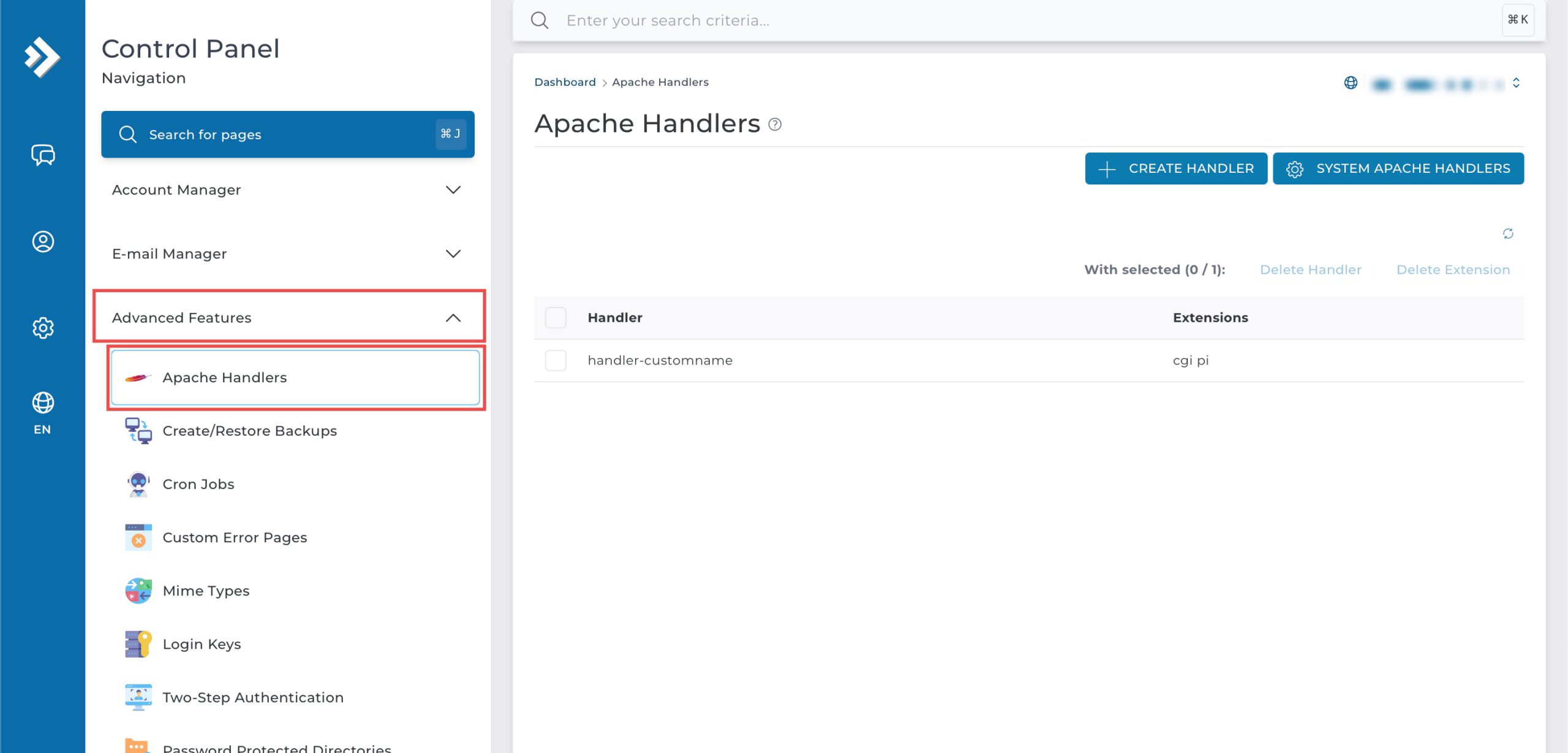
Go to the Advanced Features section and click on Apache Handlers. You will see the list of Apache Handlers that have been created.
Step 3: Delete Apache Handler
1. Delete a Single Extension
This keeps the Apache Handler defined but removes its association with a specific file extension.
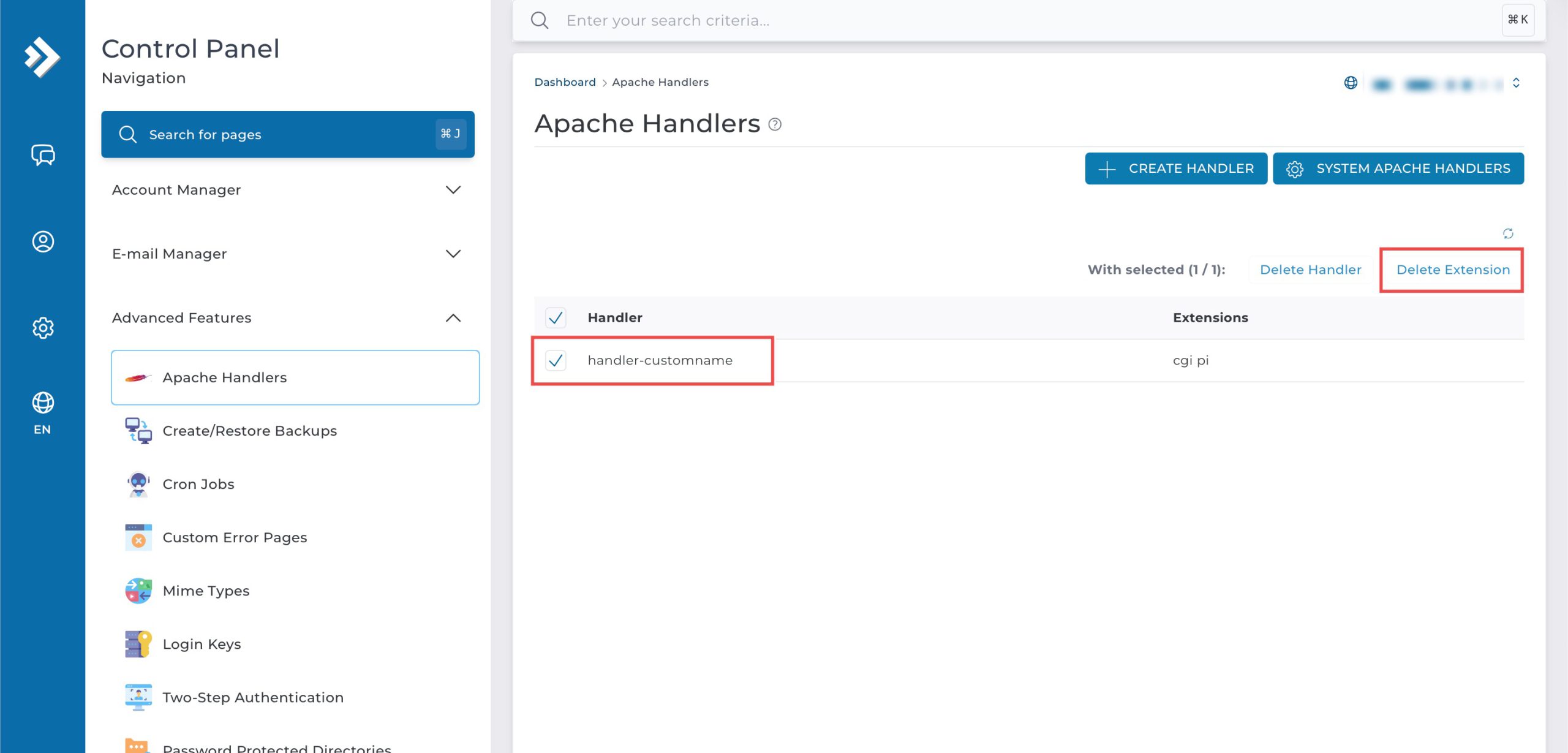
Select the Apache Handler you wish to modify by checking the box on the left side of the row. Then, click Delete Extension on the top right.
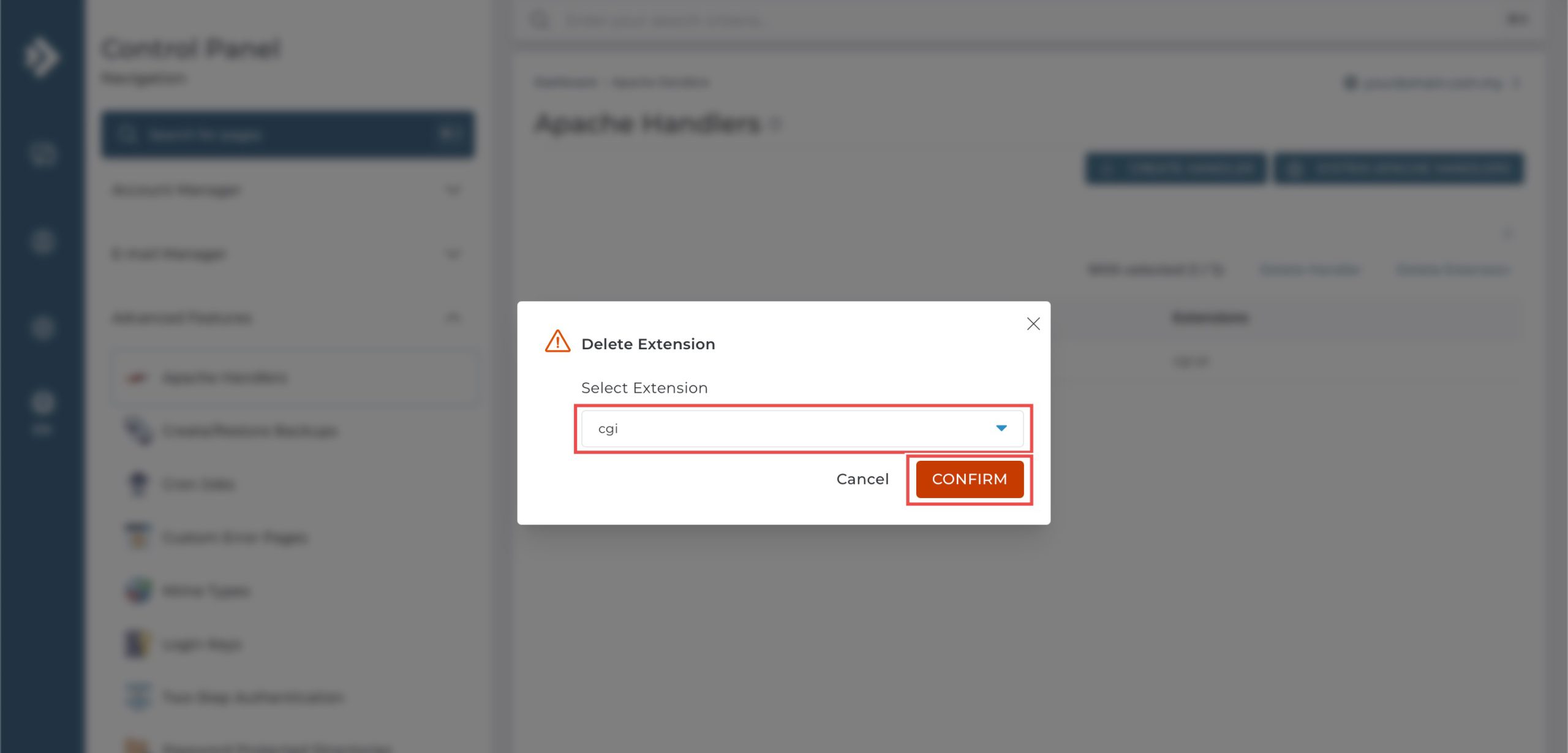
On the pop-up, select the file extension you wish to delete from the drop-down menu, and click Confirm.
2. Delete the Entire MIME Type
This removes the Apache Handler and all extensions associated with it.
Select the Apache Handler you wish to remove by checking the box on the left side of the row, and click Delete Handler on the top. Click Confirm on the pop-up when prompted to confirm the action.

Step 4: Verify the changes
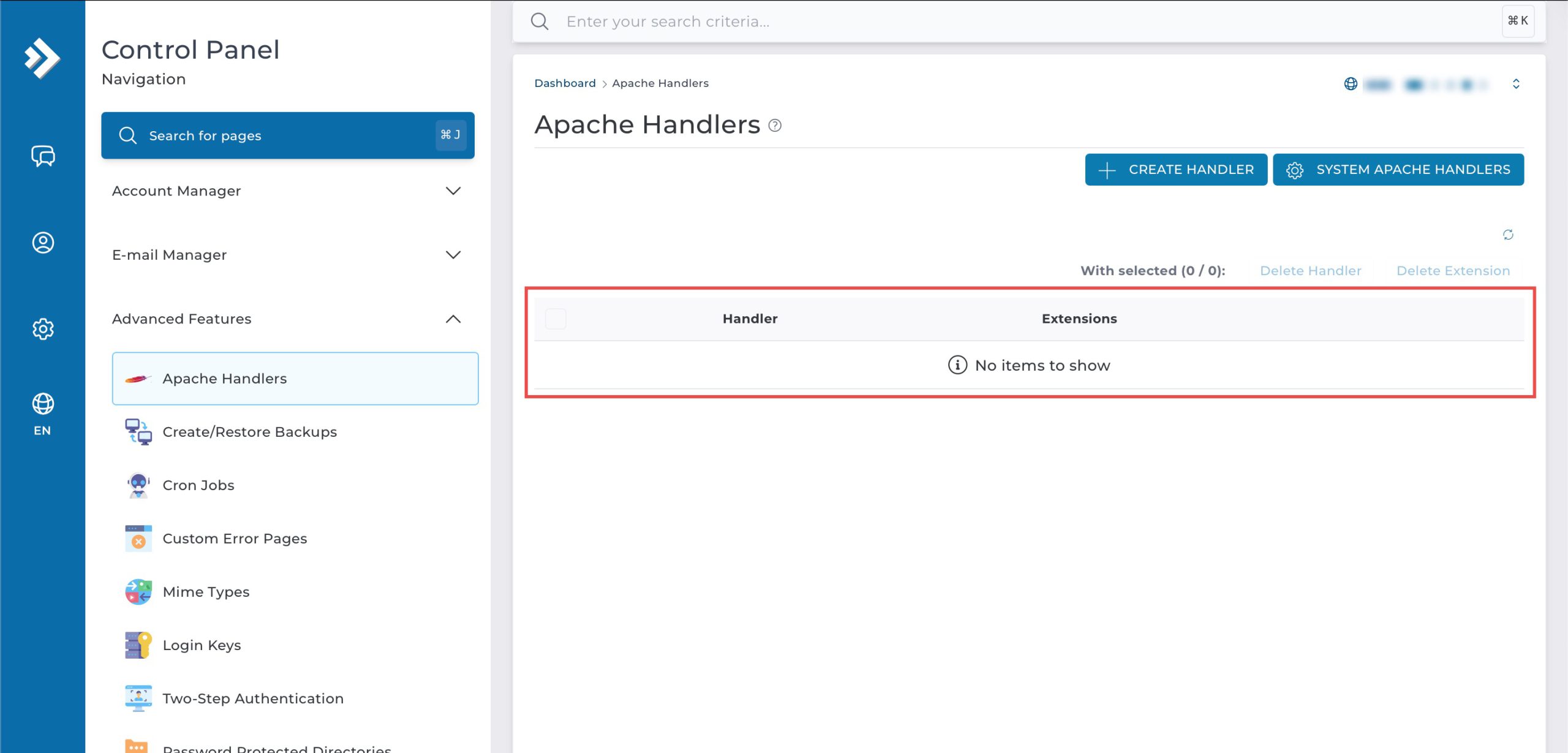
You can verify the deletion by referring to the list of Apache Handler.
Conclusion
Deleting Apache handlers through DirectAdmin’s Apache Handlers interface is a straightforward process that provides flexibility in managing file type processing. Whether removing individual extension associations or deleting entire handler definitions, these options help maintain clean server configurations that reflect your current application requirements.
Should you have any inquiries about the guidelines, please feel free to open a ticket through your portal account or contact us at support@ipserverone.com. We’ll be happy to assist you further.