
Search Our Database
How to View Server RAM Memory Usage in DirectAdmin (Evolution Skin)
Introduction
Server RAM memory usage provides critical insight into your system’s resource consumption and performance capacity. Monitoring memory allocation helps identify performance bottlenecks, plan resource upgrades, or troubleshoot applications consuming excessive memory. DirectAdmin’s System Information interface displays detailed RAM usage statistics through visual representations and comprehensive data breakdowns. This guide explains how to check server RAM memory usage using the System Info & Files > System Information section in DirectAdmin, enabling you to monitor memory resources and ensure optimal server performance.
Prerequisites
- You must have access to your DirectAdmin control panel.
Step-by-step Guide
Step 1: Access DirectAdmin
Log in to your DirectAdmin control panel.

Step 2: Navigate to System Information
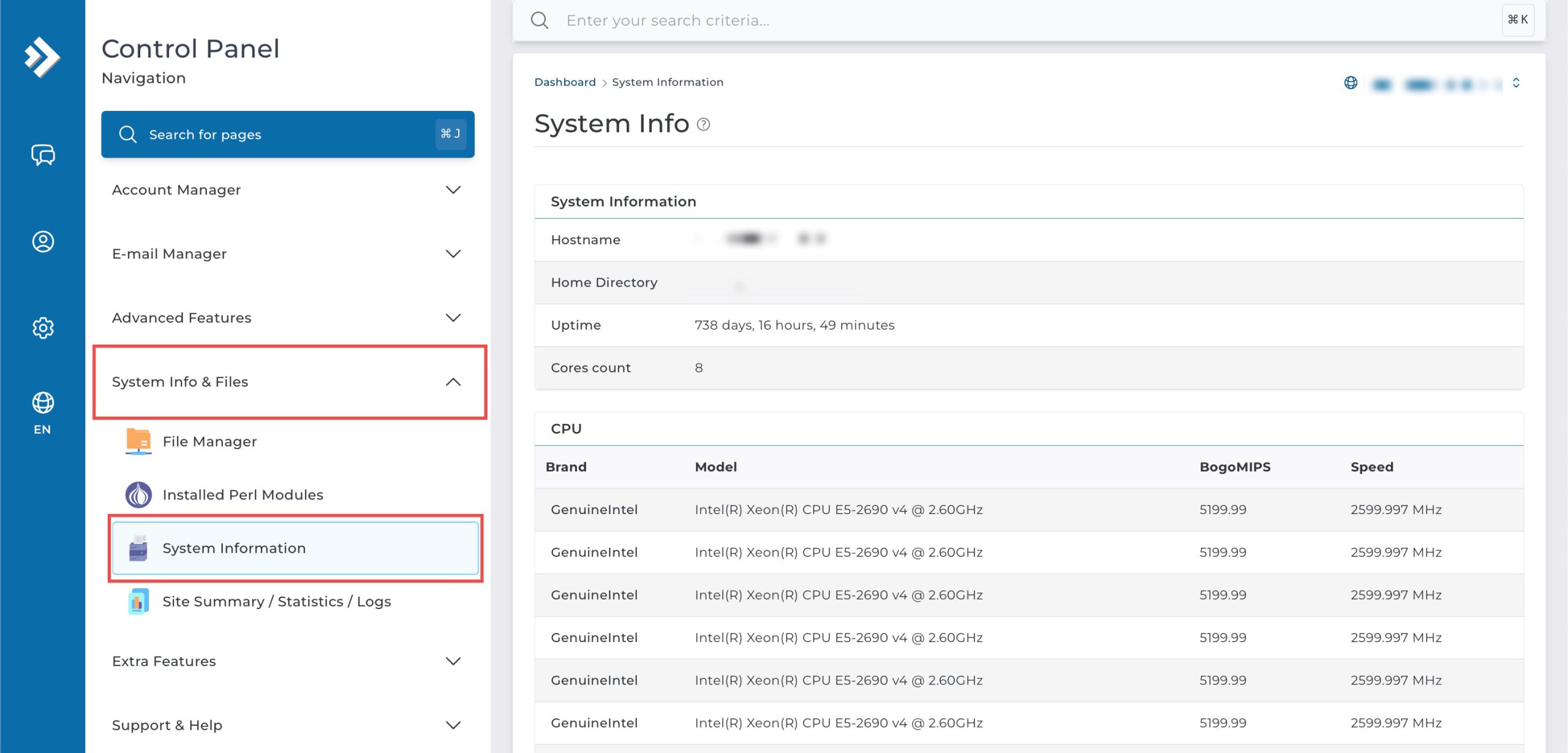
Go to the System Info & Files section and click on System Information.
Step 3: View Memory Usage
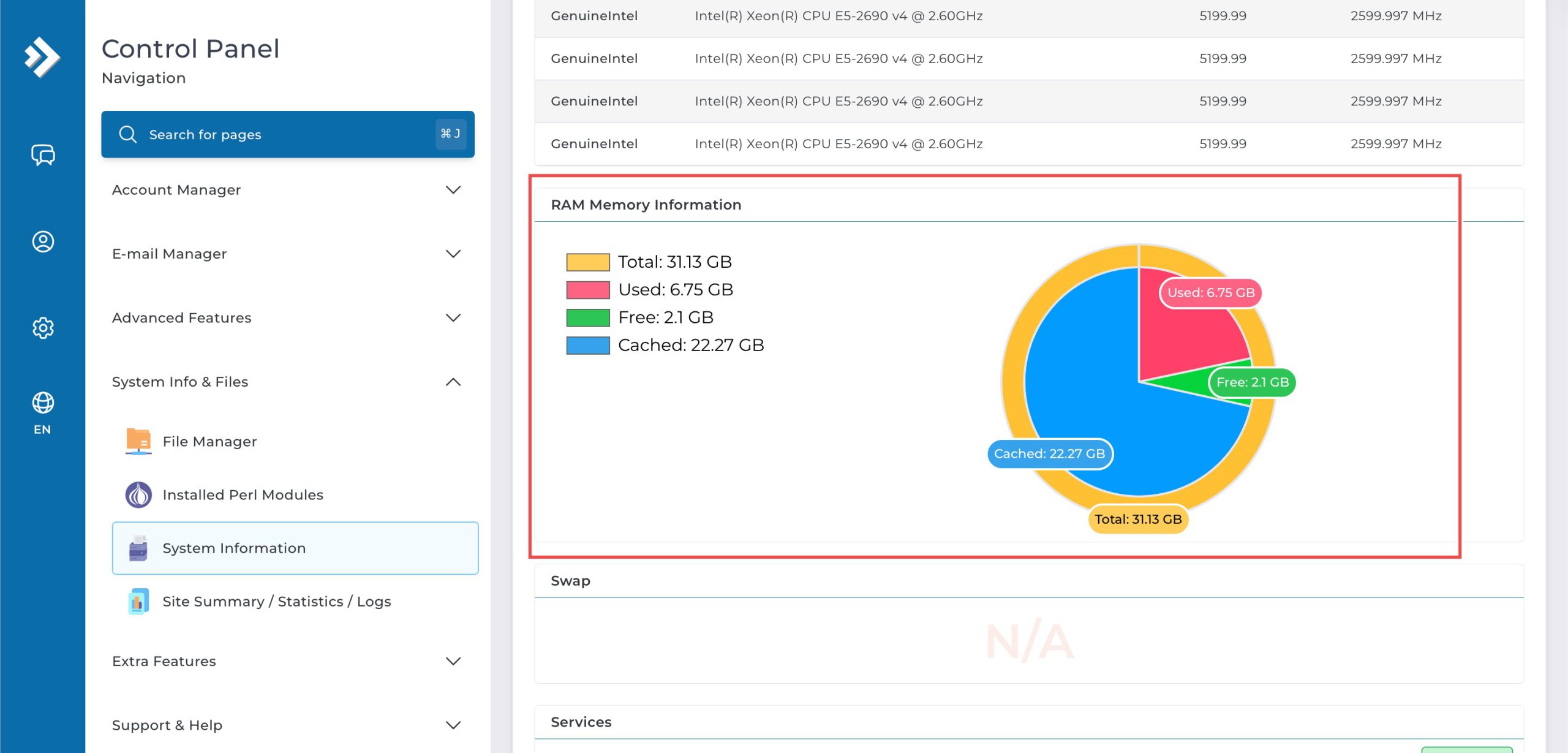
Scroll down to the RAM Memory Information section, where you will see a detailed circular graph and a legend.
Conclusion
Checking server RAM memory usage through DirectAdmin’s System Information interface is a straightforward process that provides detailed insight into your system’s memory allocation. Monitoring RAM usage helps you understand resource consumption patterns, identify potential performance issues, and make informed decisions about server capacity planning.
Should you have any inquiries about the guidelines, please feel free to open a ticket through your portal account or contact us at support@ipserverone.com. We’ll be happy to assist you further.