
Search Our Database
How to Change Session Save Path for All Websites using MultiPHP INI Editor in cPanel
Introduction
This Knowledge Base article provides a concise, step-by-step guide on How to Change Session Save Path for All Websites using MultiPHP INI Editor in cPanel. The session.save_path directive specifies the directory where PHP stores session data files. By applying this setting to your Home Directory, you can configure a custom session storage location across all domains under your hosting account, which is useful for organizing session data or implementing custom session handling strategies.
Prerequisite
- Access to your cPanel login page.
Step-by-Step Guide
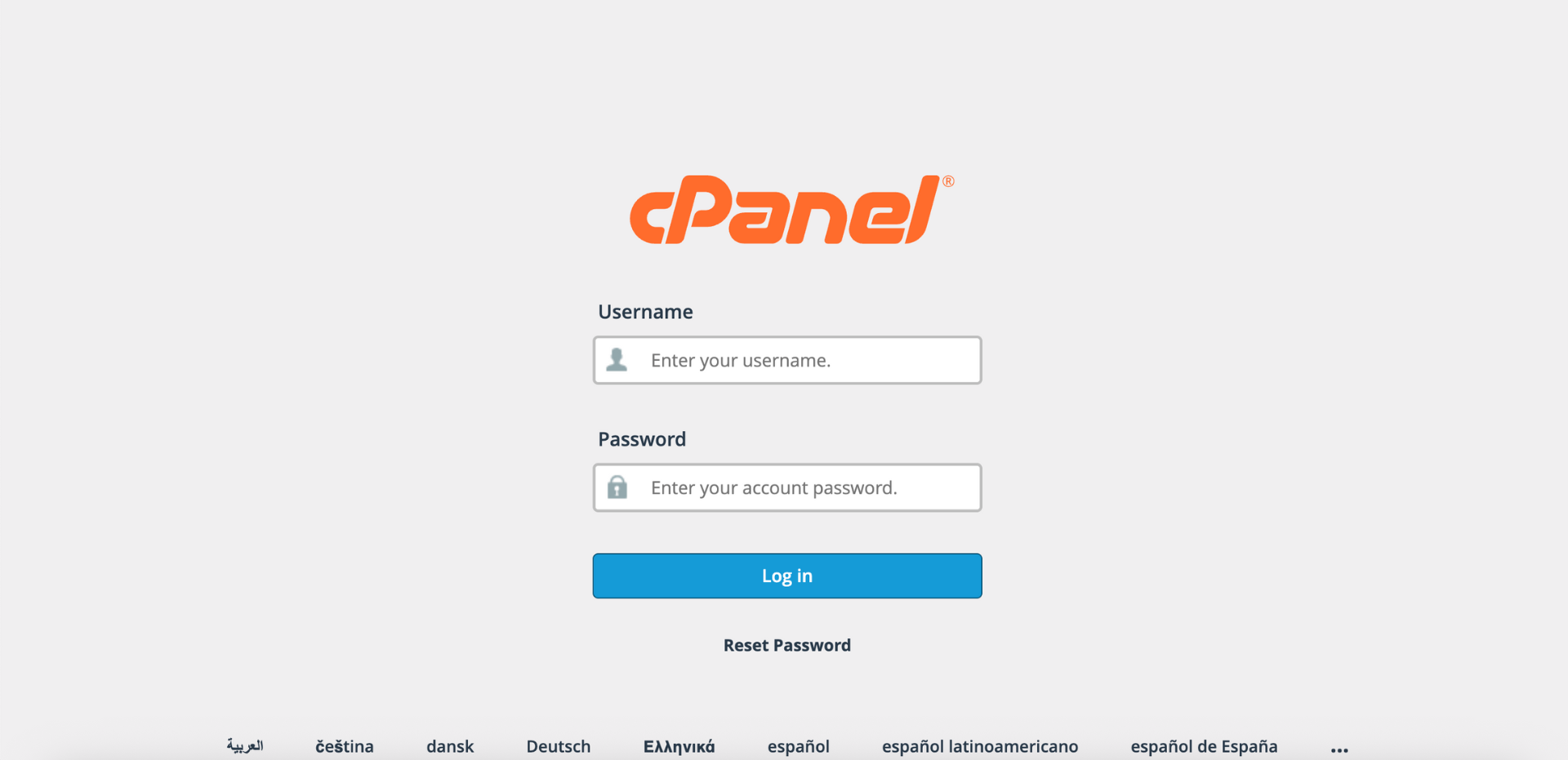
Step 1: Log in to cPanel
- Access and log in to your cPanel account using your username and password.
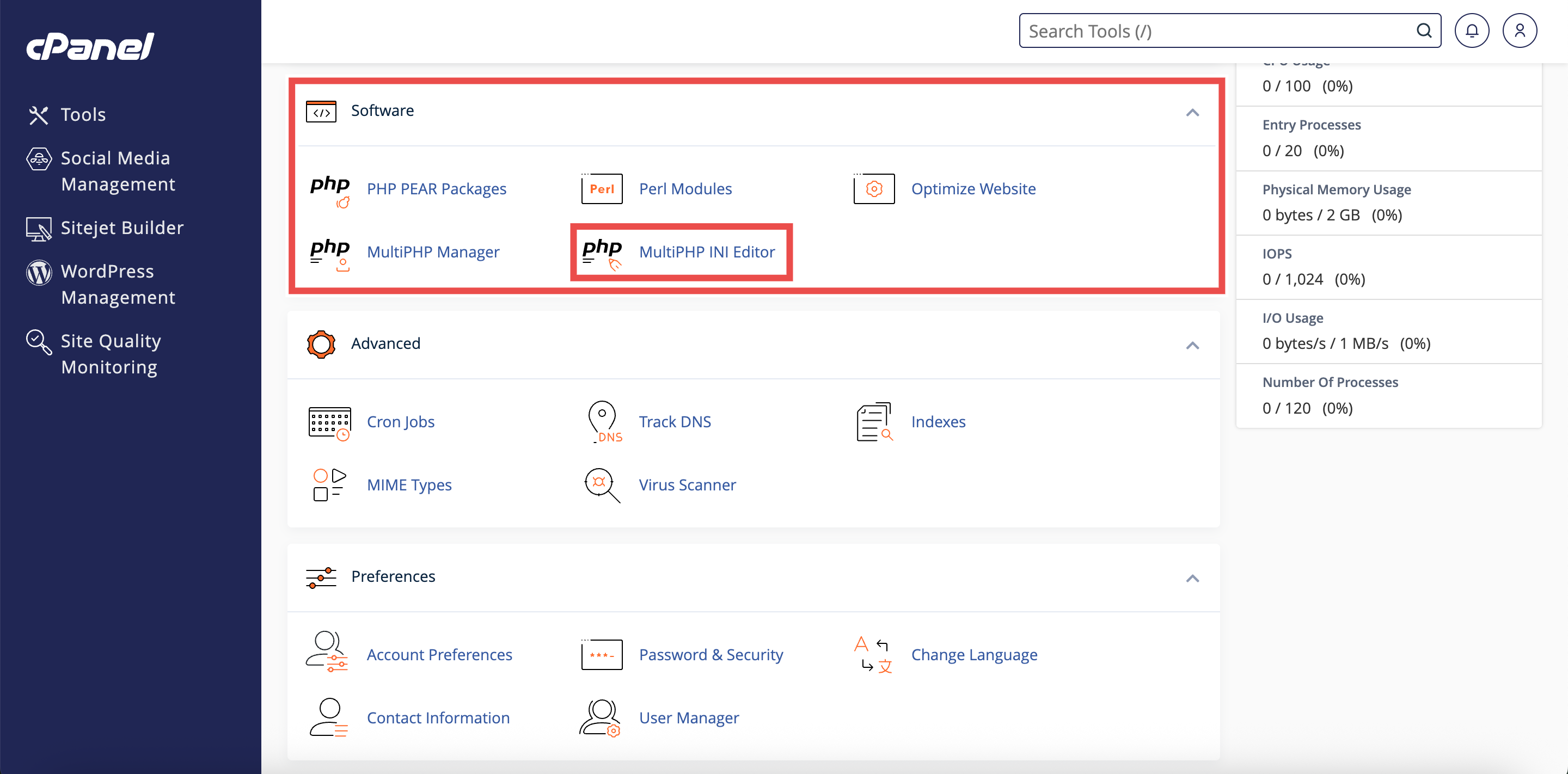
Step 2: Open MultiPHP INI Editor
- In the Home page, under Software, click MultiPHP INI Editor.
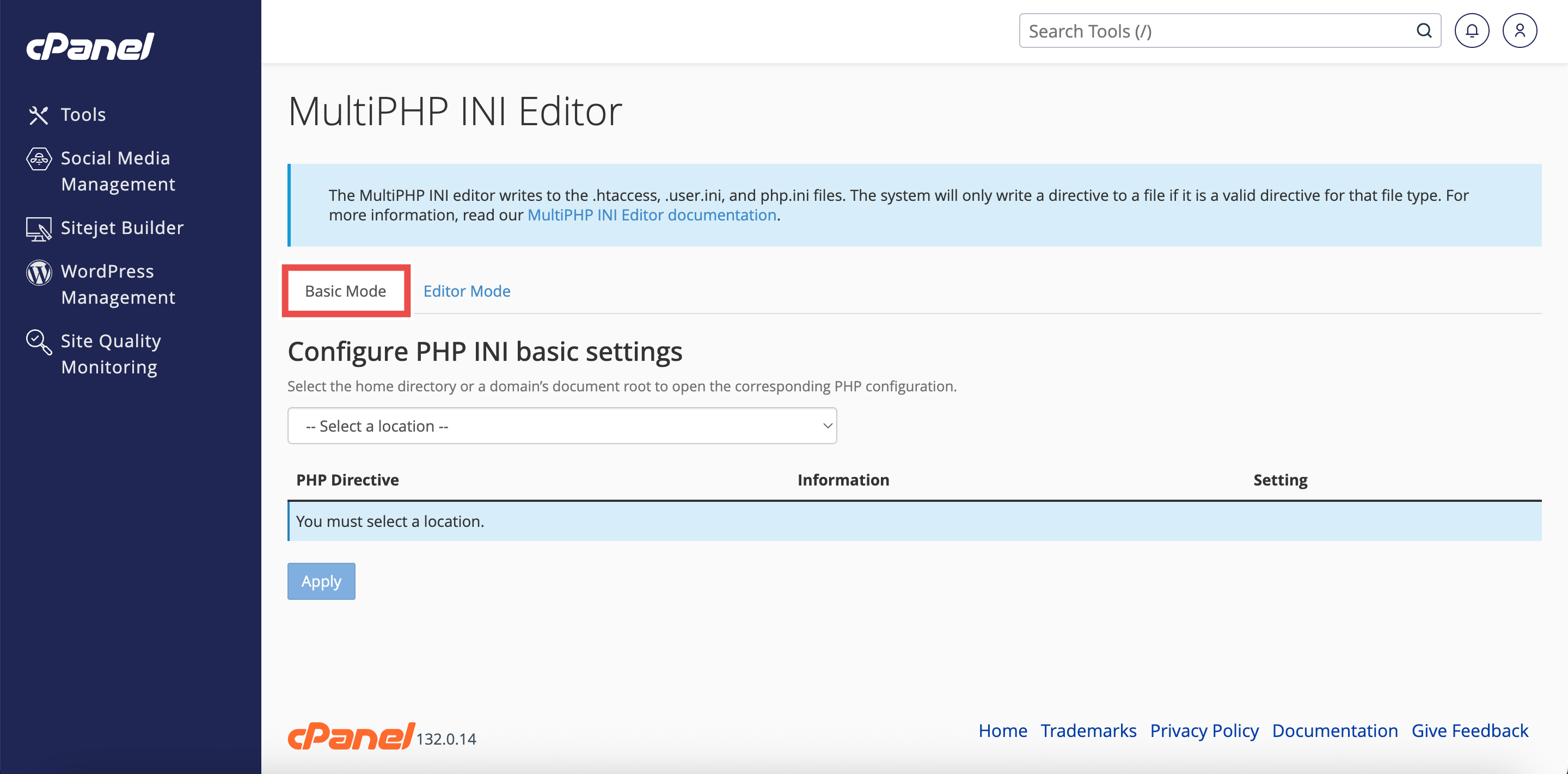
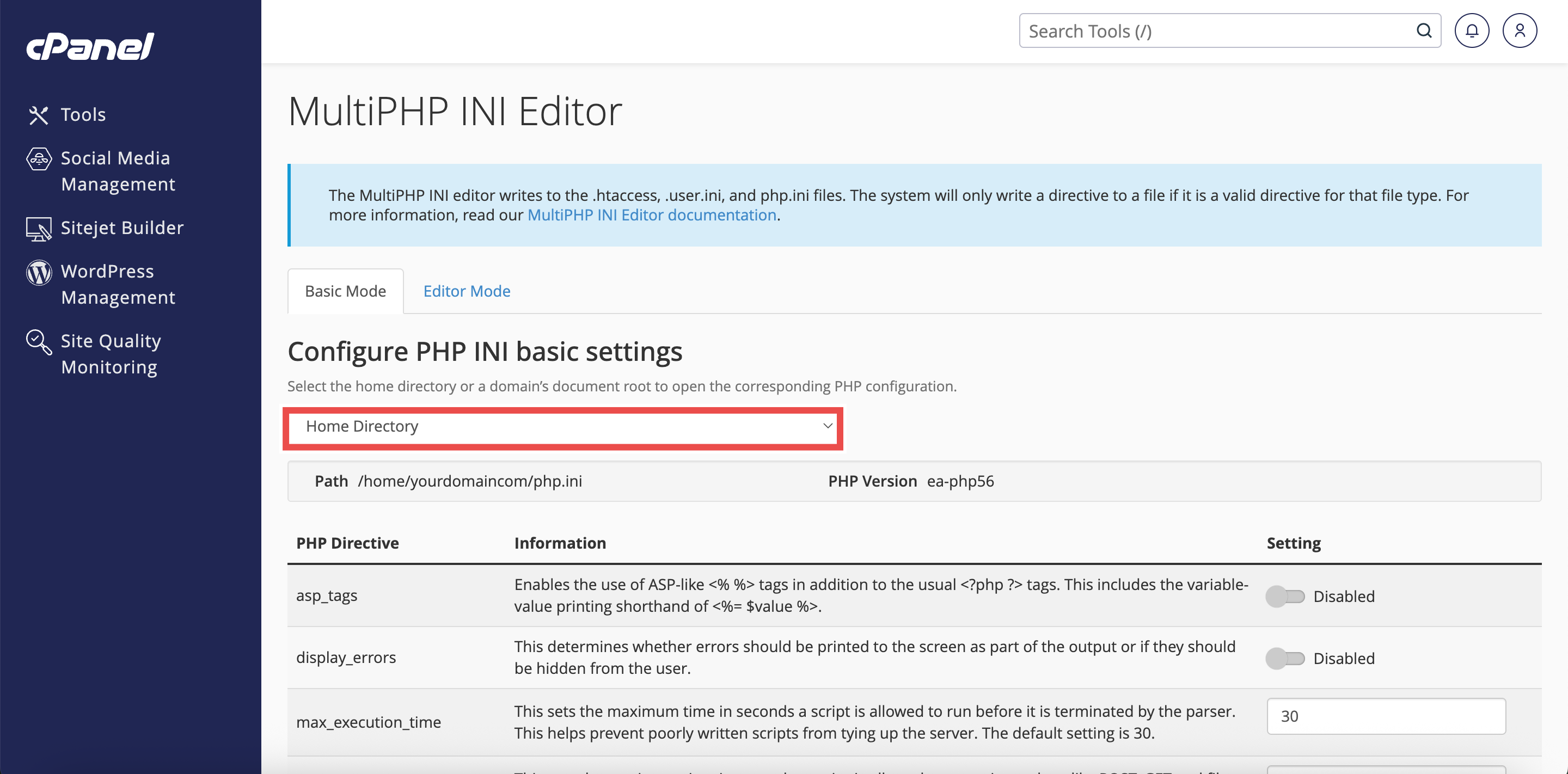
Step 3: Access Basic Mode
- The interface will open in the Basic Mode tab by default.
- If you are in Editor Mode, click the Basic Mode tab at the top of the interface.
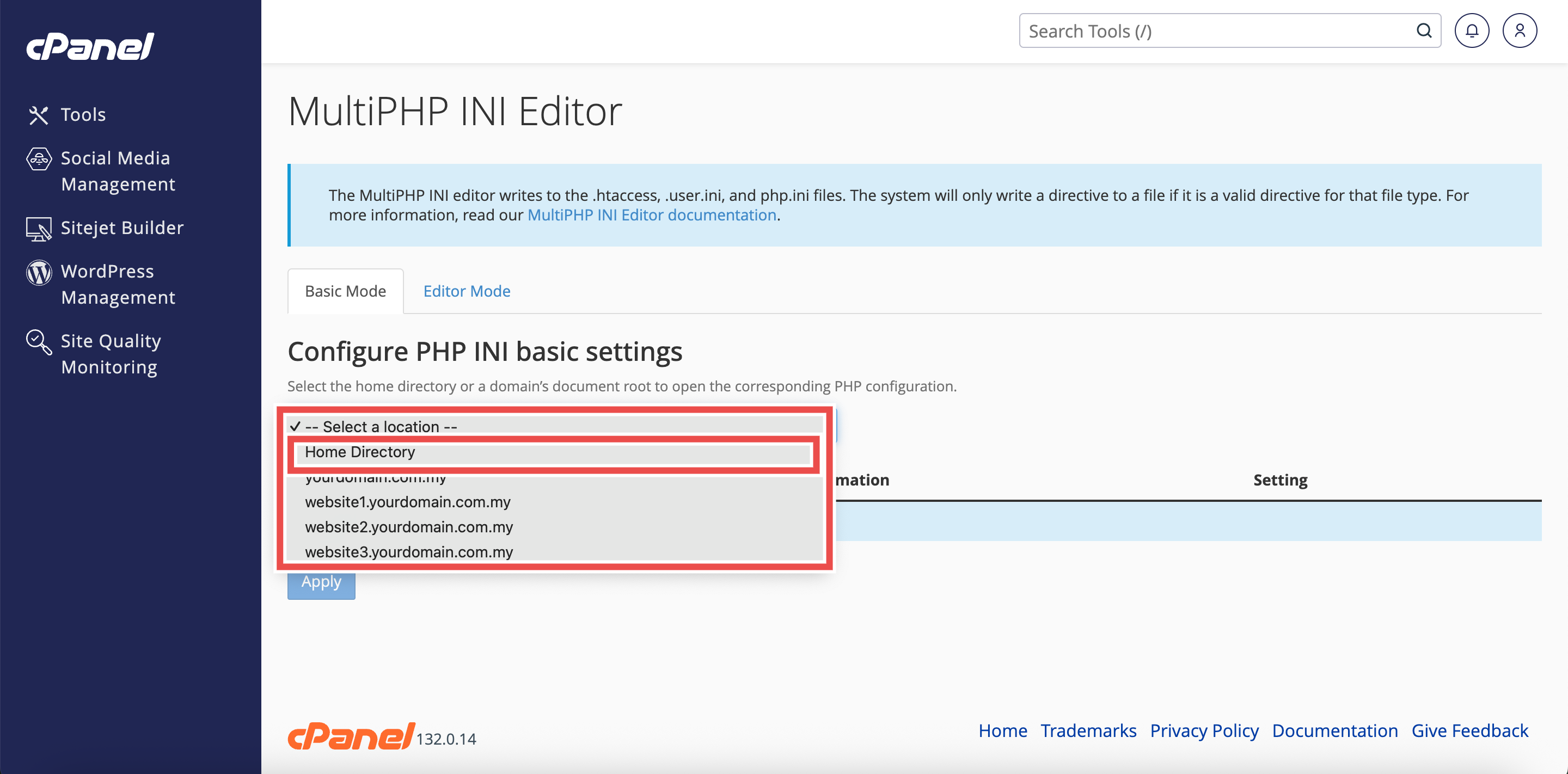
Step 4: Select Home Directory
- From the Configure PHP INI basic settings dropdown menu, select Home Directory.
⚠️ Important Note: Selecting Home Directory will apply PHP configuration changes to all domains.
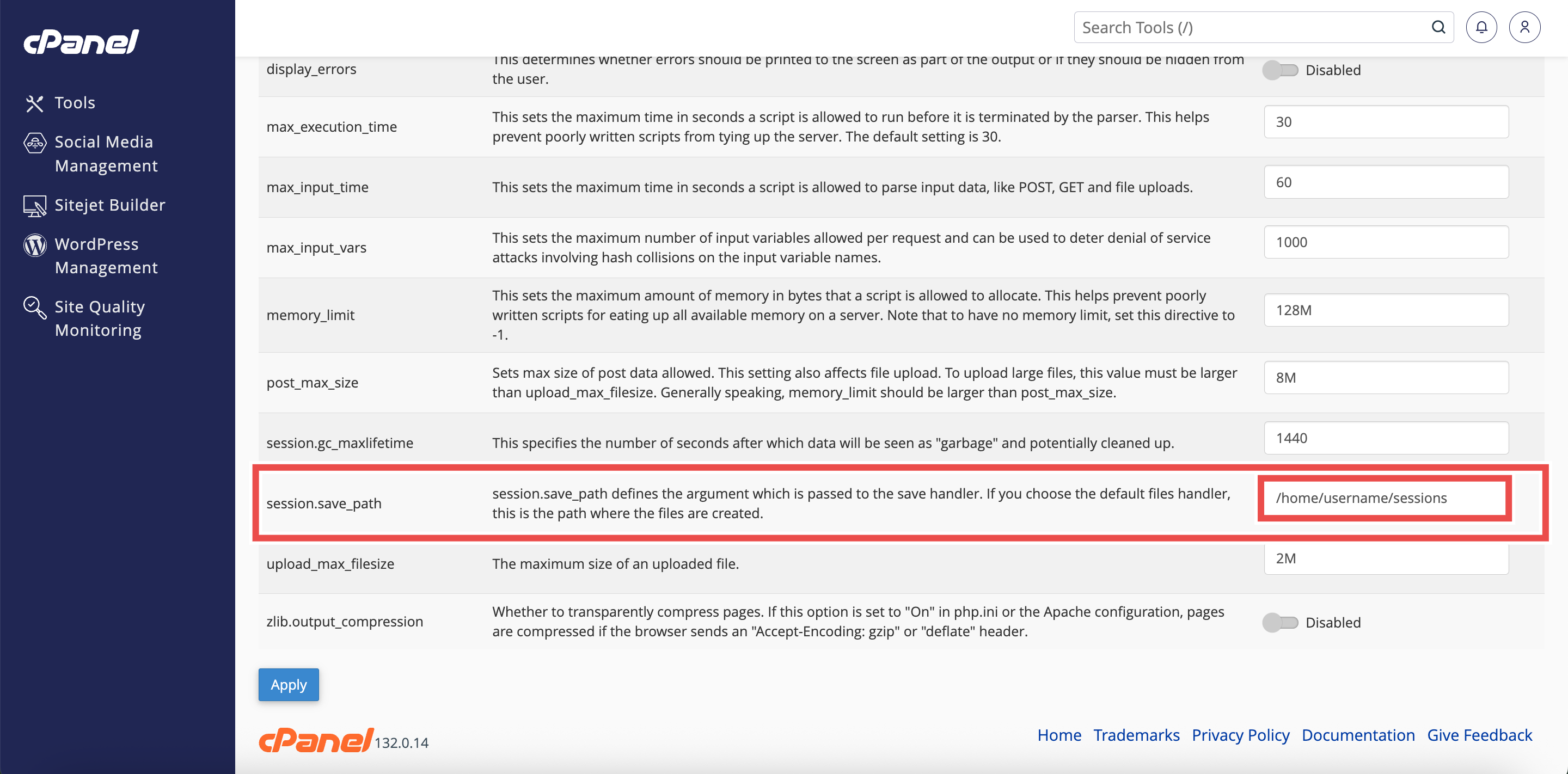
Step 5: Change Session Save Path
- Locate the session.save_path directive in the list of PHP directives.
- Enter the desired directory path (e.g., /home/username/sessions or /tmp/php_sessions).
- Ensure the directory exists and has appropriate permissions (e/g., 700 or 755).
⚠️ Important Note:
- The directory you specify must exist and be writable by the web server.
- If the directory doesn’t exist or has incorrect permissions, sessions will not work properly and users will experience login issues.
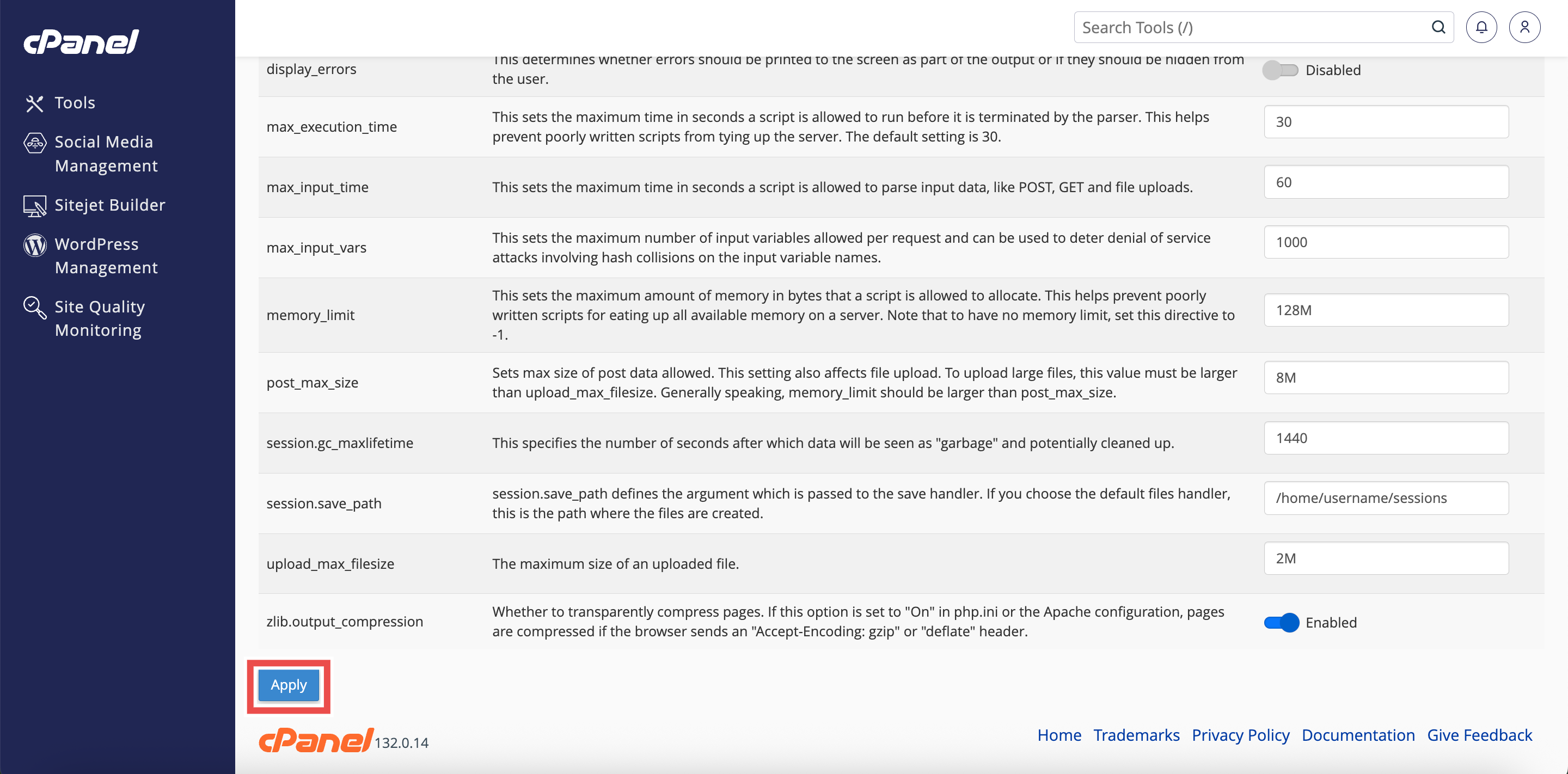
Step 6: Apply the Changes
- Click the Apply button at the bottom of the page to apply the changes made.
Step 7: Verify the Changes
- A successful message will pop up to confirm that the changes is applied successfully.
⚠️ Important Note:
- Make sure to create the directory and set proper permissions before applying the changes.
- Use File Manager or SSH to create and configure the directory.

Conclusion
By following these steps, you can change session save path for all websites using MultiPHP INI Editor in cPanel. This allows you to customize where session data is stored across all your websites, providing better organization and control over session management.
Should you encounter any issues or have any questions, our support team at IPSERVERONE is always here to assist you. Don’t hesitate to reach out to us at support@ipserverone.com for any help you need.