
Search Our Database
How to Request GPU Instance Limit Increase in Customer Portal
Introduction:
If your AI/ML project requires scalable, on-demand GPU resources beyond your current allocation, this guide provides the necessary instructions for NovaGPU users to expand their capacity. NovaGPU is specifically identified as a GPU as a Service (GPUaaS) utilized for critical workloads such as training, fine-tuning, and deploying AI.
When you need more NovaGPU instances to support your expanding AI/ML project, the procedure for increasing your limit must be conducted at the customer portal. This guide details the steps for NovaGPU users on how to utilize the customer portal by navigating to the NovaCloud section and specifically accessing the Limits area. There, you will initiate the request to acquire the required additional NovaGPU instances for your AI/ML work.
Prerequisites:
- The user must have established credentials and active access to the Customer Portal.
- Limit increases are requests not immediate self-service activations that require review.
Step-by-step Guide:
Step 1: Access NovaCloud Services
- On the left-hand navigation menu of the Customer Portal, click on “NovaCloud”.
- This section provides access to your cloud computing resources.
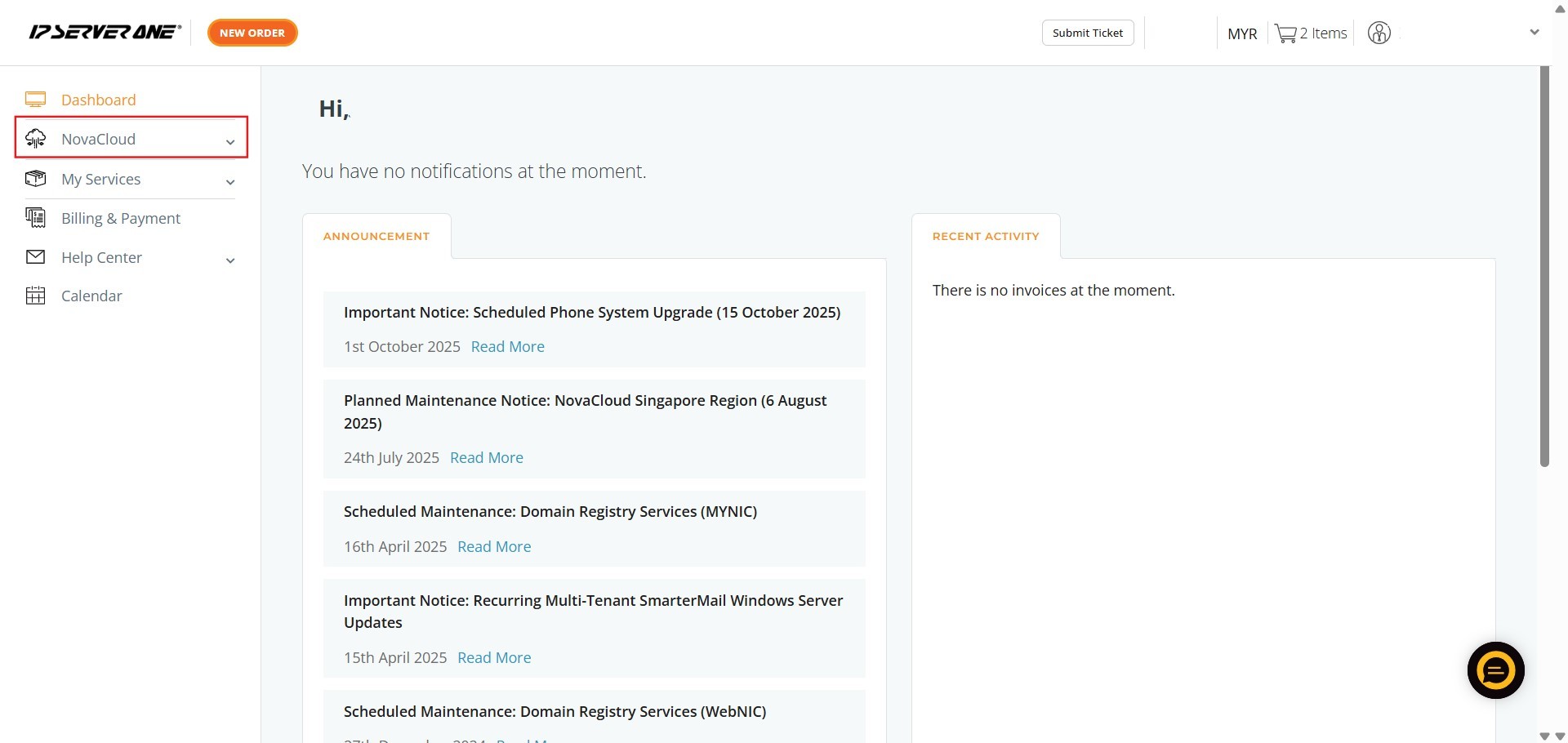
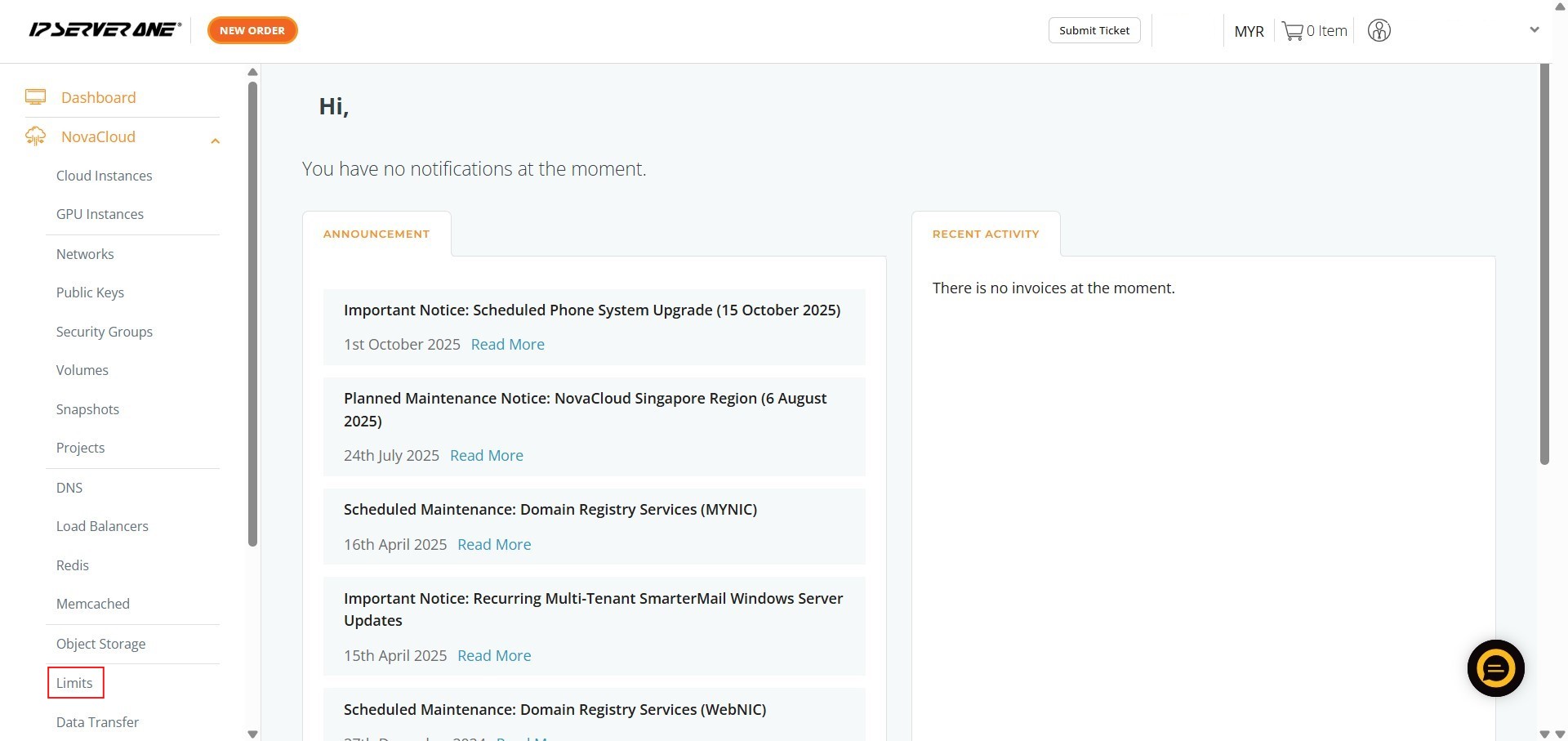
Step 2: Navigate to Limits
- From the expanded NovaCloud menu, click on “Limits”.
- This section allows you to manage restrictions on your provisioned resources.
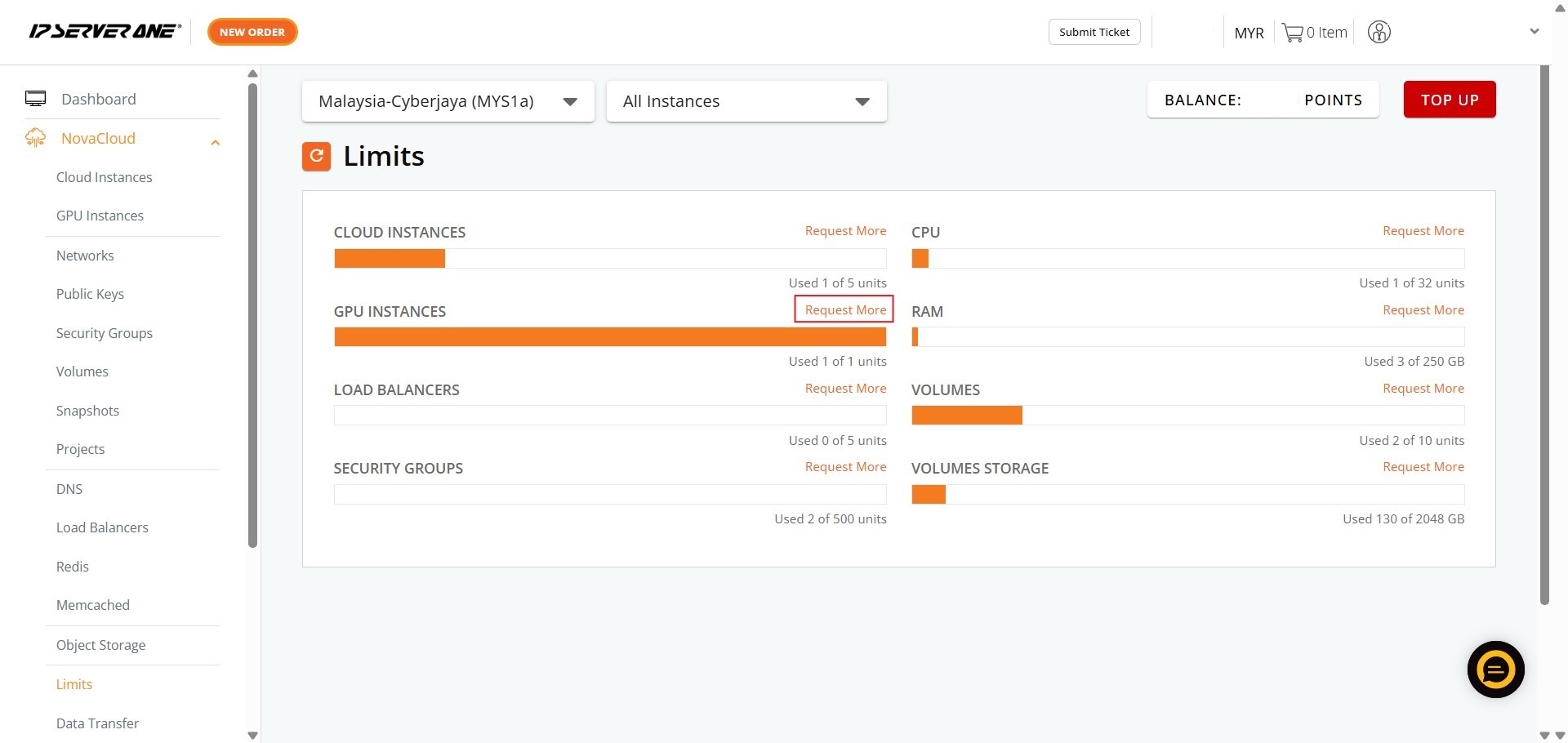
Step 3: Initiate the Request
- Within the Limits area, locate the section pertaining to GPU Instances and click “Request More”.

Step 4: Submit Request Details
-
In the request interface that appears, you must input the necessary information:1. Key in the Date.2. Key in the Contact Number.3. Key in Addition details.4. Once all details are entered, click “Submit”.
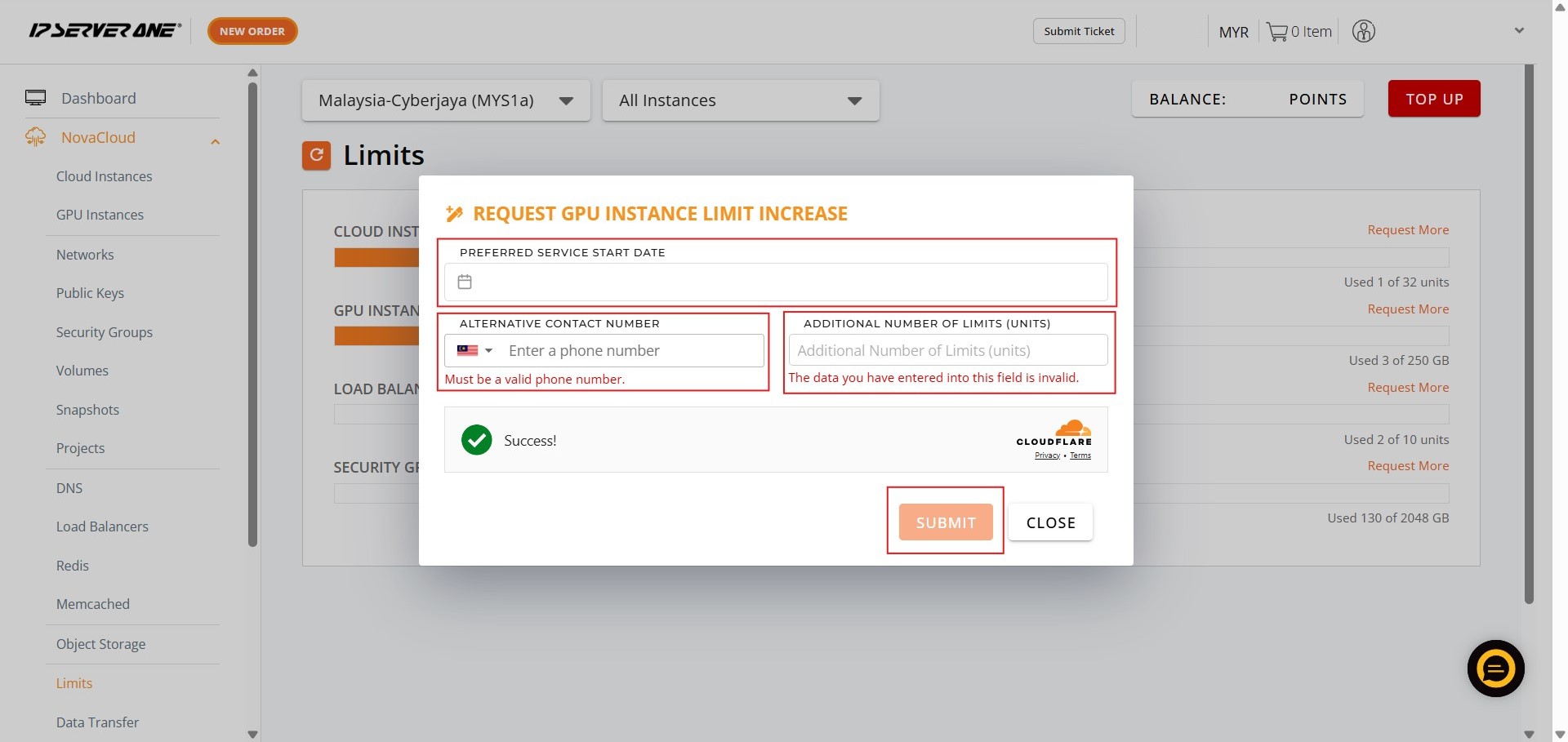
Step 5: Conclude the Process
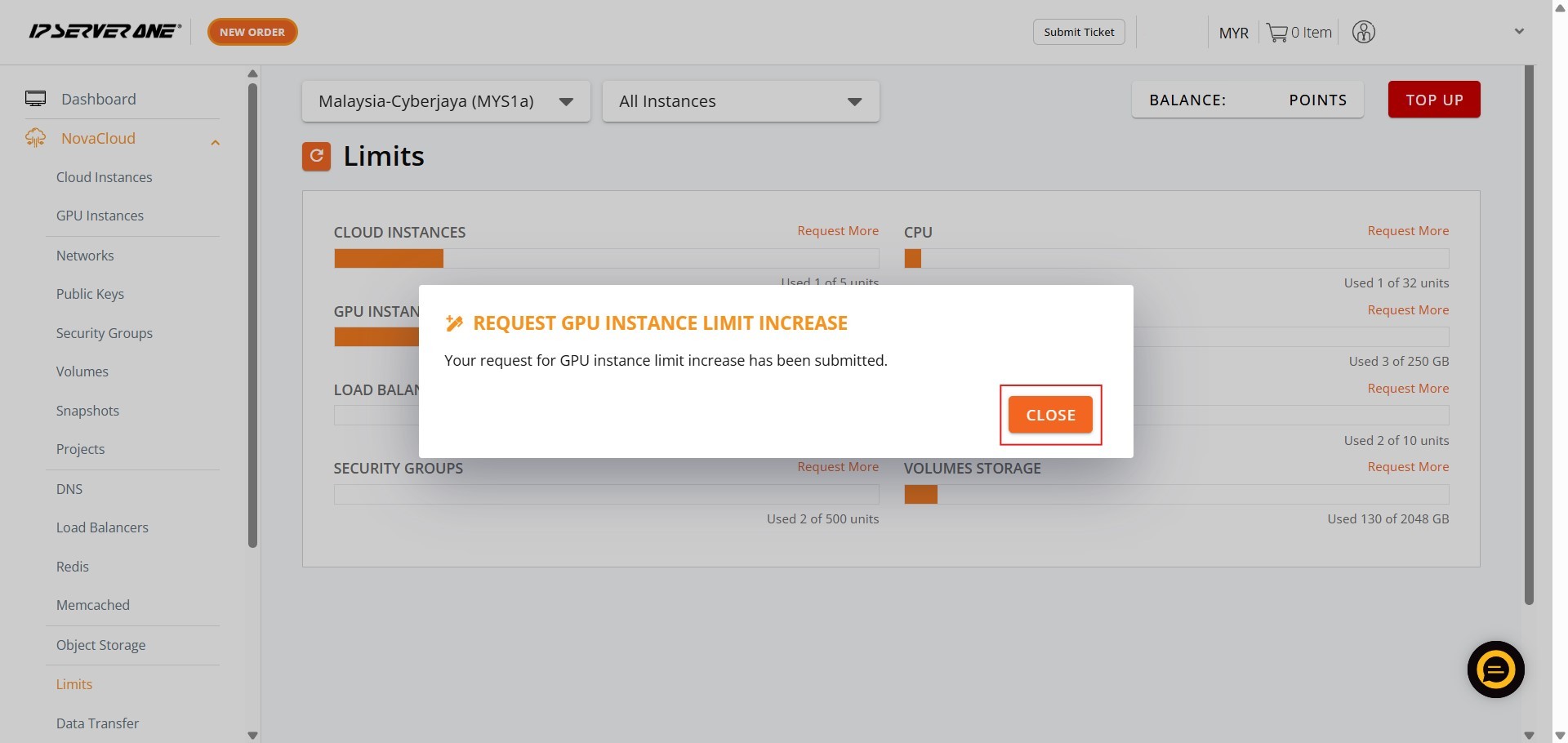
- Finally, click “Close” to finish the submission process.
Conclusion:
Upon completing the submission process in the customer portal, you have successfully utilized the internal system to request a larger allocation of GPU resources for your project.
By navigating to the NovaCloud section and submitting the required information—Date, Contact Number, and Addition details—in the Limits area, you formally initiated the increase request for NovaGPU instances. This capacity expansion is critical for scaling your high-performance computing needs, as NovaGPU is specifically offered as a GPU as a Service (GPUaaS) solution tailored for essential AI/ML workloads, including training, fine-tuning, and deployment.
Should you require further assistance regarding this limit increase request or encounter any issues within the customer portal, please do not hesitate to contact the support team at support@ipserverone.com.