
Search Our Database
How to Set Up Monitoring Bandwidth Usage for Cloud Instance(s) in Customer Portal
Introduction:
This guide outlines the precise procedures for Customer Portal users seeking to monitor bandwidth usage for their services. Effective bandwidth management is critical for maintaining network performance and controlling operational costs, making real-time usage monitoring a vital administrative function .
The functionality for tracking and managing network metrics, including Bandwidth, is documented within the comprehensive resources of IP ServerOne. Within the Customer Portal environment, users gain access to this capability through the NovaCloud menu .
By following the steps detailed in this document, users will learn how to set up monitoring bandwidth under NovaCloud to establish alarms, define usage thresholds, and consistently track resource consumption for specific instances . This process ensures proactive oversight of your deployed cloud infrastructure’s bandwidth usage .
Prerequisites:
- The user must possess active login credentials to access the Customer Portal environment.
- The user must have at least one active cloud instance (NovaCloud) deployed under their account.
Step-by-step Guide:
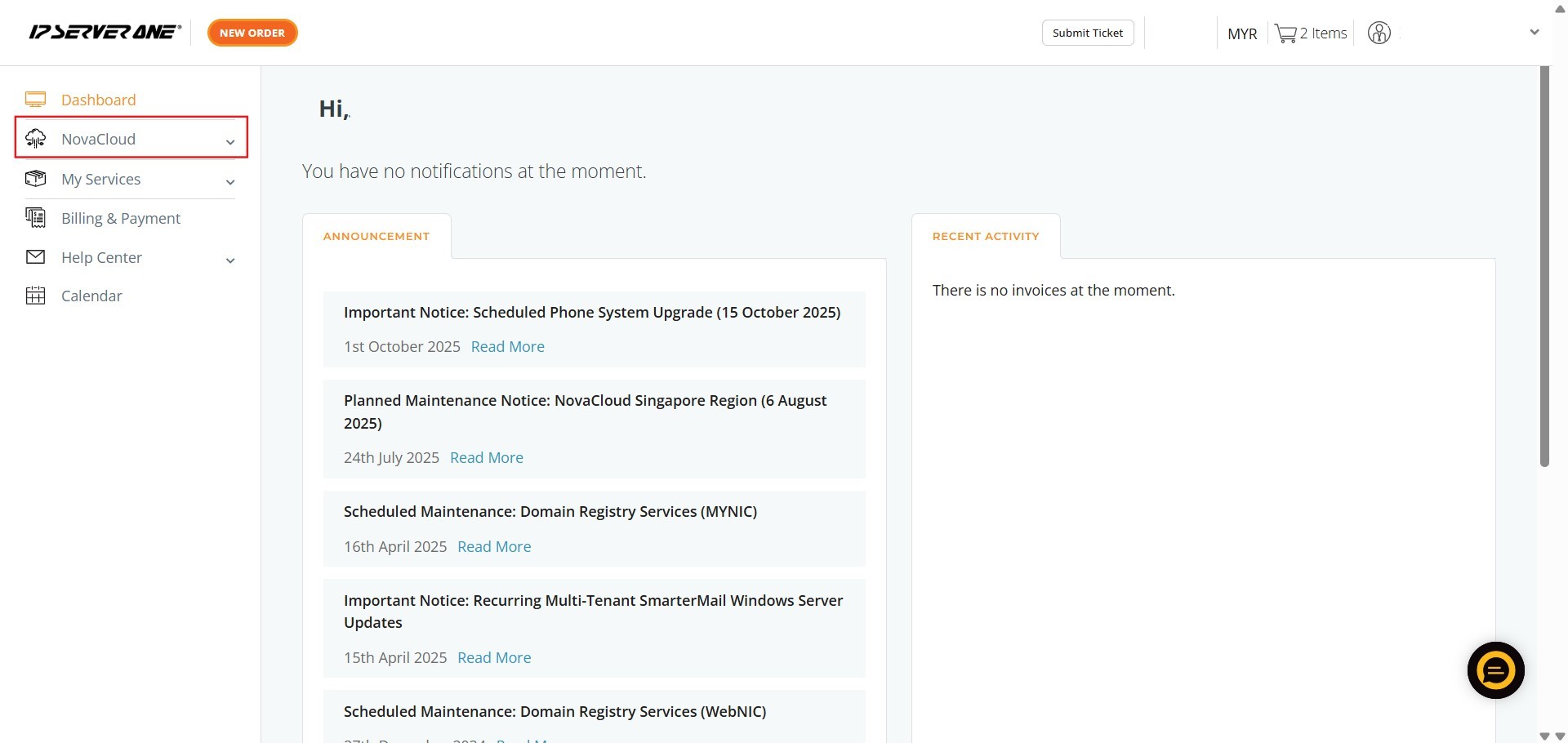
Step 1: Access the NovaCloud Services Menu
- Once logged into the Customer Portal, locate and click on “NovaCloud” in the left-hand navigation pane.
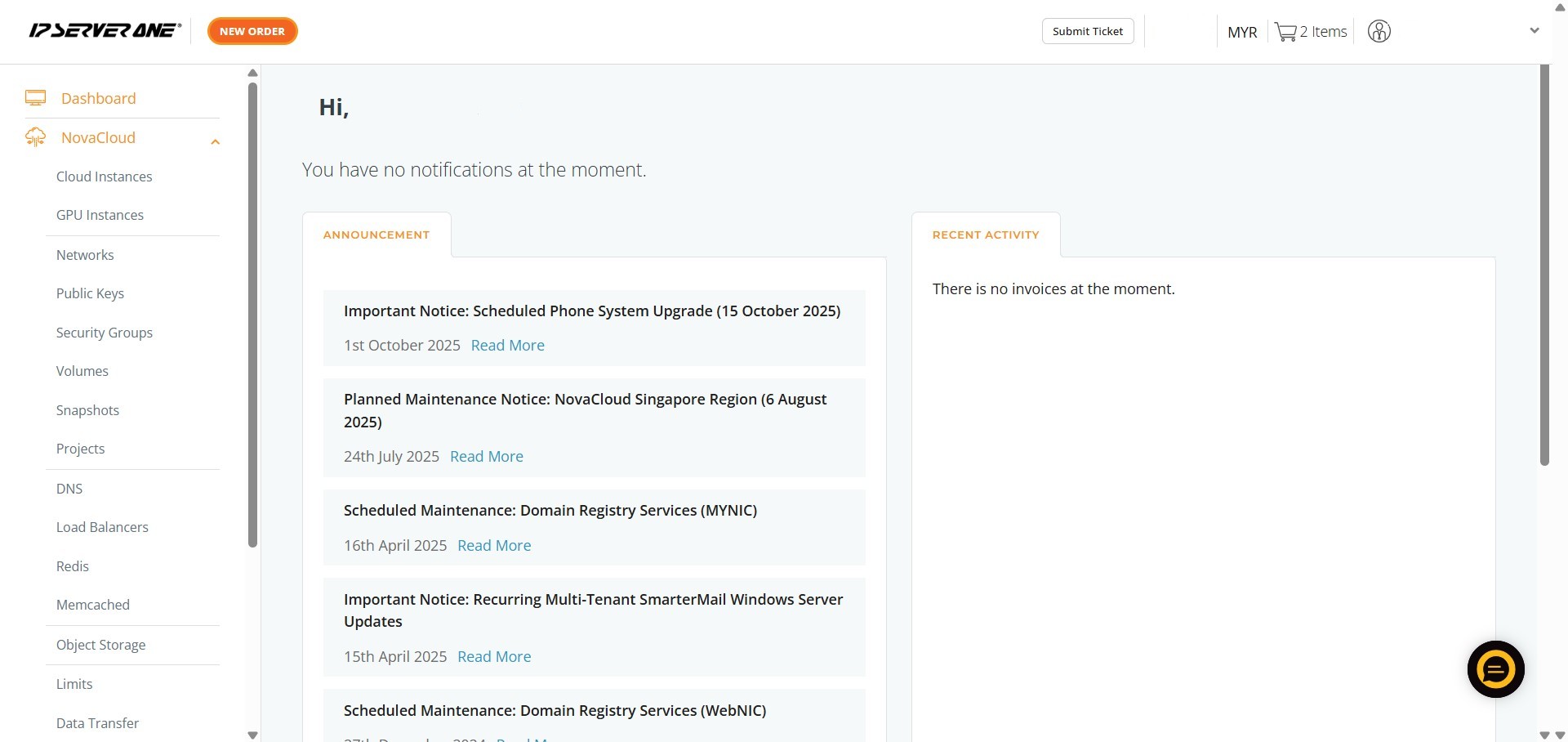
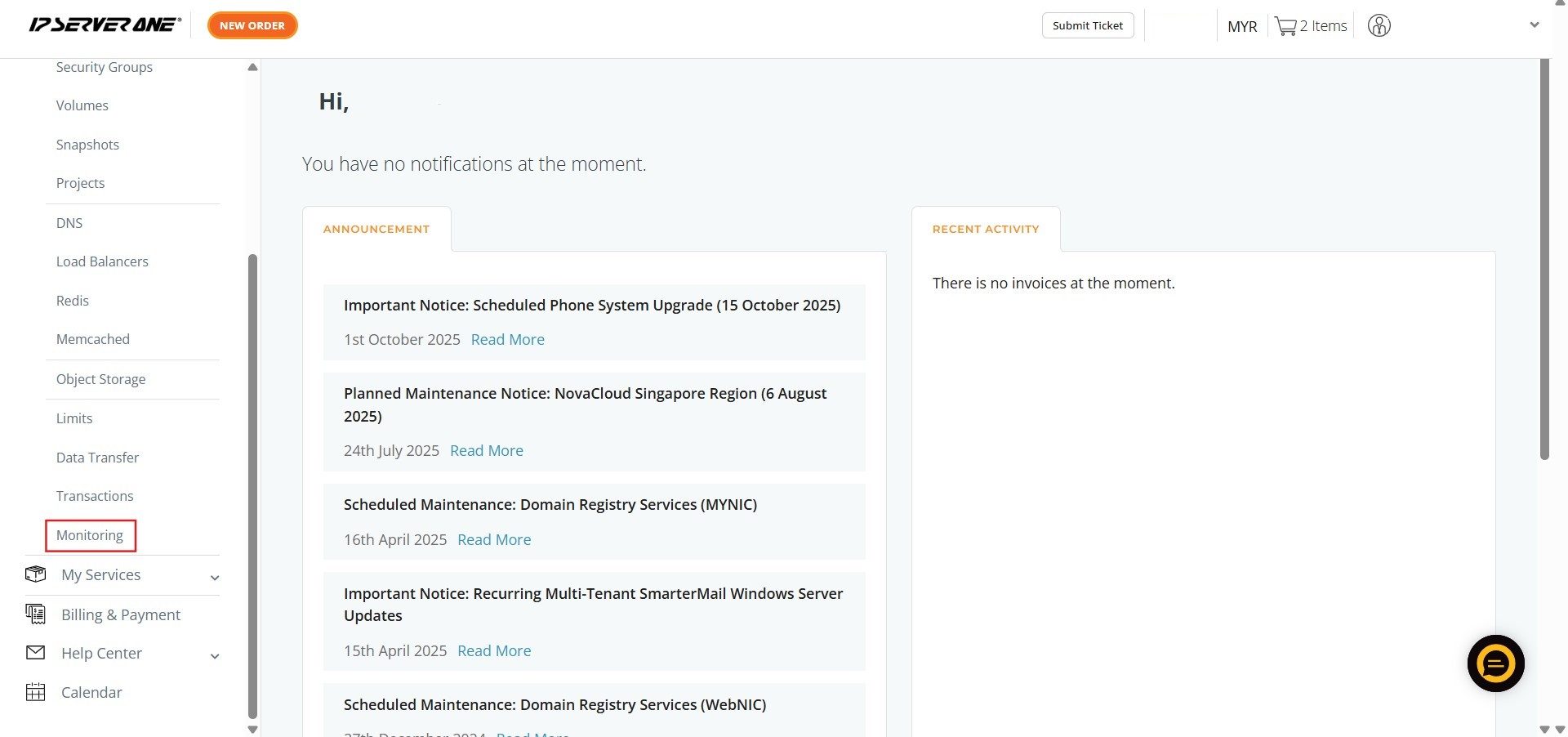
Step 2: Navigate to the Monitoring Section
- Scroll down the expanded NovaCloud menu and click on “Monitoring”.
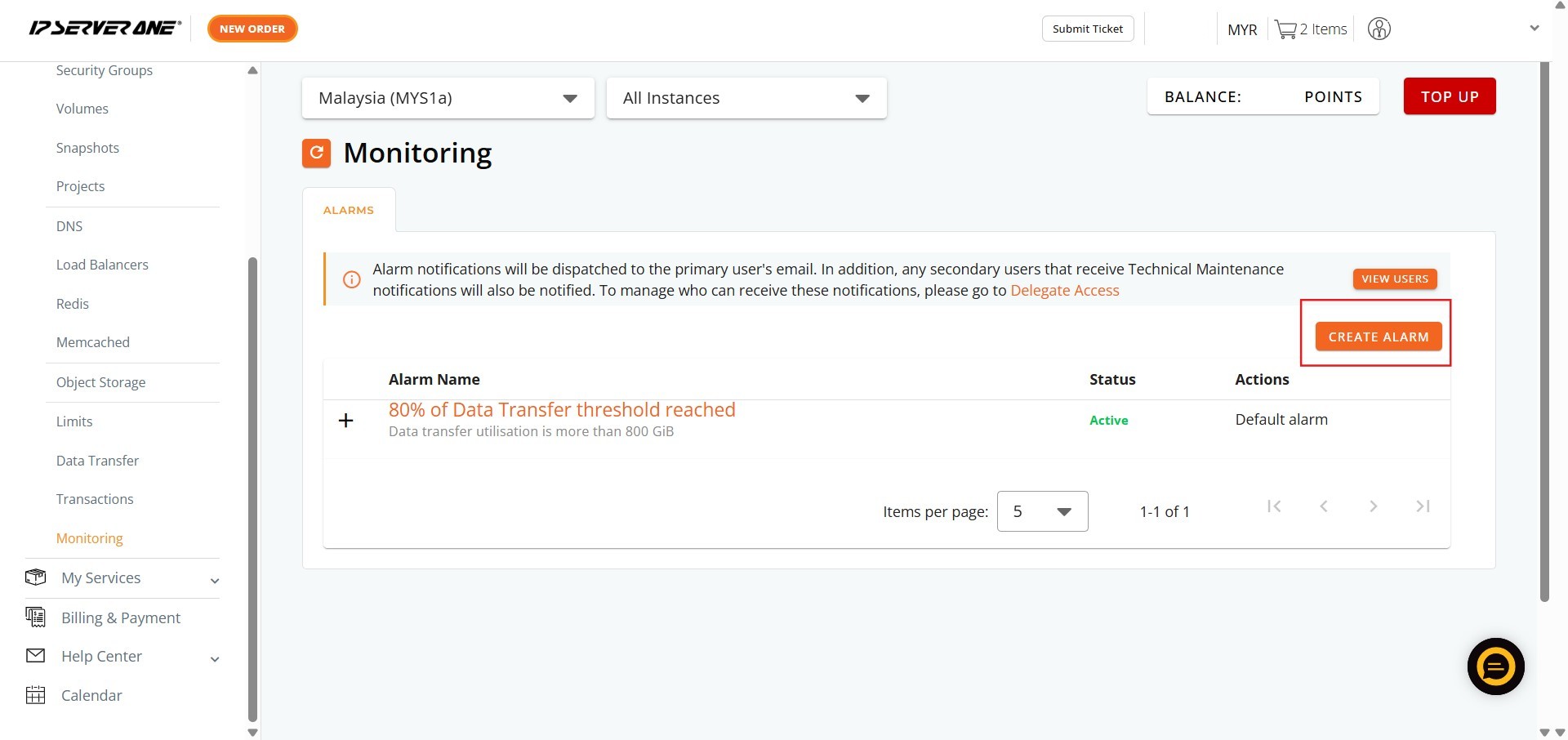
Step 3: Initiate Alarm Creation
- On the Monitoring page, click “Create Alarm”.
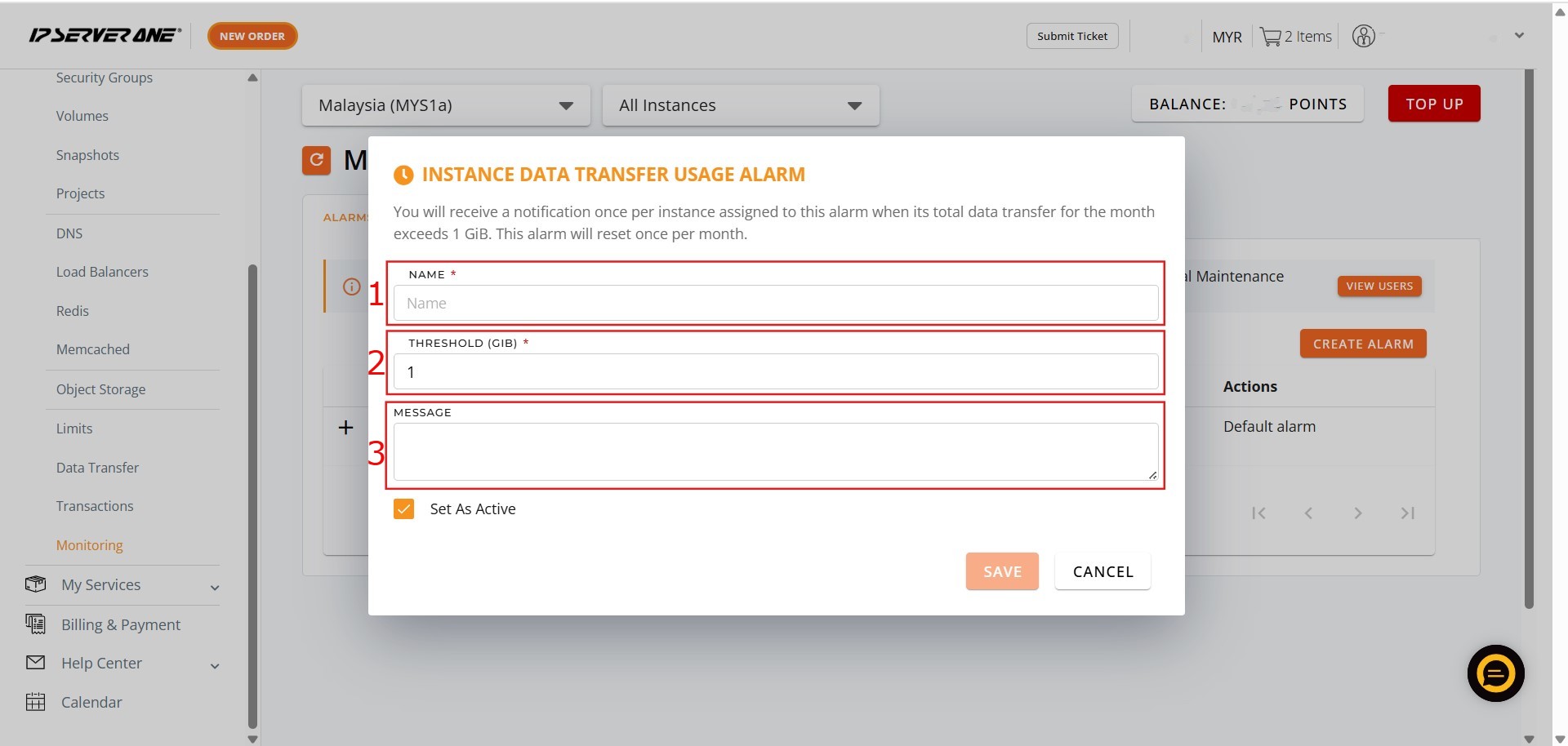
Step 4: Define Alarm Parameters
- In the appropriate fields, key in the following information:
- A descriptive Name for the alarm.
- The Threshold (the usage limit that triggers the alarm).
- A message (the content of the notification you receive when the threshold is crossed).
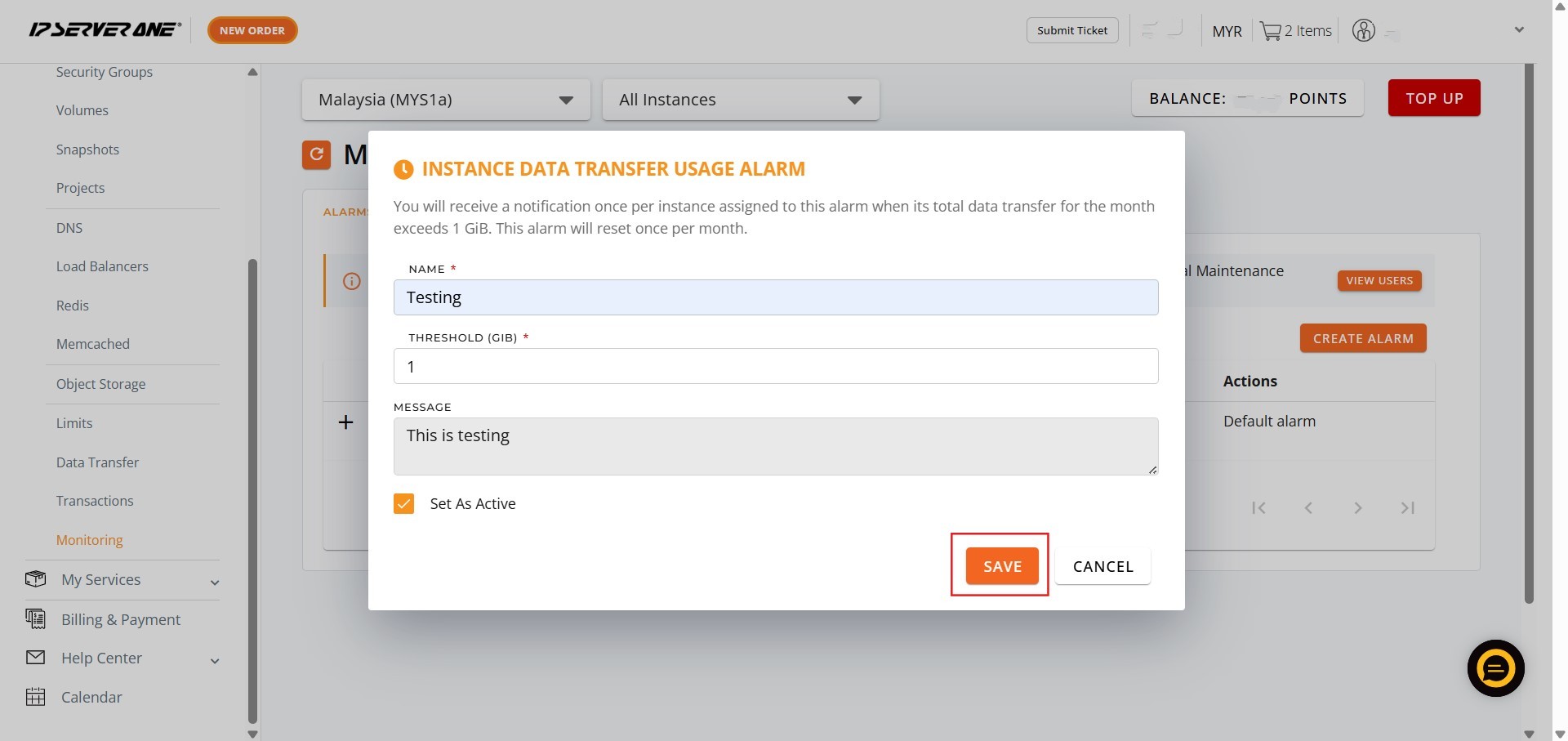
Step 5: Save the Alarm Configuration
- After defining the necessary details in the fields, click “Save”.
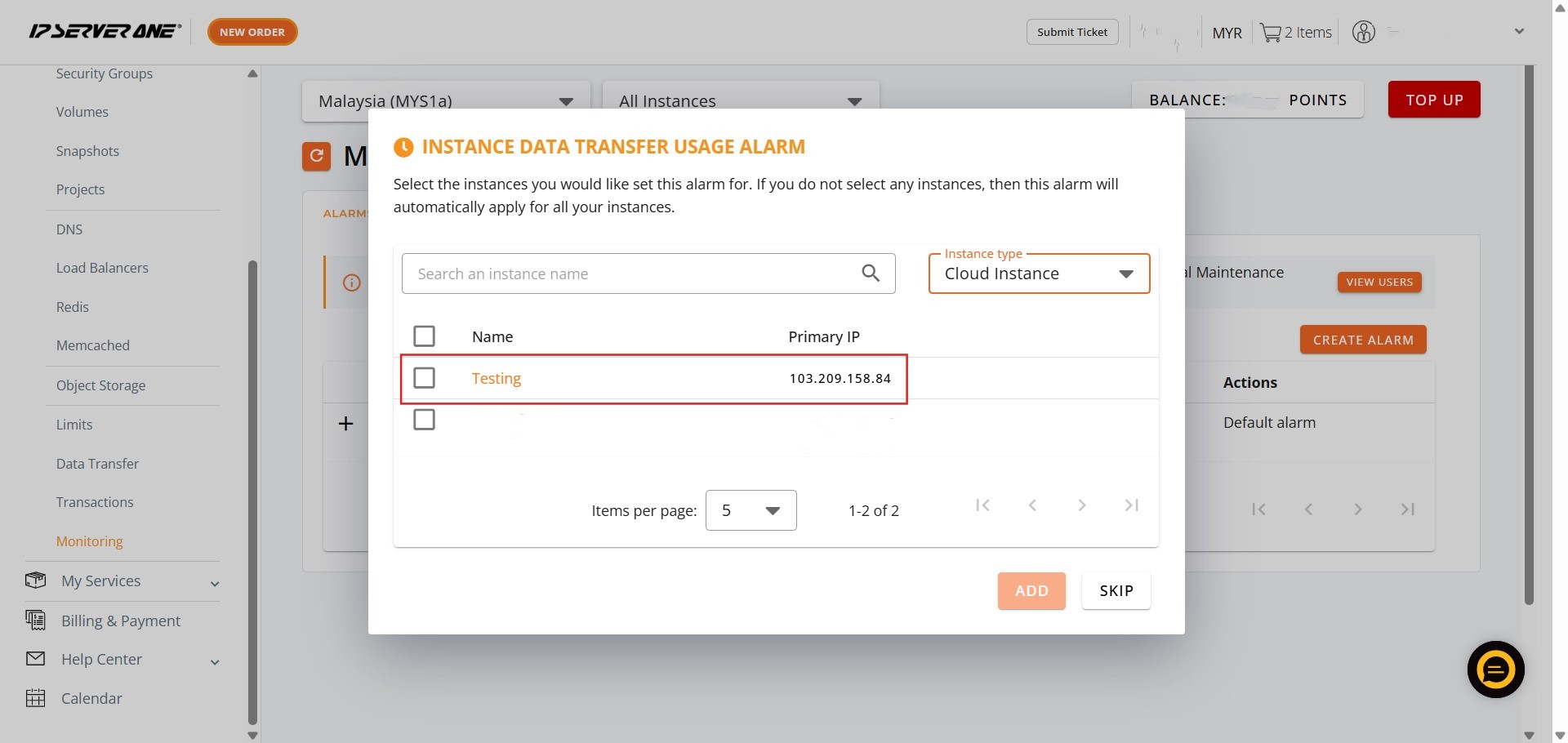
Step 6: Select Instance(s) for Monitoring
- Choose the specific Cloud Instance(s) for which you want to monitor bandwidth usage, and click “Add” to associate them with the newly created alarm.
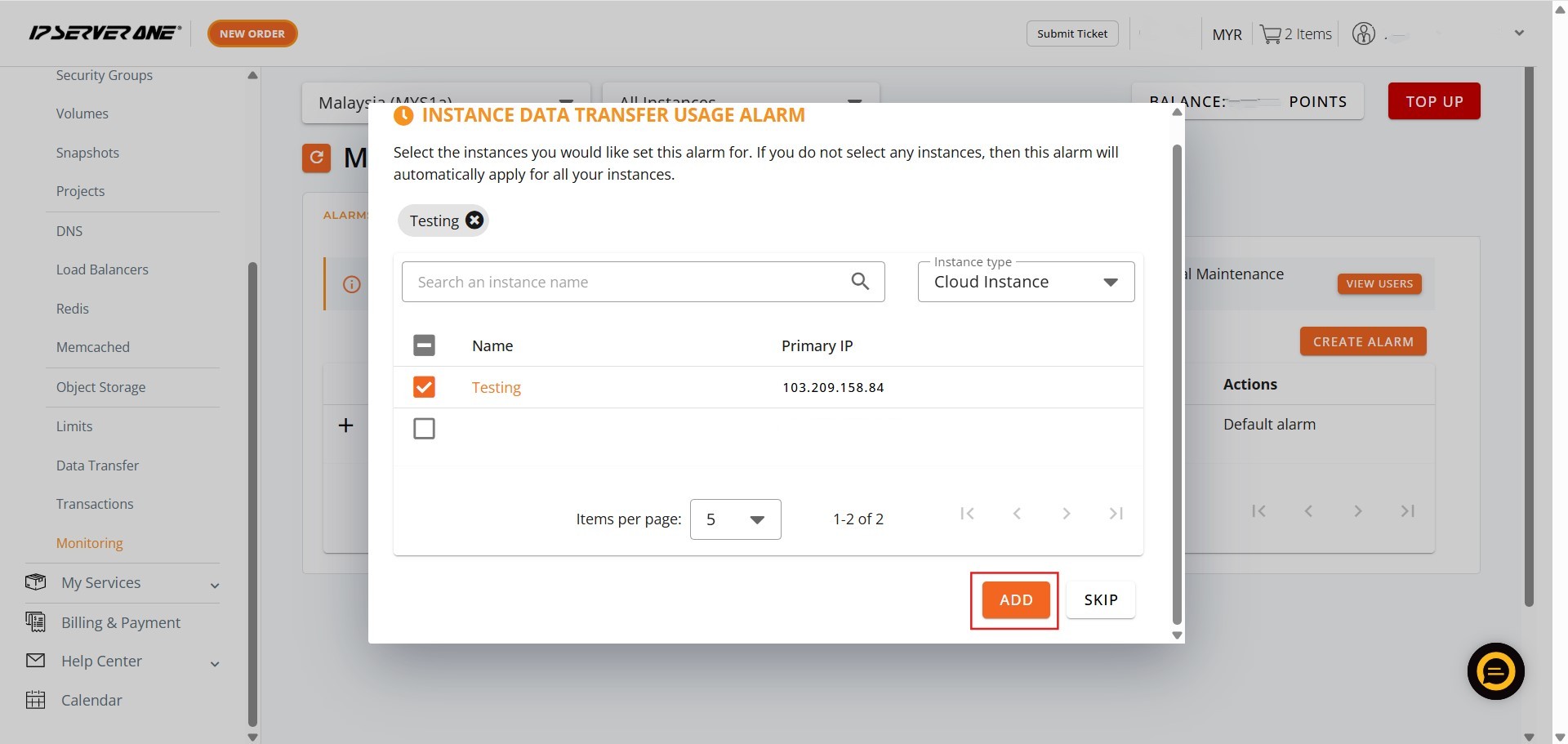
Step 7: Confirm Setup
- Click “Okay” to finalize the process.
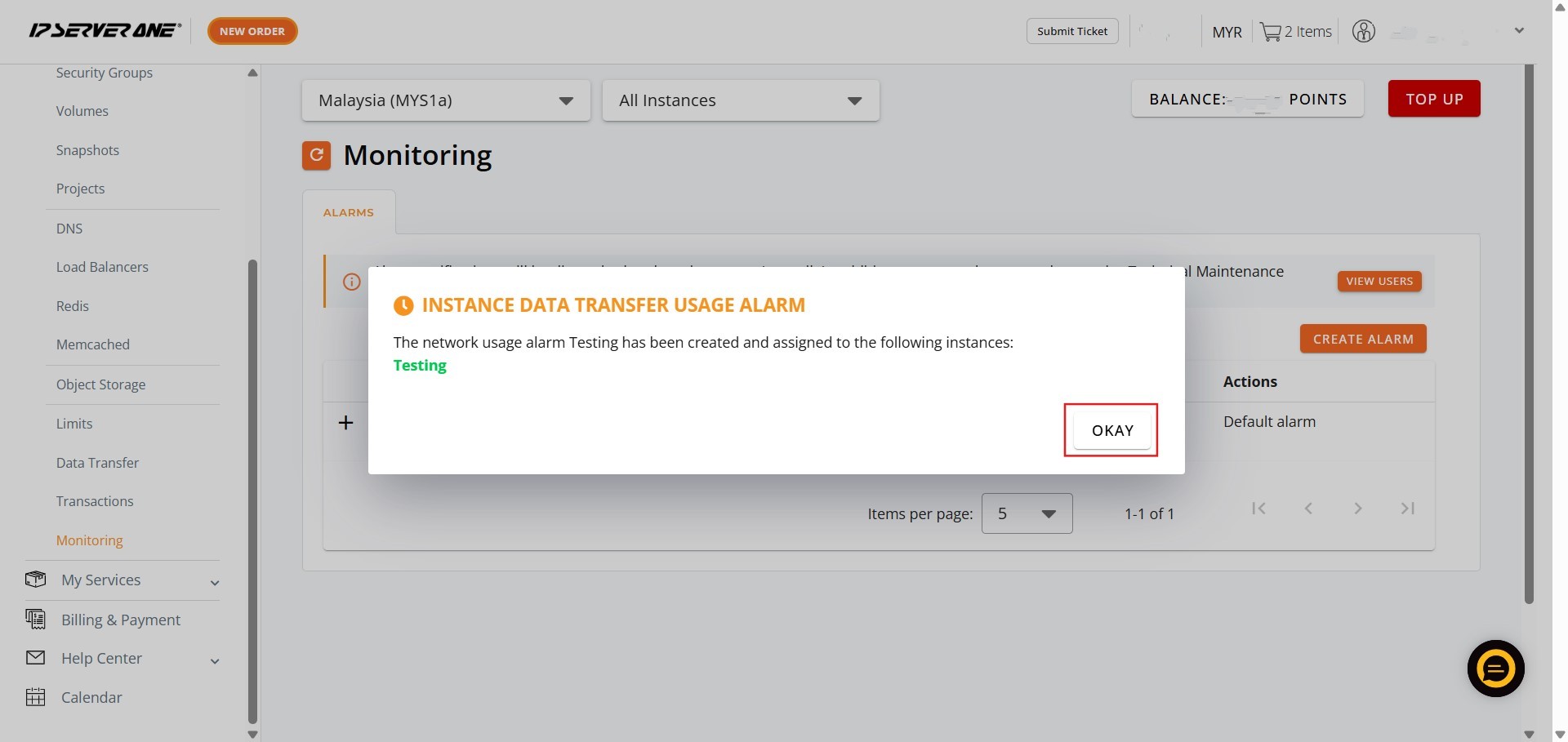
Step 8: Completion
- The successful setup means the bandwidth usage monitoring has been configured for the selected instance(s).
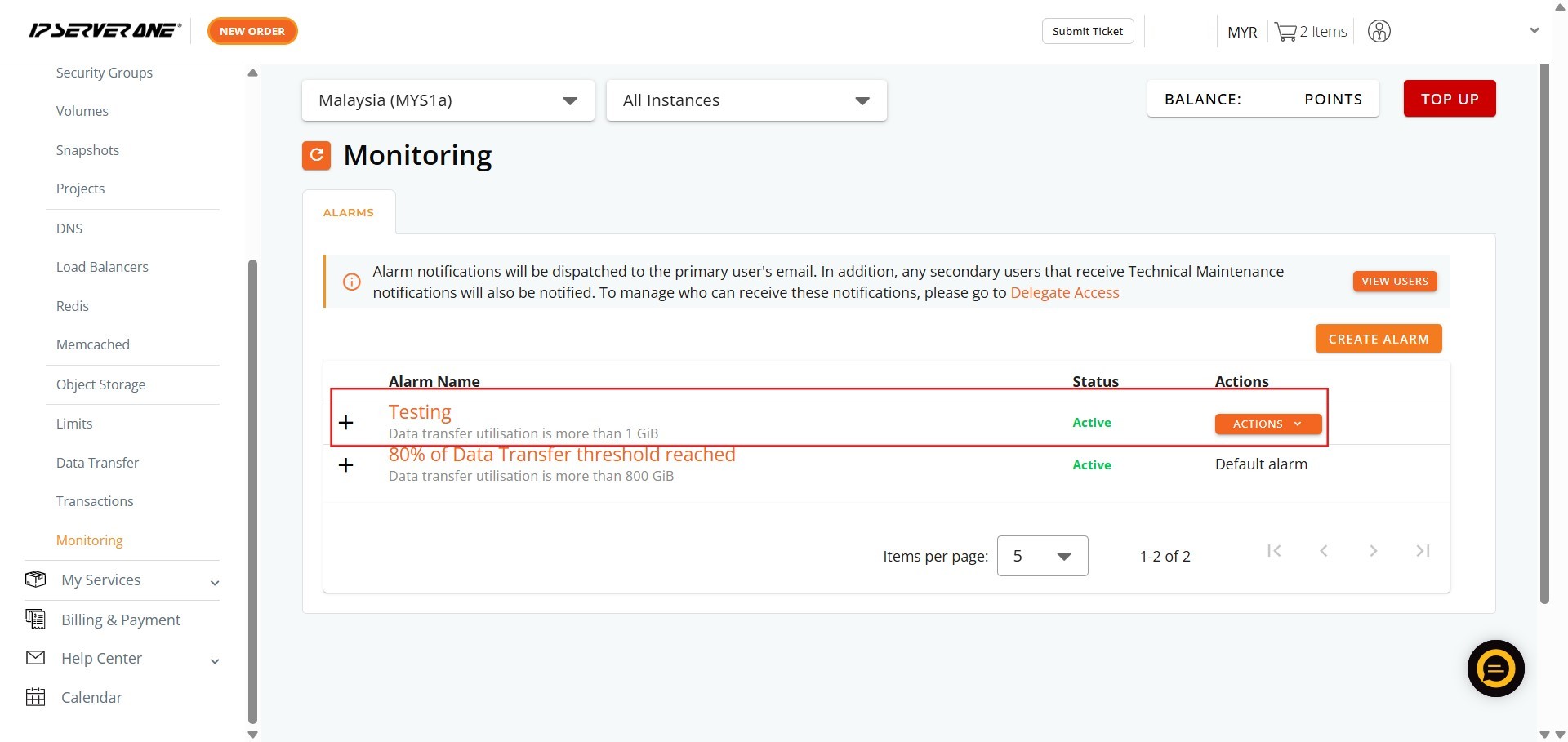
Conclusion:
By meticulously following the steps outlined in this guide, you have successfully configured bandwidth usage monitoring within the NovaCloud section of the Customer Portal. This critical administrative function enables Customer Portal users to gain proactive oversight of resource utilization.
The capability to set specific Thresholds and notifications allows users to automatically track resource consumption and manage crucial network metrics related to Bandwidth. This ensures that your active Cloud or GPU instances operate within predefined limits, promoting stable performance and helping control operational costs.
Should you require any further clarification regarding the setup process or encounter any issues related to the monitoring features, please feel free to reach out to our dedicated support team for assistance at support@ipserverone.com. You may also contact support via the 24×7 Hotline, +603 2026 1688.