
Search Our Database
How to Review Historical Monthly Spending in Customer Portal
Introduction:
This guide is developed to assist Customer Portal users in efficiently reviewing and analyzing their past monthly expenditures, leveraging the comprehensive financial management tools available within the portal.
The Customer Portal features a Billing and Payment section designed to provide robust transactional visibility. Through this feature, users are empowered to handle pending payments.
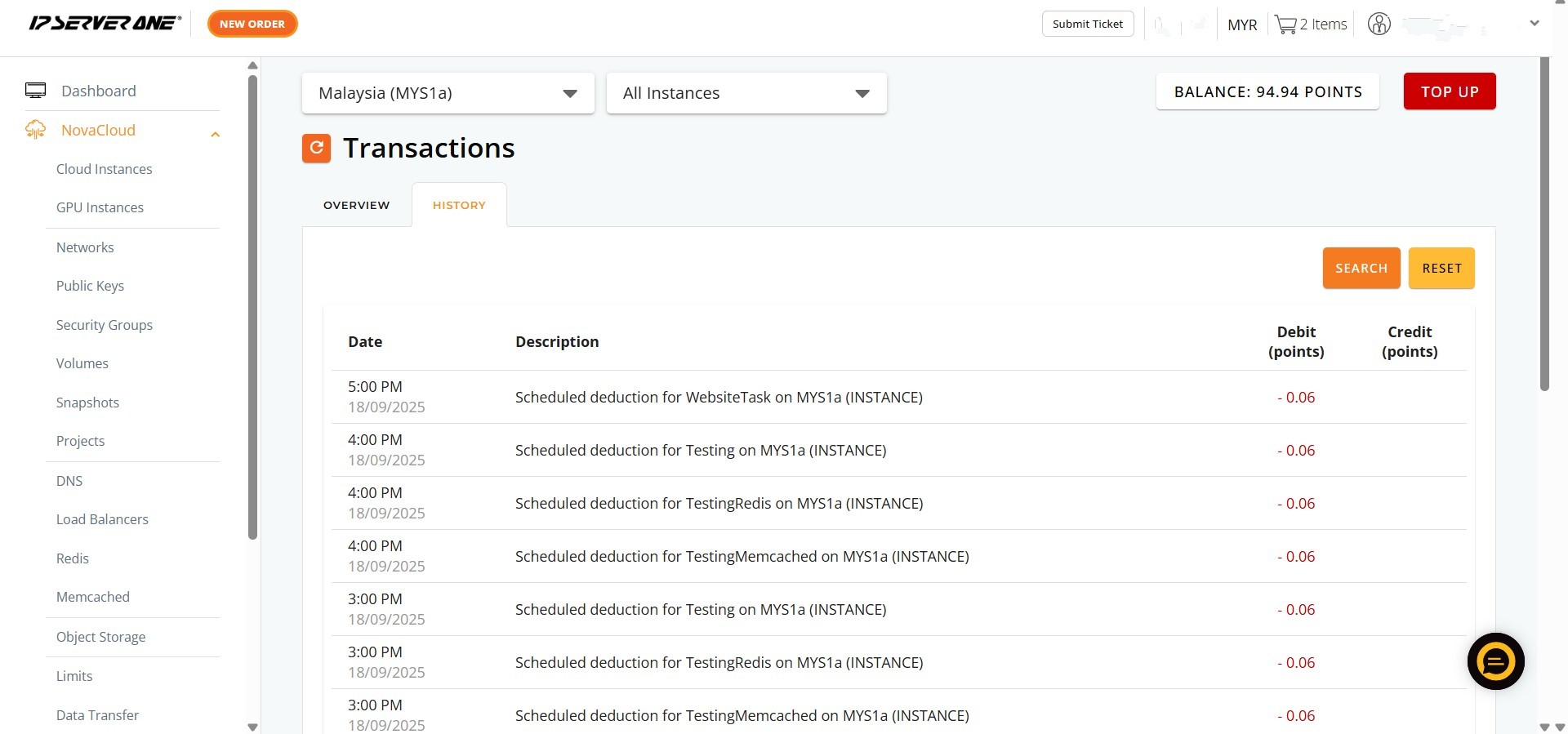
To review historical monthly spending effectively, users can utilize the dropdown menu located next to the displayed month on the “Overview” tab and select the desired preceding month to update the financial data for that period. Furthermore, the “HISTORY” tab within this section offers a comprehensive and detailed record of all past transactions, including receipts and invoices. Access to the customer portal where there is a subscription is a prerequisite for utilizing these features.
Prerequisites:
- Active Customer Portal Account.
- Active Utilization of IPSERVERONE Services.
Step-by-step Guide:
Step 1: Access NovaCloud Services
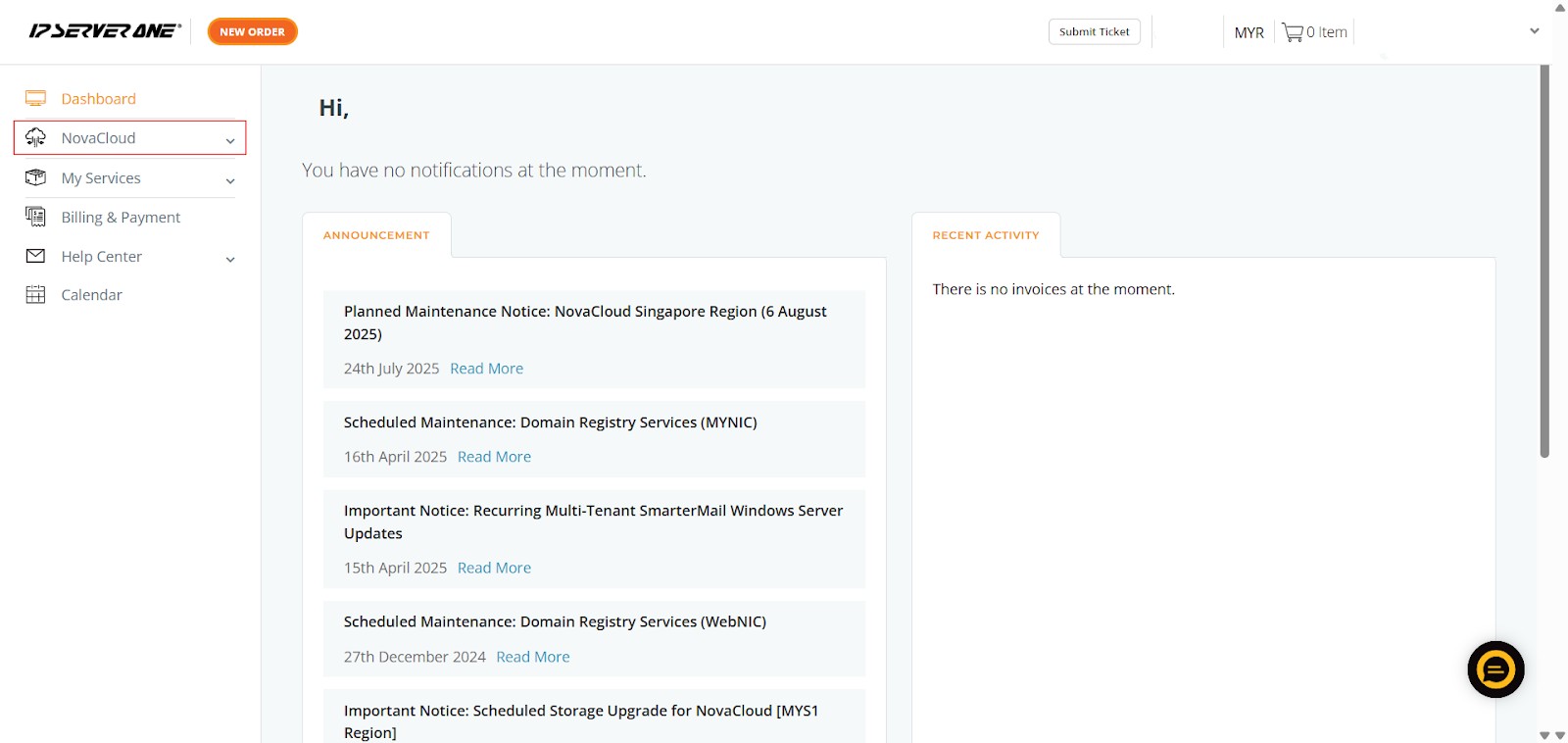
- On the left-hand navigation menu, locate and click on “NovaCloud”. This section provides access to all your cloud computing resources and services offered under NovaCloud.
Step 2: Navigate to the Transactions Section
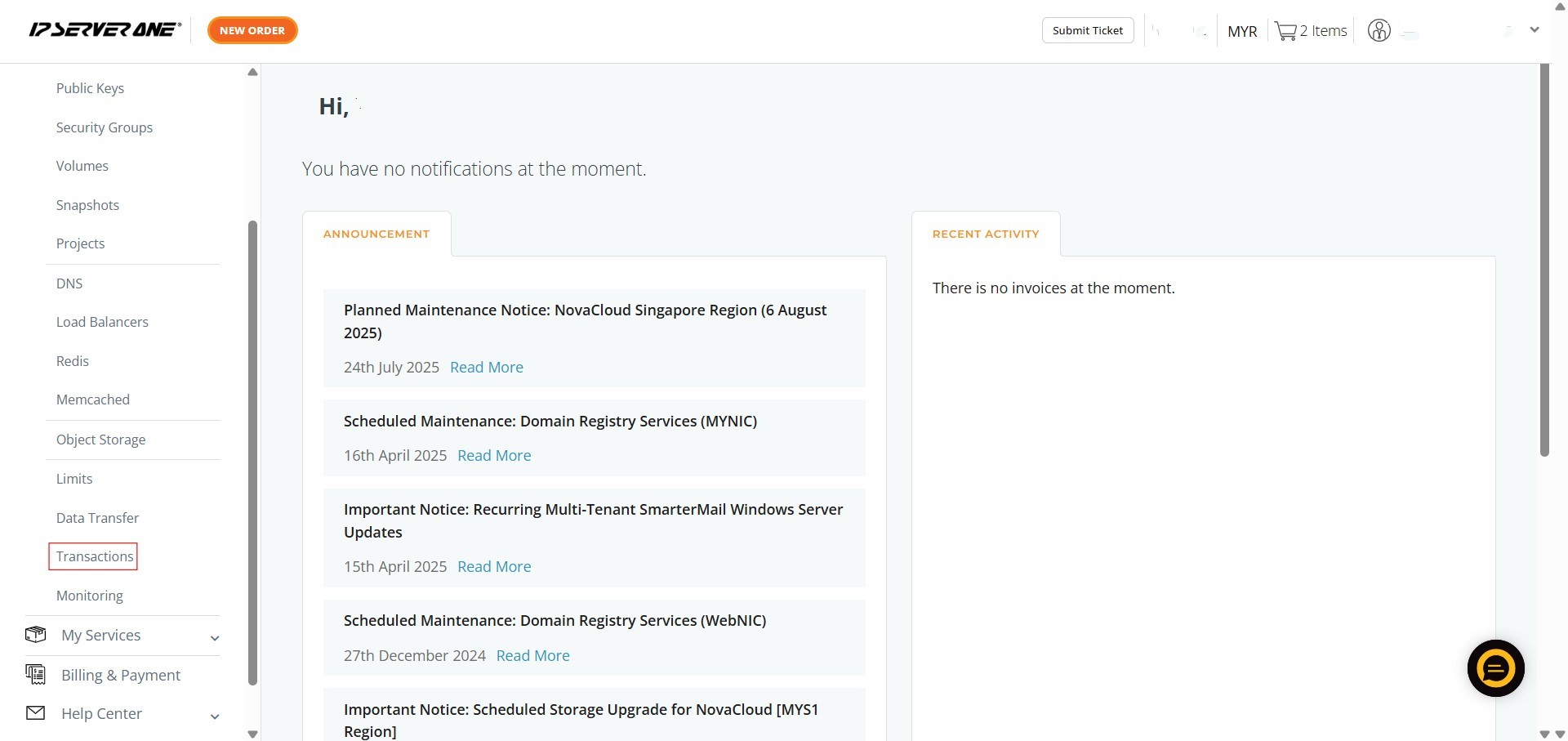
- From the expanded NovaCloud menu, scroll down and click on “Transactions”. This action will direct you to the dedicated transaction monitoring interface.
Step 3: Review Your Monthly Transaction Overview
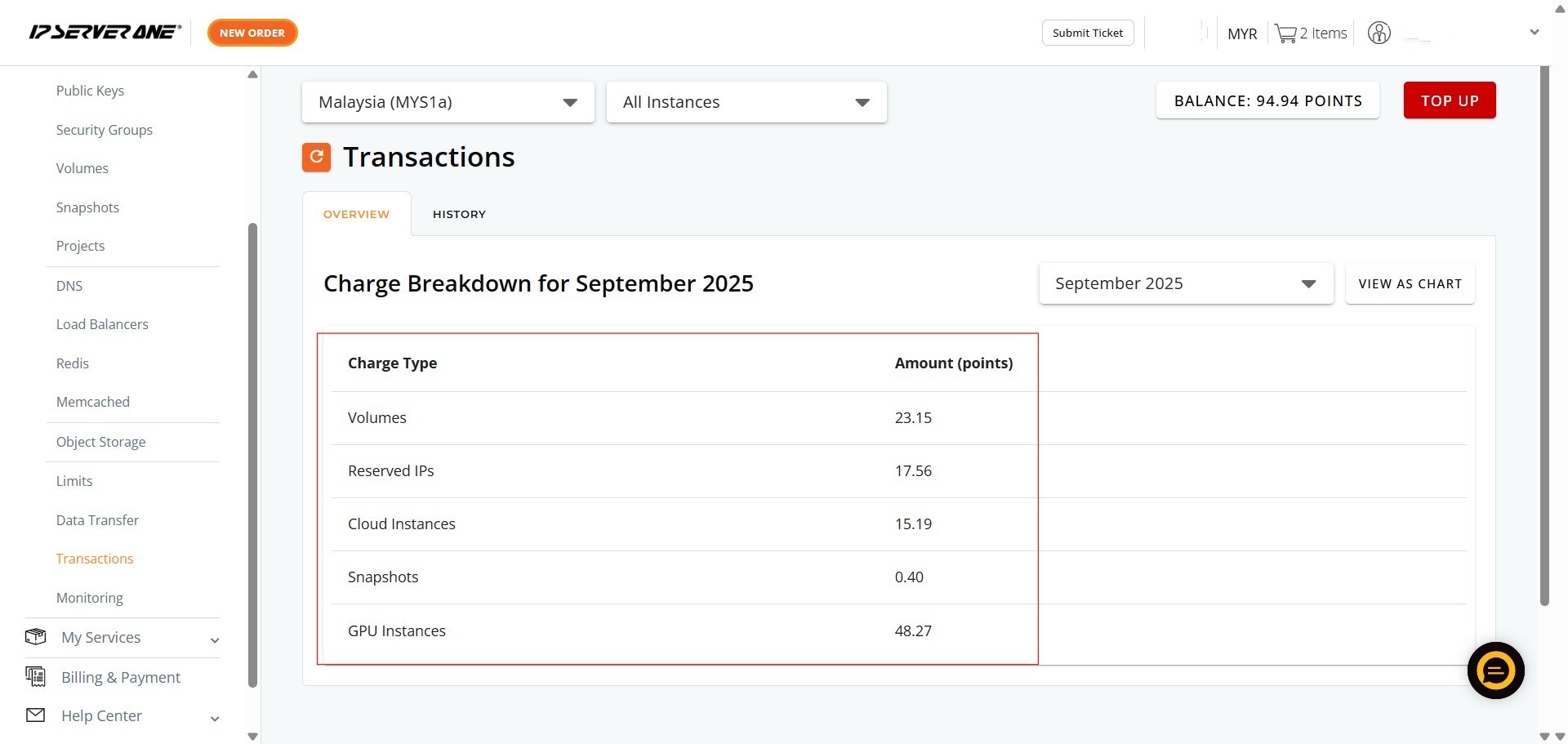
- Upon entering the “Transactions” section, you will automatically be on the “OVERVIEW” tab.
- Here, you will see the “Charge Breakdown for [Current Month]”, which lists various Charge Types (e.g., Volumes, Reserved IPs, Cloud Instances, Snapshots, GPU Instances) and their corresponding Amount (points).
- This provides an immediate summary of your current month’s expenditures
Conclusion:
By following the steps outlined in this guide, you can effectively utilize the “Transactions” feature within the IPSERVERONE Customer Portal. This comprehensive tool empowers you with a clear overview of your current monthly charges for services such as Cloud Instances, GPU Instances, Volumes, Reserved IPs, and Snapshots. The ability to visualize your spending through an intuitive pie chart and review a detailed history of past transactions for different months enhances transparency and control over your service expenditures. Ultimately, this functionality ensures that you can efficiently monitor and manage your account’s financial activities.
Should you encounter any issues or have any questions, our support team at IPSERVERONE is always here to assist you. Don’t hesitate to reach out to us at support@ipserverone.com for any help you need.